


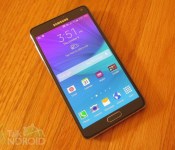
New Note 4 commercials hit YouTube
 Do you Note? That’s the question of the latest in Samsung’s newest Note 4 commercials. One shows a man in dire need of a place to relieve himself. Another shows a “photo war” between two friends. It’s nice to see that Samsung has gone away from bashing the competition and highlighting the fun you can have with Samsung’s latest large screened phone. We have the commercials for you after the break. Enjoy.
Click here to view the embedded video.
Click here to view the embedded video.
Come comment on this article: New Note 4 commercials hit YouTube

Samsung’s Project Zero rumored with dual-edged display?

With recent reports arising that suggest the next Samsung Galaxy S device is currently operating under the code name “Project Zero” many are expecting a massive shift in the design direction of Samsung’s flagship line. As our readers will know, Samsung recently surprised many by announcing two Galaxy Note devices this quarter, the expected Galaxy Note 4, alongside the aptly named Galaxy Note Edge. Unfortunately many prospective purchasers were disappointed to find that the Galaxy Note Edge may be released as a “limited concept device“.
However, thanks to a recent tip from senior analyst Jerry Kang during the last IHS Display Analyst Conference we may now know the reason for this. Jerry Kang claims that the Samsung Galaxy S6 will feature a dual-edged display, not drastically different to the Galaxy Note Edge which featured one edge. We can infer from all the pertaining information that Samsung released the Note Edge, initially planned to arrive with a dual-edge display, as a means of gauging consumer reaction for the concept.
Samsung is not afraid to shake things up, as they’ve proven before with devices such as the Samsung Galaxy Round, the camera-oriented Galaxy K series, and even the original Note device (considered by many to be the first successful “phablet”). With Samsung’s Q3 profits down 60% year-on-year it is easy to see why may they feel the need to try something new, and it will certainly make for an exciting build-up to what is usually a fairly predictable flagship release from the Korean electronics giant. Let us know in the comments, do you think a dual edged display will be enough to turn around Samsung’s fortunes?


The post Samsung’s Project Zero rumored with dual-edged display? appeared first on AndroidGuys.

Samsung Galaxy Note Edge review: Innovation, experiment or gimmick?

Just because you can do something, should you? Samsung thinks so. Its second experimentally screened phone taps into its hardware R&D and production clout to offer something not many other companies can make, let alone bring to the public outside of a fuzzy proof of concept. And so, following the Galaxy Round, here’s the Galaxy Edge. If you take the basic shape and concept, it’s the spitting image of the curved-screen Youm prototype spied at CES a little less than two years ago. Now, though, it’s a for-real smartphone you can buy. I’ve been testing it out in Japan, where it launched instead of the Note 4, although both the Note 4 and the Note Edge will eventually be available in the US. Fortunately, despite the unusual, (addictively stroke-able) curved screen, it still packs all of the good things that made the Note 4 such a strong choice. But bragging rights aside, is there enough of an argument for a curved screen? Should you just get the Note 4 anyway?
Hardware

The Galaxy Note Edge grabs your attention. Its curves are subjective and divisive; my friends and colleagues have offered up reactions ranging from outright bemusement to adoration. The screen looks great, with the punchy contrast and sharpness that’s been a Samsung flagship mainstay for years. We’ll get back to that edge, but it’s the headline part of a 5.6-inch Quad-HD+ display. (“Plus” here, in comparison to the Note 4, means an additional 160 rows of pixels.) This means a little chunk of extra screen makes the phone just less than 4mm wider, and around 2mm shorter, than the Note 4.
The screen is marginally smaller than the Note 4, despite the cranked-up pixel count. Like the Note 4, text pops a little more, and pictures you take with the 16MP camera are obviously better replicated on the Note Edge’s screen. Color purists: Yep, the shades are still a little overdone, but you can choose from a few custom color palettes if you’re not a fan of high-contrast menus and photos.
Regardless, you get the feeling that this is the bleeding edge of Samsung’s phone-making skills, right here in your hand, and that’s because of the curve. Samsung’s explained, officially, that it put the curve to the right to replicate how we read books. Lefties aren’t going to be too happy, but the one-sided design is what gives the phone a kick. (For the 10 percent of our readers that are left-handed, you can flip the phone around and the screen will follow, but the physical home button, ports and volume controls (let alone the mic for voice calls), will all be in nonsensical places. We drafted in lefties to compare it with the Note 4 and the latter was deemed much more comfortable. (What’s the use in a curved screen if it’s in the wrong place?)
The company was able to curve the display using the same technology it featured on the Galaxy Round, but there’s more emphasis here on giving purpose to the uniqueness of the Edge. Samsung’s crafted what’s best described as a special kind of edge “widget,” but I’ll explain what sort of value it adds in the software section. There’s some purpose to it — but perhaps not quite enough.
One of the best things about the Galaxy Note Edge is how much it resembles the Note 4. In fact, barring that giveaway right edge, from nearly all angles it looks like the Note 4, and that’s a good thing. It has nearly all the same design touches and material finishes as the Note 4. As my colleague Brad mentioned in his review, the leather-like backing on Samsung’s phones this year is much improved: It looks and feels much classier, and the fake stitches are gone too.
There are also machined-aluminum buttons to match the sides, an IR remote and headphone socket up top, and a USB charger, a downgrade from the Note 3, at the base. This means slower transfers, but I can cope for the aesthetics. In time-honored Samsung style, there’s also a physical home button with capacitive multitasking and back buttons balancing out the lower bezel. Lastly, there’s a built-in heart rate monitor nestled alongside the flash, while a single speaker grille sits in the lower-left corner, ready to be obscured by your hand when you hold it. Whoops.

There’s been no corners cut with regards to specifications — fantastically, it goes toe to toe with the Note 4. It’s the same high-resolution (2,560 × 1,600) screen — we’re certain a mere 1080p “Plus” curved display would have been cheaper to make — as well as a 2.7GHz processor, 3GB of RAM and 32GB of storage (and a 64GB option), with a microSD slot for expansion. On paper, the only place that’s been limited is the battery: a smaller 3,000mAh pack powers this special edition Note, compared to 3,220mAh in Note number four.
The stylus is another product of Samsung’s collaboration with Montblanc: Multiple sensitivity levels and a nice grippy surface are the highlights. I’d point you to our Note 4 review for a closer look, but suffice to say that the stylus has turned into a real selling point for the Note series, with one caveat: There’s a steep learning curve to using it. After using the Galaxy Note 2 for some time, the extra features and changes meant I came often unstuck at the start. My personal favorite, which I used a surprising number of times, was Image Clip, which allows you to copy and paste parts of your screen — maps, parts of an image — and save it for reference or use later. Combining my scraps with a messaging app was simplicity. The new pen even lets you batch select parts of text or even files and pictures — yes, a real productivity tool!
One-handed use

Disclaimer: Your hand is different from mine, but it seems only fair to do the same comparison we did for the Note 4. The Note Edge is wider than the Note 4, and although I’ve only spent a brief time with the latter, the curved, tapered side of the Note Edge seemed to fit rather snugly into the corner of my palm. I never found it uncomfortable, but please don’t forget it remains a big phone. Both come with software tricks like shrinkable keyboards as well as a new, tiny floating menu that can be stuck to the outer edge of the screen. This duplicates the capacitive button row, which could be a solution of sorts for lefties. I can even make this secondary menu transparent, allowing me to maintain all that screen space. The ability to shrink the likes of Chrome and Google Maps to a popup window and layer it on top of other apps is also useful; I’d love to see something similar on the iPhone 6 Plus.
And how does Apple’s biggest phone compare to the Note Edge? Well, both remain unwieldy to grip, and the Note Edge is wider. However, the edged screen nuzzles into my hand better and those software tweaks mentioned above give it the advantage. However, just like the stylus, there’s a while before you get the knack of all the little provisions Samsung’s made to ease users into this screen size.
Software

If you’re looking to learn more about the stylus’ uses, I’d advise a quick read of Brad’s Galaxy Note 4 review, because the setup is identical here. Yes, there are TouchWiz bits running on Android 4.4 KitKat, but Samsung continues to clear away unnecessary bloat and options. It’s still a work in progress, though, and I feel the settings menus are particularly obtuse compared to other Android phones — and especially iOS. It takes some getting used to.
But let’s focus on what’s different here: that edge. There are two display modes you can flit between: a slender, unassuming bar that can display a customized message and a more substantial column that attempts to offer extra functionality, notifications or context-dependent menus for certain apps, like the camera. When it’s expanded, the UI is a basic row of icons, which you can navigate with a little swipe. This may look a little unusual, but swishing through the various mini-screens (you can configure what it shows, and even install third-party “edges”), is immensely satisfying.
While you can cycle through up to seven edges (why the limit?), each can also be toggled off, so you could strip it down to simply a notification and app shortcut bar. Or you could keep seven different things there: weather, stocks, bizarre memory-matching game, your pedometer stats or a Japan-only navigation bar that’ll offer traffic alerts and your nearest train station. Predictably, there’s a way to go on these edge apps — did Samsung not learn from those early wearables? The edge could be so much more useful with Spotify controls or a Gmail notification bar that offers more than just a number of unread emails.

The edge of the screen also comes into its own when Samsung went to the effort to add dedicated menus. For the camera, this means your viewfinder isn’t obscured, which is nice. Similarly, when playing video, you get the fullscreen playback, and tapping the screen brings up controls along the curved edge. Notifications will also appear here, which is a nice touch. However, app-dependent edge functions stop there, and the camera and video player both seem like the most useful scenarios for it.
I ended up using the edge screen differently. I felt like my apps belong better on the side, and customized the favorites edge to include all my regular apps like Chrome and Maps. Rather than squeeze as many of these vital apps onto a home screen (or two), I can house them on that swipeable side. The screen can then showcase wallpaper, or suitably pretty widgets. Apps are then not a button press, but a swish away. Samsung (and Apple) might not like it, but it reminds me very much of my Mac setup.
You can also turn the edge into a centimetered ruler. Not sure how much you’re going to use that function — I didn’t use it once. Something I did like was the night clock setting, which, when it hits a certain prescribed time, will light up the edge with a simple clock readout.
These might be the best parts, but the marvel remains the technical accomplishment of the curved screen. The applications for it don’t quite amount to enough — at least right now. What does the edge lack? What do I want? I’m not even sure, but when text scrolls down the edge and you’re facing the right side, the edge, of the phone, it’s upside-down. If Samsung were to reverse it, then it’d be upside-down when you’re using the thing. It’s particularly frustrating for the Twitter widget, which scrolls through highlights.
Camera

Again, Samsung didn’t cut any corners when it came to the phone’s imaging prowess. The Note Edge packs a 16-megapixel camera, with Samsung’s “smart OIS” intended to eke the light (and detail) in tougher lighting. The front-facing camera is also a top-end sensor compared to the competition, 3.7 megapixels with an f/1.9 lens. There’s also a (bizarre-sounding) selfie mode that stitches a trio of pictures together for widescreen, “best friends!” capture — when you have more than two BFFs.
While I’m not a huge selfie taker, you’ll have to ask our Senior Selfie Editor, but I do take a whole lot of photos with my smartphone, so I was interested to see how Samsung’s newest smartphone camera handled (yup, it’s in the Note 4, too). Fortunately, I spent time with the Note Edge in Tokyo and New York: two places where sample photos can be done pretty much everywhere.
All told, it’s an excellent camera. The image stabilizing works well on all the neon lights that pepper Tokyo, while even people were neatly captured. There’s some noise, but it compares favorably against older Galaxy phones. Daylight meant effortless captures and some really nice shots, if I say so myself. Focus was swift, and auto white balance seemed to gauge scenes perfectly. If you have a proclivity for HDR, rest assured the Edge does an excellent job there.
Performance and battery life
| Samsung Galaxy Note Edge | Samsung Galaxy Note 4 | Samsung Galaxy S5 | iPhone 6 Plus | |
|---|---|---|---|---|
| Quadrant 2.0 | 23,861 | 24,425 | 24,714 | N/A |
| Vellamo 3.0 | 1,882 | 1,808 | 1,656 | N/A |
| 3DMark IS Unlimited | 19,912 | 20,692 | 17,954 | 17,902 |
| SunSpider 1.0 (ms) | 788 | 793 | 820 | 388 |
| GFXBench 3.0 Manhattan Offscreen (fps) | 18.4 | 18.8 | 11.5 | 18.2 |
| CF-Bench | 40,143 | 43,234 | 33,351 | N/A |
| SunSpider: Lower scores are better. | ||||
It bears repeating: Samsung’s treated the Galaxy Edge buyer to some of the best components underneath that curved display: 3GB of RAM to ensure multitask windowing runs smoothly, and a quad-core Snapdragon 805 processor to back it up. Like the Note 4, lag and slowdown simply didn’t happen. However, there were the occasional hiccups where the edge widget would refuse to cycle to the next page. The only fix I found was to reset the phone. It’s a shame, as it’s a minor issue that stops the phone getting full performance marks.
The Edge goes toe to toe with the Note 4, because well, it’s pretty much the same phone. But how about the smaller battery, one of the only hardware differences? With a little more screen resolution and less capacity on the cell, we feared the worse. Well, in our battery of… battery tests, it lies somewhere between the Note and Galaxy S series. It’s not quite as good as the former, but better than the latter: A very heavy day of use (lots of maps, lots of photos) will tucker out the phone before bedtime. That said, in our video-loop battery test at half brightness, the Note Edge’s 3,000mAh cell ran out after just over 10 hours. With more moderate use, the phone would arrive back at my house with around 20 percent left, enough to notify me that I needed to charge. The fingerprint sensor to unlock the phone is more sensitive and accurate than preceding Galaxy devices, although the heart rate sensor on the back of my Note Edge didn’t seem to pick up my pulse at all. I wasn’t dead, and a second Note Edge we picked up for testing did offer up readings swiftly inside the phone’s S Health app.
The competition

When it comes to big smartphones, we’ve never had quite as many strong options. What was once the domain of only Samsung and LG now has competition from Apple and even smaller upstarts like OnePlus. Samsung has launched the Note Edge mere months after its own Note 4, and the phones are identical in so many ways. The major difference isn’t that the battery’s smaller on the Edge, but the price: off-contract the Note 4 comes in at around $800. The Note Edge, meanwhile is priced at $950 — just shy of 200 bucks more. On-contract pricing on AT&T comes to around $400, while the Note 4 and the iPhone 6 Plus ring in at $300. Apple’s iPhone 6 Plus, lacking a stylus, but coming with the slicker iOS 8, starts at $750 off-contract for a 16GB model. Unlike both of this year’s Galaxy Notes, however, you can’t upgrade the storage — something worth bearing in mind. Then there’s the OnePlus One: a lower-resolution (but still gorgeous) 5.5-inch 1080p display, no stylus, no add-on storage, but you could buy three and have spare change for cases compared to the Galaxy Note Edge. It boils down to how much you want a stylus, and how much you’re willing to pay for a phone that’s not like anything else.
Wrap-up

Is the Note Edge a gimmick? It’s hard to say, but I don’t think the curved display is a bad thing. The best part is that even without the edge, you’ve still got, for all intents and purposes, a Galaxy Note 4, with a stylus, power, long battery life and a capable camera. The more I used the Note Edge, the less the edge part seemed to matter: I’d use the shortcuts to apps from the edge, but gradually disabled most of the widgets. Pervasive uses for the curve aren’t quite there. What did remain was how gosh-darn eye-catching the display was, augmented by that curved AMOLED glow. And if foldable smartphones and tablets are going to happen, if devices with more useful, innovative displays are to appear, phones like the Note Edge are the iterations that need to happen. If you liked any of the previous Galaxy Notes, or were at least intrigued by them, then the Galaxy Note Edge deserves the same amount of attention — even if, at $980 off-contract, you’re really paying for that progress.
Filed under: Cellphones, Mobile, Samsung
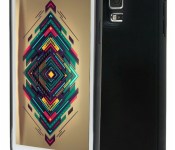
LifeCHARGE Glide for Galaxy S5 Review: “Enjoy more CHARGE in your Life”

Do you or a friend own a Galaxy S5? Do you feel like you just can’t get through the day on a single charge? Or are you a light user that doesn’t like to charge your phone everyday and want to go 2 full days on one charge? If you answered “Yes” to any of those 3 questions, then you might want to keep reading. The LifeCHARGE Glide Slim might just be what you’re looking for.
When LifeCHARGE offered me to review this battery case my first thoughts were of my stepfather’s constant complaining about the poor battery life of his newly acquired GS5. Although he’d just moved up from the GS3 and said the battery life was much better, he still wasn’t satisfied. So I had LifeCHARGE send one out to me for review. This is the second time they send my a battery case for review. (The first one was for the iPhone 5/5s which you can find my review on my Profile Page.) And I have to give them major props on both the quality of there products & their service.
I usually understand how to use a product at first glance. Give me 5 minutes and I’ll be using it as if I personally invented it. Assembling this is as easy as it gets. You seriously won’t need instructions. As to how it works, now that’s a little more complicated. To put it simply: just assemble, charge, and forget. The reason I say that is because once you plug in your original battery to this battery pack the phone treats both batteries as one single battery. There are no on/off buttons or battery indicator on the case. Everything is treated as a single battery. So instead of having a single 2600mAh battery, it’s more like having a 5000mAh battery powering your phone.
I have to admit that it did catch my off guard at first. When I didn’t see a power button, I was a bit confused. I had to contact customer service to find out how it worked. Once I assembled it I assumed that it would just start working right away, but you have to charge it once connected so that the 2 batteries can sync up. Once that’s done, just forget about it and keep it moving as if nothing had changed. Now let’s wrap it up with The Good, The Bad, & The Bottom Line.
The Good:
+ Easy Assembly. It couldn’t be much easier.
+ It’s very easy to use.
+ Once you connect it, you can forget about it.
+ Protects your phones from falls. It isn’t going to survive some crazy 2 story drop, but a drop om chest level should be fine.
+ Doesn’t add to much bulk. Surprisingly enough I actually like the added bulk although it isn’t much. This is coming from a guy who hates cases all together.
+ Soft touch finish is an added bonus that makes it feel better then the actual GS5 back.
The Bad:
– The phone is no longer waterproof with this case on. Which isn’t such a big deal anyways considering the average consumer forgets the phone is waterproof anyways.
– The screen itself isn’t so well protected. If it drops directly on the screen it will still shatter like any other. My solution to that is to buy yourself a tempered glass screen protector.
The Bottom Line:
The bottom line is that this case’s positives far outweigh it’s negatives. It’s definitely a good buy for anyone who wants to get the most out of their GS5. Battery life went from about 17hrs with 3.5hrs Screen on time to 2 days with 6.5hrs of screen on time. I’d recommend it, and it also makes a great gift. I hope you guys enjoy more CHARGE in your Life.
Amazon Link : LifeCHARGE Glide GS5
Price: $69.99
//<![CDATA[
ord = window.ord || Math.floor(Math.random()*1E16);
document.write('‘);
//]]>
The post LifeCHARGE Glide for Galaxy S5 Review: “Enjoy more CHARGE in your Life” appeared first on AndroidSPIN.
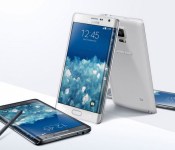
More than 120,210 German voters have successfully brought the Samsung Galaxy Note Edge to Germany
 Petitions don’t seem to normally work, but it appears this one has, and has made Samsung reconsidering bringing the Samsung Galaxy Note Edge to Germany. Okay, so it wasn’t exactly a petition since it was started by Samsung themselves, but thanks to over 120,210 voters (which actually totals 145,531 votes now), Samsung has decided it is going to bring the Note Edge to Germany after only confirming availability in the US, Japan and South Korea. What’s more, Samsung says it is going to offer the “premium” version of the device starting in late November, ending on December 31st with the standard version going on sale in early 2015 – we’re not sure what the premium version entails, but we know it will be available in Charcoal Black and Frost White colour variants.
It’s actually a pretty unusual ploy to see whether a target market wants to get a certain device, but it appears to have paid off for Samsung, assuming these 145,531 votes translate in some way to sales for the Note Edge. Of course, the Note Edge’s defining feature is its curved screen, which doesn’t quite achieve the novelty of last year’s Samsung Galaxy Round, but instead adds a surprisingly functional side bar down the length of the device. Throw in the same specs as the Galaxy Note 4, and you have a pretty impressive (albeit expensive) device.
What do you think about the Note Edge being released in Germany? let us know your thoughts in the comments below.
//<![CDATA[
ord = window.ord || Math.floor(Math.random()*1E16);
document.write('‘);
//]]>
The post More than 120,210 German voters have successfully brought the Samsung Galaxy Note Edge to Germany appeared first on AndroidSPIN.
The top 9 tablets you can buy right now

The tablet market hasn’t seen the turnover that smartphones have enjoyed, but there’s still a steady stream of new and improved slates coming out. However, this time around we’ve only seen fit to add a couple of new devices to our buyer’s guide tablet listing — for the time being, at least. If you’re still in the market for one, or looking to trade up, we’ve still got you covered. You can peruse the entire list in our official guide or head on down to the gallery below for a quick tour of the best options on the market.
Filed under: Tablets, Apple, Samsung, Sony, Microsoft, ASUS, Acer

[VIDEO] A sneak peek at Android Lollipop on the Samsung Galaxy S4
 SamMobile has already gotten exclusive sneak peeks at Android Lollipop running on the Galaxy S5, and continuing in this vein of leaks, they’ve managed to get Android Lollipop on the Samsung Galaxy S4 in hand as well. Check out the video that they put together which demoed it below:
As they mention in the video, this is an early build of the Lollipop update, emphasized by the lack of operational Wi-Fi which means SamMobile won’t be making the build available to try out. What is clear from the video is that the Galaxy S4’s update to Android Lollipop will be incredibly similar to the Galaxy S5’s, with plenty of common screens and menus that we have seen in the previous preview. Obviously, many of the stock Lollipop aspects are hidden below Samsung‘s TouchWiz UI, though it’s unclear if Samsung has managed to get rid of the lag and performance issues that have given it a reputation. All the same, it’s good to see that Samsung is hard at work at updating its phones, no matter how close they are to the end of their 18 month update window.
What do you think of Android Lollipop on the Samsung Galaxy S4? Let us know your thoughts in the comments below.
Source: SamMobile via Phandroid
//<![CDATA[
ord = window.ord || Math.floor(Math.random()*1E16);
document.write('‘);
//]]>
The post [VIDEO] A sneak peek at Android Lollipop on the Samsung Galaxy S4 appeared first on AndroidSPIN.
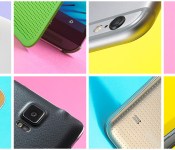
The top 15 smartphones you can buy right now
 It’s possible you already purchased one of the smartphones we listed in our buyer’s guide last July, but things tend to move quickly, and with fresh handsets from names like Apple, Samsung and Motorola, some of you may already be itching for an upgrade. To that end, we’ve made some fresh additions to our list of the latest and greatest smartphones out there today. Sure, our official Holiday Gift Guide is just around the corner, but this update will help you make some quick decisions, or at least get a head start on that holiday wish list.
 Filed under: Cellphones, Apple, Samsung, Sony, Microsoft, HTC, Nokia, Google, LG

60 seconds with a giant, rollable display for your mobile devices

At some point, you’ve probably wished that your smartphone had a much larger screen to watch a movie or get work done… but you can’t always lug a desktop display or tablet around, can you? If Insert Coin finalist RollRR has its way, you won’t have to. It’s developing rollable displays that would give your mobile devices a lot more visual real estate without consuming much space in your bag. The prototype on the Engadget Expand show floor is a 10.7-inch roll of e-paper attached to a giant tube, but the ultimate goal is to fit a 21-inch or larger screen (ideally, full color plastic OLED) into a gadget the size of a small umbrella. It’s also considering touch technology like 3M’s silver nanowires, so RollRR could expand your input area, too — you could edit a large image on your phone just by unrolling the sheet on a table.
It’s still early days for the project, but the Expand demo unit illustrates the concept well; the display winds up neatly and bends in unusual ways. Even without color, it’s easy to see the technology letting you read documents while freeing up your phone or tablet for other tasks. However you use its hardware, RollRR plans to move quickly if it sparks a lot of interest. It hopes to launch a crowdfunding campaign in the coming months that would get roll-up displays into the hands of developers, and it’s aiming for a full-fledged introduction at a spring trade show like E3.
Filed under: Displays, Samsung, LG
Source: RollRR

AT&T Buyer’s Guide for Android (November 2014)

In the hunt for a new smartphone from AT&T? Regardless of whether you’re buying your first Android or upgrading for the fourth time there’s something for everyone. And, as you might suspect, Ma Bell has plenty to choose from. In fact, counting variations, there are roughly two dozen models to choose from today.
As the last of the big four carriers to adopt Android, AT&T is doing a bang-up job in supporting the platform. It seems we’re constantly hearing about an exclusive model or head start on the competition.
Defining high-end
Today’s top Androids feature big, gorgeous displays, fantastic high-resolution cameras, and lots of memory. Toss in some quad-core and octa-core processors and some killer high capacity batteries and you’ve got mobile devices that would rival your computer from just a few years back.
 As 2014 draws to a close and we look at the hardware from late model Androids it’s not uncommon to find screens hovering at 5-inches or larger. Thanks to ever-shrinking bezels we have phones with massive displays that also happen to fit comfortably in our hand. And, they’re not only big, but they’re sharp, too. Resolutions across the the top models are 1080p and higher. For what it’s worth, we’re starting to get our first glimpses of 2K and Ultra HD screens. It can be argued that average users cannot discern much beyond 720p/1080p on such a small device.
If you’re not coming to the table with at least a quad-core processor and 2GB RAM then you’re not going to sit at the big boy’s table. Most of the bleeding edge stuff you’ll find today comes with 3GB memory and chipsets of around 2.3GHz – 2.7GHz.
Storage capacities, for the most part, haven’t moved forward quite as quickly as other areas. You’ll still routinely find 16GB and 32GB models in most models though some are creeping into the 64GB space. Given that many handsets offer external storage via microSD cards it should matter little where you start out – especially if cost is a factor.
Another important factor in determining a smartphone purchase is the version of Android. Typically, it’s a simple case of “the newer the phone, the newer the operating system”. Today’s most recent phones are powered by Android 4.4.4 KitKat but anything running at least 4.4 should suffice for the average person. You will still find an occasional straggler, though, running something older.
Flagships & Exclusives
- Samsung Galaxy Note 4: Launched in October, this is Samsung’s annual plus-sized experience. Thanks to the release time-frame, these are typically a step-up from the Galaxy S series of smartphones. Standout specs include 32GB storage, a 5.7-inch Quad HD display, 3GB RAM, an S Pen stylus, and a 3220mAh battery. Best Buy | AT&T
- Samsung Galaxy S5: Released in spring 2014, it’s the most popular series of Android models to date. Hardware includes a 5.1-inch display, 16-megapixel camera, 16GB storage, and a 2800mAh battery. Best Buy | AT&T
- LG G3: LG’s increasingly popular family of phones, this one is unique in that it features rear button configuration under the camera. Best Buy | AT&T
- Motorola Moto X (2014): Motorola’s now annual flagship model, the Moto X is significant for its stripped down Android experience. Slightly bigger than last year’s model, this one has been very well received in the space. Best Buy | AT&T
- HTC One M8: Perhaps the oldest model in this list, HTC’s flagship handset received very high marks for its build quality and toned-down custom UI. Often cheaper than others in the group, it’s still plenty of bang for the buck. Best Buy | AT&T
- Samsung Galaxy Alpha: The first device from Samsung to employ the new “design language”; features a svelte body wrapped in metal trim. Best Buy | AT&T
- Samsung Galaxy S5 Active: A variation of the flagship with pre-installed apps based around the more active user. Rugged and durable, with a trio of new colors. Best Buy | AT&T
Mid-range
 While not always the case, the mid-range Android is typically made up of last year’s top models. This is not to suggest, however, that there’s not a one-off model or variation that sneaks in every once in a while. Specs, as you can imagine, are often a step below. Processors, cameras, and batteries are sometimes the key difference though many of them also feature a screen resolution of 720p or 1080p. What follows what could be considered some of AT&T middle-of-the-pack handsets.
- LG G2: One of LG’s breakout devices over the last few years, the smartphone was the first to employ the rear button setup. Killer hardware and a refined UI make this one hard to resist even a year later. Best Buy | AT&T
- LG G Flex: The first smartphone from LG to offer the curved display; six inch screen and a 3500mAh battery make it big and long-lasting. Best Buy | AT&T
- Samsung Galaxy Note 3: As the plus-sized Samsung flagship from 2013, its quad-core CPU and camera make it a moderately strong device one year later. Best Buy | AT&T
- Amazon Fire Phone: The first smartphone from Amazon, it’s exclusive to AT&T. It might be a little more gimmick than seasoned Android users might enjoy but plenty for new users. Works great for those who can’t get enough Amazon (Prime). Best Buy | AT&T

Entry-level
- Samsung Galaxy S4 Mini: A smaller take on the 2013 flagship model, the S4 Mini has a very pocketable 4.3-inch display, an 8-megapixel rear shooter, and plenty of Samsung software features. Best Buy | AT&T | Amazon
- Motorola Moto G: A perfect starter smartphone, it has a 4.5-inch screen, a quad-core CPU, and LTE support. Best Buy | AT&T | Amazon
- HTC Desire 610: Low-cost take on the form factor from the One M8, you’ll find front-facing speakers and a host of HTC custom tweaks. Best Buy | AT&T | Amazon
- Samsung Galaxy Rugby Pro: Features a 4-inch display, enhanced push-to-talk (PTT), and is built tough to resist shocks, water and dust. Best Buy | AT&T | Amazon
- NEC Terrain: The only one on this list that features a physical keyboard; rugged design and PTT make this a great option for people who spend their days in the field. AT&T | Amazon
The post AT&T Buyer’s Guide for Android (November 2014) appeared first on AndroidGuys.
 AIVAnet