


Grace Digital CastDock X2 Release Date, Price and Specs – CNET

The CastDock X2 hides the Chromecast Audio in the top of the speaker. The dock has a door/cover that adheres magnetically.
Sarah Tew/CNET
Back in the day there used to be lots of speaker docks for iPods and iPhones. Now we get Grace Digital’s CastDock X2 ($150), a speaker dock for Google’s highly-rated Chromecast Audio Wi-Fi streaming device.
I’ve been playing around with it for the last few days and it certainly is an elegant solution for integrating a Chromecast Audio unit — sold separately for $30 — right into a speaker (you usually have to attach it to an audio input and have it sit outside the speaker).
What’s nice is that the dock has a Micro-USB connector that provides power to the Chromecast Audio and an optical audio cable creates a digital connection. However, I should note that this isn’t a portable speaker with a built-in rechargeable battery. Rather, it has to be plugged in.

The docking bay.
Sarah Tew/CNET
As for the sound, it’s decent but not exceptionally good for a $150 speaker (it plays loud and has some kick to its bass — it’s just not the most well-defined bass).
Bestbuy.com does have it on sale for $100 for Father’s Day, and that’s what I felt the speaker was worth — and least from a sound and build-quality standpoint.
The WiFi connection is supposed to provide higher-quality sound but in a speaker this compact, you don’t get much of a performance bump over Bluetooth. And weirdly, the speaker doesn’t seem to offer a Bluetooth connection, which means you have to buy a Chromecast Audio to wirelessly stream music to it.
Gracedigital CastDock X2 (pictures)
See full gallery


1 – 4 of 10
Next
Prev
According to Grace Digital, here are the key features incorporated into the CastDock X2 and Chromecast Audio (sold separately):
- Listen to over 30 million songs from over 100+ cast-enabled music apps like Pandora, Google Play Music, Spotify, and iHeartRadio
- Enjoy higher quality sound
- Play music everywhere with multiroom feature
- Play music without interruptions
- Mirror music from a laptop or Android phone
CastDock X2’s specifications:
- 50 watt digital amplifier with electronic crossover
- Frequency response: 60Hz – 20KHz
- Wave Maxxaudio DSP tuned to match custom speaker drivers
- Digital optical connection supports high-resolution audio, up to 24-bit, 192-KHz
- Switch for selecting R / R+L / L (allows you to use two Chromecast Audio devices and two CastDock’s for stereo sound or to place in separate rooms)
- Auto play / auto off when music is streamed
- Integrated mute button
- Rear mount screw option
- Price: $150 (but on sale for a limited time at bestbuy.com for $100).
2016 BMW M3 review – Roadshow
The Good Still offers a compelling blend of performance and luxury you’d expect, now with way more oomph.
The Bad Handling dynamics on tighter tracks leaves a bit to be desired.
The Bottom Line A bit more mature than before, the M3 is still quite a ride.
The turbochargers are coming, and it sure seems like they’ll soon be under the hoods and bonnets of every high-performance machine on the road. Consumers demand more power, legislators demand better emissions, and forced induction is the way to make it all happen. BMW is not immune, and even its most storied model, the M3, has fallen for the charm of the impeller.
The latest M3 has sharper looks and far more oomph — 11 more horsepower, up to 425, and a whopping 111 pound-foot jump in torque up to 406. It also has a higher cost, at $63,500 to start. It’s the most powerful and refined M3 yet, but is it the best?
BMW
M3
and
M4
on-track
at
Road
America…
See full gallery


1 – 6 of 13
Next
Prev
Retooled, not quite rebooted
For previous generations, the BMW M3 was available in both four-door sedan and two-door coupe configurations. But, to bring things in-line with the rest of its numerical naming conventions, the M3 is now exclusively available with four doors. Don’t worry, you can still get a coupe if you want. Just know that it’ll say M4 on the back.
The same 3.0-liter, turbocharged inline six-cylinder engine drives both cars delivering 425 horsepower and 406 pound-feet of torque. That power exclusively hits the rear wheels via your choice of a six-speed manual (as on this car), or a seven-speed dual-clutch transmission with flappy paddles behind the steering wheel.
Differences between M3 and M4 are small when it comes to handling and performance. Having spent plenty of time on the track in both, I can say that neither offers a disappointing ride, so choose the one that fits better with your lifestyle. Four doors certainly adds a fair bit of practicality for those who’ll be hustling passengers on a regular basis. The M3 also saves $2,200 over the M4, which is enough to get the M adaptive suspension and the upgraded 19-inch wheels.
They have a spidery, open-air appearance and offer that deep-dish, high-offset look that’s come to define BMW’s M cars over the years. They’re well worth the extra money and they also do a great job of showing off our car’s optional carbon-ceramic brakes — which, actually, may not be worth the upgrade.
For starters, the brakes cost a whopping $8,150. They do provide prodigious bite and performance, just lightly brush the middle pedal and you start scrubbing off speed in a hurry, but they’re almost too sharp on the street. However, everything changes on the track.
Dynamics
The M3 has always been all about driving dynamics. However, as is the way of the world these days, the character of the new M3 has as much to do with which buttons you press as which pedals you press. Our car included the optional $1,000 Adaptive M Suspension. It’s well worth the cost, giving you a choice of three stiffness settings to suit your mood.
You can also sharpen up the throttle response, stiffen the steering and, crucially, mix and match any setting you like thanks to dedicated buttons that nestle down next to the shifter. And, once you get a setting you like, you can assign it to one of two favorites buttons on the steering wheel.
The character of the new M3 has as much to do with which buttons you press as which pedals you press.
For the first, M1, I chose the softest across the board, which is perfect for cruising to work in the morning. For M2 I chose the sharpest throttle to get the most from the engine, firmest suspension to get the greatest feedback from the road, but still kept the softest steering setting, so that I wouldn’t have any artificial resistance in my way. This would be my racing home from the office setting.
The M buttons can also reconfigure the car’s traction and stability control modes. The standard mode is just fine for daily driving, while the slightly-racier M Dynamic Mode allows for more wheelspin and sliding before reining in the fun. MDM also works well on a fast-flowing circuit, just taking the edge off of things but still giving you more than enough power to drive through perfect lines.
However, on a tighter course, when you need and want the car to be moving around to hustle it from one corner to the next, I found even MDM to be far too conservative. Charge hard into a corner and the system cuts back the power enough to turn the car into a bit of an understeering bore, front sliding wide past the apex every time. That’s not exactly what I had in mind.
Turn the traction control fully off, however, and things come alive in a big, big way. It’s only then you realize just how hard the TC is system has been working to keep that power under control. With all the aids off, the M3 is an incredibly balanced monster, but a monster nevertheless. When it starts to go around it does so in a hurry, and with no electronic nannies to save you, you’d better be on your game.
LG Hom-Bot Square Robotic Vacuum review – CNET
The Good The LG Hom-Bot Square is one of the quietest robot vacuums we’ve tested, and it offers a variety of cleaning modes to choose from. Battery life is also decent.
The Bad The Hom-Bot was beaten soundly in our cleaning tests by just about every other robot vacuum we’ve tested. It also finished in a virtual tie with an underachieving Hom-Bot model we reviewed three years ago.
The Bottom Line It’s a competent cleaner, but the LG Hom-Bot Square lags far behind less expensive Neato and Roomba models. We recommend sticking with those.
Visit manufacturer site for details.
Right here at the top, I’m going to refer you to my review of the LG Hom-Bot Square from three years ago. I like that review, and not just because I was able to sneak a “Breaking Bad” analogy into the intro — it was one of the very first products I ever tested for CNET.
But that’s not why I’m pointing you back to 2013. The real reason is because this new 2016 version of the Hom-Bot Square is essentially the exact same product as the overpriced and rather unremarkable cleaner I wrote about back then. It looks the same, its features are the same, it navigates the same and it cleans the same, which is to say not as well as the competition. The only real changes are a new coat of paint and a new Swiffer-like mopping attachment you can stick onto the bottom.
At $900 (or AU$1,000 in Australia, where it’s called the “Roboking”; similar models sell in the UK, as well), this new Hom-Bot model is one of the most expensive yet — and more expensive than competitors from Roomba and Neato that are flat-out better. I say don’t get sucked in (or, at least wait until the app-enabled Hom-Bot we saw at CES arrives, hopefully later this year).
The LG Hom-Bot Square is a robo-rival for…
See full gallery


1 – 5 of 13
Next
Prev
Vacuum versatility

The Hom-Bot offers a variety of different features and cleaning modes.
Tyler Lizenby/CNET
The Hom-Bot’s chief strong suit is that it offers several different cleaning modes. The default is “Zig-Zag Mode,” which sets it sweeping back and forth across your floors. But there’s also a “Spiral Spot” mode and a “Cell-by-Cell mode,” which has vacuum break your floorspace into sections before focusing on them one at a time. At all three settings, you can turn on an additional “Turbo Mode” that’ll have it work a little harder at the expense of battery life. You can also set it out in “Repeat Mode” in which it will continuously clean your floors until the battery needs charging, or schedule cleaning runs that start at a specific time.
You can also drive the cleaner around like a toy car using the handy remote. This comes into play with “Myspace Mode,” where you steer the Hom-Bot around a perimeter, then tell it to clean within those bounds — though I suspect that most people will use the manual controls to chase their pets, instead.
That’s a lot of options, but keep in mind that not one of them is new. It’s the exact same set of features we saw back in 2013, right down to the vacuum’s robotic voice and the cheerful little tune that it chirps out whenever it’s done with a run (and yep, there’s still a mute button, too).
In “Cell-by-Cell” mode, the LG Hom-Bot breaks your room into sections, then cleans those sections one at a time. pic.twitter.com/OfbfKDFxWp
— Ry Crist (@rycrist) June 8, 2016
There is a new Swiffer-like dry-mopping attachment that you can clip onto the Hom-Bot’s undercarriage. It wasn’t bad at pushing dust and pet hair around on hardwood floors, but its use is pretty limited with no internal reservoir for water or cleaner fluid. In fact, the vacuum doesn’t do anything different than before to put the mopping attachment to work. There isn’t even a mopping-specific cleaning mode. Given that this is the Hom-Bot’s only new cleaning feature to speak of, it’s a bit like putting new seat covers in a car from 2013 and then calling it a 2016 model.

View full gallery
Ry Crist/CNET
Cleaning performance
Of course, you might forgive such a vehicle if the manufacturer had at least given the engine an upgrade. That was my hope as I began my performance tests in which we measure the cleaning power and navigational smarts of each robot vacuum we review.
We test three different kinds of debris (rice, pet hair and sand) on three different surfaces (a plushy midpile carpet, a rough-textured low-pile carpet and hardwood floors). After each run, we weigh what the vacuum picked up, then reset everything and test again. We do at least three runs for each kind of debris on each kind of surface, plus additional anecdotal runs to test things like the position of the base station, the additional cleaning modes and how well it navigates through a full-size, furnished living space (in this case, the CNET Smart Home).
Rice (average amount picked up out of 2.50 oz.)
Neato Botvac Connected
2.48
2.45
2.50
Neato Botvac 85
2.45
2.38
2.45
iRobot Roomba 880
2.38
2.43
2.33
Neato Botvac D85
2.44
2.22
2.38
iRobot Roomba 980
2.42
2.29
2.13
Samsung Powerbot VR9000
2.33
2.23
2.28
Neato XV Signature Pro
2.05
2.33
2.13
LG Hom-Bot Square (2016)
1.90
1.93
2.15
LG Hom-Bot Square (2013)
1.85
1.87
2.13
Legend:
Midpile carpet
Low-pile carpet
Hardwood floor
Note:
Longer bars indicates better performance

The Hom-Bot wasn’t bad at picking up rice, but missing entire patches of our test floor brought the numbers down.
Ry Crist/CNET
We started with rice, typically the easiest test for our robot vacuums. The Hom-Bot did a decent job of picking the stuff up, but it did a less than stellar job at navigating across the entirety of our test surfaces. In one test, it essentially missed the entire left side of the pen. In another, it never worked its way into the back corners.
Mediocre cleaning power compounded the problem, especially on carpets. In addition to missing spots, the Hom-Bot wasn’t able to pick up all of the rice in spots that it didn’t miss. Competitors like the Neato Botvac Connected and the iRobot Roomba 880 did far, far better in the same tests.
It wasn’t until I was finished with all of my tests that I went back to check how the 2016 Hom-Bot stacked up against the 2013 model. I was astonished by how close the numbers were — just a 2 percent increase in the amount of rice it collected on carpets and a 1 percent increase on hardwood. So much for that fancy new engine.
Apple iPod Shuffle review – CNET
The Good The Apple iPod Shuffle is affordably priced with a compact design and long-lasting battery. It’s both stylish and easily wearable, thanks to its sturdy built-in clip.
The Bad Requires a USB sync from a PC or Mac running iTunes. There’s no Bluetooth or Wi-Fi. Only 2GB of storage. Navigating your music is a bit difficult without a screen. You can’t download subscription Apple Music songs.
The Bottom Line Apple’s most affordable iPod is a cheap workout-friendly option for listening to music or podcasts, but it shows its age with a reliance on iTunes syncing and lack of wireless support.
Before the iPhone was Apple’s bread and butter, there was the iPod.
For years my iPod and I were inseparable. No longer tethered to my denim FUBU CD case/purse hybrid and bulky CD player, the sleek, pocket-sized Apple MP3 player was the immediately lovable, magical music box I could bring with me anywhere I went.
I experienced a similar kind of euphoric relief when I got my first iPhone; I no longer had to carry my flip phone and iPod, just this infectiously alluring, futuristic, pocket-sized computer.

Josh Miller/CNET
We’re more than nine years into the iPhone, and I — like hundreds of millions of others — have relegated my old iPod to the junk drawer. In fact, Apple no longer even makes the old-school clickwheel iPod. Not counting the iPod Touch — which is really just a Wi-Fi-only version of the iPhone — the only two models left in the music player line are the iPod Nano and the iPod Shuffle.
So I bought both of those latter iPod models, looking to see if it still had any appeal in an iPhone age. I started with the Shuffle.
Apple’s smallest, cheapest iPod
The Shuffle has two main appeals: price and size. At just $49, £40 or AU$75, it’s less than what you’d pay for a good pair of headphones (Apple throws in a pair of its earbuds). It’s also among the most affordable thing you can buy with an Apple logo on it: that’s a third the price of the Nano, or a sixth the price of the Apple Watch Sport.
Design-wise, it’s the same Shuffle you’ve been able to buy since 2010 (though it’s now available in six bright colors). It has the same unobtrusively small, square shape with a built-in clip that’s difficult to pinch without pressing one of the buttons on the front (I accidentally restarted many songs and podcasts this way. So. Annoying!), a power switch and headphone jack on the top edge (with the recent addition of the voiceover button), and volume buttons that surround the play/pause button as the round centerpiece.

Josh Miller/CNET
There’s no Lightning port or even an old 30-pin port. It recharges from any USB port or charger using the included proprietary cable that plugs into the headphone jack — so don’t lose it.
Hands on with Android Wear 2.0!
There were a lot of announcements made at yesterday’s keynote presentation at Google I/O 2016, and while there is a lot to get excited about, nothing was met with as much enthusiasm as the much awaited update to Google’s wearable ecosystem.
Android Wear 2.0 brings with it several key updates and improvements, as well as a slew of new features, aimed at taking the wearable experience to a whole other level. Android Wear 2.0 will officially be available in the latter half of the year, but for those who can’t wait to check out all that it has to offer, there is a developer preview available already.
Here is a first look at Google’s latest wearable OS, as we go hands on with Android Wear 2.0!
The main focus of Android Wear 2.0 is to make your smartwatch function better as a stand alone device, without being completely dependent on the connected smartphone. In fact, the smartwatch doesn’t even need to be paired to a phone anymore, and even if it is connected, the latest version of Android Wear allows for far better interaction with notifications, which means that you don’t have to turn to your phone that often.

The notification cards have received a design overhaul, with the cards now almost filling up the entire screen, and with the background color changing to differentiate between the various apps. A key addition here is the availability of a scroll bar that curves along the side, which now makes it possible to know how many notifications you have left. Now, when receiving messages or notifications from saved contacts, their profile pictures don’t take up the entire background, and what you will now see is a small thumbnail avatar at the top.

When interacting with notifications, you had to swipe to the left to bring up an action, and swipe left again for more options. This process has been streamlined and made a little easier now. Tapping on the notification card brings up a primary action, and a swipe up from the bottom brings up other ways to interact. More often than not, the primary action is all you will need however. For example, when seeing a text message, a tap on the card brings up the option to reply, with a swipe up adding the options to view the conversation or place a call to that contact.

When replying to messages, you are no longer dependent on just using your voice to do so, with Google adding a keyboard with Android Wear 2.0. It may seem silly and difficult to use a full QWERTY keyboard on such a small display, but it actually works quite well, and is definitely a nice feature to have, that allows you to interact with notifications silently. All said and done, typing on such a keyboard will take some getting used to, but there is a nice alternative. A long press of the keyboard lets you change the input method to “handwriting.” You can now draw large letters on the screen, and the word recognition is good enough to automatically put the spaces between different words.

Google is introducing a more Material Design-friendly user interface with Android Wear 2.0, which includes a darker theme, that makes more sense on a wearable, along with an easier way to interact with the settings. A swipe down from the top brings up all the toggles in one screen, which is a far better implementation than having one toggle on each page and having to swipe across them.

Tapping the crown brings up the list of applications installed on the watch, and as you can see, the white background has been replaced in favor a dark one that will be easier on the eyes. There is a new animation when scrolling up and down the list, with the apps moving along the curve of the display, which looks fantastic on a round display smartwatch. Also available here is the scroll bar on the right side.

Another useful addition is the Complications API, that allows for any watch face to show data from any application. You can first choose the placement of the app, and then select the app itself, to have it on the watch face of your choice. This basically feels like having shortcuts on the screen, with a tap on the icon opening the application, and the best part is that it can work with any watch face.

However, the main story with Android Wear 2.0 is standalone apps. Apps can now run on your watch even if your smartphone isn’t with you, or connected to the watch. The apps now have direct access to the cloud via Bluetooth, Wi-Fi, or cellular, assuming you have a smartwatch that supports the last connectivity option.

If fitness tracking is a key part of your wearable experience, you will be excited to see the improvements made to Google Fit with Android Wear 2.0. Certain apps now have the option to automatically recognize and launch when you are running, walking, or biking, or even performing exercises like push ups and other strength training activities, and apart from fitness trackers, this includes music apps as well.

So there you have it for this first look at Android Wear 2.0! Google says that the latest version of Android Wear brings with it the biggest update to ever hit the wearable scene, and so far, all these new features are definitely promising. The changes to the UI make for a far more intuitive experience, and all the new updates and features means that your smartwatch will now be a lot more than just a fancy notification center.
As mentioned, Android Wear 2.0 will officially be available this Fall, and any new smartwatches released at the time will arrive with the latest version of Android Wear out of the box. Until then, if you are a developer, you do have the option of checking out Android Wear 2.0 for yourself, by following the steps listed here.
What do you think of the Android Wear 2.0 update and are you looking forward to having it on your smartwatch? Let us know your views in the comments below and for more from Google I/O 2016, check out the links below.
All our Google I/O 2016 coverage:
- Android N getting a beta-quality release later today (Update: rolling out now!)
- Google’s progress by the numbers: app installs, phones made and more
- Google Home officially announced, takes aim at Amazon Echo
- Google Daydream platform is Cardboard’s much more advanced successor
- Google unveils Assistant: a smarter, more conversational voice assistant
- Daydream VR reference unit showcased at Google I/O
- Google announces Allo, a feature-rich new messaging app
- Duo is Google’s new cross-platform video calling app
- Android Wear 2.0 launched: standalone apps, supercharged watch faces, and more
- Android TV and Google Cast coming to a bevy of new devices
- Family Library allows sharing Google Play Store purchases with other devices
ZTE Axon 7 hands on
ZTE is well known for their mid-range smartphones that are available at incredibly affordable price points. However, the company did make quite an impression in the high-end market last year with the Axon phone, a worthy flagship smartphone that found the perfect balance between specifications and price, resulting in it being significantly cheaper than the competition.
The Axon phone was followed by Elite, Pro, Mini iteration as well, that once again provided fantastic bang for your buck. ZTE is back again with their latest premium flagship, but does it continue to offer what made its predecessor so great? We find out, as we go hands on with the ZTE Axon 7!
Design
The ZTE Axon 7 retains the design language of previous Axon smartphones for the most part, and once again featuring a full metal unibody construction. The front of the phone remains the same, with dual front-facing speakers to be seen, housed under a distinctive grill pattern, which gives the device a unique design element.
The display dominates the front, and the ultra-thin bezels along the sides of the screen, and the relatively thin speaker grills above and below it, make for a relatively compact smartphone. This results in a smartphone that offers a handling experience that is better than what can be expected from a 5.5-inch device, and helping it is the rounded corners and tapered sides on the back, that help the device nestle comfortably in the palm of your hand. However, the smooth metal backing can be a touch slippery, and can take some getting used.
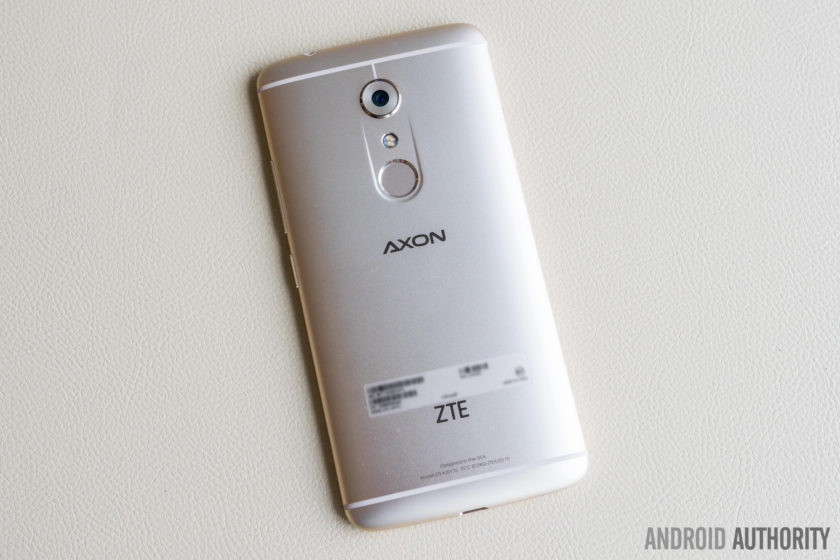
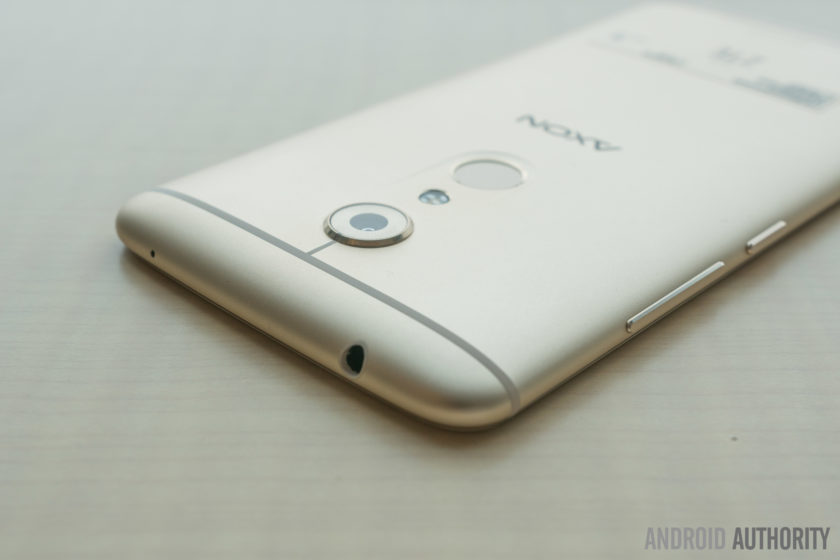
At the back is where the differences in design can be seen. For starters, the dual camera system is gone, but the look is still maintained, with a fingerprint sensor now taking the place where the second rear camera used to be. Also gone is the unique grill pattern that used to be found between the two cameras, with the dual LED flash now occupying this space.
The camera is slightly raised as well, which is kind of disappointing to see, given that the Axon 7 isn’t a particularly thin device. The buttons and ports are found at their usual places, with the volume rocker and and power button found on the right side, and a USB Type C port and headphone jack placed at the bottom and top of the phone respectively. Something that has not been retained is a dedicated camera shutter button.
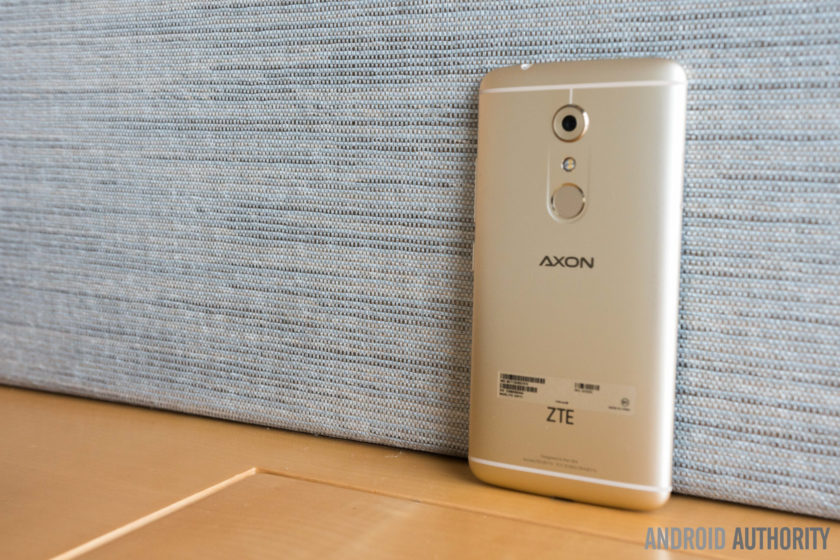
The ZTE Axon 7 is a beautifully designed smartphone and features a premium build quality that can give any current generation flagship a run for its money. If ZTE manages to maintain their aggressive pricing policy, the Axon 7 will definitely have a leg up over the competition, and that starts with the design.
Display

The ZTE Axon 7 comes with a 5.5-inch AMOLED display with a Quad HD resolution, resulting in a pixel density of 538 ppi. This is a Samsung-made AMOLED display, and the company’s display prowess shines through once again here. You get everything you’d expect from an AMOLED screen, including deep, inky blacks, and vibrant, saturated colors, along with high contrast, and good brightness and viewing angles. The Axon 7 will certainly allow for a great viewing experience, and is another big plus for this device.
Performance and hardware
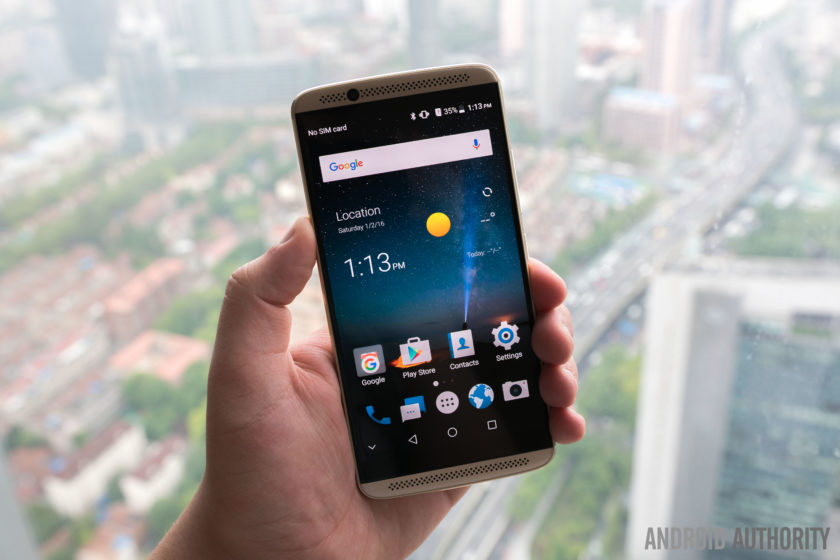
The Axon 7 is a flagship smartphone, and as such, it’s not surprise that the device comes with the latest and greatest processing package currently available. Under the hood is a quad-core Qualcomm Snapdragon 820 processor, clocked at 2.15 GHz, and backed by the Adreno 530 GPU and 4 GB of RAM.
Interestingly, this is just the “standard” version, with their being another iteration that comes with a whopping 6 GB of RAM, making the Axon 7 one of the first smartphones to offer this. The Snapdragon 820 has proven to be a fantastic processing package, as seen with the other flagship devices out there, and we can expect more of the same with the Axon 7.
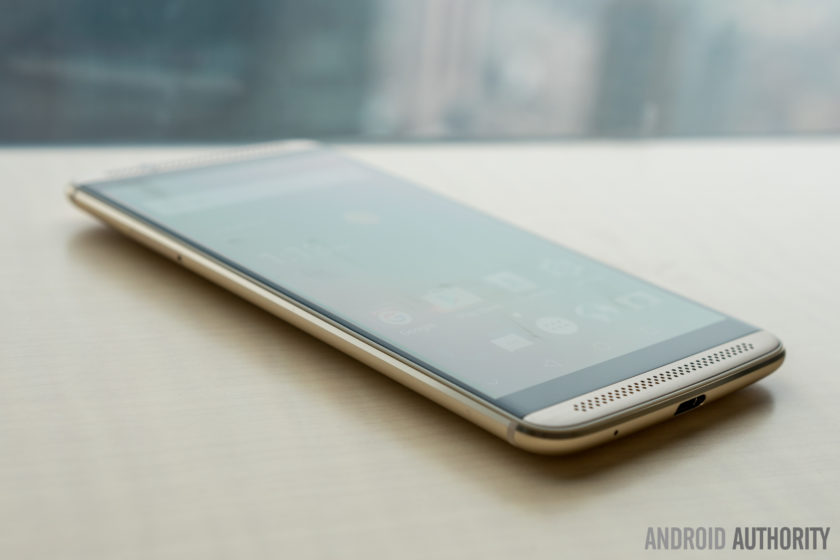
64 GB and 128 GB are the built-in storage options that are available, with the latter coming with 6 GB of RAM. Expandable storage via microSD card, up to an additional 128 GB is also to be found, but this uses the secondary SIM slot, so users will have to make the choice between dual SIM capabilities and expandable storage.
Audio is once again a big focus for ZTE with the Axon line, with the Axon 7 featuring dual front-facing speakers with Hi-Fi audio chipsets, along with Dolby Atmos surround sound features. Its predecessor offered one of the best audio experiences around, from both the speakers and when using good quality headphones, and we can expect that to continue with the Axon 7.
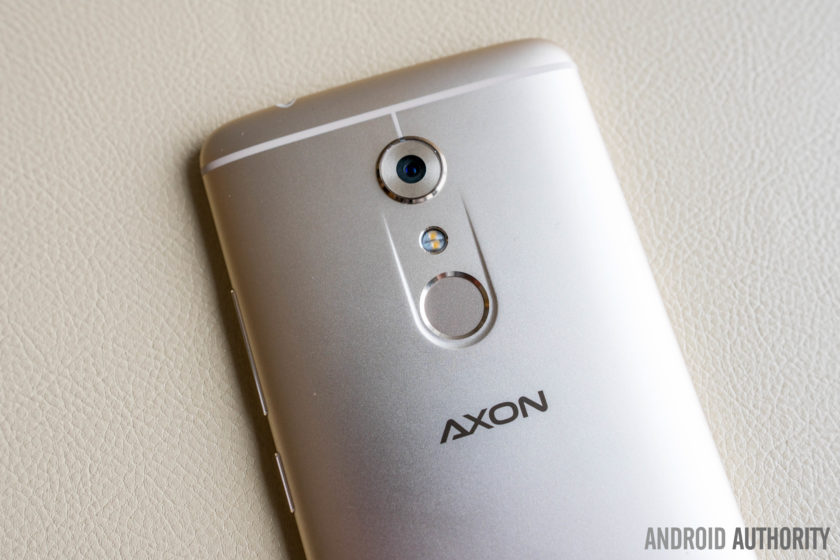
The device comes with a fingerprint scanner on the back, placed to be within comfortable reach of your index finger, and should be as fast and accurate as expected. The Axon 7 also comes with a pressure sensitive touch panel, similar to Apple’s 3D Touch, called Force Touch, which will come only with the 6 GB RAM/128 GB storage version of the device.

On the battery front, the Axon 7 comes with a large 3,140 mAh battery, that should comfortably allow for at least a full day of use, but of course, more testing will be required before we can arrive at a conclusion. The device does come with a USB Type C port (USB 3.0) and support for Qualcomm Quick Charge 3.0, which should get you back up and running in no time. ZTE claims that a charge for half an hour will give you 50% of the battery life back, with a full charge requiring around a 100 minutes.
Camera

The Axon 7 comes with a 20 MP rear shooter with a f/1.8 aperture, OIS and EIS, and phase detection auto focus, and should allow for good low-light photography, and is coupled with an 8 MP front-facing camera. The camera app comes with a slew of features and modes, including a manual mode, various selfie modes, slow motion capture, multi exposure and long exposure modes, and a Super Auto mode. Previous Axon smartphones featured impressive cameras, and we can’t wait to put this camera through its paces.
Software

On the software side of things, the Axon 7 is running the MiFavor UI 4.0 based on Android 6.0.1 Marshmallow. ZTE has had issues with bloated software experiences in the past, but that doesn’t seem to be the case with the Axon 7. What you get here is a mostly stock-like user interface, with ZTE keeping Google’s Material Design elements intact as well. There are a few useful features that have been added, and you also get a Themes engine if you are looking to completely change the look and feel of the UI.
Specifications
| Display | 5.5-inch AMOLED display 2560 x 1440 resolution, 538ppi Gorilla Glass 4 |
| Processor | 2.2GHz quad-core Qualcomm Snapdragon 820 |
| GPU | Adreno 530 |
| RAM | 4/6GB |
| Storage | 64/128GB |
| MicroSD | Yes, up to 128GB |
| Cameras | Rear: 20MP Samsung ISOCELL sensor with sapphire lens, OIS, EIS, PDAF, f/1.8 aperture, dual LED flash Front: 8MP |
| Dual SIM | Yes |
| SIM type | Nano SIM SIM 2 also supports microSD card expansion |
| USB Type | USB Type-C USB 3.0 |
| Connectivity | Bluetooth 4.2 NFC Wi-Fi 802.11 b/g/n/ac 2.4 GHz/ 5 GHz |
| Networks | GSM/EDGE:B2/3/5/8 CDMA BC0/1/10 UMTS/HSPA: B2/B5/B4/B1/B8 LTE: B2/B4/B5/B12/B13/B17/B7/B3/B1/B20/B29/B30/B25/B26/B41 2CA: B2+B4,B2/4+B12,B2/4+B29, B2/4+B5, B41+B41, B25+B25 |
| Fingerprint sensor | Yes |
| Software | Android 6.0.1 Marshmallow with MiFavor UI 4.0 |
| Battery | Non-removable 3,140mAh battery Quick Charge 3.0 |
| Dimensions and weight | 151.8 x 75 x 7.9 mm 185 grams |
| Colors | Ion Gold, Quartz Grey |
Gallery

Conclusion at a glance
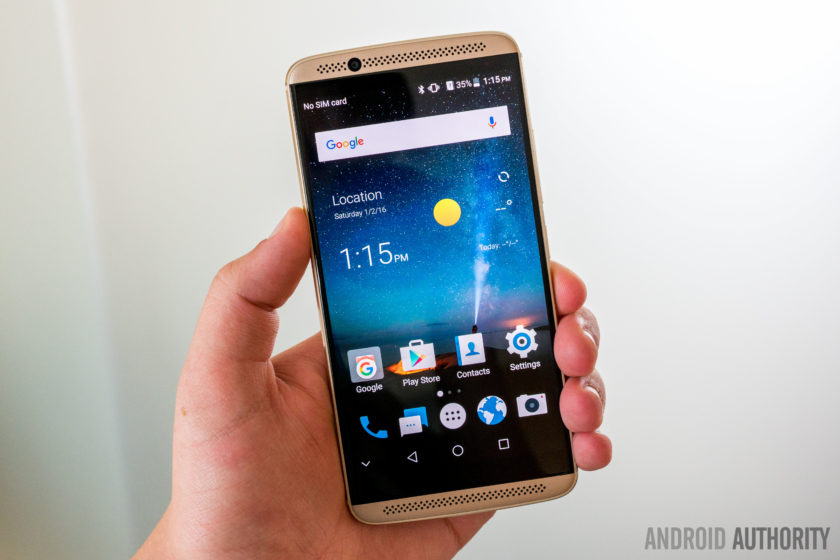
So there you have it for this quick look at the ZTE Axon 7! The Axon 7 does seem to check all the right boxes, and can prove to be a worthy competitor in the flagship space. A beautiful design, fantastic display, great audio experience, and what is expected to be a good camera as well add up to an amazing device.
If ZTE continues to be aggressive with their pricing like their previous devices, the Axon 7 could be an instant hit. Pricing information isn’t currently available, but the device will be launched in China on May 26, with other markets, including the US, to follow shortly thereafter.
What do you think of the Axon 7? Let us know your views in the comments below!
Samsung Galaxy S7 Active hands on
The world turned upside down last year with the introduction of the Samsung Galaxy S6, as the Korean company didn’t hold back from gracing the device with a brand spanking new design that people finally agreed was premium. As much as we were all delighted by this new direction, there was just one major thing that was shed in the process that the Galaxy S5 offered that its successor did not: a water-resistant construction. And that’s arguably what made the eventual Galaxy S6 Active unique from its sibling.
- Samsung Galaxy S7 Review
- Samsung Galaxy S7 Edge Review
- Samsung Galaxy S7 vs S7 Edge
This year, however, they brought back water resistance to the Galaxy S7 – while also retaining the same premium design language that they’ve established. All of this will make anyone wonder what’s in tow for the forthcoming Galaxy S7 Active, that would differentiate it enough from Sammy’s prized flagship. Don’t worry, there’s more than meets the eye with this rugged one, so let’s quickly go over what this new phone in the Galaxy S7 family is all about.
Buy the Galaxy S7 Active now!
Design
The most distinguishable difference here is that the S7 Active features a design that’s substantially more rugged in nature. That shouldn’t surprise anyone, as it largely doesn’t deviate from the designs of previous Active devices. It’s not premium by the imagination – as the glass meets metal bezel design of the standard Galaxy S7 is replaced by one that’s mostly dominated by the same textured rear pattern we’ve seen before – accompanied by soft touch matte bumpers around the sides of the phone to absorb shock.
Speaking of shock, this phone doesn’t have the same fragileness of the Galaxy S7. Rather, the durable materials and tight construction employed here provides the Galaxy S7 Active with MIL-STG-810G specification. Not only is it able to withstand most drops, but the phone is built to withstand numerous environmental conditions – such as extreme temperatures, dust, low pressure/high altitude, and yes, full submersion under water. There’s really no need for a case for something like this, since you know, the phone itself acts like a protective case.
ADVERTISEMENT
While it’s not the prettiest in Sammy’s stable, it’s all about the utility with its design – so with that, most people can understand the reasoning for its particular design. Yes, it’s technically bulkier and heavier, making it a bit tougher to manipulate with one hand, but all of this is necessary in giving it that indestructible nature. How indestructible you ask? Well, we managed to drop it a few times from a height of 4 feet onto the pavement without any major impact to its operation or performance. Still, every phone does have its own breaking point but the S7 Active will survive a lot more than your average smartphone.

Display
The same display in the S7 is present here with the S7 Active, so that’s a 5.1-inch 1440 x 2560 Super AMOLED panel. As usual with AMOLED screens – especially the ones from Samsung – it’s detailed, sharp, produces some very iridescent colors, and offers exceptional wide angles. Everything about it seems to be on the same level as the Galaxy S7, including the new Always On display feature that keeps the time and some other relevant information on display at all times.
What’s different, though, is that the S7 Active benefits from being substantially more resilient to drops – meaning, it won’t crack if it’s dropped. The “shatter resistant screen” definitely holds up over most other screens, but we’re happy to notice that its visibility and clarity isn’t subdued or greatly impacted. Given that Samsung’s AMOLED screens have shown their superiority in terms of color accuracy and brightness potency, the resistance aspect of the display is merely icing on the cake.

Hardware
Before getting down and gritty with the usual hardware specifications, let’s quickly take note about some of the notable hardware additions/changes. The first being the addition of a fingerprint sensor, which is a first for the Active line. It’s something that has become expected amongst high-end phones of late, so the addition of it here gives the phone that contemporary status – enabling it for Samsung Pay – as well as another layer of security. It’s flanked between two other, rather larger sized physical buttons: the back and quick menu keys.
The thicker chassis of the phone isn’t just attributed to the extra cushion it’s packing to give it that almost indestructible nature, but rather, the mammoth 4000 mAh battery that’s stuffed inside. That’s one of the largest (if not largest) capacities Samsung has been able to cram into its smartphones, so that should aid the Active in having more longevity than the regular Galaxy S7. Additionally, you’ll find wireless and rapid charging in tow with the phone.

Now, this wouldn’t be an Active branded smartphone if it didn’t have the “Active” key, which is positioned above the volume controls along the left edge. Just as before, it brings up the “Activity Zone” to deliver on point information at a moment’s notice – they consist of the weather, temperature, barometer, compass, flashlight, stopwatch, and S Health. The button also doubles as a shutter key as well when the camera app is running, which is pretty handy when you’re trying to snap a photo under water.
Helping to power the phone is a quad-core 2.15 GHz Qualcomm Snapdragon 820 SoC coupled with 4GB of RAM and the Adreno 530 GPU. Much like anything brand new, out of the box, the S7 Active performs as you’d expect – snappy and fast. And given that it’s almost unchanged from the Galaxy S7, the S7 Active should perform handsomely when it comes to graphics processing. Storage amounts to 32GB with our particular unit, but it can be supplemented with the available microSD card slot.

Camera
In following tradition, the Galaxy S7 Active borrows the camera from the S7 – so that’s the same 1/2.6” 12-megapixel sensor with an f/1.7 aperture lens, phase detection auto-focus, OIS, and an LED flash. There’s also the quick launch function, too, that allows us to jump right into the camera app by just double pressing on the home button/fingerprint sensor.
 Samsung Galaxy S7 vs Note 5 camera shootout: More Pixels or Bigger Pixels?
Most people are going to be inclined to believe that the camera’s performance will be close, if not the same, as the standard Galaxy S7. As an all-around device, you can absolutely believe that the S7 Active will take some stunning photos and videos. The only other thing worth mentioning here is how there are a few manual controls available now with video recording under “Pro” mode, which is something we haven’t seen before in a Galaxy. Adjusting parameters like shutter speed, white balance, and focus all on the fly are all now possible and it’s likely we’ll see this come to other Galaxy S7 phones in a future update, although it might take a while.
Software
Frankly speaking, there’s not a whole lot different with the TouchWiz experience here with the S7 Active, which is running on top of Android 6.0.1 Marshmallow. The usual visuals are all there, so there’s nothing out of the ordinary. Some will like it, others will hate it, but there’s one thing we can agree about this most streamlined edition of TouchWiz to date – it’s incredibly powerful and comprehensive.
ADVERTISEMENT
Power users will love it, especially with its true multi-tasking experience with multi window, one-handed mode for easier handling, and all the other assorted smart gestures with the experience. Even though TouchWiz remains to be an acquired taste, it’s one of the last remaining few custom Android experiences that offers more depth over the stock experience.
Conclusion so far
Knowing that water resistance and storage expansion has been brought back to the Galaxy S7, some wonder if the Galaxy S7 Active will have some meaningful value over its sibling. That’ll undoubtedly depend on what you want in a phone. Being more ruggedized and all, the S7 Active will remain in working condition for much longer than the standard S7, since it’s been constructed to withstand some serious punishment – whereas the S7 has the premium design, but with more fragileness. Another thing to note is the larger size battery stuffed inside of the phone, which should propel it to last far longer as well.


Sure, the look of the phone won’t appeal to anyone, but if you place utility high on your list over most things, the Galaxy S7 Active will fit the bill – albeit, its price is $100 more than the standard S7 over on AT&T. That means you’ll need to fork over close to $800 to buy it outright, versus $700 for the S7.
- Samsung Galaxy S7 Review
- Samsung Galaxy S7 Edge Review
- Samsung Galaxy S7 vs S7 Edge
The S7 Active is launching on June 10 from AT&T and will be available on AT&T’s new Next plans: for those wanting it on the standard Next plan, it’ll cost you $26.50 per month for 30 months but on the shorter AT&T Next Every Year, it’ll cost $33.13 per month over 24 months. What do you think of the S7 Active and are you going to buy one? Let us know your views in the comments below!
Buy the Galaxy S7 Active now!
Lenovo foldable smartphone and tablet concept hands on
Foldable smartphones and tablets, it looks like they’re coming soon at some point. We’re here at Lenovo Tech World in San Francisco and a lot of cool stuff were announced here, like the Tango-ready PHAB 2 Pro and the shockingly modular Moto Z and Z Force, but the ones we really thought were cool are concepts. Yes, concepts, as in they’re not something we’ll be buying anytime soon – wherein they’ll more than likely incur premium costs when they arrive, due to the new tech they’re employing.
Either way, it really opens the idea of what we’ll potentially see down the road. Now, during a Q & A session with some of the engineers, we got a sneak peek at two foldable devices. The first one being a foldable smartphone, the one shown off during the keynote by YouTuber Meghan McCarthy. When it’s flat, it looks very much like an elongated phone from the front, something that oddly looks out of place if it were placed alongside today’s smartphones.
However, you know something’s up when you look at it from the back. Obviously, there’s more to than just the display being folded, since the chassis itself is bending to match the display. Lenovo’s concept seems practical because as it’s being bent, the interface slowly begins to shift – so that its operation while on your wrist is more appropriate. This isn’t a form factor we’re familiar with, so it’ll be interesting to see how Lenovo will tackle the way various operations we’re familiar with already on something curved.

Lenovo says that folding a display in isn’t a problem, but rather, it’s when you’re bending it out, which is the case here with the smartphone. That’s because of how the glass or whatever is covering the panel itself is being stretched, but from what we can see, it’s using this stretchy plastic looking cover – much like you might see those plastic covers over furniture. You can visibly see that layer, just because it distorts a bit under certain angles.
As for the foldable tablet, it’s pretty neat because it can go from a sizable tablet, to a phablet sized thing by bending it right in the middle. Whereas the phone bends in multiple places throughout the chassis, the tablet simply has its bending points around the middle area. And the same plasticy layer covers the display.

These are some pretty cool concepts, especially when they’re optimized to make them practical when they’re bent – like how the interfaces shift and all. Being concepts, you know that we’re thinking a lot about price, even though we won’t be seeing them anytime soon. We can only imagine them to be pricey, but hey, it’s pretty cool that foldable smartphones and tablets are coming at some point.


Who knows how these concept devices will evolve over time, or whether they’ll come to fruition at some timely manner. Regardless, Lenovo’s concepts provides us with a closer look at what are some of the challenges behind making a foldable smartphone. It’s a solid effort, probably requiring additional refinements, before they can certified for consumer sale. Even then, however, you can certainly expect some pricey figures attached to them.
Moto Z and Moto Z Force hands on
At the end of the keynote, just when it started to seem like the announcement may not even happen at all, Lenovo took the wraps off of the latest Motorola flagships to great dramatic effect. All the rumors and leaks that have led up to this launch have been true for the most part, and there are certainly some aspects to get really excited about.
A new moniker in tow, what do the latest high-end offerings from Motorola bring to the table? We find out, as we go hands on with the Moto Z and the Moto Z Force!
As the name would suggest, the Moto Z takes things a couple of (alphabetical) steps ahead of the previous Moto X flagship line, by bringing modular capabilities into the mix. The great news here is that Motorola has managed to do so in a far simpler and easier to use iteration that what we’ve seen from LG. The very noticeable connectors on the back allow for various components and covers to be magnetically attached to the phone with a snap, and everything is truly plug and play here, without the need for the phone to be restarted, or to remove and swap the battery. Before diving into the various attachments that are currently available, let’s take a look at the phones themselves.

Both smartphones feature 5.5-inch AMOLED displays with Quad HD resolutions, resulting in a pixel density of 535 ppi. This makes the devices quite large, not helped by the distinct top and bottom portions up front that house a multitude of sensors, but the overall footprint isn’t that much more than most other smartphones with similarly-sized displays. The Moto Z is also one of the thinnest smartphones around, with a thickness of just 5.2 mm, while the Moto Z Force does have a little more girth to it, likely to accommodate the additional layers that help make the display shatterproof.

Under the hood, both smartphones come with a quad-core Qualcomm Snapdragon 820 processor, clocked at 2.15 GHz, and backed by the Adreno 530 GPU and 4 GB of RAM. This processing package is the current gold standard when it comes to 2016 flagships, and with the performance of other high-end smartphones this year being very impressive, we can certainly expect more of the same from the Moto Z and Moto Z Force. You also get the usual suite of connectivity options with these devices, including NFC, that can be useful for its application in mobile payment systems.

Given how thin the Moto Z is, it isn’t surprising that the camera module on the back does protrude quite significantly. However, when a cover, or MotoMod, is attached to the phone, the camera ends up sitting flush with the extended body of the phone, which makes for another nice reason to pick up one of the stylish shells that Motorola has on offer.

The additional thickness that is found with the Moto Z Force also allows for more room to pack in a larger 3,400 mAh battery, compared to the 2,600 mAh unit found with the Moto Z. The Moto Z Force also comes with the faster quick charging capabilities, with Motorola claiming that you can get 50% of the battery life back in just 15-20 minutes. Of course, the Moto Z does come with its own fast charging, but it won’t be as fast as what is available with the Z Force.

Other differences between the two include the camera, with the Moto Z Force featuring a 21 MP rear camera, compared to the 13 MP camera of the Moto Z, and of course, the display of the Moto Z Force is also shatterproof. The Moto Z Force does make for a compelling device, but the ultra-thin Moto Z is what you may find more attractive at first glance.

As mentioned, both devices feature different primary shooters, but the camera app remains the same, and is quite intuitive and easy to use. The cameras seem to work well from what we were able to see so far, and we can’t wait to put them through rigorous testing in upcoming reviews and camera shootouts to see whether they manage to stand out from the crowd in this highly competitive aspect of the smartphone experience.

The Moto Z is an extremely thin phone, and the Z Force isn’t that much thicker either, and not unexpectedly, there has to have been some compromises made in order to achieve these aesthetics. In this case, this comes in the form of a lack of the headphone jack. Instead, what you will get is an adapter that plugs into the USB-Type C port, and that is how you will be able to use this device with regular headphones and earphones.

On the software side of things, Motorola keeps everything very simple and familiar, with the devices boasting an almost stock iteration of Android 6.0 Marshmallow. Everything is where you’d expect it to be, and Motorola’s useful additions make a return as well, including Active Display, various motion gestures, and more.

Of course, the big story with the Moto Z and Moto Z Force has to do with their modular capabilities. As mentioned, the implementation is far simpler, and doesn’t require the battery to be removed, or have the phone be rebooted. The peripherals just snap on to the device via the strong magnetic connectors, and you are good to go as soon as they are in place.

For starters, there are a number of stylish covers, or shells, available, and considering how thin the Moto Z is, it almost feels like its needs these covers to really round out the look and feel in the hand. There are covers that bring a little more functionality to the table as well – including battery cases made by Incipio and a pico projector – that does make the devices quite thick, but allows for an easy to way to share information from your phone.
Finally, there is a JBL speaker that can also be snapped into place, and provides for a very enhanced audio experience. The speaker and the projector also come with built-in batteries that are utilized first, before these accessories start drawing any power from the phone itself.

So there you have it for this first look at the Moto Z and Moto Z Force! Overall, we are very impressed by what we’ve seen so far from Motorola’s latest flagships. There have been some trade offs made, such as the removal of a headphone jack in favor of a thinner profile.
The Moto Z and Moto Z Force do have some key differences between them in terms of features and specifications, but both feature the same modular capabilities, and with the execution far better this time around, this may be the innovative step forward that we were looking for.
What do you think of these two handsets and do you plan to buy either? Let us know your views in the comments below!
Tiny1 Release Date, Price and Specs – CNET

The Milky Way captured with the Tiny1 camera.
TinyMOS
Like most people, I’m pretty jaded when it comes to crowdfunded projects. So when TinyMOS got in touch about its Tiny1 astronomy camera, currently seeking funding on Indiegogo, I was a bit dubious. After all, so many similar hardware projects never get past the funding stage. They promise the world and deliver, well, nothing.
Singapore startup TinyMOS says it can take great pictures of the night sky with a 4-megapixel camera that costs just $379 (converting to about £265 or AU$515). That’s a big claim, so I took a trip down to the TinyMOS office to find out more.
Amusingly, the first thing the team showed me was a thread on the shittykickstarters subreddit, which laid out rebuttals to the company’s claims. The team seemed unfazed by the criticism, confident of the tech they were showing me.

The Tiny1 camera.
TinyMOS
Although there wasn’t a full prototype of the Tiny1 ready just yet, the experts at TinyMOS showed off a circuit board of its upcoming build and outlined plans to combine the camera sensor and the main processing board when it ships in November. In addition to the Indiegogo campaign, TinyMOS currently has funding from angel investors and a government grant.
Key specs
- Sensor size: 1/3 inch, 2-micron pixels
- Formats: DNG and raw
- Timelapse video capability
- USB 2.0 support
- 1,700mAh battery
I got to see the unfinished camera at work. It seems to use a smaller sensor for a longer zoom and also lets you use adapters for telescopes or DSLR lenses. The image quality seems very sharp, thanks to its patent-pending software that helps reduce noise. TinyMOS also showed me impressive-looking demo clips of footage.
I’m still inclined to be wary about this and can’t give any kind of verdict until there’s an actual product in my hands. But I really hope it holds up. If TinyMOS can get its Tiny1 out at the end of the year and deliver on its promise, it could make astrophotography easy and exciting again.
 AIVAnet