


MrMobile Gets His First Chromebook
As someone who edits video on a Mac and writes scripts on a Pixel C, I’ve never paid Chromebooks much mind. They always seemed too spartan, too reliant on a constant connection to the internet, so I basically ignored the entire category.
That is, until a few months ago. When the news broke that Chromebook shipments had eclipsed those of the Mac for the first time, it got my attention. Even if many of those units went to education and corporate customers, that was a whole lot of Chromebooks – so I started wondering what was I missing out on. If I were still a college student (or if I were as frugal as I should be) could I use a Chromebook on the daily?
I spent a few days with the ASUS Chromebook Flip to get a taste of what using ChromeOS was like. What I found was that it’s not for me – I’ll stick with the Pixel C for my convertible needs – but that it might be a perfect fit for an alternate-universe me who’s just now shipping off to school. Check out my first Chromebook experience … and if you have one, let me know what you use yours for!
Socialize!
- YouTube
- Le web
- Snapchat
Target starts selling Kindles again after a four-year break
Years ago, visiting a Target was one of the best ways to check out Amazon’s Kindle products in person before plunking down your hard-earned cash. But in 2012, Target stopped selling Kindles both online and in its stores. That’s changing, however — as of today, you can buy the Kindle Paperwhite and standard Kindle from Target online. And a report from Bloomberg indicates that you’ll soon be able to buy them in Target’s physical retail stores, as well.
Bloomberg also says that Target will sell Amazon’s Kindle Fire tablets and Fire TV devices, but those aren’t on the website yet. And it’ll be a few months before you can go pick these items up in the store, as they’re expected to return in October, just in time for the holiday shopping season.
Target didn’t publicly say why it pulled Amazon’s products back in 2012, but analysts believed it was because the company’s e-readers and tablets serve as portals into Amazon’s shopping experience. In one regard, Amazon rid itself of Trojan horse — but now, it seems that Target expects the devices to help provide its electronics sales with a boost. And while Amazon has opened a few brick-and-mortar stores, it’s still rather difficult to see its products in person before buying. This renewed partnership could end up proving mutually beneficial to both retail giants.
Via: The Verge
Source: Bloomberg
Microsoft has two big Windows 10 updates slated for 2017
While announcing the gradual rollout of its Anniversary update for Windows 10, Microsoft confirmed that there would be two feature updates coming in 2017. This means moving to a twice-a-year schedule the company had previously set up for its “Threshold” updates for Windows 8, which used the codename for that operating system. According to Windows Central, the first update for 10, called “Redstone 2” after this operating system’s nickname, will come in early 2017, followed by “Redstone 3” four to six months later in late summer or early fall. The latest internal builds are around the 14900 range, the site said, meaning testers should soon receive bits of Redstone 2 to try out and give feedback.
Source: Windows Central
Researcher-created Twitter bot phishes two out of three users
Phishing, the malevolent hacker technique of getting hapless folks to click malevolent links, just got a powerful new weapon. Black Hat researchers have created a Twitter bot that reads your tweets and sends you a message catered to your interests — along with a shortened URL leading to hacktown.
Baltimore security firm ZeroFox made the SNAP_R bot as a proof-of-concept for the next generation of phishing techniques, explaining its methods in a paper released at the recent Black Hat security conference. It uses machine learning to churn through a victim’s tweets and those of their followers, then sends a dynamic message relevant to their interests. It uses clustering to identify high-value targets based on social engagement, like followers and retweets, and measures the bot’s success by tracking clickthrough rates. In summary, the researchers claim it to be “the world’s first automated end to end spear phishing campaign generator for Twitter.”
The ZeroFox team created SNAP_R as an education and security assessment tool: like many firms, they are often hired to attack clients using cutting-edge methods that real hackers would use. Machine learning is often used defensively, so this method is one of the first to turn it around to target victims in the “spear” phishing school of anti-security.
Since links in tweets are automatically shortened, users largely aren’t able to sniff out shifty URL destinations, so spotting poor grammar or irrelevant content is the quickest way to suss out malevolent intent. Catering messages is a clever way to keep from arousing victim suspicions and ultimately getting them to click on links they would be too cautious to otherwise. Britain’s GCHQ intelligence agency exploited this technique when it used its own innocuous URL shortener to track activists and incite pro-revolutionary messages during the Arab Spring and Iranian uprisings. That ZeroFox tricked an unbelievable two-thirds of victims into clicking links, far higher than the five to 15 percent success rate for normal phishing methods, is evidence of a serious vulnerability in social network users’ security behaviors.
Source: The Register
FDA approves using genetically-modified mosquitos to fight Zika
The Zika virus and related illness outbreak has been top-of-mind as of late — in the US, that’s particularly true in parts of Florida where the virus has spread. It looks like there may be a rather unusual way of fighting further spread of the virus, however. Today, the FDA just finished an environmental assessment of a technique cooked up by biotech firm Oxitec. The FDA has given approval for Oxitec conduct a field trial in which it releases genetically modified mosquitos that should “suppress” the population of infected mosquitos.
The plan Oxitec cooked up involves releasing genetically modified Aedes aegypti male mosquitos that would pass off a gene that’s fatal to any offspring produced with wild female insects, thus trimming the population of infected mosquitos. Specifically, the FDA has stated that Oxitec’s plan wouldn’t cause any harm to the local environment, but the biotech firm still needs to work with a number of local, state and federal agencies before the field trial begins.
Oxitec also has to come to an agreement with the Florida Keys Mosquito Control District before enacting its field trial, something the FDA’s approval will likely help with. Fusion notes that some have concerns about what removing a large portion of the Aedes aegypti mosquito population from the environment would have. The Florida Keys Mosquito Control District will speak with residents and then vote on the proposal — if it passes it sounds like the field trial won’t happen until late this year.
Via: Fusion
Source: FDA
Pokémon Go’s battery-hogging ways doubled external battery pack sales

Pokémon Go has helped to double the sales of external battery packs in the U.S., according to a new report from the NPD Group.

The popularity of the augmented reality game has come at the cost of a faster draining battery for smartphone owners, which in turn has caused them to seek out ways to extend their play time. The NPD Group says that while portable battery packs sales grew by just 4% year-over-year for the six weeks prior to the launch of Pokemon Go, they were up by a massive 101% between July 10 and July 23, with unit sales of 1.2 million in that time period.
“Pokémon Go is the summer’s hottest game partly because it utilizes features like location, motion sensors and augmented reality in your smartphone- however, these features consume more of the phone’s battery life,” said Ben Arnold, executive director, industry analyst for consumer technology at The NPD Group. “As a way to compensate for the extra battery usage, consumers are buying portable power packs so they can continue to play, uninterrupted.”
More: Best external battery packs for Pokémon Go
Pokémon Go: How to choose the best eggs to incubate!

You need to know which egg to incubate.
One of the more exercise-focused aspects of Pokémon Go is hatching eggs. Each egg has a distance meter next to it, and when you put that egg in an incubator it becomes active. When you walk the distance marked on the egg while playing the game, the egg will hatch and you’ll get a brand new Pokémon with a bunch of Pokémon Candy for that creature.
The difficult thing here isn’t the walking, it’s choosing which egg to incubate next. You only get one incubator with unlimited uses, and every other incubator — whether purchased or received from a level up — has a five use limit. The best way to choose which eggs go in which incubator is to know which Pokémon are in the egg to begin with. While there’s no what to know exactly which creature is in your specific egg, here’s a list of Pokémon and the egg types they show up in.
| 001 | Bulbasaur  |
2km |
| 004 | Charmander  |
2km |
| 007 | Squirtle  |
2km |
| 010 | Caterpie  |
2km |
| 013 | Weedle  |
2km |
| 016 | Pidgey  |
2km |
| 019 | Rattata  |
2km |
| 021 | Spearow  |
2km |
| 025 | Pikachu  |
2km |
| 035 | Clefairy  |
2km |
| 039 | Jigglypuff  |
2km |
| 041 | Zubat  |
2km |
| 074 | Geodude  |
2km |
| 129 | Magikarp  |
2km |
| 023 | Ekans  |
5km |
| 027 | Sandshrew  |
5km |
| 029 | Nidoran♀  |
5km |
| 032 | Nidoran♂  |
5km |
| 037 | Vulpix  |
5km |
| 043 | Oddish  |
5km |
| 046 | Paras  |
5km |
| 048 | Venonat  |
5km |
| 050 | Diglett  |
5km |
| 052 | Meowth  |
5km |
| 054 | Psyduck  |
5km |
| 056 | Mankey  |
5km |
| 058 | Growlithe  |
5km |
| 060 | Poliwag  |
5km |
| 063 | Abra  |
5km |
| 066 | Machop  |
5km |
| 069 | Bellsprout  |
5km |
| 072 | Tentacool  |
5km |
| 077 | Ponyta  |
5km |
| 079 | Slowpoke  |
5km |
| 081 | Magnemite  |
5km |
| 083 | Farfetch’d  |
5km |
| 084 | Doduo  |
5km |
| 086 | Seel  |
5km |
| 088 | Grimer  |
5km |
| 090 | Shellder  |
5km |
| 092 | Gastly  |
5km |
| 096 | Drowzee  |
5km |
| 098 | Krabby  |
5km |
| 100 |  |
5km |
| 102 |  |
5km |
| 104 |  |
5km |
| 108 |  |
5km |
| 109 |  |
5km |
| 111 | Rhyhorn  |
5km |
| 114 | Tangela  |
5km |
| 115 | Kangaskhan  |
5km |
| 116 | Horsea  |
5km |
| 118 | Goldeen  |
5km |
| 120 | Staryu  |
5km |
| 128 | Tauros  |
5km |
| 137 | Porygon  |
5km |
| 095 | Onix  |
10km |
| 106 | Hitmonlee  |
10km |
| 107 | Hitmonchan |
10km |
| 113 | Chansey  |
10km |
| 122 | Mr. Mime  |
10km |
| 123 | Scyther  |
10km |
| 124 | Jynx  |
10km |
| 125 | Electabuzz 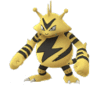 |
10km |
| 126 | Magmar  |
10km |
| 127 | Pinsir  |
10km |
| 131 | Lapras  |
10km |
| 133 | Eevee  |
10km |
| 138 | Omanyte  |
10km |
| 140 | Kabuto  |
10km |
| 142 | Aerodactyl  |
10km |
| 143 | Snorlax  |
10km |
| 147 | Dratini  |
10km |
And that’s it! From here you can plan out which eggs would be best for you to hatch right now. For example, focusing on 2km eggs is great if you are hoping to quickly level up a starter Pokémon, and 10km eggs are great if you want something unique. The only uncertainty with these eggs is Candy.
The amount of Candy you get from each Egg is random, somewhere between 5 and 35 Candies. That could mean you get an Eevee with everything you need to evolve it on the spot, or it could mean you get a Pidgey with 5 Candy that makes you sad on the inside. Either way, hatch as many as you can!
Pokémon Go
- Join our Pokémon Go forums!
- How to deal with GPS errors in-game
- Which team should you choose?
- How to play without killing your battery
- The Ultimate Pokémon Go Game Guide!
- Listen to the Pokémon Go podcast!
Grab this compact waterproof Bluetooth speaker for $11 right now!
Right now, Vtin is offering its waterproof Bluetooth speaker for just $11 with a coupon code at Amazon, a savings of $9. Whether you are looking for a speaker to take on the boat, near the pool or even in the shower, this is worth considering. It’s powerful 5W driver will offer high-quality audio, and with its 800mAh battery you should get around 8 hours of playback per charge.

Only the blue and orange are on sale, and each has its own coupon code. They are:
- Orange: PK9LUN5Y
- Blue: KZLX28NI
You will need to use the corresponding coupon code for the color that you decide to pick up. Which one will be your next speaker? Let us know in the comments!
See at Amazon
Android Central 300: Galaxy Note 7 Special!
The Android Central Podcast has reached a special milestone — 300 episodes! Thanks for joining us through the years!
This week, it’s all about the Galaxy Note 7. Alex, Andrew, Jerry, and Daniel chat about Samsung’s latest big phone, and how it stacks up to the competition.
And there’s also a new Android version coming out soon — Nougat. But will its release look a bit different compared to previous years?
Podcast MP3 URL: http://traffic.libsyn.com/androidcentral/androidcentral300.mp3
The top 6 tweaks you need to make on your Huawei or Honor phone

Essential tweaks to make EMUI more friendly and useful.
Huawei’s EMUI software — used on its own phones, and handsets sold under the “Honor” brand — has improved a lot over the past year. But even in its most polished form, the current EMUI 4.1 release still has its quirks. If you’re used to the way Android looks and works on Google or Samsung-designed phones, there are a few things you’ll want to tweak to get things looking just right. And at the same time, EMUI doesn’t always make it easy to discover some of its most useful custom features.
That’s why we’ve put together a list of the first few things you should tweak on your new Huawei or Honor phone.
1. Disable the carrier name in your status bar

This one’s a no-brainer. You know which carrier you’re using. You send them money every month. So turn off the annoying persistent carrier text in your status bar by going to Settings > Notification panel & status > Display carrier name and toggling the option off. (Or just search for “carrier” in the search box in the Settings app.)
2. Got a fingerprint scanner? Enable the extra shortcuts!

Fingerprint security is a convenient way to unlock you phone, but the scanner on the back of Huawei phones can be used for a bunch of other neat shortcuts. Go to Settings > Fingerprint ID to view the available shortcuts.
The most useful one, in our experience, us swiping down on the scanner to open the notification shade. You can also swipe left and right to browse through photos, and holt to take photos or answer a call. Each of these shortcuts can be enabled or disabled individually.
3. Check performance settings

Unlike most Android phones, Huawei and Honor devices let you choose whether to favor performance or battery life in day-to-day use. Go to Settings > Advanced settings > Battery manager > Power plan to see the available modes. “Ultra power saving” disables all the but most basic features of your phone, so you probably don’t want that unless you’re extremely low on power.
As the names suggest, toggling between “Performance” and “Smart” modes can help you maximize performance in demanding apps and games, or squeeze a bit more life out of your phone’s battery. Newer Huawei models tend to default to “Performance,” but the default can vary from model to mode, so it’s worth checking at least once.
4. Stockify your icons

The very latest versions of EMUI no longer customize most third-party apps’ icons. But if you’re on an older version of Huawei’s software, you may find certain Google app icons are old, and third-party apps get shoehorned into an ugly rounded border. Fortunately there’a simple way to bring some sanity to your app icons — the Stockify theme by MoDaCo’s Paul O’Brien.
The theme restores apps’ icons to their default, free from rounded rectangles, and changes EMUI’s own icons to something closer to Google’s Material Design. It’s definitely worth a shot if you’re not feeling any of the bundled themes.
More: Download Stockify theme
5. Tweak your “View mode” setting

Some larger Huawei phones like the P9 Plus let you tweak the way apps and menus are displayed to show more or less on screen at a time. Check under Settings > Display to see if you have this option. “Large” makes everything appear bigger (and easier to see).
“Small” shows more stuff on-screen, improving information density. And as you’d expect, “Medium” is somewhere in the middle. (It’s similar to the native display scaling feature in Android 7.0 Nougat.)
You’ll need to restart to change this setting, but setting it to “Small” or “Medium” can help you make the most out of a big-screened Huawei phone.
6. Set your “Protected Apps”
EMUI is aggressive about stopping apps draining your battery in the background — really aggressive. If you want to guarantee an app won’t be automatically killed when you power off your screen, go to Settings > Advanced settings > Battery manager > Protected apps and toggle on the apps you want to be able to run when the display is off.
Most popular messaging apps are already “protected” by default, but it’s still worth checking that the list of apps here makes sense for you. Missing notifications from an app? This is your most likely culprit.
Huawei and Honor owners, be sure to hit the comments and share your own tips and tricks!

