


Facebook’s Safety Check was activated by protesters in Charlotte
Facebook CEO Mark Zuckerberg revealed that the company was working on a way for users to activate its Safety Check feature back in August. During this week’s protests in Charlotte, North Carolina, users of the social network employed the feature for the first time without the social network flipping the switch itself. Facebook confirmed to BuzzFeed News that it didn’t activate the feature and this was the first time Safety Check was used during a protest.
The move to allow user-driven Safety Checks follows criticism that the social network was picking which events were important enough to use the tool. Thus far, it has been activated during a number of natural disasters and attacks in Paris, Nice and the nightclub shooting in Orlando. A Facebook spokesperson told BuzzFeed that when “a significant number” of users post about an incident and are close to “a crisis area,” they will be asked to let their friends know they’re safe. Again, the company confirmed that it didn’t employ the Safety Check, but rather it was turned on by the activity of users in the Charlotte area.
Thursday marked the third day of protests after Charlotte-Mecklenberg Police shot and killed 43-year-old Keith Lamont Scott on Tuesday. Police say Scott was holding a gun and didn’t respond to requests to drop the weapon. Scott’s family says he was actually holding the book he was reading while waiting on his son to get back from school. North Carolina Governor Pat McCrory has declared a state of emergency for the area and brought in the National Guard to assist local law enforcement. Charlotte Mayor Jennifer Roberts announced a curfew between midnight and 6:00 AM, however police said it wouldn’t be enforced so long as the protests were peaceful.
Source: BuzzFeed News
Apple Watch Series 2 review (as written by a marathoner)
When the Apple Watch first came out last year, Engadget published not one but two reviews. There was the “official” review, which provided an overview of the device’s features and, more important, attempted to explain who, if anyone, should buy it. Then there was a piece I wrote, focusing specifically on the watch’s capabilities (actually, drawbacks) as a running watch. Although we knew that many readers would be interested in that aspect of the device, we were wary of derailing the review by geeking out about marathoning.
This year, we needn’t worry about that. With the new Apple Watch Series 2, the company is explicitly positioning the device as a sports watch. In particular, the second generation brings a built-in GPS radio for more accurate distance tracking on runs, walks, hikes, bike rides and swims. Yes, swims: It’s also waterproof this time, safe for submersion in up to 50 meters of water.
Beyond that, the other changes are performance-related, including a faster chip, longer battery life and a major software update that makes the watch easier to use. Even so, the first-gen version, which will continue to be sold at a lower price, is getting upgraded with the same firmware and dual-core processor. That means, then, that the Series 2’s distinguishing features are mostly about fitness. And if you don’t fancy yourself an athlete, we can think of an even smarter buy.
Design

For all intents and purposes, the Series 2 is identical to the original. Apple says the new models are nine-tenths of a millimeter taller, allowing them to accommodate bigger batteries. This was news to me: When I first saw a tableful of the Series 2 watches at the company’s launch event earlier this month, I was sure the dimensions were unchanged. The screen sizes are otherwise the same — 38mm and 42mm — which means the respective bands will fit either generation of the device. So if you’re one of the few who’s already upgrading to your second Apple Watch, you can keep whatever bands you own.
The watch is available in the same finishes as before too, except that an all-white (and apparently very durable) ceramic model has replaced last year’s 18-karat gold model as Apple’s highest-end “Edition” offering. Most of us are likely to go for the aluminum version, which comes in gold, rose gold, silver and space gray and starts at $369 ($399 for 42mm), or the stainless-steel model, which is offered in two colors and is priced from $549.
If you’re looking for something different, a special-edition Nike+ version of the Apple Watch is coming out next month. It comes in four choices of sporty bands, which are made from the same elastomer as Apple’s own Sport strap, but are lighter-weight and easier to fasten. You’ll also get two exclusive Nike watch faces and support for Siri voice commands — something you won’t otherwise see in Apple Watch apps made by third-party developers. Speaking of the sort, Nike’s run app comes pre-installed, though it’s also available in the App Store for anyone to download on any iOS or watchOS device. It will start at the same price as the Series 2. Which makes sense: It’s basically the Series 2 with a few Nike extras thrown in.
Across the lineup, the Series 2’s screen is more than twice as bright as before, with an option to go up to 1,000 nits. But so long as you have auto-brightness turned on, you’re unlikely to see the panel get that bright on its own — not unless it’s really, really bright outside. Finishing our tour, you still have the rotating “digital crown” on the upper-right edge, with another physical button below that. Those buttons each work slightly differently than they did before, but I’ll get to that in a moment, in the software section.
For now, here’s the last thing I’ll say on the “recap” front before I get to the new stuff: I suggest women and thinner-wristed people opt for the daintier 38mm model. Yes, it still looks like you have a computer strapped to your wrist (you do!), but I find it’s small enough that it blends in with most outfits.
As a sports watch

As I write this, I’m training for my seventh marathon. When the first Apple Watch came out, I was unable to write Engadget’s official review because I was on “vacation,” running the Paris Marathon. I know a thing or two about running.
And, as it happens, I also have strong feelings about sports watches. I don’t actually ask much from them, though. More than anything, I need accurate distance and pace tracking, as well as enough battery power to last through my slow five-hour marathons.
The first Apple Watch wasn’t so good at the whole distance-tracking thing. But I had high hopes for this new model, which has its own GPS and GLONASS radios inside, meaning you no longer need to bring your phone with you to achieve the most accurate results.
Indeed, when I tested the Series 2 alongside my trusty Garmin Forerunner 225, the distance gap was often very narrow. One day, I ran the 3.35-mile interior loop of Brooklyn’s Prospect Park, and the two devices were off by 0.03 miles: 3.39 on the Garmin, and 3.42 on the Apple Watch. At first blush, this doesn’t seem unusual: When I run with my training group, my friends’ devices often show slightly different numbers at the end of a run.
The problem is, even a seemingly minuscule distance gap can translate into a big difference in calculated pace. In the case of that 3.35-mile route, Garmin said I ran a 10:20 mile; Apple claimed my pace was 10:12. Needless to say, because Garmin did a better job estimating my distance around the park, I trust its pace calculation more too.
That pace gap grew whenever I allowed myself to walk. On one workout where I did walk/run intervals, the Series 2 and my trusty Garmin Forerunner 225 were off by 0.11 miles over two hours and 15 minutes, or nine seconds on pace. The discrepancies widened further when I did these walk/run intervals on shorter routes. In one 42-minute workout, the two watches were 0.09 miles off, resulting in a whopping 17-second difference in the average pace. Throughout, Apple consistently told me I ran farther and faster than I actually did.

The Series 2 and Garmin Forerunner 225 frequently disagreed on how fast I ran.
Interestingly, Apple’s calorie-burn estimate was always similar to that of both the Garmin and the treadmill at my gym. The heart-rate readouts during my cross-training classes were also on target (meaning: in the range I expected). I found all of this was true of the original Apple Watch too.
In any case, because the issue here is the pace calculation, and not whether I ran a few hundredths of a mile less than the watch said I did, the Series 2 could still be a good fit for walkers, hikers and casual cyclists. It might even work for sometimes-runners who just want a rough idea of how far and fast they’re going. But I would not recommend it for someone like me who trains for events where speed matters.
Believe me, I’m just as disappointed as you are. Especially since the distance and pace tracking seem to suffer when I switch to walking. Some of the fastest, fittest runners I know slow down or walk sometimes. Any sports watch worth its salt should take that into account.
Speaking of which, I know I sound like a broken record repeating this in every story I write about the Apple Watch, but would it kill the company to add a run/walk mode? Or interval workouts of any kind — even distance? These seem to me like fairly common, in-demand features, and what’s more, you can find a lot of them on cheaper devices. Anyhow, if you want them badly enough, you’ll download a third-party running app, like RunKeeper, which are often more full-featured.
The battery life here is at least decent. Apple says the watch can last through five hours of continuous GPS activity. Having done some testing, though, I believe that’s actually a conservative estimate. After a two-hour-and-fifteen-minute run with auto-pause and no heart-rate monitoring, I was down to 78 percent. That would have been plenty to last me through the rest of the day and into the evening, and then it was easy enough to recharge while I was in the shower. Just as important, the fact that I lost only 22 percent of my charge during such a long run means perhaps I really could finish a five-hour marathon without depleting the battery.
I also like Apple’s slick-looking Activity app for the iPhone. As on other running apps, you can see a map of your route, along with the weather conditions you ran through that day. Here, though, you also get color-coded lines showing where you sped up and slowed down. It’s a nice touch, but can we get some mile markers on the map too, Apple? Oh, and an elevation chart would be nice. Heck, if Apple wanted to study established players like Garmin, it could even throw in things like minimum, maximum and average cadence and steps per minute. Nike, meanwhile, is known for its cool photo feature. Some sort of picture tool seems like a no-brainer here, especially with the iPhone’s cameras being as good as they are.
I’m not saying the average user will demand all these things, but without them, why would a serious (and brand-loyal) runner like me switch? Especially if you could get a more feature-rich sports watch for the same price or less?
Swimming

There’s one thing I can’t argue with: The Series 2 watch really is waterproof. Whereas last year’s model was splash-resistant, the new model can handle immersion in up to 50 meters of water. Engadget’s senior mobile editor Chris Velazco took one for a dip on the Jersey Shore, and he didn’t break it. The watch is still “ticking,” so to speak.
What’s more, Apple added two swim workouts — pool and open-water-swimming — which the company said it tested on 700 swimmers of different abilities, for a total of around 1,500 workouts. Depending on the kind of workout you choose, the Apple Watch uses different techniques to track your distance. In a pool, you can program the length of the pool, at which point Apple can detect when you’ve turned around for another lap. In open-water swimming, the watch’s GPS radio pulls in your location every time your hand is above water to track where and how far you’ve gone. In addition to counting pool laps, the watch can calculate your average pace and even detect the kind of stroke you’re doing. That last part matters because it has a bearing on calorie burn. There’s a reason most of us don’t enjoy the butterfly: It’s hard!
Regardless of the swim workout you choose, the watch will automatically lock the screen to prevent accidental “touches” (water can sometimes register as a tap). When you’re out of the water, rotate the digital crown to unlock the screen and eject water from the speakers. What happens there is that the speakers use their own vibration to push out any remaining water. It’s a neat solution, considering the speakers were the one part of the device that couldn’t be totally sealed. You’ll probably also enjoy the retro arcade-esque beeps that the watch emits while releasing water. On the other hand, you might also be disappointed to find that the water doesn’t burst from the watch’s orifices like an open fire hydrant. You might not even see a trickle.
As a smartwatch

The Series 2 arrived about the same time as watchOS 3, the third and best version of Apple’s smartwatch software. And by the best, I mean this is the operating system the company should have launched on the original Apple Watch.
In addition to being faster, watchOS 3 has a far more intuitive user interface, with a revamped layout that generally requires less swiping and tapping than it used to. Now you can press the side button to open a brand-new “Dock,” where you can swipe horizontally through thumbnails of recent and favorite apps. Just as convenient, these previews refresh in the background. So if it’s my Activity Rings I’m after, I can see them at a glance and get a rough sense of how I’m doing. Depending on how much detail I need in that moment, I might not even need to open the app.
That side button serves a second purpose, by the way: An optional “SOS” feature allows you to hold down that key to call emergency services in whatever country you happen to be in. Unlike some other features in watchOS 3, this is one you actually have to opt into to use. That’s probably a good thing — we wouldn’t want anyone accidentally and unknowingly calling the police.
Another intuitive thing: You can swipe right and left on the home screen to cycle through whatever watch faces you’ve loaded onto the device. Indeed, there are some new faces on offer, and you can find them all in a brand-new face gallery in the Watch app. Adding and removing faces is intuitive, as is reordering them and selecting different accent colors (oh, the options there). My only complaint here is that sometimes when I would swipe left and right on the home screen, my swipes wouldn’t register at first; I’d have to try again before I could get to the watch face I wanted. Also, though I like the watch faces available, I wish I had more options. Why not open this feature up to outside developers?
You may have gathered already that Activity is one of my most-used Watch apps. And it’s not just because I’m a bit of a fitness nut. Even on days when I’m not running, there’s something addictive about completing my three color-coded Activity Rings. On days when I forget to wear my watch, I regret that I don’t get credit for all my New York speed-walking.
All that said, there was apparently room for the app to get better. With watchOS 3, Apple added social sharing, so you can see how far along your friends are in meeting their daily fitness goals. Once you’ve sent a connection request and your pal has accepted, you can check up on them by swiping left to a second screen in the Activity app. You’ll be notified when your buddies finish a workout, earn an achievement or close their rings. You can also send text messages from inside the app, with so-called Smart Replies designed specifically for activity sharing (and smack talk). Lastly, the Activity app is now optimized for wheelchairs, with an option to track wheelchair push counts instead of steps.
In a similar vein as the Activity app, watchOS 3 ushers in a new “Breathe” app that encourages users to stop what they’re doing and breathe deeply. Just take a minute to inhale and exhale as you watch an on-screen graphic contract and expand. Though I was annoyed to find that Breathe notifications can’t be permanently disabled, the app did come in handy on a recent subway commute, where I was otherwise feeling irritated by all the pushy people around me. If meditating is your cup of tea, you can adjust both the target breathing rate and the length of the session. If it isn’t, you can dismiss the notifications — for the day, at least.

Meanwhile, in Apple’s Workouts app you, can now assign names to miscellaneous workouts so that you don’t have to settle for the “Other” label. Think: yoga, belly dancing, et cetera. There’s that auto-pause feature I mentioned earlier, which works for both indoor and outdoor runs. (You’ll feel a “tick” on your wrist when the stopwatch pauses itself.) Additionally, you can mark segments in any workout by double-tapping the display. And you can hit Quick Start for your most common workout types — another example of how watchOS 3 often requires fewer taps than it used to.
A lot of the other new stuff in watchOS 3 matches what you’ll find in iOS 10. In Messages, you can send so-called Tapbacks, which let you respond to a message by adding a thumbs-up, heart or other pictorial reaction by tapping rather than hitting “reply.” That’s particularly useful on a watch, where you can’t type anything and probably want to minimize scrolling through dozens of lines of emoji.
Speaking of replies, you also get a “Scribble” feature, which is exactly what it sounds like: You can draw letters and hearts on the screen with your finger. For now, that feature is available only in English and Traditional and Simplified Chinese, but it wouldn’t surprise me if Apple incrementally added support for more languages. Rounding out the list of Messages features, you get access to those animated full-screen effects that make texting so addictive on iOS 10.
Other features borrowed from iOS (and even macOS): a new Home app, where you can control any smart home devices based on Apple’s HomeKit standard. There’s a new Reminders app and complication. Find My Friends is now on Apple Watch for the first time. And, as I discussed in my macOS Sierra review this week, you can use watchOS 3 to unlock your Sierra Mac. In theory, setting this up simply requires having two-factor authentication enabled and checking off a box in your system settings, but I wasn’t able to get the feature to work until I reset my iCloud password. Hopefully you have better luck there.
Performance and battery life

Throughout, the Series 2 feels fast — gone are the days when you’d have to wait several seconds for an app to load. That’s partly because watchOS 3 itself is faster and more efficient, but it’s also because of the second-gen watch’s new, faster “S2” chip. All told, Apple says the dual-core CPU inside can deliver up to a 50 percent performance gain, while the GPU is up to twice as fast as on last year’s watch.
The Series 2 does indeed feel materially faster than the original. Apps load quickly, it’s easy to swipe left into second screens, and the background updates have been super-helpful. I occasionally notice some lag when scrolling up and down; maybe that’s something Apple can address in next year’s software update. Even so, watchOS 3 and the Series 2 in particular are vast improvements when it comes to sheer speed and efficiency.
Though Apple says the Series 2 watches are slightly taller to accommodate a larger battery, the company lists the battery life as the same for the 38mm and 42mm models: up to 18 hours. In my day-to-day use, I found I could leave the house early in the morning — say, between 7 and 8 — and return some 14 hours later with as much as half a charge left. That’s assuming I used the watch intermittently, checking in occasionally to peek at my Activity Rings and dismiss those incessant “Stand” reminders. You still need to charge the watch once a day, but that never really bothered me. It’s not like I’m going to sleep with that big thing on my wrist, so why not just let it rest on its magnetic charging disc overnight?
The competition

The Garmin Vivosmart HR+
In a sense, the new Apple Watch’s greatest competition is actually … the old Apple Watch. The original model is still being sold under a new name, the Series 1, and at a lower starting price: $269 (make that $299 if you want the larger 42mm version). What’s more, the Series 1 now ships with the same dual-core processor as the Series 2, not to mention watchOS 3. That means the differences between the two models are few: The newer edition has a 1,000-nit screen instead of a 450-nit one; built-in GPS; and waterproofing. There will always be folks who want the latest and greatest (or who want to go for a swim), but I predict that this holiday season, many people will opt for the cheaper model instead.
Beyond that, it’s not helpful to say that the Series 2 competes with every other smartwatch out there; let’s instead focus on devices that are primarily as sports watches but also do typical smartwatch things, like handle notifications. Samsung has the $180 Gear Fit 2, which we called Samsung’s best wearable yet, thanks to its GPS, automatic workout tracking and stylish design. The problem? It’s Android-only for now.
For $250, Garmin’s Vivosmart HR+ has GPS, a waterproof design, support for cycling and a battery rated for eight days total or 13 hours of GPS activity. And, yes, it works with iOS. You might also be considering the Moto 360 Sport (now $200), but as we found in our review, the Android Wear watch doesn’t function nearly as well when paired with an iPhone.
Wrap-up

The Series 2 is a good smartwatch, but not the best sports watch. I always appreciated the availability of apps for the Apple Watch, but I’m particularly fond of the revamped layout in watchOS 3 — everything is easier to find, often with less tapping and swiping than before.
But considering that the Series 2 is being positioned as more of a sports watch, and that the GPS radio is one of the few things distinguishing it from the older Series 1, it’s disappointing that the pace calculation is often off the mark. Apple’s own Activity and Workout apps could benefit from more features too — things like mile markers on running maps, elevation charts and interval settings. In any case, if all you want is distance tracking (meaning pace is irrelevant to you), the Series 2 will make a fine companion on walks, hikes and maybe even casual jogs. But it isn’t precise enough for athletes in training.
Basically, it’s a very stylish, feature-rich fitness tracker. For most people, the less expensive Series 1 is a better bet, since it has the same processor and OS as the Series 2 and works just as well as a smartwatch. Really, I would recommend the newer model only to people who swim. Even then, as with running, it’s probably best for recreational use. Apple might feature serious-looking athletes in its ads, but ultimately, the Series 2 isn’t robust enough for those people to give up their dedicated sports watches just yet.
Photography by Chris Velazco
Law enforcement may target hate crime by analyzing Twitter
Cardiff University is currently working on a project to let law enforcement scan social media to identify outbreaks of hate crime. According to the Financial Times (subscription required), this $800,000 project is being funded by the US Department of Justice; its main component is an algorithm that scans Twitter to identify hate speech in defined geographic regions of the US. From there, the hope is that the algorithm can look for patterns between hate speech online and violent actions offline.
Eventually, police may be able to use the tool to predict violent outbursts and hate crimes taking place after “triggers” like this week’s police shooting in Charlotte that left Keith Lamont Scott dead. What’s perhaps most notable about this project is that the algorithm will use machine learning to pick up less obvious words associated with hate speech. “It doesn’t always have to use derogatory words associated with racism: it could be much more nuanced, which is the major challenge in the project,” computer scientist Peter Burnap from Cardiff University said to the Financial Times. “We are using natural language processing to identify cyber hate in all its forms.”
Los Angeles will be the first cit to test this new tool, and the goal is to help police peacefully intervene before any violence occurs. It’s still an ongoing process to teach the algorithm how to successfully identify trigger phrases — over the next three years, it’ll analyze tweets in the context of specific events (like the upcoming US presidential election), map them to areas of different cities and then see how those tweets map up with reported hate crime in that area. With Twitter still not doing much to curb the rampant abuse that takes place on its platform, it seems like the Cardiff University researchers will have plenty of data to analyze.
Via: Fast Company
Source: Financial Times
Apple Releases iOS 10.0.2 With Fixes for Headphone, Photos, and App Extension Bugs
Apple today released the first official update to the iOS 10 operating system, just 10 days after releasing iOS 10 to the public and two days after seeding the first iOS 10.1 beta.
iOS 10.0.2 can be downloaded as an over-the-air update on all devices running iOS 10.
Today’s update includes fixes for several minor bugs that have been discovered since the operating system was released.
A bug that caused the new Lightning EarPods designed for the iPhone 7 and 7 Plus to stop working properly has been addressed. EarPods have been timing out after a short period of time when listening to music, rendering the remote unresponsive and unable to control volume, access Siri, and answer phone calls.
The update also resolves an issue that caused Photos to quit for some users when activating iCloud Photo Library and fixes an issue that prevented enabling some app extensions.
iOS 10 is a major update that includes features like a redesigned Lock screen experience, a revamped Messages app with a full App Store, a Siri SDK for developers, new looks and features for Maps and Apple Music, and tons more.
Related Roundup: iOS 10
Discuss this article in our forums
Apple Submits Mystery ‘Wireless Device’ With Bluetooth and NFC to FCC
Earlier this week, we spotted an Apple filing for a nondescript “wireless device” pass through the FCC ID database. Apple characteristically requested permanent confidentiality for most of the documents in the filing, including photos, user manuals, and schematics, so the entry largely remains a mystery.
What we do know is the device has a model number of A1844, which does not line up with any existing Apple products. A regulatory label shows the device has two Torx screws on the back plate of the device, which appears to have at least two slightly curved edges. The device has an electrical rating of 5.5V to 13.2V.
Test reports completed by UL Verification Services also reveal the wireless device has Bluetooth and NFC, although Wi-Fi is not mentioned.
Some websites have speculated the filing could represent a new Apple TV, but the device appears to be smaller based on the artwork — although there are no exact measurements for scale. The device also has oddly specific regulatory text etched directly on the back of the device, including a wiring guide, which would be uncharacteristic of Apple to include on the exterior of a consumer-facing product.
Perhaps, then, the wireless device is for internal use. Back in 2014, an FCC filing revealed Apple’s first-party iBeacon hardware, for example, which the company uses in its retail stores. Originally introduced at WWDC 2013, iBeacon technology enables iOS devices to communicate with transmitters via Bluetooth LE in order to deliver relevant information to apps and services when a user is nearby.
Without any supplemental information, the FCC filing will likely remain a mystery. At this point, virtually any wild speculation is fair game, ranging from a new AirPort Extreme to Apple’s widely rumored Siri-enabled speaker for smart homes, although the latter product is reportedly still being prototyped.
Tag: FCC
Discuss this article in our forums
Messages App Store Has Grown to Over 1,650 Apps, 75% of Them Stickers
The Messages App Store has grown to more than 1,650 applications and sticker packs in the nine days since iOS 10 launched to the public, according to new data gathered by Sensor Tower (via TechCrunch). Unsurprisingly, the most popular type of Messages app is the sticker pack, which accounts for 1,251 of the total apps on the storefront. The other 402 include entertainment, news, and gaming-related apps.
Although stickers remain the dominant app category in Messages, due to a handful of fun and free packs users can download, the store is largely outweighed by paid sticker packs. Specifically, there are 944 paid sticker packs on the Messages store, and just 307 free sticker packs. The pricing of the paid packs is mostly at the $0.99 price point (86 percent of the packs cost this much), but there are some that are $1.99 (12 percent), $2.99 (1 percent), and $3.99 (only 1 pack in the entire store is priced at this amount).
Within the 402 non-sticker apps, games are the most popular experiences, with 91 gaming apps available to download in Messages. It beats the second most-popular category by over half, with Entertainment coming in second (39 apps), followed by Utilities (31 apps), Productivity (26 apps), and Social Networking (25 apps). The new Sensor Tower data does not disclose which apps are the most downloaded by users, however.

Stickers are the easy way to visualize and explain the new features of Messages, but there are multiple useful apps in the App Store that provide streamlined ways to communicate with friends and family members. Fandango allows you to quickly pick a film and showtime to propose a movie date with someone, Square Cash can send money between you and a contact without opening the full app, and OpenTable facilitates dinner decisions through voting on restaurants and even putting down a reservation.
As the Messages App Store continues to grow, older apps are contributing updates that add in Messages functionality — like Tinder and Fallout Shelter — alongside all-new apps exclusively designed for Messages. Check out the MacRumors guide for finding and installing sticker packs if you’re not sure how to start using the new features in Messages.
Related Roundup: iOS 10
Discuss this article in our forums
Dots & Co: A beginner’s guide

Get your puzzle on with Dots & Co.!
Dots & Co. is the third game in the minimalist Dots franchise. The visuals are colorful and charming, the gameplay simple and laid back — connect dots of the same color to make them disappear. Featuring a familiar match-3 gameplay style as found in classics like Candy Crush or Bejeweled, Dots & Co. adds a twist on the format by letting you swipe to connect any two or more adjacent dots. Like previous releases, it’s a free download from the Google Play Store.
There are currently 155 levels, with more being added all the time, each with their own specific goals — whether it’s clearing a specific number of dots, or clearing all ice blocks from the game. While there’s no time limit, there is a move limit for each level. And new to Dots & Co. are companions — super-powered friends who provide valuable power-ups that help you reach your goals. Clear out special triangle dots to charge up your companion; once you’ve filled up your companion’s power meter, they’ll unleash their special power to help you clear the board.
For such a simplistic game, there’s a surprising amount of depth and strategy to unpack. That’s why we’re here to help with some tips to get you off on the right path.
- Use your colorless dots strategically
- It’s hip to make squares
- Be smart with companion boosts and try to ignore powerups
- Take your time and line up your next move
- Maximize your score to extend your sessions
Use your colorless dots strategically

Colorless dots are incredibly valuable in Dots & Co. They can be used to link together any color of dot or, more importantly, close off a square. Depending on the your goal, you’ll probably want to look good and hard at your best option for using them when they appear.
While you might be tempted to use them to extend a string of dots by one or two, check to see if there isn’t a more strategic way to use them. It’s always nice to have some kicking around in the final few moves given how versatile they can be when it’s crunch time.
It’s hip to make squares

While more often than not you’ll be linking dots into chains, you’ll always want to keep an eye out for times when the dots fall into a square pattern. Completing a square (or rectangle) clears all dots of that color from the board. That’s a huge advantage.
To complete a square — whether it be a simple 2-by-2 or the perimeter of a 3-by-3 or larger — simply start your chain at one corner and loop it around and close off the square. Just make sure you don’t prematurely lift your finger as you’ll miss out on that sweet clear bonus.
But like I mentioned above, there’s more to squares than just the simple 2-by-2 ones. If you’re able to loop around some extra dots with a 3-by-3 square or larger, the one (or ones) in the middle become a jagged grey dot, that explodes as soon as the surrounding dots are cleared and the ones above have settled down. It’s a great bonus when you’re busy clearing out a patch of ice, or just looking to boost your score.
Furthermore, if you’re ever able to create and clear square made up exclusively of colourless dots, that clears the whole game board. Don’t expect that to happen very often, but that’s just another reason to be strategic with your colorless dots.
Be smart with companion boosts and try to ignore power ups

As you progress through the game, you’ll unlock three different power ups, which are located at the bottom of the screen: Erasers, Sure Shots, and Companion Charges.
- Eraser: Let’s you get rid of a bothersome, single dot.
- Sure Shot: Pinpoint one dot on the game board and eliminate both its row and column.
- Companion Charges: Instantly fills your companions charge meter.
Each of these power ups are mighty effective in certain situations and might be the perfect thing to get you out of a bind. Once you unlock them, you’re gifted three free uses — but there’s a catch. Like oh so many other free-to-play games, if you want more power ups you have to pay via the in-app currency. Run out of tokens? You’re stuck paying for more with real cash.

That’s why we recommend playing without power ups as much as possible. For starters, you usually never need one to beat a level — unlike some other games — so there’s no need to lean on them too much. It’s nice to have a few erasers for the time where you just need to get that last dot and you’re on your final move, but otherwise, unless you’re the type to invest in the games you play, the less you touch the power ups, the better off you’ll be. Slow, measured strategy will always win the day.
Also, before you start a level you’re given the option to boost your companion. This lets you charge their meter quicker, but it also costs three tokens. Again, it’s a nice option to have but since you only get 25 tokens at the start of the game, you’ll want to boost your companions sparingly.
Take your time and line up your next move

We cannot emphasize enough how important patience and strategy are in this game. While other games might reward frantic swiping and clearing as much as possible, Dots & Co. offers a more relaxed experience.
You’ll want to take your time to assess where the dots will fall with each move, and make sure that you’re setting yourself up for another good move and not ignoring anything obvious. You get no reward for finishing a level in record speed. Rather, it’s all about maximizing your score and getting three stars on each level.
And speaking of stars…
Maximize your score to extend your sessions

Every star you get on a level counts as an energy orb. It costs three energy orbs to play a level, so if you get three stars on every level you play… well essentially, you could play endlessly for hours!
Energy orbs regenerate on their own every 10 minutes which isn’t too bad at all. If you’re running low and don’t want to risk running out, you can go back and play some of the earlier rounds for a while.
As long as you get three stars, you’ll kill time playing the game while your orbs regenerate.
[custom:android-gaming]
Digital Offers: CompTIA and Cisco certifications for just $29
The IT industry is highly competitive and you always want to try and stay a step ahead of the others, but sometimes it can be very costly to do that. Not everyone has thousands of dollars around to spend on new courses or even the time to get to school to take them, but that doesn’t mean you are stuck where you are.
If you act quick, you can get in on a sweet deal on the CompTIA Security+ and Cisco CCNA Security exams, dropping the price to only $29. This deal gets you access to more than 50 hours of on-demand training, 40 lectures and much more.

The certification bundle also includes:
- Access over 50 hours & 40 lectures of on-demand video training
- Pass the CompTIA Security+ & Cisco CCNA Security certification exams
- Master essential exam topics: cyber-security, ethical hacking, spyware & keyloggers, and more
- Learn IT fundamentals applicable not just for your exams, but in the workplace
- Supplement your lectures w/ resources: printable activities, review quizzes, etc.
- Conveniently access course materials anywhere w/ the iOS app
Normally priced at nearly $1400, this 97% discount is one you won’t want to miss. Taking your career to the next level doesn’t have to cost a fortune, but only if you act quickly. Your career is important, and advancing it doesn’t have to put a huge burden on your life, if you do it in a smart way like this.
Don’t miss out on this $39 deal to advance your career with all of its included resources, lectures and more.
See at Android Central Offers
Best third-party camera app for Android

Take better photos with a great third-party camera app on Android!
Shooting with your Android camera is usually great, but third-party apps can pack a punch in places you didn’t even know you needed! From manual controls to real-time filters, to creative extras and so much more, you can achieve a lot more than you think you can with your phone photography by shooting with a third-party camera app.
Best overall
Open Camera
Free
 Download now
Effortless to shoot with and packed with plenty of useful features, Open Camera is a free app that helps you take your phone photography snapshots to the next level.
With features like automatically taking photos with voice commands like ‘CHEESE!’, shooting RAW files, overlaying grids, locking orientation, volume key configuration, and so much more, Open Camera turns your Android into an even more powerful camera.
You can even use Open Camera to make shooting your videos smoother and simpler, as it supports some external microphones, helps with manual exposure time, and effortlessly focuses to get the perfect video clip every time.
Bottom line: If you’re looking for an app that makes your photos and videos look great without confusing the pants off of you, Open Camera is a great call.
One more thing: You can add the date and timestamp along with location coordinates and text to your pictures.
Why the Open Camera is the best
Free, functional, and fun – the way phone photography should be.
Being able to take complete creative control of your Android phone’s camera is a rare and sometimes challenging thing to do. There are plenty of third-party apps that exist out there competing to take the place of your standard camera, but very few make things so straight-forward while still allotting the user ample room for creative photographic expression.
The features Open Camera has are pretty vast depending on what you want to shoot, how you want to shoot, and your particular shooting style and taste. You have the option to record your videos in HD while simultaneously zooming with a single-touch control, or shoot RAW (DNG) files along with manual distance focus (if your phone supports it), manual exposure timing, and manual ISO.
Open Camera isn’t just for people who know and understand all the bells and whistles of professional photography: it also has some extremely fun and quirky features that make shooting with your Android phone a creative adventure.
Set up remote photo taking with a voice command or a noise – all you have to do is whistle, and your Android device captures the perfect photo! The app also has optional geotagging so you can keep track of when and where you took your photos, while basic, yet practical, features like overlaying a grid disabling the shutter sound makes your entire camera experience smoother and more customized to what you’re comfortable with.
At the end of the day, Open Camera does a good, straightforward job of getting users to be more creative with their shots, try out more professional-grade settings, and experiment with their phone photography. What else can you ask for with a camera app?
Best for fun
Prisma
Free
 Download now
In the last few months, you’ve probably noticed more and more photos of people, places, and food (what else is social media for?) being uploaded to Instagram and Facebook with hints of different art styles.
Some photos may look like vivid watercolor paintings, while others resemble rough, charcoal sketches. Some are reminiscent of a specific artist’s look and feel, while others mesh mediums like anime to cartoon-ify your photos.
Prisma is an app that works by turning your photos into modern works of art using art style filters. Just shoot your photo with the app – your image will be shot as a square – and then pick and choose the filter you think will look best on your photo! There are dozens of different options to choose from, so try a couple.
Bottom-line: If you want a camera app that mixes creativity and art with simple shooting, then Prisma is your gal.
One more thing: Prisma is an awesome app for social media — spice up your selfie a bit and slap a Heisenberg on that baby.
Best for Manual Controls
Manual Camera
$2.99
 Download now
Manual Camera gives whoever is behind the screen complete control of almost all settings. It’s almost like having a little DSLR in your pocket, which is perfect for pro phone photographers or people looking to get better versed in photography!
While the standard camera app for Android allows you to control a few settings, Manual Camera takes the basics up a notch with complete manual control of shutter speed, focus distance, exposure compensation, ISO, and white balance.
Unfortunately, this is the only app on the list that costs something, but it’s worth noting that you’ll be using several different professional settings to capture the clearest photos.
Bottom-line: If you’re looking for a professional camera app that lets you adjust your settings and add more than just a few colored filters to your photos, check out Manual Camera.
One more thing: The app runs quickly, so you won’t have to worry about waiting for it to load as you miss your perfect shot.
Best for Social Media
Candy Camera
Free
 Download now
Fun, straight-forward, and super filter friendly, the Candy Camera is a great tool for shooting the perfect selfie or snapping the ideal social media post!
Candy Camera is a third-party tool that works by overlaying flattering filters overtop of your photos in real-time. That means you can test out what filters look best, and if need be, layer them with other filters before posting.
With the Candy Camera, you also get a couple of insta-makeup editing tools: you can slim your face, whiten your teeth, add concealer, lipstick, blush, eyeliner, mascara, and more!
Bottom-line: Candy Camera is the perfect partner for social media posts and popularity.
One more thing: You can also decorate your photos with stickers in the app. New stickers are even added every update!
Conclusion
Shooting with third-party cameras is important for several reasons: they help you get creative, they help expand your photography horizons, and they help turn your Android phone into the powerful little photography tool it really is.
Best overall
Open Camera
Free
Download now
Effortless to shoot with and packed with plenty of useful features, Open Camera is a free app that helps you take your phone photography snapshots to the next level.
With features like automatically taking photos with voice commands like ‘CHEESE!’, shooting RAW files, overlaying grids, locking orientation, volume key configuration, and so much more, Open Camera turns your Android into an even more powerful camera.
You can even use Open Camera to make shooting your videos smoother and simpler, as it supports some external microphones, helps with manual exposure time, and effortlessly focuses to get the perfect video clip every time.
Bottom line: If you’re looking for an app that makes your photos and videos look great without confusing the pants off of you, Open Camera is a great call.
One more thing: You can add the date and timestamp along with location coordinates and text to your pictures.
How to accessorize your gold Galaxy S7

What are the best accessories for the gold Galaxy S7?
Having a plain black or white phone is alright, but spicing up your routine with the gold Galaxy S7 is a smart, stylish, modern choice.
Unfortunately, accessorizing and matching a gold phone can be a little bit more challenging than a standard color, but there’s plenty of gear to match your new champagne-hued device perfectly.
Here’re some options to consider as your begin to accessorize your gold Galaxy S7!
- Hallsen ultra slim gold case
- amFilm gold tempered glass screen protector
- Bastex gold rechargeable battery case
- Samsung Level U PRO wireless headphones
- Fasgear nylon braided gold charger
Hallsen ultra slim gold case

Slim, stylish, and a sleek partner for your gold Galaxy S7, the Hallsen ultra slim gold case is a great glistening accessory to consider for your phone.
The Hallsen case is designed with a durable, bright gold bumper, while the raised bezel around your camera is also tinted with a gold border. The case is designed from a soft, flexible material, making it a great day-to-day option for your Galaxy S7 because of its minimal bulk, yet practical features.
This gold case may not be the most durable accessory for your phone, but it protects your Galaxy S7 from scratches and dirt. After all, what glitters is gold — and gold doesn’t look too great covered in scratches and dirt.
See at Amazon
amFilm gold tempered glass screen protector
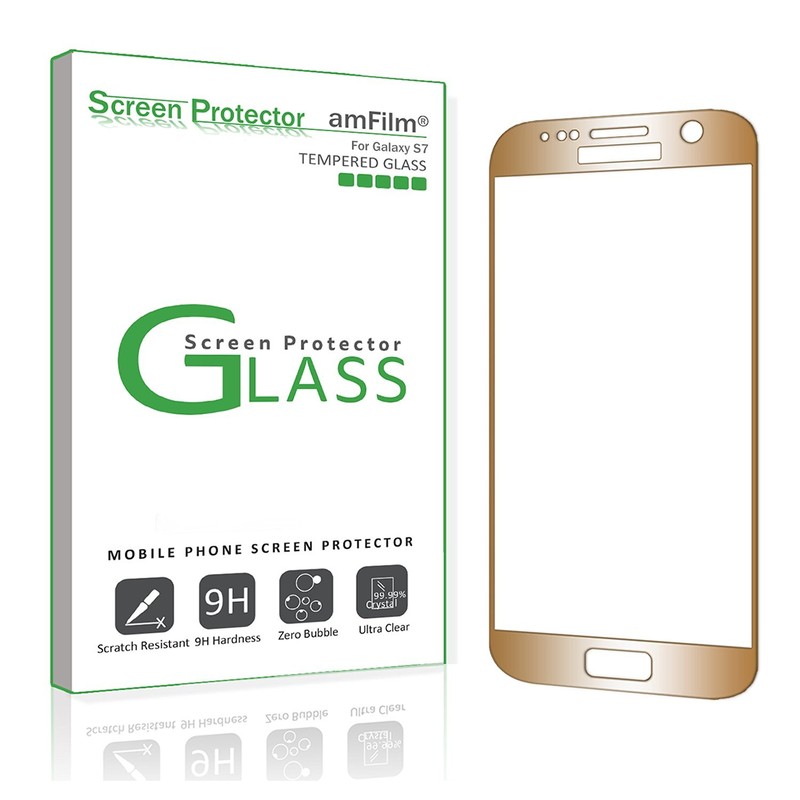
A tempered glass screen protector is an obvious buy whenever you pick up a new phone, but for your gold Galaxy S7, a plain, regular tempered glass screen protector is unacceptable. That’s why the gold screen protector from amFilm is an incredibly smart option to consider if you’re looking to protect your gold Galaxy S7 in golden harmony.
Designed to be durable and scratch resistant — with a bubble-free guarantee! — the amFilm gold tempered glass cover gives your Galaxy S7 phone top-to-bottom, full screen protection. The cover is ultra thin at around 0.3mm, and works effortlessly with your Galaxy S7 phone’s screen sensitivity.
The gold screen protector also comes with wipes and dust removal stickers for a much smoother installation.
See at Amazon
Bastex gold rechargeable battery case
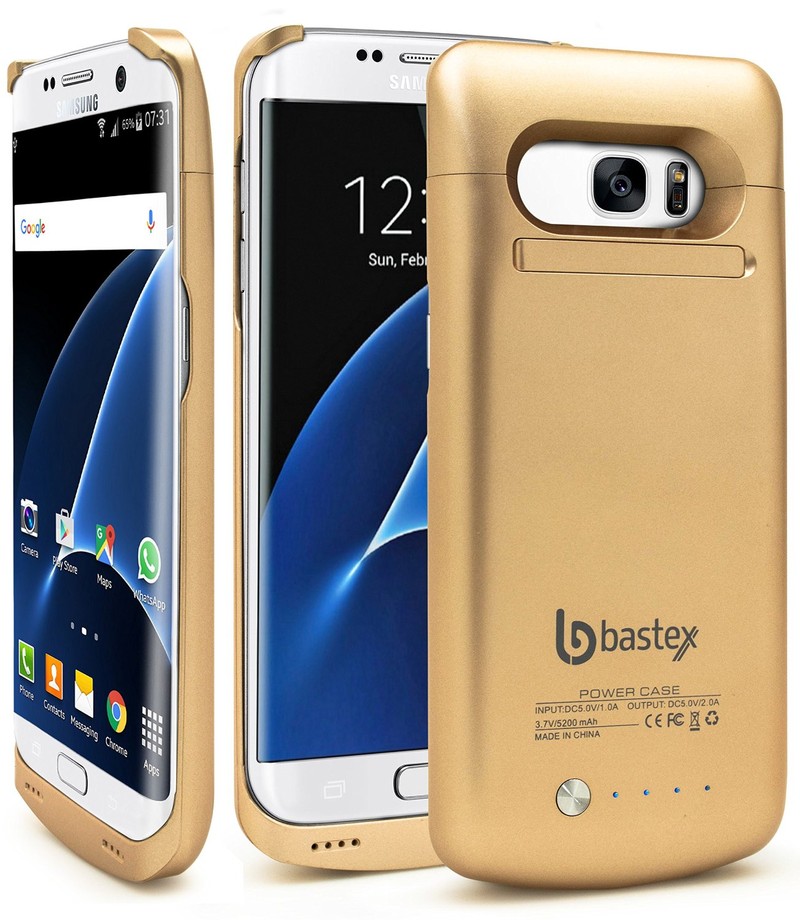
Nothing is worse than draining your battery halfway through the day. Luckily, Bastex’s rechargeable battery case can charge up to an additional 110% extra battery for your gold Galaxy S7 phone — and do it as it matches your gold device perfectly!
The Bastex gold rechargeable case doesn’t only recharge your Galaxy S7 as you kill its battery with texting, talking, social media, and games, it also protects your phone from drops and falls with its durable design. With the battery pack attached, you get up to 40 hours of audio playback, 11 hours of video playback, and up to 13 hours of extra talk time.
While there are three colors to pick and choose from, the best one to match your gold Galaxy S7 is the gold model (although the black and white versions are cool, too).
See at Amazon
Samsung Level U PRO wireless headphones
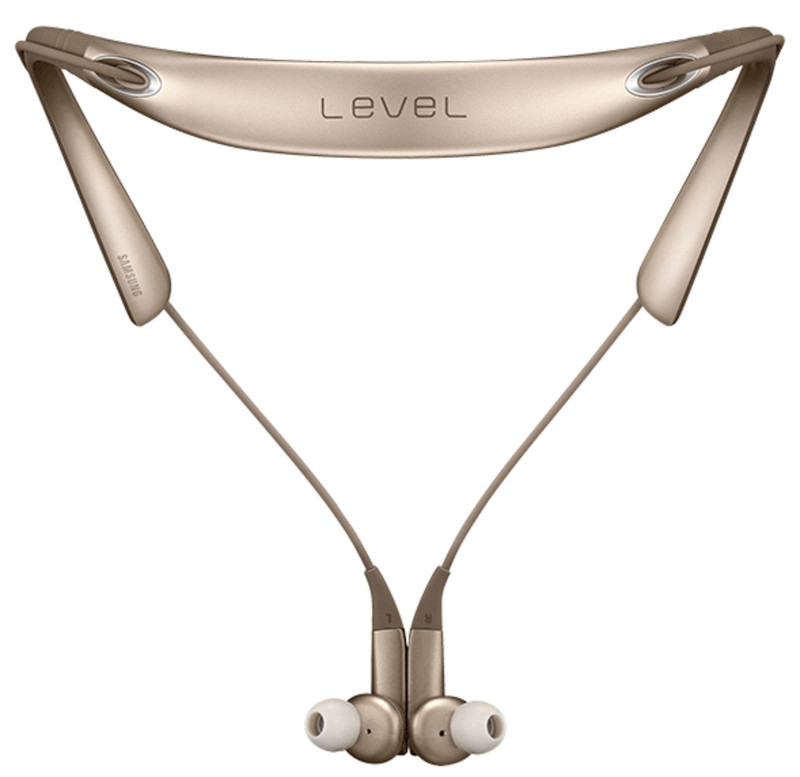
Keep the music pumping and the gold theme going (without the wires!) with the Samsung Level U PRO wireless headphones.
Designed with a two-way speaker, simple controls, and up to two times the wider frequency range that standard wireless sound, the U PRO headphones give you a luxurious listening experience right off the hop — the matching gold color is just a bonus.
Built to be sweat and splash resistant with form-fitting, gel ear pieces to make sure you’re comfortable no matter how hard or loud you’re rocking out, the Samsung Level U PRO isn’t just a great accessory for your Galaxy S7, it’s just a great piece of tech all ’round.
See at Samsung
Fasgear nylon braided gold charger
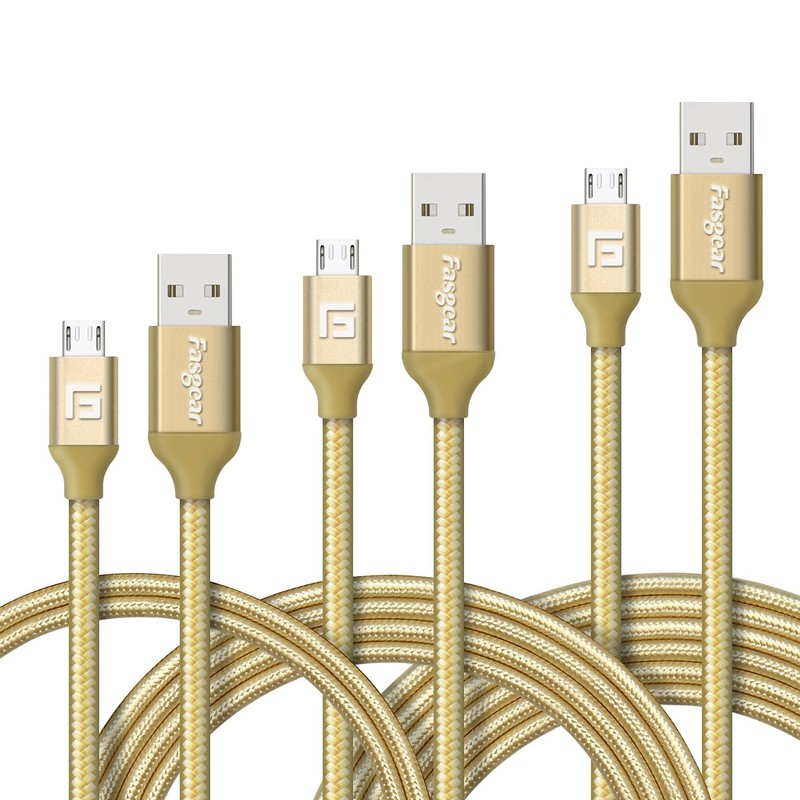
Sure, you could charge your gold Galaxy S7 with the basic cable it comes with, or you could really commit to your new gold phone and accessorize in style with the Fasgear nylon braided gold charger.
These tough, nylon cables are Fast Charge-compatible. With a braided cable jacket to protect the internal wires, the Fasgear can be bent, twisted and abused, and can function several times longer than the charging cable your Galaxy S7 comes with.
You can pick different lengths for your cable, or you could get a convenient three pack for less than $10 that comes with 3.3, 6, and 10-foot cables.
See at Amazon
How do you stay golden, ponyboy?
Is there a gold Galaxy S7 accessory that we missed that you think would be the perfect partner in crime for your phone? Let us know in the comments below.
Samsung Galaxy S7 and S7 edge
- Galaxy S7 review
- Galaxy S7 edge review
- U.S. unlocked Galaxy S7
- Should you upgrade to the Galaxy S7?
- Best SD cards for Galaxy S7
- Join our Galaxy S7 forums
Unlocked
AT&T
Sprint
T-Mobile
Verizon

