


Google Assistant just got a whole lot smarter with IFTTT integration
If you’re an early adopter of the Pixel disappointed that one of its touchstone features, the Assistant, isn’t quite as smart as Google led you to believe, we have a solution of sorts.
Today, Google added itself to IFTTT’s (If This Then That) extensive database of integrations, allowing users to create and execute “recipes” through the Assistant itself.

For the uninitiated, IFTTT is a tool that allows disparate services to talk to one another. While Assistant will eventually work natively with many services, from Spotify to Philips Hue, right now the integrations are limited. IFTTT fills in those gaps by allowing you to use one input (in this case, Google Assistant) to execute an action (say, turning on your Philips Hue light bulbs).
Most of the early recipes are rudimentary but fun
Most of the early recipes are rudimentary but fun, like posting to Twitter or Facebook using your voice, or changing the color of your LIFX lightbulb. With time, though — and a bit of ingenuity — the recipes should become a lot more useful.
As Alex Dobie said in his Pixel review, “The reality is that Assistant is, at the time of writing, very much a version 1.0 product.” IFTTT integration does doesn’t get it to 2.0, but maybe to 1.2, which is a nice step in the right direction.
Google Pixel + Pixel XL
- Google Pixel and Pixel XL review
- Google Pixel XL review: A U.S. perspective
- Google Pixel FAQ: Should you upgrade?
- Pixel + Pixel XL specs
- Understanding Android 7.1 Nougat
- Join the discussion in the forums!
Google Store
Verizon
Daily Briefing: Samsung takes a $4 billion hit, Allo (kinda) comes to the desktop

Here’s what happened in the world of Android today.
The week started off heavy, and today just added to it. It was earnings day for all of the major companies, which means we got to see just how hard the Note 7 fiasco hit Samsung ($4 billion, ouch). But we also got to see Alphabet pass the $5 billion income mark for the quarter, and also remind ourselves that LG’s mobile business is still weak and losing money.
Getting away from the financials, T-Mobile has an awesome deal for new Pixel owners, while updates to Nova Launcher and Pushbullet make the experience of using any Android phone more powerful. Read on for our full recap of the day’s news!
Samsung’s Q3 earnings weren’t so hot
Thanks to a massive recall and cancellation of the Note 7, Samsung’s mobile division barely turned a profit in the quarter, leading to the company’s lowest quarterly profits in two years. The hit to the mobile business was over $4 billion in total for the quarter. More
LG has a rough quarter, too — except none of its phones caught on fire
The South Korean company announced its mobile division took a quarterly loss of nearly $400 million — the most it’s experienced in some time. LG’s mobile division has been unprofitable for five consecutive quarters, weighing down its overall bottom line.
T-Mobile has a sweet deal for Pixel owners
If you buy an unlocked Pixel or Pixel XL and bring it to T-Mobile for its new “One” plan, the carrier will refund you 50% of the price of the phone. Now that’s a great way to encourage unlocked buyers to come to your network. More
Moto M breaks cover in leaked photos and specs
The new mid-ranger breaks from the current designs seen in the Moto Z and G series, offering a metal body and rear-mounted fingerprint sensor. Inside, it’s rumored to have a Snapdragon 625, 4GB of RAM and a stupidly large 5100 mAh battery. More
Alphabet is raking in the money
For Q3 2016, Google’s parent company Alphabet had income of over $5 billion. If it weren’t for the speculative “Other Bets” section, that would have been nearly $6 billion. Google’s biggest segments are growing at a 10-20% rate, which is very impressive for a company of this size. More
Pour one out for Vine
The Twitter-owned video sharing app will be shut down “in the coming months” as the service lacked active users and didn’t really have a monetization strategy. Snapchat and Instagram Video really hit Vine hard, it seems. More
Nova Launcher brings more Pixel-y goodness in latest Beta update
The seventh beta update for Nova Launcher 5.0 brings us Android 7.1 shortcuts, which means that when you long-press an icon, you’ll be able to access the new dynamic/static shortcuts if an app has made them available, and if not, you’ll have the same old icon/app options in that new menu style. The update also brings a few more bug fixes, and an option for weather in the search bar.
Make Allo desktop-friendly with Pushbullet
Google’s new Allo messenger is smart, but it’s also mobile. Let’s change that, shall we? Using Pushbullet’s new update, users can now respond to Allo messages on a Windows PC, or on Mac or Linux through a Chrome extension, through Pushbullet’s Notification Mirror feature.
Apple MacBook Pro (2016) vs Apple MacBook Pro (2015): What’s the difference?
Apple’s new MacBook Pro is finally here, with Touch Bar, hefty price tag, and all.
Before you spend all your hard-earned cash, take a moment to compare the new laptop to its predecessor. Yes, the old model doesn’t come with that fancy OLED touch strip, but if you’re on a budget, every little bit counts, and not upgrading to the latest tech may be in your favour. However, you should know that the MacBook Pro (2016) also brings better graphics and streamlined connections.
Let’s get into the nitty gritty…
Apple MacBook Pro (2016) vs Apple MacBook Pro (2015): Design
- MacBook Pro (2016) comes with Touch Bar and Touch ID sensor
- MacBook Pro (2016) is all-around thinner and lighter compared to predecessor
Both versions of the laptop feature an aluminium enclosure, LED-backlit display, and come in 13-inch and 15-inch model sizes as well as silver or space grey colour options. However, the MacBook Pro (2016) model exclusively features a Touch Bar with an integrated Touch ID sensor. It’s an OLED strip that sits at the top of the keyboard, where the standard function keys normally go.
The 13-inch MacBook Pro (2016) model weighs 3.02 lbs (1.37 kg) and measures .59 x 11.97 x 8.36 inches (1.49 x 30.41 x 21.24 cm), while the 15-inch MacBook Pro (2016) model weighs weighs 4.02 lbs (1.83 kg) and measures .61 x 13.75 x 9.48 inches (1.55 x 34.93 x 24.07 cm).
The 13-inch MacBook Pro (2015) model weighs 3.48 lbs (1.58 kg) and measures .71 x 12.35 x 8.62 inches (1.8 x 31.4 x 21.9 cm), while the 15-inch MacBook Pro (2015) model weighs 4.49 lbs (2.04 kg) and measures .71 x 14.13 x 9.73 inches (1.8 x 35.89 x 24.71 cm).
In other words, if you’re looking for an Apple laptop with a slightly new design, new functionality, and that’s relatively thin and light, you should consider the MacBook Pro (2016) over the MacBook Pro (2015).
Apple MacBook Pro (2016) vs Apple MacBook Pro (2015): Display
- Both models offer 13-inch and 15-inch screen sizes
- Both models offer Retina displays with no change in resolution or ppi
The MacBook Pro (2016) offers a choice between a 13.3-inch LED-backlit Retina display with IPS technology and a 2560×1600-pixel resolution at 227 ppi and a 15.4-inch LED-backlit Retina display with IPS technology and a 2880×1800-pixel resolution at 220 ppi.
The MacBook Pro (2015) offers a choice between a 13.3-inch LED-backlit display with IPS technology and a 2560×1600-pixel resolution at 227 ppi and a 15.4-inch LED-backlit display with IPS technology and a 2880×1800-pixel resolution at 220 ppi.
There is no difference in display quality between the Apple MacBook Pro (2016) model and Apple MacBook Pro (2015) model.
Apple MacBook Pro (2016) vs Apple MacBook Pro (2015): Hardware and power
- Both models and sizes claim to offer 10 hours of web play
- The 15-inch MacBook Pro (2015) with Touch Bar offers better graphics on paper
The MacBook Pro (2016) 13-inch base model with Touch Bar offers a 2.9GHz dual-core Intel Core i5 (Turbo Boost up to 3.3GHz) with 4MB shared L3 cache, 256GB SSD, 8GB of 2133MHz LPDDR3 memory, Intel Iris Graphics 550, and built-in 49.2-watt-hour-battery (which equals up to 10 hours of web play), while the MacBook Pro (2016) 15-inch base model with Touch Bar offers a 2.6GHz quad-core Intel Core i7 (Turbo Boost up to 3.5GHz) with 6MB shared L3 cache, 256GB SSD, 16GB of 2133MHz LPDDR3 memory, Radion Pro 450 with 2GB of GDD55 memory and Intel HD Graphics 530, and built-in 76.0-watt-hour-battery (equals up to 10 hours of web play).
The MacBook Pro (2015) 13-inch base model offers a 2.7GHz dual-core Intel Core i5 (Turbo Boost up to 3.1GHz) with 3MB shared L3 cache, 128GB SSD, 8GB of 1866MHZ LPDDR3 memory, Intel Iris Graphics 6100, and built-in 73.9-watt-hour-battery (which equals up to 10 hours of web play), while the MacBook Pro (2015) 15-inch base model offers a 2.2GHz quad-core Intel Core i7 (Turbo Boost up to 3.4GHz) with 6MB shared L3 cache, 256GB SSD, 16GB of 1600MHz LPDDR3 memory, Intel Iris Pro Graphics, and built-in 99.5-watt-hour-battery (equals up to 10 hours of web play).
In other words, the MacBook Pro (2016) offers a slightly better spec’d processor over its predecessor and much-improved graphics capabilities. The 15-inch model with Touch Bar specifically switched up a lot when it added Radion Pro 450 with 2GB of GDD55 memory and Intel HD Graphics 530, whereas last year’s model with no Touch Bar had Intel Iris Pro Graphics. So, if you want a machine that’s a bit faster and better equipped at handling intense graphics, consider the top-end, 15-inch MacBook Pro (2016).
One more thing: all models of the MacBook Pro (2016) and MacBook Pro (2015) feature a 720p FaceTime HD camera.
Apple MacBook Pro (2016) vs Apple MacBook Pro (2015): Connections and ports
- The MacBook Pro (2016) ditched all the old ports in favour of Thunderbolt 3The MacBook Pro (2016) doesn’t even have an SDXC card slot
The MacBook Pro (2016) only features four Thunderbolt 3 (USB-C) ports for charging, DisplayPort, Thunderbolt, and USB 3.1, whereas the MacBook Pro (2015) comes with MagSafe 2 power port, two Thunderbolt 2 ports, two USB 3 ports, an HDMI port, and SDXC card slot. Both models also have a 3.5mm headphone jack. In other words, the MacBook Pro (2016) streamlined everything.
You can now charge and transfer data using the same port (all four of them) on the MacBook Pro (2016). However, you can’t plug in an SD card. If that matter a lot to you, and you don’t like USB-C, stick with the MacBook Pro (2015). Oh, and both models offer a 3.5mm headphone jack.
Apple MacBook Pro (2016) vs Apple MacBook Pro (2015): Price
- The MacBook Pro (2016) with Touch Bar is more expensive all around
The MacBook Pro (2016) 13-inch model with Touch Bar starts at $1,799, while the MacBook Pro (2016) 15-inch model with Touch Bar starts at $2,399. The MacBook Pro (2015) 15-inch model costs $1,299, while the 15-inch model costs $1,999.
T-Mobile offers unlocked Pixel owners a $325 credit
While Verizon is the only carrier to offer Google’s Pixel phones directly, T-Mobile has its own plan to tempt over Pixel owners: $325 credited towards their bill. That’s half of the cost of the $650 32GB Pixel, and a significant chunk off of the price of the $769 Pixel XL. To get the deal, you’ll need to sign up for T-Mobile’s new unlimited One plan and show a proof of purchase. Don’t expect to get the credit in one lump sum, though. The carrier says it’ll distribute it in $13.55 increments across your bill for 24 months.
That’s still a good deal for anyone who plans to stick with T-Mobile, but it’s certainly not as impressive as a single bill credit. And of course, there are still some red flags with the carrier’s new One plan. It starts at $70 a month with “unlimited” data, text and talk, but you’ll have to shell out extra if you want to tether at LTE speeds or watch HD videos.
Source: T-Mobile
Apple’s ‘Hello Again’ event by the numbers
Well, that was unusually brief. Apple debuted just three new products during its “Hello Again” event held today. The company showed off its new almost-all-in-one TV app (which somehow doesn’t include Netflix), a fully revamped Final Cut Pro X and the newest additions to the MacBook Pro line. There wasn’t even a “one more thing” moment. Man, I sure do miss those. Here are some numbers, because how else will you know how many input ports Apple decided to remove from this year’s model?
Click here to catch all the latest news from Apple’s “Hello again” event.
The Wirecutter’s best deals: $110 off on a Dell XPS 13 laptop
This post was done in partnership with The Wirecutter, a buyer’s guide to the best technology. Read their continuously updated list of deals atTheWirecutter.com.
You may have already seen Engadget posting reviews from our friends at The Wirecutter. Now, from time to time, we’ll also be publishing their recommended deals on some of their top picks. Read on, and strike while the iron is hot—some of these sales could expire mighty soon.
Bose Soundlink Mini II + Amazon Echo Dot
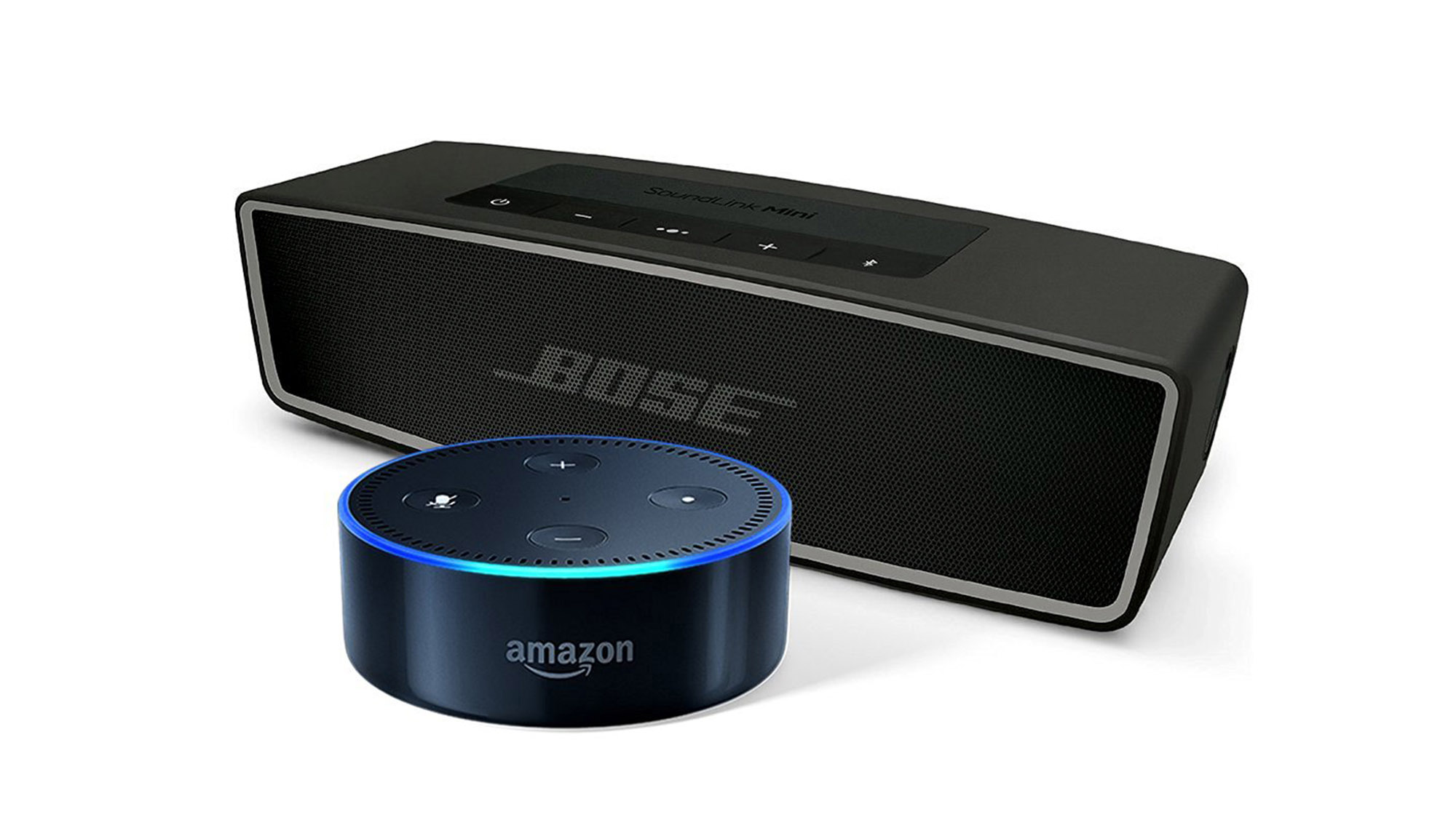
Street price: $250; MSRP: $250; Deal price: $214
Solid deal on a bundle from Amazon that includes the Bose Soundlink Mini II and the Echo Dot for $214. The Soundlink Mini II alone is $200, while the 2nd gen Dot is $50, so this represents a discount of $36 on the two together. As we haven’t seen many deals on either product individually, that makes this bundle a real value. Both the Carbon and Pearl colors of the Bose speaker and Black/White colors of the Dot are available.
Of the Soundlink Mini II, our portable bluetooth speaker pick for better sound, Brent Butterworth wrote, “For those who want even better sound quality and louder volume and don’t need their portable Bluetooth speaker to be super-portable, the Bose SoundLink Mini II is worth the cost.” He continues, “It’s shocking to hear how much better the SoundLink Mini II sounds than most of its competitors, with clearer voices and a fuller sound closer to what you’d expect to hear from a decent small stereo system. It also plays loud enough to drown out a small dinner party. At 1½ pounds the SoundLink Mini II is perfect for lugging along on family vacations or from room to room in the house but probably heavier than backpackers and business travelers will want to carry.”
Dell XPS 13 256GB Ultrabook

Street price: $1,100; MSRP: $1,100; Deal price: $990 with code TENOFF
This is a rare deal on the non-touchscreen version of the XPS 13. While 10% off isn’t a huge deal, this ultrabook rarely ever goes on sale. Plus, this model has been updated to Intel’s new Kaby Lake i5-7200U processor, meaning it’s slightly faster and more energy efficient than its predecessor. Make sure to change the color choice from Rose Gold to Silver to save $50, and then use code: TENOFF in the cart to receive the additional 10% off.
The Dell XPS 13 is our top pick in our guide for the best Windows Ultrabook. Kimber Streams wrote, “The XPS 13 configuration we recommend costs around $1,100 and has a seventh-generation Intel Core i5-7200U processor, 8 GB of RAM, a 256 GB solid-state drive, a Thunderbolt 3 port, and a stunning, 13.3-inch 1080p display—all in a laptop that’s closer in size and weight to the 11-inch MacBook Air than to the 13-inch Air. To fit the display into such a small chassis, Dell shrank the bezel around the screen to a teensy 5 millimeters. The design looks great, but the tiny bezel shunts the webcam to the left corner beneath the screen, so you should be prepared for some unflattering nostril and chin angles during video calls. That minor flaw aside, the Dell XPS 13’s comfortable keyboard, good trackpad, excellent battery life, and reasonable price make it the best ultrabook for getting work done in the office or on the go.”
All-Clad Tri-Ply Stainless-Steel Nonstick Fry Pan

Street price: $135; MSRP: $135; Deal price: $108
This is a good deal at 20% percent off in cart on all 3 sizes of this pan. Our pick, the 10 in. version of this pan, only drops below $110 when on sale and typically hovers above $130. The promotion is also available for the 8 and 12 in. sizes.
The All-Clad 10-inch Stainless Non-Stick Steel Fry Pan is our upgrade pick for the best nonstick pan. Lesley Stockton writes that it, “does everything our top pick can but better, albeit at a much higher price. Food came out more consistently browned and omelets released a little easier. Hash browns had a deeper and more-even golden color. The All-Clad nonstick skillet has all the features we like about the traditional skillet: classic flared shape, bent lip, and a comfortable stick handle, and it’s the only one of our picks that’s induction compatible.”
Anova Precision Cooker Bluetooth

Street price: $150; MSRP: $150; Deal price: $112 with code KITCHEN
At $112 with from Target with code KITCHEN, this is easily the lowest we’ve seen the Anova Bluetooth. After the introduction of the new model, we expected to see it drop below $130, but that hadn’t really happened until now. Shipping is free and if you’ve got a REDcard, you can get an additional 5% off.
The Anova Precision Cooker is our runner-up in our sous vide gear guide. Tim Barribeau writes, “It’s one of the cheapest ways to get into sous vide cooking, and thanks to an innovative adjustable attachment system, the new Anova works with a much smaller volume of water than the previous iteration did—so there’s now no need to heat up a gallon of water just to cook a couple of chicken breasts.”
Deals change all the time, and some of these may have expired. To see an updated list of current deals, please go to The Wirecutter.com.
Marvel writer chased off Twitter by pathetic misogynists
A year ago Marvel announced that the character Mockingbird would be getting her first solo series helmed by author Chelsea Cain. The book ran from March until it was cancelled this month, with the final cover prominently displaying the message “Ask Me About My Feminist Agenda.” Predictably, this provoked the vile side of Twitter, and after the trolls amped up their harassment, Cain deactivated her account this morning. Once again, the social platform’s failure to combat harassment allowed a vocal minority to drive away a creative voice.
In a blog post, Cain explains that she didn’t leave Twitter because of horrific threats. She left because of the daily abuse, the “base level of casual crassness and sexism” that Twitter allows to persist. It didn’t take rape threats or users doxxing her address to make the social platform’s environment intolerable, Cain said: “The tweets that bothered me were never the ones concerned with content; they were the ones that questioned my right to write comics at all, and were disgusted by the idea of a female hero having her own series.”
Other users quickly rose to Cain’s defense, including many in the comics community, like Marvel editor-in-chief Axel Alonso and lauded editor and Ms. Marvel co-creator Sana Amanat:
Having creators like Chelsea Cain write comics makes our industry stronger & stories better. Support them & their work!#StandWithChelseaCain
— sana amanat (@MiniB622) October 27, 2016
The comic industry suffers from its own sexist toxicity, both at a professional level and within its fanbase. In a 2011 essay, former Dark Horse editor and co-host of the comics history podcast Jay & Miles X-Plain The X-Men Jay Edidin summarized how the industry got here: More men held more control over fewer comics publishers and created content for their envisioned male demographic. This formed a chicken-and-egg causation whirlpool that alienated many girls and women, keeping them from joining the fanbase and entering the comics industry.
Some persisted over the decades, enduring the boys club exclusivity and harassment to lay the foundation for more women to create comics. There’s certainly a higher population in the professional echelon today and publishers are paying more attention to their female fans, but parts of comics fan culture remains from the days when Marvel and DC catered almost exclusively to men. These are the vocal and entitled lot that lash out on social media against female creators. Resisting that abuse often takes drastic measures, as comics writer and artist Kate Leth explained:
I forget about it most days because it’s taken 5 years to get to a point where I can’t see someone telling me to kill myself every day
— Leth Merenghi 💀📚🕯 (@kateleth) October 26, 2016
Cain left on rather moderate terms compared to the extensive racist harassment that bullied actress Leslie Jones off Twitter back in July. But at the end of the day, both fled rather than deal with a toxic minority of the social network’s userbase. Even if much of the blame for Cain’s exit lies with the hostile comics fans that refuse to embrace (or even tolerate) female voices in the medium, Twitter’s inaction allows the bullying to continue. Its persistent failure to combat abuse already may have prevented a deal to get bought. Then again, Disney’s back to sniffing around for a possible acquisition, so maybe Twitter doesn’t have to fix its harassment problem before money saves the day. For them.
Source: The Daily Dot
Twitter’s identity crisis killed Vine
Today, Twitter announced that it’s effectively killing Vine, its short-form video service. Though you can still download and watch already-posted Vines, you won’t be able to upload new six-second clips from now on. It’s a shame, but in a way, it’s been a long time coming. The platform has been a lot less active than it used to be, with many flocking to Instagram and Snapchat instead for their video-sharing fix. But what really killed Vine is that it no longer fits in Twitter’s revamped business strategy: live news.
The news comes on the heels of Twitter’s latest quarterly report, which not only revealed that it would be laying off 350 employee, but that it was also restructuring to be profitable in 2017. And no wonder — though it continues to make money, Twitter has never turned a profit and user growth has remained stagnant. Even after co-founder Jack Dorsey took over as CEO last year, the company just couldn’t seem to turn its fortunes around.
2016 in particular has been rough for Twitter. Not only did it see an exodus of executives, it also faced increasing scrutiny over its constant harassment problems. The problem reached a fever pitch this year when SNL’s Leslie Jones received a barrage of racist and sexist tweets, leading her to briefly quit. Twitter did eventually ban the leader of that mob as well as implement quality filters and a safety council, but the damage was already done. Plus, those efforts don’t seem to have solved matters either. Marvel writer Chelsea Cain was also recently driven off Twitter due to abusive comments she received about her work.
This turned out to be a sticking point when Twitter sought to sell itself a few months ago. Several companies were interested in the deal — Salesforce, Google and Disney, to name a few — but all were ultimately scared off, in part because of the toxic reputation of Twitter’s users. Indeed, it seems as if Disney was even really close to pulling the trigger, but Twitter’s online abuse issues proved too messy for Disney’s family-friendly image.
Meanwhile, Vine was fading. As mentioned earlier, it was losing valuable market share to Instagram and Snapchat. Not only do they both allow for longer clips (Instagram allows up to 60 seconds while Snapchat’s restriction is 10) but there’s also a lot less pressure to be funny or original. Vine was a fun place to be creative and quirky, sure, but most people just want to take goofy videos of their cat. Furthermore, the stars that did emerge on Vine quickly discovered that there weren’t a lot of monetization opportunities there and eventually fled to other platforms.
See what’s happening: https://t.co/ChbWRrSJyKhttps://t.co/r9AZd9rzI3
— Twitter (@twitter) July 25, 2016
At the same time, Twitter is still trying to find its voice. A few months ago, it launched an audacious television ad campaign that positioned itself as a place to “see what’s happening.” It was the beginning of Twitter trying to rebrand as a source for live news, not just a social network. It introduced Moments, a feature that highlights trends and news tweets and further integrated Periscope, its video streaming platform. Most recently, it started dabbling into live programming, such as Thursday Night Football and the US presidential debates. It’s even going to air two live original shows produced by the NBA.
As the possibility of a Twitter sale dwindled, it became clear that the company needed to double down on this vision. In a leaked internal memo, Dorsey said the site was a place for “news and talk,” making it “the people’s news network.” If Twitter is going to remain independent — which it seems like it’ll have to — it needs to focus in on a single purpose. For now, that appears to be in live news and entertainment. And unfortunately, six-second video loops have no place in this world.
‘SpyParty’ finally looks like a real video game
Yes, after nearly 10 years, SpyParty is still in development. It’s an underground kind of independent, competitive game where one player is a spy attempting to complete discreet tasks at a fancy party, and another player is positioned outside, observing the scene through the scope of a sniper rifle. The spy attempts to blend in with a room full of AI-powered partygoers while the sniper tries to figure out which one is actually human (and then shoot that character, of course).
And soon, it will all be much, much prettier. Creator Chris Hecker, artist John Cimino and newly hired environment artist Reika Yoshino today revealed five new characters, a professional-looking UI and an updated version of SpyParty’s largest map, Veranda. The update isn’t live yet, but it’s coming in hot and should be available in the game’s paid beta late tonight.
These are big changes. For years, SpyParty was packed with blocky placeholder art as Hecker fine-tuned the actual gameplay. In 2012, he started rolling out the updated visuals. Even in an unfinished, seemingly never-ending beta, the game has attracted plenty of players and it boasts a small, yet fervent, fanbase that includes everyone from casual players to competitive fighting game fans.
Today’s update affects the UI most of all. Aside from a massive visual upgrade, the new UI enables players to fully customize their matches, jump into a quick game and share unique “QuickPlay” settings.

“Things like game timer duration, number of guests, prohibited and required missions, etc,” he says. “I’m expecting a lot of wacky totally unbalanced game modes to be tried by the elite players, and probably some interesting new balanced ones will be found as well.”
The five new characters are Mr. Q (a Lex Luthor-looking fellow), Ms. R (a businesswoman with short brown hair), Mr. S (a dwarf modeled after Silvio Berlusconi), Ms. T (who wears an orange Sari) and Mr. U (a fancy blonde lad). Mr. Q and Ms. T are updates to the fan-favorite characters “Orange Dress” and Danger P. Johnson. These additions bring SpyParty’s character count to 21 and they were initially intended to be the final batch. However, there may be five more coming down the line.
“One thing is that we’re up to the letter U in the temporary code names, and doing five more would take us to Z,” Hecker says. “A compelling argument, you must admit.”

Finally, the game’s largest map, Veranda, is now a Southern Colonial Mansion. Previously, it was a simple 3D balcony floating in the midst of the ether.
“This is the start of a long road to a full professional game,” Hecker says (yes, after many, many years of development on SpyParty).
Watch Apple’s MacBook Pro event in 9 minutes
In contrast to Microsoft’s everything-and-the-kitchen-sink approach to announcements just a day earlier, Apple’s “Hello Again” event was a more focused affair. However, there was still a lot to take in. How does the new MacBook Pro’s Touch Bar work, exactly? And what’s this TV app that Apple introduced? Don’t worry about having to spend ages reading (or watching the full replay) if you don’t have time, though. We’ve recapped the entire presentation in a 9-minute video, so you can get the gist of Apple’s media shindig in the time it takes to grab a drink.
Click here to catch all the latest news from Apple’s “Hello Again” event.

