


Apple Releases Safari Technology Preview 20 With Bug Fixes and Feature Improvements
Apple today released a new update for Safari Technology Preview, the experimental browser Apple first introduced in March of 2016. Apple designed the Safari Technology Preview to test features that may be introduced into future release versions of Safari.
Safari Technology Preview release 20 includes bug fixes and updates for Visual Viewport, Touch Bar, JavaScript, Web API, Security, CSS, Pointer Lock, Web Inspector, WebCrypto API, and more.
The Safari Technology Preview update is available through the Software Update mechanism in the Mac App Store to anyone who has downloaded the browser. Full release notes for the update are available on the Safari Technology Preview website.
Apple’s goal with Safari Technology Preview is to receive feedback from developers and users on its browser development process. Safari Technology Preview can run side-by-side with the existing Safari browser and while designed for developers, it does not require a developer account to download.
Tag: Safari Technology Preview
Discuss this article in our forums
iOS 10.2 Fixes Two Issues With ‘Made for iPhone’ Hearing Aids
Apple released iOS 10.2 earlier this month with an all-new “TV” app, a range of new emoji, bug fixes, and other improvements, including one that was not mentioned in the changelog — improved support for MFi hearing aids.
After updating to iOS 10.2, Reddit user dshafik noted Find My iPhone pings now come through the iPhone’s speakers, while FaceTime rings for outgoing calls through his ReSound 9-Series hearing aids.
On previous software versions, Find My iPhone would ring through the hearing aid itself, making it harder to find a lost iPhone, while FaceTime would ring on the iPhone’s speakers for outgoing calls, despite the actual call being routed through the hearing aid.
The improvements are good news for those with hearing aids, and certainly show attention to detail.
Related Roundup: iOS 10
Discuss this article in our forums
How to use Google Home to help in the kitchen with cooking and baking

Google Home won’t bake you cookies, but it sure can help with the process.
Depending on your comfort level in the kitchen, cooking and baking can range anywhere from “fun!” to “can we just order pizza instead?” — but if you’re willing to get in there, Google Home can be a useful tool. Here’s a handful of tips to let Google Home be an excellent companion in the kitchen.
Timers
OK Google …
- “set a timer for 10 minutes”
- “how much time left on my timer?”
- “set another timer for 14 minutes”
- “how much time left on my first timer?”
- “how much time left on my second timer?”
When a timer is up, you’ll get an alert sound — you can tap the top of Google Home, or say “OK Google, stop” to silence the timer.
Google Home is obviously cautious about deleting timers, so it may kick back an apologetic error if it can’t identify which of your multiple timers you wanted to delete. Just ask it again more clearly if this happens.
Google Keep shopping list
OK Google …
- “add eggs to my shopping list”
- “what’s on my shopping list?”
Items added to your shopping list on Google Home are synced to a list created in your Google Keep account. You can manage or delete the list in Google Keep on your phone or the web, and it’ll be recreated if you try to fire up a list again on Google Home. Unfortunately right now Google Home doesn’t let you remove items from your shopping list via voice.
Measurements and conversions
OK Google …
- “how many ounces in a cup?”
- “how many cups in a liter?”
- “what’s 17 ounces times 2.5?”
- “how much does an average lemon weigh?”
- “how many calories in an avocado?”
Basically, any type of usual conversion you could type into Google can be handled by Google Home.
Listen to something while you cook
OK Google …
- “listen to top 40 radio”
- “play Led Zeppelin Mothership”
- “listen to the latest Android Central podcast”
- “listen to the news”
- “lower the volume”
- “set volume to 3”
In the Google Home app you can customize which services respond to generic queries such as these, but by default you’ll use services from Google. In terms of asking for news, you can also customize in the Home app what sources it includes.
Even when you’re listening to music, podcasts or news your Home will still be able to respond to “OK Google” in order to check on your timers or perform another action. Once the action is done, it goes back to playing.
Recipe help
Google Home is constantly expanding its personal knowledge base of basic recipes and cooking methods, but third parties can also now put their own integrations in the system to be addressed by you directly. These specialty interactions are tailored specifically to offering you recipes, and are far more helpful than asking Google Home directly for a recipe. Big names like Food Network are here to offer you recipe help, and others like The Bartender give you access to cocktail recommendations.
You can find the full list of how each of these integrations (and new ones as they arrive) work in the Google Home app, but in general you’ll invoke each by first saying “OK Google, talk to Food Network” (for example) to get started. Google Home will then be in the mode of that integration, and can take follow-up questions for you. Food Network, in particular, can display recipes on a TV with a Google Cast support so you don’t have to figure these things out via audio.
And in the end, if you want to just give up … say “OK Google, let me talk to Domino’s” and get on with ordering a pizza for delivery.
Google Home
- Google Home review
- These services work with Google Home
- Google Home vs. Amazon Echo
- Join our Google Home forums!
Google Store Best Buy Target
Grab a lifetime license to pCloud for just $59!
Many people store tons of information in the cloud. Easy access from just about anywhere is key for us these days, but it can get costly, and people have different services for different files. Wouldn’t it be nice to bring them all to one place, and not have it break the bank?
Meet pCloud premium cloud storage an easy way to sync up to 500GB of information in the cloud for easy access. That’s right, no hunting down the files locally or being unable to access that important document when you aren’t home.

With it you’ll get:
- Get 500GB of cloud storage & 500GB of download link traffic without taking up any space on your computer
- Download & upload links fast & invite users to shared folders for easy collaboration
- Enjoy high-level security w/ a 256-bit TLS/SSL connection
- Boot up auto upload from your iOS or Android camera to get photos on the cloud fast
- Sync your data across multiple devices automatically & w/ any folder
- Access content of unlimited size w/ built-in video & player & HD video streaming
- Backup your files from Dropbox, Facebook, Instagram, & OneDrive
- Stream audio & video on all your devices w/ pCloud’s built-in media players
- Access on multiple devices, from PC & Mac, tablet, smartphone, & more
Put your files in the cloud with this lifetime subscription Learn More
Priced at just $59 for a lifetime subscription, this seems almost too good to be true. You won’t need to pay more fees yearly, or worry about remembering to renew, it’s good after the first purchase. With the ability to sync across multiple devices, stream audio and video and more, you’ll want to check this out if you keep anything in the cloud.
Don’t get forced to pay yearly fees or nearly $500 for this lifetime license by missing this deal, and instead be sure to act quick and get it for yourself now!
It is now mandatory for U.S. carriers to facilitate Real-Time Text for deaf people
It’s about time.
In one of his last moves as FCC Chairman, Tom Wheeler and his committee have approved a change mandating the use of Real-Time Text, or RTT, to facilitate communications for the deaf and hard of hearing.

RTT resembles regular two-way text-based communications but, for both expediency and safety, must be conveyed in fractions of a second, similar to expectations with voice-based communications. From Motherboard:
This innovation will facilitate more natural, conversation-friendly communication for deaf and hard of hearing people—without the need for separate, specialized hardware. It will also allow 911 operators to receive incomplete messages during an emergency, potentially saving lives. RTT technology is expected to be interoperable across wireless networks and devices, creating the potential for unprecedented ease of communication between deaf and hearing people.
RTT is important because requires that communication be possible without the legacy “send” button that is common in most texting apps. There are even implications for those without hearing impairments, as the adoption of RTT could alter the way regular SMS texting is conveyed over carriers’ networks. Recently, Google has been working with the GSMA and network providers around the world to modernize SMS using the RCS standard which, while not completely real-time, supports typing indicators and read receipts. From the FCC press release (PDF) on the change:
Real-time text enables the full integration of people with disabilities into IP communications networks as they become widely available. It allows consumers using text communications to interact directly with consumers on voice phones, and vice versa. This technology will also be able to function in off-the-shelf devices like common smartphones. This will eliminate the need for consumers with disabilities to purchase expensive and often hard-to-find specialized text devices.
The implications are just as important for customer service, support and business communications as they are for the personal variety, and that existing smartphones can be made to work with RTT is one of its biggest attractions. AT&T spearheaded the campaign to get the FCC to mandate the adoption of RTT, and the move ensures that any integration will be fully backwards compatible with existing TTY solutions.
Best multiplayer Android games to play at a party

Phones can bring the family together!
Being on your phone at a party or family gathering used to be viewed as a major social faux pas. This remains the case in many social circles, but more and more often these days the smartphone is being embraced (or perhaps folks are just giving up the fight).
But when the phones come out, it doesn’t necessarily mean everyone’s got to retreat into their social feeds. There’s a number of great apps that can bring everyone together for some fun around the holidays.
We’ve included a couple options that use a Chromecast-enabled TV, along with a tried and tested classic to show off that new Daydream View or Samsung Gear VR that little Jimmy got from Santa Claus.
- Psych!
- Who Can’t Draw?
- Teledoodle
- Charades
- Ticket To Ride
- Cardcast
- Big Web Quiz
- Keep Talking and Nobody Explodes!
Psych!
Psych is a game of trivia and bluffing where everyone comes up with a fake answer to the question, and then try and guess which is the real answer. You get points for picking the right answer, or if someone picks your answer. It’s very similar to games like Balderdash or Fibbish.
This game requires that all players have the app loaded onto their own phones, along with a solid internet or Wi-Fi connection. There are in-app purchases to unlock new categories, or decks, but there’s enough variety in what’s included for free for an evening’s worth of fun.
Download: Psych (Free)
Who Can’t Draw?


Get your friends and family to flex their artistic skills (or lack of said skills) and find out Who Can’t Draw. The first artist gets a word and does their best to draw a picture of that word. The phone is then passed around the room, with each person trying to do their best to copy the drawing they were passed… in just 15 seconds. It’s essentially a sketching version of the old schoolyard game of telephone. Once the phone reaches the last person in the game, they must try and guess what the original word.
At the end of each round, you’re shown a results page with everyone’s drawing. It’s hilarious to see how the interpretation changes from person to person, as guessed word and the original word are rarely the same.
Download: Who Can’t Draw? (Free)
Teledoodle


Another social drawing game, Teledoodle is a mobile version of Telestrations that can be played on a single device with up to 8 people. Drawers get up to a minute to create their masterpieces, but it’s ultimately up to the guesser to determine what was drawn. That guess is then passed to another drawer who must interpret what they are given so on and so on until everyone has had a turn. Then, it’s time to see how the drawings and guesses progressed, often with outrageous results.
Download: Teledoodle (Free)
Charades


Love it or hate it, charades is a classic party game that’s perfect for all ages. The Charades app takes the format and brings it into the 21st century by holding your phone up to your forehead and having your friends and family act out or try to give you clues for the word on the screen. With over 44 categories available in this free-to-play app, there’s a ton of fun to be had.
You might have played this game as Heads Up, which is typically what we would recommend here, but according to reports from the Google Play Store, a recent update has caused the app to become unstable for many users. If you find it working fine for you, it’s another great option.
Download: Charades (Free)
Ticket To Ride


The award-winning train-based board game is a household favorite around these parts, and it’s also got an outstanding, fully-licenced app for Android. It’s a great little game to play with up to four other friends, featuring pass-and-play for playing on a single device, or local area network options if everyone has the app on their own phone. Setup and play time is short and brisk thanks to all the card dealing and pieces being handled digitally, making an excellently designed game even more fun to play.
This is a paid app, with in-app purchases to unlock other game boards. Given the price of the physical version of the game, the combo that includes all expansions and versions is a great deal that increases the game’s replayability tenfold.
Download: Ticket To Ride ($2.99)
Cardcast

If you’ve got a Chromecast, you’ve also got a digital version of Cards Against Humanity to play as a two-screened experience with your TV and phones. It’s an open-sourced game that actually allows you to go in and create your own decks to play with if you so desire, or choose a deck from the deep database of user-created decks. Up to 10 people can play at one time, and players are free to connect or disconnect in the middle of a game.
If you’re not familiar with CAH, it’s notorious for its not-safe-for-work content. However, one of the benefits of Cardcast is that you can find a family-friendly deck to play, so that Granny isn’t offended… unless of course you’ve got a pretty cool Granny.
Download: Cardcast (Free)
Big Web Quiz

Another quick and fun game to play on the Chromecast, Big Web Quiz is a fast and fun quiz game with cross-platform compatibility — whether your friends and family are on iOS or Android, everyone is able to download the app and connect to the Chromecast.
Up to six people can connect up and play. Everyone watches the screen for the question, then uses their phone to answer. It’s a fun, colorful app filled with interesting and quirky trivia.
Download: Big Web Quiz (free)
Keep Talking and Nobody Explodes!
It’s not too often we get to recommend a VR game for a party or social gathering given how isolating a typical VR experience is… but Keep Talking and Nobody Explodes is far from your typical VR game. It’s an intense game of bomb defusal that looks to recreate those movie moments where the main character gets diffusal instructions over the walkie talkie.
Available for both the Samsung Gear VR and Google’s Daydream View, one person straps the VR headset on and gets to look and manipulate the bomb, while everyone else in the room consults the bomb manual (downloadable for free from BombManual.com. Can your family or friends work together to defuse the bomb before it goes off? This game is quite stressful at times, but also a lot of fun.
If you’re playing on a Samsung Gear VR, you’ll need to download from the Oculus Store. If you’re playing on a Daydream View with your Pixel phone, you’ll want to download the version from the Google Play Store.
Download Keep Talking and Nobody Explodes from Google Play ($9.99)
Download Keep Talking and Nobody Explodes from Oculus Store ($9.99)
Anything we missed?
Got a party classic that didn’t make our list? Let us know in the comments below!
Android Gaming

- Best Android games
- Best free Android games
- Best games with no in-app purchases
- Best action games for Android
- Best RPGs for Android
- All the Android gaming news!
5 Great Starter Apps for Daydream VR
To dream is to use Daydream.
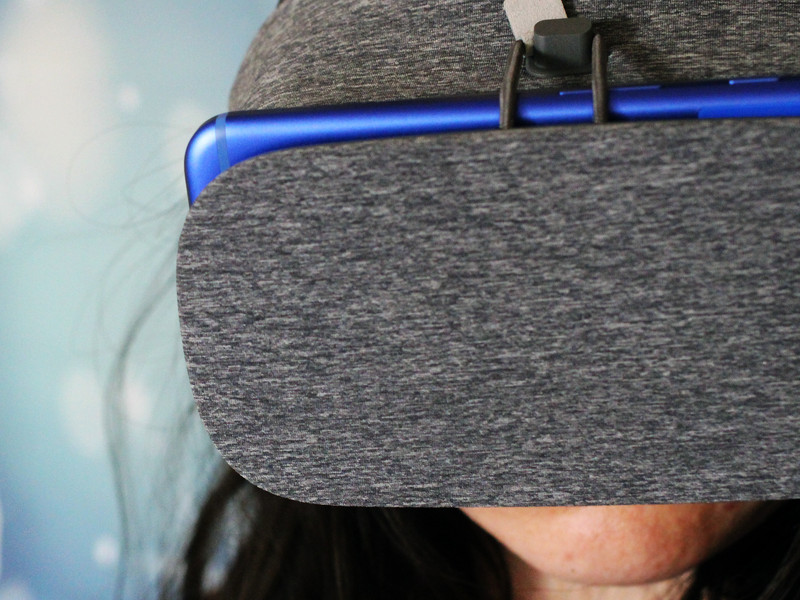
I know what I’m planning to do on Christmas Day: Get my family believing in the dream that is Google’s Daydream.
I’ve been having tons of fun exploring the different virtual reality apps offered in the Play Store and there are a surprising number of ready-to-go games and movies available. If you’re like me and you’re planning to evangelize wonder of virtual reality at the holiday dinner time, here are five apps to load up on your smartphone before you start the showcase.
Read more at VR Heads!
Dolby Atmos explained: What is it and how do I get it?
Home cinema was once a term confined to all-in-box solutions, giving you everything you needed to transform your front room into your own personal cinema. They were good, but not quite great, which is why there’s so few of them left on the market.
For a more impressive and more authentic home cinema experience, separate kit for different purposes is the preferred route. This allows you to upgrade, chop and change as new technologies are introduced or existing gear is upgraded.
The speakers rarely need overhauling, except when opting for greater performance, but the rest of the kit – projector, TV, disc player, AV receiver or amplifier – could end up one step behind the latest technological breakthroughs in picture resolution or audio format. Ultra High Definition is one obvious example, with diehard home cinema fans already considering adding a new 4K TV or projector.
- How to watch 4K Ultra HD content on TV and online
But home cinema isn’t just about the picture, sound is just as important too. For years now we’ve have 5.1 and 7.1 surround sound systems, but now that’s all set to change with the arrival of Dolby Atmos.
Dolby Atmos has the potential to make as significant a change to the audio aspect of home cinema that Blu-ray did to the visuals when it was introduced, and subsequently 4K Ultra HD when that arrived to succeed it. It could even become something synonymously associated with general home cinema, not just in the mid- to high-end.
But what is Dolby Atmos? And why is it getting audiophiles and cinephiles excited?
What is Dolby Atmos?
Dolby Atmos takes the longstanding 5.1 surround sound but adds extra height channels to provide a more enveloping sound effect in your room. Rather than have sounds of raindrops, or a helicopter moving around the same height as your ears with 5.1 for example, with Atmos you’ll be able to hear rain falling from above or a helicopter moving from over your head and over into the distance. At least, that’s the theory.
It introduces new speaker configurations, such as 5.1.4, where there are five speakers around the room, one subwoofer and four height channel speakers. You could also have 5.1.2, 7.1.2 or 7.1.4. If you want some extra low-end grunt, you can also add an extra subwoofer into the mix.
Because Dolby Atmos is an object-based sound format, when creating a soundtrack to a film, sound mixers are able to specify the exact place they want the sounds to be, as opposed to ‘left-channel’ or ‘right rear-channel’ of 5.1 surround soundtracks.
In select cinemas around the world that have a full Dolby Atmos speaker setup, speakers are placed along the walls, in the ceiling and even behind the screen to push sound out towards the audience.
Dolby has already said it will be announcing new updates to the technology at CES 2017 in Las Vegas this coming January.
- CES 2017: What is it and what to expect
What do I need to get Dolby Atmos?
For the best possible Atmos experience, in-ceiling speakers are the way to go. But not everyone is able to facilitate them, so as a workaround, you can get upward firing Atmos speaker modules to bounce the sound up to the ceiling and back down to the listening positions.
Onkyo, for example, has the SKH-410 speakers and KEF has the R50s, that you place on top of your existing left and right floorstanders, or nearby on an AV stand. These are dedicated to Dolby Atmos and are angled slightly to bounce the sound off the ceiling and back down to a sitting position comfortably back from the screen or TV.
And don’t worry if you don’t have Onkyo or KEF speakers for your main setup at the moment, as the modules will play nice with anything you already have.
In order to drive your speakers, whether they’re upward firing modules or built-in to the ceiling, you’ll need a compatible AV receiver. When Atmos first launched around 2014, only a select few models could support the sound format, and it was usually the high-end and most expensive ones at that.
Fortunately, as the format has increased in popularity, the majority of major AV brands have now added Atmos support the main bulk of their ranges, and all at different price points to suit different budgets.
Onkyo, Sony, Pioneer, Marantz, Denon, Yamaha all have Dolby Atmos AV receivers, so if you wish to remain loyal to a particular brand when upgrading your home system, you can.
But we’ve been talking as if we’re assuming you have space for a full Atmos surround sound setup. What if you want the added height effect but space is at a premium? With a Dolby Atmos soundbar, that’s how.
Yamaha was first out the gates with the YSP-5600, but since then, Samsung, Onkyo and Philips have all produced models. While they won’t be able to completely emulate a proper Atmos speaker configuration, they’re certainly not far behind and are a real step up from conventional soundbars.
- Samsung HW-K950 Dolby Atmos soundbar review: Genuinely immersive audio
- Onkyo’s LS7200 Atmos soundbar plays nice with movies and music
- Philips Fidelio soundbar crams Dolby Atmos overhead audio into one unit
Can I use my current Blu-ray player for Dolby Atmos?
Yes, as long as a Blu-ray player has been set to output a direct bitstream signal, your Dolby Atmos-enabled receiver should be able to decode the signal and send the height channels to the Dolby Atmos speakers.
You will of course also have to make sure the Blu-ray disc you’re watching has a Dolby Atmos soundtrack on it. You can check the rear of the case to see if it does.
You can use a games console too, as the PlayStation 4, Xbox One and Xbox One S all now support Atmos soundtracks on films, with some games beginning to adopt the format.
- Xbox One gets Dolby Atmos support at last, also adds streaming for Oculus Rift
Media streaming is another area that promises to supply Dolby Atmos soundtracks. For example, US video streaming service Vudu is committed to offer its subscribers compatible movies when they become available. However big names such as Netflix and Amazon Instant Video don’t yet offer the sound format through their services.
What content can I watch in Dolby Atmos?
As with any new format, when it first launched, there wasn’t a lot of Dolby Atmos content around. One of the first movies to be released with an Atmos soundtrack was Transformers: Age of Extinction. Luckily films with Atmos have progressed since then, in both quality and quantity. There’s a good chance most Blu-rays on the shelves will have an Atmos soundtrack.
If you’re one of the lucky ones to have a 4K Ultra HD Blu-ray player such as the Panasonic DMP-UB900 or Samsung UBD-K8500 at home and connected to a 4K TV, all 4K Blu-rays have an Atmos soundtrack.
If you don’t have one of those players but do have an Xbox One S, then you’ll be pleased to know that Microsoft has recently updated the One S to support Dolby Atmos when watching Blu-ray films.
BT TV has also added Atmos to its 4K Ultra HD sports channel. Live sports will be shown with the added height from 2017, but to get it you’ll need to have the BT YouView+ 4K Ultra HD set-top box.
- BT launches Dolby Atmos sound with 4K TV packages, get the stadium experience at home
23 tech toys you wanted for Christmas but never got
Christmas is a time for giving. It’s also a time for receiving which, to be perfectly frank, is the best part.
But we’ve all had those moments when we rip open the wrapping paper and discover that Santa didn’t quite deliver the electronic wizardry we’d been nagging our parents for. Whether we grew up in the 70s, 80s, 90s or noughties there have been wonderful, gadgety toys advertised for months before Christmas that just eluded us at the last minute.
It might have been because it was sold out before your mum or dad got to the store. Or it might just have been too darn expensive.
- Best Christmas films and TV shows to watch on Netflix, Amazon and Now TV in the UK
- Best geek Christmas jumpers: Star Wars, Sonic, Game of Thrones, Captain America and more
- John Lewis Christmas adverts over the years: Including amazing 2016 #BusterTheBoxer commercial
Whatever the reason, you looked on jealously as the popular kid at school boasted loudly about getting what you wanted. We know, we feel your pain too.
So in a virtual group session of shared painful memories, here are a whole bunch of tech toys from the last 40 to 50 years that just slipped our grasp on Christmas morning. Just click through the gallery above to see some real crackers.
The best news is that, as adults, you can track them down, buy them second hand or even new in some cases and covet them afresh. While you do, just think where the popular school kid is now and revel in the fact that they probably work in a sewage plant or something. Ha ha ha. In your face Billy Roberts.
Ahem.
ICYMI: Physicists just cracked a big anti-matter hurdle

Today on In Case You Missed It: CERN scientists announced they were able to measure anti-matter on the optical spectrum after a full 20 years of trying. This could not only help us understand the universe better but probably solve the mystery of the aliens everywhere meme– kidding! That guy is unexplainable. Meanwhile Stanford scientists were able to see how starfish larvae move through water, creating vortices to both swim and move food closer to their mouths, something that had previously been unknown.
If you’re looking for a laugh, feel free to check out synthesizer bike guy, round two. As always, please share any interesting tech or science videos you find by using the #ICYMI hashtag on Twitter for @mskerryd.
 AIVAnet