


All 2017 Ford vehicles are getting CarPlay and Android Auto
Ford has confirmed that all of its 2017 models — every single car, SUV, light truck and EV — are smartphone-ready. They all come loaded with Ford’s Sync 3 entertainment system and are compatible with Apple CarPlay and Android Auto. Those who’ve snapped any of the currently available 2017 models, such as the latest Escape, Fusion, Mustang and Explorer, can already enjoy the in-car technologies. They can use their iPhones (5 or newer) or their Android Lollipop (or higher) devices to access maps, music, messages and even third-party apps on their vehicles’ screens. Both systems give them access to voice commands, as well.
Ford also assures those interested in buying the upcoming F-150, Focus, Edge and all-new 2017 Super Duty when they come out later this year that they’ll have access to Google’s and Apple’s in-car tech. “Ford is not taking the traditional approach of introducing Apple CarPlay and Google Android Auto on a few piecemeal models or as an expensive option on luxury vehicles only,” said Jeffrey Hannah from automotive technology research firm SBD. “The guesswork for consumers is over — if you buy any 2017 Ford vehicle with SYNC 3, you drive off the lot with both of these innovative technologies ready to go.”
Source: Ford
What’s next for ‘Pokémon Go’? Custom locations and more monsters
As Pokémon Go continues its global assault, Niantic Labs founder John Hanke took to a panel discussion at Comic-Con to tease at what’s coming next to the app — and how the team hopes maintain this insane momentum. To start, more Pokémon critters will eventually make their way to Go, although Hanke’s wording makes it sound like not all of them will make the cut. “Beyond first generation [the original 150], there are some others that may make their way into our universe. We’re looking forward to finding interesting ways to make that happen in the coming months and years.” The CEO went on to elaborate on developments for the in-game world too — and that’s where it got interesting.
As you’d hope from a Pokémon title (even if it’s not quite a full-fat game), trading and training features are still a work in progress. (Niantic Labs are also looking into the Pokémon breeding inside the smartphone title.)
While discussing the game’s future direction, Hanke said that he was interested in further customizing the in-game pokéstop. At the moment you can attach a lure that ensures more Pokemon will pop up at that location — something which benefits all players in there area. Hanke suggested that other customizations could be setup at these stops, with the Niantic Labs boss citing a monster-healing pokécenter as a possible new function. “That’s a pretty cool idea that you can acquire an object that changes the function of a pokéstop and give it a new ability.”
There are currently no pokécenters — and no Nurse Joy — in Pokémon Go. This needs to be remedied immediately.
Source: The Verge
NASA wants more private uses of the International Space Station
NASA doesn’t just see the International Space Station as a place where government space agencies can work together in harmony — it could be a business hub, too. The agency has put out a call for ideas that could increase commercial use of the ISS. Those private outfits have potential uses that researchers hadn’t imagined, NASA says. They could likely take better advantage of the “unique capabilities” of the low-Earth orbit facility, such as hooking up to underused attachment ports.
Companies have quietly been soliciting ideas since the start of July, and they’ll have until the 29th to get their ideas in. This won’t necessarily turn the ISS into a marketplace. However, you shouldn’t be surprised if the station soon gets more of a private presence than the occasional SpaceX capsule.
Source: FedBizOpps.gov, NASA
Prisma’s neural net-powered photo app arrives on Android
When Prisma Labs said you wouldn’t have to wait long to use its Android app outside of the beta test, it wasn’t joking around. The finished Prisma app is now readily available on Google Play, giving anyone a chance to see what iOS users were excited about a month ago. Again, the big deal is the use of cloud-based machine learning to turn humdrum photos into hyper-stylized pieces of art — vivid brush strokes and pencil lines appear out of nowhere. Give it a shot if you don’t think your smartphone’s usual photo filters are enough.
Via: The Verge
Source: Google Play
How to remove the Prisma logo watermark from your photos

A simple settings change can remove the unsightly Prisma logo from your pics.
With the unique photo-filtering app Prisma now available on Android, it’s worth underscoring one of the most important settings changes you can make. By default, Prisma adds its own logo to every image you share from the app. But it’s easy to disable this watermark from within the app’s settings.
How to remove the Prisma logo watermark from photos
From the main photo-taking screen, hit the Settings button (cog icon).
Uncheck the Add watermark setting.
Press the back key again to return to previous screen.

With the watermark option disabled, your photos will no longer show the Prisma logo in the bottom right corner. Hurrah!


Left: Before; Right: After
Beware of fake Prisma Android apps: Here’s the legit Google Play link

Looking for the Android version of Prisma? Make sure you don’t download a fake.
Did you hear? The unique, artistic photo-filtering app Prisma is now available on Android. But in the early days of the app’s availability on the Play Store, you might be having a hard time tracking down a legitimate Prisma download.
That’s because, at the time of writing, the app’s still relatively new on Google Play, and as such Google’s servers are still surfacing an unfortunate number of fake apps in searches for “Prisma.”
Fortunately the solution is easy. Simply download Prisma from the link below, which is the legit version from Prisma Labs, Inc. If you’re following a link from elsewhere, check for “Prisma Labs, inc.” as the publisher, and “contact@prisma-ai.com” as the contact email at the bottom of the page.
See Prisma on Google Play
Stay safe, and happy downloading!
‘Mystery Science Theater 3000’ comeback lands at Netflix
You won’t have to go out of your way to watch the Mystery Science Theater 3000 revival. Netflix has picked up the crowdfunded make-fun-of-movies show and will be the only place to stream it in the US, UK, Australia, Canada, Ireland and New Zealand. The move isn’t exactly shocking (Netflix has already offered classic MST3K episodes), but it’s that much sweeter if you’re already a Netflix subscriber and would rather not head to another service to watch. Just don’t be in a rush to catch up with Joel, Tom Servo and Crow. In keeping with the tone of the series, Netflix will only say that MST3K is coming back “in the not-too-distant future…” and we don’t think it means “next Sunday, AD.”
In the not-too-distant future. @MST3K pic.twitter.com/L9IpZW2Cmb
— Netflix US (@netflix) July 24, 2016
Via: Hollywood Reporter, TechCrunch
Source: Netflix
Watch ‘South Park’ creators explain why their next game is better
Now that the long-in-development South Park: The Fractured But Whole is close at hand, Ubisoft and South Park Studios are finally opening up about its creation. To start, they’ve posted a behind-the-scenes video that isn’t quite the usual puff piece. South Park creators Trey Parker and Matt Stone not only why the game exists, how it was made and what’s new, but how they got some of their feedback on The Stick of Truth. They apparently got plenty of helpful input by watching PewDiePie’s playthrough — after all, the YouTube star is telling you what he thinks at any given moment.
Also, you might not want to count on downloadable content reaching Fractured But Whole any time soon. Parker and Stone explain to IGN that they fought against including DLC in Stick of Truth for a reason — they didn’t think that anything they cut was worth playing. That might change with the newer release (there are a couple of ideas), but the creative duo isn’t going to produce DLC strictly for its own sake. In short, it shouldn’t feel like the developers are purposefully holding back to wring out some extra cash.
Source: Ubiblog, IGN
Mobile Nations Weekly: Modular, mainstream, McLaren
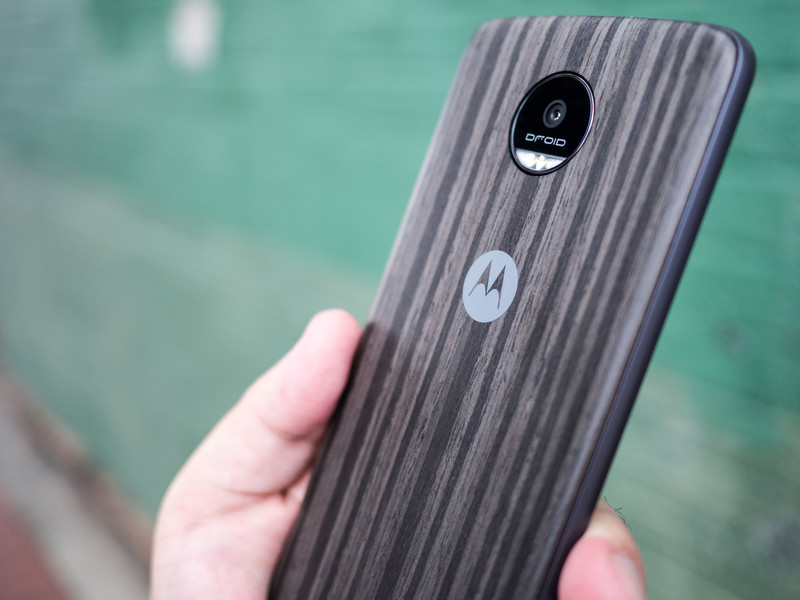
Moto’s modular masterpiece and Nokia’s never known novelty.
Motorola’s latest phones — the Moto Z and Moto Z Force have at long last arrived, but with a catch: they’re Verizon “Droid”-brand exclusives for now. But give it a little while and the modular-backed smartphones will be available elsewhere. And even though the BlackBerry Security Summit was all about, well, security, we couldn’t help but wander about new BlackBerry devices — word on that is coming next week.
Windows Mobile is going through something of a retrenchment period while a new path forward is plotted, but before things went south there was the Nokia McLaren. This highly impressive Windows Phone never saw the light of day until now, and we’ve got everything you need to know about its giant camera, all-metal body, and insane depth- and pressure-sensing display. Oh, and Microsoft made a bunch of money in the last quarter.
VR took a step into the mainstream with an impressive Mr. Robot tie-in and a new Star Wars game for HTC Vive. Speaking of the Vive, it’s cropping up in the most unexpected places, like hospitals.
And, as you might expect, PokéGeddon continues, and we’re all in. There’s a new podcast — Go Time! — tips on throwing Pokémon Go curveballs, and a parent’s guide to the insanity.
Android Central — May the Moto Z Force be with you
After an ample amount of runup, Lenovo and Verizon released the Moto Z Droid Edition and Moto Z Force Droid Edition to consumers. We have a full review of both phones, along with some takes on which Moto Mods you should buy and how the Mods stand out from what LG’s already done this year. We also dropped the Moto Z Force. A lot.
And don’t worry, the Moto Z will indeed get security patches in the future.
For those who want to keep up with the bleeding edge of software, Google released the fifth and final Dev Preview of Android 7.0 Nougat. There’s a bit more polish all around, and a crazy-hard-to-find Easter Egg. It’s available to anyone with a modern Nexus device.
For those who are big launcher fans, you should take a look at the latest version of Action Launcher. If that’s not for you, maybe see if something else piques your interest on our full list of the best Android launchers.
- After a disappointing start to 2016, I’m hoping for the best Sony phone in years
- Acer Chromebook R11 review: Solid laptop, mediocre convertible
- Try a blue light filter on your phone — your eyes will thank you
- 7 things to know about the Sony Xperia X Performance
- Introducing Go Time — A Pokémon Go podcast!
- Where next for mid-range Android phones?
- Charging your Nexus on the go with the Monoprice USB-C battery pack
- First impressions: Android apps on the Chromebook R11
- Android malware — should you be worried?
CrackBerry — Conditioning
For BlackBerry and CrackBerry readers, this week was all about the BlackBerry Security Summit. John Chen and crew kept things mostly related to security as one would expect from a security summit but we did get some hardware news and information to go along with all the other key announcements and demos.
- Watch John Chen’s keynote from the BlackBerry Security Summit 2016
- Media “conditioned” to ask BlackBerry about handset business, says Chen
- BlackBerry will discuss new devices next week
- BlackBerry Hamburg / Neon built by TCL turns up at the FCC, marketing name DTEK 50
iMore — Checkmarks and changes
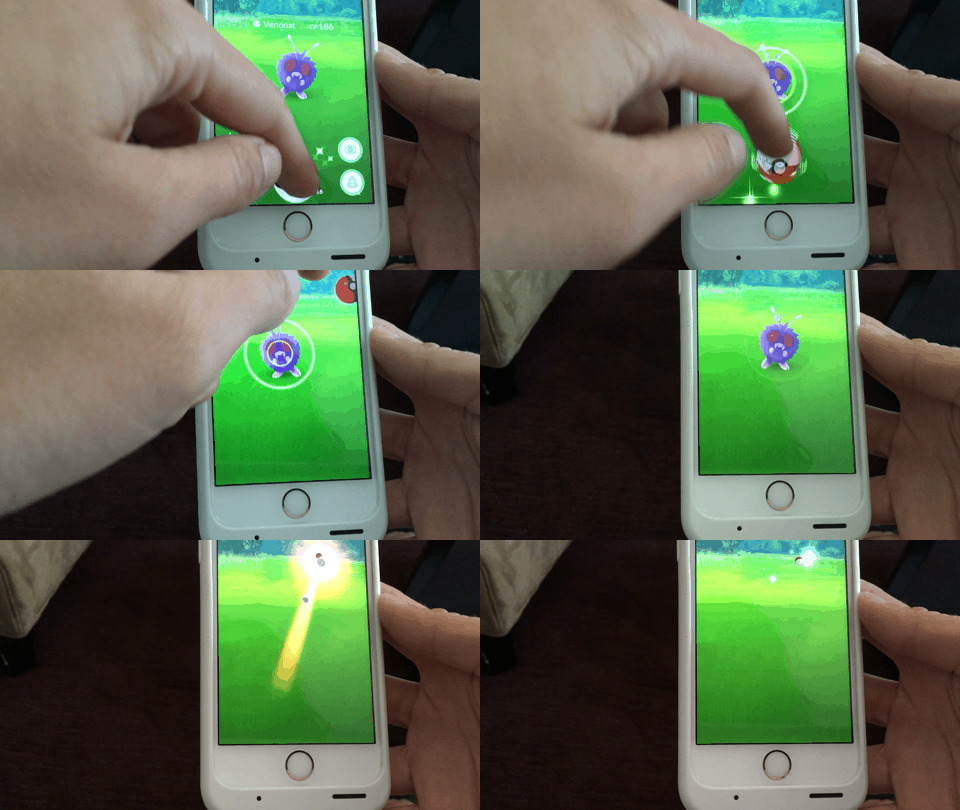
It’s been a surprisingly busy mid-July week for iMore: The Pokémon insanity continued apace, Apple started rolling out some pretty major changes to Apple Music, and Twitter now lets anyone apply for blue checkmark verification — though actually getting that verification is still a shot in the dark.
On the PokéFront, the folks at Android Central started a new podcast called Go Time!, Serenity shared her foolproof way for throwing curveballs, Lory worries about people playing the game in awkward places, and Georgia wrote an excellent guide for parents playing with their kids. We also have a pretty fantastic contest to win the ultimate Pokémon Go survival pack, so check that out!
Apple snuck between the Pokémon insanity to introduce a much-welcome change to the Apple Music: The company’s iTunes Match service will now be offered as part of an Apple Music subscription. We’ve got everything you need to know about the change, as well as how-tos on cancelling iTunes Match, if you rock both services, and an update to our iCloud Music Library Ultimate Guide.
We also wrote about the iPad, your iPhone 7 wishes, and more how-tos than you could shake a stick at.
- The iPad Paradox
- Breathe: How Apple Watch’s new app will help you live and feel better
- What’s on your iPhone 7 wish list?
- How to request Twitter verification on your iPhone
- Fed up with the iOS 10 lock screen? Find zen with this quick Settings change | iMore
VR Heads — Medicine, magic, and mystery
We all love playing games in VR, and there’s so many to choose from now it’s amazing, but there are practical uses for this tech as well We spoke with a physical therapist using the HTC Vive for concussion treatment this week, and it opened the door to some incredible discussions about the positive effects of VR in the world.
- VR Therapy — using an HTC Vive to help with concussions
- Mr. Robot in VR is gone for now, but will be back soon!
- Star Wars: Tials of Tatooine is now live on Steam VR!
Windows Central — What could have been
Microsoft is in the final stages of preparing the big Windows 10 Anniversary Update for August 2. Insiders on the Slow Ring have now received the final bits with build 14393 going out this week. Speaking of Microsoft the company earned $22.6 billion (non-GAAP) for FY16 Q4 beating Wall Street estimates.
But perhaps our biggest story this week was our exclusive deep-dive into the canceled Nokia McLaren smartphone featuring some crazy 3D Touch technology. You have to see this phone in action to believe it.
Windows 10 Mobile finally picked up native panorama support. While it took a long time to get here the feature is likely one of the best implementations of panorama yet. We also played around with the new Acer Liquid Jade Primo smartphone in our unboxing video and came away impressed.
- Fully Exposed: Unreleased Nokia ‘McLaren’ Windows phone with 3D Touch
- Windows Ink is the best new thing in Windows 10 Anniversary Update
- Lenovo ThinkPad Yoga 460 review: Business in front, party in back
- What’s new with Microsoft Edge for Windows 10 Anniversary Update
Check out Facer, Hey KittyKitty and more in our Android Wear watch face roundup
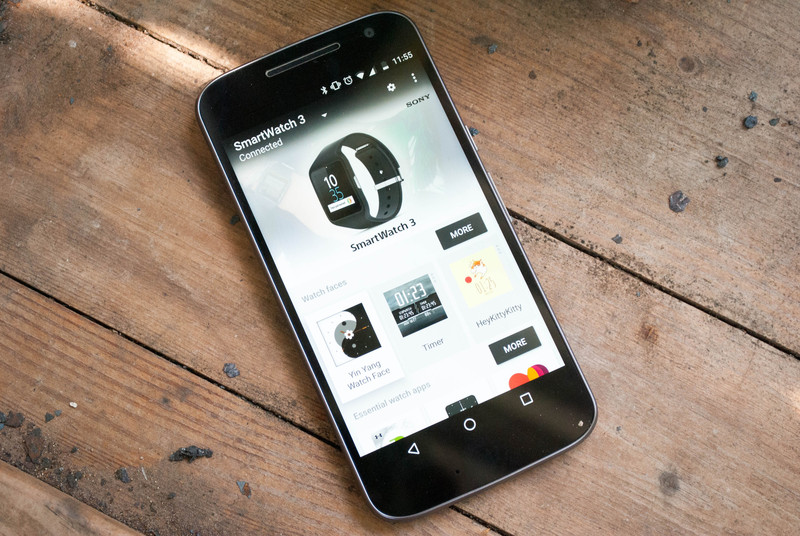
Five fantastic watch faces to add some flair to your smartwatch.
Sometimes you need a little bit of personal flair with your accessories, and your smartwatch is no exception to this rule. Thankfully there are hundreds upon hundreds of different watch faces that allow you to do just that. Rather than making you slog through the good, bad, and ugly watch faces, we’ve collected five awesome faces that might be new to you.
So if you’ve been hoping to find something new to spice up your smartwatch, then look no further. We’ve got you covered. Keep scrolling to see what we’ve collected for you this week!
Facer
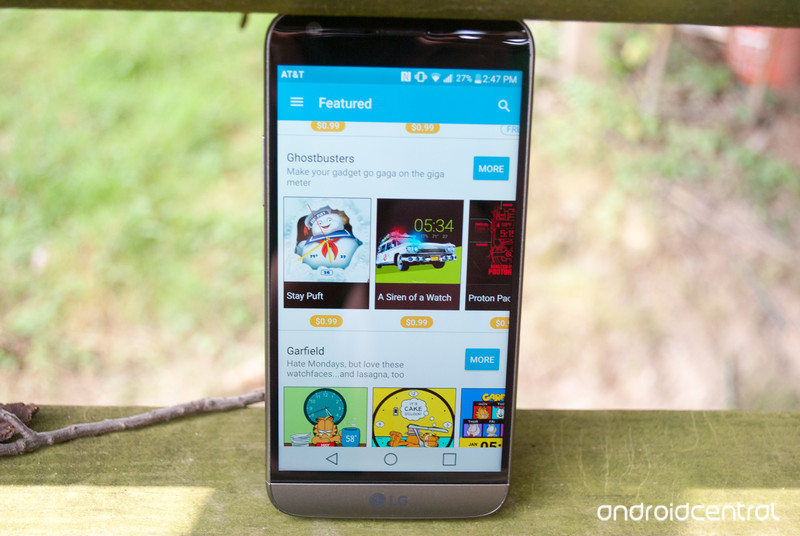
Sometimes you don’t want to decide on a single watch face. Instead you want to have access to plenty of options to switch between multiple watch faces without the hassle of having to constantly go searching through the Google Play Store for them. That’s where Facer comes in. Facer is a free app that boasts dozens of different watch faces from within their app.
There is a ton of content within Facer that you can explore at your leisure. There are unlockable watch faces that are only available once you have completed certain tasks within the app like sharing a watch face with friends. You can explore their top charts for both free and paid watch faces, or you can see their featured ones. The last but not least of the awesomeness is the fact you can easily build your own watch faces from within the app.
Download: Facer (free)
HeyKittyKitty
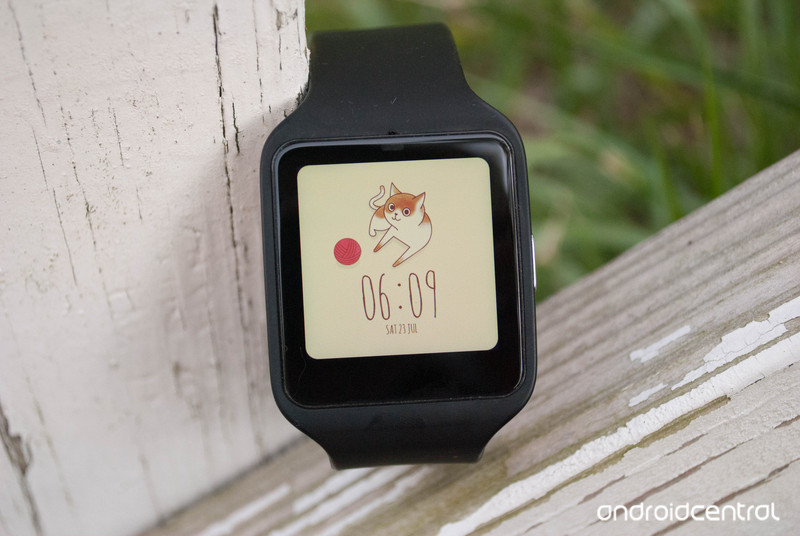
Sometimes you just need a cute watch face to get through a rough day. If that’s the case, then the HeyKittyKitty watch face might be just up your alley. This is a super simple watch face that features an adorable kitty along with the time and date, but not much else. You can adjust the time format, select ambient mode, and select whether the animation loops.
At the very bottom of the screen is the current date with the month, day and day of the week. Just above that is the time in a default 12-hour digital style. In the middle of your screen is a cat with a small ball of yarn. If you tap on it, you’ll get an animation of that cat flopping onto its back for belly rubs. Best of all this watch face is available for the low, low price of absolutely free.
Download: HeyKittyKitty watchface (free)
Stopwatch and Timer

Maybe you’re training for a 5K, or you just want to know how long it takes you to do 100 pushups. Whatever the reason, having easy access to a stopwatch, and a timer right on your wrist can be handy. That’s where the Stopwatch and Timer watch face comes in. It gets you access to the timers you want, along with the time, date and even battery percentage on your smart watch. It’s also got a fair few options that will let you adjust the background, as well as what is showing on the watch face and even what position the information displayed is in.
The time is displayed in digital 24-hour format at the top of your screen. Just under that is the timer on the left, and your stopwatch on the right. By tapping you’ll either set a timer, or start your stopwatch. At the bottom left of the screen is today’s date with the day of week, month and day. On the bottom right is your battery indicator. This watch face can be particularly handy in a pinch and is available for $0.99.
Download: Stopwatch and Timer watch face ($0.99)
YinYang
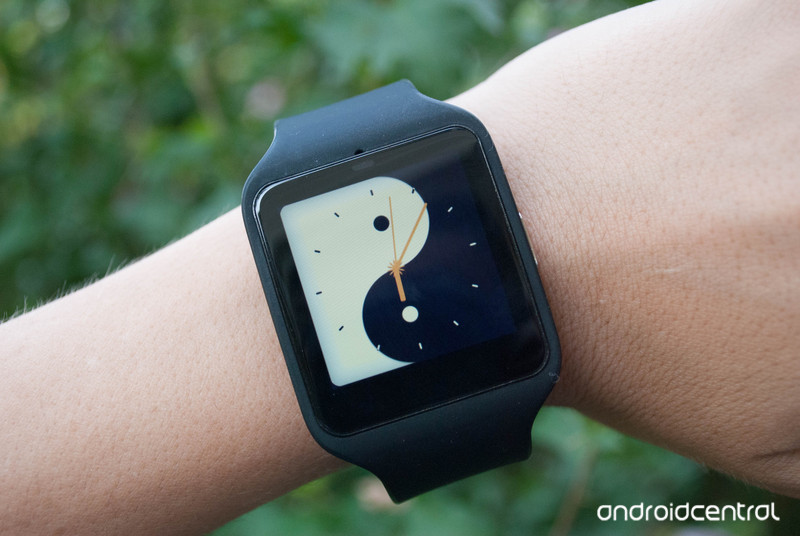
For some people, a watch face that just gives you the time with a background is all that you need. If that’s the case, then the Yin Yang watch face should interest you. This is a watch face where what you see is what you get, there aren’t any options to change or adjust anything. What you do get is a background with a yin yang, and the time over top of it.
This watch face displays the time in a classic watch analog style. You’ll see tick marks around the edge of your screen to denote the hours of the day. The watch hands will tick off hours, minutes, and seconds as time passes. Thankfully this super simple watch face is available for free.
Download: Yin Yang watch face (free)
WatchMaster

WatchMaster is another app that enables you to find and download hundreds of different watch faces. You can search through their free watch faces, brand watch faces, search by category and even see watch faces that are coming to the app in the near future. One of the really cool features of WatchMaster is how many watch face developers are using it. As you scroll through you may see familiar watch faces from the Google Play Store, like the Fiore watch face or the mysterious forest watch face.
While you have the option of only downloading free watch faces, or paying for each watch face separately, there is a third option with WatchMaster. You can opt in to the Pro version of the app, which gives you access to all of the watch faces on their app. You can subscribe yearly for $6.99, or upgrade permanently for $16.99. Part of this subscription fee even goes to creators to ensure that future watch faces will be of a higher quality.
Download: WatchMaster (free)
These are just the 5 watch faces that caught our eye this go round. There are hundreds of different watch faces that are available through the Google Play Store, with more being added every day. No matter what kind of face you want for your smartwatch, there is definitely one out there. Were any of these watch faces up your alley? Do you have a favorite we should know about? Let us know in the comments below!

