


Best Gifts to Experience Virtual Reality

Invite someone to step into a new reality for a while.
There’s nothing wrong with a good old fashioned escape. Some people use books, some binge watch all of Westworld in an afternoon, and of course we all know someone who gets sucked into a game for a while. The key to any good escape is feeling immersed in the world you’re gazing into, and that’s one of the things you’ll find is much easier to do inside virtual reality.
This past year has been filled with all sorts of VR headsets, and choosing which headset is right for you has become a challenge. It’s even more complicated if you’re interested in giving VR as a gift. This guide will make that a little easier, ultimately making it so you can give the best possible gift this year!
Samsung Gear VR — For the Samsung Fan

Do you have someone in your life who is always ready to jump on the next Samsung phone? Someone who sees Lil’ Jon pouring champagne on his phone and says “Why not me?” while checking to see how long they have to wait for their next upgrade? There’s a good chance you’d make their whole year with a Gear VR headset.
Check out our Samsung Gear VR Review!
This VR headset was built specifically for top-of-the-line Samsung phones. When the phone is snapped into the headset, it turns into a full VR experience. You’ll find a great assortment of games, apps, and tons of video to watch. It’s like taking your living room with you everywhere, and when it’s paired with the right gamepad that headset turns into a killer gaming experience.
See on Amazon
Google Daydream — For anyone who loves to share

Not all VR headsets require complicated PC setups. In fact, if you know someone with a Google Pixel or a Moto Z, they already have almost everything they need to have a great VR experience that travels with them! The only thing missing is Google’s Daydream View headset, which also happens to make a fantastic gift.
Check out our Google Daydream Review!
Daydream View comes in three great colors, and includes a controller that makes every VR experience feel totally unique. It allows the user to move their hand around in the real world and see that controller move in VR, so they can solve puzzles and move around with surprising realism. Just don’t let anyone accidentally walk into any walls, and it’s a great time that can easily be shared with friends no matter where you are!
See on the Google Store
PlayStation VR — For the gamers

Know someone with a PlayStation 4? There’s a good change you’d make their year by adding a PlayStation 4 to their gaming experience. Sony made this VR headset just for feeling like you are actually in the game, and there’s a ton of amazing games ready for the gamer in your life to dive into.
Check out our PlayStation VR Review!
PlayStation VR requires you to have a little bit of space to move around in, so make sure whoever you’re gifting to has a Living Room or game space that will let them dodge flying objects in VR without accidentally taking out the corner lamp. Otherwise, sit back and watch as your gift becomes a whole new way to experience games!
See at Best Buy
Do I really need a mesh network?

This mesh networking stuff is cool, but it’s also expensive. Let’s try and sort out who needs what.
Wireless mesh networking has become something that’s ready for you and me to buy and put in our houses. The technology and hardware that powers it is no longer too expensive or too complicated, and companies like Google with their Google Wifi setup want in on it.
But do you — yes, you personally — really need a mesh network setup? The answer (as usual) is maybe.
I’ve looked at a couple of consumer wireless mesh routers recently here at AC — the Amplifi HD home system and Google Wifi. I’m talking with some other companies to look at more. There are two reasons for this: I actually enjoy fooling with network gear, and because reliable, comprehensive Wi-Fi coverage has become essential in most homes.
Lately, we’ve been getting a lot of questions about mesh routers. The most frequent is “Would a mesh network be better for me? I have (x) setup now.”
Router vs Mesh Networking: What’s best for your home Wi-Fi network?
So let’s talk about what a mesh network is good at, what it’s not good at, and what kind of user needs one.
Are they fast?

A mesh network has zero impact on your internet speeds. None whatsoever. Nothing can make your internet faster except the people you pay each month for the service doing something on their end. Your internet is a garden hose, with you at the open end and your ISP at the faucet; they have all the control over your flow speeds.
Any equipment you can buy will only affect the speed of your network, not your ISP’s.
What a mesh network does, both wired and wireless, is provide more consistent network performance in more places around a home. When you install a “regular” router and a network extender, you automatically lose up to 50% of your speed when you are attached to the extender. Mesh networks have several ways around this, with the most common being frequency (or channel) hopping — essentially running on more than one channel at the same time. Most of the companies who are making consumer mesh routers aren’t clear on how they mitigate speed loss while amplifying and passing along a wireless signal, but those results are the end goal. With a properly set up mesh network, you will have the same network speeds anywhere you’re connected to the network.
What this means for end users is that every spot in your house can have a good Wi-Fi signal. You can have a good signal in the room next to the router, a good signal out in the garage and a good signal sitting on the toilet upstairs. The internet speeds aren’t any faster but you’re getting data from your router faster so it makes a difference.
If you have spots in your house that are dead or have a really poor Wi-Fi signal and you know you have a good wireless router, you need either an extender or a mesh setup. If you need to buy more than one extender at different ends of the house, you need a new router and should look at a mesh system and see if it fits your budget.
Gamers
A mesh setup might fix the lag when you’re playing online games. The lag comes from you being out of sync with what the game engine thinks you should be doing (that’s why lag glitches and cheats work) which is usually a connection-based issue. Most of the time that issue is between your modem and the game server. A mesh network won’t be able to fix that. Latency (ping times and round trip times) on even a weak Wi-Fi signal are usually more than fast enough between your PS4 or computer and your router, and a stronger signal, while always a good thing, isn’t the fix you’re looking for.
A mesh setup might fix the lag when you’re playing online games.
If local network (the network in your house) pings are slow enough to make a difference, you definitely need to do something. If everything else you and your family does on the network is fine, try running a cable from your router to the back of your console or computer. If that doesn’t fix it, you’re stuck with “bad” internet for gaming. If it does, look into getting new equipment and think about an extender. Online gaming doesn’t need very high speeds as long as the latency is low. Of course, a mesh network won’t be worse than a cheaper extender setup, so if the budget says yes there’s nothing holding you back.
Streaming video

While online games don’t need a lot of bandwidth and speed, streaming video does. To stream a 4K video on your Chromecast without any stutters, companies like Netflix and Google recommend a consistent connection of about 30 Mbps. That means the connection between your streaming device and the server you’re streaming it from should never drop below 30 Mbps. A mesh router can have a big impact here.
A 4K stream needs a fast — and consistent — signal.
You don’t have much control over the connection between your router and the server, but you can do a lot of things to make sure as much of that data gets to your streamer as fast as it can once it comes into the house. When you drop below the speed threshold, you draw data from a buffer. When you’re faster than the threshold, you put data in that buffer. If you fall below it too often and draw more data out than you can put in things will pause if your network just isn’t fast enough. If your network is just fast enough, your image will look bad or the audio will be poor, out of sync, or both.
You want the signal from the router to the TV as fast and strong as possible to help stay faster than you need to be at all times. Ideally, you’ll use an ethernet cable. If that’s out of the picture (like it is for many of us) a mesh networking setup can definitely help.
Distance
A mesh network is not built for carrying a wireless signal for long distances. The days of high-gain wireless that blasted to the horizon from a set point are over for most people, and your neighbors will thank you for not doing it. If you look at the list of Wi-Fi networks you can connect to and it’s more than the number of available channels (11 2.4GHz channels and it depends on who you ask about 5GHz channels) your signal will be affected. That’s before we talk about cordless landlines, microwaves and random things like 35mm cameras, which all can interfere with a Wi-Fi signal. If you can see your neighbors’ Wi-Fi networks, your network speeds are probably negatively affected.
Beaming your Wi-Fi down the street doesn’t help you and hurts everyone else.
Ideally, a Wi-Fi signal is contained to the areas where folks will be actively using it. That’s difficult because nobody wants any device that doesn’t have a fairly large coverage area. The best Wi-Fi network would be built of small mesh nodes with a 10-foot coverage area placed 9 feet apart. The cost of this far outweighs any advantage so most nodes in a mesh are designed to have about a 30-foot radius (multi-directional antenna make this a sphere) before the signal drops off. The Amplifi system I tested was unique and actually designed to cover a longer span rather than a sphere, but Google Wifi wasn’t. Buy a three-pack and place the units within 25 feet of each other and no closer to the wall than 10 feet and you’ve built a balanced network that’s fast and powerful where it should be and doesn’t intrude too much where it shouldn’t.
Think of how your house is laid out. I’m lucky — my house is 41 feet wide and 40 feet long on two floors. I don’t even need three mesh nodes. If your house is very narrow and very long (or tall) — especially if you live in a row house of any type, you’re wasting a lot of signal by using multiple small radial output devices. Ideally, you want a wired router and switch network with wireless access points in places you need them. The next best thing is something you can push in the right direction. A wireless mesh network is not for you. In extreme cases, it’s worthwhile to talk to a professional before you spend a lot of money on equipment.
Advanced features

A lot of folks ask about things like QoS scheduling or per-device network rules or MAC address filtering. None of the current consumer grade mesh systems are for you.
These systems are designed to be as simple as possible to use for people who don’t know what QoS schedules are and don’t care. In fact, Google touts remote monitoring and troubleshooting by a machine as a feature so folks don’t have to worry about things like channels or bandwidth. What seems like a nightmare to you and me (yes, I am that guy, too) is a boon for most.
Outside of the most rudimentary controls, the apps that power the interface for the current crop isn’t going to suit you. Unless you get a Netgear Orbi.
The Orbi has the same features and interfaces through a local web server just like the Netgear Nighthawk high-end routers do.
Why are they so expensive?
Because they are so damn good at what they do! These devices are tuned to be very powerful within their working area and use the same technology that every other $200 router uses. A single Google Wifi unit will cover a 1500 sq. ft. zone with fast and strong Wi-Fi. Other routers will have different range, and you should buy what best suits your needs. Just realize that in the end, it won’t be any cheaper. The man gonna get his one way or the other.
Make sure you buy what you need. An extender might be a better fit for you. It will be cheaper than replacing everything with a mesh kit.
Is Big Brother watching?

Thankfully, people are questioning what data Google Wifi is collecting and how it is being used. You’re presented with the terms of service during the setup, but since I know most of you didn’t read them, they are also available here. Read them. Decide if the value of the data you are giving away matches well with the value of the service you get in return.
I know plenty of folks have other questions about all this stuff. You should ask them! Asking questions never makes you look like a dummy — it just means you want to know more about something. There are comments below. There are folks with answers who may be reading them. Everybody can get together and talk about mesh networks.
Don’t worry, we can go back to fighting about phones later.
ZTE welcomes Axon 7 community members to Nougat preview
The Axon 7 is getting Nougat soon, and they want you to test it!
ZTE is preparing Nougat for release on the Axon 7 and is looking for some enterprising Axon 7 users from the Z-Community to preview and evaluate the build before it pushes out to everyone. If you’re itching to get split-screen on your 5.5″ beauty, your chance has finally come!
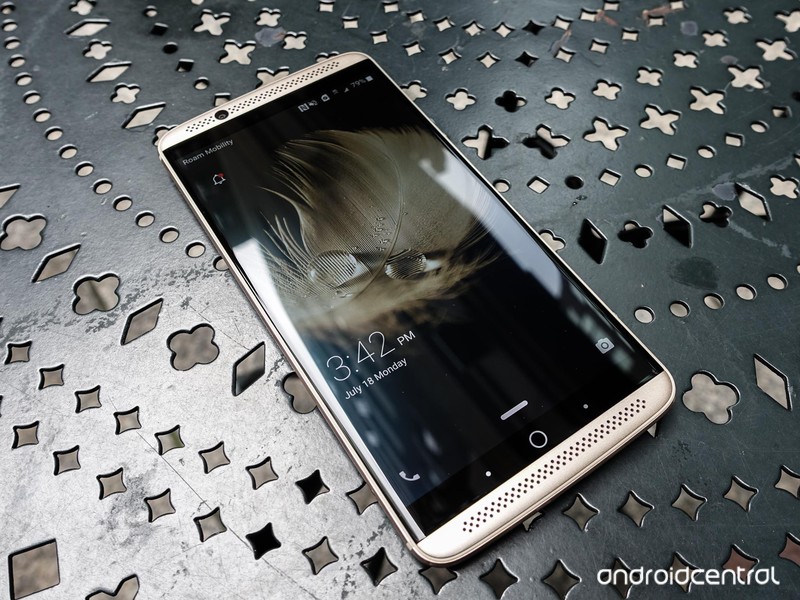
Users looking to sign up for the preview must be members of ZTE’s Z-Community forums in order to provide feedback. You can sign up for the Axon 7 Nougat Preview here by providing your Z-community username, email and IMEI.
Keep in mind that previews like these are not always stable, so if your Axon 7 is your primary phone, you might want to wait for the stable release, but Nougat’s many features like split-screen and improved Doze functionality are tempting. One can only hope that the software gimmicks we noted in our experience with the Axon 7 have been toned down in 7.0, but we’ll see how ZTE’s take on Nougat fares.
Samsung is permanently crippling the Note 7 in the U.S. [Update: Verizon says nope]
It’s been… real.
Samsung has encouraged the return of 93% of the 1.9 million recalled Galaxy Note 7s since the second recall was issued on October 13. That’s a lot of phones, but that still means there are over 130,000 units still to be recovered, many of which could have defective batteries.

Samsung America, as a way of persuading those obstinate holdouts, will issue a software update beginning December 19 to cut off all remaining power and radio connectivity to those devices. In other words, after the mandatory firmware patch, the phones won’t charge or connect to any cellular networks — even Wi-Fi or Bluetooth. A press release states:
To further increase participation, a software update will be released starting on December 19th and will be distributed within 30 days. This software update will prevent U.S. Galaxy Note7 devices from charging and will eliminate their ability to work as mobile devices.
Together with our carrier partners, we will be notifying consumers through multiple touchpoints to encourage any remaining Galaxy Note7 owners to participate in the program and to take advantage of the financial incentives available.
This is the true end for the disastrous Note 7, as the phone’s largest market finally resorts to crippling the phone. Users can get information for a full refund or exchange for another Galaxy device at Samsung’s dedicated recall portal.
Similar actions were taken in New Zealand and Canada, and will likely be replicated in all markets the phone was launched.
Verizon has issued a statement saying that it will not release the above update because it may impact the ability of some Note 7 users to connect over the holiday period:
Today, Samsung announced an update to the Galaxy Note7 that would stop the smartphone from charging, rendering it useless unless attached to a power charger. Verizon will not be taking part in this update because of the added risk this could pose to Galaxy Note7 users that do not have another device to switch to. We will not push a software upgrade that will eliminate the ability for the Note7 to work as a mobile device in the heart of the holiday travel season. We do not want to make it impossible to contact family, first responders or medical professionals in an emergency situation.
Verizon and Samsung have communicated the need for customers with a Note7 to immediately stop using their devices and return or exchange it where they purchased it. Verizon customers with the Note7 have several options, including an additional $100 from Samsung when purchasing one of their other devices.
Sprint, on the other hand, says it will push the update beginning January 8:
To drive increased participation in its U.S. Note7 Refund and Exchange Program, Samsung will release a software update beginning on January 8, 2017 that will disable all remaining Sprint Note7 devices from being able to hold a charge. This software update will eliminate the ability of these Galaxy Note7 to work as mobile devices.
At the time of writing, T-Mobile and AT&T have yet to issue statements.
Samsung Galaxy Note 7
- Galaxy Note 7 fires, recall and cancellation: Everything you need to know
- Survey results: Samsung users stay loyal after Note 7 recall
- Samsung Galaxy Note 7 review
- The latest Galaxy Note 7 news
- Join the Note 7 discussion in the forums!
Save $120 on Lenovo’s touchscreen Chromebook right now!
Amazon is currently offering Lenovo’s 11.6-inch touchscreen Chromebook for just $180, a savings of $120. That’s right, you can save a big chunk of change on this Chromebook that will run Android apps when Google releases the feature. You should be able to get up to 10 hours per charge, and some great performance while using it thanks to the 4GB of RAM and 16GB of internal storage.

Unlike some other Chromebook offerings, the Chromebook N22 is quite durable with is reinforced ports, anti-peel keys, waterproof keyboard, a sealed touchpad and more. Odds are that this won’t last long at the $180 price, so if you are interested be sure to grab one now!
See at Amazon
There’s a tiny piano app for the MacBook Pro Touch Bar
Apple has showed off a number of uses for the newfangled MacBook Pro Touch Bar, including DJ and other music making controls. It also plays Doom, which is quite handy. When you need to do your best Elton John impression, there’s an app that can help with that. Appropriately named Touch Bar Piano, the software brings 128 different instruments to that touch panel above the laptop’s keyboard.
If you don’t happen to own the latest model, the free polyphonic piano app “does nothing useful on other Macs,” according to its developer Graham Parks. In addition to piano sounds, there’s a smattering of strings, drums, voices and more for you to make noise with using the tiny display. If you’re still a bit skeptical about the whole thing, you can see the app in action down below.
Via: FACT, Ask.Audio
Source: Touch Bar Piano
Sky agrees to sell business to Fox for £18.5bn
Twenty-First Century Fox has been in talks to buy Sky before but it seems there is a breakthrough in the acquisition of the satellite broadcaster and entertainment company.
After a new approach by the movie studio and media firm, and subsequent negotiations, the Independent Directors of Sky have agreed on a purchase price and have set a date for a formal offer to be made.
Sky values its shares for the buyout at £10.75 a share, which is a premium of 40 per cent per share on the closing price on 6 December. If taken up, it will value the company at £18.5 billion.
Fox has until 6 January 2017 to make a full offer or make its intentions known if it decides against pressing forward with the acquisition.
- Sky Q review: 4K, multi-room support, apps and more
- What is Sky Q, how much does it cost and how can I get it?
21st Century Fox is already a major shareholder in Sky, currently owning 39 per cent. Any purchase will give it complete control over the organisation. Fox is currently headed by CEO James Murdoch, who previously held the same position at BSkyB, before it rebranded as simply Sky.
Fox had been forced to abandon plans to buy the remaining shares in Sky in 2011. Whether the deal would be approved this time around is unsure.
Sky states that discussions are continuing and further announcements will be made in due course.
Apple HomeKit tips and tricks without Apple TV
Apple’s HomeKit app Home is simple and easy to use, but it also comes with a load of hidden features that you might not, on the surface, realise are available.
We’ve put together a number of tips, which don’t require you to have an Apple TV 4, to allow you to get the most from the Apple backed service that supports hundreds of different smart home devices from companies like Elgato and Philips.
How to change the wallpaper in Home app
The Home Tab wallpaper can be modified by tapping the location icon in the top left and choosing a new one in Home settings. You can do the same for rooms: after picking a room, tap the list icon in the top left, open Room Settings, and assign a new wallpaper.
How to create a HomeKit scenes
A scene is where any number of your accessories can work together with a single command and is one of the key features of HomeKit. This is great for times like when you wake up, leave the house, come home or go to bed. The Apple Home app lets you create custom scenes giving you plenty of options. To create a scene, tap on the “+” icon at the top right of the screen in the Home app and follow the instructions from there.
How to add new accessories and scenes
Easily add a new accessory or scene by tapping on the “+” sign in the top right corner of the Home tab or any room page.
Setting up HomeKit favourites
“Favourite” scenes and accessories for them to appear on the Home tab and in the Control Center. To set a device or scene as a favourite, long press (Using 3D Touch with the iPhone 6S or 7) on the device or scene and then press “Details”. Scroll down the page until you see “Include in Favourites” and make sure it is selected.
Accessing HomeKit devices through the Control Center
When you have at least one HomeKit accessory set up, a third Control Center card will appear, giving you an easy way to quick access your favourite accessories and scenes. Simply swipe up from the bottom of the page and then scroll right to left twice to see your HomeKit enabled devices.
Pocket-lint
Quickly see the status of your Home
You’ll find a summary of average conditions and statuses at the top of the Home page in the Home app like humidity, temperature and door lock status. You can tap Details for an accessory overview.
How to get deeper HomeKit controls
3D Touch lets you press and hold an accessory icon to perform more complex tasks like dimming the lights or adjusting the thermostat. With multicolour lights, you can tap on a Colours button below the intensity slider to modify presets and open a colour wheel to pick a different shade. The wheel even has a segmented control to switch between colour and temperature.
How to share your HomeKit home
If you want to add members to your home, you can invite other people and give them access to your home. Go to the Home app and tap on the location arrow icon at the top left of the screen. Here you can invite people via their Apple Cloud ID username to be able to control the devices in your system. They will only be able to control it in the house unless you have an Apple TV.
Rename your HomeKit Home
Press on the location arrow icon at the top left of the screen and change the name from Home to Castle if you are feeling the need to be a little more grandeur.
Add a second home to HomeKit
If you have more than one home you can set up multiple homes that can be controlled via the Home app. Tap on the location arrow icon at the top left of the screen in the Home app, and tap on Add Home. You can follow the instructions for setup from there. You can then switch between your homes by tapping on the location arrow icon at the top left of the screen, then choosing the home you’d like to access.
How to add automation to HomeKit
To run automations, like Timers, Location commands, Sensors, or triggers like turning on the light when a door opens, you have to have an Apple TV or an iPad that stays in the home connected to your system.
‘Super Mario Run’ won’t work offline due to piracy concerns
Super Mario Run doesn’t arrive for another few days, but when it does, you’ll need a constant internet connection to play the game. In an interview with Mashable, Nintendo’s Shigeru Miyamoto confirmed that due to piracy concerns, the latest installment of Mario doesn’t have an offline mode. The company is worried about piracy because the game will be available in 150 countries on devices that it doesn’t have direct control over.
“For us, we view our software as being a very important asset for us,” Miyamoto explained to Mashable. “And also for consumers who are purchasing the game, we want to make sure that we’re able to offer it to them in a way that the software is secure, and that they’re able to play it in a stable environment.”
The constant network connection will not only be used to save progress, but it will also sync that saved info across devices. Nintendo apparently wanted to make the World Tour available offline, but the technical hurdles to doing so and having it still play nice with the Toad Rally and Kingdom modes proved problematic.
“We wanted to be able to leverage that network connection with all three of the modes to keep all of the modes functioning together and offering the game in a way that keeps the software secure,” Miyamoto continued. “This is something that we want to continue to work on as we continue to develop the game.”
In a statement to Engadget, Nintendo said that Super Mario Run’s online connection allows it to “enhance the play experience.” An internet connection provides access to scores from other players’ Toad Rally challenges and handles new in-game events while you’re playing. The company also reiterated that being constantly connected lets users to link to a Nintendo Account so that saved progress can sync across all of their iOS devices. You know, if you need to switch from your iPad to your iPhone for some reason.
Super Mario Run arrives for iPhone and iPad on December 15th. While the game is free to download, you’ll need to hand over $10 to unlock all of its levels. Of course, with no offline mode, you won’t be able to play during your next flight or on a commute that takes you underground. Here’s Nintendo’s full statement on the matter:
Online connectivity allows us to offer a variety of features and services that enhance the play experience. Super Mario Run is not a static experience, but rather one that players can continue to return to again and again to enjoy something new and unexpected. For example, online connectivity can offer the following:
- Access to other users’ play data and scores for automatically generated Toad Rally challenges.
- In-game events that will offer players new challenges and rewards for a limited time.
- Linkage to Nintendo Account to access save data from multiple devices. For example, if players have Super Mario Run on their iPhone and iPad, they can share one save file across the different devices. However, this save data cannot be used with different devices at the same time.
Via: 9to5Mac
Source: Mashable
Obama opens investigation into cyber attacks on US election
President Barack Obama has ordered an investigation into cyber attacks and foreign influence during the 2016 US presidential election, Reuters reports. He’s asking intelligence agencies to provide a report on the issue before he leaves office on January 20th, and the review will be shared with lawmakers and other stakeholders, homeland security adviser Lisa Monaco reportedly said. Monaco added that cyber attacks may have crossed a “new threshold” this year.
“The president has directed the intelligence community to conduct a full review of what happened during the 2016 election process… and to capture lessons learned from that and to report to a range of stakeholders, to include the Congress,” Monaco said, according to Reuters.
The US intelligence community said in October that top Russian officials were behind this year’s hacks of the Democratic National Committee, and the email accounts of Hillary Clinton campaign chairman John Podesta and General Colin Powell. The attacks were intended to disrupt the election process, intelligence officials found. Russia has denied its involvement. However, the evidence against Russia is piling up: German intelligence officials this week accused Russia of attempting to empower extremist groups in the country and hijack the political process across the EU via cyber attacks.
Source: Reuters
 AIVAnet