


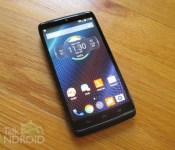
Motorola DROID Turbo review: What the Moto X could have been

I still can’t believe it has been 5 years since the introduction of the original DROID, which was my first Android phone. The DROID was what really started Android’s roll into market share domination. Through the years, Verizon Wireless and Motorola (as well as Samsung and HTC) released a number of DROIDs, but they never seemed to get all that much attention. Unfortunately, they are not only limited to the U.S., but also limited to one carrier, Verizon Wireless. A DROID phone has no chance of competing with other phones in terms of market share for these reasons alone.
However, innovation was never a stranger to DROID phones. The DROID DNA was one of the first phones with a 1080p display, and the DROID RAZR MAXX was the first phone with a battery over 3,000 mAh (3,3oo to be exact). Obviously many phones with 1080p and better displays have come and gone, but still to this day, no other phone has matched the battery of the DROID RAZR MAXX in terms of display size. Let’s also not forget the DROID RAZR, which was only 7.1 mm thick and, released 3 years ago.
Now with the DROID Turbo, Motorola and Verizon have cooked up another gem with just about every top spec you could ever want on a smartphone at a fantastic price. You can think of it as a Nexus with a smaller display and a better camera or a Moto X on steroids. Either way, the DROID Turbo is a significant release this year and worthy of a look if you’re in the market for a new phone. It might even be worth switching carriers. Let’s find out how the latest DROID measures up.
Design
When you think of DROIDs, you have to think of Kevlar since it has been used ever since the DROID RAZR. Back then it was more of a softer touch, but last year’s models sported a more rigid feel. The DROID Turbo still utilizes Kevlar, but it plays second fiddle to other materials. There are two versions of the phone: A metalized fiber composite and a ballistic nylon. A layer of Kevlar is found underneath both of these materials. My review unit is the ballistic nylon version, which feels more premium in my opinion. The good news is that it costs the same.
From the little time that I spent with the metalized fiber versions (red and black), they didn’t feel all that much different than what was offered last year. It’s basically metalized fibers woven together giving it a shine as well as a very unique look as compared to other smartphones.
The ballistic nylon is military grade and found on backpacks and luggage. It’s highly durable and sports a 2×2 weave. I can safely say that, love it or hate it, you won’t find another smartphone much like it. It has a premium feel and it’s soft to the touch.
It should also be noted that the ballistic nylon version of the phone is actually thicker than the metalized version. Both feature a curved back, but the ballistic nylon comes in at 8.3 mm at it’s thinnest part (the sides) and 11.2 mm at the thickest part (the center). The metalized version, on the other hand, comes in at 7.8 mm and 10.6 mm respectively. It’s not something I noticed at the launch event, so it shouldn’t make a difference in your decision to go with one or the other. As far as the dimensions, the DROID Turbo is a little larger than the Moto X (2014). The Turbo measures 73.3 mm x 143.5 mm, while the Moto X (2014) comes in at 72.4 mm x 140.8 mm. Both phones sport the same size display, but the capacitive buttons on the Turbo adds a little extra.


To continue the theme of toughness, Gorilla Glass 3 is on board. It’s very durable, but not susceptible to shattering if you drop the phone. The good news is that Verizon offers you one replacement in the event that you do crack your screen.
Both offerings have a nano coating making them resistant to water as in small spills. You can’t take them underwater though.
Unlike the Moto X and Nexus 6, you won’t find a metal frame around the phone. Instead, you will find a soft touch plastic that feels rubber-like and provides a fantastic grip. I suspect Verizon chose plastic to keep the costs down since they really wanted to offer this phone at a competitive price. If there is one negative about the design, it would have to be this lack of metal. It doesn’t feel cheap by any stretch, but we are in a time where we are starting to see more metal on phones. The lack of it isn’t a deal breaker, but when comparing it to other flagships, it’s noticeably missing.
As far as buttons and ports go, there are differences from the Moto X (2014). For starters the camera on the back of the device doesn’t sport ring flash, but it still has a dual LED flash. You will still find a flash on each side of the lens, just further apart. The Motorola logo also isn’t as attractive as what’s on the Moto X (2014). Instead of a dimpled metal plate, you get a plastic round piece. Moving to the front, you will find capacitive buttons on the DROID Turbo as opposed to on screen buttons on the Moto X (2014). The other big change is the nano SIM slot is found inside the volume rocker, which is how it was on last year’s DROIDs. I actually love this method because you don’t need an eject tool.


 Overall, the quality and workmanship of the DROID Turbo is top notch. Yes, they might overdo the marketing of the kevlar and ballistic materials a bit, but you won’t find another phone that looks like it. The ballistic nylon outshines the metalized fiber in my opinion, but your best best is to go to the store and decide for yourself.
Hardware
The DROID Turbo features a 5.2-inch Quad HD (2560 x 1440) AMOLED Display at 565 ppi and Gorilla Glass 3, the Motorola Mobile Computing System consisting of a 2.7 GHz quad-core Qualcomm Snapdragon 805 (APQ8084), an Adreno 420 GPU, one core for contextual computing, and one core for natural language, 3 GB of RAM, 32 or 64 GB (ballistic nylon only) of internal storage, 21 MP rear camera with dual LED flash, f/2.0 aperture, and 4K video capture, 2 MP front-facing camera, 5 mics, front-facing main speaker, Qi wireless charging, nano SIM slot, and WiFi 802.11 a/b/g/b/n/ac.
Radios
GSM 850 / 900 / 1800 / 1900, CDMA 800 / 1900, HSDPA 850 / 900 / 1900 / 2100, CDMA2000 1xEV-DO, LTE 700 / 1700 / 1800 / 2100 / 2600 (Bands 2, 3, 4, 7, 13)
Performance
Last year Motorola was using ancient processors, but this year they have stepped up the game. They utilized the Snapdragon 801 on the Moto X (2014) and now the DROID Turbo (and Nexus 6) features the Snapdragon 805, which is the best processor available today. On top of that, they threw in 3 GB of RAM making the name “Turbo” very appropriate for this phone. If speed is what you want than it’s speed that you will get. The DROID Turbo will plow through every home screen and app with no effort. The fact that it’s nearly stock Android makes it all that much better. Just like the Moto X (2014), the Mobile Computing System is in play, which includes the main processor (Snapdragon 805 as opposed to the Snapdragon 801), an Adreno 420 GPU, a natural language processor, and a contextual computing processor. It is this configuration that makes Moto Voice, Moto Display, and Moto Assist possible.
The DROID Turbo sports a Quad HD (2560 x 1440) display, joining a party of only a handful of other phones that offer the same. However, it’s only an AMOLED display, not Super AMOLED like the Galaxy Note 4. That’s not a big deal unless you are someone that sees every pixel. The DROID Turbo features a good contrast ratio with deep blacks. I can’t say it’s the finest display in the world, but I also can’t find anything to complain about either.
The DROID Turbo does feature a front-facing speaker, but it’s on the top as opposed to the bottom of the Moto X. It’s not stereo (since there isn’t a second one), but it does sound very good. Motorola is pretty advanced when it comes to sound, and it’s surprising what they can do with one speaker.
Battery
Motorola claims that the 3900 mAh battery will provide 48 hours of life, but unfortunately we didn’t get that. Let’s first start with our video rundown test. This is where we run continuous video while the phone is connected to 4G LTE, and WiFi (not connected), Bluetooth (not connected) and the GPS are all turned on. We also set the display to a brightness of about 2/3′s. We were able to get 10 hours and 29 minutes out of it, which is well below what we expected. In fact, the Galaxy Note 4, with a smaller battery, was able to get over 12 hours with the same test. Now you won’t be running video all day so what can you expect from your normal day? I found it hard to get through 24 hours, which is surprising. Maybe it’s my unit or maybe there is some sort of bug. One thing I do know for sure is that Motorola has had problems with battery life lately. My 1st gen Moto X was great until an update messed it up pretty bad. The Moto X (2014) isn’t all that great, and even the Moto 360 is inconsistent with so many people. Now you have the DROID Turbo with an impressive 3900 mAh battery, and barely gets through half of the promised battery life. Still, 20 to 24 hours is nothing to sneeze at, but we were expecting better.
We should also note that Turbo Charging is on board with the included cable in the box. This means that you can get 8 hours of use in just 15 minutes of charging. Not bad when you need some juice in a hurry, but you have to use the included cable or something else that’s compatible with Qualcomm’s Quick Charging. The phone also sports Qi wireless charging, but that will be much slower. However, if you already have a charging pad, you can utilize it at bedtime.
Software
The majority of the software is identical to what you will find on the Moto X (2014), which we already covered in our review. Not only is it nearly stock Android, but you get all the cool features like Moto Display, Moto Voice, Moto Assist, and Moto Actions. And just like the Moto X (2104), all these core apps now reside in one main app called Moto, rather than last years models, which had them scattered as either separate apps or within the Settings.
Before I get into the core apps, Verizon does have one additional app that you won’t find on the Moto X and that’s DROID Zap. It debuted on last year’s DROIDs as a Verizon and DROID exclusive, but it’s a little more open this year. DROID Zap is way to share photos and videos with your friends by creating a Zap Zone. Other Android phones as well as the iPhone can join the party, but only the DROID Turbo can share videos. You can even create a group slideshow on a TV utilizing the Chromecast. You will also find an added Moto Voice command, “OK DROID Turbo, zap my screen,” for sharing the content on your screen with your friends.
The other minor difference is the launcher. The Moto X (2014) sports the Google Now Launcher, but the DROID Turbo sports something that looks like it, but isn’t. It’s actually the same launcher that is on the Moto G (2014). The only differences with it is that you won’t find Google Now at the leftmost screen and there is no settings for it when you long press on one of your home screens. You can still access Google Now by swiping up from the home button. The rest of it functions exactly the same in that your leftmost screen is your default home screen and you add screens by moving a widget or app icon off of the rightmost screen.
Now we will get into Motorola’s proprietary apps, which again are exactly the same as what is on the Moto X (2014).
Moto Display is probably the coolest and most useful feature on the phone. It was called Active Display last year. It allows you to see your most recent notifications without turning on the full display. Motorola uses the AMOLED technology to light up only the icons and text of the notifications. They found that people might turn on their phone’s display over 100 times per day to see their notifications and/or to see the time. With Moto Display, you can get this relevant info while using less battery power since the majority of the display isn’t lit. Last year’s Active Display was limited in that even though you could see that you had received a bunch of notifications, you could only read the contents of the most recent one. This year’s Moto Display allows you to read the contents of the last three notifications while easily switching between them. If you slide your finger up to the notification contents, your phone’s display will fully turn on and automatically open that particular application for you to take further action. All very cool and very useful.
It’s a lot easier to show you how it works, so check out the video on the Moto X below.
Click here to view the embedded video.
Moto Voice is probably the second coolest feature of the DROID Turbo, but some might even rank it over Moto Display. It depends on how much you like to use your voice for things. Again, this is an application that gets a name change. It was called Touchless Control last year. It operates the same exact way, but just like Moto Display, Motorola made enhancements to it that make it more usable. Let me first explain what Moto Voice is in case your aren’t familiar with it. Moto Voice allows you to ask your DROID Turbo a question or tell it to do something, all without every touching your phone. So the phone could be sitting on your desk, and you want to know who won last night’s big game. All you have to say is your wake up command and then say “What was the score of the Steelers game?” It works in conjunction with Google Now, so you will not only get a text prompt, but your DROID Turbo will also speak the information if it’s a compatible question. There are tons of other things you can do like set a timer, make an appointment in your calendar, send a text, and so on. Again, without ever touching the phone.
What Moto Voice brings to the table that Touchless Control didn’t is the ability to use whatever wake up command you want. Last year, it was only “OK Google Now,” but Moto Voice now let’s you record anything you want. It could be “OK Honey Bunch,” “Listen Up Lover Lips,” “Beam Me Up Scottie,” and so on. Just like last year, you wil record your voice three times so that your DROID Turbo will only listen to you. Moto Voice also gets third party support this year. Now other developers can use Motorola’s APIs to make their own app compatible. For starters, Facebook, WhatsApp, and YouTube are all compatible. So now you can post your status update without touching your phone. Motorola also added a few new commands like “Take a Selfie,” “Good Morning,” and “Good Night.” With “Good Morning,” your DROID Turbo will tell you what appointments you have today and “Good Night” will put your DROID Turbo in Sleeping mode. I am not much of a voice actions guy, so I don’t use Moto Voice a lot, but I know many of you are. It’s not only cool, but very useful.
I put together this video on the Moto X showing you how it all works…..
Click here to view the embedded video.
Moto Assist debuted on last year’s Moto X and DROIDs, and it keeps the same name this time around. It does get a few slight enhancements, but overall, it’s essentially the same app. Moto Assist is a contextual learning engine, allowing you to set up certain actions based on where you are (home or the car) or what you might be doing (in meetings or sleeping). For example, your DROID Turbo will read your text messages and announce who is calling when you’re driving. You can even respond to these texts if you wish. Home works much the same way as the Driving mode, allowing you to leave your phone on the kitchen counter while you are cooking. Meeting mode will silence the phone during any appointments that are marked as busy in your calendar. You will still be able to get phone calls from your favorites if you wish and/or from those that call you twice in succession. The Sleeping mode works much the same way. You can manually enter Sleeping mode or simply set a daily schedule for it to happen automatically.
Here’s a quick video showing you how Moto Assist works….
Click here to view the embedded video.
Moto Actions is all new with the DROID Turbo. We expect all of the newer features of the Moto Display, Moto Voice, and Moto Actions to make it to last year’s DROIDs, but Moto Actions will be exclusive to this year’s phone (as well as the Moto X 2014). The reason is because it utilizes the IR sensors I mentioned earlier, which last year’s model doesn’t have. With Moto Actions you can wave your hand over the phone to ignore a phone call or snooze an alarm. The phone also senses when your hand is approaching the phone (if it’s laying on your desk) and will automatically turn on Moto Display. This isn’t too big of a deal since Moto Display constantly flashes every so often when there are notifications to read anyway. Of the four main features, this is probably the least useful, but we expect Motorola to offer more gestures in future updates.
You can see how it all works in the video from the Moto X below…
Click here to view the embedded video.
On top of these four core apps, there is still Motorola Alert (not pre-installed0, Motorola Migrate, Motorola Connect, and Trusted Devices.
Motorola Alert debuted on the Moto E, and it’s a location sharing app. With Motorola Alert you can setup specific locations such as home, work, school, the mall, and other. Whenever the owner of the phone arrives or leaves either of those locations, a text message is sent to designated contacts. There is also a Meet Me function, that will quickly send a text message of the current location to specific contacts. The Follow Me function is perfect for trips. This is where you can set the app to send periodic text messages of the current location to specific contacts. Lastly, there is the Emergency function, which will call and send a text message to selected contacts letting them know the owner of the phone might be in danger All text messages include the address as well as a Google Maps link so others will be able to pinpoint the location or easily get directions.
I did a video demonstrating it on the Moto E back in May. Here it is….
Click here to view the embedded video.
Motorola Migrate helps you “migrate” your old phone (including iPhones) to your new DROID Turbo by transferring contacts and other data like music and pictures. It’s been around since last year’s Moto X and DROIDs, but it will now copy over your data from a feature phone as well.
Motorola Connect lets you see and respond to your text messages via the Chrome Browser extension. New for this year is the ability to customize the pre-installed watch faces on the Moto 360.
Finally, Trusted Devices is back. It allows you to set any Bluetooth device as a “trusted device” so that whenever you’re connected to it, the security lock screen will be disabled. Assuming you utilize a security lock screen such as PIN or Pattern, you can set your car’s Bluetooth as “trusted,” so when you’re in the car and connected to it, you won’t have to fumble with the security lock screen. This also works with an Android Wear smartwatch as well. Motorola could have added Wi-Fi and/or location support, but they are coming natively with Android L.
The DROID Turbo packs a stock Android experience with features that are actually useful. What more could you ask for in a smartphone?
Camera

You won’t find too many phones sporting 21 mexapixels, but as you know, it isn’t always about the megapixels when it comes to capturing great photos. The more megapixels, the more opportunity there is to capture more detail for cropping, but if the detail is low quality, what difference does that make.? Motorola has never been known for making phones with great cameras so I was anxious to see what this bad boy could do.
Motorola got away from Omnivision lenses in favor of Sony with the Moto X (2014). We found it to be an improvement, but still not on par with other flagships like the LG G3 and Galaxy Note 4. We don’t know for sure, but we suspect the DROID Turbo sports a Sony lens as well. It has an aperture of f/2.0, so it should be decent in low light, but the lack of optical image stabilization is a big time Debbie Downer.
The software is the same simple interface found on the Moto X (2014). You won’t find too many settings to tweak, it’s meant to just point and shoot. Speaking of shooting, you can tap anywhere on the display to capture a photo. As far as settings go, a quick swipe to the right from the left edge reveals the ability to set HDR to On, Off, or Auto. You can also control the flash, focus and exposure, and set the video to either 1080p, SloMo 720p or Ultra HD 2160p. There is also a panorama mode and the same Quick Capture feature found on last year’s model. Quick Capture allows you to double shake your DROID Turbo at anytime to open the camera app for those quick photo ops.
As far as picture quality is concerned, the DROID Turbo does an excellent job in bright light and in action shots (in decent light), but does have issues with low light in that there is a lot of noise. However, color representation in lower light is actually better than that of the Galaxy Note 4, a camera I highly regarded. The Galaxy Note 4 is somehow able to bring in more light and give cleaner images, but the colors are a little bland as compared to the DROID Turbo. The DROID Turbo gives you better color representation, but you will also find more noise the lower the light gets. These tests were all done without flash, but the Note 4′s images give you that flash look if you know what I mean.
Here are a bunch of example shots from the DROID Turbo and one Galaxy Note 4 comparison.
Outdoors


Action


Low Light – No Flash


Extreme Low Light – No Flash

Low Light Comparison with Samsung Galaxy Note 4
You will notice that the DROID Turbo has a lot more noise, but the colors are actually better.
DROID Turbo Galaxy Note 4


Closing
The DROID Turbo just might be the best phone that Motorola has ever made. The Nexus 6 could certainly make its own case, but it doesn’t sport a 21 MP camera, and because of the smaller display on the DROID Turbo, many people wish it was actually the Nexus 6.
If you’re on Verizon Wireless, you have a lot of great choices between the Sony Xperia Z3v, the Samsung Galaxy Note 4, the LG G3, and of now the DROID Turbo. My favorite of the group is the Galaxy Note 4, but it’s priced higher and the larger screen caters to a smaller niche. The DROID Turbo packs an awful lot for $199, plus it’s nearly stock Android, and it will get updated to Lollipop faster than the others. I’m not sure if it’s worth switching carriers over, but if you’re on Verizon, it’s probably the best all around Android phone in terms of features and hardware.
Come comment on this article: Motorola DROID Turbo review: What the Moto X could have been
Unannounced Motorola smartphone shows up in benchmark test with surprising specifications

According to a leaked Geekbench report, Motorola is in the process of testing a new, unannounced smartphone, which we believe to be the upcoming Moto E. If the results of the tests are anything to go by, the handset is expected to feature some unforeseen exceptional specifications.
As you can see in the screenshot below, the device is set to pack Snapdragon’s most-popular chipset, the MSM8916, otherwise known as the Snapdragon 410, and it looks like the second generation Moto E will be the first entry-level device to feature a Cortex 64-bit A53 1.4GHz quad-core CPU. This coupled with 1GB of RAM makes for an extremely impressive budget-friendly smartphone.

The benchmark shows the device running the latest developer build of Android 4.4.4 KitKat with support for LTE connectivity. We expect the device it to ship with the final version of Android 5.0 Lollipop onboard when it’s announced later this fall — so stay tuned for more information.
Source: PrimateLabs
Come comment on this article: Unannounced Motorola smartphone shows up in benchmark test with surprising specifications

AT&T Buyer’s Guide for Android (November 2014)

In the hunt for a new smartphone from AT&T? Regardless of whether you’re buying your first Android or upgrading for the fourth time there’s something for everyone. And, as you might suspect, Ma Bell has plenty to choose from. In fact, counting variations, there are roughly two dozen models to choose from today.
As the last of the big four carriers to adopt Android, AT&T is doing a bang-up job in supporting the platform. It seems we’re constantly hearing about an exclusive model or head start on the competition.
Defining high-end
Today’s top Androids feature big, gorgeous displays, fantastic high-resolution cameras, and lots of memory. Toss in some quad-core and octa-core processors and some killer high capacity batteries and you’ve got mobile devices that would rival your computer from just a few years back.
 As 2014 draws to a close and we look at the hardware from late model Androids it’s not uncommon to find screens hovering at 5-inches or larger. Thanks to ever-shrinking bezels we have phones with massive displays that also happen to fit comfortably in our hand. And, they’re not only big, but they’re sharp, too. Resolutions across the the top models are 1080p and higher. For what it’s worth, we’re starting to get our first glimpses of 2K and Ultra HD screens. It can be argued that average users cannot discern much beyond 720p/1080p on such a small device.
If you’re not coming to the table with at least a quad-core processor and 2GB RAM then you’re not going to sit at the big boy’s table. Most of the bleeding edge stuff you’ll find today comes with 3GB memory and chipsets of around 2.3GHz – 2.7GHz.
Storage capacities, for the most part, haven’t moved forward quite as quickly as other areas. You’ll still routinely find 16GB and 32GB models in most models though some are creeping into the 64GB space. Given that many handsets offer external storage via microSD cards it should matter little where you start out – especially if cost is a factor.
Another important factor in determining a smartphone purchase is the version of Android. Typically, it’s a simple case of “the newer the phone, the newer the operating system”. Today’s most recent phones are powered by Android 4.4.4 KitKat but anything running at least 4.4 should suffice for the average person. You will still find an occasional straggler, though, running something older.
Flagships & Exclusives
- Samsung Galaxy Note 4: Launched in October, this is Samsung’s annual plus-sized experience. Thanks to the release time-frame, these are typically a step-up from the Galaxy S series of smartphones. Standout specs include 32GB storage, a 5.7-inch Quad HD display, 3GB RAM, an S Pen stylus, and a 3220mAh battery. Best Buy | AT&T
- Samsung Galaxy S5: Released in spring 2014, it’s the most popular series of Android models to date. Hardware includes a 5.1-inch display, 16-megapixel camera, 16GB storage, and a 2800mAh battery. Best Buy | AT&T
- LG G3: LG’s increasingly popular family of phones, this one is unique in that it features rear button configuration under the camera. Best Buy | AT&T
- Motorola Moto X (2014): Motorola’s now annual flagship model, the Moto X is significant for its stripped down Android experience. Slightly bigger than last year’s model, this one has been very well received in the space. Best Buy | AT&T
- HTC One M8: Perhaps the oldest model in this list, HTC’s flagship handset received very high marks for its build quality and toned-down custom UI. Often cheaper than others in the group, it’s still plenty of bang for the buck. Best Buy | AT&T
- Samsung Galaxy Alpha: The first device from Samsung to employ the new “design language”; features a svelte body wrapped in metal trim. Best Buy | AT&T
- Samsung Galaxy S5 Active: A variation of the flagship with pre-installed apps based around the more active user. Rugged and durable, with a trio of new colors. Best Buy | AT&T
Mid-range
 While not always the case, the mid-range Android is typically made up of last year’s top models. This is not to suggest, however, that there’s not a one-off model or variation that sneaks in every once in a while. Specs, as you can imagine, are often a step below. Processors, cameras, and batteries are sometimes the key difference though many of them also feature a screen resolution of 720p or 1080p. What follows what could be considered some of AT&T middle-of-the-pack handsets.
- LG G2: One of LG’s breakout devices over the last few years, the smartphone was the first to employ the rear button setup. Killer hardware and a refined UI make this one hard to resist even a year later. Best Buy | AT&T
- LG G Flex: The first smartphone from LG to offer the curved display; six inch screen and a 3500mAh battery make it big and long-lasting. Best Buy | AT&T
- Samsung Galaxy Note 3: As the plus-sized Samsung flagship from 2013, its quad-core CPU and camera make it a moderately strong device one year later. Best Buy | AT&T
- Amazon Fire Phone: The first smartphone from Amazon, it’s exclusive to AT&T. It might be a little more gimmick than seasoned Android users might enjoy but plenty for new users. Works great for those who can’t get enough Amazon (Prime). Best Buy | AT&T

Entry-level
- Samsung Galaxy S4 Mini: A smaller take on the 2013 flagship model, the S4 Mini has a very pocketable 4.3-inch display, an 8-megapixel rear shooter, and plenty of Samsung software features. Best Buy | AT&T | Amazon
- Motorola Moto G: A perfect starter smartphone, it has a 4.5-inch screen, a quad-core CPU, and LTE support. Best Buy | AT&T | Amazon
- HTC Desire 610: Low-cost take on the form factor from the One M8, you’ll find front-facing speakers and a host of HTC custom tweaks. Best Buy | AT&T | Amazon
- Samsung Galaxy Rugby Pro: Features a 4-inch display, enhanced push-to-talk (PTT), and is built tough to resist shocks, water and dust. Best Buy | AT&T | Amazon
- NEC Terrain: The only one on this list that features a physical keyboard; rugged design and PTT make this a great option for people who spend their days in the field. AT&T | Amazon


The post AT&T Buyer’s Guide for Android (November 2014) appeared first on AndroidGuys.
Motorola Solutions making phones for public safety employees

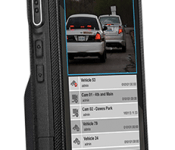
Just because Motorola Solutions is separate from the Motorola we all know all love doesn’t mean they cannot make phones. In fact, Motorola Solutions makes more than one phone. You likely have not seen any of them because they are not for the consumer electronics crowd. These phones are for public safety employees like police officers, firefighters and EMTs. So it is not surprising that the design is… tough. These phones are no Moto X or DROID Turbo in terms of looks. Durability is what is at stake.
The phone up top is the LEX 700. It is big and it is durable. And it runs Android 4.2.2 Jelly Bean with Motorola Solutions’ PremierOne software. A dual-core processor clocked at 1.6GHz runs this beast. Remember, public safety employees are using this. At most, they will be using it to communicate and locate quickly. The LEX 700 and devices like it do not require Snapdragon processors and 3GB of RAM to get things done.
Now aren’t you thankful for the specifications we have today? Or do you still demand more? Let us know in the comments.
Via: The Verge
Come comment on this article: Motorola Solutions making phones for public safety employees

Moto 360 metal bands arrive, gold option in tow

A few days before other retailers offer the option, and coming just after the goods appeared on Amazon, Motorola has officially put new bands on sale for its Moto 360. If you’ve already purchased one, or look to do so soon, the smartwatch now comes with your choice of silver or black metal bands for $299. Fancy the look of leather instead? There are the usual options in stone and black, with a congac hue on the way. In addition to those, stitched bands from DODOcase and silicone colors from TYLT are in the works. The gold model that broke from cover via the aforementioned retailer was properly outed as well in an 18mm width, but it’ll cost you a bit more at $329. The light silver metal band comes in the narrower option, too.
Thanks to a pending Motorola Connect update, you can build custom faces with the My Design tool. The background image and watch style are both available for tweaking. Moto Body is also part of the latest software version, tallying steps, distance, heart rate and calories. It’ll sort activity goals and offer a bit of extra motivation, too. And finally, Motorola is selling the Nexus 6, giving you an alternative to waiting for Google Play to restock and allowing you to pick up the pair — should you be tempted to do so. The site doesn’t show stock availability until checkout though, and the company has already warned that quantities are limited.
Filed under: Wearables
Source: Motorola

Moto X 2014 leaks with Android 5.0 Lollipop

A new leak has surfaced that shows a build of Android 5.0 Lollipop that is already running on the Moto X 2014 showing a build number that was only completed week ago.
Whilst a release date was not specified by the source, it doesn’t appear to be too far in the future, but what they do know is that Motorola will still use the customised skin on their Lollipop build.

You’ll also be pleased to hear that the Android 5.0 update adds a camera shutter timer, which was lacking from the Moto X 2013 and Moto X 2014 models.
The build is still currently being tested internally so keep a keen ear to the ground as no doubt they’ll be updates from Motorola as to when to expect the Android 5.0 update soon.
The post Moto X 2014 leaks with Android 5.0 Lollipop appeared first on AndroidGuys.

Nexus 6 “coming soon” to 12 new countries

Up until this point, the Nexus 6 was only known to be available in the United States (although even that has been limited until today). Well it is now known that this long-awaited smartphone will be available in 12 more countries very soon.
Nexus 6 “coming soon” to 12 more countries
These countries include:
- Australia
- Belgium
- Canada
- France
- Germany
- India
- Italy
- Japan
- Netherlands
- Spain
- Sweden
- United Kingdom
DroidLife is reporting that some are already seeing the Nexus 6 as “coming soon” on the Canadian and UK Google Play Stores.
Ready for some Nexus 6 in your country? Is there a country that’s missing from this list?
via DroidLife
The post Nexus 6 “coming soon” to 12 new countries appeared first on AndroidGuys.

Motorola announces Champagne Gold Moto 360, new slim bands, new watch faces, Moto Body, and more

Motorola just announced a slew of new things regarding the Moto 360. The first is that the rumored Champagne Gold Moto 360 is indeed real. It will go for $329 and be available in time for the holidays.
If you have been waiting to get a Moto 360 with a metal band, today is your lucky day. As of today, you can order the Moto 360 with an aircraft-grade stainless steel band for $299. You will have your choice of light or dark. They will also offer slim versions of these bands for those with smaller wrists for the same price of $299. Look for them around the same time as when the Champagne Gold option becomes available.


If you already own a Moto 360, you will soon be able to order the metal bands separately. They didn’t announce a price, but they did tell us at the launch event that they would run $79. Motorola also announced that they will offer interchangeable stone, black, and cognac leather bands. Plus, DODOcase will offer stitched leather bands in four colors and TYLT is working on colorful silicone bands. We presume they will also offer the new slim bands as an accessory as well.


Now we move onto watch faces. A new update to the Motorola Connect app should hit within the next few days, which will bring new watch faces and customizations. Now you will be able to change the background images as well as the style of tick marks and watch hands. BTW, one of the new watch faces will be the winner of the Moto 360 Design Face-Off.
Last but not least, Moto Body was announced. With Moto Body, you will be able to track your steps, distance, heart rate, and calories. Moto Body will also give you goals based on your activities. This update will arrive with the Motorola Connect update.


If you have any questions, you can join Motorola for an Ask Me Anything (AMA) on Reddit tomorrow at 12:30pm to 1:00pm CT.
I think that’s everything. Current and future Moto 360 owners have to be excited.
source: Motorola
Come comment on this article: Motorola announces Champagne Gold Moto 360, new slim bands, new watch faces, Moto Body, and more
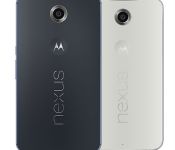
Motorola now offering Nexus 6 on their website

Yesterday we reported on the fact that the Nexus 6 is quite popular as it keeps selling out, however Google is planning on replenishing their supply every Wednesday. Well, Motorola is wanting to help out with their site.
Do not pass go, do not collect $200. In fact, spend it on the Nexus 6 on motorola.com
Right now you can go to this page on Motorola’s site and pick up a Nexus 6. There’s no telling how long this will last, so it’d be in your best interest to head over to the page if you want one.
The Nexus 6 starts at $649 for a 32GB version, and comes with Google’s latest version of Android, Android Lollipop.
At any point if you want to see if the Nexus 6 is available, click the widget below that says “Is the Nexus 6 available?” and it’ll take you to a page that tells you the answer.
Why are you still reading this? GO!
The post Motorola now offering Nexus 6 on their website appeared first on AndroidGuys.

Motorola Announces more choices for the Moto 360 with new metals, interchangeable bands and More
Not that long ago a set of details made their way out that Motorola had some new Moto 360 offerings on the way. Today the company makes the news official by announcing new metals, new interchangeable bands, and enhanced user experiences.

First up is the new metal band offerings. The new option gives you the choice of the light or dark band that is made from aircraft-grade stainless steel with a tri-link design. The new metal band attached Moto 360 will set you back $299 in either color. Motorola will also be offering a new slim band line that will be available in holidays in Light Metal and Champagne Gold. The Champagne Gold will be slightly more expensive at $329. The slim bands are 18MM where as the new standard meta bands are 23mm.

If you already have a Moto 360, then you won’t need the whole watch. Motorola will soon be offering interchangeable stone, black and cognac leather bands for individual purchase along with the light and dark metal offerings above. They have also partnered with DODOCase who will bring a stitched leather band in 4 colors as well as a set of colorful silicone bands headed out from TYLT.

Beyond physical hardware additions, there will be an update to the Moto Connect app coming shortly as well. The update will bring in the watchface design face-off winner, David Pascual, watchface to your device (pictured above). It will also bring a slew of new watchfaces to pick from and the ability to create your own in the new My Design watch face options. You can customize everything from the background image to the style of tick marks and watch hands.
Also in the Moto Connect update there will be a new Moto Body experience that will track your steps, distance, heart rate and calories. Based on the data collected the app will provide new goals for you to help keep you motivated all day, everyday.


 The new metal band offerings are currently available on Motorola.com for purchase today in the light or dark color offerings. the two slim bands in light or champagne are labeled as ‘coming soon’. No specifics on the individual band options if you already have a Moto 360. I assume they will be announced as the become available. With the message being geared toward holiday shoppers, they should start showing up pretty soon.
Via Motorola
//<![CDATA[
ord = window.ord || Math.floor(Math.random()*1E16);
document.write('‘);
//]]>
The post Motorola Announces more choices for the Moto 360 with new metals, interchangeable bands and More appeared first on AndroidSPIN.
 AIVAnet