


I paid to unlock my phone and you should too

Recently, I became the new owner of a Moto X; however, here was a giant hoop I had to get over first before I could claim it as my own. I received a beautiful 32GB white Moto X that was locked to AT&T’s network. This is all fine and dandy for a prospective AT&T customer – which I am not. Rather, I am a happy T-Mobile user and I plan to stay that way until I move to a location where T-Mobile’s service doesn’t fit my needs.
First steps
My first move was to contact Motorola. I knew it was a long shot, but if it worked, I could walk away with a functioning rootable phone. The AT&T variant of the Moto X has a long, complicated and dangerous method to achieve root. Unfortunately, that is a story for another article. The unlocked variant of the Moto X has a simple three step process to earn root. I contacted Motorola, advising I was sent the wrong phone. The conversation (understandably) didn’t end pretty for me and I might have known better. They refused to trade out the models for me, which I understand why, and kept redirecting me to AT&T telling me to get them to unlock it. I took a chance, called AT&T and told them my story hoping for a lenient representative who might help me out.
And then…
I called three times and waited on hold for about 40 minutes each time. Each of these calls, I told the representative that I had an AT&T Moto X from a friend and I wanted to use it on T-Mobile’s network. They would reply by reading off the screen a script that told me that they wouldn’t release the subsidy/unlock code unless I was a current or previous customer. After I told them that I was not and never had been an AT&T customer, they tried to redirect me to Motorola telling me that only Motorola can unlock my phone as I am not an AT&T customer. I knew that this was false and that Motorola couldn’t do anything about it, but I called Motorola anyways. As you can guess, that conversation was a flop and I didn’t get anything out of it.
Let’s try again…
I had one more trick up my sleeve. I called AT&T (from a different number this time) and told them that I was an AT&T customer. I gave them a family members’s credentials in a final desperate attempt to get this Moto X unlocked. This was met by information that the device was never used on their network so that it couldn’t be unlocked. I would have to activate it and use the device on AT&T’s network for a good while before they would release the subsidy code to me. In other words they want you to use the device with them until it is no longer worth keeping before letting me walk away with it.
Pay the piper
I gave up. Half a day was wasted and I had nothing to show for it. I ran to the XDA forums to find a solution. I found various unlock sites that would charge me anywhere from $12 to $32. I chose the cheapest service which also gave me the slowest estimated return time (1-2 weeks) but I was no longer in a hurry to get my device unlocked. Much to my surprise, I was emailed back 15 minutes later with two subsidy codes to unlock my phone! I popped in my T-Mobile SIM card and was rewarded with my first LTE phone.
I gave up an entire day of my life in a pitiful attempt to save myself $12. In essence this cost me two hours of work at minimum wage. Paying $12 up front would have also saved me 5+ hours of upsetting phone calls.
If you are on a GSM network and buy a phone that is locked to a different GSM network, it is easier to just shell out the $12 and save yourself the headache and the time. It is easier on you and it is easier on your lifespan.
My suggestion to you is to consider some of the paid options before getting to deeply involved in the process of unlocking. This is especially true if you’ve got some time to spare or are not in a big hurry.
The post I paid to unlock my phone and you should too appeared first on AndroidGuys.
Motorola talks Android 4.4.4 updates; plans a Google+ AMA

Motorola has provided a bit of insight into the Android 4.4.4 KitKat software update and how it pertains to its line of smartphones.
This latest update includes all of the goodies of 4.4.3—such a new dialer, the ability to pause during video recording, and enhanced camera image quality—and includes enhanced security for OpenSSL.
A blog post on the hardware maker’s website tells us that the update has commenced for the Moto G in Brazil and India while the Moto E is getting the same treatment in Brazil, France, Canada, and Asia Pacific. As for the United States, the Droid Ultra is the only one thus far to see 4.4.4.
Looking ahead, Motorola will be holding a Google+ Ask Me Anything event on July 17 where product manager Mark Rose will field your questions over 30 minutes.
The post Motorola talks Android 4.4.4 updates; plans a Google+ AMA appeared first on AndroidGuys.
Two years to Tango: the race to finish Google’s 3D-mapping tablet

Speck Design’s clientele has ranged from Apple to Samsonite to Fisher-Price in its history, and now it can add Google to the list of high-profile companies. But Google — or its Advanced Technologies and Projects (ATAP) division, to be more specific — is no ordinary client. The group is modeled after DARPA, which divides its agency into teams, with each one given a limited time to solve a pressing issue. Nearly a year and half ago, ATAP reached out to Speck, led by industrial designers Jason Stone and Vincent Pascual, with one such task: Build a tablet like no other.
The project is known as Tango. Its goal is to create technology that lets you use mobile devices to piece together three-dimensional maps, thanks to a clever array of cameras, depth sensors and fancy algorithms. As if that isn’t enough of a challenge, Tango’s team only has two full years to make this tech a reality. Those two years will be up in less than five months.

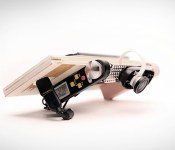
Several early models designed by Speck to get an idea of how the tablet would look and feel.
ATAP focuses on cutting-edge projects that push technology forward at a rapid pace, and Tango is a prime example of this. Through a combination of hardware and software, the project aims to give mobile devices a sense of scale and an understanding of space and motion. You could potentially create a three-dimensional mockup of your office building or home just by walking through every room with a Tango-equipped smartphone or tablet. If the project is successful, it means you may someday use an app to hunt down hard-to-find products at the grocery store, the same way you’d locate a house using GPS. You could play Plants vs. Zombies or Portal with your living room as the backdrop, or envision how that IKEA couch would fit in front of your entertainment center. It opens up a lot of new options that, until now, haven’t been technically feasible.
Two years isn’t much time to develop bleeding-edge tech from the ground up, let alone two pieces of hardware (a smartphone and tablet) and an entire software platform; heck, even the original iPhone took over three years to blossom from a sparkle in Steve Jobs’ eye to a final product release. But what’s more impressive is the fact that Speck cranked out a tablet in 16 months. That’s similar to a standard development cycle for a regular device. But the Tango slate is nowhere near normal, and it’s not just different in its curvaceous appearance. For starters, it’s a high-end Android tablet with 4GB of RAM, 128GB of internal storage and an NVIDIA K1 chip (the first in the US and second in the world) that features desktop GPU architecture. It also has a unique design that consists of an array of cameras and sensors near the top and a couple of subtle grips on the sides. It packs 3D-mapping features previously reserved for professional equipment worth thousands of dollars, and it even looks good enough to pass as a consumer device.
Two years isn’t much time when you’re working on a first-of-its-kind product.
In case it sounds like an easy process, Stone insists it’s the complete opposite. Tango and its partners worked at a breakneck pace. The project vision was evolved daily, and the team worked with several different companies simultaneously on various aspects of the product’s development. Working on multiple things at the same time isn’t uncommon, but the vast number of parties that were involved is; Tango recruited engineers, researchers, universities and manufacturers to help mold what would eventually become the hardware and software we see today.
“It’s like they were starting to form a vision on how this thing should actually work while we were doing the industrial design in parallel,” Stone says.
Speck was hired in March 2013 to come up with a “shotgun blast” of ideas and conceptual designs, but Stone and Pascual soon realized they were in for a far bigger challenge than they’d expected. Oftentimes clients will have specific design languages or standards for their brands, but because ATAP operates as a separate entity from the rest of Google, there were no established guidelines or rules to help Speck narrow down design options.
“They didn’t tell us a lot about what they were doing [with Tango] at first,” Stone says. “They didn’t really explain about the applications or tech at that point.”
Equipped with little more than a high-level understanding of the project, Stone and Pascual crafted dozens of rough, handmade prototypes. “We’d cut out a block and lay some dimensional paper down to make sure it’s the right screen and body size,” Stone says. “We’d make around three before picking one to take to Google.” Some of the more interesting models included a flagpole-shaped option and a tablet with a transparent frame around the edge.

One of Speck’s first handmade design prototypes.
While Speck’s clients are typically armed with a strict budget, Google had no cost restraints. Price simply didn’t factor into Tango early on; to Google’s Johnny Lee and Ryan Hickman, it was essential to use the best components, such as cameras, sensors, chipsets and speakers. That became a huge challenge for the designers because blank checks mean even more options.
“Sometimes those restraints around cost can help you make decisions easier and faster,” Stone says. “You’re like, ‘Well, we can’t do this so we’ll have to do that.’”
Speck wasn’t the only company working with Tango on potential designs at first. ATAP, eager to leverage its connection with Motorola and somehow utilize its supply chain and other resources, asked Moto’s User Experience Design (UXD) group to experiment with some conceptual designs. Tango even reached out to Google’s Nexus team, which wanted to focus on making affordable devices like the Nexus 5 instead.

Speck designed several mockups detailing how Tango could be used.
Soon, Speck received more responsibility. The company was asked to put its Photoshop skills to work by drawing up visualization mockups — screenshots depicting various use cases for Tango. These mockups helped ATAP sell its vision of Tango to potential hardware partners and Google. Thanks to the project’s time constraints, immediate partner buy-in was crucial to its success. Thus, this job was given the same priority as the designer’s other tasks; it had to be done as soon as possible.
Pascual said the team came up with hundreds of use cases. For instance, virtually trying a new carpet in your house; seeing how a new pair of glasses would look before a visit to the optometrist; rendering a 3D map of what’s under your car’s hood; or calculating a route through a crowded museum.
While overwhelming, the exercise gave Speck a greater understanding of Tango’s grand vision for the user experience. Thanks to the designers’ newfound knowledge, they concluded that the slate would be more effective in landscape; users wouldn’t hold the device in portrait mode while mapping out their house or office building.

Determining the tablet’s orientation helped narrow down the design options, but Speck still had to figure out how the baseline — the term for the array of Kinect-like cameras and sensors that measures all three dimensions — would factor in. Should the user hold the device directly in front of their face? Or does it make more sense to hold the screen parallel to the ground, with the cameras pointing forward? Stone and Pascual needed to find the optimal angle, so they began working on user tests.
There was just one major problem with testing a device like this: Neither company had performed these kinds of tests before.
There was just one major problem with testing a device like this: This was new territory and there wasn’t an existing model to replicate. The designers had to formulate the tests themselves, so they worked with ATAP to determine what needed to be tested and how. Since the tablet’s industrial design wasn’t finished at the time, Speck fashioned a special prototype using plywood, a built-in digital protractor (to quickly adjust camera angles between tests) and a sample camera array.
The process of building and conducting the tests, as well as quantifying the results, began in August and lasted roughly a month. Testers numbered fewer than 100 and came from within Motorola and Google. They were given a series of five tasks, each performed at two different camera angles, chosen at random. Tests consisted of simple activities like taking photos of a few objects, snapping an image over a short wall and navigating the office by following arrows that appeared in the viewfinder. After each run, testers would rate their experience on a scale of one to five.
Stone and Pascual discovered the camera angle mattered — a lot. Testers had difficulty holding the device directly in front of their faces while avoiding obstacles. As Pascual points out, “It’s tough to navigate around the house without knocking stuff off the table or couch.” Holding it close to the user’s waist didn’t work either, because testers constantly moved their heads (and eyeballs) up and down. So it had to be somewhere in between. The solution that testers liked best: Tilt the camera so users could hold the tablet at a slight angle while walking.

Speck designers putting the final computerized touches on the Tango tablet.
After some tweaking for economics, Stone and Pascual’s next adventure was a trip to visit Tango’s supplier in Asia to iron out some finite details. They had to make a lot of trade-offs at this stage: making sure the antennas were positioned correctly, getting buttons and components locked down to precise locations, color studies to determine the best shades to use for the final product and a few other details involving fit and finish. Now, Speck’s primary task is to help support ATAP anytime the group needs them to resolve issues.
“It always feels like it’s going to be a clean handoff,” Stone says, “but it’s never as clean as you’d expect.”
With five months remaining before the project ends, Tango is now making the final preparations before shipping the tablet out to a large (though unspecified) number of developers. And although ATAP will move on to other projects, Tango will live on through the technology it created, along with a set of standards that manufacturers can use to offer a consistent experience to users. LG, for instance, has already committed to releasing one such device next year.
If Project Tango was an audition, Speck Design did well enough to make the cut. ATAP has several other unannounced projects in the works, and Stone quietly mentions that his company’s involved in at least one or two of them. “We’re working with Google on another project that’s too early to be discussed publicly,” he says, but given ATAP’s time constraints, we’ll likely hear about it sooner than we expect.
[Image credits: ATAP]
Alleged Motorola device shown on video running Android “L”

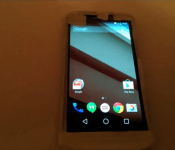
Video of an alleged Motorola device running Android “L” leaked, courtesy of TK Tech News. They say the video was sent to them and that they’ll meet their source soon.
The device is wrapped in paper tape and we can’t see much expect for the screen. They claim this is not the Moto X+1 device though, rather some other upcoming Motorola smartphone. It could be a Droid device or maybe some other variation of Moto X+1. At one point in the video the device is placed next to a Nexus 5 (1:45 mark in the 1st video) and we can see it has at least 5″ screen, although it looks even bigger than that. Some sort of a phablet maybe? We actually doubt it considering it doesn’t look that big, but who knows.
We can’t say much at this point. This might as well be fake considering they could just load Android “L” developer preview on a device along with Motorola’s boot animation (2nd video). Hopefully we’ll get to see the device without that paper tape all over it in the near future. What do you think?
Source: TK Tech News
Via: PhoneArena
The post Alleged Motorola device shown on video running Android “L” appeared first on AndroidGuys.
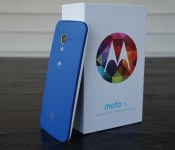
[DEALS & STEALS] Get the Moto X for $299 ($100 off) until July 16 on Net 10

Moto X might not be the newest device but it is still quite powerful. Not only that but it is one of the first devices (after Nexus ones) to get the newest Android updates and it still packs some awesome features no other device has.
If you’re one of those people who doesn’t need to have the newest and the shiniest devices all the time you might want to get this offer. You can now get the Moto X for $100 off by visiting Motorola’s official website and selecting Net 10 as your carrier, after which you’ll of course proceed with the remaining steps (customizing it via Moto Maker to your pleasing) and get it shipped your way.

You have until July 16 to take them up on this offer. Please note that cases are 50% as well. This seems like a nice offer if you’re not waiting for Moto X+1 or something like that.
Source: Motorola Mobility (Twitter)
Via: AndroidPolice
The post [DEALS & STEALS] Get the Moto X for $299 ($100 off) until July 16 on Net 10 appeared first on AndroidGuys.

Motorola Briefly Explains the Moto 360′s Design in New Video

Who cannot wait for the Moto 360? Android Wear on a beautiful round watch is just scratching me where I itch, and I think that is the divide in the community. Some people out there prefer the square face simply because they are used to that design, but some of us who want something a little different are waiting for the Moto 360. Nothing wrong with either one, but you can’t say the 360 looks gorgeous.
The design of the Moto 360 is briefly explained in a new video Motorola uploaded today on their YouTube channel, and it will make some of your mouths water. They talk about how they wanted the 360 to look more like a watch, and we can all agree that they have accomplished that task. Check out the video below to get teased yet again with this beautiful piece of technology.
//<![CDATA[
ord = window.ord || Math.floor(Math.random()*1E16);
document.write('’);
//]]>
The post Motorola Briefly Explains the Moto 360′s Design in New Video appeared first on AndroidSPIN.
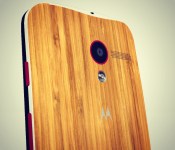
Motorola India begins Android 4.4.4 updates for Moto E, G and X

The Android 4.4.4 KitKat update has commenced deployment for the Indian variants of the Motorola Moto E, Moto G & Moto X. Confirmed via its Twitter account, Motorola India says the update began last week. As the newest official version of Android, 4.4.4 has only been made available to a short list of devices. Here in the United States, however, it looks like things are also progressing well on the same front.
To say that Motorola has done a good job of keeping up with the different releases of Android might be an understatement.
The post Motorola India begins Android 4.4.4 updates for Moto E, G and X appeared first on AndroidGuys.
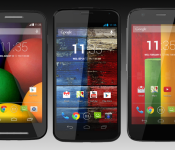
Moto X and G will get the Android “L” update, according to customer support at least

Since Google announced Android “L” at Google I/O everyone has been wondering which phones will get it and which won’t. Some OEMs have released official statements regarding this, while vast majority of them has not. Motorola belongs in the latter category.
About a week ago Motorola Germany released a statement via Facebook that Moto X and G devices will get Android “L” update this fall. However, Motorola released an official statement shortly after letting us know that the mentioned Facebook page is not Motorola’s official page, which left Moto fans somewhat disappointed.
Though we were quite certain Motorola will update both at least Moto X to Android “L” even before this, now we have some sort of information that it will update both of those devices. A user allegedly talked to Motorola customer support (there are screenshots below containing that conversation) and got a confirmation that both Moto X and Moto G devices will get the Android “L” update while there are no information to be found regarding Moto E at this point.


Customer support is of course not the most reliable source of information, but it’s at least something. Do you think these devices will get the update?
Source: AndroidOrigin
The post Moto X and G will get the Android “L” update, according to customer support at least appeared first on AndroidGuys.
Android Wear review: Taking smartwatches in the right direction

When I was a tiny tot, I watched Knight Rider and pretended I was Michael Knight, talking to KITT on my watch. Yet now that there are real-life watches that can do even more things, I don’t find myself quite as excited as my 5-year-old self was. Smartwatches have been around for over a decade already (remember Microsoft SPOT?), but the category hasn’t evolved at the same pace as smartphones. It’s not because there’s a shortage of digital wrist-worn timepieces. The problem is that there’s no common platform for third-party apps, which means there’s little potential for growth.
There also doesn’t seem to be any vision. Some watches act as Android phones with SIM cards and tiny touchscreens, while others try to establish their own platform to entice developers. Still others have even tried to put fitness bands and smartwatches into one device, to limited success. Even worse, most of the watches on the market today are what you might call “fashionably challenged” — they simply aren’t attractive enough to entice the masses. Google’s solution is to extend its Android platform — which has very strong market share and developer support — to the wearables genre with Android Wear.
Why Android Wear?
Manufacturers don’t have to waste precious resources on developing a watch ecosystem from scratch. Android Wear provides a low-cost launchpad for more companies to come out with a smartwatch of their own. Take Fossil: It has little to no experience developing software, so the introduction of Wear opens up more doors for the company to produce fashionable smartwatches without pouring quite so much money into R&D. Meanwhile, other manufacturers are reportedly attacking the lower end of the market with cheap Android Wear watches.
In any case, that’s precisely what Wear promises: a wide variety of options in price, form and (we hope) fashion sense. But flooding the market won’t magically make smartwatches a success. So what will? They have to look good and make life easier.
Functionality

Android Wear wasn’t designed to replace your smartphone; it’s just meant to reduce the number of times you have to pull out your phone. With Wear, you can change your music, send and view emails and texts, dictate notes and reminders, answer or reject calls, keep track of a few fitness stats, look at your calendar appointments and ask a number of different questions.
Wear isn’t meant to replace your smartphone.
Wear treats your watch as a wrist-worn version of your phone’s notification bar. By scrolling down through the various cards displayed on my watch, I can see my most recent emails, Facebook messages, Google+ alerts, missed calls, number of steps I’ve taken today and how much time it’ll take me to commute home. Swiping to the left of these cards reveals actionable items (replying to emails, marking a text as read, looking at my fitness history and so on), while swiping to the right allows you to dismiss the notification entirely.

The watches also use Google Now. Cards will pop up with information about stocks, time to my next destination, a friend’s birthday, upcoming hotel reservations and when I need to leave for my upcoming flight. It’ll even show me my boarding pass. (This is through Google Now, but Delta and American Airlines just came out with apps that do the same thing.) The latter case is actually one of the best arguments I’ve heard yet for Android Wear — it’s easier to scan a boarding pass on your watch if your hands are full with luggage and you don’t want to take out your phone.

Wear also has voice search and Knowledge Graph access built in. Saying, “OK Google,” will prompt me to make a voice command. I can ask it to do a variety of tasks — send messages, set alarms and timers, show how many steps I’ve taken, pull up my calendar agenda for any given date, navigate a route and so on. I can also ask Wear random questions: When is the next Giants game? How tall is Mark Wahlberg? When was Chris Rock born? What’s the tallest building in the world? Essentially, this is all the same type of stuff you can do with Google Now on the phone; it’s just now accessible hands-free on your watch. If it can’t find the answer, it’ll pull up the top three search results for you to look up on your phone. Not quite as handy, but I suppose it’s better than nothing.
If a third-party app uses notifications, it’s technically going to show up on Wear, but its functionality will be limited unless the developer puts in some extra effort. The number of potential use cases will expand over time as more developers come out with apps of their own. Indeed, that’s one of the most exciting parts of the platform: It’s very basic at the moment, but its usefulness will grow as developer interest increases.
Even so, there are already some clever things you can do with Android Wear. You can check your finances, share your location with a friend through Glympse, take and read notes via Evernote, respond to tweet mentions with Tweetings, browse through a recipe on Allthecooks, activate your Phillips Hue light setup and get updated on the latest World Cup scores. I’ll stop there, but you get the point: These are just a few examples from the first wave of Wear-ready apps.

The number of Wear apps is steadily growing (you can find a comprehensive list here), but one of my favorites is Lyft. I told my watch to “call a cab” and it not only requested a driver for me, it also added a card that told me the driver’s name and estimated time of arrival, and gave me the option to tell the driver my destination before she picked me up. After the ride was over, I got a card showing me how much it cost and asking me to rate my driver.
Fortunately, fragmentation shouldn’t be as huge an issue with Wear as it’s been on smartphones. Excepting some manufacturer-specific clock faces, Google won’t allow the use of custom skins or user interfaces. If a company wants to build a Wear watch, it’ll need to follow Google’s rules. In theory, this should reduce the number of obstacles when pushing updates to the watch (which can be done in the About screen deep in the settings menu), and it’ll make for a consistent user experience across the board. It’s ironic, then, that Wear’s reach is limited because of fragmentation — the system is only compatible with devices running Android 4.3 or higher, which means 76 percent of current Android users won’t even be able to use Wear.
User experience

So far, we’ve seen Wear watches that are square (think: the LG G Watch and Samsung Gear Live) or circular (like the Moto 360, seen above). This is really a matter of personal preference; the user experience is the same either way. Since most watches will have small screens, Google knows it doesn’t have a lot of real estate to work with; thus, it’s tried to make the user interface as simple as possible. That’s why there’s typically only one card per screen, and when you swipe to the left, you’re only presented with one option per screen. Easy enough, right?
As minimal as the UI might be, it’s hard to come up with an intuitive user experience on a touchscreen watch, and Wear doesn’t do much to address that. There’s a significant learning curve, and even though there’s a tutorial the first time you use it, it’ll take a while to get accustomed to the layout. The use of voice commands is a massive improvement for the smartwatch experience because it reduces the amount of times you need to touch it, but it’s still impossible to get around your watch without doing a lot of swiping.
It’s hard to come up with an intuitive user experience on a touchscreen watch, and Wear doesn’t do much to address that.
Before anything else, you need to know this: You turn on the Wear screen by lifting up your arm. The watch interprets this act as a sure sign that you’re ready to look at something. (The Wear display is always on by default, which means you can look at the time whenever you want without activating voice commands by accident.) As you’d expect, you’re presented with a clock face. There are currently about a dozen faces to choose from; just long-press the face to look at all of your options.
You’ll first be greeted by the Context Stream. This is your vertical-scrolling list of notification cards. You can’t change the order in which these cards appear, and it seems as though many of them get put in a random order each time you scroll through the list. Cards that appeared near the top of the list would often sink farther down the next time I checked my watch, even though no new notifications had popped up.

If a notification has more information than a single card can manage, its corresponding card can be expanded. You’ll have to be careful with long emails — touch the card to expand it and you’ll find yourself scrolling down for an eternity before you get to the next card. (This is one of those times in which it’s just easier to whip out your phone and read it on the larger screen.) Some apps, such as Gmail and Calendar, will stack cards on top of each other; if you have six events coming up, Wear will show you the first and then feature a small button underneath that indicates you have five more. Touch this button and you’ll see all six events laid out vertically. If you need to take action on one of them, you’ll have to tap the individual event again before scrolling. You can’t swipe to dismiss individual events, however — just as on your phone, one swipe will dismiss all notifications for that particular app.
Saying, “OK Google,” or tapping the open space at the top of the Context Stream will prompt you to give a voice command. I explained earlier this feature can do, but if you need help figuring out what to say in the heat of the moment, there’s a handy set of examples in a scrollable list. (And yes, scrolling defeats the purpose of being hands-free, but your reliance on this cheat sheet will decrease as you get used to Wear.) You can even tap on each example and Wear will ask follow-up questions; for instance, if you tap the option to send a text, it’ll ask you to whom you want to send it and what you want to say.
Oddly, apps and settings are hidden away at the very bottom of this list. If Google is trying to encourage developers to create apps for Wear, it sure has a weird way of expressing its gratitude. Granted, a lot of apps don’t do much when you access them this way, but it’s still confusing at first; if you’re looking for a specific app, you’re better off searching for it with voice commands (e.g., “open Evernote”).
If you rely heavily on your phone for notifications, be prepared for some good and bad news. The good news is that you have access to all of those notifications on your wrist, so you don’t have to take your phone out. The bad news is that while you can filter out certain apps from sending you notifications (bye-bye, Candy Crush Saga invites), you can’t pick and choose which notifications you receive from within a particular app — in other words, the watch can’t decide which emails make it to your watch and which ones don’t, so you have to see all of them.
When I pull down from the top of the screen, I see a shade with battery percentage and today’s date; I can also mute my notifications if I continue pulling. This is handy when I don’t want to be distracted or am trying to sleep, but I wish Wear offered quiet hours during which it would automatically turn off notifications when I go to bed. (That’s if my battery lasts through the day and night, which wasn’t always the case with the early Wear watches I’ve played with.)
The Samsung Gear Live comes with a button on the side that lets you turn the display off, but covering the screen with your palm will do the same thing on every Wear device.
Companion app

To pair the watch with your phone, you’ll need to download the Wear companion app through the Play Store. It’s essential for setting up your watch, but you’ll find little use for it otherwise. The main screen shows a link to Wear-compatible apps in the Play Store and a list of eight voice actions. You can choose which app to use for each particular command, which will come in handy as more apps start showing up. So, let’s say Uber adds the same ability to call a car as Lyft does, and I want to use that service instead; I’d have to select the “call a car” voice action and choose Uber from the list of possible apps, so that Wear doesn’t keep defaulting to Lyft.
The companion app also has a list of settings tucked in the top-right section of the app. You can mute specific apps, as mentioned earlier; turn off the always-on display; silence notifications on your phone when the Wear is connected (why get vibrations on your wrist and in your pocket?); show calendar events; and keep the top card from showing up when your display is dimmed. Finally, you can use the app to pair a different Wear watch if necessary.
The app doesn’t have an option to manage watch apps, which seems odd since there isn’t a way to do this on the watch either. Perhaps it’s because Wear-compatible apps automatically get installed on your watch once you’ve downloaded them onto your phone. This seems like an oversight. There may be certain apps that you barely use on your handset and have no interest in using on your watch; why not give users the option to get rid of the unnecessary clutter?
Challenges

Essentially, Wear is a version 1.0 product, which means there’s still a lot of work to be done. It’s been a good experience thus far, but there are plenty of ways that Wear simply doesn’t fit the bill, and you’ll need to be aware of them if you’re going to plunk down $200-plus for a smartwatch.
First, there’s the excessive touching. If users have to go through the effort of tapping or swiping the screen on a regular basis, there’s little incentive to use the watch instead of simply pulling out a phone. Most activities on Wear eventually point back to your handset anyway: Nearly every card in the Context Stream (excepting the step tracker) has an option to open on your phone, as if it’s somehow faster to swipe down to the card, swipe across to that button, tap on it and then pull out your phone to access it. If you’re going to use your phone, you might as well just whip it out from the start. What’s more, if you give a voice command that isn’t included in the supported list, or if you ask a question that can’t be found in the Knowledge Graph, the watch provides you with a series of three cards, each one representing a different website that — shocker — you can tap and open up directly on your phone. Congratulations, you just wasted a minute by using your watch.
If you’re going to use your phone, you might as well just whip it out from the start.
I’ll discuss this more in the next section, but battery life is a big challenge here. There’s a huge amount of computing and processing going on behind the scenes, on a colorful, capacitive touchscreen that by default doesn’t turn off. Throw in voice commands, keyword detection and a tiny battery, and it makes sense: Of course the battery life is going to suffer. The problem is, users aren’t going to want to plug in their watch as often as their phone. Until Google can find a way to extend the battery life by a few days, Android Wear will struggle to be anything more than a niche product.

Navigation is also an issue. Google Maps is technically compatible with Wear, but it only shows one step at a time. Given that card-stacking is an option on other apps, it’d make sense to use this style to display upcoming steps along your route so you could plan ahead. Swipe to the left to reveal a high-level map of the entire route that’s void of any useful details; my brain comprehends visual maps more quickly than text, so I’d find this screen more useful if I could zoom in closer.
Additionally, voice commands for navigation will automatically default to driving directions. You can specify if you want biking or walking. Oddly, if the phone can’t find a route, it doesn’t bother telling the watch — you simply get taken back to your clock face as if nothing even happened. And when I asked Wear for walking directions from my office to the Golden Gate Bridge, it presented me with a card with Google search results for three unrelated websites. (OurSausalito.com? Really?) Unfortunately, transit directions aren’t supported either.
I’ve already mentioned the problem of excess notifications. The longer my Context Stream, the more inconvenient the watch experience becomes. Not only am I wasting time with countless swipes, but my anxiety increases when my wrist is vibrating a hundred times a day (this is actually a low estimate for me). There’s no VIP list and no way to block out unimportant emails. It’s possible to mute specific apps, but that’s of little help when you’re getting a flood of messages that don’t require your immediate attention. At least when you do dismiss a notification, it disappears from both the watch and the phone.
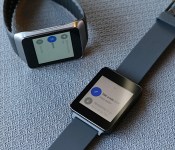
Hardware: Samsung Gear Live and LG G Watch

LG and Samsung are the first companies to produce Wear watches, and both are available in the Play Store (LG’s G Watch is $229 and Samsung’s Gear Live is $199). A third watch, the Moto 360, was shown off at Google I/O last week and will be released later this summer. I’ll touch briefly on the G Watch and Gear Live; since Google won’t allow custom firmware or user interfaces, you’ll essentially get the same Wear experience on both watches.
When it comes to firmware, the only differences you’ll see between the two are in the clock faces. That said, Samsung’s found a loophole by adding its own stopwatch and compass, so you can choose to use either those or the stock versions. In any case, those are minor alterations, so the important points of differentiation are in the hardware, with each offering a unique personality.
The Gear Live is definitely your best looking option. At least, until the Moto 360 comes out.
Which one is better? Suffice to say, the two watches each have trade-offs you’ll need to weigh, but the Gear Live is definitely the best looking (at least, until the Moto 360 comes out). Their internals are similar too:
| Samsung Gear Live | LG G Watch | |
|---|---|---|
| Display | 1.63-inch sAMOLED, 320×320 pixels | 1.65-inch IPS LCD, 280×280 |
| Battery | 300mAh | 400mAh |
| Processor/RAM | 1.2GHz dual-core Snapdragon 400; 512MB RAM | 1.2GHz dual-core Snapdragon 400, 512MB RAM |
| Water resistance | Yes, IP67-certified | Yes, IP67-certified |
| Dimensions | 37.9 x 56.4 x 8.9mm, 59g | 37.9 x 46.5 x 9.95mm, 63g |
| Storage | 4GB internal storage | 4GB internal storage |
Both have the same dual-core 1.2GHz Snapdragon 400 processor, 512MB of RAM and 4GB internal storage. They each offer interchangeable wrist straps — I especially appreciate this on the Gear Live — and both feature a square shape. They’re also IP67-certified, which means they have the same water and dust resistance as the Samsung Galaxy S5. I wouldn’t take either one scuba diving, but you’ll be fine wearing them while washing dishes or taking a shower.
Because both watches have the same engine underneath the hood, I didn’t notice any difference in performance. They both smoothly, with only the occasional frame skip. In my comparisons, apps loaded in the same amount of time, and each one processed voice commands quickly.
I’ve already alluded to battery issues, but let’s get specific. The Gear Live’s battery is a mere 300mAh, while the G Watch has a capacity of 400mAh. That sounds small, and it is small. I strapped both watches on my wrist and used them during a full workday. My to-do list included four navigation routes, at least a hundred emails, hailing a Lyft driver and countless voice commands. When I finally got home 12 hours later, the G Watch had 20 percent life remaining, while the Gear Live had 15. After leaving them on mute overnight — a seven-hour event — I woke up to find the G Watch at 5 percent and the Gear Live at 2 percent. All told, LG’s watch lasted around 90 minutes longer than Samsung’s. The G Watch almost made it a full 24 hours, while the Live came in at roughly 22.
On weekend days with lighter use, I was able to push the life of both watches another eight hours or so, at best. There are a few ways to extend your battery life further, but since they significantly reduce how useful the device is, it completely defeats the point of using a smartwatch. You can turn off the always-on display setting so you’re just staring at a black screen whenever the watch sits idle. You can turn down the brightness (I tested the watch at about 60 percent), limit the number of routes you navigate, mute notification-heavy apps and so on. But if you’re constantly worrying about battery life, you’re basically chained to yet another device.
Samsung Gear Live

You might confuse the Gear Live for one of its Tizen-based siblings, the Gear 2. It has a chrome band around all sides of the display, but it’s all for show; you won’t find any cameras or buttons here. There is, however, a button on the right-hand side, which powers off the active display with a quick press and brings up the settings menu when you hold it down for a few seconds. (I’d love the option to map this button to other actions.) Just like the latest Gear watches, the Live comes with a heart rate sensor on its belly, along with some pogo pins to connect a charging cradle.
It has a 1.63-inch Super AMOLED display, with a resolution of 320 x 320. Breaking out my trusty pixel-density calculator (or cheating by looking at Google’s product page), this translates to 278 ppi, which is actually good for a smartwatch. Of the two watches, the Live is easily the sharpest and most color-saturated, but it’s also a fingerprint magnet and hard to see in direct sunlight.
Because the back of the Gear Live has a slight curve on the top and bottom, it’s more comfortable to wear than the G Watch. That is, as long as you don’t count the miserable wristband that feels like you need five hands and divine intervention to snap together. It’s a mere four grams lighter than LG’s watch, but a full millimeter thinner.
The charging cradle is nothing new for Samsung, but it’s just as annoying. For a device that you’ll need to charge once a day, it’s not so easy to manage. It’s a tiny cradle that has to be fitted just right onto your watch, and then you have to make sure it’s snapped in securely before plugging the charger in.
LG G Watch

The G Watch has many redeeming qualities, but attractiveness isn’t one of them. Featuring Gorilla Glass 3, stainless steel on the sides and a polycarbonate back, it’s very solidly built, but it’s also a boring square with no stand-out features. In fact, though, this was very much done on purpose: According to LG’s design team, the G Watch is designed to help content look like it’s floating above the screen. Extra tweaks often distract from the point of the product. I get the concept, but unfortunately it also works the other way — the lack of any design whatsoever can often be just as distracting. It’s a stark contrast to the gorgeous LG G3, which successfully found the middle ground between too flashy and not flashy enough. This watch falls in the latter category, and it’s going to struggle to stand out from the Moto 360 when it launches. (Admittedly, the white option is a little more aesthetically pleasing than the black one.)
The IPS LCD screen is slightly bigger than the Gear Live — 1.65 inch versus 1.63. The difference in resolution, however, is much more noticeable. At 280 x 280, it’s easier to see pixelation without squinting. On the upside, it’s more readable in bright sunlight than the Gear Live, and the screen has brighter whites. Then again, the darks aren’t as dark as the Gear, and the colors aren’t nearly as saturated.
Like the Gear Live, the G Watch also requires a separate cradle to charge up, but LG smartly uses a magnetic base that’s much easier to attach the watch to than that of its Korean rival. The magnets do a great job of holding the watch in place.
The company’s pricing strategy is a little confusing. It’s $30 more than the Gear Live, even though it doesn’t add any features or performance benefits (aside from a meager increase in battery life). I’d be surprised if this cost doesn’t come down quickly — especially once it has even more competition from the Moto 360 — but in the meantime, LG is facing an uphill battle by selling its premier smartwatch at a higher price.
Wrap-up

Android Wear has me more excited about the future of smartwatches than any other platform or device. It’s more solid than I expected in a first-gen product, and of the options on the market, it has the most opportunity for growth. Wear enjoys a universal user experience; it’s backed by a robust operating system with tons of user and developer support; and there’s buy-in from manufacturers.
Still, there are plenty of issues that need to be fixed. Few users will be content charging their watch on a daily basis or wasting time scrolling through endless cards and unwanted notifications. A smartwatch should make life simpler, more productive and more efficient, and at the present time, it’s just as easy — if not more so — to do most things on a phone. The platform will blossom as more apps come out, but it still has a long way to go before shoppers will be willing to spend hundreds of dollars on accessories.
For now, Wear is the best OS for Android users who are in the market for a smartwatch, but since these devices aren’t necessities, they’ll need to be more stylish and add more convenience to your life if they’re going to attract the average consumer. Unfortunately, the Gear Live and G Watch just don’t have what it takes for Wear to go mainstream, although I’m holding out hope for the Moto 360.
Filed under: Wearables, Wireless, Mobile, Samsung, Google, LG
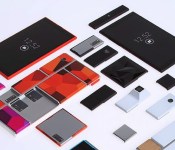
Project Ara reaches beta status, 100 testers will receive the device

Remember Phonebloks aka Project Ara? Yeah, that “crazy” modular smartphone concept by Motorola which Google took over and has been working on ever since. Well, it turns out Google has some great news for us, Project Ara reached beta status.
So, here’s the gist. Google launched “Scouts” program in October last year. That very same program attracted 30,000 people who answered questions and completed all sorts of challenges in order to help Project Ara. Out of 30,000 people Google picked only 100 lucky ones who will be Project Ara’s beta testers. They’ll receive a physical device, for free of course, and will then test it. It is unknown when will this happen though. Google said that it will take another 8 months until Project Ara hits the market though, which is a bit longer than the earlier report suggested, but that’s not so far away when we think about it. Until then you can sign up for future updates if you follow the source link below, just scroll down to the bottom of the page.
We are eagerly expecting more information on this and basically can’t wait until the product hits the market. How about you?
Source: Google
The post Project Ara reaches beta status, 100 testers will receive the device appeared first on AndroidGuys.
 AIVAnet