



OneNote updates let you start notebooks on iPhone, print on Mac

After lavishing much of its recent attention on Excel, PowerPoint and Word, Microsoft is ready to show OneNote some more love. The company has unveiled a big redesign of its iPhone app that brings simpler navigation and, at long last, the ability to create new notebooks and sections on OneDrive; you no longer have to start jotting down ideas on another device. Upgrading also brings Office Lens (already on the iPad) for digitizing real-world documents, and it’s easier to start a quick note if you’re in a hurry.
The Mac software is getting some much-needed attention, too. You can finally print hard copies and drag-and-drop photos. If you copy text, it’s much easier to preserve the original formatting. Both the iPhone and Mac updates are already available in their respective App Stores, so there’s no reason to hesitate if you use OneNote to keep your ideas in order on either platform.
Filed under: Cellphones, Software, Mobile, Microsoft
Via: Office OneNote Blog (1), (2)
Source: App Store, Mac App Store

Microsoft won’t leave XP out of today’s major Internet Explorer security update

Late last week Microsoft announced that it had discovered a serious security flaw in Internet Explorer (versions 6 through 11!) that left users vulnerable to attack. Nefarious characters could use malicious sites to infect a target machine and even take it over remotely. Rather than wait for the regular monthly update, Redmond has decided to release a “out-of-band” update to address the issue. The update will start rolling out this afternoon around 1PM ET (10AM PT) and will quietly install if you have automatic updates turned on. If you’re stubborn and insist on updating your machine manually, we highly suggest you make it a point to download this patch today.
If you’re also clinging to your aging XP install, we have good news: Microsoft has decided to include your OS in this security update. Despite officially ending support for XP a few weeks ago, the company decided that the threat was serious enough to warrant an exception to the rule.
Filed under: Internet, Software, Microsoft
Via: Reuters (Twitter)
Source: Microsoft Security Response Center, The Official Microsoft Blog
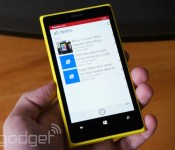
Windows Phone 8.1’s new apps let you make reading lists and bite-sized movies

The perks for Windows Phone 8.1′s early users just keep on coming. Microsoft has posted versions of two desktop Windows 8.1 apps, Movie Moments and Reading List, that are built solely for its new mobile OS. Reading List is arguably the bigger of the two releases — you can now save articles on your Windows Phone to digest them later on any synced device, whether it’s the handset or your PC at home. Like its full-size counterpart, the mobile app both highlights articles in its Live Tile and lets you pin favorite reading categories to your home screen.
Movie Moments is a tad more straightforward. The app lets you distill recorded videos down to minute-long clips with captions and your choice of soundtrack. After that, it’s just a matter of sharing the resulting masterpiece to Facebook or OneDrive. It’s doubtful that the tool will replace Instagram or Vine in your life, but it may be handy if you’d like to have a little more control over your short-form movie projects.
Filed under: Cellphones, Mobile, Microsoft
Windows will let you search your computer using everyday language

If you’ve ever searched a computer’s apps or settings, you know how frustrating it can be to guess the keywords you’ll need to get a result — why can’t you just say what you want and let the PC figure it out? Microsoft must have asked itself that same question, as it’s rolling out an update to Windows 8.1 that introduces natural language searches for common tasks. You only have to phrase your statement in a way that a human could understand to get useful links. Gripe that “my screen is too bright,” for example, and you’ll get a shortcut to the display settings. The new search feature won’t help you find everything you’d want, but it could save you precious time when it reaches Windows systems this week.
Filed under: Internet, Software, Microsoft
Source: Bing Search Blog

You can now stream WWE Network wrestling on your Xbox One

We already knew WWE was bringing live-streaming of its wrestling matches to the Xbox One (and pretty much every other device you might have in your living room). For whatever reason, though, streaming wasn’t actually available on the Xbox One back in February, when WWE first made the announcement. In any case, better late than never, right? The company just issued a press release letting us know it’s finally opened up shop on Microsoft’s new console. As promised, the service costs $10 a month with a six-month commitment, and brings access to live events, as well as videos on demand (think: classics). That’s a small price to pay to watch Hulk Hogan body slam Andre the Giant over and over again.
Filed under: Gaming, Microsoft
Source: WWE

Microsoft’s motion-sensing keyboard lets you skip the touchscreen

As convenient as touchscreens and air gesture controls can be on a PC, it’s not very comfortable to keep raising your hands just to handle basic tasks. You might not have to subject your arms to that kind of strain if Microsoft’s experimental Type-Hover-Swipe keyboard ever reaches shelves, though. The peripheral hides a grid of infrared motion sensors between the keys, letting you perform hand gestures in a more natural position. While the technology is very low-resolution (there’s just 64 pixels of data), it’s both fast and precise enough to recognize more advanced commands. Among other tricks, you can mimic a steering wheel with your hands when playing a racing game.
There’s no mention of production plans for the keyboard, and Microsoft notes that it’s not perfectly accurate in its current form. However, it’s a practical concept that could give your hands a much-needed break. Microsoft adds that the raw sensors could even be used for direct touch input, since it’s possible to deduce your exact finger position — in some situations, you might not need a touchscreen at all.
Filed under: Peripherals, Microsoft
Via: CNET
Source: Microsoft Research
China is getting the Xbox One in September

Microsoft’s Xbox One is coming to China in September, making it the first major console release in the country since it lifted its long-standing ban on video games. This comes after the company joined forces with China’s BesTV shortly before the country reversed its 13-year old gaming ban. While that law opened the door for international companies to sell consoles in China, it did retain one restriction: games have to be approved by the Ministry of Culture before they can be sold. Now, we just can’t help but wonder what titles made the cut.
Filed under: Gaming, HD, Microsoft
Source: Xbox (YouTube)
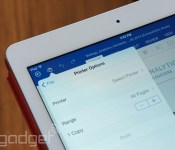
Office for iPad now lets you print documents

Microsoft vowed that Office for iPad users wouldn’t always have to track down a PC just to print their files, and it’s making good on that promise with a slew of app updates. The tablet-sized versions of Excel, PowerPoint and Word now let you make hard copies of documents so long as you have an AirPrint-friendly printer on hand. The move tackles one of the biggest gripes we had with Office when it launched last month; it’s at last possible to skip the computer entirely when producing that class report or family budget.
Printing isn’t the only upgrade in store. Excel now has auto-resizing for columns and rows, while PowerPoint gets Keynote-style guides that help align all the graphics just so for your big presentation. All told, these refinements are huge if the iPad is your productivity center — head over to the App Store source link to start updating.
Filed under: Tablets, Software, Microsoft
Source: Office iPad Blog, App Store
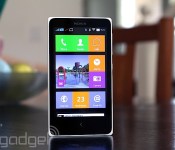
Nokia X review: What happens when Nokia makes an Android phone?

For a company now under Microsoft’s rule, Nokia has serious grit. The phone maker announced an Android phone called the X just two months before completing its merger with Microsoft. Even more intriguing is the fact that this is no run-of-the-mill Android device: The X comes with a Windows Phone-like launcher, offers Microsoft services and will be sold for around $120 in developing markets. While it may not be a powerful smartphone, it has many unique qualities that help it stand out from the low-end crowd. What’s it like, and should Microsoft invest in its success?
Hardware
The X doesn’t stray from Nokia’s signature design language. In fact, if I were to briefly see it in the wild (not knowing what it was), I’d easily confuse it for an Asha 500-series device. Just like the Ashas, the X has square corners, straight edges, a large bezel and a removable plastic back cover with a matte finish, although it lacks the transparent casing of the Ashas. My review unit is a white, dual-SIM Nokia X, but it also comes in black, blue, yellow, red and green.
Everything about the X looks and feels simple. A volume rocker and power button grace the right side, while a micro-USB port and 3.5mm headphone jack are located on the bottom and top, respectively. Keeping with Nokia’s usual style, the left edge remains devoid of any buttons. And just like the Asha 503, the front of the X features only a capacitive back button and earpiece. It lacks a front-facing camera, and when you flip the phone over, you’ll notice a rear 3.2-megapixel camera with no LED flash.
Fortunately, I had no problem holding the 4-inch, 10.4mm-thick device, although these days, such a handset is considered quite small. If you’re coming from an Asha or older 3.5-inch iPhone, you’ll likely appreciate the size of the device; just to put things in perspective, it’s 5mm wider and 1mm thicker than the iPhone 4s. Nokia will come out with a 5-inch version of the device known as the XL in the near future, so hang tight for a little longer if you’d rather go with something bigger.

Because it’s an inexpensive handset (it starts at $123 USD), the X was never intended to be a lavish device. It exists primarily to bring a modern smartphone OS to developing markets at a lower cost, so the specs are about as minimal as you can get these days. It comes with a low-power processor, WVGA display, limited internal storage (1.2GB user-accessible), small battery and so on. In other words, it’s ideal as someone’s first smartphone.
The X uses a 4-inch IPS LCD panel with WVGA (800 x 480) resolution. At a pixel density of 233 pixels per inch, the display is reasonable compared to other Android phones sold at around the same price. As expected from this kind of screen, the viewing angles are decent and whites are bright, but unfortunately, colors are unsaturated and there’s a lot of light unnecessarily bleeding out from the sides of the display. Those rough patches aside, the screen is actually pretty good for such an inexpensive device.
For connectivity, the X is a basic, entry-level 3G device suited for developing markets, though it sports a limited number of frequencies. It comes with quad-band GSM/EDGE and dual-band (900/2100) HSPA, which maxes out at 7.2 Mbps down and 5.76 Mbps up. You’ll also get WiFi 802.11b/g/n, Bluetooth 3.0 and GPS.
Software

The one area of the X that should appeal to both power users and first-time smartphone buyers alike is the firmware. In short, it’s unlike anything anyone has ever seen. Since the X is positioned between Nokia’s Lumia series and the Asha lineup, it’s not surprising that it uses a proprietary interface that takes elements from both devices, even though it technically runs on Android AOSP (version 4.1.2, to be exact). This means you can still use most apps, widgets and launchers supported on the platform, but just like on many Chinese devices running Android, you won’t have access to Google Play Services like Gmail, Contacts, Calendar and so on.
Nokia’s Android launcher

The default launcher on the X is tile-based, much like Windows Phone. The tiles can even be resized — two different options are available — and you can change the color of each one to fit your own way of organizing the phone. There’s enough space for three small tiles, or one large and one small tile, if you prefer. However, this system differs from Windows Phone in that Live Tiles aren’t supported, so most tiles don’t change at all when you make them larger (only specific ones, such as the gallery, add more functionality to the tile when enlarged).
You won’t have access to a standard Android app tray, but you can create folders if you like to download a bunch of apps. This action is done by long-pressing any tile, which also allows you to move apps around and add widgets at your leisure.
There are plenty of other gestures that you’ll need to learn as well. Tugging down on the launcher brings up a search bar (think Spotlight for iOS 7). Swiping down from the top opens up a type of quick-settings menu, which shows toggle switches for connectivity and music, as well as a list of devices or networks you’re connected to. There’s also a shortcut to your settings. Swiping up from the bottom reveals a menu that corresponds with whatever app you’re using.
Finally, a swipe to either the left or right brings up the Fastlane. This is a feature carried over from Asha (you can even trace its roots back to MeeGo), and it serves as Nokia’s version of the notification menu. It shows recently opened apps, notifications, alarms and your current music selection. Some alerts, such as texts and calls, are actionable, so you can respond to them within Fastlane itself; if you want to clear out your alerts, you can do it individually or all at once. You can also customize the list so unwanted items are filtered out. (Pro tip: Tapping the back button from the home screen will take you to Fastlane as well.)
There’s also a special lock screen that shows your recent notifications. Swipe left on an individual alert to remove it, or swipe right to jump directly into that app. You can also swipe up from the bottom to clear them all out, if you don’t want several notifications taking up all your screen space.
Just like on Nokia’s latest Lumia devices, the X features a Glance screen that lets you view the date, time and symbols for each type of notification awaiting you. Sometimes it works; sometimes it doesn’t. Additionally, you can double-tap on the screen to wake it, but I couldn’t get this to work very consistently. Unlike most Android devices, which offer reasonable multitasking options, the X is much more restrictive. You can only get to the Fastlane from the home screen, which means you can’t multitask without exiting your current app completely.

Nokia doesn’t bombard you with Microsoft services, but it does make them more readily available than, say, their Google equivalents. Skype is preloaded, but you can also get OneDrive and Outlook in the Nokia Store. Curiously, it almost feels like the company wants to avoid looking like it’s blatantly pushing Microsoft products, even though that’s exactly what it’s trying to do.
That doesn’t mean Nokia’s avoided bloatware altogether, however. You’ll still get too many preloaded apps: Opera browser, WeChat, Viber, BBM, Nokia MixRadio, Here Maps and 10 games. Many of them can be uninstalled, aside from the Nokia-branded offerings. Most core apps — dialer, messaging, calendar, camera, alarms, internet, music and email, for instance — were made by Nokia, and are thoughtfully designed. (I especially like the alarm, which was inspired by the MeeGo-based N9.) Even the keyboard has a Nokia flair that offers neat swiping gestures.
Using Android on the X

The best part is: If you don’t like Nokia’s interface, no sweat — just download a new launcher and use that as your default instead. I tried a few and each one made it feel like I was using a real Android device, but there are still some catches you should be aware of. Most importantly, Google Play Services aren’t allowed on the X (without rooting, at least). This means you don’t have the full suite of the company’s services: Play Store, Music, Games, Calendar, Voice, Google+, Contacts — the list goes on. Primarily, this is because Nokia wants to focus on selling Microsoft’s offerings instead, including Skype, Outlook, OneDrive and so on. This is actually a good idea on Nokia’s part, when you consider the first-time smartphone buyer (or anyone else who hasn’t been fallen under Google’s spell): If Windows Phone is too expensive, at least the X is a cheaper option that introduces users to Microsoft’s ecosystem in a roundabout way. In theory, once consumers are able to buy fancier phones, they’d be more inclined to give WP a closer look because they’re already tied into Microsoft services.
This kind of setup is enough to confuse most users. Along with this mix of Microsoft services, Windows Phone and Asha, the X is, at its core, an Android device. Thus, it supports most Android apps, but the means of obtaining those apps are not as cut and dry as they should be. The Nokia Store is the official place to go, but it doesn’t offer the same library as the Play Store. Instead, Nokia curates apps: It invites developers to add lines of code that make their apps compatible with Nokia’s special UI, and then submit their apps and wait for its approval. It’s quite the process, and judging by the limited number of available apps in the Store, it seems that a lot of developers haven’t bothered with it yet.
So what happens if the app you really want isn’t in the Nokia Store? To Nokia’s credit, the company’s made it possible to download or sideload any app you want — though it isn’t easy. If you can’t find the app you want in the Nokia Store, it suggests a list of third-party app stores for you to check out. Currently, it lists SlideME, Aptoide, 1Market and Yandex as options, and, by using this method, I was able to get the app I wanted around 95 percent of the time. Of the numerous searches I conducted, only a small handful produced no results. The problem is that it takes much longer to find the app you want (if you find it at all), and you have to go into individual stores if you’re looking for an update. Lastly, you can load any APK file onto the phone via microSD and internet links, though you won’t get updates unless you manually sideload them.
Camera

There isn’t much to say about the fixed-focus 3.2MP camera. The pictures aren’t fantastic (especially for Nokia), but it’s not fair to hold such an inexpensive phone to standards set by fancier devices. Since the X is intended for many first-time smartphone users on a limited budget, this camera will fit their needs quite well. It’s got a 1/5-inch sensor size and f/2.8 aperture lens, and Nokia even throws in a few manual settings to sweeten the deal, including ISO, white balance, exposure, sharpness and face detection.
Predictably, you’re not going to get great images at night. The phone simply doesn’t have the right specs to do low-light shots any justice. That said, the photos I took during the day actually looked about as good as one would expect from a camera like this; while the limited dynamic range and lack of autofocus make it difficult to have an enjoyable experience, I came away impressed by the color reproduction.
Performance and battery life

At such a low price point, the expectations for a phone’s performance differ from that of a midrange or flagship model. The X comes with a 1GHz dual-core Cortex-A5 Snapdragon S4 Play, an Adreno 203 GPU and 512MB RAM (the X+ and XL will come with 768MB). In plain English, this means it’s good enough to handle most basic phone functions, but it’s geared toward first-time smartphone users and developing markets, and isn’t meant to keep up with high-end, quad-core smartphones.
Looking at it from that point of view, I wanted to see a phone that’s usable, responsive and consistent. I didn’t expect it to make computations incredibly fast, nor did I need it to load games like Asphalt 8 on a dime. Still, it had to support all of the core apps and a few extras without crippling the user experience.
With these criteria in mind, the X has its share of good and bad traits. The mesh of various UI elements from different platforms will drive an Android aficionado nuts, but the X is also designed to keep things simple. As long as the user isn’t venturing too far into the weeds (sideloading apps, for instance), it’ll be easy enough for someone to figure their way around the phone. And while it may be a bit confusing for some, the learning curve and user experience are more reasonable than an Asha phone. In fact, as time goes by and the price of the X goes down, I wouldn’t be surprised to see this series completely replace the Asha lineup.

However, it isn’t a very responsive device. I noticed a lot of delays between my touch and the screen indicating that I’d done anything. There were plenty of times in which I had to repeat gestures over and over until it finally figured out what I wanted it to do. And at least a couple times a day, I long-pressed the back button to go to the home screen, only to be greeted by a lengthy pause and “please wait” message. I also noticed that the screen would randomly flash on and back off again, and it sometimes turned on in my pocket without being prompted (this caused frequent redials and misfiring emails to people I rarely talk to anymore). At times, notifications showed up later than they should have, and occasionally they didn’t even show up at all.
Because of all this, I can’t say that the X has consistency. Too often, I’d repeat the same action only to get different results. A handset that has a mind of its own isn’t something I can tolerate in any phone, regardless of how much it costs. In addition, it was often a pain to get even the most basic services set up on the X.
Call quality is mediocre at best, as most of my conversations have been full of static and the other end of the line is typically muffled. Additionally, my experience connecting the X to Bluetooth devices was inconsistent. On the other hand, the meager 1,500mAh battery lasted longer in regular smartphone use than I would’ve expected, although processor-heavy tasks did worse. After a day of moderate use, my review unit still had 30 percent leftover, and light phone users should be able to squeeze out at least two or three days, if not more. The phone didn’t fare well in our endless-video rundown test, making it only four hours before dying; in the X’s case, this isn’t so much an indicator of a horrible battery as it is the inability of the processor to handle such activities efficiently.
The competition

Pricing will vary depending on region, but the X officially retails for around $120. It’s positioned between the higher-end Lumias and lower-end Ashas, although, as I mentioned earlier, I wouldn’t be surprised to see the X make the Asha lineup irrelevant if it drops in price in the next couple years. Its current cost, however, is about the same as the Samsung Galaxy Star Pro, a comparable device with similar specs. The X has 3G support and a better camera, but it also has a confusing ecosystem based on Microsoft services; the Star Pro, on the other hand, has full access to Google services and features a more familiar TouchWiz interface. It’s also uncertain what kind of support Nokia will offer the X now that it’s officially under Microsoft’s wings, so it may make more sense to go with something like the Star Pro, which has a more robust ecosystem.
Wrap-up

Microsoft’s in a pickle. On one hand, its brand-new acquisition just came out with a product running its competitor’s OS; on the other, that same product might be key to gaining mindshare in developing markets, which is one of the bloodiest battlefields in mobile right now. It’s hard to feel confident in the X’s future because Microsoft may choose not to invest in the series, focusing resources on cheaper Windows Phones instead. Because of this uncertainty, the X needs to be an absolutely stunning device and a fantastic value if I’m going to recommend it — and unfortunately, it’s not.
For its cost, it has respectable features and solid hardware, but it doesn’t have enough redeeming qualities to help it pull ahead of its competition. The specs are comparable to a sub-$150 Android smartphone. However, the ecosystem is more confusing and the performance doesn’t quite meet my expectations for a budget device. Plus, who knows how long Microsoft will keep it around and update it? Nokia’s still a trusted brand, and it’ll get a lot of interest in developing markets regardless of the competition, but I was ultimately too frustrated to recommend this over other similarly priced models.
The X works better as a possible Asha replacement than a full-on smartphone experience, and perhaps that will happen in the next year or two. I’m more confident in the performance of low-end Windows Phones like the Lumia 520 than I am in comparable Androids, and a dual-SIM Lumia in this price range would be a much more compelling deal.
Edgar Alvarez contributed to this review.
Filed under: Cellphones, Wireless, Mobile, Microsoft, Nokia, Google

Good luck, Microsoft: Nokia’s phone sales are down 30 percent

Nokia, at least in the form that we once knew it, is no more. The handset business has been cleaved off and sold to Microsoft, but that union isn’t beginning on a happy note. In Nokia’s final earnings report as an independent phone manufacturer, the outfit revealed that it isn’t just feature phone sales that are dwindling, but that people are spending less on Asha and Lumia handsets too. In fact, the company’s overall sales fell by 30 percent compared to the same period in 2013. Nokia blamed the lack of interest in its low-end devices by saying that the industry was in a race to the bottom, while at the top, it let out the usual refrain of “competitive industry dynamics” — a polite way of saying that Nokia and Microsoft have been unable to topple the behemoths of Android and iOS. That’s been proven with the latest Kantar figures, where it remains a long way behind the big two in both the US and China.
But what about Nokia, the company that, post-merger, is a mapping, telecoms and research outfit based in Finland? The report details that there’s $2.8 billion in the bank, not counting the cash that Nokia will receive in payment for its phone business, but without a failing handset manufacturer to prop up, the picture’s looking a lot rosier. In fact, Nokia’s patent licensing business pulled in roughly $119 million in profit in the last three months, while HERE maps brought in $13.8 million and the networks unit adding a further $300 million. Under new CEO Rajeev Suri, the company is planning on becoming a research and mapping giant that’ll feed the industry with lots of juicy tech and provide an alternative to Google’s location-based data. Whatever becomes of it now, however, we’ll be keeping our eyes on ‘em to see how they do.
Filed under: Cellphones, Mobile, Microsoft, Nokia
Source: Nokia (.PDF)
 AIVAnet