


Office 365 subscribers are getting unlimited OneDrive storage

Last week’s earnings report highlighted how Microsoft is doing quite well, and it has Office 365 to thank for some of its success during the last financial quarter. And now the company is about to make things better for people who subscribe to the productivity suite. Microsoft’s going to start giving Office 365 Home, Personal and University customers free unlimited storage with OneDrive, its cloud-based digital locker service — a very kind gesture, to say the least. First, the company says this will roll out to subscribers of the aforementioned plans starting today, but the plan is to bring it to all Office 365 customers over the coming months. If you’re using Home, Personal or University now, however, there’s now a site that can help you flip the switch on your new all-you-can-have OneDrive goodness.
Filed under: Storage, Internet, Software, Microsoft
Source: OneDrive

Xbox One price slashed to $349 for the holidays

Good things come to those who wait, and Microsoft’s now in the business of richly rewarding those capable of delaying their gratification. If you’ve yet to pick up an Xbox One, then holding off until November 2nd will see the company apply a $50 price drop across the range. That means that a Kinect-free Assassins Creed or Sunset Overdrive bundle will be available for just $349, while the limited edition Call of Duty: Advanced Warfare package with a custom console and controller will be priced at $449. The offer runs all the way through until January 3rd, although we’d imagine that price sticking around if it helps to make a dent in Sony’s reasonably healthier console business.
Filed under: Gaming, Sony, Microsoft
Source: Major Nelson, Xbox Wire

Nokia Lumia 735 review: more than just a selfie phone

Hardware

One glance at the 735 and it’s immediately clear that this is a textbook Nokia (or rather, Microsoft Mobile) design. Its minimalist, rounded plastic shell looks like a Lumia 920 or 1020, just without the bulk; the newer Lumia is only slightly narrower and taller to accommodate its 4.7-inch screen, but it’s noticeably thinner and lighter, at 0.35 inch thick and 4.7 ounces. It’s one of the most comfortable phones I’ve held in a while, and about my only gripe is that the sharp-angled corners occasionally dig into my palm. I’m also a sucker for the matte mint-green finish on my test unit, since it’s at once eye-catching and resistant to dust and smudges. Don’t worry if this or the glossy orange is too garish for your liking, by the way — there are black and white models if you’re a little more conservative.
Not that the ergonomics have improved across the board, whether you’re comparing it to the 720, 920 or other previous Windows Phones. You’ll still find the volume and power buttons in easy-to-reach places on the right side, a headphone jack on the top and a micro-USB port on the bottom. However, you won’t see a dedicated camera key like you saw on the 720 as well as the more recent 830 and 930. Let that sink in for a minute — the Lumia 735, a smartphone devoted to spur-of-the-moment selfies, doesn’t have a quick way to take those selfies. It’s an odd regression on a device that’s otherwise a clear step forward, and it takes some of the fun out of a signature feature.

You may forgive that gaffe with the controls knowing the improvements to expandability. You can now pry off the entire rear shell, which lets you not only add microSD storage (already possible on the 720), but also swap covers and replace the 2,220mAh battery pack. If you regularly find yourself on weekend trips where wall outlets aren’t an option, or you just can’t stand USB battery packs, this could prove to be a lifesaver. The 720’s Qi-based wireless charging has carried over, too, so you can plunk the 735 down on a compatible charging plate at the end of a long day rather than fiddle with cables. Just be ready to buy a microSD card if you’re a shutterbug or otherwise tend to chew through free space. There’s only 8GB of built-in storage, so you’re going to run out of room very, very quickly if you aren’t ruthless about deleting files.
Beyond this, the back holds both a speaker and a 6.7-megapixel camera with flash and a wide-angle lens; on the front, you’ll see an earpiece, a mic and the phone’s centerpiece 5-megapixel selfie camera. You won’t find capacitive navigation keys, however. As with the Lumia 630 and 635, you’ll have to get through the Windows Phone interface using on-screen buttons. I didn’t have a problem with these controls taking up visual real estate, but it could be a concern if you don’t like toggling software keys on and off just to maximize the usable screen area for your apps.
Display and sound

If the Lumia 720’s display was a disappointment, the 735’s is a joy. Instead of a slightly cramped 4.3-inch, 800 x 480 LCD, you’re now looking at a 4.7-inch, 1,280 x 720 AMOLED screen. There’s much more room to breathe here, and visuals that once looked blocky are now crisp. The switch to AMOLED virtually guarantees deep blacks with full image quality at almost every viewing angle. Colors still pop without any obvious signs of oversaturation, and the output is wonderfully bright — so bright that I had to turn the brightness down to “low” when I wasn’t testing the battery. Suffice to say that you’ll have little trouble using this Lumia in bright sunlight.
That doesn’t mean it’s flawless, of course. There are sharper screens if you’re willing to go to higher-end hardware (the 750p Apple iPhone 6 and 1080p HTC One M7 come to mind), and it’s notable that the second-generation Moto G sports a 5-inch, 720p LCD at a lower price. Moreover, you don’t get the Lumia line’s hallmark Glance feature, which shows the time and basic notifications while your phone’s asleep. I found myself missing that convenience more than a few times during my trial run; I don’t want to wake my phone up just to know how late I’m going to be. The 735 does have both a high-sensitivity and a double-tap-to-wake option, mind you, so it’s still a good pick if you either like to wear gloves or don’t want to reach for the power key every single time.
Sound on this Lumia isn’t nearly as impressive. The rear-firing speaker is loud, but there’s virtually no bass; you’ll definitely be plugging in headphones to enjoy your tunes as they were meant to be heard. And while the grille is positioned at an angle that keeps it exposed on a desk (such as during a speakerphone call), it’s a little too easy to muffle the sound while holding the phone in your hand. Given how closely the 735 resembles the 920 and 1020, I’m surprised Microsoft’s mobile team didn’t keep the speaker in an unobstructed position on the bottom.
Software

Windows Phone 8.1 is no longer all that fresh, but it’s still an important factor in whether or not you’ll like this device. If the Lumia 720’s software felt undercooked, the 735’s comes across as well-done. There’s a notification area to catch those important alerts, and Cortana’s voice command engine will do your bidding; the Word Flow keyboard gives you swipe-based typing, and you have more control over the look of your home screen (including folders and wallpaper). There are still gaps in the OS, such as Microsoft’s unorganized settings and Cortana’s inability to handle timers. Even with the hiccups, you can pick the Lumia 735 without feeling that you’re sacrificing basic features from Android or iOS just to get some of Windows Phone’s key advantages, like Live Tiles and deep tie-ins with social networks.
It’s also appealing for what you don’t get: bloatware. Aside from the curious inclusions of Gameloft’s GameHub and the Domino’s Pizza app — no, really — my unlocked test unit was limited to the expected batch of Lumia apps (such as Beamer screen sharing), MSN apps (like Sports) and Here navigation tools. The best part? You don’t have to keep many of these titles. Even if you wind up with a carrier-locked 735, Windows Phone will let you uninstall nonessential apps to either free up storage or remove clutter.
The platform still has an app deficit, though, and it remains an Achilles’ heel. Don’t get me wrong: Most of your needs are easily covered. You’ll find Instagram, Swarm, Vine, WhatsApp and other staples of the modern smartphone experience. However, there are still a few holes. If you lean heavily on Google’s ecosystem, Windows Phone still isn’t for you. You’ll find alternative apps like IM+ (for Hangouts messaging) and MetroTube (for YouTube), but the platform remains best when you’re taking advantage of Microsoft’s own wide array of software, like Skype and Xbox Video. The more pressing issue is simply the lack of “last mile” apps that cover specialized services and utilities, such as your local bank or transit authority; you may have to make do with websites or unofficial tools. The Windows Phone Store’s selection is healthy, but Microsoft needs to focus more on the quality of its catalog, not just the quantity.
Camera

Photography is ostensibly why you’re here — if it weren’t for the promises of high-quality selfies on a budget, there wouldn’t be much to capture your imagination and lure you away from other smartphones. Thankfully, the Lumia 735 lives up to that billing… so long as your expectations match the price, anyway. The 5-megapixel front-facing camera is sharper than what you’ll normally find in this class, and the combination of a wide-angle lens and a relatively bright f/2.4 aperture (both carried over from the 720) produces shots that are well-lit and let you fit an absurd amount of content into the frame. There was plenty of room for three people if I held the phone at arm’s length, and solo self-portraits can easily include tourist attractions or other scenic backdrops.
With that in mind, Microsoft definitely isn’t setting a new high watermark in photography. The Lumia’s front cam has a slightly bluish tone, and shots in moderately dim settings are prone to both noise and occasional blurring. The dynamic range and shot-to-shot performance are also lacking. It’s not uncommon to see blown-out skies in daytime images, and you frequently have to wait a couple of seconds as the 735 processes a photo; you won’t be taking rapid-fire snapshots any time soon. I’m also of a mixed opinion about Lumia Selfie, Microsoft’s app for — what else? — front-facing pictures. Its Auto Selfie mode is great for using the rear camera to capture photos, and there are plenty of filters and face-specific adjustments, but you have little control over the photo before you tap the shutter. If there’s a sickly hue from a nearby street lamp, for instance, you’ll have to fix it later. These limitations are fine for the price, but I’d prefer phones like the HTC One M8 (with a brighter f/2.0 lens) or iPhone 6 (with burst selfies and smarter image processing) if money wasn’t a factor.
And the back camera? You’re still dealing with the 720’s 6.7-megapixel sensor and a wide-angle f/1.9 lens, so the story hasn’t changed much versus a year ago. It’s fine for the price range, but the quality varies wildly depending on the situation. While images are often vivid and sharp in good lighting, there are occasional moments when the results are lifeless or flat-out inaccurate; like many Lumias, it periodically wrecks the color balance for no apparent reason. As with the front shooter, the main cam’s dynamic range is limited and tends to hide detail in both highlights and shadows. It’s capable enough in low-light situations, but don’t let that sweet-sounding aperture fool you — you’ll still have to keep a steady hand for night shots.

Microsoft partly makes up for these shortcomings through its superb Nokia Camera app. The software doesn’t just give you far-reaching control over elements like focus, sensitivity and white balance, but also presents all that control in a meaningful way. You’ll see the effects of most changes in real time, and they’re simple enough that you’re encouraged to experiment. Case in point: Fully automatic shooting ruined a nighttime river scene, but the manual controls let me take a long-exposure, low-sensitivity image that was far more pleasing. You can also tie Nokia Camera into other apps through software add-ons (“lenses”), so you’re only a quick hop away from the likes of Bing Vision searching or 6-second Vine clips.
Video recording on either of the 735’s cameras (both of which can handle 1080p) mirrors the visual quality you get with stills, just with reduced input over the picture. You’re mostly restricted to tuning white balance and focus when shooting with the main camera, and those few options go away with the front unit. Microsoft’s real ace in the hole here is audio recording. As with many recent Lumias, there’s a Rich Recording setup that prevents very loud noises from overwhelming the microphones, such as bass at a concert. The Lumia can be overzealous in muffling sounds with the default settings; occasionally, it sounds like you were recording from a closet. Nonetheless, that’s still preferable to the unlistenable messes you frequently get from other phones.
Performance and battery life

Gauging the Lumia 735’s speed is difficult. If all you’re doing is measuring specs, it’s no great shakes. Although the quad-core 1.2GHz Snapdragon 400 processor and 1GB of RAM are miles above the dual-core chip and 512MB of RAM of the 720, they’re strictly par for the course among low-end phones these days. In fact, the extra memory is this phone’s only real performance advantage (albeit an important one) over the Lumia 630 and 635. Why would you pay Microsoft’s asking price when something like the Moto G has similar innards for less?
| Lumia 735 | Lumia 720 | Lumia Icon | |
|---|---|---|---|
| WPBench | 245 | 179 | 471 |
| SunSpider 1.0.2 (ms) | 1,237 | 1,440 | 538 |
| AnTuTu | 12,060 | 7,348 | 25,750 |
| SunSpider: Lower scores are better. | |||
Because specs don’t tell the full story; that’s why. No, the 735 won’t outrun high-end beasts like the Lumia Icon or One M8 for Windows, but it thrashes the Moto G in the SunSpider web browser test (1,237ms vs 1,534ms) — proof that Microsoft can wring out additional performance through software. You’d be hard-pressed to tell that this wasn’t a flagship just by steering through the basic Windows Phone interface. Scrolling is fast and fluid; transitions happen at a brisk pace; and many apps respond as quickly as you’d hope. If all you’re doing is checking Facebook and playing music, this lower-end Lumia will serve you as well as something costing twice as much. It’s certainly a better pick than the 630 and 635, whose low memory is going to curb your ability to run games and other intensive apps.
There’s only so much Microsoft can do, however, and it’s when you dive into demanding apps that it becomes clear you’re not using a powerhouse. Besides slower web-browsing performance (it’s roughly half as quick as the Icon in SunSpider), the 735 just isn’t great for 3D gaming. A modest title like Wings on Fire plays smoothly, but you can expect stuttering in a visually rich arcade racer like Asphalt 8. No, it wouldn’t be reasonable to demand blistering frame rates from a device so cheap, but you will have to dial your expectations back a notch.

You won’t have to worry much about battery life. That 2,220mAh pack isn’t huge in an era when some mid-size phones pack upwards of 3,000mAh, but it’s also driving modest hardware. That’s reflected in the healthy longevity I got during my stint. The Lumia 735 managed 9.5 hours in a battery-rundown test that involved looping an HD video at medium brightness with email, Facebook and Twitter running in the background; that’s actually half an hour better than Microsoft’s official estimate. It’s more than enough to get through a day of moderate use that includes Instagram, Twitter, Swarm check-ins and instant messaging, although I would get nervous if someone invited me to enjoy a long night out.
No matter what, cellular performance comes up aces. The unlocked 735 I tried sadly didn’t support North American LTE frequencies (only bands 3, 7 and 20), but it still managed very respectable averages of 21 Mbps for downloads and 8 Mbps for uploads on Rogers’ dual-carrier HSPA+ network in Ottawa, Canada. It should play nicely on AT&T’s network in the US, if you get the same model. Call quality, meanwhile, is excellent. Both ends of the conversation are loud and clear, while the noise-cancellation feature does a fine job of squelching background audio — a recipient couldn’t even tell that I had loud music playing in the background during one test. You should anticipate similarly stellar voice calls on the Lumia 730’s two lines, but it’s going to be slower given that it only supports single-carrier HSPA+ data.
The competition

The Lumia 735 is entering a crowded field of not-quite-entry-level smartphones, and your choices are going to vary dramatically depending on what platforms you’re willing to use and where you live. You’re likely to run into a few common alternatives, though, so let’s dig in.
When you limit yourself to Windows Phone, the 735 is a fairly safe bet — in part because it’s tough to find brand-new handsets that directly compete in both price and size. A lot of what’s available is a clear step down in both memory and screen quality, such as the Lumia 635 or Huawei’s Ascend W2. If you have a set spending limit, you may want to consider the Lumia 1320. You’ll give up the 735’s camera prowess and quad-core processing, but you’ll get both a gigantic 6-inch display and a long-lasting battery. If anything, the biggest threat to the 735 is the next step up, the Lumia 830. You’ll lose some quality in selfies, but you’ll also get a more powerful 10-megapixel rear camera, a hardware camera key, more storage and a slightly larger 5-inch screen. Even then, it’s still tempting to pick the 735. It delivers nearly all of the 830’s performance and display quality in a package that leaves lots of cash left over for accessories.
If you’re not wedded to Microsoft’s ecosystem, the rivalry becomes much fiercer… and frankly, the Lumia doesn’t emerge unscathed. Not surprisingly, the elephant in the room is Motorola’s second-generation Moto G. You’re getting most of the experience for a smaller outlay (€199 or less in Europe, $180 in the US), and you’ll get both a higher-resolution rear camera and a larger screen, to boot. While the 735 does have LTE data, wireless charging and better selfies, you’d have to value those a good deal to justify the premium. HTC’s Desire 616 offers a similar bargain, although it’s not as easy to find. Samsung’s comparably priced Galaxy Grand 2 is no real threat, but do look at Huawei’s Ascend G6 — while you lose screen sharpness, you’re getting a good selfie cam and a higher-resolution rear shooter for less cash.
Wrap-up

I won’t lie: I came into this review worried that the Lumia 735 would lean too hard on the selfie angle at the expense of other features, much like the 720 did. Happily, this isn’t the case. The 735 (and by extension, the 730) is really a capable, stylish budget smartphone that just happens to take some nice self-portraits. Microsoft Mobile has ironed out many of the kinks from the 720 while simultaneously lowering the price. How can you not like that? To me, the 735 is the real successor to Nokia’s cult favorite, the Lumia 620. It costs a bit more, but it still strikes a fine balance among attractive design, affordability and solid performance. The 630 and 635 are only worth considering if you simply must have a modern Lumia and can’t justify spending more.
Having said this, there are a few big items on my upgrade wish list. The 735’s cameras could stand to perform better, particularly in darker scenes; it really needs a camera key, or at least a lock screen shortcut; it’d be nice to get both a faster processor as well as more built-in storage. And yes, the app supply remains a concern. The Lumia 735 is a very good phone for what you’re paying, particularly if you’re committed to Windows, but it stops short of greatness.
Filed under: Cellphones, Mobile, Microsoft, Nokia

‘Fantasia: Music Evolved’ and its origins in the Kinect-hacking scene

The developers at Harmonix aren’t afraid to hit the reset button if something isn’t working correctly. Chances are, strumming a plastic Stratocaster changed quite a bit before you ever even started playing “Creep” by Radiohead in Rock Band. Same goes for stepping to the beat of Lady Gaga’s “Poker Face” in Dance Central, too. That willingness to start from square one time and again? Well, it’s carried through to the developer’s latest Kinect title, Fantasia: Music Evolved, out now for Xbox 360 and Xbox One, as well. The team’s aim, seemingly regardless of project, is for whatever you’re doing in one of their titles to seem perfectly obvious and natural.
“There’s a huge willingness to throw stuff away and start over,” Fantasia‘s lead programmer Mike Fitzgerald says. “It feels like [the final product] just works, when in reality it took a long time and a ton of work to make [gameplay] invisible.”
The Police’s “Message in a Bottle” in Fantasia: Music Evolved
To do that this time around, Harmonix turned to the Kinect-hacking scene for its Disney-funded project. At the outset, the team was keeping a close eye on what garage-based developers (and likely a few rock stars) were doing with Microsoft’s do-all sensor, using its SDK as they saw fit for all manner of things. Harmonix brought in Jason Levine. He’s well-known in the Kinect community, and has done live stage performances using Redmond’s camera setup to track his body position for real-time visualizer backgrounds. He seemed like a perfect fit to consult on a game that ultimately turns you into a conductor on songs ranging from “Night on Bald Mountain” to more contemporary fare like “Royals” from Lorde.
Levine’s position-tracking input can be seen in the game: the silhouette at the bottom of the screen that reflects your motions back to you. That bit became one of the game’s core design elements, letting you see what it was the Kinect was watching you do in real-time as a sort of positive reinforcement. “It’s different from Fruit Ninja [Kinect] in that you have to manage your silhouette,” lead designer Jonathan Mintz says. Meaning, it’s getting the rhythm of your movements synced with the actions onscreen — not just swiping at fruit randomly as it flies in front of you. “We don’t care about positions; what we care about is timing,” he adds. “We let the player find a style of motion that works for them; then they listen to the music and watch the [gesture] cues to get a sense of rhythm.”
Jason Levine at New York City’s Hardware Hack Lab
The inherent problem with basing a game off of hacks, apparently, is teaching others how to use them. “If you build a tool for yourself — like a 3D DJ controller-like Kinect hack — you can perform it really well,” Mintz says, “but it’s got this really steep learning curve.” That can make it hard for anyone else to use. “It’s probably more frustrating than learning an instrument, where at least you know what fret you’re holding.” he adds. He likens it to learning a theremin, an electronic instrument that you don’t even touch for it to produce different sounds. “You have to learn how to move in space and you can get these outrageous results.”
To combat this with Fantasia, individual movements are taught to the player on a song-by-song basis until the training wheels come off and songs start getting more and more complex.

A group of French theremin players
Mintz says that while creating a hack might look impressive, making it fun is completely different. That’s where partnering with Disney has its advantages. Mintz says that Walt and Co. afforded the team “a lot” of time to get the actual game aspects of their hack right and, perhaps most importantly, to make it enjoyable. Implementing a structure that guides players through the complexities of the title at a deliberate pace before taking the training wheels off completely was paramount as well. “That’s where having the time to figure out the structure that would help as many people be able to do that as possible was really great,” Mintz says. In practice, the progression in the game feels pretty natural and after a few songs of training, the skills that make it feel like you’re behind the music control come in.
“Getting something functional on the hardware is doable, right? That’s why you see all these cool hacks out there,” he says. “Taking the time to build that into a game context where there’s a really strong design around it, where there are goals and things for the player to explore with it? That seems like the harder part.”
It’s difficult because any tech demo can be fun for five minutes, but stretching it into a 10-hour or more experience that people actually want to come back to takes work, along with, naturally, some talent and a willingness to keep exploring new avenues when older ones aren’t panning out. It takes a bit of a maturity to not have tunnel vision or get stuck on an incorrect solution to a problem, too — something forged in the hobbyist scene. If something isn’t doing what you want, you either have to find a creative way around it, or just take a step back in the project and start fresh.
“Night on Bald Mountain,” from Fantasia
In the embryonic stages, Fantasia was more like a puzzle-based point-and-click adventure, but with gesture controls. That led to an issue of trying to avoid overwhelming the player with the user interface so that he or she wouldn’t literally be flailing about, not knowing what to do next — actions that clashed with the game’s target audience of kids and families.
“It always felt to me that it was giving players a point-and-click adventure’s inventory puzzle, but the inventory was anything you could physically do in front of the camera,” Mintz says. There was much waving about in vain attempts to solve puzzles, and the feature was ultimately scrapped, but it led to Fantasia‘s 3D cursor system in the end. What’s in place now is nigh-invisible, and surprisingly intuitive.
There was even a two-handed mode at one time, where each extremity represented a cursor, and you were spreading paint around a given scene. While it might seem like a waste, these failures eventually led to the game’s final form: more or less putting you in Mickey Mouse’s wizard cap to conduct an orchestra (or pop song) — often two hands at a time, and remix music set to some pretty wild visuals.
“It’s a matter of seeing [a hack] in a game context and with a whole host of other problems,” says Fitzgerald. “Not the least of which is what will people pay you for? [laughs]“
[Image credit: AFP/Getty Images (Theremin players)]
Filed under: Gaming, Home Entertainment, HD, Microsoft

‘Don’t freak out!’ and other tips for surviving layoffs as a video game developer

The game industry is capable of building incredible worlds, engrossing us with believable characters, and empowering us to destroy (or create!) both. The unfortunate side of all that enchantment is the shaky business models that much of the industry are built on, which leads to cyclical, annualized layoffs that affect even the most successful franchises. Just look at the recent history of Joystiq‘s layoffs tag: it’s ridiculous. Why is this the case? Kotaku‘s Jason Schreier did an excellent job reporting that last year, right here, so we’re not going to duplicate efforts. This piece is about what you can do, should you find yourself being put through the wringer this holiday.
Oh, and yes, the annualized layoffs tend to happen around the holidays (which coincides with many companies’ financial quarters ending). Sucks, right?
Seattle-based animator Floyd Bishop took to his website, GameDevTalk, and laid out a list of best practices should you encounter the ever-swinging scythe of layoffs. First and foremost? Make sure you actually listen when human resources is walking you through the proceedings.
“There will be lots of information, and you’re still reeling from the initial shock. Try to write things down, if you can. If you didn’t hear something, or have a question, ask it now. They may also have some hand outs ready for you that tell you what happens next. Be nice! This is not a fun day to work in human resources.”
Okay, okay — that’s pretty general “I got laid off” advice. Fair enough. If you’re of the game developer variety, though, Bishop’s got targeted advice too. For instance, get your work online immediately, and sign up for job newsletters from the biggies. “Sites like Gamasutra, Creative Heads, and even Indeed have both job listings and job alert email lists,” Bishop points out.
Despite video games going mainstream, the industry that creates those games remains surprisingly small. As such, Bishop recommends, “Do not instantly talk trash about the studio you were just let go from.” Is it tempting? Sure is! These are the bastards who just fired you, right? Yes, they are, and they may also be the people who hire you for a new project in five years.
Bishop of course has far more detail than we’ve put in here, so we suggest heading over and reading the full piece if you’re in the regrettable position of being laid off as a game dev this holiday.
[Image credit: AP Photo/Elaine Thompson]
Filed under: Gaming, Software, HD, Sony, Microsoft, Nintendo
Source: GameDevTalk

Microsoft is finally dropping the ‘Nokia’ from Lumia

Over a year after the acquisition was first announced, Microsoft is officially replacing the Nokia Lumia brand. In a blog post today, the software giant revealed its upcoming smartphones will now be known as Microsoft Lumia. The new Microsoft branding will appear on future phones from the company, with a plain black version of the company’s four-squared logo also set to make an appearance.
Tuula Rytilä, Microsoft’s SVP of Marketing for Phones, says the company is looking to unveil its first own-brand Lumia phone “soon.” Rytilä is also keen to note that the change in nomenclature will not affect the support of current Nokia devices. Although the Nokia name will no longer be used for smartphones, low-end phones — the company calls out the Nokia 130 — will still be sold under the banner. Nokia still has brand cachet in Europe and developing markets, and it’s likely that Microsoft will continue to exploit that fact for years to come.
Filed under: Cellphones, Mobile, Microsoft, Nokia
Source: Microsoft (Nokia Conversations)

Microsoft is doing great, and so are Surface Pro 3 and Office 365

The cloud has been a solid source of income for Microsoft in recent times, and while the company is still in the middle of a huge transition, the future is looking bright under recently appointed CEO Satya Nadella. Today, Microsoft released its earnings for the first fiscal 2015 quarter, with the main takeaway being the growth of its Devices and Consumer revenue by 47 percent, to $10.96 billion, and a total of $23.20 billion in overall revenue, a 25 percent increase compared to the same period last year. In other words, business is superb over in Redmond.
Part of the reason for this is how successful its productivity suite, Office 365, has been — there are now over 7 million subscribers to the Home and Personal software. What’s more, Microsoft revealed that the Surface Pro 3 drove the momentum of its Surface line to a revenue $908 million, doubling the amount of the previous quarter; meanwhile, 2.4 million Xbox units were sold during the term, though the company didn’t specify how many of those were for its newest console, the Xbox One.
Beyond that, its smartphone efforts continues to be on the rise. The phone hardware business totaled $2.6 billion and 9.3 million Lumias were sold, which is an even better figure than the record 8.8 million sales reported within the same timeframe last year. “We delivered a strong start to the year, with continued cloud momentum and meaningful progress across our device businesses,” Amy Hood, Microsoft’s Executive Vice President and CFO, Amy Hood, said in a statement from the company. “We will continue to invest in high-growth opportunities and drive efficiencies across the organization to deliver long-term shareholder value.”
Developing…
[Image credit: Michael Kappel/Flickr]
Filed under: Desktops, Laptops, Tablets, Software, Microsoft

Let’s look at each game console’s lineup of exclusives for holiday 2014

Can you smell that? It’s the aroma of game lovers’ tears everywhere as they realize their bank accounts likely can’t sustain buying every title coming out in the annual deluge of fall video game releases. That’s to say nothing of the amount of time you’d need to play absolutely everything that’s come out since September. Or even on November 18th alone! But what is each console offering exclusively this holiday? That’s a bit more manageable, and we compare them below.
With a few exceptions, nearly everything made by a third-party developer (i.e., one not working solely with Microsoft, Nintendo or Sony) is available on PC, so we’re going to leave those out of the conversation. Platform-exclusive goodies don’t count here either — adios, Far Cry 4!
Sony’s PlayStation 4

Sony made its bed at E3 this year and is now getting comfy under that (likely luxurious) comforter. During its near-two-hour-long media briefing, it mentioned first-party retail games exactly three times. And in that trio, only one title was an original game for the PS4 that was coming out this year. That was none other than the adorable 2D platformer, LittleBigPlanet 3. The other two? The Last of Us: Remastered and Uncharted 4: A Thief’s End. While LBP3 will likely be every bit as whimsical and charming as previous efforts, it isn’t exactly the first thing that comes to mind as a tentpole fall release that’ll move loads of consoles — especially not when it releases the same day as Far Cry 4 and the Grand Theft Auto 5 remaster: November 18th. Not that the PS4 needs much help with that anyway; last we knew, over 10 million of them have been sold so far.
Considering what we’ve been able to experience of it, it’s pretty apparent why the already-released racer Driveclub wasn’t given any time on the stage at E3 this past June. The game is pretty in spots, but an absolute bore to play, which is all the more disheartening given that the developer’s previous work was the over-the-top (and excellent) MotorStorm franchise. That’s to say nothing of how the game’s been hamstrung by connectivity woes that render its key feature, a socially driven online experience, utterly unusable.
PlayStation’s fall commercial featured third-party games exclusively.
No one really expects a system’s launch to have amazing games, but here we are almost a year later and the PlayStation 4 still doesn’t have a killer app. Even Sony itself seems to acknowledge this with TV spots that feature third-party games exclusively. Hell, the PlayStation Twitter account’s header image is for the trio of those titles in the commercial — not one of its internally developed games. At this point in its predecessor’s lifecycle there was the first Uncharted as well as Ratchet and Clank Future: Tools of Destruction to look forward to; neither Driveclub nor LBP 3 look to stand up to that legacy. Looking ahead, Sony’s got The Order: 1886 (originally scheduled for a fall 2014 release) coming early next year, in addition to the hugely anticipated Bloodborne, the next game from the Dark Souls team. For now, though, the PS4 is a hard sell when it comes to games that you can’t get anywhere else.
Nintendo’s Wii U

Super Smash Bros. Those three words alone could be enough to carry Nintendo through this holiday season, but the gaming giant has a pair of other games to help lighten Mario and Co.’s load too. Not only is Smash absurdly anticipated — the 3DS version beyond whet our appetite — but it’s also releasing on two platforms and has its own set of Skylanders-esque figurines (dubbed amiibo). Nintendo’s had a relatively good year so far, and if Mario Kart 8 was any indication, we can expect the Wii U version of its mascot-laden fighting game to flex some serious muscle when it comes to moving a few consoles come November 21st and beyond.
Then we have the just-released Bayonetta 2 (like, this week), a game that’s likely to please the hardcore crowd with its frenetic pacing and old-school approach to action and combat. Granted, it earns every bit of its Mature rating, but series fans know what they’re getting into with this one. You’re a witch who fights angels and demons on the back of a fighter jet, among other places. Seriously. Who can’t get behind a premise like that?
Taking a step away from the violent side of things is Captain Toad: Treasure Tracker, a spin-off from last year’s incredibly good Super Mario 3D Land. In Captain Toad, you’re navigating the adorable, mushroom-adorned Toad through a variety of puzzles in themed worlds that should be familiar to anyone who played 2013’s Mario release. Wait, you didn’t? For shame! At least you can make up for that this year.
Surprisingly, Nintendo’s first-party line-up is incredibly strong this season. The Japanese company’s reputation rests on its ability to make games that no one else can or seemingly wants to. Even without a proper Mario or Legend of Zelda release this holiday (we’re excepting Hyrule Warriors as a side game rather than series entry), Nintendo proved that it has what’s needed to compete against the likes of its relatively younger opponents with practiced ease.
Microsoft’s Xbox One
Perhaps more than any console maker, Microsoft has the most to prove this fall. Redmond came out on the losing end of a PR battle when it announced confusing (and somewhat consumer-hostile) policies for the Xbox One last year, not to mention it costing $100 more than its closest rival, the PS4. Phil Spencer and Co. responded in 2014 by doubling down on games, hoping to shed the image forged by a previous management regime. At the firm’s media event at E3 this year, it spent the entire time talking about games and a majority of that was devoted to platform exclusives and first-party titles. The company line that it was all about “games, games, games” wasn’t a hollow promise and this fall’s crop of Xbox One releases shows it.

Let’s start with Forza Horizon 2: It’s excellent. Unlike Driveclub, it’s a social-based racing game that worked as promised from the outset. Beyond that, though, it’s an absolute blast to play. From racing against a bullet train as The Clash’s “Train in Vain” blasts over your car’s stereo, to challenging a buddy’s ghost to a head-to-head race only to see it drive his Hemi ‘Cuda up a hillside in effort to gain the lead, there’s loads to see and do in the game. In fact, both Ben Gilbert and I have stopped playing Destiny to soak in as much of virtual Nice as possible. You should not miss Forza Horizon 2.
When it was first teased at E3 2013, no one quite knew what to make of Sunset Overdrive. It was a parkour-style open-world something from the folks at Insomniac Games (Ratchet and Clank and Resistance franchises for PlayStation), but that’s all anyone really knew. What a difference a year made, however. What we played of the punk-rock take on Crackdown and to a certain extent, Tony Hawk Pro Skater, though, at E3 this year made us believers. It’s unapologetically a video game; bright, stylized and flashy, with a highly saturated color palette that emphasizes cartoony fun over everything else. Hell, there’s a weapon that shoots ricocheting vinyl records at energy-drink-crazed mutants and an RPG that uses teddy bears as ammunition. It’s the best kind of ridiculous.
And how could anyone forget Halo: The Master Chief Collection? We broke the news that it was coming, and since then it’s been impossible to ignore. Microsoft is going all-out for this release and including every multiplayer map that’s ever been in a Halo game into the package, as well as fully remastered versions of classic Halo 2 arenas and a totally overhauled campaign for the sequel. What else? The other three numbered Halo releases running at 1080p and 60 FPS.
Perhaps even more than Nintendo, Microsoft was in panic mode this past year. Given the improvements that’ve been made to the Xbox One’s system software and the price drop that brings parity between it and the PS4, the Xbox One is the best environment to play games that you can’t get anywhere else this fall. If all goes well, maybe Redmond will take to touting sales numbers of its own soon enough.
Filed under: Gaming, Home Entertainment, Software, HD, Sony, Microsoft, Nintendo

Some Xbox One users can already add custom backgrounds to the console

The folks in Microsoft’s Xbox One update preview program are a pretty privileged bunch. Hot on the heels of this week’s announcement that the next patch for its new console will bring custom backgrounds, Redmond’s giving that access to the testers starting today. This is in addition to the ability to use a custom color or achievement image for your backdrop, and comes as an update to the system’s media player app. Sounds pretty simple to use, too: just open the JPEG or PNG file of choice from a USB drive, hit the controller’s menu button and choose to set the image as a background. What’s more, the outfit has even posted a Photoshop template for calculating just what in your picture will and won’t be obscured by the Xbox One’s tile-filled dashboard. Voila, now you’ll have something other than the infinite blackness of eternal night to occupy the system’s UI.
Filed under: Gaming, Home Entertainment, HD, Microsoft
Source: Major Nelson
Windows 10 has new ways to protect you against internet data breaches

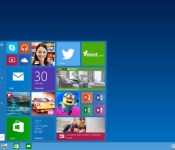
There are plenty of online services that use two-factor authentication to reduce the chances of someone hijacking your account after a data breach, but what about the operating system on your PC or phone? You’ll get that safeguard if you use Windows 10, according to a Microsoft security brief. The new OS will optionally treat a device (including something nearby, like your phone) as one authentication factor when signing into a local or internet account, and a PIN code or biometric reader as the second. If hackers find your login data sitting on a server, they won’t get to use it unless they also have your gear — and in some cases, they may need a fake fingerprint as well.
Not that Microsoft is leaning solely on this to guard your digital goods. The new platform will store user access tokens in a secure “container” that can’t be exposed, even if an intruder messes with the Windows kernel’s code. It’ll also keep your home and work data separate (like Android for Work or BlackBerry Balance), give you finer-grained control over virtual private networks and let companies prevent staff from installing anything but digitally signed apps. This doesn’t mean that you can stop worrying about control of your info as soon as you install Windows 10, but it could reduce the chances of a full-fledged security disaster.
Filed under: Internet, Software, Microsoft
Source: Windows For Your Business, The Fire Hose
 AIVAnet