



Get a closer look at Microsoft Outlook Preview for Android
 Microsoft has announced a preview of their Outlook mail client for Android smartphones and tablets, so if you’ve been waiting for a full Outlook solution for your devices, the wait is over. The app supports syncing and managing your mail, contacts, and calendars, and it’s been created from the ground up to work on a smaller screen like your smartphone.
The apps still feature some of Microsoft’s own UI touches, but for the most part they have a great interface that makes it easy to manage your inbox. MS offers its own take on priority mail by giving you a Focused and Other tab for your mail, where the Focused mail is what’s important and Other is full of things you can get around to later. As you move your emails between the tabs, Outlook learns which emails belong in which tab, which is a useful feature.
There are tons of other mobile-focused features that make the app great as well, including gesture and swipe interactions, full integration with the calendars on your device, and quick ways to attach cloud files to your emails. The app is definitely a great choice for someone that uses Microsoft’s services, but it’s got plenty of competition from apps like Inbox and Mailbox.
For the full details about the Outlook Preview for Android, you can check out Microsoft’s blog post below.
source: Microsoft
Come comment on this article: Get a closer look at Microsoft Outlook Preview for Android
(Update: final versions) Microsoft Office for Android tablets now available on Google Play

Update, January 29: Microsoft has now released the final versions of its Word, Excel, and Powerpoint apps for Android tablets. The apps dropped the “preview” label, so you should expect a solid and polished experience. The apps are still only available to Android tablets (7-inch and higher.) Check them out in the Play Store: Word, Excel, Powerpoint.
According to the Office blog: “When you use the apps for personal use, core editing is free and premium features require a qualifying Office 365 subscription. When used for commercial use, you need a qualifying Office 365 subscription for editing and premium features.”
Original post, January 6:
Back in November, Microsoft opened up early previews builds for its new mobile Office applications for Android tablets to those willing to sign up and wait for an invitation. After taking on feedback over the past couple of months, Microsoft has announced that it is expanding its preview scheme by releasing its Office applications to everyone directly through the Google Play Store.
The new Office software for mobile unifies Android, iOS, and Windows platforms. Previously each platform had to make do with its own apps, meaning that feature sets differed depending on your operating system and updates were often slow and intermittent. By unifying the Office platform, Microsoft hopes to bring updates and new features to users in a timelier manner.
There are still a couple of conditions attached to the preview builds though. Firstly, Office is still limited to ARM-based Android tablets with a screen size between 7 and 10.1 inches. Your tablet will also need to be running KitKat or Lollipop versions of Android, so users on Jelly Bean or earlier are out of luck.
If you are interested in trying out the preview builds of Microsoft’s improved office apps, here are the links for Word, Excel and PowerPoint. Let us know your thoughts in the comments below.
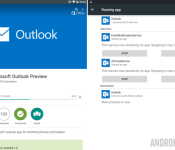
Microsoft Outlook Preview for Android lands in the Google Play Store

We know that Microsoft is pushing forward with a vengeance to get Windows 10 and a new round of Office products into the hands of consumers. To that end, they have just released their new Outlook Preview app for your Android devices.
Microsoft Outlook Preview is free in the Google Play Store. They ask only that you remember this is not the final release software, you will find a few bugs, and they would love it if you could report them to help improve the app for future updates.

This is not the first item out of Microsoft’s Office suites to find a home on Android, indeed, you can find Office Mobile, Word, Excel, Powerpoint, OneNote and more in the Play Store. We are huge fans of Microsoft’s transition to a viable competitor in the mobile space and suspect that the continued growth of Office apps for Android will allow many users to step away from their Windows machines a little more in their work day.
Outlook Preview offers up many of the basics of a powerful email client. Multiple account handling, file attachments, integrated calendar with notifications and reminders, quick search functions, and all the send/receive functionality you could hope for.
Microsoft has taken to splitting your Outlook Inbox into two tabs. The Focused tab offers up just the most important messages based on factors such as your previous interactions with senders, contacts list and more, think Google’s Priority Inbox in Gmail. The Other tab (yes, it’s called “Other”) does away with grouping your messages, bringing you all of your mail in reverse-chronological order. No sorting option to be found in this version.

A key feature we’ve found missing, or just couldn’t find it, is support for POP based email. We get that POP is what some consider to be antiquated, but it is still live and well in many companies around the globe. I was looking forward to testing the new Outlook Preview with my own POP account, it appears I will have to enable IMAP at the very least to proceed.
Outlook Preview for Android is free in the Google Play Store, head on over to grab your copy and check out all of the other features available in the app. No doubt that most Outlook for PC users will find this a great mobile edition for their needs.
Do you still use Outlook or another full email client for your email needs, or have you transitioned to web based services?

French law would make Google and Facebook ‘accomplices’ to hate speech

France is eying new laws that would make the likes of Facebook and Google accountable for hosting extremist messages. As Bloomberg tells it, the new talk is a direct response to terrorist attacks from earlier this month, and should the draft law pass, it’d make online entities “accomplices” for hosting hate speech or terrorism sites. French president François Hollande addressed the sharp increase in terrorist recruitment over the internet, saying:
“We must act at the European and international level to define a legal framework so that Internet platforms which manage social media be considered responsible and that sanctions can be taken.”
Speaking at an event marking the 70th anniversary of the Holocaust, President Hollande also called on social networks to stop the spread of anti-Semitism and other forms of hate speech. He asked, “how in 2015 can we accept the need for armed soldiers to protect the Jewish people of France?” Like Canada and other nations, France has strong laws against Holocaust denial, racist statements and other forms of hate speech.
French Interior Minister Bernard Cazeneuve will soon travel to the United States to meet with Facebook, Google, Microsoft and Twitter and get their help in the matter preemptively. As The Verge points out, however, France will reportedly also ask internet companies for greater cooperation with law enforcement, which some fear could curtail privacy and lead to a European version of the Patriot Act. That means it may prove a tricky act for the Gallic nation to balance security with the EU’s strong privacy rules.
Steve Dent contributed to this report.
[Image credit: Getty Images]
Filed under: Internet, Microsoft, Google, Facebook
Via: The Verge
Source: Bloomberg

The triumphant return of ‘Rock Band’?

After several years years of hiatus, an official announcement, and the shockingly rapid decline of the music game market, Rock Band suddenly leapt back to life this month. Harmonix Music Systems — the studio responsible for the music game craze, and the studio that created Guitar Hero, Rock Band and Dance Central — announced new tracks heading to the Rock Band online store, which works with both Rock Band 3 and Rock Band Blitz. Why in the world is Harmonix releasing new tracks as paid, downloadable content for games that only exist on previous generation consoles? The official word is full of public relations obfuscation:
“We had an exciting opportunity to add new content to the already-massive Rock Band library with a song from Arctic Monkeys – a band that’s never been in a Rock Band title before! – as well as new music from fan favorites Avenged Sevenfold and Foo Fighters. We couldn’t pass it up. Also, we wanted to see if we could still do it. Turns out we can. It’s sort of like riding a bike.”
Great. That out of the way, what’s really happening? Companies don’t just casually release new content for years old games. That’s not a thing that happens. I’d call it “testing the waters.”
First and foremost, here’s an interesting, not exactly surprising fact: “hundreds of thousands” of people are still playing Rock Band every month. That’s what a Harmonix rep told me, and it refers to folks playing online on “all platforms where DLC is available” (there’s no way of measuring how many folks are playing offline, but let’s wager that it’s not a lot).
For those of you wondering who’s still holding onto all those plastic instruments, the answer is “a surprisingly large group of people.”
As for the rest of us, well, my house is purged of all the fake guitars, wireless microphones, and plastic drum kits that accumulated across the Guitar Hero / Rock Band years. The same goes for most of my friends, and I doubt you’re much different. Beyond the burnout that comes with releasing several junky, obvious cash-in games — Activision flooded the market with constant variations on the Guitar Hero franchise — many of us didn’t want to fill closets/basements/dorm rooms/etc. with clunky gaming peripherals.

Harmonix is actually trying to determine how you feel about those peripherals in a survey sent out via Twitter. More importantly, not only is Harmonix trying to determine if you still own old peripherals — the company is asking very specific questions about which aspects of a Rock Band game (local multiplayer? a robust on-disc song library? etc.) are most important to you. It’s also asking which current-gen game consoles you own.
Smells an awful lot like Harmonix is pretty seriously considering a re-birth of its biggest ever franchise — the franchise that both helped popularize music games and managed to get more than one Beatle on stage during a video game press conference.
It certainly doesn’t hurt that the company is being asked about Rock Band all the time. When Forbes‘ Jason Evangelho asked about “Rock Band 4″ back in October 2014 (a theoretical sequel to Rock Band 3), here’s what Harmonix publicist Nick Chester said:
“We love Rock Band, it’s in the company’s DNA. We own the IP. And when the time’s right we will absolutely come back to it. There’s a whole bunch of factors to take into consideration before jumping in that pool again, but there’s a desire for it, absolutely.”
So, given that, and Harmonix CEO Alex Rigopulos outright stating that Rock Band would return at some point this console generation, the question of Rock Band’s triumphant return isn’t a question of if, but of when.
Do you want a new Rock Band on current-gen game consoles?
Filed under: Gaming, Peripherals, Software, HD, Sony, Microsoft, Nintendo

Apple’s missing spark, hands-on with HoloLens, the end of Skymall and other stories you might’ve missed this week

Microsoft dives head-first into augmented reality, President Obama addresses the State of the Union — and the internet– and (say it ain’t so!) Skymall files for bankruptcy. Get caught up on these stories and more in this latest edition of Weekends with Engadget.
When did Apple become the boring one?

Apple has made some tiny tweaks and several size adjustments to its arsenal of gadgets lately, but the company is lacking the unique ideas it had in the 2000s. Read why Aaron Souppouris thinks Apple is falling behind among the likes of Microsoft and Google.
I experienced ‘mixed reality’ with Microsoft’s holographic computer headset, ‘HoloLens’

Microsoft’s “mixed reality” holographic headset is still a bit rough around the edges, but its potential is pretty amazing. Read what augmented reality buffs have to look forward to when this device hits the market in Ben Gilbert’s hands-on.
Microsoft isn’t saying much about what’s inside HoloLens

What is the HoloLens packing under its hood? Microsoft is keeping its specs pretty vague, but here Tim Seppala sums up what we’ve been able to confirm so far.
Can Microsoft make HoloLens more than a mirage?

Now that Microsoft has all eyes on Project HoloLens, will it be able to launch it without screwing things up? We revisit a list of Microsoft gadgets that sounded great at the time, but didn’t quite live up to the hype.
Obama pledges to ‘protect a free and open internet,’ tackle climate change

Net Neutrality made it onto the President’s agenda during his State of the Union address Tuesday. He pledged to not only keep broadband internet “free and open,” but also to make it more accessible to underserved communities.
How a queer black filmmaker made virtual reality a reality at Sundance

Virtual reality is coming to Sundance film festival courtesy of filmmaker Shari Frilot. Her New Frontier exhibit will feature 11 movies that blend art and technology in a format that’s already grabbing the attention of big names like Joseph Gordon-Levitt and James Franco.
What’s new in Windows 10 for PCs? A lot.

Sure, we’ve known Microsoft’s new OS was coming since September, but the company still managed to surprise us with news of universal apps, Project Spartan and its move into augmented reality. Read on for the full breakdown of this week’s Windows 10 event.
Here’s a closer look at the latest build of Windows 10 (video)

We got to take a test run of Windows 10 in its more final form on a Dell Venue Pro 11 tablet. Watch the video in this story for a peek at the notification center, the “revamped Photos and Settings apps,” Cortana’s new desktop voice search and more.
Crapgadget purveyor Skymall is filing for bankruptcy

In completely unsurprising but strangely disappointing news, Skymall has filed for bankruptcy. The company’s CEO blames in-flight WiFi for its demise, which we assume means passengers are no longer forced to browse this beloved catalog of ridiculous gadgets as their only source of entertainment when they forget to bring a magazine.
Please don’t use these passwords. Sincerely, the internet.

C’mon, guys. If you’re using one of these passwords you’re practically begging for someone to hack you. View the full list of the most popular passwords of 2014 to feel a little better about that time yours was abc123.

Research suggests that Windows 10 will not have a major impact on the Chromebooks

According to a new report from Digitimes Research, Microsoft’s recently announced unified Windows 10 experience would not have a massive impact on the Chromebooks which is eating its way through the notebook marketshare with each passing month.
Microsoft is using a unification system with Windows 10 which will bring together its mobile, tablets and PCs with the same apps running seamlessly across devices. This can be partially likened to what Apple is doing with iOS and Mac OSX.
However, the steadily increasing Chromebook sales will be hard to contain, according to the report. Chromebooks are affordable and offer seamless integration with Android devices, which pegs the odds in its favor.
While Microsoft will still dominate the notebook segment, it probably won’t see as much success as it is currently expecting. It is being said that Windows tablet sales will see growth in the current year, which is offering some hope for Microsoft.
But as it stands, it seems like Google and Apple will continue to dominate the mobile segment while Chromebooks slowly sneak up on the PC marketshare.
Source: Digitimes
Come comment on this article: Research suggests that Windows 10 will not have a major impact on the Chromebooks

5 Android apps you shouldn’t miss this week – Google Play Weekly
<!–
By use of this code snippet, I agree to the Brightcove Publisher T and C
found at https://accounts.brightcove.com/en/terms-and-conditions/.
–>
<!–
This script tag will cause the Brightcove Players defined above it to be created as soon
as the line is read by the browser. If you wish to have the player instantiated only after
the rest of the HTML is processed and the page load is complete, remove the line.
–>
brightcove.createExperiences();
Welcome back to Google Play Weekly! Here are your app headlines this week and you can watch it above:
- Microsoft is merging their phone, tablet, and desktop OS and may eventually allow Android apps into the mix.
- A new Humble Bundle is out now with six games up for grabs and more coming soon! Check it out by clicking here.
- NBC will be streaming Super Bowl XLIX online through the Sports Live Extra app.
- WhatsApp now has a desktop application (that you can check out here) and it’s also cracking down on 3rd party clients.
- Google has updated and clarified their rules on naming third party apps.
And now here are five Android apps you shouldn’t miss this week!
 Next Lock Screen
[Price: Free]
Next Lock Screen is a lock screen replacement app from Microsoft that received a huge update this last week. The lock screen now has music player controls, MMS support, instant messaging support for Skype, Line, and Google Hangouts, and the usual array of bug fixes and performance improvements. It’s still totally free with no in app purchase if you want to check it out.

 CloudMagic Email
[Price: Free / $4.99 per month]
CloudMagic received a bit update this week that has had some mixed reactions. They have started a new subscription service for $4.99 per month that users can get in on to access new features and functionality. For now the feature list is pretty short but the developer says it will get longer as time goes. Also, all the features of the free version remain free but we still remain dubious about spending $60 per year on an email client.
 Asana Mobile
[Price: Free]
Asana is a task management service aimed at teams of people. You can organize tasks and assign tasks to people on a larger scale. This last week, they released a huge update to their Android app. It is not a native Android app instead of HMTL5 and it comes with Material Design, gesture controls, and more features. It’s still not amazing but it’s definitely a bit step forward.

 LibreOffice Viewer Beta
[Price: Free]
LibreOffice Viewer Beta is a document viewing app that is now on Android. People have been clamoring for LibreOffice on Android for some time and this seems to be the first step to making that happen. It is in beta and it is rough so we recommend that only those interested in helping test give it a shot. Aside from that, it’s nice to see LibreOffice on Android, even in this limited form for right now.

 Field Trip
[Price: Free]
Last up this week is the Niantic Labs app Field Trip. It’s essentially a guidebook that shows you interesting landmarks and tidbits about the city you’re in. It received a big update this last week with more Material Design, new content, and the boilerplate bug fixes and performance improvements. If you play Ingress or you like exploring, you should have this.
Wrap up
If we missed any great Android apps news, let us know in the comments!

Do you want a virtual assistant on your desktop?

Microsoft showed off a number of new features from its upcoming Windows 10 yesterday. It brings support for things like universal apps, a new and improved web browser, potentially free upgrades, cross-platform gaming and more. One of the more interesting announcements was that Cortana, a voice-controlled virtual assistant similar to Apple’s Siri and Google Now, would be available on your desktop. Many of us spend our days in office environments, where it’s not convenient to talk to our computers (besides, I have other issues with virtual assistants as well). Is this something you’ll find useful on your computer? Head over to the Engadget forums and let us know what you think.
Filed under: Desktops
Source: Engadget forums

Twitter’s Bing-powered translations are back

Twitter’s great for connecting its users to people from around the world, but what about when they don’t speak the same language? After testing out a solution in fits and starts, Twitter has officially introduced Bing-powered translations right in the feed. Of course, if you’ve ever relied on machine-translation (and if you’ve worked the late shift on a tech site, you definitely have) you know the results can vary in quality, but it’s usually enough to get the gist of what’s being said. It’s definitely easier than copying characters back and forth, so until you actually crack open that copy of Rosetta Stone, just look for the globe icon and “translate this” button. (If it’s not there, make sure “Show Tweet translations” box is checked in your account settings).
We’re introducing Tweet translation with @Bing Translator so you can read Tweets in multiple languages: https://t.co/RuraBeYa5S
– Twitter (@twitter) January 22, 2015
Filed under: Internet, Microsoft
Source: Twitter Support
 AIVAnet