


Lenovo ThinkPad X1 Carbon review (2014): new, but not necessarily improved

Don’t call it a business laptop. I mean, you could, but you’d be missing the point: Though the original Lenovo ThinkPad X1 Carbon was technically aimed at corporate users, it was good enough for us to recommend even to regular consumers. That was a year and a half ago, though: In the intervening months, the machine has gone without an update, save for the addition of an optional touchscreen. Finally, though, Lenovo went and refreshed it, bringing it into the modern age with fresh processors, a thinner and lighter design and an ultra-high-res 2,560 x 1,440 screen option. In addition to tweaking the original, though, Lenovo also overhauled the keyboard, adding an “adaptive panel” whose shortcuts change depending on what app you’re using (yes, that means the traditional Fn buttons are out). That potentially controversial change aside, this clearly has the makings of another winner… right?
Look and feel
With the exception of that adaptive keyboard panel, which I’ll get to in a moment, Lenovo didn’t reinvent the wheel with the new X1 Carbon. It just made that wheel even thinner and lighter than it was before. Once again, the X1 claims to be the lightest 14-inch Ultrabook on the market, with a weight of 3.15 pounds and measuring 0.72 inch thick (if for some reason you configure the machine without a touchscreen, it’ll come out to 2.8 pounds and 0.69 inch thick). That’s a marginal improvement over last year’s model, which came in at 3.25 pounds and 0.81 inch thick (make that 2.99 pounds/0.74 inch for the non-touch version). Numbers aside, then, this is more of a revision than a full-on makeover. Nonetheless, it’s still kinda neat that the new touchscreen model is now thinner than the original non-touch one.
One thing that hasn’t changed: the build quality. As ever, the notebook was built to meet the military’s MIL-STD-810G standards for toughness, with an unwavering hinge that can extend 180 degrees without breaking. Even that new adaptive keyboard is coated in Gorilla Glass, to help ward off unsightly scratches. Once again, the lid here is fashioned out of carbon fiber, though the chassis is now made from magnesium alloy. That change aside, this otherwise looks like a ThinkPad, and to a Lenovo die-hard, it’s a beautiful thing indeed. ThinkPad loyalists will love it for its clean lines, cushy keyboard and signature red TrackPoint, even if the shape is, as ever, a little boxy. Even if you’re a fresh convert to the brand, though, the craftsmanship is something to be admired. As plain as that monotone black casing might look, it’s still doing a good job of masking fingerprints, even now that I’ve been using it for several weeks. And scratches? Haven’t picked up a single one yet.

Pick up the laptop, and you’ll find all the ports on the right and left sides, with nothing around back except for a sealed SIM card tray. Over on the right, there’s a Gigabit Ethernet port (adapter required), along with a USB 3.0 port. On the left, there’s Lenovo’s unique OneLink power connector, a full-sized HDMI socket, a Mini DisplayPort, a headphone jack and a second USB 3.0 socket (last time, only one of the USB connections was 3.0). Weirdly, though, Lenovo chose to nix the SD card slot that came in the last-gen model. A shame — we thought we were past the point where Ultrabook makers pretended they couldn’t fit a memory card reader on their super-skinny machines.
As before, the X1 Carbon comes standard with a 14-inch, 1,600 x 900 panel, but whereas that used to be the only resolution option, you can now opt for a higher-res 2,560 x 1,440 panel instead. Either way, the screen has a low-glare (not-quite-matte) finish that barely reflects any light, at least not in your typical fluorescent office. Colors are good, and the viewing angles are wide — you’ll have no problem reading the screen from off to the side or with the lid dipped forward. If anything, the only flaw has to do with the fact that not enough apps are optimized for that 2,560 x 1,440 resolution — Google Chrome looks awful, for example — but then again, we’ve said the same thing about every other notebook with a higher-than-full-HD display, including the Retina display MacBook Pro.
Keyboard and trackpad

You have to hand it to Lenovo: It takes cojones chutzpah to mess around with the ThinkPad keyboard. You know, the very thing that has kept loyal fans coming back generation after generation. And yet, Lenovo has revised the keyboard a couple times now, first moving to an island-style layout, and now doing away with the physical Function buttons. What used to be a six-row keyboard is now a five-row setup, with an adaptive panel taking the place of the Fn keys.
By default, the panel shows multimedia controls — things like volume up and down, brightness and Windows 8-specific functions like search and pulling up the app menu. There are also shortcuts for Dragon Assistant (more on that later), the Windows Snipping tool and a programmable “cloud” hotkey that takes you to OneDrive or Lenovo Reach, by default.
If you go into the keyboard settings — also accessible from that default panel screen — you can select a different cloud application, as well as change the order of the various adaptive keyboard “modes.” Further, you can make it so that the “default” screen isn’t actually the default at all — if you’d rather see web browser buttons, video-conferencing tools or the traditional Fn buttons, you absolutely can. By default, the keyboard is set up so that the controls change depending on what program you’re using — a useful feature, we’d say. However, if you live and die by Fn shortcuts, you might wanna make sure they’re always visible. It’s your best bet now that the physical keys are no more. Even then, you can press a button at any time to cycle through the different modes.
All told, the adaptive panel feels like a good idea — and a well-executed one, at that. Still, the move from a six-row keyboard to a five-row one meant Lenovo had to shuffle around some key buttons, or even remove them altogether. And you know what they say about change, right? It’s damn confusing. It’s less obvious, for instance, how to take a screenshot with no PrtSc button. There’s also no Caps Lock button this time around; you’ll need to hit Shift twice instead (aren’t you glad you have us to explain these things?).
Worse, Lenovo shrunk the Backspace key and switched places with the Delete key, so that the Delete key is now in the upper-right corner, where the Backspace button usually is. So, depending on the size of your hands, you might find yourself missing the Backspace key, striking the Delete key instead. All in all, it’s still a fine keyboard, with springy buttons, ample travel and a sturdy underlying panel. We just can’t promise all of you will get used to that shrunken Backspace key.

Wrapping up, this isn’t the first time we’ve seen a ThinkPad touchpad with zero buttons — but it’s a first for the X1 Carbon, anyway. As always, the trackpad has integrated right and left buttons, but now there are also built-in touch zones to go with the TrackPoint. So, if you’ve got your finger on the red stick and want to click right or left, or do a quick-scroll down the page, you’ll need to feel around and make sure your finger hits the appropriate strike zone.
Truly, it’s not that hard, but I can see where it’d be an adjustment for folks upgrading from, say, an old T-series model. For one thing, the right and left TrackPoint buttons are both underlined in red, so you can’t miss them. Secondly, the scroll zone is marked by a row of raised dots, so it’s easy to find by sight and by feel. Most importantly, perhaps, Lenovo has done some fine-tuning so that there’s no longer a “dead zone” between touch areas. That said — and I know I’ve hinted at this already — this will be an easier transition for folks who are fairly new to the ThinkPad line.
Performance
| PCMark7 | 3DMark06 | 3DMark11 | ATTO (top disk speeds) | |
|---|---|---|---|---|
| Lenovo ThinkPad X1 Carbon (2014, 1.6GHz Core i5-4200U, Intel HD 4400) | 4,773 | 5,881 |
E1,727 / P930 / X284 |
555 MB/s (reads); 137 MB/s (writes) |
| HP Spectre 13 Ultrabook (1.6GHz Core i5-4200U, Intel HD 4400) | 4,786 | 6,005 |
E1,837 / P962 / X293 |
527 MB/s (reads); 327 MB/s (writes) |
| Lenovo IdeaPad Yoga 2 Pro (1.6GHz Core i5-4200U, Intel HD 4400) | 4,676 | 5,688 |
E1,713 / P914 / X281 |
546 MB/s (reads); 139 MB/s (writes) |
| Samsung ATIV Book 9 Lite (1.4GHz “quad-core” processor, AMD Radeon HD 8250) | 2,060 | 2,814 |
E749 / P530 |
550 MB/s (reads); 139 MB/s (writes) |
| Samsung ATIV Book 9 Plus (1.6GHz Core i5-4200U, Intel HD 4400) | 4,973 | 5,611 |
E1,675 / P867 / X277 |
547 MB/s (reads); 508 MB/s (writes) |
| Acer Aspire S7-392 (1.6GHz Intel Core i5-4200U, Intel HD 4400) | 5,108 | 5,158 |
E1,724 / P952 / X298 |
975 MB/s (reads); 1.1 GB/s (writes) |
| Sony VAIO Pro 13 (1.6GHz Intel Core i5-4200U, Intel HD 4400) | 4,502 | 4,413 |
E1,177 / P636 / X203 |
1.04 GB/s (reads); 479 MB/s (writes) |
| Sony VAIO Duo 13 (1.6GHz Core i5-4200U, Intel HD 4400) | 4,440 | 6,047 |
E1,853 / P975 / X297 |
546 MB/s (reads); 139 MB/s (writes) |
| Sony VAIO Pro 11 (1.8GHz Core i7-4500U, Intel HD 4400) | 4,634 | N/A |
E1,067 / P600 / X183 |
558 MB/s (reads); 255 MB/s (writes) |
The better laptop components get, the tougher it is to evaluate performance. I mean, is there really such a thing as “bad” performance these days, when even the most sluggish of Ultrabooks can cold-boot in 10 seconds or less? Maybe not, but there’s still an argument to be made that some models offer more speed for the money. As far as the new X1 Carbon goes, you’re looking at about the same benchmark results as other laptops with Intel’s dual-core Core i5-4200U processor. The weird thing is, even with 8GB of RAM, it merely matches some competitors that use half the memory. In fact, it actually trails those machines in some cases. Take the HP Spectre 13, for instance; it bests the X1 nearly every time, and costs about $300 less (and that’s even with the high-res screen option).
In absolute terms, though, the X1 is a good performer. Boot-up takes nine seconds, and the Samsung-made SSD reaches top write speeds of 555 megabytes per second, which is on the higher end of normal for machines that don’t have a faster PCI Express drive. (Read speeds top out around 137 MB/s, which is less impressive; the Spectre 13 makes it all the way up to 327 MB/s.) Meanwhile, our own Terrence O’Brien, who owns the 8GB configuration, says Photoshop runs well for him, even when he’s applying effects to large images. He’s also had no problem juggling Photoshop with other apps like HipChat and Chrome, complete with 17 open tabs. Through it all, he had no problem streaming a Mets game, sharing tabs in Chromecast or watching Aereo casted to his TV. The only sign that 8GB and a Haswell processor might not be enough: Adobe Premiere is still a bit slow to load, he says.
|
Battery life |
|
|---|---|
| Lenovo ThinkPad X1 Carbon (2014) | 6:18 |
| MacBook Air (13-inch, 2013) | 12:51 |
| MacBook Pro with Retina display (13-inch, 2013) | 11:18 |
| Sony VAIO Duo 13 | 9:40 |
| Samsung ATIV Book 9 Plus | 8:44 |
| HP Spectre 13 | 8:30 |
| Sony VAIO Pro 13 | 8:24 |
| Lenovo IdeaPad U430 Touch | 7:53 |
| Acer Aspire S7-392 | 7:33 |
| Acer Iconia W700 | 7:13 |
| Sony VAIO Pro 11 | 6:41 |
| Lenovo IdeaPad Yoga 2 Pro | 6:32 |
| Microsoft Surface Pro 2 | 6:27 |
| Lenovo IdeaPad Yoga 13 | 5:32 |
| Lenovo ThinkPad X1 Carbon (2013) | 5:07 |
| Lenovo ThinkPad X1 Carbon Touch (2013) | 5:00 |
| Samsung ATIV Book 9 Lite | 4:33 |
Typically, when Lenovo reps say a laptop lasts X number of hours, we’re inclined to believe them. After all, Lenovo’s product managers have been known to use Engadget’s own video looping test in their labs, so it’s not unusual for them to come up with a number that’s similar to ours. In the case of the new X1 Carbon, though, the real-world battery life falls far short of Lenovo’s claims. In particular, the company is promising up to 8.6 hours of runtime, but we managed just six hours and 18 minutes — the worst showing for any Haswell Ultrabook we’ve tested.
Granted, the last-gen X1 Carbon got around five hours, which means this year’s model delivers more than a 20 percent improvement — not an insignificant difference. Also, the X1 Carbon uses a quick-charging technology that allows it to rebound to 80 percent capacity in under an hour. Still, all that said, a six-hour runtime is pretty disappointing when other skinny machines can last seven, eight, nine (even 13) hours on a charge.
Software and warranty

We normally give the software section in laptop reviews fairly short shrift, reporting back on all the bundled apps and how annoying some of them are. In this case, though, we’ll go into a little more detail, as the X1 Carbon comes with an app we haven’t used yet: Nuance’s Dragon Assistant, the latest version of which was unveiled just a couple months ago. In brief, it’s a desktop app that you can use to dictate emails and documents, search the web, control playlists, turn the computer on and off, adjust system settings and post to social media sites like Twitter and Facebook. In particular, version 3.0 is more conversational than previous iterations, so that if you ask, say, “Who wrote Her?” you can follow up with phrases like “What else did he write?” (And by “he,” of course, I mean Spike Jonze, but I trust Dragon is smart enough to tell you that.)
For now, at least, the only supported language is English, though you have some choices when it comes to calibrating your voice: You can tell the app you don’t have a strong accent, or that you speak with a Chinese or Indian accent (everybody else can select the “other accents” option). You can personalize the experience even further by specifying your gender, but you don’t have to. In my tests, the program pronounced my name correctly on the first try (plenty of people call me “Dawn” or “Donna”), and it fared just fine with my male colleagues too. I also aced the initial sound test: The program measures your levels in the setup process, but I found even without any fine-tuning, I had no problem getting into the optimal volume range.

With the exception of Norton Internet Security, which goes a little overboard with the subscription-renewal pop-ups, the software load here is fairly minimal. In addition to that security trial, you get “Metro” versions of Skitch Touch, Evernote Touch, AccuWeather.com, Amazon’s Kindle reader, Hightail (formerly YouSendIt), Zinio’s magazine store and the music-streaming service rara.com. Meanwhile, Lenovo threw in some apps of its own, including Lenovo Settings and Lenovo Support (they are what they sound like) and Reach, which is a cloud service.
As for warranty service, the ThinkPad X1 Carbon starts with one year of coverage, though you can extend it to up to four if you like. Starting with that optional second year of service, you can also add accidental damage protection as well as on-site service (by default, you have to send it in to a depot).
Configuration options
The new ThinkPad X1 Carbon starts at $1,259 with a Core i5 processor, 4GB of RAM, a 128GB SSD and a 1080p display. If you want that super-sharp 2,560 x 1,440 panel, the starting price is $1,359. It’s important to note, too, that the $1,259 model actually comes with a non-touch panel. If you do want a touchscreen — and don’t we all at this point? — you’ll have to pay an extra $150. Ouch.
Aside from the higher-res display option, you can also opt for a slightly faster Core i5 processor than the one that comes standard (that’ll cost you an extra $100). There’s also a Core i7 CPU available for an extra $270. Additionally, you can go up to 8GB of RAM ($130) or get up to 512GB of storage (premium SSD options start at $100, but go up to $450 in the case of the 512GB drive).
The competition
If it sounds like I’m holding the X1 Carbon to a high standard (and I am), it’s because it has tons of competition. Even if you decided you didn’t want a convertible machine like the Dell XPS 12 ($1,000 and up) or Lenovo’s own Yoga 2 Pro ($999-plus), you’d have a tough choice among just the traditional clamshell-style Ultrabooks. At the moment, our favorites include the Samsung ATIV Book 9 Plus ($1,400 and up) and Acer Aspire S7-392 ($1,350-plus), both of which can be had with super-high-res displays, similar to the X1 Carbon’s. Also, the HP Spectre 13 is a pretty good deal considering the relatively low thousand-dollar starting price. Generally speaking, the X1 Carbon has a better keyboard and trackpad than most, with a more durable (it not necessarily prettier) design. On the other hand, the performance and display are merely on par with the competition, whereas the battery life is worst-in-class.
Wrap-up

On paper, the new X1 Carbon is an improvement over the original (which we liked!) in nearly every respect: It’s thinner and lighter, and has a sharper screen, fresh processors and longer battery life. The problem is, the X1 Carbon, like many things in life, isn’t just the sum of its parts — it’s actually slightly less than that. The adaptive keyboard panel, though useful, comes at the expense of an unfamiliar layout, and for some, those context-aware function keys won’t even be worth it. With this redesign, the X1 Carbon has also lost its SD reader — not a dealbreaker, per se, but an annoyance for many. Worse, though the battery life is indeed longer than it used to be, it trails the competition by a wide margin, making it the shortest-lasting laptop in its class. Finally, this thing is expensive: even with a starting price of $1,259, the touchscreen still costs $150 extra.
If you’re a ThinkPad die-hard, you might still consider the X1 Carbon for its durable build and (mostly) satisfying keyboard. But for everybody else — folks who are indifferent to the Lenovo brand –it’s tough to get excited about this when there are so many other well-rounded options to choose from.
Terrence O’Brien, Edgar Alvarez and Daniel Orren contributed to this review.
Dell signs Android and Chrome royalty agreement with Microsoft
Dell has signed a patent-licensing deal with Microsoft which centers around the usage of Android and Chrome operating systems. Hardware maker Dell agrees to pay Microsoft for the integration of Google’s two platforms because Android employs some of Microsoft’s patents. This isn’t the first deal of its kind; plenty of other companies are doing the same with Microsoft. As for Motorola, however, that might not happen too soon. The Illinois-based company, which is now owned by Lenovo, contends their vast mobile patent library offsets any such scenario.
The post Dell signs Android and Chrome royalty agreement with Microsoft appeared first on AndroidGuys.

Lenovo’s new smart TV system grants greater processing power, more memory through swappable modules (hands-on)

Lenovo is best known for its ThinkPad laptops and newly acquired phone business, but the Chinese firm started making TVs a couple years ago, too. And now, it’s the first one to build a set utilizing NVIDIA’s new Tegra K1 chip. It’s that super-powered silicon that explains the TV’s presence at GTC 2014, so naturally, we had to spend some time with it while we were at the show. Called the Terminator S9, it’s a 50-inch 4K smart TV that runs a Lenovo-skinned version of Android 4.2 natively, but the real magic happens courtesy of a small plug-in module round the back called a Smart Card.

It’s roughly the size of a deck of cards (though half as thick), with a micro USB port and microSD slot on one end and a proprietary 70-pin connector on the other. That connector is how it plugs into the TV, while the USB and SD ports are for adding storage or connecting peripherals. Within the Smart Card’s relatively bland exterior lies the aforementioned Tegra K1, and other hardware (currently unknown) needed to run Android 4.4. All Lenovo smart TVs moving forward will ship with a 70-pin port built in, but only higher-end models will come with Smart Card hardware. That means the Smart Card is a way for Lenovo — and any other OEM who licenses the tech — to keep customers running the latest and greatest software and hardware on their TVs.

The Smart Card comes with a slick motion Bluetooth remote that has a pair of physical buttons: a red power button at the end and a spun metal voice control key in the middle, plus a circular touchpad located in a thumb friendly location. Navigation works using gesture control (a la LG’s Magic remote) to make selections, while swiping left and right on the touchpad scrolls through the menus. And, you adjust the volume via touchpad using the Seinfeld/Costanza special: clockwise or counter-clockwise swirl gesture. It’s simple and intuitive to use, and the remote’s shape and soft touch finish make it a pleasure to fondle.
Ready to plunk down your hard earned cash for Lenovo’s new TV system? Unless you call China home, alas, you don’t have the option to do so — though Lenovo’s looking at expanding to other regions should the Chinese market returns supply sufficient incentive to do so. Regardless, for those in the Far East, the Terminator S9 will set you back around 6,000RMB ($970), while the Smart Card costs less than 1,000RMB ($160).
Filed under: Home Entertainment, HD, Lenovo

Seagate 600 Series SSD Review; Speed and Storage Capacity Priced Right
Before you say anything, Your right, SSDs having nothing to do with Android. At AndroidSPIN we use all sorts of technology to write articles, hack and root our devices and any technology that helps us do this better is fine with us. That’s why we occasionally write reviews and report on other technologies out there.

It’s amazing how much storage technology hasn’t significantly changed for a long time. Computers and smartphones keep getting more and more memory and memory gets smaller and smaller, but computer hard drives have always been the throttling point of many products.
The evolution of mechanical hard drives has finally reached a point where solid state memory is starting to replace them. No more tiny motors and magnetic platters holding your precious data and failing every couple of years.
Solid State Drives or SSDs are now becoming a viable option as prices fall and speed and reliability increase. Laptops are the main concern as they are inherently mobile devices and anything mechanical that spins and contains tiny little read heads sitting dangerously close to your data. One touch and that data is corrupted. One sudden movement too much of your laptop while its reading data and its toast.
OK, that may be a little bit of an exaggeration, but they are prone to failures if they are dropped at just the wrong time, or placed down too hard on a solid surface while the drives are spinning.
SSDs are just lumps of memory configured to act like a regular hard drive and designed to give significant speed increase.
I’m not going to go into too much technical detail with piles and piles of stats that show how fast SSDs really are, what I’m trying to do here is give you a good understanding of how SSDs will improve the everyday use of your computers.
The Seagate 600 Series SSD
You’ve all heard of Seagate. Seagate is one of the biggest and well known manufacturers of hard drives. Chances are you’ve got one their drive in your current computers or you’ve had one in the past.
Seagate has finally entered the SSD arena. We thought this day would never come. While almost every other manufacturer jumped onto the SSD bandwagon, in the late nineties Seagate had been quoted as dismissing SSDs and apparently didn’t seem to believe in the technology, until now.

Enter the Seagate 600 Series SSDs. Seagates first consumer oriented Solid State Drive. Seagate sent us a model ST480HM001 480 GB internal Notebook Drive for review. They are available in 120GB, 240GB and the 480GB model that we received for testing.
Here’s the specs of Seagate’s entire line of SSDs:

Here’s quick video from Seagate for your enjoyment:
The Seagate 600 SSD is a designed with 2.5-inch MLC NAND optimized for performance.
The SSD is a available in two form factors, 5mm and 7mm primarily designed as an upgrade for laptop users who want the bets performance possible. Additionally, SSDs have no moving parts so there is less chance of disk failure if you accidentally drop your laptop. One immediate boost you’ll see is load times that are 50% faster than traditional HDDs. solid State memory does have limits, the Seagate 600 SSD offers up to 40GB of data writes over its 3-year warranty period, as quoted by Seagate. That’s a lot for sure when you average it out.
if you’d like to see the data sheet for the 600 series drives, you can find it here.
In the real world, the speed increase if immediately noticeable. I installed the drive in my Lenovo Y510P laptop, used a drive cloning package to make an exact duplicate of the drive already installed, swapped the drives across and was up and running in one and a half hours.
Performance
The first boost I noticed was powering on my laptop and booting windows in less than half the time it previosly started. I was immediate impressed and my hopes were high for the rest of the testing. With the stock 1TB 5200RPM drive, my laptop would take up to a minute compared to about 10 seconds with this SSD. This blows away the 50% increase claims generally floating around.
I also ran a quick benchmark using CrystalDiskMark with the stock HDD in my laptop and then again after I installed the SSD. these are benchmarks and show the raw performance of the drives, but I still prefer the real world tests.
Here’s how my laptop stock 1GB 5200RPM HDD performed in CrystalDiskMark:

Here’s how my laptop performed in CrystalDiskMark with the Seagate 600 Series 480GB SSD:

Pretty significant don’t you think!
If you really want to see benchmark stats, do a quick search in Google and you’ll find plenty.
I’m an engineer by trade and create a lot of complex 3D models using Inventor from AutoDesk. Inventor is a very heavy product and can take a while to load up. Using the previous 5200 RPM hard drive took around 50 seconds to fully load AutoDesk inventor. With the Seagate SSD, Inventor took a mere 7 seconds. Yes you are reading that right. The speed increase was unbelievable.
I’ve upgraded five computers at our offices with SSDs. We had an older Lenovo Thinkpad laptop that was slow and used around the workshop for viewing 3D models, parts look up and various other tasks. Upgrading the hard drive to an SSD turned this three year old laptop into a responsive, nice to use, power house. The leap in performance is amazing.
Conclusion
Every application I launched saw a significant decrease in load times and my laptop experience increased to an entire new level. If you’ve every thought about upgrading your computers, SSDs are the first area you should consider. You pay a premium, but it could mean the difference between scrapping an older laptop or using it for another year.
There are a lot of choices out there, but the Seagate 600 series is high on the list of options you should consider. The pricing is very competitive and the performance is among the best of the SSDs available.
The Seagate 600 is a top notch performer and the price performance ratio is about as high as you can get.
You can grab the 480GB models for as little as $250 at the time of writing this article, and the 240GB models for about $130.
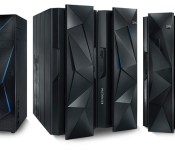
IBM’s layoffs may include up to 25 percent of its hardware group

IBM recently sold its x86 server business to Lenovo, and that unfortunately has consequences for the company’s workers. The computing pioneer has confirmed to CNET that it’s cutting jobs as it concentrates its efforts on “cloud, analytics and cognitive computing.” While IBM isn’t revealing the scale of the layoffs, a source tells CNET that they include as much as 25 percent of the Systems and Technology division that produces servers. It’s a sad day for those affected by the cuts, but there is a silver lining here. Spokesperson Doug Shelton notes that IBM’s rapidly growing cloud computing and Watson outfits are creating additional jobs of their own — one door is opening as another closes.
Source: CNET

Galaxy S5 Backlash! MWC Catch Up Madness! – The ManDroid Show

The ManDroid has returned after being off for about a week and a half. Been pretty hectic in my real world life, but the ManDroid Show must go on. Play MWC catch up on today’s show, as well as talking about all the Galaxy S5 backlash. You got to love the technology world. Enjoy the show!
News Topics
Galaxy S5 official
Lenovo announces the S-series
Sony M2 and smartband
Gear Fit announced
Sony Xperia Z2 Tablet
Nokia X, XL, and X+ announced
Qualcomm announces 801 processor
Sony Xperia Z2 announced

Lenovo and Ashton Kutcher team up on special edition phones, due out this year

If at first you don’t succeed… iterate, iterate, iterate on Android? After signing on Ashton Kutcher as a product engineer — and then going on to release a pair of poorly received tablets — Lenovo is dusting itself off. A marketing executive told Recode that the company is once again teaming up with Mr. Kutcher, this time on a line of special edition smartphones. Unfortunately, details about the devices are scarce for now — all we know is that they’re due out later this year, and that contrary to what you might expect, Kutcher will in fact have a say in the product design. “I know on one level, it sounds corny, but it is real,” chief marketing officer David Roman told Recode. Because these are limited edition phones, we’re going to assume they’ll be sold under the Lenovo brand — not Motorola’s. Still, we’ve asked a Lenovo rep for comment and will let you know if we learn more.
Filed under: Cellphones, Mobile, Lenovo
Source: Recode

Daily Roundup: Ashton Kutcher designs smartphones, March Madness on WP8, and more!

You might say the day is never really done in consumer technology news. Your workday, however, hopefully draws to a close at some point. This is the Daily Roundup on Engadget, a quick peek back at the top headlines for the past 24 hours — all handpicked by the editors here at the site. Click on through the break, and enjoy.

Ashton Kutcher and Lenovo designing smartphones
It looks like Ashton Kutcher and Lenovo are ready for round two. A marketing executive told Recode that the dynamic duo are working together again, this time on a line of special edition smartphones.

Fed Chairwomen says it can’t regulate Bitcoin
Between recent issues at Mt. Gox and a request for banishment by a US senator, Bitcoin is awash in controversy. But according to Fed Chair Janet Yellen, the digital currency lies outside of the central banking system and can’t be regulated by the Federal Reserve.

Apple TV buyers get iTunes credit
Apple rarely offers discounts on its products, but the company’s new US promo gives Apple TV buyers $25 iTunes credit to jumpstart their media library. Hurry, though, because it ends March 5th.

March Madness Live app arrives on Windows Phone
The March Madness Live app has been on Android and iOS for ages, but now Windows Phone 8 users can join in the fun. The app itself is free, but certain games still require a cable subscription to view.
Filed under: Misc

A new version of the Moto X is coming this summer

After Lenovo’s recent purchase, questions immediately arose surrounding Motorola’s planned device launches for 2014. In a Twitter Q&A surrounding the events at Mobile World Congress, the handset maker revealed that the next version of its popular Moto X is coming in “late summer.” Unfortunately, that’s about all the outfit was willing to spill for now, but we’ll be curious to see how things like manufacturing play out in the coming months.
Q from twitter: When is next version of Moto X? A: Keep posted – hint – late summer. #MotoMWC
– Motorola Mobility (@Motorola) February 25, 2014
Filed under: Cellphones, Mobile
Via: Android and Me
Q from twitter: When is next version of Moto X? A: Keep posted – hint – late summer. #MotoMWC
— Motorola Mobility (@Motorola) February 25, 2014
” target=”_blank”>Motorola (Twitter)
Moto takes to Twitter for Q&A, Moto X successor coming ‘late summer’ and more
Motorola isn’t showing off any new devices at Mobile World Congress 2014 in Barcelona this week, but the company made a few announcements in the form of a Q&A on Twitter today.
Among the news was that the successor to its Moto X flagship smartphone is coming this year in ‘late summer.’ Still owned by Google at the time, Motorola released the Moto X in August 2013, so it’s due for a refresher. Motorola said to stay tuned for more details about the upcoming smartphone.
Other news is that it is bringing a smartwatch to market this year that addresses ”consumer issues like style & battery life” and Moto Maker will be rolling out to Western Europe and Mexico in Q2 2014.
It’s sure to be a big year for the now Lenovo-owned company, that’s all we have to say.
via Twitter[1], Twitter[2], Twitter[3]
The post Moto takes to Twitter for Q&A, Moto X successor coming ‘late summer’ and more appeared first on AndroidGuys.
 AIVAnet