


Turn your Galaxy Note 2 into an Android 4.4.2 Toting Galaxy Note 3 / Galaxy S5 Hybrid with ezKAT

Hardware has a lifespan. That lifespan is something we try to prolong as long as possible. Nobody like spending money if there’s another way to prevents needing to do so. The manufacturers try to persuade us that we should simply scrap our old technology and upgrade to the latest and greatest and pour out a long list of enhancements that will make our life better. Generally all they do add some pretty cool upgrades to their devices from the latest and greatest processor and camera optics to finger print scanners and larger batteries. The question is; if you just upgraded your software to the latest and greatest versions, would that leap to a new device be significant enough to persuade you? Maybe ezKAT for the Samsung Galaxy Note II will help you decide.
This is especially so for cell phone manufacturers who want us to upgrade our devices a maximum of every two years. The normal cycle nowadays seems to be more around 12 months if we are lucky.
Enter the Android community!
So when the community gets together and takes the new features and ports them back into our older devices so they can last a little longer, we all smile and say a big thanks.
Head over to XDA-Developers and you’ll find an overwhelming resource of updates, modifications and tweaks for almost every phone on the planet.
I spend half my life on XDA and that’s where my latest upgrade to my aging Samsung Galaxy Note II came from.
My Note II is now more of a hybrid of Samsung Galaxy Note II and Samsung Galaxy S5 with features galore. It’s running Android 4.4.2 Kitkat and it has a completely new lease of life that makes me question upgrading my faithful Note II.
If you have a Samsung Galaxy Note II from AT&T, T-Mobile or the N7105, then you should read on.

Where did this all come from you may ask? well, XDA-Developers is simply a hub of information and only exists due to the rapidly expanding community of developers and users. The developer of this particular firmware is eZdubzitmk4. One of the top developers I’ve had the pleasure of following. his work is meticulous and the support he provides is as good as it can possibly get.
eZdubzitmk4 has put together a custom ROM by the name of ezKAT which is based off the official n7105 Android kitkat 4.4.2 release. He took the base, various applications, settings and tweaks from the Samsung Galaxy Note III and the Samsung Galaxy S5 and combines them into this piece of art.
When release it had the following feature list:
- All n3 features including Air Command
- S5 apps including settings
- Quick reply text option. (Go to sms settings then notifications)
- Status bar gradient colors, clock mods, gesture controls, and battery bar (SEE THIS THREAD FOR INSTRUCTIONS)
- Clock mods – see above link
- Network Speed
- CPU status in notification pulldown
- MIUI battery bar customizable
- Some tweaks for speed, more to come also
- Added lots of themes for the launcher, already installed
The ROM is currently at version 2.0 and a 2.5 release is due any day.

This is only the beginning as more and more add-ons and tweaks are provided in the thread on XDA and as downloads added by eZdubzitmk4 himself.
Installation is fairly simple with only a couple of learnt lessons to deal with, but once you’re done, you’ll never look back.
You need to be flash savvy to perform any procedures like this. Your phone needs to be rooted and have a modified recovery installed. You can find lots of help on XDA to achieve this.
All the files required for this firmware and add-ons can be found on XDA. Most of the main ones can be found in the ezKAT thread.
The steps for installation are: ( Sorry if I missed anything )
- Download the ROM ZIP and other suggested files and copy them your SD card
- Reboot into your recovery program.
- Backup your existing ROM.
- Wipe everything you can. Dalvik, Cache, System, Data, etc. Multiple wipes can sometimes help you out too.
- Flash the ROM ZIP file using your recovery program.
- Flash the provided Keyboard Fix OR Galaxy S5 Keyboard
- Flash a new modem image if required.
- Reboot your phone and let it boot completely.
- At this point, you may or may not have a keyboard to type with. It’s possible you’ll only have Google Voice Typing available.
If you only have Google Voice Typing, skip through the initial setup, as you won’t be able to sign into your WiFi.
Once you’re completely booted, go into Settings –> Language and Input and enable a real keyboard. - Now you need to go and set up your APN to get connected to your mobile network.
- Reboot into recovery once more and flash Super SU 1.99 to give you root access.
If you encounter any other issues along the way, be sure to go check in at the thread on XDA and you’ll normally find answers to most of the questions and problems that you may encounter.

Here are the recommended AT&T LTE APN Settings:
- Name: ATT Phone
- APN: Phone
- MMSC: HTTP://mmsc.mobile.att.net
- MMS proxy: proxy.mobile.att.net
- MMS port: 80
- MCC: 310
- MNC: 410
- APN type: default,mms,supl
- APN protocol: IPv4
- Enable/disable APN: APN enabled
- Bearer: Unspecified
If you have issues connecting to your Mobile network, you can find plenty of other resources around for setting up your APN.
Now your phone is running Android 4.4.2 Kitkat in the form of ezKAT and you’ll have awesome performance and battery life and your phone will feel like it has a new lease on life.

Once your up and running, head back to XDA and check out all the add-ons you can flash on top of ezKAT and continue to personalize your phone just the way you want it. There are other S5 applications you can install, one of my favorites being the Galaxy S5 email client. It has all the whiz bang new features like being able to slide your emails to delete them.
The possibilities are endless. There’s also a new kernel from AGNi that solves various issues with some devices not getting good or any Wifi at all. The other big added benefit is even more battery life and tweaking.


 There are also many caveats that go along with customizing your phone with new Recovery images, Firmware and Kernels. All I can say is “Read, read and read again”. Make sure you’re clear about the path you want to take. Make sure you understand what you are doing. Doing some of these steps incorrectly can result in bricked devices that are no good for anything, but that doesn’t happen very often anymore.
If you’re not sure about something and you can’t find an answer reading through the forums, ask questions and wait for the answers. The support you’ll get from the community and from eZdubzitmk4, the developer of this ROM, is nothing short of outstanding. You’ll get more support from the community and these guys than you ever will get from your carriers.
Always remember that these guys and gals do this for free and out of the passion for the community. Remember to thank people and even donate a few dollars to buy them a beer if you really love their work.
//<![CDATA[
ord = window.ord || Math.floor(Math.random()*1E16);
document.write('’);
//]]>
KitKat is now on nearly 14 percent of Android devices

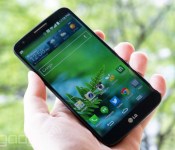
You know how Apple was keen to point out that only 9 percent of Android users (technically, 8.5 percent) were running KitKat in May? Well, that figure’s now out of date. Google has published fresh usage stats which show that 13.6 percent of Android owners are using KitKat as of early June. That’s still far from a majority, but it represents 60 percent jump in a single month. It’s not hard to see why the newer OS would be making such big strides. Major new phones like the HTC One and Galaxy S5 have had more time on the market, and KitKat upgrades are still making their way to older gadgets.
While the data will no doubt be welcome to Google, it also shows that quite a few people are hanging on to ancient devices. Jelly Bean still has the lion’s share at 58.4 percent (down from 60.8), while 28 percent are using Ice Cream Sandwich and older (a dip from 30.7 percent). These aging platforms are bound to fade away, but that may take some time — many pre-Jelly Bean phones are budget models sold in developing markets like China and India, where it’s not as easy to upgrade to the latest and greatest hardware.

Filed under: Cellphones, Tablets, Mobile, Google
Source: Android Developers
Nova Launcher reached version 3.0, Google’s voice hotword included in the update

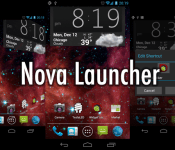
Nova Launcher is one of the best launchers on Android, no doubt. It is smooth, feature-rich and beautiful. Nova has been updated and reached a 3.0 version after being in beta version for a while.
Full changelog:
- OK, Google – Use Google’s voice hotword from within Nova Launcher. Requires Jellybean and a device/locale Google supports for hotword.
- Subgrid positioning – More flexible layouts by snapping items halfway through the grid
- Dynamica Calendar Icons – Supports Today Calendar’s Dynamic Calendar Icon, also supported by some icon themes such as Domo or KEX
- Color options – icon labels, tabs, backgrounds
The biggest feature added is “OK, Google” command which should work with JellyBean and KitKat versions of the OS. Try it out for yourself (if you haven’t already) on the link below and tell us what you think.

The post Nova Launcher reached version 3.0, Google’s voice hotword included in the update appeared first on AndroidGuys.

Motorola updates Moto G, Moto X, Moto X with Android 4.4.3

Motorola this week commenced the Android 4.4.3 KitKat update for a number of its smartphones.
This week we begin rolling out to:
- Moto X T-Mobile users
- Moto G users who bought online in the U.S. (includes Moto G 4G LTE) and at retail in Brazil
- Moto E users who bought online in the U.S. For Moto E users, you are still up for the next major Android update as well. Consider this the cherry on top.
According to the handset maker, the update includes a new dialer, multiple theme color options, security and stability enhancements, and more.
Motorola users will also enjoy:
- Improved camera image quality for Moto X including better consistency of exposure, more realistic flash coloring, and improved photos in low light conditions using front camera.
- For Moto X and Moto G, pausing for video recording with a convenient pause/resume button on the viewfinder.
- Motorola Alert in this update for Moto X and Moto G users. This new app helps give peace of mind by sending periodic messages to the contacts you choose.
Free to download and install, the update should also come to the other Moto X models in the near future.
The post Motorola updates Moto G, Moto X, Moto X with Android 4.4.3 appeared first on AndroidGuys.
Android 4.4.3 OTA rollout started for Nexus devices, factory images also available

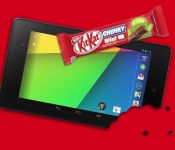
Long awaited, or better said rumored, Android 4.4.3 has started rolling out on LG Nexus devices after reaching Sprint’s Nexus 5 in April.
First in line is Asus Nexus 7 (2013) which is now receiving Andoid 4.4.3 build KTU84L. This update is just a bit shy of 74MB, so have that in mind. Other Nexus devices should follow in the coming days. Have in mind though that not everyone will get the update in the coming days, this rollout (like usual) will come in waves to owner of certain Nexus devices and it might take a while ’till it reaches your device. The update itself brings a lot of bug fixes and a refreshed Phone app.
Android 4.4.3 factory images are also available for certain Nexus devices, you can get them here.
VIA: Android Central
The post Android 4.4.3 OTA rollout started for Nexus devices, factory images also available appeared first on AndroidGuys.
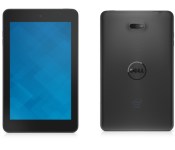
Dell debuts Venue 7 and 8 Android tablets

Dell has been mainly releasing Windows Phone devices along with their Chromebooks. They haven’t released an Android tablet since October last year, now they finally have something to show us in the Android department. Those devices mentioned above are Dell Venue 7 and 8 tablets. Well, today Dell released a refresh for said devices.
Dell Venue 7 is a tablet with a 7″ IPS WXGA screen 1280×800 in resolution. The device is powered by a dual-core Intel Atom (Z3460) “Merrifield” chip clocked at 1.6GHz which is paired with a 1GB of RAM. Dell Venue 8 on the other hand features a full HD 8″ screen, 1920×1200 in resolution. It has a same processor as its smaller counterpart but at a higher clock-rate, it is clocked at 2.1GHz and it also sports a 1GB of RAM.

Both tablets have 16GB of inbuilt storage (expandable via microSD card up to 64GB) and a 4550mAh battery along with a 5MP main camera. Dell Venue 7 sports a 1MP front shooter while the larger of the two has a 2MP front-facing camera. Dell Venue 7 weights 290 grams and the 8″ version is somewhat heavier at 338 grams. Both tablets will run Android 4.4 KItKat out of the box.
Both Dell Venue 7 and 8 look rather good and even though specifications aren’t exactly up to par with some of the higher end offerings we can’t complain much considering the price which is $159.99 and $199.99 respectively. The devices will be available in black and red colour options and will be available on Dell’s online store starting July 1st.
VIA: Dell
The post Dell debuts Venue 7 and 8 Android tablets appeared first on AndroidGuys.

Download booster and Kids mode reach T-Mobile Galaxy Note 3

Samsung Galaxy Note 3 on T-Mobile USA’s got its Android KitKat update back in March. This time around it’s getting an additional update carrying some of Samsung Galaxy S5′s features.
N900TUVUDNE6 is the software version of this update. Download booster and Kids mode are the features that are coming with this update. Download booster will allow you to use wi-fi and 3G/4G at the same time in order to give you higher internet speeds, it only works for large (30+MB) files and native apps though. Kids mode on the other hand will come in handy if you have small children messing around with the device, this mode completely changes the UI look when it’s on and of course limits certain functions to make the device kid-friendly.

The update is available as we speak. Did you wait for this update to go live?
SOURCE: PhoneArena
The post Download booster and Kids mode reach T-Mobile Galaxy Note 3 appeared first on AndroidGuys.
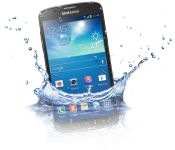
KitKat rolling out for International Galaxy S4 Active

The international version of Samsung Galaxy S4 Active is finally getting Android 4.4 KitKat. Software version I9295XXUCNE5 is currently out in the Netherlands and a few other countries, according to recent reports.
This rollout will be gradual so it may take some time to reach certain countries in Europe. The Samsung Galaxy S4 Active was announced over a year ago so it’s nice to see it get some KitKat love. KitKat, as many of you know, brings a lot of goodies with it, like improved speed and battery life, white status bar icons, wireless printing and lots of software features that Samsung baked in that have been improved.
SOURCE: GSMArena
The post KitKat rolling out for International Galaxy S4 Active appeared first on AndroidGuys.

KitKat rolling out to Sony Xperia Z, ZL, ZR and Tablet Z

Earlier today we’ve reported that HTC One (M7) is getting updated in Europe and now we have another major manufacturer doing the updating as announced earlier this year.
Sony is rolling out Android 4.4 KitKat to Sony Xperia Z, ZL, ZR and Tablet Z devices. Sony pointed out that the rollout will vary depending on the market, which is expected of course. When done with the listed devices this Japan based giant plans on giving the KItKat treatment to its midrange offerings such as Xperia E1, Xperia T2 Ultra and Xperia M2. Sony is usually extremely late when updating its devices so this is a good sign.
Full update changelog:
- Google’s Android 4.4; KitKat as standard – bringing improved performance & user interface (UI) optimisation…
- If you’ve got a Sony PlayStation 4, you might recognize our new user interface – we’ve added the same sleek launch animation and live wallpaper across the lock and home screens. You’ll also spot a revamped Status Bar and Quick Settings… now more intuitive and customisable (also with a fresh new look)… cleaned up to ensure you only get the notifications you really need
- As you might expect, we’re also uplifting Sony’s entire native app portfolio to the latest versions bringing tweaked / improved / current experiences for one and all… some of our favourites look like:
- Messaging – a few UI adjustments here & there, including a slicker “send” animation, and deeper Emoji support for some expressive fun… also worth noting, you’ll find smileys wherever there’s an app with a keyboard
- Email – you’ll be able to both load and see more mails… but don’t fret, navigation of said load is easier with a more responsive viewing pane – split screen modes divide info for easy digest… especially useful / works a treat on Xperia Tablet Z
- Smart Social Camera – our social imaging experience makes its debut on our first Z Series devices; a selection of Xperia Camera apps directly accessible from your viewfinder… including personal favourite “Creative Effect”, and more for download to boot!
- Battery STAMINA Mode – level-upping our unique power management feature, bringing smarter data management & more for prolonging your juice
- Sony’s Media apps: WALKMAN, Album and Movies, with Sony Entertainment Network cloud service integration* – a more converged and full Sony entertainment experience – Sony Entertainment Network & PlayMemories integration with a more intuitive UI, better download speeds, and more…
- And proving pretty popular, now totaling over 2 million downloads (!) – our unique custom interface experience: “Xperia Themes”, with downloadable UI packs from Sony Select – skin up to 280 assets across your Xperia smartphone with a variety of styles…
- Compatibility with our SmartWear Experience; SmartBand SWR10 and Lifelog app– enabling you to record social, physical and entertainment activities and have them all visualised in a beautiful interface… reminisce at that past, make the best of the present and plan for the future
SOURCE: Sony
The post KitKat rolling out to Sony Xperia Z, ZL, ZR and Tablet Z appeared first on AndroidGuys.
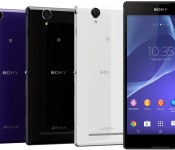
Sony Xperia T2 Ultra, E1 and M2 Slated for KitKat in July
Earlier this morning Sony announced that four devices (Xperia Z, ZL, ZR and Tablet Z) all have Android 4.4 KitKat updates rolling out. In the end of their announcement found on their blog they also let loose a few other devices that will be picking up some KitKat goodness.
 The Sony Xperia T2 Ultra, Xperia E1 and Xperia M2 (and dual variants) are all slated for a KitKat update sometime in July. Those three devices will most likely end up with many of the same functions and features that are built into the currently rolling KitKat update like the revamped UI, Status Bar and Quick Settings menu. It certainly seems like Sony has really been stepping up its game in the software update depart over the last year. It is a nice surprise to see, now if the carriers all get on board to push the update is a different story.
Via Sony Blog
//<![CDATA[
ord = window.ord || Math.floor(Math.random()*1E16);
document.write('’);
//]]>
 AIVAnet