


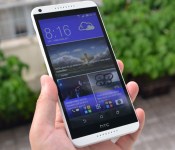
HTC Desire 816 review: A mid-range M8 let down by sluggish cameras

HTC may have some problems behind closed doors, but outside, it’s still widely regarded as one of the world’s top phone makers. We already gave this year’s One M8 flagship a rather jolly review, and now it’s time to see if the same qualities are preserved in its mid-range counterpart, the Desire 816. Indeed, back at Mobile World Congress, HTC called this $390 LTE phablet the “flagship mid-range” to emphasize its competitiveness. But has it lived up to its name? Or is it too little, too late in a world full of affordable options? Let’s find out.
Hardware

Where the One M8 features a nicely curved metal body, the Desire 816 takes the form of a flat plastic slab with rounded corners. What’s more, unlike the One X and the more recent E8, there’s no fancy plastic unibody construction on the Desire 816, which allows it to flex ever so slightly. Then there’s the size. At 156.6mm tall and 78.7mm wide, this gigantic phone certainly won’t be everyone’s cup of tea, but for HTC, it’s a much-needed weapon to suit the Asian market’s peculiar tastes. On a more positive note, the combination of the width and the matte finish allows for a sturdy single-hand grip. Even so, with that 5.5-inch display, you’ll definitely need your other hand for tapping and typing.
With the metallic power and volume buttons placed on the left, your left hand will quickly become the default choice for holding the phone, which I’m fine with. What I do find annoying is that the buttons rattle slightly when the phone is shaken, and it’s the same story with the volume keys on the M8. The other side of the phone is occupied by a long flap door, which reveals the nano-SIM slot (or slots, if it’s the dual-SIM 3G version) and the microSD reader, which supports cards as large as 128GB. Isn’t it great when you can swap out SIMs and memory cards without having to use a pin?

As with most recent HTC phones, the Desire 816 features front-facing stereo loudspeakers, each of which has its own amplifier to boost the volume — thankfully not to the point of distortion. Of course, you shouldn’t expect these speakers to replace your traditional ones, but having them facing toward you provides a better multimedia experience — complemented, of course, by that massive, high-quality IPS screen.
Unlike the matte front face and bezel, the back is coated in a glossy finish that helps highlight the curved edges and — though it was certainly unintentional — the plastic panel’s unevenness. As you’d expect, the gloss has a tendency to attract hand grease and scratches, but you can always slap on a case to solve that problem; and it still wouldn’t be too bulky, given the phone’s reasonable 7.9mm thickness and 165g weight.
For a while, I actually forgot that I was using a mid-range phone instead of a flagship.
There’s nothing really surprising about the internals: They’re perfectly adequate for general tasks. Having used the Desire 816 as my main phone for weeks, I can safely say that the 1.6GHz quad-core Snapdragon 400 SoC and 1.5GB of RAM let me browse the internet, watch videos and look at photos without many hiccups. Oh, and the LTE speed comes in handy as well. For a while, I actually forgot that I was using a mid-range phone instead of a flagship, and the generally smooth performance, plus the great multimedia experience, played a big part in this, despite the LCD’s relatively lower pixel density of 267 ppi. And even that I eventually got used to.

There were a few things I did miss. First of all, my UK edition Desire 816 lacks an NFC radio, meaning I couldn’t enjoy the convenience of sharing content using Android Beam, in which you place two NFC-enabled Android phones back to back, and then tap the content on the host device to initiate the direct data transfer. The lucky folks in Asia can get a Desire 816 with NFC, but only if it’s the LTE version.
My other gripe is HTC’s removal of the physical Android keys. Yes, I know, it’s been like this since the M8 (which I’m still a fan of), but I’m going to say this again: Why make me tap the screen twice — once to make the virtual keys appear, and again to pick the key — when I could just tap once? And no, forcing the virtual keys to remain on screen would be a waste of pixels. The right thing for HTC to do is to take a page out of OnePlus’ book: Let the user toggle between virtual and physical keys (though I insist the latter makes more sense). Help me, Peter Chou; you’re my only hope.
Last, but not least: I miss my speedy cameras. That’s right, while on paper the 13MP/5MP shooters sound generous, they’re simply not for the impatient. More on that later, though.
| HTC Desire 816 | |
|---|---|
| Price | £299.99; about $390 on Amazon |
| Dimensions | 156.6 x 78.7 x 7.9 mm (6.17 x 3.1 x 0.31 in.) |
| Weight | 165 g (5.82 oz) |
| Screen size | 5.5 inches |
| Screen resolution | 1,280 x 720 (267 ppi) |
| Screen type | IPS LCD |
| Battery | 2,600mAh |
| Internal storage | 8GB |
| External storage | microSD up to 128GB |
| Rear camera | 13MP, BSI sensor, f/2.2, 28mm lens |
| Front-facing cam | 5MP, BSI sensor |
| Video capture | 1080p |
| NFC | Depends on region |
| Radios | 2G: (850/900/1800/1900) 3G: (850/900/2100) with HSPA+ up to 42 Mbps LTE (EMEA): (800/900/1800/2600) LTE (Asia): (900/1800/2100/2600) (700 MHz for Taiwan, Australia) |
| Bluetooth | v4.0 with aptX |
| SoC | Qualcomm Snapdragon 400 |
| CPU | 1.6GHz quad-core |
| GPU | Adreno 305 |
| RAM | 1.5GB |
| Multimedia | DLNA |
| WiFi | 802.11b/g/n |
| Wireless Charging | N/A |
| Operating system | Android 4.4.2 (Sense 6.0) |
Software

Much like HTC’s other recent devices, the Desire 816 comes with the company’s Sense 6.0 UI, which is built on top of Android 4.4.2. You’ll find a thorough walkthrough of the software in our M8 review, but in summary, I find this to be an intuitive custom skin that also happens to be stylish. Sense UI has come a long way since the Windows Mobile days (we made a nice gallery covering its evolution), and version 6.0 is easily its best iteration — with much to offer.
Before we recap the phone’s various software features, I want to bring up a few handy setup tools that are often overlooked. For those migrating from an iPhone, you can use HTC’s Sync Manager desktop app to transfer your contacts, calendar, messages, photos, iTunes playlists, wallpaper, bookmarks and even apps to your new HTC phone, provided you have an iPhone backup file (generated by syncing with iTunes) on your computer. It’s even easier if you’re switching from another Android device: Just install the HTC Transfer Tool app, launch it on both devices and you’ll be able to transfer pretty much everything to your HTC phone, multimedia files included. If your old phone doesn’t use either OS, then you can try Bluetooth, but there’s no guarantee given the messy nature of Bluetooth on older devices.
Afterward, you can use the HTC Get Started tool to wirelessly set up your phone’s BlinkFeed news feeds, apps, sounds, bookmarks and wallpaper from the comfort of your computer screen, as pictured above.

Most of the M8′s essential software features are present here, including the BlinkFeed content aggregator on the leftmost home screen (you can disable this, but I personally use it every day), the integrated Video Highlights editing tool (with slick effects and soundtracks), the photo-editing tools, the bundled music player’s cool visualizer plus lyrics viewer, the self-explanatory Kid Mode and UI color themes. It’s definitely still a fun system to play with, and it shouldn’t intimidate the less technically minded, either.
Due to the lack of processing power and certain sensors, among other reasons, the Desire 816 misses out on Motion Launch, Fitbit integration, the Dot View case and some camera features (more on that in a moment). I can understand the technical limitations for those features, but not letting us set different wallpapers for the lock screen and the home screen is certainly a weird one (same goes for the One mini 2). Having said that, I’ve been pleased with how smooth and stable the system’s been running. You’d only notice the slower speed if you’re also coming from a recent flagship device — namely, those powered by a Snapdragon 800 or 801 chip.
Camera

I’ve generally been quite content with the Desire 816, but its cameras can be real nuisances. Don’t get me wrong: The 13-megapixel, f/2.2 main camera and the 5-megapixel front-facer deliver great detail. For both stills and videos, the main shooter does a decent job in well-lit indoor scenarios, but it has a tendency to underexpose when used in bright outdoor environments, and the dark spots are even darker as a result. It’s worth noting, though, that you should be able to fix that somewhat by manually choosing a different focal point. Normally I’d try HDR as well for taking stills in this kind of situation, but on my Desire 816, it was often more of a gamble with the vibrance you’d end up getting. In my outdoor comparison HDR shots, the Desire 816 did an obviously dull job, whereas the M8 yielded a faithful reproduction, and the OnePlus One only had a slightly green bias. At night, some HDR shots taken with the Desire 816 appeared washed out.
The cameras’ focusing or shutter response can be hilariously sluggish.
But HDR isn’t the biggest problem on the Desire 816. What annoys me the most is the cameras’ temperamental behavior: Their focusing or shutter response can be hilariously sluggish, to the point that it makes me wonder if there’s a bug. Either that or the phone really has a bad attitude (which means we’re one step closer to being overruled by artificial intelligence). On top of that, the shutter speed can be laggy even in slightly dimmer environments, so you might end up having to make multiple attempts, thus prolonging your suffering, before you eventually feel the urge to throw the phone across the room.

Funnily enough, both my colleague Jamie and I saw the same issue on the One mini 2, which has the same camera and produces similar images. It appears that HTC simply took away that fancy ImageChip 2 — the speedy image signal processor used by the M8, the M7 and even the original One mini. Worse yet, the front-facing cameras are inconsistent across different HTC models. At night, my selfies taken with the One mini 2 appeared much redder than their counterparts from the Desire 816 and the M8. On the flip side, during the daytime, the same phone managed to produce the most accurate selfies among the three, with the Desire 816 taking a slightly cooler tone, and the M8 pushing the contrast up a bit too much. Never mind that the M8 still beats them all with its wide-angle lens; I’m still baffled by how HTC could let the image quality vary so much across its phone lineup.
In terms of tools, all the basics are there: You get the same set of scenes (Night, HDR, Sweep panorama, Anti-shake, Portrait, Landscape, Macro and more) except for the M8′s Manual mode. All the fun filters are present, along with ISO settings, exposure compensation, aspect ratios and 10 levels of skin beautification. Sadly, you don’t get dual-capture or spherical-panorama modes, though the latter is probably for the best — it would be too painful to use with the Desire 816′s sluggish main camera. In short: You might want to look into other options if you’re used to a speedy camera.
Performance and battery life
| HTC Desire 816 | HTC One mini 2 | Sony Xperia T3 | OnePlus One | |
|---|---|---|---|---|
| Quadrant 2.0 | 13,172 | 10,141 | 10,495 | 25,306 |
| Vellamo 2.0 | 2,421 | 2,124 | 1,875 | 2,821 |
| 3DMark IS Unlimited | 4,830 | 4,695 | 4,766 | 19,474 |
| SunSpider 1.0.2 (ms) | 1,137.4 | 1,559.7 | 1,324.4 | 831.9 |
| GFXBench 3.0 Manhattan Offscreen(fps) | 1.7 | 1.7 | 1.8 | 11.9 |
| CF-Bench | 19,593 | 15,064 | 18,149 | 36,218 |
|
SunSpider: Lower scores are better; results compiled on Chrome. |
||||
As I mentioned earlier, HTC’s done a good job keeping the Desire 816 running smoothly most of the time (with the exception of that poky camera). Thanks to a 1.6GHz quad-core Snapdragon 400 chip and 1.5GB of RAM under the hood, the phone has no problem handling basic tasks, as I’ve confirmed with my few weeks of usage, and the benchmarks above agree as well. Of course, the Desire 816 is no 3D beast, but like the One mini 2, it still runs Asphalt 8: Airborne and Real Racing 3 smoothly even on the highest graphics settings. I should also add that those front-facing stereo speakers make for a great gaming experience.
The advantage of mid-range processors is that they sip much less power than their flagship counterparts, and this is certainly the case with the Desire 816. While 2,600mAh may seem like a small cell for such a big phone, it often lasts the entire day with at least 20 percent of juice remaining, and that’s with LTE radio connected most of the time to fuel my social networking and BlinkFeed addiction, as well as the occasional YouTube or Bluetooth music-streaming session. This gives me some leeway for using the phone as a WiFi hotspot. For the sake of benchmarking, I ran our standard battery-rundown test (video looping with WiFi enabled, and screen brightness set to 50 percent) and managed to squeeze out nine hours and 39 minutes of life. Not bad at all.
The competition

There are actually very few 5-plus-inch LTE phablets in this price tier, and they might not even be available in your area. For those residing in parts of Europe and Asia, the first one that comes to mind is Sony’s similarly priced Xperia T3 (pictured above). It’s slimmer and lighter, at 7mm thick and 148g, and it has similar specs as the Desire 816, except most are downsized a little: There’s a slightly smaller 5.3-inch IPS screen with the same 720p resolution. It’s also powered by a Snapdragon 400 chip, but clocked at 1.4GHz, not 1.6GHz. Then again, that might make up for the smaller 2,500mAh battery. The cameras are the ones that really let this Sony device down: On paper, the 8MP/1.1MP combo instantly loses appeal when compared to the Desire 816′s 13MP/5MP counterparts; plus based on our quick comparison, the Xperia T3′s cameras suffer from a lot of compression, noise and even slower capture speeds, albeit sometimes producing more vibrant colors. No thanks.
Another similarly priced and specced device is Samsung’s 5.25-inch Galaxy Grand 2. Don’t be mistaken: Instead of the original specs from November, I’m referring to the upgraded variant with a 720p screen instead of a WVGA one, and it also packs an LTE radio this time. Alas, the 8.95mm body is a tad thicker due to the removable 2,600mAh battery (a potential hazard for others, given the recent reports of Samsung battery fires), but that’s no worse than the quad-core chip being clocked at just 1.2GHz. Also, the phone only has 8MP/1.9MP cameras, though I’ve yet to test their quality.
Of course, if you can manage to get your hands on it, there’s always the OnePlus One, which offers flagship specs for the same price. The 5.5-inch screen comes with a much higher 1080p resolution, and the 13MP/5MP cameras are more responsive with better image performance. The obvious trade-off is that you’ll miss out on HTC’s Sense UI, but then again, some people may prefer CyanogenMod’s more basic Android interface.
Wrap-up

HTC deserves some credit for finding a niche space to compete in, and it’s done so with some success. In general, the Desire 816 came out as the most ideal choice among similarly specced Android phablets: It has better camera specs, front-facing speakers and a slick UI. It’s even a better deal than the One mini 2, which is essentially a slower Desire 816 with a smaller screen, plus a smaller battery, in a metallic chassis — the part that HTC’s charging you the premium for, yet it’s not quite the same smooth finish as the M8′s.
Of course, the Desire 816 isn’t perfect. As on the One mini 2, the cameras are sluggish and sometimes unpredictable, but when they do work, the photos come out nicely. That’s pretty much the only thing that’s stopping me from totally falling in love with the phone. The Desire 816′s only real threat is the OnePlus One (and eventually the Xiaomi Mi 4 in select regions), but given that it’s still a rare item, HTC should seize the moment, put up a good fight and fix those camera bugs.
Filed under: Cellphones, Mobile, HTC
.CPlase_panel display:none;
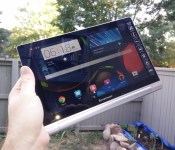
Lenovo Yoga Tablet 10 HD+ Review

Lenovo is back again with another addition to the Yoga tablet line. It’s safe to say that Lenovo’s top-of-the-line Android tablet is better than ever. As we mentioned with our review of the Yoga Tablet 10, Lenovo is pushing the envelope of design, which could be good or bad depending on which way you look at it. The new Yoga Tablet 10 HD+ has some nice upgrades from the previous model, but still falls short in some of the same places.
Hardware
As with the previous 10-inch Yoga tablet, the build quality in the HD+ is excellent. The device features a 10-inch 1920×1080 display, a 1.6 GHz quad-core Qualcomm Snapdragon 400 processor, 2 GB of RAM, 8 MP rear-facing camera and 1.6 MP front-facing camera.  The display is pretty sharp and bright, but one thing that could be annoying to some is its glossiness. I didn’t find it a problem when using it inside or in shaded area. It also has some decent viewing angles, which is always a plus. One of the best features, which also could be considered its worst, is the tablet’s design and like the previous model, it’s extremely thin at its thinnest point and up to about 3/4-inches at its thickest. The thickest part of the device is sort of a cylinder with the power button on one end and the 3.5 mm headphone jack at the other, which it’s also a handle for the device. This is a good idea theoretically in my opinion and great comes in handy when holding the device or transporting it, but it’s a slightly awkward feeling if you’re holding the device and using it in portrait mode. The thick side also houses the built in kickstand that is still a bit hard to engage, as with the previous model. If you are using the device on a table or to have it sit up on your lap, it’s perfect, but if you wanted to have it in a position that you could type on it, it’s a bit too tall in my opinion with the kickstand out. If you were using it the same way but without the kickstand engaged, it’s seems to be too small of an angle. To give you an idea of how these angles differ, think of an iPad with its Smart Cover as a happy medium just about in-between both of these angles which seem either slightly too large or small for completely comfortable typing.
  The tablet comes with 32 GB of built-in storage that is more than enough, plus hidden behind the stand is a compartment where you can add additional storage with up to a 64 GB MicroSD card. I mentioned above that the HD+ has a Snapdragon 400 processor and 2 GB RAM, which is more than enough to satisfy the standard user. Just about any app I used on the device ran with no issues, including games like The Dark Knight Rises. Comparing TDKR running on this with it running on my OnePlus One with a Snapdragon 801 processor, it’s clear which is the winner, so as you can imagine, the graphics on high-end games are reduced and it’s just slightly choppy. Games that aren’t as graphics intense like Leo’s Fortune and even Horn ran beautifully. The cameras on the device are fairly decent for a tablet cameras. I didn’t test them extensively, but the photos I took turned out pretty clear and were decent in lower light. You should have no problems video chatting with the front-facing camera either.
  Two of the last things I want to mention about the device is that the 9,000 mAh battery is fantastic as well as the fact that it has front-facing speakers. In use, the tablet gets about 18 hours of battery life, but I’ve seen the tablet display that it had about 38 hours of battery life when I didn’t use it a lot. There were times when I didn’t use it for a week or more and barely any power was lost, so it works great in standby mode. The speakers on the device are loud and were great for tablet speakers, especially when I tested it out watching Transformers: Dark Side of the Moon.
Software
On the software side of things, the device is running Android 4.4.2. For most of the review, it was running Android 4.3 Jelly Bean then right when I was finishing writing this up, it got updated to Android 4.4.2 KitKat. Lenovo had mentioned that the device would be receiving the KitKat update at the end July, which was about an 866 MB update One nice thing about the software on the tablet, although not the absolute latest version of Android KitKat, is that it’s pretty close to a stock experience, Before the update, it had tablet style menus in Settings but the upgrade brought a Nexus experience to the Settings, only with a slightly different color scheme .The desktop and even on-screen navigation buttons are also Nexus-style as well, so you’ll be right at home. The only downfall with the launcher is that it’s not great if you have a ton of apps or aren’t very good at organizing them since there is no app drawer, much like on the iPad or MIUI. Don’t forget, you can always install a third-party launcher so it’s not the end of the world. The notification drawer and Quick Settings are stock as well, with slightly different icons. Some nice additions that Lenovo added to the software is the Smart Side Bar that can be accessed by swiping from the bezel onto the screen on either side as well as the Dolby app that allows you to adjust sound settings for numerous modes such as for movies, music, games and voice, plus you can make custom configurations as well. The Smart Side Bar gives quick access to your videos, photos and books, recently used apps and sound and visual modes. The KitKat update appears to have made the sidebar work much better than previously as there were times when I couldn’t get it to come out when it was running Jelly Bean. Also, before the update you could double tap while on your homescreen and recent apps would appear, but that appears to have been taken out of the software, unless there is a setting somewhere that I couldn’t find to turn it back on.  Another thing that Lenovo added to the software is the ability to run multiple apps at once by having one open then opening the recent apps and sliding it to the window.pane. I had no trouble watching a movie and surfing a webpage a the same time.
Accessories
Along with the tablet for review, I also received a green and grey sleeve. While it won’t really protect the tablet from huge falls, it will protect it from scratches. The HD+ fits in the sleeve nicely, even with its “unique” design. It also closes magnetically so you don’t have to worry about the flap opening. 
Overall
Looking at both the hardware and software together, it’s not a bad tablet for $369. The Lenovo Yoga Tablet 10 HD+ is a worthy upgrade from the previous model, but still has some of the same shortcomings with the stand and software. As we said with the Yoga Tablet review, if you favor battery life over raw power, then this is worth considering. There also aren’t many tablets with an included stand, front-facing speakers and Android 4.4 KitKat.
The post Lenovo Yoga Tablet 10 HD+ Review appeared first on AndroidGuys.
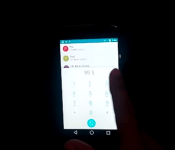
Android L Hits the Nexus 4! Android 4.4.4 for the New Moto Family! – Device Updates

Android L makes its way over to the Nexus 4, and now more people can enjoy the beauty that is Material Design. Got to love these developers in our community, and how they strive to bring us the latest and greatest. The Moto family is starting to see Android 4.4.4, but that is only if you are over in india. I am sure everyone else will get theirs soon.
Device Updates
Android L ported to the Nexus 4
Android 4.4.4 hitting the Moto family in India
Gionee Elife leaps to Android 4.4.2
//<![CDATA[
ord = window.ord || Math.floor(Math.random()*1E16);
document.write('’);
//]]>
The post Android L Hits the Nexus 4! Android 4.4.4 for the New Moto Family! – Device Updates appeared first on AndroidSPIN.
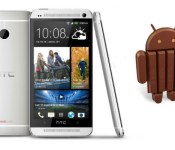
Android 4.4.4 rollout for HTC One M7 and M8 GPE has started

Just a day or two after Android 4.4.4 update rollout started for Motorola Moto G Google Play Edition, same thing is happening for HTC’s One Google Play Edition smartphones, both M7 and M8.
As you might already know Android 4.4.4 isn’t exactly what we’d call a big update, it came knockin’ not even a month after the 4.4.3 update. Though it is highly recommended you update your device as soon as possible. According to Google it improves performance, security, stability and squashes some bugs.
Do you own either of these devices? DId you get the update yet?
Via: PhoneDog
The post Android 4.4.4 rollout for HTC One M7 and M8 GPE has started appeared first on AndroidGuys.

Android 4.4.2 for the Galaxy Note 2! Android 4.4.4 Hits The LG G Pad GPE! – Device Updates

Your Monday is over with, so let’s see if that device of yours hand an update. Been a couple weeks since I’ve had a Device Updates segment. That’s just because the updates have slowed up lately. Hopefully in the next few months, Android L will make the round either by developer ROM, or the actual update hits the big devices once it is released. Least you Galaxy Note 2 users on AT&T have a tasty Android 4.4.2 update headed your way. Let us know if you have received it.
Galaxy Note 2 Android 4.4.2
Android 4.4.4 Sony Xperia Z1 Compact
Android 4.4.4 LG G Pad 8.3 gpe
//<![CDATA[
ord = window.ord || Math.floor(Math.random()*1E16);
document.write('’);
//]]>
The post Android 4.4.2 for the Galaxy Note 2! Android 4.4.4 Hits The LG G Pad GPE! – Device Updates appeared first on AndroidSPIN.

Samsung unveils a quartet of Android smartphones for the budget crowd

Not everyone can justify splurging on a powerhouse phone like the Galaxy S5, and Samsung clearly knows it — the tech firm just unveiled four Android KitKat handsets for frugal types. The Galaxy Core II (shown here) is the standout of the bunch, although it’s a curious case of taking two steps forward and one step back. While it has a larger 4.5-inch (if still WVGA) screen and a much faster quad-core 1.2GHz processor, it also drops from 1GB to 768MB of RAM and cuts the built-in storage in half, to 4GB. Thank goodness there’s a microSD card slot, or that storage could get cramped very quickly.
As for the rest? They’re much more focused on first-time owners and developing regions, like China or India. The Galaxy Ace 4 is mostly a software-focused refresh of the Ace 3 that still has a 4-inch WVGA screen and either a dual-core 1GHz or 1.2GHz processor, depending on whether or not you’re getting 3G or LTE data. The Galaxy Young 2 and Star 2, meanwhile, are strictly for those with basic needs — both have 3.5-inch half-VGA screens, single-core 1GHz processors and fixed-focus cameras, while the Star 2 omits even 3G data. You probably won’t be rushing to line up for any of these devices, but they should be big deals for anyone who has just enough cash to dip their toes into the smartphone waters.
Filed under: Cellphones, Mobile, Samsung
Source: Samsung Tomorrow
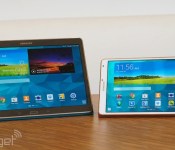
Samsung Galaxy Tab S review: slim design, long battery life, stunning screen

It’d be silly of me to talk about tablets in the past tense — we still write stories about them daily and clearly, we review them, too. But of the ones we’ve seen lately, most have been low-end; mid-range at best. The market for high-end slates, once crowded with companies big and small, now looks more like a fraternity. At this point, the only players left are mostly big names like Apple, Microsoft, Sony. And, of course, Samsung. The outfit just announced the Galaxy Tab S, its flagship tablet for 2014. Available in 8.4- and 10.5-inch sizes, it comes armed with the best possible specs, including a stunning 2,560 x 1,600 Super AMOLED screen, 12-hour battery life and a slim build that measures just 6.6mm thick. In addition, Samsung added a fingerprint reader (still a rarity on tablets) and free goodies like popular magazines, Dropbox storage and a six-month Wall Street Journal subscription. The tablet’s up for pre-order now, starting at $400 for the 8-inch model and $500 for the 10-incher. So, you can’t test-drive it yet, but, as it happens, I’ve been playing with it for almost a week. Suffice to say, I’ve enjoyed myself. Mostly.
Hardware
Let’s call a spade a spade: The Galaxy Tab S is basically a blown-up version of the Galaxy S5. Available in “Dazzling White” and “Titanium Bronze” (brown, really), the Tab S has a plastic rear lid with a grid of dots on the back that look like dimples. Yep, just like the GS5. And the similarities don’t end there. Both devices mix rounded corners with blunt-cut sides that make it easy to hold. Even the home button is the same: an oval-shaped key with a fingerprint reader built in (more on that later).
It so happens I find the design pleasant. Elegant, even. My colleague Brad Molen, who reviewed the GS5, was less impressed, calling the look “inoffensive” (ouch, Brad). But none of that matters, really; it’s irrelevant if either of us likes the design. What I can say — and what I think you’ll find more helpful — is that regardless of whether you dig the aesthetic, this is most certainly a well-made piece of hardware. Part of it’s the build quality: Though the plastic might not be as premium-feeling as metal, it’s basically immune to both scratches and fingerprints, meaning it continues to look pristine much longer than you’d otherwise expect it to. Then there’s ergonomics: The blunt edges, pancake-flat back and soft-touch finish on the rear make it comfortable to hold.
There’s also the size to consider. At 6.6mm thick, the two Galaxy Tab S tablets are skinnier than both the iPad Air and the iPad mini with Retina display. (Sony’s Xperia Z2 Tablet beats them all, at 6.35mm thick.) The Galaxy Tab S is lighter than Apple’s tablets, too: The 10-inch version weighs a pound (the same as the 9.7-inch iPad), while the 8-inch model comes in at 0.63 pound (10 ounces), beating out the Retina display iPad mini. I say all that to illustrate how dang thin this guy is. It’s one thing to parrot Samsung’s marketing material and say it’s as thick as five credit cards. It’s another to tell you that it’s even thinner than two popular tablets that are already known for being skinny.
Ready for a quick tour? Both the 8- and 10-inch models have the same camera setup: a 2-megapixel webcam up front, and an 8-megapixel shooter with LED flash around back. For navigation, you’ve got back and multitasking keys, both built into the lower bezel next to the home button. The selection of ports is the same too, though the layout is going to be different, considering the 10-inch tablet was designed for landscape use, and the 8-inch model was primarily meant to be used in portrait. Starting with the 10-incher, you’ve got the power/lock button up top, along with a volume rocker and an IR blaster, allowing you to use the device as a remote. Stereo speakers line both the left and right sides, with a headphone jack on the left, and a microSD reader on the right capable of supporting 128GB cards. The right edge is also home to a standard micro-USB port for charging. On the smaller model, meanwhile, the power/lock button, volume rocker, microSD slot and IR emitter are all on the right, with the speakers spread across the top and bottom. The headphone jack and micro-USB socket are also on the bottom, exactly where you’d expect to find them on a tablet this size.

That’s about it for the hardware tour. Well, except for one thing. Peek around the back and you’ll see two circles, which depress, like trapdoors. These are called “Simple Clickers” and are there to attach Samsung’s optional cases. These include the Simple Cover ($40), which only covers the screen, as well as the Book Cover ($60-plus), which wraps around the whole device and can also stay propped up at one of several screen angles. Both cases are well-made, with holes for the camera and they come in an assortment of cheerful color options. Most importantly, of course, both have little nubs that stick out, allowing you to press the case into the back of the tablet.
It’s a nice idea in theory: Once those suckers are in, you can hold the tablet by the case if you want to. That thing is staying put. The problem is, it’s a huge pain to use. First, you have to carefully line up the two nubs against their respective holes, and then you need to push them in one by one. Even now, after I’ve had time to practice, I usually don’t get it right on my first try. And in order to be successful, I typically have to use two hands to press the tablet and case into each other. Ripping the case off requires a bit of force — and makes an unpleasant noise, to boot. Thankfully, at least, Samsung says there will be third-party cases as well. Hopefully some of those will be the kind you can just slip on and off.
Display

You’ll notice I gave the display its very own section, even though it is technically “hardware.” That’s partly because I had a lot to say, and partly because the screen is clearly, indisputably the star of the show. What can I say? Samsung killed it. The screen here is a spec lover’s dream, with 2,560 x 1,600 resolution on both the 10-and 8-inch models. On the 10-incher, that resolution translates to a pixel density of 287 ppi; the 8-incher is noticeably crisper, at 360 ppi. Either way, that’s even sharper than both of the current-gen iPads, whose screens come to 264 ppi for the iPad Air and 326 ppi for the Retina display mini.
Alright, now that we’ve got that out of our system, let’s pull up our pants and put the measuring tape away. Even setting aside the raw specs, this is a stunning display. In particular, it’s a Super AMOLED panel, and while that won’t sound revolutionary to anyone who’s used one of Samsung’s recent phones, it’s fairly uncommon for a tablet. In fact, the last time Sammy tried a Super AMOLED panel on one of its slates was with the Galaxy Tab 7.7, which was prohibitively expensive — precisely because of the impressive screen technology. Since then, the price seems to have come down, which means the benefits of Super AMOLED are much easier to sell. In particular, the blacks here are black; the whites are white; and the colors are vibrant, if a little oversaturated. If you’ve handled a phone like the GS5, you know what I’m talking about.
What’s more, there’s an RGB sensor inside that adjusts the color balance depending on your surroundings. So, if you find yourself in a swank lounge with purple mood lighting (in which case you should really get off your tablet and socialize), the display will adjust itself accordingly. I should add, too, that the screen is super bright — bright enough that I could use it in direct sunlight and frame shots like the one below. I’ll talk more about the camera in a bit, but suffice to say, having a tablet this thin, with this bright a screen, makes photography more enjoyable than it would be otherwise.

Software

The Galaxy Tab S arrives on the heels of the Galaxy S5, which ushered in some big changes to Samsung’s TouchWiz skin — namely a flatter, more modern UI. You can bet, then, that Sammy’s new tablet has a similar look and feel. Underneath it all, the Galaxy Tab S is running Android 4.4 KitKat on top of Samsung’s Magazine UX — the same paneled, Windows 8-like layout that had Google a bit upset after Samsung’s last round of tablets were revealed. The companies have since agreed to work together on future products, to bring Samsung’s user experience more in line with stock Android. I can’t say this looked like a stock Android device right out of the box, but after I removed a bunch of those homescreen tiles, I felt a little more at home.
Even so, given that this is a Samsung product, running Samsung’s software, you’ll of course get various other features you wouldn’t find on a stock Android device. These include the usuals, like S Voice; Multi Window Mode, for viewing two apps side by side; and Samsung’s Milk Music service, which until recently has been available for phones only. As on the GS5, you’ll find older Samsung features like Smart stay, Smart rotation and Smart pause, but they’re now tucked out of sight. Don’t worry, though: A new search bar in the settings menu means those features are still easy to find.
There are other similarities to the GS5. Chief among them: that fingerprint reader I mentioned earlier. As on the Galaxy S5, the fingerprint sensor here is built into the home button, and can be used to log into the device, make transactions using your Samsung account and buy stuff on eBay. You’ll find the fingerprint option in the settings menu, at which point you’ll have to go through a setup process that involves swiping your finger across the home button eight times. In all, you can register up to three fingers per user. Mastering the perfect swipe — not too fast, centered on the home button, finger covering the whole button — is difficult. In fact, even now that I’ve been playing with the device for nearly a week, it still routinely takes me two if not three tries to get it right. There have also been multiple occasions when I’ve failed five times in a row, and had to wait 30 seconds to try again. (Note: Samsung will also have you set up an alphanumeric password, which you can enter anytime you get fed up with the fingerprint scanner.)

Also like the GS5, the Galaxy Tab S comes with 50GB of Dropbox storage, free for two years. In fact, it comes with an entire suite of free stuff, a package known as “Galaxy Gifts.” This, too, first debuted on the GS5, and includes things like six free months of Wall Street Journal access and a yearlong subscription to Bloomberg Businessweek. There are other items, including a bunch of magazine “samplers,” but these just include a handful of stories, not the whole issue. That said, if you were curious about, say, that Monica Lewinsky essay in Vanity Fair, but didn’t want to buy the whole issue (ahem), this might nonetheless be your lucky day. And hey, if all this strikes you as fancy bloatware, you can simply choose not to download it.
Speaking of magazines, the Galaxy Tab S also ushers in an app called Papergarden, which offers full-issue magazines you’d otherwise have to pay for. In the US, these titles include biggies like Cosmopolitan, Elle, Vogue, GQ, Rolling Stone and US Weekly. Users in other countries get to enjoy Papergarden too, though the selection will vary. To be clear, this isn’t like Next Issue when it comes to selection: Not all popular titles are there, and you don’t have access to back issues. You also have to submit a credit card just to download a full issue for free. Still, it’s a nice perk for people who enjoy magazines, but don’t like them enough to buy them, much less subscribe for a whole year.
I’m not done yet. For those of you with families, the Galaxy Tab S has a new Kids Mode that lets you create separate user accounts for the little ones, with restricted access if there are apps you don’t want them messing with. (Note: Kids Mode doesn’t come pre-installed, though there’s a shortcut for downloading it.) Additionally, a new Multi User Mode lets you add up to seven user accounts, complete with separate passwords and different sets of fingerprints. Finally, there’s version 3.0 of SideSync, Samsung’s app for transferring files between your tablet and your phone or PC. New in this version: the ability to forward calls from your handset to your slate, using either WiFi or LTE. The bad news: For now, at least, it only works with the GS5. So, uh, we hope you have a Galaxy S5 handy.
Camera

Both Galaxy Tab S’s have an 8-megapixel rear camera and LED flash, along with a lower-res, 2.1-megapixel shooter around front — more or less the same setup used in the Galaxy Note Pro 12.2, Galaxy Tab Pro 8.4, and the Galaxy Note 10.1 2014 Edition. Basically, then, you should expect identical imaging performance between the two Galaxy Tab S models, and also across Sammy’s recent tablet lineup. As we’ve found in the past, color reproduction is good, and the camera is quick to focus as you line up your shot (if for some reason it doesn’t lock on where you want it to, there’s always tap-to-focus). Low-light shots are grainy, but then, what did you expect from a tablet camera, anyway?
As it happens, I took all my sample shots in auto mode, because that’s how I believe most consumers will use the device, but you can also choose from one of several specialty modes, including “Beauty face,” panorama, HDR and dual camera. Additionally, you can adjust the ISO, metering modes, flash and face detection from the settings menu.
It’s a similar story with 1080p video recording. Like other Engadget reviewers who’ve tested recent Samsung tablets, I found my sample footage to be pretty smooth, though the occasional gust of wind put a damper on the audio quality. Even then, the tablet picked up on a wide range of noises — sirens, traffic, people talking nearby — without any of those elements sounding distorted.
Performance and battery life
| Samsung Galaxy Tab S ** | Sony Xperia Z2 Tablet | Galaxy Note 10.1 2014 | iPad Air *** | |
|---|---|---|---|---|
| Quadrant 2.0 | 18,597 | 18,877 | 19,530 | N/A |
| Vellamo 2.0 | 1,672 | 1,622 | 2,735 | N/A |
| SunSpider 1.0.2 (ms) | 1,109 | N/A | 1,069 | 393 |
| 3DMark IS Unlimited | 12,431 | N/A | N/A | 15,328 |
| GFXBench 3.0 Manhattan Offscreen (fps) | 5.5 | N/A | N/A | 12.7 |
| CF-Bench | 31,695 | 37,902 | 31,567 | N/A |
|
*SunSpider: Lower scores are better. **Average scores for the 8.4- and 10.5-inch models. ***Not all of our Android benchmarks are cross-compatible with iOS. |
||||
Whichever screen size you get, the Galaxy Tab S has the same specs: three gigs of RAM, and an eight-core Exynos 5 Octa chip, the same one found inside certain versions of the Galaxy Note Pro 12.2 and Galaxy Note 10.1 2014 Edition. In case you haven’t been keeping up with our Samsung tablet reviews, here’s what you need to know: The Exynos 5 actually includes two quad-core processors, only one of which is active at a given time. These include a 1.9GHz chip for heavier-duty tasks, and a lower-powered 1.3GHz one for the more menial stuff. The idea is to extend battery life by using the more powerful cores only when necessary (but to still have them ready to go when you need the extra horsepower).
To scan the benchmark table above, you’d assume the Galaxy Tab S performs roughly in line with other top-of-the-line tablets, including the Sony Xperia Z2 and, of course, the 2014 Note 10.1, which uses the same chipset. What the numbers don’t capture, though, is how uneven the performance can be. What’s most frustrating is that while the tablets excel at the hard stuff, like rendering graphically detailed games, they stumble over the little things. Though neither of my two test units ever crashed or froze on me, I routinely observed a slight delay when launching apps or tapping a text field and waiting for the onscreen keyboard to come up. Meanwhile, though, Need for Speed: Most Wanted ran smoothly — and looked fantastic on that 2,560 x 1,600 Super AMOLED screen, to boot. I also had no problems with Multi Window Mode; I was able to quickly set up two side-by-side windows, as well as swap in new apps when necessary.
All told, the performance here isn’t bad by any means; it’s just not as brisk as I expected it to be, given the way the chip was designed. I’m inclined to say that Samsung can address some of this low-level sluggishness with a firmware update. That said, Brad described similar performance hiccups when he reviewed the 2014 Note 10.1 last fall, which means Samsung has already had plenty of time to work out some of the kinks with its Exynos 5 chip. I still believe Sammy could improve the performance via a software update. It just doesn’t bode well that the chip’s performance hasn’t changed in the months since it debuted: Has Samsung been listening to us?
If it’s any consolation, the as-yet-unreleased LTE models are supposed to use a Snapdragon 800 chip instead of the Exynos 5, so maybe performance will be snappier there.
| Tablet | Battery Life |
|---|---|
| Samsung Galaxy Tab S (10-inch) | 12:30 |
| Samsung Galaxy Tab S (8-inch) | 12:22 |
| Microsoft Surface 2 | 14:22 |
| iPad Air | 13:45 (LTE) |
| Apple iPad mini | 12:43 (WiFi) |
| Apple iPad mini with Retina display | 11:55 (LTE) |
| Apple iPad (late 2012) | 11:08 (WiFi) |
| Apple iPad 2 | 10:26 |
| Samsung Galaxy Note Pro 12.2 | 10:04 |
| Apple iPad (2012) | 9:52 (HSPA) / 9:37 (LTE) |
| Acer Iconia W4 | 9:50 |
| Nexus 7 (2012) | 9:49 |
| Microsoft Surface RT | 9:36 |
| Toshiba Encore | 8:45 |
| Sony Xperia Tablet Z | 8:40 |
| Sony Xperia Z2 Tablet | 7:57 |
| Nexus 10 | 7:26 |
| Dell Venue 8 Pro | 7:19 |
| Samsung Galaxy Note 8.0 | 7:18 |
| Nexus 7 (2013) | 7:15 |
| Samsung Galaxy Tab Pro 8.4 | 7:13 |
| Samsung Galaxy Tab 3 10.1 | 6:55 |
According to the product pages on Samsung’s website, the 10-inch model’s 7,900mAh battery can last through up to 12 hours of video playback. Ditto for the 8-incher: It, too, is rated for 12 hours, despite having a smaller, 4,900mAh cell. As it turns out, the Galaxy Tab S performs even better than advertised. The 8-inch tablet managed a solid 12 hours and 22 minutes of video playback, while the 10-incher made it to exactly 12.5 hours. Mind you, that was with the screen brightness fixed at 50 percent and WiFi on, but not connected; surely, if we allowed the brightness to dip even lower, we could have squeezed out more runtime. Should you need more juice, by the way, you can enable “Ultra power-saving mode,” which turns the screen to black-and-white and only enables certain key apps. Basically: For emergency use only.
Configuration options and the competition
The Galaxy Tab S is up for pre-order now, with shipments starting sometime in July. In the US, prices start at $400 for the 8-inch version and $500 for the 10-incher. Both start with 16GB of built-in storage, though Samsung will also be selling 32GB models in select countries. Meanwhile, that LTE model I mentioned is coming later this year, and is expected to sell on all the major US carriers: AT&T, Verizon, Sprint and T-Mobile. No word on how long you’ll have to wait for that, though.
All told, as you can see, it’s a solid choice, with hardly any flaws to speak of. That said, we can think of a few other tablets you should be considering. If you’re dead-set on something running Android, the Sony Xperia Z2 ($500-plus) is even thinner and lighter than the Galaxy Tab S, not to mention waterproof. Then again, it suffers from relatively short battery life and a super-glossy, lower-res screen (not that 1,920 x 1,200 resolution is “low,” per se). Meanwhile, you might also consider Samsung’s Galaxy Note Pro 12.2 ($750 for 32GB) and the Note 10.1 2014 Edition ($550-plus). Neither is as thin or light as the Galaxy Tab S, but they have 2,560 x 1,600 screens and support pressure-sensitive pen input — the one thing the GTab S doesn’t offer.
It’s also worth noting that Google’s 2-year-old Nexus 10 is still around for a reasonable $399. Having been out for two years, it’s overdue for a refresh, and a replacement could be coming soon, though its 2,560 x 1,600 screen makes it relevant even today. Across the aisle, there’s Microsoft’s Surface 2, starting at $449. It’s a handsome device, and the built-in kickstand is a convenient feature you won’t find on any of these other tablets. That said, if I had to choose, I’d still pick the Galaxy Tab S, as it’s thinner, lighter and cheaper, with a better screen and a bigger app selection.
Finally, the elephant in the room: the iPad. If you prefer Android, you may as well skip this section — we think you’ll be very happy with the Galaxy Tab S. If you’re OS-agnostic, though, the Galaxy Tab S takes on the iPad Air and Retina display iPad mini nearly spec for spec, with the GTab winning out in thinness, lightness and screen resolution. The prices are basically the same too, with the 8-incher starting at $399 and the bigger model going for $499. The one thing you might want to consider is that tablet-app selection is still better on iOS than on Android. That said, both are excellent products; start by picking the OS you like best and go from there.
Wrap-up

The Samsung Galaxy Tab S is good. Really good. With long battery life, a stunning screen and an especially thin and light design, it’s a near-perfect product. My main hang-up is that the performance doesn’t always feel as brisk as it should (the forthcoming LTE edition uses a different chip, and has the potential to be faster, but it’s unreasonable to ask someone to pay extra for the kind of performance they should have gotten on the WiFi-only models). In addition, the fingerprint scanner, though nice to have, can be temperamental — so much so that I’ve more than once locked myself out of my own tablet. That said, I believe Samsung can address these two minor performance issues via a software update. And even if it doesn’t, this is still an excellent piece of kit. If I may, I’d offer the same advice I would to prospective iPad buyers: Unless you want the extra screen real estate for watching movies, just buy the 8-inch version. It’s cheaper, with a crisper screen, identical camera and just as much horsepower as the bigger model. Either way, you can’t go wrong.
Android 4.4.4 rolling out to Nexus 4, 5, 7 and 10

Earlier this month Google started rolling out Android 4.4.3 update to certain Nexus devices and now we have yet another update by Google; 4.4.4 is here.
Suffice it to say, Android 4.4.3 update caused issues on certain devices. People have been reporting issues with bluetooth and wi-fi signal most of all. This might be the reason Google is pushing yet another update so soon after the 4.4.3 update. Other than certain Nexus and Google Play Edition devices only Moto X, G and E have received 4.4.3 update thus far. Google has released factory images for Android 4.4.4 (KTU84P) update, although it doesn’t seem to be available OTA just yet. The only differences seem to be under the hood, as we said probably squashing some bugs and stuff.
Do you have Android 4.4.3 on your device(s) and are you having issues with it?
VIA: Phandroid
The post Android 4.4.4 rolling out to Nexus 4, 5, 7 and 10 appeared first on AndroidGuys.

The next version of Android will enhance battery life, speed up apps

Several months ago, Google added an experimental runtime option to speed up apps in Android 4.4 KitKat. A runtime, for the record, supports the apps running on your device — without it they’d be nothing but piles of useless code. Called ART (short for Android Runtime), that same mode will become the default when Mountain View releases the next version of its operating system. Developers spotted tweaks to Android’s open-source code indicating the upcoming change, and the update looks to be a positive one. Without getting bogged down in details, ART essentially makes apps run faster and more efficiently, with the downside being that they’ll take up slightly more space on your phone, as well as lengthier install times.
ART will likely replace the current app-running software Dalvik as the default on Android, though the latter option could still be available. In addition to enhancing app performance, ART is said to slightly increase battery life. Even if the gains are small, that’s good news for anyone using the most popular mobile OS in the world. And with Google I/O just a week away, we may hear about the next version of Android very soon.
Filed under: Software, Mobile, Google
Via: Phone Arena, Android Authority
Source: XDA Developers

IN BRIEF: 5 Android related things you might have missed (June 7)

Welcome back my Android friends it’s time for another “IN Brief”. Today we’re going to take a look at some news that you may have missed during the week.
There was a new version of fitness app Runtastic introduced this week. The update includes some great new features such as
- Google Street View: This mode allows users to view a recap of their recently completed run in Google Street View along with panoramas of the places that they have passed.
- “Challenge a Run”: This mode allows runners to compete with their past run times.
- 2 New Story Runs: Alcatraz 2 and Weight Loss. These are interval based training modes that help your run to be a little more fun.
- New feature presentation element: This helps users get familiar with the new functionalities in a more detailed, engaging way.
These new features are available now
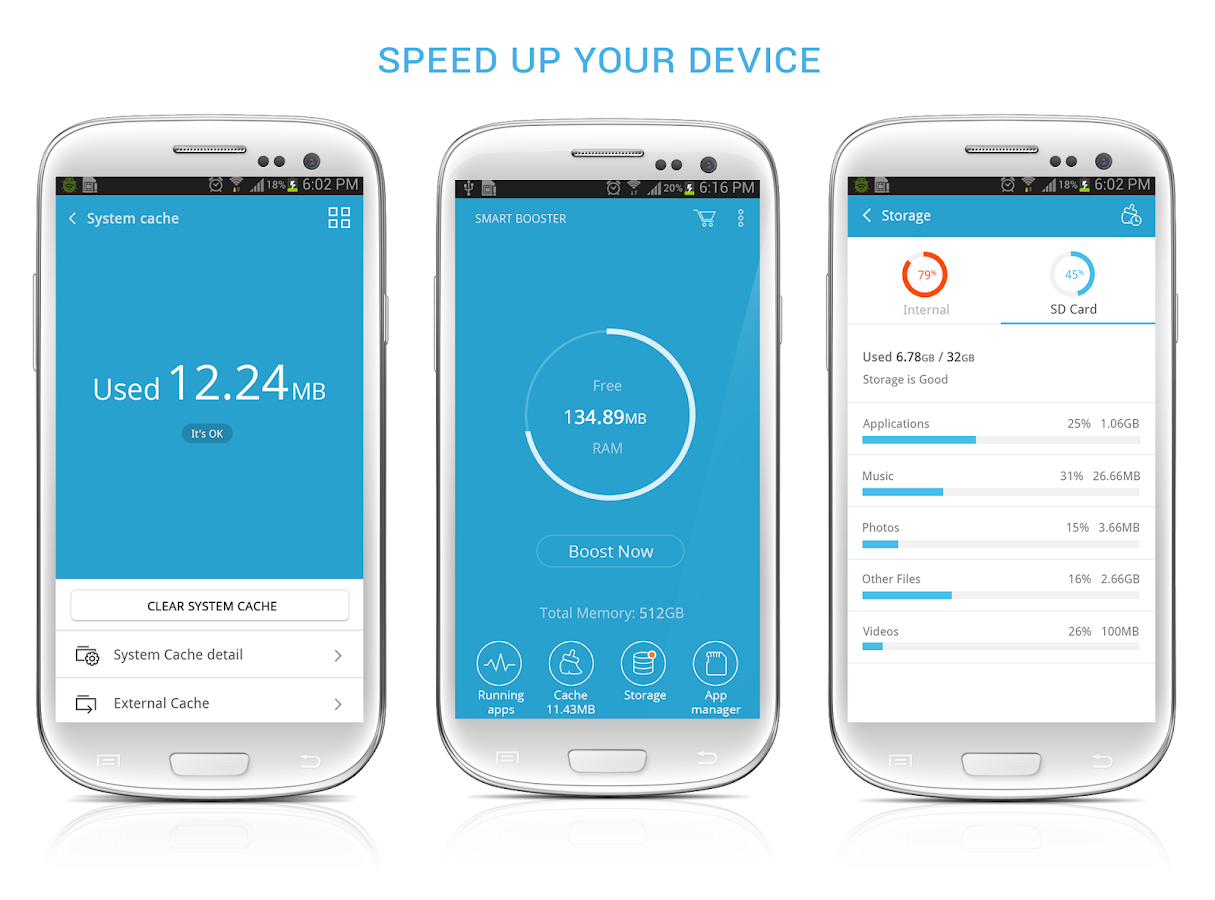
Android optimization app Smart Booster has just received an updated look. Devoloped by ANTEK MOBILE this app allows you power users to do some rather cool tweaks to your device such as..
- Smart RAM Booster
- Fast Cache Cleaner
- Quick SD Card Cleaner
- Advanced Application Manager
SMART BOOSTER just recently reached the 5,000,000 installs milestone and in celebration the premium version of the app is on discount 30% off for one week.
The very popular game The Sandbox will be coming to the Android powered console OUYA this summer for free with in-game purchases. THE SANDBOX gives players the powere to create their own world pixel by pixel and offers features such as…
- Total freedom to create your world, your way—freely place, erase, and replace elements to shape the environment as you see fit.
- 150 dynamic elements to experiment with—combining elements creates new, and sometimes unexpected, results.
- Hundreds of campaign levels to direct your world building—from making mud from water and soil to creating complex electrical circuits, campaign levels provide a smooth introduction to The Sandbox’s mechanics and an intense challenge once players get up to speed.
- Play, rate, modify and upload your own created world in the Online Gallery, already featuring more than 750,000 players creations.
- OUYA optimized controls—the touch control scheme has been carefully rebuilt for OUYA, bringing the world-building experience to life on the big screen.
Just when you thought you would never hear anymore about the classic Angry Birds franchise, developer ROVIO has announced that they will be spinning off the series with new addition “Angry Birds Stella”. This new addition to the Angry Birds franchise will have its own games, animation, books, consumer products & more. ROVIO will be releasing more information about the series at a later date but until then check out a few screens of the upcoming spin-off
 .
. 

Lastly we have some statistics on Android 4.4 KitKat’s market share. KitKat is now installed on 13.6 percent of all Android devices now. That’s a huge jump considering that only about 2.5 percent of Android devices were running KitKat as early as March of this year. While 13.6 percent is a big jump here’s hoping that more devices are moved to the latest version of Android as quick as possible.

The post IN BRIEF: 5 Android related things you might have missed (June 7) appeared first on AndroidGuys.
 AIVAnet