LG G Pro 2 review: new year, new Note contender

The large-screen smartphone market is now one of the most fiercely competitive in the wireless industry. But even though nearly every phone maker has produced a competitor to the Samsung Galaxy Note, only a handful of products have actually been worth considering. LG’s Optimus G Pro, a 5.5-inch flagship introduced last year, was one such exception. A year later, its 5.9-inch successor picks up where the first Pro left off, adding enough extra firepower to take on the Galaxy Note 3 spec for spec. The LG G Pro 2 may very well have what it takes to stand up against its big-screen rival, but it’ll have to overcome a few minor obstacles in order to succeed.
Hardware

Didn’t think the first G Pro was big enough? The new 5.9-inch G Pro 2 sports a larger screen than its 5.5-inch predecessor, and its 157.9 x 81.9 x 8.3 mm (6.22 x 3.22 x 0.33 in.) chassis is taller, wider and thinner too. Comparing it to similarly sized devices, it’s a little bigger than the Galaxy Note 3, although it isn’t any thicker. The HTC One Max, on the other hand, is only a hair wider, but it’s significantly thicker than the Pro 2. Weight-wise, the G Pro 2 comes in at 172g (6.07 ounces), a mere four grams heavier than the Note 3 and 45 grams lighter than the One Max. It’s more comfortable to grasp the Pro 2 one-handed than the One Max, but admittedly the Note 3 is the easiest of the three to hold.
Our initial impression of the new G Pro was that it looked like a flattened version of LG’s curved G Flex phone. Upon closer inspection, though, it has a fancier look to it. Much like its predecessor, the Optimus G Pro, the new G Pro 2 is the result of some clever engineering. The first thing you’ll notice is that the bezel sparkles, thanks to a glitter-like paint that LG refers to as “pearl.” The paint is featured on the black and silver models, but not on the white version.

The polycarbonate back cover features a textured metal finish whose mesh pattern is so fine that it feels like a thick canvas. It looks fantastic and fortunately doesn’t attract as much lint or dust as we feared. Despite all that, the phone isn’t always the most comfortable to hold: the texture is a little slicker than it would have been if it were made of rubber or some sort of soft-touch material, and the actual edges of the phone are only 4.1mm thick at its thinnest point, which made it too easy for my fingers to slip off.
Speaking of finger placement, the back of the phone is completely flat, with the exception of a steep slope around the edges and back-mounted buttons, which were designed to be easy to reach even when you’re using the phone one-handed. These buttons, which were first introduced on the LG G2, are now standard for LG’s premium (or not-so-premium) smartphones; they’re located just underneath the camera, which works out nicely because my fingers rest naturally there. While it took me a while to get used to the button placement on the G2, this setup — with the power button nestled between two volume keys — makes sense on a large phone like this. Now, you don’t have to wrap your hand around the entire frame just to adjust volume or power on the screen. (Not to mention, it makes the phone look sleeker when there aren’t any buttons along the sides.)

Underneath the rear cover sits a 3,200mAh battery and a double-decker slot that fits a micro-SIM on the bottom and a microSD on the top. Since the phone comes with either 16GB or 32GB of storage, it’s worth tossing in some external memory (up to 64GB) for music, games, photos and videos (especially if you want to take advantage of the phone’s 4K video recording).
On the G Pro 2, LG boasts a 77.2 percent screen-to-frame ratio. Essentially, this means that because of the phone’s slim bezel, the chassis is much smaller and offers a more comfortable experience than other devices with the same-sized display. Speaking of which, the G Pro 2 also rocks a 1080p Full HD IPS panel, which means it has the same resolution as the original G Pro. Unfortunately for pixel density connoisseurs, this means fewer pixels per inch — 373 vs. 401, to be exact. Arguably, this small difference in density doesn’t make the viewing experience visibly worse unless you’re looking at the two side by side, but we expect that most people would rather sacrifice a few pixels per inch for more screen real estate. We’d add, too, that the display itself is easy to see in the direct sunlight when it’s cranked up above 80 percent brightness. Likewise, the viewing angles are great too.
The Korean unit we tested comes with LTE-Advanced carrier aggregation and has penta-band support (700/850/1800/2100/2600). The 700MHz band is AT&T-compatible (band 17), which means that we were able to enjoy LTE speeds in the US. This is important to note because the phone isn’t officially available in the US, but you can still technically import one from Korea and it’ll work properly. Our office location pulled down speeds of 10 Mbps down and 5 Mbps up, but we’re certain it would fare better in areas with a stronger signal. As for other connectivity, the Pro 2 comes with tri-band (850/1900/2100) HSPA+ at 21 Mbps and quad-band GSM/EDGE. You’ll also get all the other usual connectivity options, including Bluetooth 4.0 (Bluetooth Smart-ready), NFC, 802.11ac WiFi and SlimPort.
Software

LG historically hasn’t done a good job of updating its Android phones in a timely manner, but the company is off to a good start with the G Pro 2: It ships with Android 4.4.2 KitKat, the latest version of the OS. It also comes with the same LG user interface we’ve grown used to over the years, although one small difference is that the status and virtual navigation bars are now transparent.
The Knock Code sounds like something kids need to do to get into a secret treehouse club, and it’s not actually too far off from what LG is trying to do here. In short, it’s a pattern-protected version of the company’s “KnockOn” feature on the G2: Instead of double-tapping any part of the display to get you into the lock screen, you tap a specific pattern, which will let you bypass the lock screen entirely. We were successful about eight times out of 10, but be careful about tapping too fast; you might confuse the phone that way.
As ironic as it may seem, manufacturers have pushed the upper limits of smartphone screen size while simultaneously trying to prove that they’re easy to use one-handed. This is usually done by shrinking UI elements (the keyboard, for example) and pushing them over to one side of the screen so they’re within reach of your thumb. For a 5.9-inch device like the G Pro 2, these kinds of tricks are essential if you don’t want to have both hands constantly glued to your device.

With the new G Pro 2, LG’s introduced a new feature called Mini View designed to make one-handed use a little more feasible. In truth, Samsung already does something similar with the Note 3, but the implementation here is different. Swipe left or right on the navigation bar at the bottom of the screen, and the interface will shrink into a 3.4-inch window that you can move around and even resize (it goes up to 4.7 inches).
Meanwhile, there are plenty of options for those of you who enjoy the extra screen space. Dual Browser is LG’s version of the Galaxy Note’s Multi Window, which lets you view more than one app at the same time. Hold down the back button to bring up a small menu of apps, and you just drag apps to either side of the screen. There’s also QSlide, a suite of apps that appear as floating windows. While hovering over the rest of the screen, you can choose to make them as transparent as you’d like in order to make sure they’re not distracting you when you need to focus.

The G Pro 2 also marks the debut of LG’s new Content Locker feature, which lets you hide photos and other files from view, and the only way to access them is by entering a password. This comes in handy when you’re trying to keep all of those confidential business documents away from your friends, family members and unsuspecting children who would otherwise find or alter them by accident.
Finally, LG threw in a few audio enhancements. The G Pro 2 comes with 1W Hi-Fi sound, which, according to LG, offers “studio quality sound” without any loss to the original audio. The idea is to add clarity and improve the high notes, while the speaker setup handles the mid to low end of the spectrum. In comparing it with another recent LG device, the G Flex, we noticed that although the sound isn’t as loud on the G Pro 2, it also sounds richer.
LG’s also added in a couple new tools as part of its Smart Music Player, including the ability to change the pitch and speed of your music in real time. While we imagine that this kind of feature is more useful on professional desktop software, it’s still fun to play around with — and we wouldn’t be surprised if this was just the first of several new smartphone audio tools.
Camera

LG has stuck to its tried-and-true 13-megapixel sensor for more than a year now, but we’re not complaining that it hasn’t changed. As long as the manufacturer continues to tweak the image quality and add new features that make a difference in imaging performance, we’ll be perfectly happy with LG’s current resolution. That’s why we’re seeing a bunch of other improvements in LG’s camera in terms of performance and features, which we’ll go into in more detail as we go along.
For starters, the G Pro 2 has a feature LG calls OIS+, which essentially takes the same optical image-stabilization tech that we loved in the G2 and adds software stabilization to the mix. This came in handy for me when I was taking a quick pic or when my hands started to shake.
Moving on, LG no longer features a dedicated night mode (using auto mode works sufficiently well for this cause, so it’s not a huge miss), but it’s added a couple more options to help with low-light shots. The first is Natural Flash, which is LG’s implementation of Qualcomm’s Chroma-Flash technology. Taking pictures using an LED flash is normally frustrating because the image usually comes out overexposed, but with Natural Flash, the camera takes two pictures at a time — one with flash, one without — and then the software merges them into an image that looks more balanced. In our comparisons with the G2 and iPhone 5s, we noticed that the flash is not only stronger on the Pro 2; it also does a better job reproducing colors.

Fortunately, the G Pro 2 also tackles the dilemma of taking selfies at night. After all, does anybody like a dark selfie? Not me, anyway: If I’m going to take pictures of myself, I want to really see myself. To solve this problem, LG dropped the aperture on the front-facing camera to f/2.2 and introduced a new feature called “Flash for Selfie.” (Yes, really.) As painful as the name is, it’s actually a fun idea. Shrink the viewfinder size, replace the rest of the screen with a bright white light and presto, my glorious face is now well-lit. It does a much better job at mastering the nighttime selfie than any camera I’ve used before.
How about good old-fashioned low-light images? The G Pro 2 does well there too, thanks to its f/2.4 aperture. I won’t go as far as to say that it’s the best; it’s sufficient, but there’s more noise than we prefer and not enough detail to earn any trophies. Still, I had no problem taking great images in the city at night. The only issue I came across was the camera’s inability to snap moving objects in lower-light situations; this typically resulted in blurry shots more often than I would have liked.
Fortunately, the G Pro 2 handles daytime conditions with aplomb. It snaps shots quickly and can easily maintain focus on objects, although I’d like to see the camera lock its focus a little faster. That said, I was also very happy with the Pro 2′s accurate white balance and color reproduction. All told, the vast majority of my pictures were gorgeous, and I was happy with the results.
One by one, each phone maker seems to be adding the ability to change focus in post-production, Lytro-style. Nokia introduced the Refocus Lens a few months ago, and last week, Samsung announced a similar feature in the Galaxy S5. LG’s doing the same thing on the G Pro 2 with something called Magic Focus; the company once again recruited Qualcomm for help, taking advantage of its Ubi-Focus technology. Magic Focus doesn’t do anything we haven’t seen before: It lets the user take a picture and then specify which objects you want in focus, and you can even choose to bring everything in the picture into focus if you’d prefer.

LG’s provided a couple new video features as well. Chief among them is UHD recording at 3,840 x 2,160 resolution with a solid bit rate of 30 Mbps. If you prefer, you can record in 1080p with 30 and 60 fps options, which translates to a bit rate of 20 or 30 Mbps, respectively. Additionally, LG added slow-motion 120 fps footage, though the resolution there is limited to 720p.
All in all, the G Pro 2 does a fantastic job of not only handling smooth motion, but also capturing audio; my voice came through loud and clear. LG even offers a directional-audio feature that makes it possible for the user to pick and choose from which direction they want to pick up sound (and which directions they want to filter out). The only thing I’d like to see improved is its ability to maintain focus on specific objects for a longer period of time.
The G Pro 2 also includes a brand-new video mode called Tracking Zoom. This lets you zoom in on specific parts of your screen while still capturing the action taking place in the rest of the viewfinder. It was fun to use for a little while, but it certainly has a voyeuristic vibe; that said, we’re sure there are plenty of non-creepy use cases out there for this feature.
Performance and battery life

The new G Pro comes decked out in full Snapdragon 800 (MSM8974AB) glory, which means you’re going to get a quad-core 2.26GHz CPU and Adreno 330 GPU, not to mention 3GB of RAM to keep things running smoothly. This sounds like a fantastic setup, but it’s technically not the best of the best. That honor now belongs to the Snapdragon 801, which is really just the 800 with a higher clock speed. Frankly, you get an additional 0.19GHz CPU speed and 28MHz higher maximum GPU speed. Truly, that minor speed bump won’t be apparent to most users, which means even with a slightly slower chip, the G Pro 2 is still powerful enough to handle anything you throw at it.
| LG G Pro 2 | Samsung Galaxy Note 3 | HTC One Max | |
|---|---|---|---|
| Quadrant 2.0 | 18,349 | 23,449 | 11,973 |
| Vellamo 2.0 | 1,672 | 2,501 | 2,568 |
| 3DMark IS Unlimited | 17,241 | 16,323 | N/A |
| SunSpider 1.0 (ms) | 727 | 881 | 1,173 |
| GFXBench 3.0 Manhattan Offscreen (fps) | 8.7 | 9.7 | 5.0 |
| CF-Bench | 36,840 | 37,626 | 29,137 |
| SunSpider: lower scores are better | |||
Many smartphones sold in Korea come with a spare battery, and the G Pro 2 is no exception — heck, it even comes with an external charger for it! Both cells are 3,200mAh and easily last through a day of heavy use, although gaming and high-def video recording will naturally reduce runtime by a few hours. (We imagine this is where the extra battery will come in handiest.) In our rundown test, which consists of looping a video, the phone fared much better than the original G Pro; this time we got almost 10 hours of playback, nearly two and a half more than the previous model. It’s not the best we’ve ever seen, but it’s still impressive. Of course, any units that LG sells outside of Korea likely won’t have the extra battery inside; it’s unfortunate that most carriers don’t offer this as part of the full package, but you can take comfort in the fact that if you pay $933 for a new phone, it’ll at least come with a spare battery.
I didn’t have any problems with call or audio quality, but there were a couple random bugs that I observed enough times to make note of them. First, the unit I tested occasionally lost reception, though the outages typically lasted less than a minute. Aside from that, the signal fluctuated more than it should have, quickly going from a full LTE signal to a weak one (and many times falling back to HSPA+) without any movement on my part.
The other abnormality was related to navigation, which is one of the most critical parts to get right on a smartphone. On one occasion, the G Pro couldn’t give us an accurate lock on our position (it was close, but had difficulty keeping up with us when walking around), nor did the compass point us in the right direction, so we got lost on the streets of Barcelona. We’ll continue to do more testing on this to see if the issues persist, but it’s not a good sign when you have to whip out a competitor’s phone to get accurate location readings.
The competition

The main competition for a 5.9-inch smartphone is obvious: The LG G Pro 2 is going head to head against the Samsung Galaxy Note 3, a similarly sized device that undoubtedly dominates this particular niche. This certainly isn’t the only option out there — HTC, ZTE, Huawei, Oppo, Hisense, Acer, ASUS and plenty more now offer phones in the so-called “phablet” genre — but LG’s S Pen rival is still the most popular.
Like many of LG’s previous phones, the G Pro 2 begins its life as a Korea exclusive. And at $933, it costs nearly as much as the curved G Flex did at its debut. We expect pricing to fall as it becomes available in other parts of the world (LG hasn’t mentioned the US yet, but there’s a fair chance we’ll see it show up eventually) over the next few months, but at the moment, its sticker price sits at around $300 more than the Galaxy Note 3. As such, we can’t recommend the G Pro 2 until it can be had for a more reasonable price.
Wrap-up

Aside from a couple bugs, we have few complaints about the LG G Pro 2, so forgive us if we get a little nitpicky. For starters — and this should go without saying — but if you found the original G Pro too large, you won’t be happy with the size of its sequel. That caveat aside, this phone brings a unique design, solid build quality, a great camera and some of the best specs you could hope for in a flagship device. The battery life is relatively good and hey, if you run out of juice, it even comes with a spare.
Of LG’s current lineup of large-screened smartphones, this is our favorite so far, and unless you crave Samsung’s S Pen support, the G Pro 2 can easily go up head to head against the Note 3. Once the G Pro 2 makes its way to other countries at a reasonable price, this is going to be one heck of a phone. The only question that remains is how long we’ll have to wait for it.
Filed under: Cellphones, Wireless, Mobile, Google, LG
LG G Flex Getting 4K Video Capture Support With Android 4.4
The LG G Flex is expected to receive Android 4.4 KitKat very shortly, and a dive into the strings of the User Agent Profile reveal that the update will unlock the capability to support 4K video capture.
With a 13-Megapixel camera on the LG G Flex, the hardware seems perfectly capable of 4K video capture and it seems the capability is only currently disabled in software, waiting for the impending 4.4 KitKat update to unleash it.

LG are expected to begin rolling out Android 4.4 KitKat in the next coming weeks, with it hitting devices before March is out.
The post LG G Flex Getting 4K Video Capture Support With Android 4.4 appeared first on AndroidGuys.
Paranoid Android 4.1 beta released with reworked PIE controls for KitKat
There are plenty of options when looking to run a custom ROM on your Android device and one of the most popular, besides CyanogenMod, is Paranoid Android.
Official PA ROMs only support Nexus devices, so if you don’t see your device in the downloads, it’s not supported by the main development team, but there may be a port and you just need to search the forums.
Up until recently, the latest PA ROMs based on Android 4.4 KitKat were primarily a stock experience, but today an update was released, PA 4.1 beta, bringing one of the ROM’s killer “flagship” features, PIE controls, its stock navigation replacement.
According to PA, PIE is “a simple, straight-forward replacement of the navigation bar that optimizes the screen space available to the user.”
PIE is basically a fully-customizable replacement for the on-screen navigation buttons and stays hidden off-screen, only seen with a predefined gesture that can come from any of the four sides of the device.
Via Google+, the PA development team said that it faced some problems with the immersive mode introduced in KitKat, and has now released a redesigned version to match the KitKat design philosophy. Instead of porting the feature to its KitKat ROMs, PA completely redesigned the feature for the new version of Android.
PIE controls are now fully-integrated into the core UX with the introduction of “on-the-spot preferences,” so PA users no longer need to sort through endless settings.
Additionally, it gives users status information at a glance when your status bar is hidden in immersive mode, plus the stock Google Now swipe up gesture is now integrated.
If you’ve never tried out Paranoid Android before, be sure to check out 4.1 beta on your rooted, unlocked device, which is now available for the Nexus 7 2013 (Wi-Fi and 4G), Nexus 7 2012 (Wi-Fi and 3G), Nexus 5, Nexus 4, Nexus 10 and the Galaxy Nexus (GSM, Sprint and Verizon). Be sure to grab the latest Gapps as well.
Downloads via +ParanoidAndroidCorner
The post Paranoid Android 4.1 beta released with reworked PIE controls for KitKat appeared first on AndroidGuys.

Google Glass team forgoes monthly updates for bigger changes, like Kit Kat

Whether you’re a Google Glass wearer or merely observing the new devices, you may have noticed a lack of major updates in January and February. Android Police and Glass Almanac reveal a post from the Explorers-only community forum explaining that after version XE12 closed out last year, those monthly updates might not be monthly anymore. That’s not necessarily a bad thing however, since the team is focused on making larger changes, and is currently focused on moving Glass from the Android 4.0.3 (Ice Cream Sandwich) software it shipped with to the current version of Android, 4.4 (Kit Kat), and all the improvements that includes.
According to Glass team member Teresa Zazenski, it will make things “smoother and just plain better,” adding that developers should be excited too. There is one small change to report though, as Glass wearers can now post photos and videos directly to Google+ communities. While we wait to find out what’s in store, the Glass team just linked a behind the scenes video for tomorrow’s Academy Awards, giving a POV look behind the scenes from workers who make the show happen — check it out after the break.
Filed under: Wearables, Mobile, Google
Source: Android Police, Glass Almanac
Android 4.4.2 Source Code Released for T-Mobile Samsung Galaxy Note 3
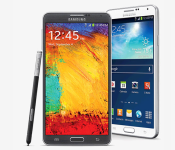
Android 4.4.2 for the T-Mobile variant of the Samsung Galaxy Note 3 isn’t quite out just yet, but it is coming. We know this because Samsung said it was, and because the source code for the update has been loaded up on the Samsung OpenSource site.
 Source code doesn’t do a lick of good for the average user, but it does give the amazing developers out there things to start tinkering with to ‘fix’ whatever the firmware fails to do. The TMo model number is N900T. Pull that up at the Samsung OpenSource webpage via search and you find the file, N900TUVUCNB4.
As for when the T-Mobile Note 3 will actually have an official OTA to Android 4.4.2 is a mystery. Often times it starts rolling out the same day, or at least within 24 hours, of the source code going up for download. Be sure to keep an eye on your Note 3 if you are still stock and watch out for the OTA.
Source: Tmonews
LG G2 Android 4.4 KitKat update hitting UK in March
Great news for the LG G2 owners in the UK, as LG have announced that they will begin rolling out Android 4.4 KitKat to its users as soon as March.
The company says the update, above anything, significantly increases performance over the previous version of Android, and they’re touting it being as much as 17 percent faster.
In addition, the update will bring various other 4.4 KitKat features to the LG G2 such as cloud printing.
With LG responding relatively quickly to rollout the 4.4 update, it can only spell good news for current G2 owners and the upgrade path they have bought into.
The post LG G2 Android 4.4 KitKat update hitting UK in March appeared first on AndroidGuys.
HTC One KitKat update finally hitting T-Mobile and AT&T

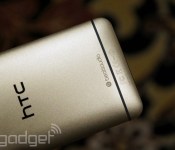
We aren’t far from HTC One owners on every major US carrier having access to Android 4.4.2 KitKat. T-Mobile’s over-the-air update is rolling out now, and AT&T’s will be out “soon,” according to HTC’s executive director of product management Mo Versi. As with its appearance on Verizon and Sprint, this update brings the latest version of the Sense UI (5.5) and all that that entails. Namely, a more customizable Blinkfeed and several appearance tweaks. The process is a little behind schedule, to be sure, but it’s nice to see that carriers haven’t slowed it down too much.
[Thanks for sending this in, everyone!]
Another Great News! We have received AT&T’s technical approval for the HTC One w/4.4 + Sense 5.5. Looking to get the OTA out soon. Thanks!
– Mo (@moversi) February 21, 2014
T-Mobile HTC One Owners! We have received technical approval for 4.4 OS + Sense 5.5! Expect the OTA out shortly! Thank you for your patience
– Mo (@moversi) February 21, 2014

Filed under: Cellphones, Mobile, HTC, Google, AT&T, T-Mobile
Source: Mo Versi (Twitter) (1), (2)
[VIDEO] What are the differences between Jelly Bean and KitKat on the LG G2?
 Since the release of Android KitKat, many of us have accepted that the new Android OS is just simply better, though we don’t know exactly how much better it is. Particularly for owners of the LG G2 which was launched running Android 4.4.2 Jelly Bean, it might be a little difficult to imagine what the differences between Jelly Bean and KitKat on the LG G2 might actually entail considering the device is already so speedy. Well, LG has made a video to show in particular the speed increases you can expect from the LG G2 when it is updated to Android 4.4 from Android 4.4.2:
As you can see, there is a massive 9ms knocked off (excuse the pun) of the G2′s highly touted KnockOn feature. Jokes aside, the upgrade to KitKat looks like it will be bringing some hefty speed increases coming from Jelly Bean right across the board. Probably most impressive for me was the speed increase in accessing the Gallery, something which as a Samsung Galaxy Note 2 owner I am extremely jealous of. LG says that apps in general will be up to 17% faster on the newer software, which can make a pretty sizeable difference when you’re using these apps on a daily basis.
This is a great representation of how much of an improvement Android KitKat is over Jelly Bean, and it begs the question of why other manufacturers don’t also make videos like this to show exactly how much better their new software builds are. Let us know what you think about this video in the comments below.
Source: YouTube via Phone Arena

Verizon Moto X Picking up Android 4.4.2 Update
The Moto X seems to be getting a lot of coverage today. Earlier we found out that the Sprint version of the device is currently undergoing soak tests for Android 4.4.2. Now we see that Verizon is well past that stage and is in the process of rolling the update out to their users.
 The update isn’t mind blowing by any means. Most of it will include a lot of stability improvements and various other little things. Improved battery life is always a nice one to see though.
The update will roll out in a traditional staged fashion, meaning you could see it today or in a couple weeks. You can check in through Settings -> About Phone -> Check for updates. Make sure you have a solid Wi-Fi connection and ample battery life if you have it available.
Source: Verizon Via Androidandme
Tegra Note 7 tablet to get an LTE refresh, early adopters pick up KitKat update

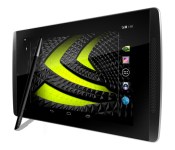
Itching for a Tegra-powered gaming device, but insist on a slate with LTE support? You’re in luck: NVIDIA is building a tablet just for you. Today the company announced the Tegra Note 7 LTE, a $299 variant of its existing Note 7 tablet equipped with (you guessed it) a cellular radio — its own i500 LTE chip, to be precise. The new radio promises to support “popular carriers across the world,” specifically citing bands compatible with AT&T, Verizon and T-Mobile in the US and carriers like O2, Vodafone and Orange in Europe.
The upgraded slate won’t be available until sometime next quarter, but NVIDIA says it’ll be rocking Android 4.4.2 when it does arrive. Of course, if you already have the WiFi model, you won’t have to wait — the latest OTA update delivers not only Kitkat, but a port of the NVIDIA Shield’s Gamepad Mapper app. Check out the company’s official announcement at the source link below.
Source: Nvidia
 AIVAnet