



The iPad Air 2 and iPad mini 3 review

It’s a conflicting time for Apple. On one hand, it’s a joyous occasion for the company because its latest iPhones, which come in larger screen sizes than the last, set new sales records worldwide; but on the other hand, its lineup of iPads just experienced its third straight quarterly decline. Coincidentally, this comes just a week after Apple announced its annual tablet refresh, which includes a thinner and more powerful version of the iPad Air along with a Touch ID-enabled mini with Retina display.
Just because it’s down doesn’t mean it’s out. Giving up on a product category isn’t really Apple’s style, and last week, it offered up the Air 2 as exhibit A. The company made it clear that making a solid top-of-the-line tablet is on the top of its to-do list, so naturally the new 10-inch device got plenty of upgrades in nearly every aspect of its design. Curiously, it didn’t give the mini lineup the same kind of treatment: The mini 3 got so little love this time around that the best news about it is the fact that last year’s version is now $100 cheaper. Should the new iPads still get a place in the consumer’s backpack? Read on to find out.
Hardware
iPad Air 2
Thinner, lighter, more powerful. It sounds a lot like last year’s iPad Air, which was reduced to the thickness of a pencil, but in fact, I’m talking about the sequel. At 6.1mm thick, an 18 percent decrease from the original Air’s 7.5mm, you’ll be hard-pressed to find a thinner tablet; Samsung’s Tab S comes close at 6.6mm. It’s not easy to build such a thin device that feels just as sturdy as its thicker brethren, but Apple nailed it with the Air 2. The new slate has lost weight, too, but not as much as the last one did: While the first Air managed to lose nearly half a pound over the iPad 4, the next version only trims off 0.04 pound (32g) for a total of 0.96 pound (the LTE-enabled version is a few grams heavier). So, it’s lighter, but the change isn’t anywhere near as noticeable this time around.
The design language hasn’t changed: The Air still features an aluminum build, chamfered edges and the same footprint as before. But Apple insists that it rebuilt the new tablet from the ground up. After all, cramming better specs into a thinner package requires some creative thinking. The good news is that it looks and feels fantastic, and it comes with a no-gap display, better camera, more powerful chipset, Touch ID and stronger wireless connections. The bad news is that some compromises were made — specifically in the area of battery size, which has plummeted from 32.4Whr to 27.3 (more on this later).

Aside from being thinner, there are a couple other ways you can tell a new Air from an old one. The first is the inclusion of Touch ID, Apple’s fingerprint sensor that was introduced last year in the iPhone 5s. It’s certainly a welcome feature, and one I’ve been hoping to see on an iPad ever since the iPhone 5s debuted; I can’t count how many times I tried unlocking my iPad this way before remembering it doesn’t have this feature. What’s more, Touch ID is even more useful now than it was before; iOS 8 enabled third-party developer support for the fingerprint sensor, so you can use it to access sensitive account information or passwords. It also facilitates online payments through Apple Pay, but since no new iPad comes with NFC, you won’t be able to use your huge tablet at a tap-to-pay station.
The Air 2 also doesn’t have a mute switch, which I didn’t think would be a huge loss until I actually found myself trying to use it and becoming frustrated more frequently than I expected. Your new options are to press and hold the volume down button or go into the Control Center and press the mute key; if you used the switch to lock screen orientation, you’ll need to do that in the Control Center as well. A microphone now sits where the mute switch once was; there’s another one right next to the camera. This means the antenna on the top of the WiFi+Cellular model is no longer interrupted by mic holes.

Inside, the Air 2 comes with a new A8X chipset, which I’ll discuss later on. In short, Apple has added another CPU core, boosted graphics performance and doubled the RAM. But it’s also followed the iPhone 6 by adding the M8 motion coprocessor, which includes a barometer so you can track flights climbed. Other additions include 802.11ac WIFi, which can get you faster connections (provided you have a compatible router); 20 LTE bands, which should be more than enough for most international travelers; and up to 150 Mbps cellular download speeds if your carrier offers it.
iPad mini 3

Apple’s message for the iPad mini changed dramatically in the past year. When it debuted last fall, the iPad mini with Retina display was given feature parity with the Air. The two devices were nearly twins, with the exception of size and a difference in color accuracy (which we’ll get into soon). In the end, iPad buyers found that the toughest decision was which size to pick. Fast-forward a year, and the mini 3 has been largely forgotten. Even the fourth-gen iPad, which was released only eight months after the previous version with a performance boost and Lightning port, looks like a bigger upgrade.
Indeed, there’s only one major feature change on the mini 3: Touch ID. Yep, that’s all, unless you count a gold color option as an actual feature (I don’t). Otherwise, the hardware is completely identical to last year’s mini. All of the stuff you just read (and will continue to read) about getting improved on the Air 2? Nowhere to be found. The dimensions and design style all remain the same as the last mini. Whereas Apple says it built the Air 2 from the ground up, the mini 3 just seems like an afterthought to make it look like the mini line hasn’t been forgotten. Well, it hasn’t been, but it does look strange that the larger tablet is once again considered the premier option with the best specs. The sudden change in product strategy doesn’t add up.
Apple SIM

This may be the very first time a SIM card has earned its own section in an Engadget review. But a new type of nano-SIM card preinstalled in the Air 2 and mini 3 is worth a mention. Buried in the last few lines of a press release is Apple’s first mention of a new “Apple SIM,” a first-of-its-kind card that lets you change your cellular carrier without also changing the SIM card. This convenience is limited to just a few countries and carriers at launch — Sprint, T-Mobile and AT&T in the US and EE in the UK — but over time, the selection of willing operators may improve. It’s still very much in the early stages right now, but the idea is a natural fit for an iPad, which doesn’t come with a carrier lock or a contract; people will want to switch among carriers depending on what kind of coverage they need and what types of data plans become available.
My review units came with carrier-branded SIMs, but the Apple-specific chips should come preinstalled when they’re shipped. (If you prefer a non-supported carrier, such as Verizon, a new chip will be provided for you.) There’s still no way of knowing whether this is a proprietary technology or if Apple is licensing it; if it’s the latter, it’s possible that the option will eventually be available for non-Apple devices as well.
Display

The Air 2 has the same 2,048 x 1,536 resolution as all the Retina iPads that have come before it; Retina HD does not exist in the tablet lineup. But as I mentioned earlier, Apple was able to trim down the iPad by using a laminated, optically bonded, no-gap display similar to the ones used on the iPhone and even the Microsoft Surface tablets. Not only does the new panel save vertical space by eliminating any gaps of air between the display layers, but it also makes the screen significantly less reflective. This is meant to reduce the amount of glare hitting the screen, whether you’re reading in direct sunlight or watching movies under harsh fluorescent lights. I’m happy to report that it works as advertised; I was able to read text and look at photos much better on the Air 2 than the previous version. Tapping on the screen also doesn’t feel as hollow on the new tablet as it did on last year’s. Still, Apple seems to have achieved this at the expense of white balance, which seems slightly colder than on the first Air.
For the iPad mini, I have a confession to make. As I reviewed last year’s model, I praised the display for its high pixel density and good looks — and in many ways this still rings true a full year later — but I didn’t catch a glaring difference between it and the original iPad Air’s display: The colors on the mini with Retina display have a narrower gamut than the Air, so the hues are flatter; they simply don’t provide the same kind of punch that the Air does. That was something I didn’t want to miss again, so I took a closer look to see if Apple had corrected anything on the mini 3, or if the color gamut would remain consistent among all three devices in the series. If you didn’t like it before, expect to see more of the same; any changes in color accuracy are extremely minor, as the Air lineup continues to offer a better experience here than the mini. The below image shows the difference between the Air 2 and the mini 3 displays.

iOS 8.1
iOS 8.1 is the third update to Apple’s new mobile OS in just over a month, after a bug fix that was immediately followed by another fix to correct the problems introduced in that initial update. The refresh was made available to every compatible iPhone and iPad yesterday, and the new iPads will come with it preinstalled, bypassing the lengthy download and install process.
Because the Air 2 and mini 3 both use Touch ID, they can take advantage of the biggest new feature in the update: Apple Pay. But since they don’t have Near-Field Communication (NFC) chips installed, you can’t do tap to pay; you can only use the service for online payments. This isn’t a huge issue, since most people will prefer using their phones (or Apple Watch) to buy stuff in retail outlets; it’d be much easier to whip out my wallet and swipe my card than take an iPad out of my bag to use tap-to-pay.
Apple Pay isn’t the only benefit you get in 8.1. In the initial iOS 8 release, the company oddly left out the Camera Roll. You could still see all of the images you took on your phone or tablet, but if you were using iCloud and had multiple devices, there was no way to tell which photo or video was taken on which product. This week, it’s back in the Albums tab.
With 8.1, you’ll also get to beta test the iCloud Photo Library, which uploads and stores your collection o’ memories so that you can edit and share them from any of your Apple devices. If you have less than 5GB in your album and don’t want to pay anything, it’s definitely worth doing. If you’ve got more than that, you’ll need to pony up some cash in order to store it all: 20GB costs a dollar per month in the US; 200GB is $4; 500GB is $10; and 1TB is $20.
Finally, 8.1 enables some of the Handoff and Continuity features I discussed in the iOS 8 review, such as sending and receiving text messages on your Mac, and Instant Hotspot, which makes it possible to automatically tether your computer to your mobile device. These features were announced as part of iOS 8 in June, but needed Apple’s new desktop operating system, OS X Yosemite, to work properly.
Camera
I’ll be the first to admit that I’m not the target demographic for a tablet camera. I used to make fun of the whole idea of taking pictures with a 10-inch gadget, but clearly it’s a trend that’s not going away, as a brief visit to any theme park, tourist attraction, concert or Vegas sidewalk will prove. So, I can’t blame Apple for catering to this growing group of people who prefer a large viewfinder. The iPad Air 2 is a prime example of this. While the mini 3 doesn’t gain improved imaging capabilities, the Air 2 steps up to 8MP resolution (versus 5MP in the Air) and has a new Image Signal Processor (ISP) as part of the new A8X chipset. On the software side, the new camera comes with Burst Mode, as well as slow-motion video capture in 720p at 120fps. There’s still no LED flash on front or back this time around, however.
Overall, the improvement in detail is obvious, and imaging is noticeably better in a few other areas as well. The white balance is slightly improved; colors are a little more accurate; and harshly backlit images aren’t as blown out as they were on the previous Air. And although the f/2.4 aperture is the same on both cameras, the new ISP manages to filter out more noise in low-light situations; it still won’t catch as much errant light as the iPhone, however. Apple also says the 1.2MP FaceTime camera should do a better job of reducing noise, but I couldn’t see any real difference in side-by-side comparisons.
(You can see full-res images taken by the Air 2 camera here, and samples from the original Air can be found here.)
Performance and battery life
| iPad Air 2 | iPad Air | iPad mini 3 | NVIDIA Shield Tablet | |
|---|---|---|---|---|
| Geekbench 3.0 | 4,510 | 2,646 | 2,470 | 3,423 |
| Basemark X | 29,518 | 15,231 | 14,839 | TBD |
| 3DMark IS Unlimited | 21,659 | 15,536 | 14,595 | 30,970 |
| SunSpider 1.0 (ms) | 303 | 404 | 439 | 463 |
| GFXBench 3.0 Manhattan Off/onscreen (fps) | 32.4/24.6 | 13.0/8.8 | 13.0/8.8 | 31.0/29.7 |
| SunSpider: Lower scores are better. | ||||
Strap on your seat belts, kids — the iPad Air 2 is speedy. The irony is not lost on me as I say it, given that we seem to say the same thing with every new iPad. Indeed, the Air 2 fits that bill perfectly: It’s predictably more powerful than its predecessor, thanks to the A8X chipset inside, but there’s a bit more to the tablet’s oomph this time around. Apple’s making a jump from a dual-core processor to one with three cores; the CPU is clocked at 1.5GHz, a 100MHz bump from the original Air; the L2 cache doubled from 1MB to 2MB; and it also comes with 2GB of RAM, twice as much as the last few iPads. It’s no surprise, then, why the company is boasting a 40 percent boost in CPU performance and an increase in graphics prowess by a factor of 2.5.
So yes, the iPad was powerful before, and it’s even more so now. Apple says the new chip is optimized for apps and games that use Metal, a framework that gets rid of a lot of the overhead that gets between a developer and the GPU. It also takes advantage of 3D graphics processing and other advanced computing capabilities. The A8X will increase the performance of every app regardless of whether or not they use Metal, but I focused more heavily on apps and games that do.
One such app was Replay, a video highlight tool featured in last week’s keynote. The app takes images you’ve curated from your photo library and puts them into a cool montage-like video; you can add music, text and other effects to give some extra pizzazz to your Facebook slideshow of the family trip to Disneyland. The A8X showed its chops when it was time to save and render the video; I did the same exact video on both iPad Airs (iPads Air?), and the original wasn’t even halfway through the job when the Air 2 completed the task.
It’s clear that the A8X can make a huge difference over the A7 in many areas, but I didn’t see as drastic a performance improvement with existing games that use Metal. I tried several, such as Asphalt 8, Beach Buggy Racing, Modern Combat 5 and Epic Zen Garden. As expected, I experienced fewer frame skips, smoother play and faster load times, all of which are nearly givens anytime there’s a boost in graphics capacity. And the Air 2 is a winner for this alone. The only downside was that I saw the same number of fine details in the A8X during gameplay as I saw in the A7. When comparing the two Airs side by side, I saw the same reflections in puddles, blazing fires, other characters, falling buildings, exploding helicopters and other elements. Still good, but not a night-and-day difference. The improvements in this area were not as noticeable as I’d anticipated, but hopefully A8X-optimized games will come out soon that push the chip’s graphics capabilities to the limit.
The benchmarks sided with Replay in terms of performance. I saw massive bumps in test scores on Geekbench 3 and Basemark X (nearly double that of the Air), as well as a 6,000-point increase on 3DMark. I also notched a 25 percent decrease in SunSpider, which was the lowest score I’ve ever seen on any mobile device (SunSpider scores are like golf — the lower the better); finally, I was also impressed by the onscreen and offscreen GFXBench results. However, while the iPad is still among the most powerful tablets on the market, it’s got some serious competition; the NVIDIA Tegra K1-powered Shield Tablet crunches some numbers that surpass the Air 2’s scores, with others getting incredibly close.
| Tablet | Battery Life |
|---|---|
| iPad Air 2 | 11:15 |
| iPad mini 3 | 13:45 |
| Microsoft Surface 2 | 14:22 |
| iPad Air | 13:45 (LTE) |
| Apple iPad mini | 12:43 (WiFi) |
| Samsung Galaxy Tab S (10-inch) | 12:30 |
| Apple iPad mini with Retina display | 11:55 (LTE) |
| Apple iPad (late 2012) | 11:08 (WiFi) |
| Apple iPad 2 | 10:26 |
| Samsung Galaxy Note Pro 12.2 | 10:04 |
| Apple iPad (2012) | 9:52 (HSPA) / 9:37 (LTE) |
| Acer Iconia W4 | 9:50 |
| Nexus 7 (2012) | 9:49 |
| Microsoft Surface RT | 9:36 |
| Toshiba Encore | 8:45 |
| Sony Xperia Tablet Z | 8:40 |
| Sony Xperia Z2 Tablet | 7:57 |
| Nexus 10 | 7:26 |
| Dell Venue 8 Pro | 7:19 |
| Samsung Galaxy Note 8.0 | 7:18 |
| Nexus 7 (2013) | 7:15 |
| Samsung Galaxy Tab Pro 8.4 | 7:13 |
| Samsung Galaxy Tab 3 10.1 | 6:55 |
A thinner profile comes at the expense of battery size. The new Air’s is 5.1Whr smaller than the old one, but Apple still promises that you’ll get the same 10-hour battery life because the A8X is more power-efficient. Real-life use shows that the original Air still rules the roost; after a day of heavy use, I typically went to bed with around 20 percent left in the tank. If you’re only using it moderately — say, for casual content creation or consumption — you should get a little over two days. In our video test, in which an HD movie plays through the life of the battery, the Air 2 squeezed out 11 hours and 15 minutes, significantly lower than last year’s Air and about an hour short of the Samsung Tab S. That said, I’m using the WiFi+Cellular version, so keep in mind that the WiFi-only option should get longer results. On the flip side, the mini 3 actually improved in battery life over the last model, getting nearly 14 hours of video before dying.
On the plus side, the loudspeakers have improved. In side-by-side tests with the original Air, the sequel’s speakers produced even louder and fuller sound than its predecessor, which came in handy while listening to podcasts and streaming music around the house.
The competition

As usual, the new iPads come in WiFi-only and WiFi+Cellular options, with the WiFi-only models beginning at $499 for the Air 2 and $399 for the mini 3. In both cases, the base models have 16GB of storage. Meanwhile, the cellular options start at $629 for the Air 2 and $529 for the mini 3. If you need more storage — and given how much available space is required just to update your devices these days, I strongly recommend it — you’ll need to add an extra $100 to get 64GB of storage and $200 for 128GB. As with the new iPhones, the iPads are no longer offered with 32GB.
The new iPads aren’t the only show in town. Google’s Nexus 9, which comes out in two weeks, will likely be a strong performer thanks to its NVIDIA K1 chip, a 2.3GHz dual-core processor with 64-bit support. (This is the same silicon inside the Shield Tablet, so the Nexus 9 should keep up with the Air 2.) Apple got a nice head start on 64-bit support when it released the A7 chip last year, so it’ll take some time for developers to take full advantage of their newfound abilities. The baseline, WiFi-only Nexus 9, which includes 16GB of internal storage, will go for $399; this puts it as solid competition against the mini 3, although its screen size is right in between the mini and Air. There’s also the Sony Xperia Z2 Tablet, which is now going for around $460 and packs plenty of punch, and the Samsung Tab S, which comes with an octa-core chip and 3GB of RAM for the same price as the Air 2.
The mini 3 will also soon have to compete against Sony’s Z3 Tablet Compact, an 8-inch waterproof slate that is now available for pre-order. It’s 6.4mm thin and comes with a 2.5GHz quad-core Snapdragon processor with 3GB of RAM, but you’re also paying for the extra features: it’s priced starting at $499, which is a fair amount higher than Apple’s already high-priced option.
If you like the smaller form factor, but don’t love the price, there’s also the Shield Tablet, which comes with the aforementioned K1 chip and is available starting at $299; it’s more gaming-minded than your usual Android tablet, but it’s a fantastic performer that soundly beats out the mini 3. There’s also the Google Nexus 7, which was discontinued, but still available on Amazon and other retailers for around $200. And finally, last year’s iPad mini with Retina display is now $100 cheaper at $299, while the original mini is $249. However, that $50 difference also means you lose the Retina display; it’s definitely worth the money to go with the higher resolution. Likewise, the original Air is now $399, $100 cheaper than its successor.
Wrap-up

In the wake of dire sales, the Air 2 is exactly what Apple needed to keep the lineup fresh. It may not be a brand-new design, per se, but its thin frame helps keep the marquee tablet looking sleek and exciting, and the extra burst of performance ensures that it stays among the most powerful tablets on the market for the next year. It could use a little help with battery life compared to the Air, but it’s still an improvement over the iPad fourth-gen and older. Most importantly, the Air 2 feels like Apple hasn’t given up on the tablet form factor, even if it’s experiencing a dip in sales.
That said, I’m not sure where the mini 3 fits into Apple’s strategy. Since the only hardware improvement to the new slate is Touch ID, the mini lineup is no longer on par with the Airs; it’s now a second-class tablet citizen. I love Touch ID, and I favor the screen size of the mini, but it’s not worth paying an extra $100 for Apple’s fingerprint sensor unless you use a ton of passwords or want to make a lot of online Apple Pay purchases. It’s still a great performer, but I can’t help but wonder if the mini lineup can remain relevant at its price point — especially now that 5.5-inch iPhones are even more portable and still offer a large screen.

iPad Air 2 Benchmark Points to A8X Chip With Triple-Core 1.5 GHz CPU, 2 GB RAM
While Apple touted the power of the new A8X chip used in the iPad Air 2 at the company’s media event last week, the company as usual opted not to disclose exact specifications on the part, leaving the details up to rumor and speculation until the device starts making its way into the hands of users and teardown experts.
But with Apple shipping out orders to customers for delivery as soon as tomorrow, it appears that at least one user has already gotten his or her hands on the iPad Air 2 and run a Geekbench 3 benchmarking test on it (via Gizmobic). If the result is genuine, and Primate Labs founder John Poole tells MacRumors that it appears to be, it reveals that the A8X contains an unusual triple-core CPU configuration running at 1.5 GHz and paired with 2 GB of RAM.

The extra core and 100 MHz faster clock speed compared to the A8 found in the iPhone 6 and 6 Plus means the iPad Air 2 scores roughly 13 percent higher on single-core benchmarks and 55 percent higher on multi-core benchmarks than Apple’s latest iPhones.
More details will undoubtedly be unveiled in the coming days as teardown experts take the iPad Air 2 apart and chip experts examine the internal layout of the chip.
Apple wants all iOS apps to use 64-bit code starting in February

Apple may have only introduced 64-bit computing to iPhones and iPads a little over a year ago, but it’s already preparing for the day when legacy 32-bit code is gone for good. The Cupertino crew is now telling developers that their iOS apps must include 64-bit support from February 1st onward. While the company won’t kick out existing titles, both new apps and updated releases will have to make the switch. Theoretically, this is easy — developers just have to build apps using the most recent tools and standard settings.
The switch could have a meaningful impact on the apps you use. At the least, it should reduce the need for iOS to juggle both 32- and 64-bit code. That’s good for performance, whether or not there are meaningful upgrades to the apps themselves. The move may also spur more developers to fine-tune their apps for the A7 and A8 chips in recent iOS gear — even if they don’t need to use higher-precision 64-bit math, that could still lead to faster games, media players and other demanding titles. It’ll likely take much longer for Apple to drop 32-bit support altogether, but the ball is clearly rolling on that transition.
Filed under: Cellphones, Tablets, Mobile, Apple
Via: 9to5Mac
Source: Apple Developer
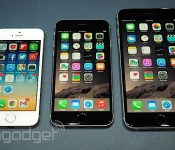
Apple’s iPhone business soars while the iPad languishes

Apple just dropped its 4th quarter earnings a few moments ago, revealing that the folks in Cupertino raked in $42.1 billion in revenue and $8.5 billion in pure profit — more than enough to take care what it might owe in back taxes. More interestingly, the company moved a total of 39.3 million iPhones over the past three months, along with 12.3 million iPads and 5.5 million Macs. Word that Apple’s mobile business had a bang-up three months is hardly a shock — a record-breaking 10 million iPhone 6/6 Pluses were sold over its first weekend, which CEO Tim Cook said beat all previous milestones “by a large margin”. Here’s the thing though: iPad sales didn’t just dip from last quarter, they dipped year-over-year, too. In fact, the number of iPads Apple has moved this time around was the lowest since the company started reporting tablet sales separately in 2012.
Now, this by itself isn’t necessarily a shock either. Bigger ticket products like the iPad are things that people tend to hold onto for longer, and we’ve only just seen a new batch of iPads (well, one new iPad and one very mildly tweaked one) make their debut. Stalwarts will say just give it some time, the iPad’ll pick up steam again, and it very well may do so — there’s an iPad at nearly every notable price point now. With the launch of a device like the iPhone 6 Plus, though, a device that for many people will ably straddle the line between the iPhone and the iPad Mini, it’ll be interesting to see if the iPad manages to regain it’s former sales glory. The fact that the iPad Mini wasn’t barely touched this year won’t help matters — it got all of what, five sentences dedicated to it during the iPad Air 2’s grand unveiling? Sure, part of that is almost certainly due to the cost and complexity of shrinking components and refining design, but the continued (some would say overwhelming) demand for Apple’s bigger iPhones may wind up eating away at the iPad’s relevance in some very curious ways.
(Brief parting aside: If you want some really interesting numbers, next quarter will factor in the new iPhones’ momentum in China, and the one after that will chronicle Apple’s typical holiday explosion. We’re expecting a doozy.)
Update: Apple’s talking iPad on its earnings call right now — it says this quarter’s sales were consistent with its expectations, and apparently did really well in Japan. The iPad also remains the United States’ education tablet of choice. Later, during the Q&A session, Tim Cook said Apple looks at this iPad dip as a “speedbump and not a huge thing” and went on to note that he personally sees a “great future” for the company’s tablets.
Source: Apple
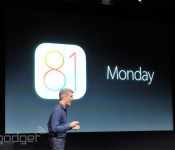
Apple’s iOS 8.1 update is waiting for you to download it

Well, it’s Monday, and that can only mean one thing: Apple’s iOS 8.1 update has finally gone live for your installing pleasure. To recap, the new software – which is debuting just over a month since iOS 8 first hit – brings back once-trashed favorites like the Camera Roll, and strengthens the connection between your iPhone and Yosemite-powered Mac with features like SMS handoff and the uber-impressive Instant Hotspot. Perhaps most importantly, Apple Pay’s launching today too: once you’ve installed 8.1 and set everything up, you’ll be able to trudge down to your local Walgreen’s (along with a horde of other participating retailers) to pay for your contact solution and Haribo gummies with your phone. If that sounds like a good time, all you need to do is pop into your iPhone’s settings and jump into the Software Update menu – the 126MB file should be ready and waiting for you.
Filed under: Mobile

Apple’s new iPads, the Nexus 6 and other stories you might’ve missed

Get ready, ya’ll. It’s been a doozie of a week. Not only did Apple unveil new iPads and a Retina iMac, Google took the wraps off the Nexus 6 and its own media streamer. That’s not all we have on deck, though — click on through for the rest of our news highlights from the last seven days. Oh, and be sure to subscribe to our Flipboard magazine!
Flickr chooses a great time to launch its iPad app

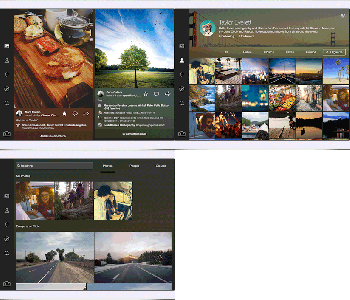
Apple has chosen to focus on the iPad’s camera abilities with the upcoming Air 2 (we wish they wouldn’t) and apparently, finally snagged Flickr’s attention. Yahoo’s photo sharing service somehow managed to beat Instagram to the punch so perhaps the introduction of its first iPad-ready app (four years after Apple’s slate arrived) isn’t that late. So what’s in the (now universal) Flickr iOS app? iPad-optimized layouts for members to browse pictures whether their own or others that “cascade in a lovely waterfall format.” If you must take a picture with your tablet, the app can record photos or videos with live filters and a full suite of editing tools. It requires iOS 8 to work, and some of the upgrades that stretch across devices include support for the new sharing extensions, photo detail editing and a new unified search. The update is live in the app store now, and of course there’s no time like 3AM ET on a Saturday to give it a try.
We’ve heard you loud and clear! Flickr for #iPad is here: http://t.co/E3ZnrfDrXq
– Flickr (@Flickr) October 18, 2014
Filed under: Internet, Mobile, Apple
Source: iTunes, Flickr Blog

Engadget Daily: Apple’s new iPads, Will.i.am’s Puls wristband and more!

Hold on to your hats, folks. It’s been quite the day: Apple unveiled new iPads and a 5K iMac, Will.i.am took the wraps off his Puls wearable, OS X Yosemite is available to download and more. Read on for all our news highlights from the last 24 hours.

Apple’s 2014 iPad event: A closer look at the numbers

There are a few things you can count on when Apple releases a new iPad: it will be thinner, it will be faster and there will be a LOT of hyperbole. Amidst the claims of magical devices, record-breaking sales and “very cool stuff” there are also a lot of numbers. Here’s a closer look at the big digits from today’s event.
Filed under: Cellphones, Desktops, Tablets, Software, Mobile, Apple

First Hands-On Impressions of New iPad Air 2: Ultra-Thin, Improved Display, Better Camera
After Apple introduced the new iPad Air 2 at its media event today, members of the press were invited to go hands-on with the new tablet. Several sites have now begun publishing their hands-on first impressions of the iPad Air 2, which we’ve gathered up below to provide an overall impression of the new device.
 Image courtesy of Gizmodo
TechCrunch says that although the iPad Air 2’s resolution is the same as the iPad Air, the display looks better than the previous models. By combining screen components, Apple has made “things look a lot more touchable”. The effect is similar to that of the iPhone 6 and iPhone 6 Plus, which makes the display seem like a “high resolution mock-up, rather than an actual display you can interact with and change.”
 Image courtesy of The Verge
Gizmodo notes that Apple shaving off .04 pounds and 1.4 mm from iPad Air makes the iPad Air 2 feel lighter than the smaller iPad mini 3 even though it’s a quarter of a pound heavier than Apple’s new 7.9-inch tablet.
Not only is it way, way thinner than the smaller iPad mini 3 — and this will sound crazy — but it feels lighter too. Even though it’s nearly a quarter of a pound heavier, the 6.1mm-thin chassis is so thin and easy to lift with a single hand that it makes the mini seem downright fat by comparison. I feel like I could hold it over my head in bed without any worry of smacking myself. Not something I can say about any other 10-inch tablet.
The Verge has similar thoughts on the iPad Air 2’s thinness, saying it feels like “there’s almost nothing left to take away” and that holding the device is like “you’re holding a screen and nothing more.” The Verge also noted that the new 8 MP camera is much improved over the iPad Air.
One thing is that is definitively better is the new camera, which is now 8 megapixels; it’s a lot faster and shots seemed a lot clearer, at least in Apple’s hectic demo room. Apple made a big deal out of this camera and the interesting apps people are building for the iPad that use the camera; we’ve fought it for years but tablet photography seems to be a thing now.
TechCrunch shares similar sentiments about the iPad Air 2’s camera, noting that the camera improvements are good enough to make some consider the tablet as a worthy camera choice.
The Verge also points out that the lack of a mute switch next to the volume rocker feels like a “casualty of thinness”, and that although users can mute the device by holding down the volume-down button or lock the orientation in Control Center, the lack of the mute switch makes both things less convenient.
Pre-orders for the new iPad Air 2 begin tomorrow, October 17, and will begin shipping next week. Prices for the iPad Air 2 begin at $499 for 16 GB with Wi-Fi.
 AIVAnet