


Is Android Lollipop more stable than iOS 8? Crittercism seems to think so
In the endless war between Android and iOS, we’re at a pretty interesting juncture where Android has had quite a sizeable overhaul in Android Lollipop and iOS has had its usual yearly improvements in iOS 8. Stability has always been paramount to both platforms but considering that Android Lollipop is just a few months old, […]
The post Is Android Lollipop more stable than iOS 8? Crittercism seems to think so appeared first on AndroidSPIN.

Report: Android Lollipop experiences less app crashes than iOS 8

Android 5.0 Lollipop may not feel like the most stable operating system Google has ever put out, though a new report seems to claim otherwise. According to data from mobile application performance management solution Crittercism, application crash rates are .2% lower on devices running Lollipop than devices running iOS 8.
According to the report, Android Lollipop’s app crash rate is at a mere 2%, while the app crash rate on iOS 8 is 2.2%. The data also shows that iOS 8 has a higher app crash rate than iOS 7, with only a 1.9% rate. When talking specifically of Android, Lollipop’s crash rate is significantly less than previous versions of Android. Apps on KitKat and Ice Cream Sandwich both crash the same amount at 2.6%. Unfortunately, there was no information regarding the crash rates of devices running Jelly Bean.
This data seems to be proven true for previous iterations of each OS in the past. Back in 2012, we saw the same case. When comparing Android versus iOS apps crashing, Android versions 1.6 to 4.0.1 crashed significantly less than iOS versions 3.1.3 to 5.1.
No matter what side you’re on, a 2.2% or lower app crash rate is pretty good. Of course, a 0% rate would be best, but you likely won’t experience many crashes with either of these operating systems. Just remember, you might experience different results when comparing Lollipop and iOS 8 since all of this depends on which specific apps you’re using. Applications can crash for a number of different reasons: OS issues, device specific issues and many more.
Have you experienced any app crashes on your Lollipop or iOS 8 device? Let us know what you think in the comments.

ESPN is getting a brand-wide makeover, starting with its iOS app

Up until now, ESPN has had two separate apps on iOS for news and scores, one designed for iPhone (SportsCenter) and another for iPad (ScoreCenter). Well, starting today, that’s about to change. The Worldwide Leader in Sports announced that it is, finally, unifying its apps on Apple’s platform, mashing them into a single application that’ll be dubbed simply as “ESPN.” The newly consolidated app doesn’t just bring a rebranding, however — it’s also completely redesigned and developed to take advantage of iOS 8, which you’ll need to have on your device in order to download it. As such, you can expect the ESPN app to support the bigger, higher-res screens of the iPhone 6 and iPhone 6 Plus, a feature that’s been long overdue.
Aside from that, the home screen now shows you more content that you want to see, namely from sports and teams that you follow closely, while the new article viewer does a great job at putting images and videos front and center. On the iPad, ESPN’s app takes advantage of the larger display by letting you view the three main tabs — Favorites, News and Now — all at once, making sure that you don’t miss a beat in what’s happening across the sports bubble. One of the best things about the iPad version of the app is the icon carousel on the bottom right corner, which gives you quick access to your favorite teams with a simple tap — even better, it does so by letting you click on the logos for each, and you can swipe across to see more teams that you’ve added to your list.

The app’s rebranding is also making its way to Android today, but the aforementioned features will have to wait, unfortunately. ESPN says an overhauled app is coming to Google’s mobile OS in “a few months,” adding that it will be “miles better” than the current version. Similarly, as it prepares to celebrate its 20th anniversary in April, ESPN.com is set to get redesigned too, following a similar design scheme to that of the the new iOS app and a fully responsive website that’ll adjust its content for any screen, desktop or mobile.
“We are trying to bring these experiences together in a package that’s personalized,” says John Kosner, ESPN’s executive vice president of digital and print media. “The ambition here is really global. We want the same look and feel rolling out over the next 12 to 18 months.” ESPN’s iOS app is expected to roll out today, so keep an eye out for it.
#fivemin-widget-blogsmith-image-702106display:none; .cke_show_borders #fivemin-widget-blogsmith-image-702106, #postcontentcontainer #fivemin-widget-blogsmith-image-702106width:570px;display:block;
 trydocument.getElementById(“fivemin-widget-blogsmith-image-702106″).style.display=”none”;catch(e)
[Image credits: ESPN]
Filed under: Home Entertainment, Internet, Software, HD, Mobile

Dropbox’s iOS 8 app adds support for Touch ID

Not to be outdone by Microsoft’s recent refresh of OneDrive, Dropbox has now made its iOS app compatible with Apple’s fingerprint-scanning technology, Touch ID, as well. You’ll need iOS 8 in order for the feature to work, but chances are you’re already running the latest and greatest software from Apple anyway. Aside from adding the ability to unlock the application by way of Touch ID, Dropbox also updated it to support the bigger screens of the iPhone 6 and iPhone 6 Plus — something that owners of Apple’s newest smartphones will definitely appreciate. Now someone tell Google to hurry and do the same for Drive.
Filed under: Cellphones, Storage, Software, Mobile, Apple
Via: The Next Web
Source: Dropbox

Live soccer scores are now just an iPhone swipe away

If you’re a keen soccer fan, chances are you already use an app to keep up with all of the latest scores while you’re out and about. However, many apps rely on you opening it each time to get a quick rundown on matches, or bombard you with push notifications when a goal goes in. Now that Apple’s added widget support to iOS 8, Forza Football is putting all of that important information just a swipe away. As part of its latest update, the app now lists goals, scorers and times of goals in the “Today” screen inside Notification Center, allowing you to catch up with the matches that are only relevant to you. To get started, simply add the new widget to your Notification Center and then follow your favorite team(s). You can also add individual matches to the app’s calendar, giving you an at-a-glance look at how your team’s rivals are performing during crunch match days.
Filed under: Cellphones, Internet, Software, Mobile
Source: Forza Football (App Store)

Withings makes some devices compatible with Apple’s Health app

A couple of weeks ago, Apple gave clearance to HealthKit applications with an update to iOS 8 — one that, as you’re likely aware of, ended up causing major problems for iPhone 6 users. But, since this issue has been resolved, more outfits have (finally) had the chance to make their software and hardware friendly with the platform’s Health app. As of today, we can add Withings to the list, having just announced that some of its products, including the Health Mate app, can start integrating with Apple’s HealthKit. This includes Whitings’ Smart Body Analyzer, Wireless Blood Pressure Monitor, the Aura sleep tracker and the fitness-tailored Pulse O2, which is great news if you own one of these as well as an iOS 8 device. We’ll likely see more developers do the same soon, so don’t worry if your preferred brand isn’t on board yet.
Filed under: Misc, Peripherals, Software, Mobile, Apple
Source: Withings
.CPlase_panel display:none;

Apple may bring back the Camera Roll to iOS 8

Sometimes it’s all about the small things. With the release of iOS 8, Apple waved goodbye to its renowned Camera Roll, the hub where pictures and videos lived in previous versions of the operating system. Instead, the Cupertino company replaced it with a “Recently Added” section — and let’s just say some users weren’t too happy about that. Fortunately, if you were one of the people disappointed by this, Apple appears to be having a change of heart. According to the site Product Reviews, which points to release notes of the most recent iOS 8 beta seeded to devs, the Camera Roll is back in its original spot, right where it once belonged. Of course, there’s always a chance Apple could decide not to reverse course at the last minute, so don’t get too, too excited. We won’t know for sure until the next version, likely to be iOS 8.1, gets pushed out to the public; for now, you’ll have to make due with what you have on your shiny new iPhones.
Photo by Will Lipman.
Filed under: Cellphones, Software, Mobile, Apple
Via: Business Insider
Source: Product Reviews
.CPlase_panel display:none;
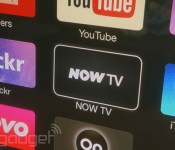
Now TV’s movie and entertainment packages finally come to Apple TV

Sky’s Now TV streaming service has offered an iOS app for the longest time, but when it came to Apple TV, the company only let subscribers enjoy sport on the big screen. As of today, that’s no longer the case, because Sky’s brought its Entertainment and Movies packages to the streamer, just a couple of weeks before prices are set to rise. If you’re already a subscriber, the menus feature the same New In, Most Popular and Must See categories, which have been given a flatter look to fit in with the Apple TV’s new iOS 8 UI. Sky’s recent rush of updates means you can also now stream via the Xbox One, PlayStation 4 and Google’s Chromecast, as well as its own £10 set-top box.
Filed under: Home Entertainment, Internet, Software, HD, Apple
Source: Sky
.CPlase_panel display:none;

Feedback Loop: Kickstarter refunds, Sony A7 impressions, and more!

Get ready for your weekly dose of community goodness from the Engadget forums. The latest edition of Feedback Loop is here. We talk about failed Kickstarter projects and discuss whether or not there should be refunds, dish on Sony’s full-frame shooter, share our favorite features of iOS 8, and try to find the best console to play Destiny with our friends. Head past the break to talk about all this and more with your fellow Engadget readers.
Should failed Kickstarter projects offer refunds?
Neal Stephenson’s eagerly anticipated sword fighting game, Clang, recently met an untimely demise. It originally started as a Kickstarter project – and while there’s no obligation to return backers’ hard earned cash, Stephenson said that refunds will be offered to those who ask. Kris wonders whether failed Kickstarter projects should be obligated to provide refunds. Have you been particularly burned by a project that you backed? Would a refund have made things better? Share your own experiences in the Engadget forums.
Quick Impressions of the Sony A7
The Sony A7 is one impressive camera, stuffing a full frame sensor into a fairly lightweight and portable body. Sadly, it’s hard to justify the cost to mere mortals who may only have a passing interest of photography. That said, I was lucky enough to take the A7 for a stroll through Southeast Asia. Check out my impressions and let me know if you have any questions about this awesome full frame shooter.
Favorite features of iOS 8
Apple’s newest operating system (and phones) are finally here. Have you updated your devices with the latest and greatest? Share you thoughts on the latest addition to the iOS family right here – and make sure you leave a review, too.
Which console is best to play Destiny?
Met wants to spend some quality time with Bungie’s recent blockbuster game but needs some advice on which console he should get. Does the Xbox One have any advantage over the PS4? Or should he just get the same console that all his friends have? Head over to the discussion and help him decide.
That’s all this week! Want to talk about your favorite gadget or have a burning question about technology? Register for an Engadget account today, visit the Engadget forums and start a new discussion!
.CPlase_panel display:none;

Sound off! What are your favorite features in iOS 8?

iOS 8 is finally here, and it’s bringing a slew of new features. It’s faster, more secure, and in a lot of ways, more like Android. Out of all the new bells and whistles what are your favorite new additions? Head over to the forums and let the community know what you’re digging most about iOS 8. When you’re done there don’t forget to write your own review! We’ll be rounding up the best of the best in an upcoming post.
Photos by Will Lipman.
Filed under: Cellphones, Apple
.CPlase_panel display:none;
 AIVAnet