



HP tablet render leaks with way too much bezel on it

You all know of a company called Hewlett-Packard, or HP for short, a California based tech giant founded in 1939. Well, they’re back in business, sort of, considering they never went out of business… oh well, let me explain.
Let me clear up the above sentence. Basically every person who knows something about technology knows of HP, but they didn’t make much noise in smartphone/tablet industry in the last few years. HP is constantly trying to leave their mark but it’s just not working for them. They introduced a few devices for Indian market a few months back, something between a smartphone and a tablet, you can read more about it here.
This time around they’re going to try leave their mark with yet another tablet, if evleaks are to be believed that is. Images below reveal an unknown HP tablet and there’s not much to go on here, but that doesn’t seem to be Android KitKat running on the device, rather something that came before it. If it’s any consolation at least it looks like a near-stock Android experience. Front side of the devices looks hideous, I’m not one to hate on imperfections, but this is just awful. The bezels are way too thick and it just looks… well, not good. Back side of the device is somewhat better though. We’re really rooting for HP, competition is always good, but they have got to step up their game. What do you think about these images?

VIA: AndroidCentral
The post HP tablet render leaks with way too much bezel on it appeared first on AndroidGuys.

Daily Roundup: Raspberry Pi cellphone, HP’s Android laptop, and more!

You might say the day is never really done in consumer technology news. Your workday, however, hopefully draws to a close at some point. This is the Daily Roundup on Engadget, a quick peek back at the top headlines for the past 24 hours — all handpicked by the editors here at the site. Click on through the break, and enjoy.

Raspberry Pi modded into a $160 cellphone
Combine a Raspberry Pi with a little know-how and you can build almost anything, including a phone. Programming savant David Hunt used $158 worth of off-the-shelf-parts to whip up his own touchscreen cellphone, and he’ll teach you how to do it too.

Leaked HP video hints at a 14-inch laptop running… Android
A leaked clip found by Notebook Italia teases a new HP Slatebook 14 with a 1080p display and quad-core NVIDIA chip. What’s so special about it? The laptop appears to be running a recent build of Android, not Chrome OS.

Xbox Entertainment Studios has at least 12 projects in production, committed to half
Xbox Entertainment Studio’s future plans remain ambiguous, but today, its push into original programming became a bit more clear. According to XES president Nancy Tellem, the studio has 12 projects in the works and Microsoft is “committed” to at least six of them.

E.T. unearthed: The dig for legendary Atari cartridges in pictures
A documentary crew recently traveled to a landfill in Alamogordo, New Mexico hoping to prove the existence of E.T. The Extra-Terrestrial, a legendary Atari game. And to the excitement of sci-fi enthusiasts everywhere, it appears the team was successful.
You also might like:
Filed under: Misc
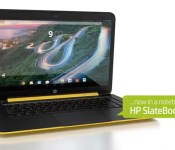
Leaked HP video hints at a 14-inch laptop running… Android

Android on laptops is normally reserved for hybrid devices or units no bigger than 10 inches. If this leaked video is correct, however, then HP is planning to launch an Android laptop with a 14-inch display. The clip, found by Notebook Italia, shows a Slatebook 14 with a 1080p display, controlled by a quad-core NVIDIA chip and running a recent build of Google’s mobile OS. The video also shows that the Android soft keys will remain on the bottom of the screen, as well as adding them to the keyboard where you’d normally find the Esc and Windows keys. There’s not much more than that to go on right now, but we’ve pinged HP to find out if this is really coming, or just the hopeful fantasy of someone who really hates Chromebooks.
Filed under: Cellphones, Laptops, Google, HP
Via: Ars Technica
Source: Notebook Italia (Translated)

Death of Windows XP can’t quite reverse slowing PC sales

The official end to Windows XP support may have sent many companies into a panic, but it was good news for PC manufacturers this winter… well, sort of. Both Gartner and IDC report a big increase in PC shipments during the first quarter thanks to companies scrambling to replace old XP computers at the last possible moment. However, the two analyst groups note that the sudden spike only managed to soften ongoing declines in PC shipments, rather than reverse them. Depending on which research firm you ask, the number of PCs on the market dropped between 1.7 percent to 4.4 percent year-over-year. That’s better than what system builders have seen over most of the past two years, but it’s not exactly a recovery.
As for the companies that came out on top, it’s a familiar story. Market share gains largely went to major players like Lenovo, Dell and HP, while the biggest blows came to a long-suffering Acer as well as small vendors. What happens next is less than certain, though. Gartner believes that the tablet boom isn’t hurting PCs as much as it used to, and expects upgrades from XP to help shipments over the course of 2014. IDC, meanwhile, isn’t so optimistic. Although the outfit sees the tablet market slowing down as it matures, it’s not anticipating a turnaround for computers any time soon.
[Image credit: AFP/Getty Images]


Filed under: Desktops, Laptops, Apple, ASUS, HP, Dell, Acer, Lenovo
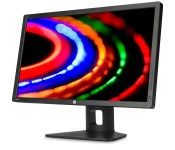
HP’s new DreamColor displays show a billion colors, one is actually affordable

Fun fact: as of this writing, HP is still selling a display that came out back in 2008. That would be the DreamColor LP2480xz, a billion-color monitor that got lots of attention by dint of the fact that DreamWorks (yep, that DreamWorks) helped design it. Also, it cost an obscene $3,499, so that raised some eyebrows too. After six years, though — and many a price cut — the ol’ DreamColor is about to go the way of the dodo. HP just announced two models, both of which have billion-color displays, and one of which costs just $599. (How the times have changed, eh?) Starting with the cheaper model, the Z24x, it has a 24-inch screen, as the name suggests, with 1,920 x 1,080 resolution and a color gamut that include 99 percent of the AdobeRGB range. The Z27x ($1,599), meanwhile, steps up to a 2,560 x 1,440 panel, and covers 100 percent of sRGB, 100 percent of AdobeRGB and 99 percent of DCI-P3. Both are available today, but it’s unclear how sweet a deal you’ll get if you wait until 2020 to buy.
Source: HP
HP teases plans to conquer the 3D-printing market

Move over, LaserJet. This week, HP CEO Meg Whitman said that her company will announce the details of its 3D printing strategy in June, expanding the lineup beyond the home-office systems we know so well. HP’s upcoming devices will apparently improve upon two weaknesses of currently available models. For one, Whitman said 3D printers are intolerably slow — “like watching ice melt” — so we can expect faster performance. HP is also looking to enhance printing quality, and Whitman implied both of these upgrades will be evident in the company’s big announcement in June.
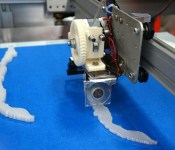
Unsurprisingly, HP will target its 3D-printing products toward businesses rather than consumers, at least at first. The company has hinted that it will work with service providers who process 3D printing orders, while HP provides the actual hardware. We’ll have to wait a few months to find out more, but it’s worth noting that HP briefly had a partnership with 3D-printing firm Stratasys several years back. It didn’t pan out in the long term, and, judging by this photo, HP’s upcoming product will look a tad different.
Filed under: Peripherals
Source: PC World
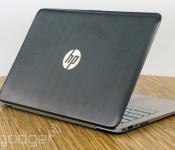
HP Spectre 13 Ultrabook review: a good deal, but with trade-offs

It’s already March, dear readers, which means with the exception of this post right here, you’re not going to find many laptop reviews on this site. Why? Because Intel’s just three months away from launching its next-generation chips and besides, we’ve reviewed most of the current-gen models anyway. But not HP’s. We haven’t reviewed a Hewlett-Packard Ultrabook in more than a year. So here we are, picking up where we left off. The company’s newest flagship, the Spectre 13, has a metal-clad body, much like the older models we’ve tested, except it steps up to an optional 2,560 x 1,440 display and an extra-wide touchpad designed to make all those Windows 8 gestures easier to pull off. It also starts at $1,000, making it a good deal cheaper than most of the other models we’ll be name-checking throughout the review. So does that make it a good deal?
Look and feel
When the Spectre 13 Ultrabook first launched late last year, a company rep told me that the laptop takes design cues from other luxury items — namely, expensive cars. As much as that sounds like marketing hooey, it turned out to be a pretty smart strategy on HP’s part: The brown lid, metal keyboard and champagne-colored chassis make the machine look… expensive. To be fair, the build quality helps too — the palm rest doesn’t flex or bend when you hold it in one hand and, thanks to a strong hinge, the screen doesn’t wobble when you touch it. I also appreciate how clean the bottom side looks, right down to the metallic accents surrounding the rubber feet. (Of course, a clean underside means the parts aren’t user-replaceable, but that’s par for the course for Ultrabooks.) Really, my only complaint is that the brushed-metal lid picks up scratches too easily, but then again, the same thing can be said of the MacBook Air.

Actually, I do have a second complaint: At 3.34 pounds, the Spectre 13 is actually on the heavy side for an Ultrabook. Case in point: The Lenovo Yoga 2 Pro and Samsung ATIV Book 9 Plus both come in at 3.06 pounds, while some models, like the Acer Aspire S7 and Sony VAIO Pro 13, come in well under the three-pound mark. All that said, it won’t break your back to put it in a bag — I even got away with using a leather tote. Also, for what it’s worth, the cut of the laptop at least makes it comfortable to hold; the wide, blunt edges leave lots of room for your fingers, and the chamfered hinge is also easy to grip. Speaking of those wide edges, the Spectre 13, as hefty as it is, does make room for a good selection of ports. These include two USB 3.0 connections, a full-sized HDMI socket, Mini DisplayPort and an SD card reader, along with the requisite headphone jack and power connector.

Though the Spectre 13 is available with a 2,560 x 1,440 display, we tested it out with the standard 1,920 x 1,080 option. Even with the lower (but not “low”) resolution, it’s still a lovely screen. The viewing angles are wide enough that I was able to watch many a Netflix movie from all sorts of angles — head-on, from off to the side, lying on the couch, dim light, fluorescent light. The Spectre 13′s display thrives in most any environment, and the colors are nice and punchy too (but don’t worry, not too punchy).
Keyboard and trackpad

The kindest thing I can say about the Spectre 13′s keyboard is that I ultimately got used to it. Well, mostly anyway. Even now, after weeks of use, I still frequently have to go back and correct a typo, because my key presses didn’t register the first time around. It’s a shame because the buttons are well-spaced and easy to find without taking my eyes off the screen. And yet, between the shallow pitch and lack of bounce, it’s quite possible you’ll find someting something you wrote has a letter or two missing.
If you’re like me, you’ll adjust your typing style over time without even really thinking about it, but even then, you’ll make some annoying mistakes. For most people, the layout here will be fine, especially since Ultrabooks by definition tend to have flat, space-saving keyboards. But if typing is of the utmost importance, you can still do better (might I suggest the new ThinkPad X1 Carbon?).

Unfortunately, I can’t be nearly as charitable about the touchpad. Which is ironic in a way, because the trackpad, with its so-called touch zones, was actually designed to reduce erroneous clicks. Here’s my problem: The main surface has way too much resistance, so that if I want to do something like scroll or pinch to zoom, I have to go out of my way to apply pressure with my fingers. I’d rather I didn’t have to think about it at all. What’s worse is that even when I do think about it, the touchpad doesn’t always respond the way I want it to; oftentimes, I either used the touchscreen to scroll through web pages, or (carefully) dragged my cursor to the arrows along the side of the screen. Not an ideal situation.
And what of those clearly marked touch zones? They do a good job of separating the “Windows 8 gesture” areas from the “regular touchpad areas,” so that you know exactly where to swipe if you want to expose the Charms bar or cycle through open apps. The thing is, most other touchpads do this just fine, even without an obvious line separating the main touch surface from the edges. Rather than solve a problem that doesn’t exist, we’d rather HP issue a driver update to ensure the touchpad works properly.
Performance
| PCMark7 | 3DMark06 | 3DMark11 | ATTO (top disk speeds) | |
|---|---|---|---|---|
| HP Spectre 13 Ultrabook (1.6GHz Core i5-4200U, Intel HD 4400) | 4,786 | 6,005 |
E1,837 / P962 / X293 |
527 MB/s (reads); 327 MB/s (writes) |
| Lenovo IdeaPad Yoga 2 Pro (1.6GHz Core i5-4200U, Intel HD 4400) | 4,676 | 5,688 |
E1,713 / P914 / X281 |
546 MB/s (reads); 139 MB/s (writes) |
| Samsung ATIV Book 9 Lite (1.4GHz “quad-core” processor, AMD Radeon HD 8250) | 2,060 | 2,814 |
E749 / P530 |
550 MB/s (reads); 139 MB/s (writes) |
| Samsung ATIV Book 9 Plus (1.6GHz Core i5-4200U, Intel HD 4400) | 4,973 | 5,611 |
E1,675 / P867 / X277 |
547 MB/s (reads); 508 MB/s (writes) |
| Acer Aspire S7-392 (1.6GHz Intel Core i5-4200U, Intel HD 4400) | 5,108 | 5,158 |
E1,724 / P952 / X298 |
975 MB/s (reads); 1.1 GB/s (writes) |
| Sony VAIO Pro 13 (1.6GHz Intel Core i5-4200U, Intel HD 4400) | 4,502 | 4,413 |
E1,177 / P636 / X203 |
1.04 GB/s (reads); 479 MB/s (writes) |
| Sony VAIO Duo 13 (1.6GHz Core i5-4200U, Intel HD 4400) | 4,440 | 6,047 |
E1,853 / P975 / X297 |
546 MB/s (reads); 139 MB/s (writes) |
| Sony VAIO Pro 11 (1.8GHz Core i7-4500U, Intel HD 4400) | 4,634 | N/A |
E1,067 / P600 / X183 |
558 MB/s (reads); 255 MB/s (writes) |
After using the Spectre 13 for weeks, I can assure you that the Spectre 13′s performance never calls attention to itself. And that’s a good thing. Throughout, as I was writing stories, streaming Netflix and Pandora, juggling browser tabs and talking in HipChat, I had no problem opening apps and switching from one program to another. The fast 10-second startup time is also easy to get used to, perhaps because almost every Ultrabook these days can cold-boot in a similar time. If anything, the biggest thing holding me back from getting work done was that flaky trackpad, but I, of course, won’t lay that at Intel’s feet.
As it turns out, too, that brisk performance wasn’t just a figment of my imagination: The Spectre 13 bests most of its Ultrabook peers, even those that have the same dual-core Core i5-4200U processor. In particular, you’ve gotta hand it to the Liteon solid-state drive, which achieves not just category-standard read speeds of 527 MB/s, but also write speeds as high as 327 MB/s. Big improvement over the SSDs in most of the other Ultrabooks we’ve tested.
|
Battery life |
|
|---|---|
| HP Spectre 13 Ultrabook | 8:30 |
| MacBook Air (13-inch, 2013) | 12:51 |
| MacBook Pro with Retina display (13-inch, 2013) | 11:18 |
| Sony VAIO Duo 13 | 9:40 |
| Samsung ATIV Book 9 Plus | 8:44 |
| Sony VAIO Pro 13 | 8:24 |
| Lenovo IdeaPad U430 Touch | 7:53 |
| Acer Aspire S7-392 | 7:33 |
| Acer Iconia W700 | 7:13 |
| Sony VAIO Pro 11 | 6:41 |
| Lenovo IdeaPad Yoga 2 Pro | 6:32 |
| Microsoft Surface Pro 2 | 6:27 |
| Lenovo IdeaPad Yoga 13 | 5:32 |
| Samsung ATIV Book 9 Lite | 4:33 |
To say the Spectre 13 has “middling” battery life would be like saying a fourth-place Olympic skier is “slow.” The truth is, with eight and half hours of continuous video playback, according to our tests, it does rank somewhere in the middle as far as new Ultrabooks go. Sure, it’s no MacBook Air, which lasts nearly 13 hours on a charge. Then again, we’ve tested a handful of other models capable of eight to 8.5 hours, so at the very least, the Spectre 13 finds itself in good company.
Besides, doesn’t eight and a half hours count as “all-day battery life” for lots of people? We think it does, especially if you expect to be near an outlet for at least part of that time. And if eight hours isn’t enough, the sad truth is that most Haswell-based Ultrabooks won’t last longer than that anyway. And most “regular” notebooks won’t last longer than an Ultrabook, at least not without the help of a secondary battery. So even if you do need more runtime, this is very nearly the best you can do.
Software
Though HP didn’t pre-load the Spectre 13 with much extra software, what’s there calls a little too much attention to itself. I’m mainly referring to McAfee LiveSafe, which constantly greets you with pop-ups when you boot up and go to the desktop for the first time. The good news? HP at least threw in a year of McAfee service, as opposed to just 30 days, so you can at least get some use out of the app for a good while after you purchase the laptop. In addition, HP also included Adobe Lightroom 5 (nice!), Box, HP Connected Music and HP Support Assistant.
Configuration options
The Spectre 13 starts at $1,000 with a dual-core Core i5-4200U processor, 4GB of RAM, a 128GB SSD, 1,920 x 1,080 display and 802.11n WiFi. Basically, then, for a thousand bucks you’re getting specs that a year ago would cost you as much as $1,400. What’s more, even the base model includes a two-year warranty — about twice the coverage you’d get on most any other consumer PC.
Of course, no one’s stopping you from spending $1,400 if you do indeed want cutting-edge components. This year, that means a dual-core Core i7-4500U processor, 8GB of RAM, 256GB of storage, a 2,560 x 1,440 screen and a faster 802.11ac wireless radio. With all the trimmings, you’re looking at a price of $1,435, not including extras like Microsoft Office.
The competition

We’ve already name-checked most of the Spectre 13′s main rivals, but it’s worth circling back to talk about what makes each of them a potentially good (or not-so-good) buy. Perhaps its most direct competitors are the Lenovo Yoga 2 Pro ($899-plus) and Samsung ATIV Book 9 Plus ($1,400 and up), both of which weigh about a quarter of a pound less and come standard with 3,200 x 1,800 screens — likely the same one, actually. If anything, the Yoga 2 Pro will win you over with its convertible design, which lets you use it as a notebook, tablet and in “Stand” or “Tent” mode, with the keyboard tucked out of the way. Our big caveat there is that the battery only lasts 6.5 hours, making it one of the shortest-running Ultrabooks we’ve tested lately. The ATIV Book 9 Plus, meanwhile, delivers almost identical battery life to the Spectre 13, but again, weighs a lot less. Point, Samsung.
Meanwhile, you might also want to check out the 2.34-pound Sony VAIO Pro 13 ($1,250-plus), the lightest laptop in its class. Despite its pin-thin frame, it manages to match the Spectre 13 in battery life. Similarly, the 2.87-pound Acer Aspire S7 ($1,350-plus) ekes out some respectable runtime, even if it’s not quite as long as the Spectre 13′s. Word to the wise, though: We’re betting that if you get the Acer Aspire S7 with a 2,560 x 1,440 display instead of the 1080p panel we tested, the battery life will probably dip.
Finally, we have two oldies. One is the Dell XPS 12 ($1,000-plus), which came out in 2012, but has since been refreshed with Haswell processors, NFC and a bigger battery. In short, we like it a lot. Finally, there’s the Toshiba Kirabook. Though it was one of the first Ultrabooks to rock a 2,560 x 1,440 display, we ultimately panned it because it launched at $1,600 with already-old processors. Now that it’s been refreshed with Haswell processors, you can surely expect longer battery life. But man, that $1,500 starting price still stings.
Wrap-up

It’s easy for us to give the Spectre 13 a good review, but that’s partly because the price is so reasonable. Were this priced in line with its peers, we’d have a harder time forgiving its flaky trackpad, sticky keyboard and relatively heavy weight. As it stands, though, it offers an attractive design, fast performance, a bright display and a generous two-year warranty, all for a relatively low $1,000. For the money, you can get used to the keyboard, and the slightly heavy design won’t kill you, either (though we still think there should be a bigger battery inside). Assuming HP can come through with a much-needed touchpad update, the Spectre 13 is a solid, if imperfect, choice.
Edgar Alvarez and Daniel Orren contributed to this review.
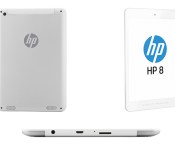
HP quietly launches an 8-inch Android tablet for $170

Hewlett Packard is trying to pull off a flanking maneuver on the Android market, through low-profile launches of low-cost devices. We recently came across the company’s VoiceTab phablets during a side-show at Mobile World Congress, and now we’re looking at a more traditional 7.85-inch tablet called the HP 8. In return for $170, you’ll get a plain-looking device that, aesthetically, has more in common with last year’s Slate 7 than with the faux-metal VoiceTabs. However, since we’re making comparisons, we should also point out that the HP 8 has a worse display than both the Slate 7 and Dell’s rival Venue 8, with fewer pixels (1,024 x 768) spread out over a larger area. The software and internals seem functional enough, though: Android 4.2.2 running on a quad-core ARM chip made by the Chinese company Allwinner, with 1GB of RAM, 16GB of expandable storage, stereo speakers, and a just-about-okay 3,800mAh battery that promises up to seven hours of use.
Filed under: Tablets, Mobile, HP
Via: PhoneArena
Source: HP
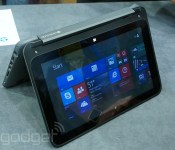
Hands-on with HP’s Pavillion x360 touchscreen convertible laptop (video)

HP just announced its Pavillion x360 convertible laptop, and was in the mood to show it off here at MWC 2014 along with its gigantic new VoiceTab phones. As we noticed earlier, the new devices bear a strong resemblance to Lenovo’s Yoga convertibles, but start at a cheaper $399 price point. For that, you’ll actually get a nice-looking device in dark silver or red that has a solid-feeling, mostly metal build. You can use it in regular laptop mode or flip the screen around and perch it on the table tent-style to use it in a more tablet-like fashion. As for performance, it’s hard to tell with the brief time we had, but the Intel Bay Trail processor, lowish 4GB of RAM and mechanical 500GB don’t exactly spell “speed.” Nevertheless, it seemed to work well on basic tasks, and the 1,366 x 768 IPS touchscreen was bright and responsive. The red model will hit shelves on February 28th starting at $399 — for more, see the gallery and video below.

HP’s Pavilion x360 convertible has a low price, decidedly Yoga-like design

If imitation is the sincerest form of flattery, Lenovo ought to be tickled right now. HP just announced the 11-inch Pavilion x360, and it takes more than a few cues from Lenovo’s iconic Yoga design. Not only does it have a 360-degree hinge allowing it to be used in four modes, but HP is even using the same terminology to describe how it works (think: “stand mode” for when the keyboard is folded under, and “tent mode” when the machine balanced upside down). Also like the Yoga, the keyboard disables automatically when you flip the screen back into tablet mode.
So how is it different? Cost, really. Whereas most convertible notebooks command flagship prices, the x360 starts at $400. (For comparison’s sake, even Lenovo’s mid-range “Flex” convertibles still cost $549 and up.) Of course, a lower price means lesser specs, which in this case include a Pentium-series Intel Bay Trail processor, a 500GB hard drive (no SSDs here) and a 1,366 x 768 display. On the bright side, the display uses IPS technology for wider viewing angles, and HP also included Beats Audio. So the sound quality, at least, might be better than what the Lenovos of the world have to offer. Three USB ports and a full-sized HDMI socket might further sweeten the deal for prospective buyers.

As for battery life, HP isn’t yet saying how long the two-cell battery is expected to last, though a company rep did assure us the final runtime would exceed four hours (on a portable, three-pound laptop, we’d actually hope for more than that). Look for the x360 to ship this week, on February 26th, with a red color available to start, and a silver shade following later. In the meantime, we’re sure to get a peek at Mobile World Congress, so stay tuned for hands-on photos and some early impressions.
 AIVAnet