


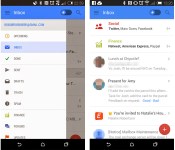
Gmail’s mobile app may soon let you snooze and pin messages

As useful as the mobile Gmail client can be, it hasn’t always stacked up well against third-party apps with special tricks up their sleeves. If features that Geek.com spotted in a test version of Gmail for Android make the cut, though, you may have more reasons to stick with Google’s official app. The experimental software lets you snooze messages until you’re ready to deal with them — if you’d rather not look at a bill until the day it’s due, you can. Alternately, you can pin email to make sure an important conversation stays on top. Finance, Purchases and Travel tabs have also slipped into the interface alongside more familiar sections. There’s no guarantee that any of the new features will survive the testing process, but at least some of them should be useful enough to reach a publicly available version of Gmail.
Filed under: Cellphones, Internet, Mobile, Google
Source: Geek.com
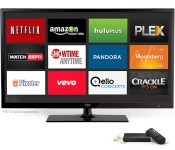
Comparing the Amazon FireTV to the competition

Stacking the new device up against the Roku 3, Apple TV, and Google Chromecast
So the Amazon FireTV is out, available, and already shipping. The $99 device lands in a space currently occupied by Apple TV, Roku, and, to a degree, the Chromecast. Each of these devices features their own unique hardware and software experience, yet there’s overlap across the board. Seriously, what device doesn’t have Netflix and Hulu Plus these days?
In an age when more and more people are trying to cut the cord, these are the types of products that make it easier. Which of these is the best, you ask? Well, that depends on your needs.

Price
In terms of pricing, the clear winner today is the Google Chromecast. At only $35 it’s roughly one-third the price of the Apple TV and FireTV. On the flip-side, it’s currently limited in capabilities. While we certainly love the direction Google is headed with the device, it simply doesn’t have the library of apps and services. Yet. Check back in a year, however, and we’re likely to see a completely different experience.
Hardware
If you’re the type of user who needs the most powerful and physically capable products on the market then the Amazon FireTV emerges as the front-runner. Not that the others are necessarily slouches, but Amazon’s device is the only one with a quad-core processor and 2GB RAM. Toss in the dual-band/dual-antenna (MIMO) Wi-Fi capability, Dolby Digital Surround, and Optical audio output and you’ve got clear advantages.
It doesn’t hurt that Amazon’s solution comes after everyone else has been on the market for at least a few months. Things could get muddier over the course of 2014 as competition debuts new products with better specifications.
Software
While there’s definitely a group of buyers whose primary concern is hardware, the average consumer cares more about how it looks, works, and feels. Roku has been in the game for a few years now and seems to have nailed down the simplicity of channels. Apple faithful will have no problem navigating around the Apple TV thanks to its familiar user interface. The Chromecast is unique in that each app stands alone with but a button tap to extend the experience. Amazon, for its part, really keeps things clean and clutter free with the Kindle Fire tablets so we should expect the same for their set-top box.
If you’re looking for something to stream you favorite movies and TV shows you can’t go wrong with any of these devices. With the exception of HBO Go, the Amazon Fire TV stands toe-to-toe with the others in the space of major service providers. Over time we expect the Google Chromecast spaces to fill in as developers add in support for the media player. In the interim, however, you’ll have to do a little bit of homework if your favorite service is not one of the big ones.

In terms of sheer content, Roku has the most “channels” today. The Kindle Fire TV would come in second followed by Apple and then Google. That is, of course, if you look at it today. Again, we have high hopes for the Chromecast and the various developers.
One key area where the Amazon Fire TV stands alone is in gaming. None of the other three can boast the ability to play games, especially with a dedicated (optional $40) controller. Sure, the Chromecast is already getting games and Roku has titles, but it’s nothing like what Amazon can do. If Amazon is able to attract developers for the Fire TV like they have for the Appstore then they’ll get further out in front. With features that “kill” the Android-powered OUYA gaming console, it could be a real “game changer” in the home.
Think of how many games we play are casual or mobile and then consider that the FireTV can tap into that market. Everyone has played Angry Birds, Candy Crush Saga, and Flappy Bird type games. Not everyone wants to spend $400 for a console in the living room. Your mom would likely jump at the chance to play some of her favorite games on a TV with a controller. She might not be the type to buy a PlayStation 4 or even a Wii U, but she might be the type to jump from Netflix to a game. We’re just hoping that Amazon’s list of supported apps and games grows quickly.
Conclusion
Which one is right for you? As a site dedicated to Android and Google, it’s only natural for us to trumpet the Chromecast and its $35 sticker. I’ve never owned an Apple device myself so I have no allegiance to their ecosystem. I’ve owned a Roku for the last few years and find it to be a faithful experience. I’ve also owned various Kindle Fire and Kindle Fire HD(X) products and appreciate Amazon’s approach.
 Except for the Roku, the other products are content delivery systems for three of the biggest players in the tech space. Amazon, Apple, and Google have been battling it out in various areas for the better part of a decade and it’s only going to get more competitive. Each aims to lock the other out wherever applicable; all three are the best at what they do.
I’ve already placed an order for the Amazon FireTV because I think it fits well in a family household environment. My son will love that he can play Minecraft on yet another device and I’ll be glad to tap into my Amazon Prime account on yet another TV. I’m falling more in love with my Chromecast by the week and think that’s only going to continue. Because of its low price I am confidently able to recommend this to all of my friends and family members. It was a no-brainer at launch and it’s more compelling with each app. I don’t even think it’s on the same level as the other three products. I say buy one no matter what.
Turning my attention to the three $100 devices, I have to give the nod to Amazon. I’ve enjoyed watching them over the last few years as they keep pushing forward with great hardware and user experience. Developers love their tools and services and their Appstore grows quickly. I am confident that they are fully invested the future of the set-top box and cord cutter era. What’s more, an additional $40 will put this thing into an entirely different area. If this is what we get at launch then imagine what happens by the end of the year.
The post Comparing the Amazon FireTV to the competition appeared first on AndroidGuys.
KitKat’s share of Android devices more than doubles to 5.3 percent

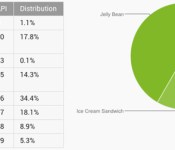
After months of treading water, Android 4.4 KitKat is finally taking off. Google reports that 5.3 percent of Android users are running the newer OS version as of early April; that’s more than twice the 2.5 percent that it claimed one month earlier. There’s no official explanation for the jump, but it’s most likely thanks to a wave of KitKat upgrades from HTC, LG and Samsung. Most older versions lost share as a result. It could be a long, long time before KitKat overtakes Jelly Bean (which dipped to 61.4 percent), but the transition is under way — and it’s only likely to accelerate now that flagships like the Galaxy S5 and new One are reaching store shelves.
Filed under: Cellphones, Tablets, Mobile, Google
Source: Android Developers

Nest’s Learning Thermostat lands in the UK for £179

Nest officially entered the UK market last year with the launch of its smoke and carbon monoxide detector Protect, but curiously, the Learning Thermostat the company’s known for remained exclusive to North America. That changes today, however, with immediate availability of the clever thermostat across the UK. The now Google-owned Nest actually starting working towards the launch over a year ago, but unlike the US and Canada where temperature control systems are fairly standardized and digital thermostats extremely common, Brits have an eclectic mix of boiler setups, and analog/digital thermostats. Making the Learning Thermostat compatible with all these arrangements meant Nest had to conjure up some additional hardware in the form of Heat Link: a box that jacks directly into your boiler and takes orders from the thermostat. You can use existing wall wiring to directly connect the two, but they can just as easily communicate over WiFi all the same.
An optional, £29 stand for the thermostat is also exclusive to the UK market, if mounting isn’t appropriate. Otherwise, the thermostat is equipped with all the same fancy features and learning capabilities that Nest believes elevates its product above UK competitors like British Gas’ Hive Active Heating or Honeywell’s evohome. You can pick up a Learning Thermostat for £179 today from Nest’s own website and Amazon, or online and in-store at Apple, John Lewis and B&Q. Professional installation is highly recommended, and for any purchases before April 8th, it’s free as long as you redeem the offer within 10 days (Nest can put you in touch with over 200 certified installers across the UK) — a thermostat plus installation will set you back £249 if you can’t take advantage of that deal, or decide you’d rather hold off until winter. Nest has also established a partnership with energy provider npower, which will begin offering thermostat packages in the near future. Furthermore, Nest plans to release a whitepaper later this week detailing how much money its Learning Thermostat can save Brits, and how it arrived at those figures. The UK is just the first step outside of North America for Nest, but certainly not its last, as plans to “aggressively expand” across Europe are under way.
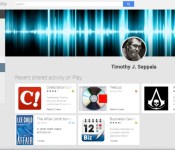
Don’t remember what you rated Flappy Bird? Google Play never forgets

If you were browsing through the Google Play store to check out this month’s free music, you might’ve noticed an addition to the sidebar. Nestled between the device and wishlist tabs is a section devoted to showcasing anything you’ve starred or given a +1, called, wait for it, “My Play activity.” Don’t fret if personal media and app ratings aren’t appearing on your page though, as Android Police notes that the link isn’t showing up for everyone just yet. As of this writing, only a handful of Engadget editors can view theirs, for instance. Once the desktop feature finishes rolling out, you should be able to view anyone’s rating-history at-will — much like you can on Android. If anything, it’s another venue for (privately) ridiculing your boss’ taste in music.
Via: Android Police
Source: Google Play
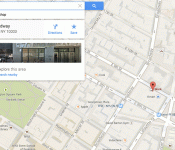
Google Maps users, rejoice: ‘search nearby’ is back

The incredibly useful “search nearby” tool was one of the casualties of the Google Maps redesign, but today Mountain View re-introduced the feature. For those who didn’t constantly use it to find new Indian restaurants a few blocks from their apartment (ahem), “search nearby” lets you pull up businesses and other points of interest based on an address, neighborhood or other location. It’s already re-added on the desktop; simply type in a place and the “search nearby” bar will turn up.
To be fair, it’s not like you couldn’t search for tacos near the Empire State Building with the new Google Maps that began rolling out last month — you could get the same functionality by doing a follow-up search after typing in an address — but “search nearby” is much more user-friendly. Unlike the latter method, it also lets you control the zoom level to get results within a particular distance of your location. And, no, we’re pretty sure this isn’t an April Fools’ joke.
Via: SlashGear
Source: @GoogleMaps

Daily Roundup: April Fools’ roundup, a tour of ThinkGeek’s headquarters, and more!

You might say the day is never really done in consumer technology news. Your workday, however, hopefully draws to a close at some point. This is the Daily Roundup on Engadget, a quick peek back at the top headlines for the past 24 hours — all handpicked by the editors here at the site. Click on through the break, and enjoy.

This is not a prank: ThinkGeek and the business of April Fools’
April Fools’ Day beckons celebration from techies and corporations alike, but no one does it better than ThinkGeek. Our own Joseph Volpe was lucky enough to spend the day with ThinkGeek’s team of expert nerds as they prepared this year’s round of product spoofs. And don’t worry, we took lots of pictures.

Google to focus on portrait shots and effects with improved camera app
Sources familiar with Google confirmed to us that the search giant’s revamping its camera app. The new version will include a panorama mode, several new effects and provide a bug fix for the default camera’s photo framing issue.

2014 April Fools’ roundup
Every year, all sorts of companies try to take their April Fools’ gags to the next level — and 2014 is no exception. By now you’ve probably familiar with Google’s emoji translator and the selfie-taking drone, but click on through for our entire roundup!

TV-focused Xbox One update tests a DVR button and OneGuide on SmartGlass
The Xbox One TV experience is finally getting a little TLC. A new update preview is in testing that outfits the SmartGlass app with a new “recent channels” layout and DVR button, removing the need for your old cable remote.
You also might like:
Filed under: Misc
Google Text-to-Speech update to version 3.0.11 brings more language and voices Support
 Contrary to what people think Google actually does during April Fool’s Day, like making Google Maps into a Pokemon-laden procrastination place, Google does actually do some work and today has released a Google Text-to-Speech update to continue its improvements to the dictation app.
Fortunately, this update to version 3.0.11 isn’t a joke and adds some crucial language support, including Portuguese (Brazil) and Spanish (United States), as well adding high-quality voices for English (United Kingdom) and English (US) should you feel inclined. The full list of updates as per the Play Store page includes:
- Portuguese (Brazil) and Spanish (United States) now supported
- English (United Kingdom) male voice available for download
- High quality voices available for download for English (United Kingdom) and English (US)
- Updated user interface for voice data management
The update should be rolling to you now, but if you can’t wait that long, you can download the apk file at the link below:
Google Text-to-Speech update version 3.0.11
Application: Google Text-to-Speech
Price: Free
//<![CDATA[
ord = window.ord || Math.floor(Math.random()*1E16);
document.write('’);
//]]>

Stock Android Camera app Could Soon Find its Way to the Play Store
Sources are claiming that Google is in the process of bringing the stock Android camera app, the one found on Nexus devices, to the Play Store. Adding it to the list of standalone apps that Google has already pulled out like Gmail. The Engadget source claims that testing is already underway and that it will eventually make its way out of the Android OS stock software found on Nexus devices and become available for any device running Android 4.4+.
 The move isn’t terribly surprising really. Over the last year or so we have seen more and more manufacturers take their apps out of devices and make them available as standalone apps. Samsung, Sony, Motorola and others are in that list. The Play Store offers up the control to ensure the app can only be installed to a supporting device and it also allows them to update the app independently versus having to release an entire OS update. With carriers needing to test out full on OS updates, Play Store app versions speed up the process at which they can release fixes, patches and new features to one aspect of a device.
Along with the news that the app will become stand alone soon, there is also talks of new modes like one that will help mimic a shallow depth of field to create blurry backgrounds without the need to do so through alternative apps like snapseed. The Xperia Z2 and HTC One (M8) have this ability already.
If that isn’t cool enough, they are reportedly going to be opening up the camera software to third-party developers. I imagine this would be for add-on apps that can be downloaded to create different effects and such.
I for one am pretty excited to see what Google has done to make the stock camera app even better. With third-party developer access, we should see a flood of great add-ons that can help unleash the create beast hidden inside.
Source: Engadget
Img: Gizmag
//<![CDATA[
ord = window.ord || Math.floor(Math.random()*1E16);
document.write('’);
//]]>
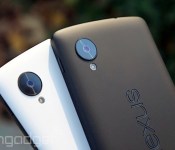
Google to focus on portrait shots and effects with improved camera app

We know that Google has been looking to bring more advanced photo features to Android for a while, but it may soon be ready to show off what it’s been working on. Sources aware of Google’s plans have confirmed to us that the search giant is currently testing a new version of its camera app that will sport a refreshed UI, a background-blurring effect for portrait shots, and improved panorama and Photo Sphere modes. As part of its overhaul, we’re told that Google has finally fixed issues with the default camera’s photo framing, allowing users to snap images with a new 100-percent no-crop viewfinder. That means you’ll see exactly what your Android device will capture before you hit the shutter button, with no unwanted objects creeping in at the edges.
The company is also said to be making the camera app more extensible, by opening support for third-party filters. This will allow developers (and Android enthusiasts) to create and import custom effects inside the stock camera app. The camera app’s portrait skills may see some improvements too, with the addition a new lens blur mode that will take photos with a shallower depth of field, mimicking the effects you’d typically see in Nokia’s Refocus app and HTC’s new One. New high-resolution panorama and Photo Sphere modes have also been added, improving the quality of your sweeping shots.
While many are awaiting the release of Android 4.4.3, the latest version of KitKat, Google is set to make these camera improvements available to users by way of a standalone update. Our sources indicate that the app will exist separately so that non-Nexus owners running Android 4.4 and above will be able to take advantage of the improvements, without having to wait for an OTA update from their device maker or carrier.
Filed under: Cellphones, Software, Mobile, Google
 AIVAnet