



Acer announces new Chromebook with Intel i3 inside

During today’s press event in New York City, Acer announced a variation to their Chromebook (C720) lineup. This new model will sport an Intel i3 processor within, dubbing it the “most powerful Chromebook on the market”. This is a marked shift from the traditional Celeron/Haswell processors the current crop of Chromebooks contain. A base 11/12″ model is expected this summer, with potentially larger screen models coming later.
Source: Slash Gear
The post Acer announces new Chromebook with Intel i3 inside appeared first on AndroidGuys.

Google’s precious Nexus line may soon be replaced by Android Silver

Could the Nexus line really be replaced?
A few months ago, Google was rumored to launch something called ‘Android Silver’. It’s basically a line of premium smartphones that could be closely controlled and monitored by Google, much like the Nexus line. These phones would be produced by the top Android manufacturers, and would receive timely updates, have a limit to bloatware, and would closely adhere to Google’s hardware specifications. Android Silver was also rumored to have a heavy retail presence – something that Google has been always lacking with the Nexus line.
In a report from The Information, Google is aiming to replace the Nexus line with Android Silver. Google are reportedly spending close to $1 billion on traditional advertising, whether that be in-store, online, or through run-of-the-mill media sources.
From a business standpoint, this is beginning to make a bit more sense. Retail sales make a huge profit, and bloatware on some devices is getting out of control. Since Android Silver aims to reduce carrier bloatware by a ton, this could really be a positive experience for everyone.
These next few months are going to be extremely interesting, given the rumors that are floating around. What do you think about Android Silver replacing the Nexus line? Let us know in the comments!
Via: The Verge, Source: The Information
The post Google’s precious Nexus line may soon be replaced by Android Silver appeared first on AndroidGuys.
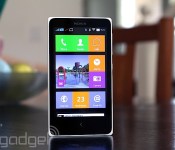
Nokia X review: What happens when Nokia makes an Android phone?

For a company now under Microsoft’s rule, Nokia has serious grit. The phone maker announced an Android phone called the X just two months before completing its merger with Microsoft. Even more intriguing is the fact that this is no run-of-the-mill Android device: The X comes with a Windows Phone-like launcher, offers Microsoft services and will be sold for around $120 in developing markets. While it may not be a powerful smartphone, it has many unique qualities that help it stand out from the low-end crowd. What’s it like, and should Microsoft invest in its success?
Hardware
The X doesn’t stray from Nokia’s signature design language. In fact, if I were to briefly see it in the wild (not knowing what it was), I’d easily confuse it for an Asha 500-series device. Just like the Ashas, the X has square corners, straight edges, a large bezel and a removable plastic back cover with a matte finish, although it lacks the transparent casing of the Ashas. My review unit is a white, dual-SIM Nokia X, but it also comes in black, blue, yellow, red and green.
Everything about the X looks and feels simple. A volume rocker and power button grace the right side, while a micro-USB port and 3.5mm headphone jack are located on the bottom and top, respectively. Keeping with Nokia’s usual style, the left edge remains devoid of any buttons. And just like the Asha 503, the front of the X features only a capacitive back button and earpiece. It lacks a front-facing camera, and when you flip the phone over, you’ll notice a rear 3.2-megapixel camera with no LED flash.
Fortunately, I had no problem holding the 4-inch, 10.4mm-thick device, although these days, such a handset is considered quite small. If you’re coming from an Asha or older 3.5-inch iPhone, you’ll likely appreciate the size of the device; just to put things in perspective, it’s 5mm wider and 1mm thicker than the iPhone 4s. Nokia will come out with a 5-inch version of the device known as the XL in the near future, so hang tight for a little longer if you’d rather go with something bigger.

Because it’s an inexpensive handset (it starts at $123 USD), the X was never intended to be a lavish device. It exists primarily to bring a modern smartphone OS to developing markets at a lower cost, so the specs are about as minimal as you can get these days. It comes with a low-power processor, WVGA display, limited internal storage (1.2GB user-accessible), small battery and so on. In other words, it’s ideal as someone’s first smartphone.
The X uses a 4-inch IPS LCD panel with WVGA (800 x 480) resolution. At a pixel density of 233 pixels per inch, the display is reasonable compared to other Android phones sold at around the same price. As expected from this kind of screen, the viewing angles are decent and whites are bright, but unfortunately, colors are unsaturated and there’s a lot of light unnecessarily bleeding out from the sides of the display. Those rough patches aside, the screen is actually pretty good for such an inexpensive device.
For connectivity, the X is a basic, entry-level 3G device suited for developing markets, though it sports a limited number of frequencies. It comes with quad-band GSM/EDGE and dual-band (900/2100) HSPA, which maxes out at 7.2 Mbps down and 5.76 Mbps up. You’ll also get WiFi 802.11b/g/n, Bluetooth 3.0 and GPS.
Software

The one area of the X that should appeal to both power users and first-time smartphone buyers alike is the firmware. In short, it’s unlike anything anyone has ever seen. Since the X is positioned between Nokia’s Lumia series and the Asha lineup, it’s not surprising that it uses a proprietary interface that takes elements from both devices, even though it technically runs on Android AOSP (version 4.1.2, to be exact). This means you can still use most apps, widgets and launchers supported on the platform, but just like on many Chinese devices running Android, you won’t have access to Google Play Services like Gmail, Contacts, Calendar and so on.
Nokia’s Android launcher

The default launcher on the X is tile-based, much like Windows Phone. The tiles can even be resized — two different options are available — and you can change the color of each one to fit your own way of organizing the phone. There’s enough space for three small tiles, or one large and one small tile, if you prefer. However, this system differs from Windows Phone in that Live Tiles aren’t supported, so most tiles don’t change at all when you make them larger (only specific ones, such as the gallery, add more functionality to the tile when enlarged).
You won’t have access to a standard Android app tray, but you can create folders if you like to download a bunch of apps. This action is done by long-pressing any tile, which also allows you to move apps around and add widgets at your leisure.
There are plenty of other gestures that you’ll need to learn as well. Tugging down on the launcher brings up a search bar (think Spotlight for iOS 7). Swiping down from the top opens up a type of quick-settings menu, which shows toggle switches for connectivity and music, as well as a list of devices or networks you’re connected to. There’s also a shortcut to your settings. Swiping up from the bottom reveals a menu that corresponds with whatever app you’re using.
Finally, a swipe to either the left or right brings up the Fastlane. This is a feature carried over from Asha (you can even trace its roots back to MeeGo), and it serves as Nokia’s version of the notification menu. It shows recently opened apps, notifications, alarms and your current music selection. Some alerts, such as texts and calls, are actionable, so you can respond to them within Fastlane itself; if you want to clear out your alerts, you can do it individually or all at once. You can also customize the list so unwanted items are filtered out. (Pro tip: Tapping the back button from the home screen will take you to Fastlane as well.)
There’s also a special lock screen that shows your recent notifications. Swipe left on an individual alert to remove it, or swipe right to jump directly into that app. You can also swipe up from the bottom to clear them all out, if you don’t want several notifications taking up all your screen space.
Just like on Nokia’s latest Lumia devices, the X features a Glance screen that lets you view the date, time and symbols for each type of notification awaiting you. Sometimes it works; sometimes it doesn’t. Additionally, you can double-tap on the screen to wake it, but I couldn’t get this to work very consistently. Unlike most Android devices, which offer reasonable multitasking options, the X is much more restrictive. You can only get to the Fastlane from the home screen, which means you can’t multitask without exiting your current app completely.

Nokia doesn’t bombard you with Microsoft services, but it does make them more readily available than, say, their Google equivalents. Skype is preloaded, but you can also get OneDrive and Outlook in the Nokia Store. Curiously, it almost feels like the company wants to avoid looking like it’s blatantly pushing Microsoft products, even though that’s exactly what it’s trying to do.
That doesn’t mean Nokia’s avoided bloatware altogether, however. You’ll still get too many preloaded apps: Opera browser, WeChat, Viber, BBM, Nokia MixRadio, Here Maps and 10 games. Many of them can be uninstalled, aside from the Nokia-branded offerings. Most core apps — dialer, messaging, calendar, camera, alarms, internet, music and email, for instance — were made by Nokia, and are thoughtfully designed. (I especially like the alarm, which was inspired by the MeeGo-based N9.) Even the keyboard has a Nokia flair that offers neat swiping gestures.
Using Android on the X

The best part is: If you don’t like Nokia’s interface, no sweat — just download a new launcher and use that as your default instead. I tried a few and each one made it feel like I was using a real Android device, but there are still some catches you should be aware of. Most importantly, Google Play Services aren’t allowed on the X (without rooting, at least). This means you don’t have the full suite of the company’s services: Play Store, Music, Games, Calendar, Voice, Google+, Contacts — the list goes on. Primarily, this is because Nokia wants to focus on selling Microsoft’s offerings instead, including Skype, Outlook, OneDrive and so on. This is actually a good idea on Nokia’s part, when you consider the first-time smartphone buyer (or anyone else who hasn’t been fallen under Google’s spell): If Windows Phone is too expensive, at least the X is a cheaper option that introduces users to Microsoft’s ecosystem in a roundabout way. In theory, once consumers are able to buy fancier phones, they’d be more inclined to give WP a closer look because they’re already tied into Microsoft services.
This kind of setup is enough to confuse most users. Along with this mix of Microsoft services, Windows Phone and Asha, the X is, at its core, an Android device. Thus, it supports most Android apps, but the means of obtaining those apps are not as cut and dry as they should be. The Nokia Store is the official place to go, but it doesn’t offer the same library as the Play Store. Instead, Nokia curates apps: It invites developers to add lines of code that make their apps compatible with Nokia’s special UI, and then submit their apps and wait for its approval. It’s quite the process, and judging by the limited number of available apps in the Store, it seems that a lot of developers haven’t bothered with it yet.
So what happens if the app you really want isn’t in the Nokia Store? To Nokia’s credit, the company’s made it possible to download or sideload any app you want — though it isn’t easy. If you can’t find the app you want in the Nokia Store, it suggests a list of third-party app stores for you to check out. Currently, it lists SlideME, Aptoide, 1Market and Yandex as options, and, by using this method, I was able to get the app I wanted around 95 percent of the time. Of the numerous searches I conducted, only a small handful produced no results. The problem is that it takes much longer to find the app you want (if you find it at all), and you have to go into individual stores if you’re looking for an update. Lastly, you can load any APK file onto the phone via microSD and internet links, though you won’t get updates unless you manually sideload them.
Camera

There isn’t much to say about the fixed-focus 3.2MP camera. The pictures aren’t fantastic (especially for Nokia), but it’s not fair to hold such an inexpensive phone to standards set by fancier devices. Since the X is intended for many first-time smartphone users on a limited budget, this camera will fit their needs quite well. It’s got a 1/5-inch sensor size and f/2.8 aperture lens, and Nokia even throws in a few manual settings to sweeten the deal, including ISO, white balance, exposure, sharpness and face detection.
Predictably, you’re not going to get great images at night. The phone simply doesn’t have the right specs to do low-light shots any justice. That said, the photos I took during the day actually looked about as good as one would expect from a camera like this; while the limited dynamic range and lack of autofocus make it difficult to have an enjoyable experience, I came away impressed by the color reproduction.
Performance and battery life

At such a low price point, the expectations for a phone’s performance differ from that of a midrange or flagship model. The X comes with a 1GHz dual-core Cortex-A5 Snapdragon S4 Play, an Adreno 203 GPU and 512MB RAM (the X+ and XL will come with 768MB). In plain English, this means it’s good enough to handle most basic phone functions, but it’s geared toward first-time smartphone users and developing markets, and isn’t meant to keep up with high-end, quad-core smartphones.
Looking at it from that point of view, I wanted to see a phone that’s usable, responsive and consistent. I didn’t expect it to make computations incredibly fast, nor did I need it to load games like Asphalt 8 on a dime. Still, it had to support all of the core apps and a few extras without crippling the user experience.
With these criteria in mind, the X has its share of good and bad traits. The mesh of various UI elements from different platforms will drive an Android aficionado nuts, but the X is also designed to keep things simple. As long as the user isn’t venturing too far into the weeds (sideloading apps, for instance), it’ll be easy enough for someone to figure their way around the phone. And while it may be a bit confusing for some, the learning curve and user experience are more reasonable than an Asha phone. In fact, as time goes by and the price of the X goes down, I wouldn’t be surprised to see this series completely replace the Asha lineup.

However, it isn’t a very responsive device. I noticed a lot of delays between my touch and the screen indicating that I’d done anything. There were plenty of times in which I had to repeat gestures over and over until it finally figured out what I wanted it to do. And at least a couple times a day, I long-pressed the back button to go to the home screen, only to be greeted by a lengthy pause and “please wait” message. I also noticed that the screen would randomly flash on and back off again, and it sometimes turned on in my pocket without being prompted (this caused frequent redials and misfiring emails to people I rarely talk to anymore). At times, notifications showed up later than they should have, and occasionally they didn’t even show up at all.
Because of all this, I can’t say that the X has consistency. Too often, I’d repeat the same action only to get different results. A handset that has a mind of its own isn’t something I can tolerate in any phone, regardless of how much it costs. In addition, it was often a pain to get even the most basic services set up on the X.
Call quality is mediocre at best, as most of my conversations have been full of static and the other end of the line is typically muffled. Additionally, my experience connecting the X to Bluetooth devices was inconsistent. On the other hand, the meager 1,500mAh battery lasted longer in regular smartphone use than I would’ve expected, although processor-heavy tasks did worse. After a day of moderate use, my review unit still had 30 percent leftover, and light phone users should be able to squeeze out at least two or three days, if not more. The phone didn’t fare well in our endless-video rundown test, making it only four hours before dying; in the X’s case, this isn’t so much an indicator of a horrible battery as it is the inability of the processor to handle such activities efficiently.
The competition

Pricing will vary depending on region, but the X officially retails for around $120. It’s positioned between the higher-end Lumias and lower-end Ashas, although, as I mentioned earlier, I wouldn’t be surprised to see the X make the Asha lineup irrelevant if it drops in price in the next couple years. Its current cost, however, is about the same as the Samsung Galaxy Star Pro, a comparable device with similar specs. The X has 3G support and a better camera, but it also has a confusing ecosystem based on Microsoft services; the Star Pro, on the other hand, has full access to Google services and features a more familiar TouchWiz interface. It’s also uncertain what kind of support Nokia will offer the X now that it’s officially under Microsoft’s wings, so it may make more sense to go with something like the Star Pro, which has a more robust ecosystem.
Wrap-up

Microsoft’s in a pickle. On one hand, its brand-new acquisition just came out with a product running its competitor’s OS; on the other, that same product might be key to gaining mindshare in developing markets, which is one of the bloodiest battlefields in mobile right now. It’s hard to feel confident in the X’s future because Microsoft may choose not to invest in the series, focusing resources on cheaper Windows Phones instead. Because of this uncertainty, the X needs to be an absolutely stunning device and a fantastic value if I’m going to recommend it — and unfortunately, it’s not.
For its cost, it has respectable features and solid hardware, but it doesn’t have enough redeeming qualities to help it pull ahead of its competition. The specs are comparable to a sub-$150 Android smartphone. However, the ecosystem is more confusing and the performance doesn’t quite meet my expectations for a budget device. Plus, who knows how long Microsoft will keep it around and update it? Nokia’s still a trusted brand, and it’ll get a lot of interest in developing markets regardless of the competition, but I was ultimately too frustrated to recommend this over other similarly priced models.
The X works better as a possible Asha replacement than a full-on smartphone experience, and perhaps that will happen in the next year or two. I’m more confident in the performance of low-end Windows Phones like the Lumia 520 than I am in comparable Androids, and a dual-SIM Lumia in this price range would be a much more compelling deal.
Edgar Alvarez contributed to this review.
Filed under: Cellphones, Wireless, Mobile, Microsoft, Nokia, Google

Google Glass users can now say ‘Explore Nearby’ to launch Field Trip, discover the world around them

When Google released its Field Trip app for Glass back in August last year, it made perfect sense. You could finally use the wearable computer as a handy visual tour guide when you’re out and about, which in our opinion is a far better use-case for it than checking email or reading text messages. That said, the original Field Trip wasn’t the smoothest experience, as you still had to tap the eyewear’s touchpad to launch it. That changes today, however, with a new voice command feature that lets you activate the app simply by saying “OK Glass, Explore Nearby,” effectively making it a top-level command similar to “Take a picture” or “Get directions.” Given that the app was developed by Niantic Labs, an internal startup within Google, it’s no surprise that it works so seamlessly with the Google hardware.
Once you utter “OK Glass, Explore Nearby,” the Field Trip app will appear, showing you nearby attractions and restaurants along with details from categories like History, Art, Architecture, Food and Cool Stuff. I tried out an early version of the app, and it does indeed work as promised, allowing me to find out the history of a nearby building simply by using my voice. I still needed to tap and swipe the touchpad to narrow down to a particular category, but here’s hoping even that can be relegated to your voice some day. After that though, the app remains relatively passive and notifies you of anything interesting as you walk around. We’ve included a promo video here that demonstrates how that works.
If you’re wondering why it took so long for Field Trip to incorporate the voice command feature, Leif Wilden, a Google software engineer who’s also a part of Niantic Labs, tells us that Glass is still an evolving platform. He states that “the capability to integrate apps such as Field Trip with voice commands has become available only recently.” Aside from the voice command, Field Trip has also been updated with content from more publishers — a little over 200, in fact. Some of the more recent additions include Happy Vermont and Guide to Copenhagen. Yennie Solheim Fuller, a Niantic Labs marketing associate, tells us that they’re constantly scouring the web for hyperlocal content that they can incorporate into the app, with sources that range from Zagat all the way to smaller blogs and community sites. “We want content on tiny towns like Belmont too,” she said, emphasizing that Field Trip won’t just have info about big cities.
Glass Explorers can go ahead and get the new Field Trip today using the MyGlass software. If you’re an existing user, you’ll need to toggle it off and on again to get voice commands. We’re not sure if this app is quite enough to justify the $1,500 for Glass though, so if you’ve just got yourself a new pair, do let us know if it’s worth it.
Source: FieldTrip, FieldTrip (Google+)
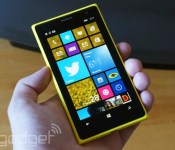
Windows Phone thrives in Europe, but struggles in China and the US

Microsoft’s quest for smartphone market share is hitting a few roadblocks, it seems. Kantar estimates that Windows Phone is still gaining ground in Europe, where it’s up year-over-year to 8.1 percent of sales in the first quarter of 2014. However, it’s taking a bruising in other areas. In the US, Windows swung from increases this fall to a slight dip in the winter; while it’s still doing relatively well at 5.3 percent of US share, it’s not posing much of a threat to Android or iOS right now. The platform also took a drubbing in China, where its share was nearly cut in half to exactly one percent thanks to the rise of budget Android handsets.
Not that it was all sunshine and roses for the industry heavyweights. Android made strides in China, the US and parts of Europe, but it sank in Australia, Europe and Japan. Some of these losses were due to a recovery from Apple, according to Kantar. The iPhone is still having trouble in China and the US, but it clawed back share in Australia and Europe. It’s also dominant in Japan; 57.6 percent of local smartphone buyers chose iOS hardware this quarter.
Whether or not these trends continue through the spring isn’t certain. Windows Phone may get a helpful boost from the launches of the Lumia 630 and 930, while Android may get a lift from Samsung’s Galaxy S5 flagship. There’s also the wildcard of the 8GB iPhone 5c. Although it’s not dramatically cheaper than its 16GB counterpart, it could draw a few mid-range buyers to Apple. It’s safe to say that Microsoft will be watching very closely — now that it owns Nokia’s device business, it has even more incentives to see Windows Phone succeed.

Filed under: Cellphones, Mobile, Apple, Microsoft, Nokia, Google
Source: Kantar Worldpanel

Google’s self-driving cars can now understand cyclists’ gestures

Whenever we see a self-driving car, we’re always nervous that it won’t see us and steamroller us straight into the tarmac. It’s a fear that Google is trying to quell with its latest video, revealing that the vehicles are constantly tweaked to better understand and navigate the obstacles of California. In the clip we learn that the cars can now spot a cyclist’s arm-waving, and will wait until they’ve passed before moving along. The rides can also now spot pedestrians from behind, will slow for on-road construction and won’t enter a railroad crossing until the exit is clear. Now all we need is for some bright Googler to get William Daniels to voice the on-board computer and we’ll pre-order two.
Filed under: Transportation, Google
Source: Google
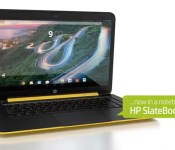
Leaked HP video hints at a 14-inch laptop running… Android

Android on laptops is normally reserved for hybrid devices or units no bigger than 10 inches. If this leaked video is correct, however, then HP is planning to launch an Android laptop with a 14-inch display. The clip, found by Notebook Italia, shows a Slatebook 14 with a 1080p display, controlled by a quad-core NVIDIA chip and running a recent build of Google’s mobile OS. The video also shows that the Android soft keys will remain on the bottom of the screen, as well as adding them to the keyboard where you’d normally find the Esc and Windows keys. There’s not much more than that to go on right now, but we’ve pinged HP to find out if this is really coming, or just the hopeful fantasy of someone who really hates Chromebooks.
Filed under: Cellphones, Laptops, Google, HP
Via: Ars Technica
Source: Notebook Italia (Translated)
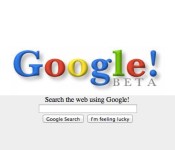
Google Search: A visual history

“To organize the world’s information and make it universally accessible and useful.”
That was one of the primary goals Larry Page and Sergey Brin set when they launched Google in 1998 as a privately owned search company. Since then, the Mountain View-based outfit has branched out, creating a mobile operating system, mapping service, cloud-based productivity apps, branded devices and, now, smart thermostats. All of those offshoots, however, always point back to the company’s original aim: search. That baseline service is something Google’s been making refinements to ever since its inception. A practice that continues to this day, with the company constantly improving upon the usability and design of its search-based offerings. This means cleaning up a UI when needed, and launching new features that serve up that much-lauded universal accessibility in short order. What may come across as a small box centered in a vast expanse of white is, as you’ll see, actually something that’s constantly evolved since ’98.
1998-2001: Primary Search

For the first few years of its existence, Google.com was purely a search engine with its now iconic box and “I’m feeling lucky” hunting option. The latter was meant to help users discover new sites during the course of their queries.
2001-2007: Totally Tabular

If you needed to conduct an image-based search, Google added tabs just above the search box in 2001 to make the task much easier. These would take on a variety of looks in the years to come, but at launch, they were nestled up under the ultra-recognizable multihued logo.
2006-2007: Tabs Take Over

Tabs didn’t just stop there. They also briefly crossed over to Google’s Gmail and Calendar, offering useful links atop those interfaces. Those apps have since been cleaned up drastically, but there was a time when both were weighed down with clickable, tabbed options.
2007-2011: Navigation Bar

Some folks didn’t take too kindly to Google moving that tabbed content to a navigation bar at the top of the page. For a span of about four years though, search links and app access rested there.
2011: The Google Menu

In an effort to cleanup that navigation bar, Google opted to tuck those handy search categories and its suite of apps into a dropdown menu at the top left of the UI. The bar itself stayed put, adding Google+ access and notifications on the right-hand side.
2012: Google Now

With the release of Android 4.1 Jelly Bean, the folks in Mountain View introduced a new type of mobile search product: Google Now. This card-based system draws upon user habits and search histories to display everything from weather to packages ordered, flight status and the latest scores from your favorite team. Google’s even extended Now’s reach beyond just Android, making it available on both iOS and the desktop since.
2014: Tidied Up With Voice Search

It may not look like much has changed, but that top navigation bar has been tweaked again. This time, Google’s cleaned it up by moving that handful of links to the top right corner alongside notifications for Google+. There’s even another drop-down menu for accessing those trusty Google Drive apps and a handy list of sites that you visit most. To top it all off, the search box that’s been there from the very start now features voice search.
Google Doodles

Even before the company was officially incorporated, Google Doodles were a thing. The first was posted in 1998 to announce the attendance of Larry Page and Sergey Brin at Burning Man. Since then, the artwork has been used to celebrate all kinds of events, from the Olympics to birthdays of influential folks. The Doodle team has been keen to add a heavy dose of interactivity throughout the years, too, as evidenced by one of our favorites: a recordable Moog synthesizer for Robert Moog’s 78th birthday.
Mobile Minded

“You don’t need to be at your desk to need an answer” reads entry number 5 in Google’s “Ten things we know to be true.”
Browser-based search on mobile has largely taken on the look of its desktop counterpart. Even today, there’s a side-mounted app tray to keep the main page focused on hunting for crucial info. Most Android users have a handy window on the their home screens and Google’s apps pre-installed, so there’s no real need to hit the search webpage directly. In terms of the standalone Search app though, it primarily drives the aforementioned Google Now.
Always Searching
To say that the folks in Mountain View have expanded the search engine since 1998 would be a massive understatement. It’s quite clear many of Google’s other products harken back to its prowess in handling queries. From Nexus to Now and Glass, there’s little chance that search won’t continue to drive all that Google does — no matter how its look may change.
Desktop screenshots courtesy of Google, except for the 2014 image.
YouTube for Android now auto-generates playlists of your favorite artists

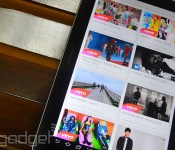
Making YouTube playlists can be a real pain, especially if you just want to veg out listening to music after a long day at work. If you’re using an Android phone or tablet, though, you can now just type in an artist’s name and voilà — YouTube will auto-generate a playlist with the artist’s most popular videos. The results, however, are mostly Vevo clips, and (sadly) it might not work for lesser-known artists. According to Android Police, this feature (called YouTube Mix) recently made its way to Android after popping up for desktops first in 2013. The lack of fanfare suggests it’s just something Google’s been experimenting with, so we wouldn’t be surprised if this is the first time you’ve heard of it. Since Mountain View hasn’t officially announced anything, we can’t say whether all Android users can access YouTube Mix — but it’s the weekend anyway, so have fun trying it out.
Filed under: Cellphones, Tablets, Mobile, Google
Via: Android Police
Source: Brandon Lall (Google+)
Android is reportedly getting voice commands everywhere

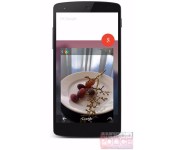
Outside of the Moto X, hands-free voice commands on Android are limited; pick up a Nexus 5 or Galaxy S5 and you’ll find that “OK Google” only works at the home screen. If Android Police‘s sources are accurate, though, you’ll soon get to bark out orders no matter where you are in the interface. Google is reportedly trying out an “OK Google everywhere” feature (mocked up here) that, much like the Moto X, is always listening and responds only to your voice. It might also pay attention to what you’re running. If you’re browsing snapshots, for example, you could tell your phone to “share this photo.”
That may not be the only change in store. Experiments are reportedly underway with a new navigation bar that replaces the usual home button with a “Google” item. Hit that and you’d start a search without having to speak first. If you need to return to the main screen, you’d use the “recents” (read: multitasking) key. Suffice it to say that this would be a big break for Google, which hasn’t changed its basic approach to navigation since Ice Cream Sandwich (Android 4.0) in 2011.
Don’t count on either the voice or search features coming to a phone near you, however. While AP believes that at least some of these Android revisions will reach shipping software, they’re not guaranteed to make the cut. Also, these may only show up in the official Google Now launcher — third-party phones could mix things up. Still, we wouldn’t rule out seeing any of these features on stage at the I/O conference this June.
Filed under: Cellphones, Internet, Mobile, Google
Source: Android Police
 AIVAnet