



Top 5 news and RSS apps for Android [January 2015]
 Keeping up with news articles can be a cluttered process, especially if you use multiple apps or bookmarks on your phone or tablet. Using a news aggregation app or an RSS reader can tidy up your mobile device and make keeping up with things even easier. There are tons of apps that can get the job done, but we’re going to go over the best options in this guide to help you get started on staying on top of the news.
 Flipboard is one of the most popular apps on the Play Store for keeping up with multiple news sources, and its even the backbone of pieces of some of Samsung’s new UI on their phones or tablets. It offers a slick experience for quickly browsing over popular news and comes with a handful of extra features that make it fun to use.
Flipboard lets you select different topics for things you want to follow, such as food, technology, music, etc. and then it displays relevant content from top sites as you browse through the main feed. If you select mobile games as something you want to stay caught up on, you’ll see news stories for when Gameloft announces something new or Angry Birds get a major update, while if you subscribe to a scuba diving topic, you’ll see tons of pictures, articles, and content related to scuba diving. You can also subscribe to particular sites if you want.
While reading news articles, Flipboard lets you save particular articles to read later by either tying them to your Flipboard account or exporting them to an external app like Pocket, Readability, or Instapaper. There are also full blown comment sections specifically for Flipboard users on articles, and you’ll be able to take complete advantage of Android’s built-in sharing menu.
For social media enthusiasts, Flipboard also integrates multiple social networks into your news. The app allows you to sign into your Facebook, Twitter, Instagram, and multiple other accounts, after which content from those social media sites will start appearing in your main feed. This is really helpful for keeping all of the barrage of information in one place if you’ve avid about keeping up with tons of different networks and sources.
Flipboard is completely free, and if you’ve owned a recent Samsung device, there’s a good chance you’ve already played with it a bit.
 Feedly is an RSS reader application that works fairly similarly to apps like Flipboard, but you get a more fine-tuned experience if there are specific sites or blogs that you want to track throughout the day. It has an excellent, easy-to-navigate interface that has several customization options that most other aggregation apps lack.
When setting up Feedly, there are preset options for curating content that you’re interested in, like cooking, mobile phones, or video games. Within each of those topics, you can further narrow it down to which sites you want to see in your feed. This can be useful for narrowing down how many music blogs you’re subscribed to, for instance, so you don’t see six different posts about the same thing all within an hour of each other.
With Feedly, you can also specifically set up a URL as an RSS feed, which is useful for tracking more obscure or less popular sources that you may want to keep up with. Plus, Feedly can also handle a bevy of social networks which you can either blend in with your main feed or view separately from the other sources. There are also options for using your favorite save-for-later apps like Pocket and Instapaper, and Feedly also has a tool for setting up a quick-share button. If you typically only ever tweet out news stories, you can set Twitter as your default sharing app and skip Android’s built-in sharing menu.
Feedly is free and offers a web based version for tracking and syncing your news sources on all of your devices. There is a pro version that runs $5 per month that nets you Evernote support, quick article searching, and prioritized customer support, if that’s your thing.
 Google has had a splotchy track record when it comes to news and RSS apps. Originally, Google Reader was a fairly successful option for keeping all of your news sources in one place. Google axed Reader in 2013 and offered up Google Currents in its place, but then that app was put on the chopping block in favor of rolling its functionality into Google Play Magazines, which leads us to the current iteration of Google’s news solution: Play Newsstand.
Play Newsstand offers a very unique feature that none of the other apps on this list do. You can purchase and subscribe to magazines through the Play Store, and they’re fully integrated into your other news sources so you can view everything in one place. There isn’t much in the way of RSS feeds, but Newsstand has an enormous selection of magazines and web content. You can look up specific news channels from tons of categories ranging from technology to business to travel, dig into a particular magazine, or see everything thrown together in a main feed.
Newsstand also has a very useful “bookmark” feature that lets you save your spot in a particular magazine or clip an article on the web to read later. These bookmarked articles and magazines are available for viewing offline, and the bookmark will hold your place so you can pick up right where you left off.
While Play Newsstand doesn’t have social media integration or tons of customization options, it’s one of your only choices for magazines and offers an excellent way to keep all of your main news sources in one place. Plus you get the excellent Material Design interface that Google has been pushing lately, so it’s worth taking for a spin.
 Press is one of the apps that doesn’t try to throw in the kitchen sink in its feature set, but instead, focuses on building an excellent application with a slick interface that’s easy to use. The app has enough features to appeal to most users, but it really stands out thanks to the fantastic UI.
Press works as an RSS reader with tons of preset news sources. You can set up all of your favorite hobbies and interests, and Press displays everything in a clean, easy-to-read manner. As a bonus, the app will also sync with your other RSS feed sources, including ones from Feedly, Fever, FeedBin, and Feed Wrangler. If you juggle multiple apps and services, this is a huge time saver.
When it comes to features, Press nails the important things. There are a couple different theme options, depending on if you prefer white or dark interfaces, and a few other tweaks tailored to the UX. There is full support for apps like Pocket and Instapaper, offline support, image zooming, and widget/lock screen widget support. There isn’t any magazine store or social media integration here, but the interface is much faster and cleaner with Press than with some of the other apps.
If the other apps on the list are too bloated or heavy for your tastes, Press is worth a shot. At only $2.99 it’s one of the best designed and well-performing Android apps on the Play Store.
 Digg is a service that was beginning to fade in popularity but made a fairly strong comeback on the announcement of Google Reader’s demise. The redesigned app that was released into the Play Store really put the service back on the right track and is a great option for someone that wants a slightly more hands-off approach to curated news.
Digg offers most of the best features of any other RSS or news application. You can add specific feeds from your favorite site or select from a list of the most popular sites in different categories, and you’ll still have access to do things like saving the stories to read later in Pocket or Instapaper. Where Digg really shines, though, is in the focus on popular and social content.
To make sure you’re caught up on the biggest stories online, Digg actually uses algorithms to see what people are talking about and sharing. There’s a little help from the Digg staff, but the whole point behind putting this content front and center is to keep you updated with the latest viral videos or the hottest political stories, even if it’s not something that would normally be in your primary circles. For some people, that might sound like an annoyance, but for others, it’s an easy way to stay up to date on what your friends and coworkers are talking about.
To push that even further, Digg makes it a priority to let you quickly and easily share stories to your social networks or to your Digg account. These shares likely play into the algorithm that they use to decide what’s popular or not, so the app almost functions like a crowd sourced news feed.
On top of everything else, the Digg app has a great interface. It’s slick, intuitive, and very easy to use. It’s completely free, and creating a Digg account lets you access your stories on the app or on the web.
These are the top five apps for keeping up with your favorite news each day, but there’s no shortage of other news apps on the Play Store. Did we miss any of your favorites? Drop a comment and let us know.
Come comment on this article: Top 5 news and RSS apps for Android [January 2015]
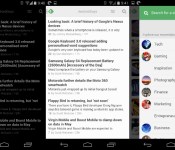
Our favorite news readers for Android
After Google Reader died, the poor souls who used RSS feeds for their main source of news were forced to move on. RSS isn’t dead quite yet, and there are tons of really nice apps for Android out there. Here’s a list, in no particular order, of some of the readers we use on our phones.
Feedly

Let’s start this list out with our collective favorite. Feedly was there when Google Reader wasn’t, plain and simple. It offered a painless way to import our Google Reader feeds without skipping a beat. The app has been updated like crazy, and it’s now more beautiful than ever. Theme options, view options, and a solid app – what more could you want?
Press

Press has been around for quite awhile, offering a beautiful look at your news sources. Import your Feedly, Feedbin, Feed Wrangler, and Fever feeds to Press and have at it. It offers Immersive Mode, a light and dark theme, and one heck of a widget. It’s $2.99, and for a great app like this, it’s well worth the money.

This is probably one of the most popular news apps out there. Flip through pages of articles and browse through content at the speed of light, all while looking at that nice flipping animation. You can sign in with you Facebook or Google+ username, or just jump in and start customizing your feed. For those of you who need more than just headlines, this app is for you.
Pulse

Or LinkedIn Pulse, rather. Probably the best things that Pulse has going for it is its layout. Very creative, very functional. It also has a nice widget that acts just like your feed.
gReader

gReader has been around for quite a long time. Nobody knew if it would make the jump after Google Reader was shut down, but lo and behold, it’s still here! you can sign in with Feedly Cloud, The Old Reader, or choose neither, and start customizing. The app is free, but you’ll need to shell out $4.69 if you want to get rid of ads and add some better widgets.
News+

News+ was created to be almost a gReader clone with more feed options. At the time of it’s creation, gReader only supported Google Reader feeds. That has since changed, but News+ is still around, bringing you the news that you want, but only if you have the right extensions. The interface is very similar to gReader, so you aren’t losing much if you decide to switch over. If you’d like to customize your feed a bit more than usual, you’ll need to pay a fee to add more than one feed.
Google Play Newsstand

This one replaced Google Currents, Google’s news aggregator that killed battery life. Think of Play Newsstand as an ”all in one” reader. You can read your news feeds, browse magazines, and even use Bookmarks, a built-in read it later service.
Amber RSS Reader

Amber RSS Reader isn’t terribly popular, but we still love it. This one lets you log in with Feedly, Feedbin, FeedHQ, and BazQux Reader to get your news. it will cost you $1.99 from the Play Store, but it’s definitely worth it. For those who are looking for something beautiful and simple, take a look at this one.
Flyne

If you missed our App of the Day coverage on this one, you should check it out. Built by the same developer as the Falcon Pro Twitter client, Flyne aims to offer your news when you need it in a beautiful package. Use the free Popular Feeds, or download the Twitter and Feedly extensions for $1.99 and $.99, respectively. Try out the Popular Feeds section for free, and you’ll be hooked.
Digg Reader

This last one is for people who don’t need pretty visuals and over-the-top widgets. Digg Reader is simple, clean, and functional. It also has Instapaper/Pocket support along with the ability to thumbs-up or thumbs-down certain posts. And… it’s FREE!
That’s all, folks! Hopefully you found a new app that you’d like to try. Any other suggestions? Let us know!
The post Our favorite news readers for Android appeared first on AndroidGuys.
 AIVAnet