


Google Drive Sees a Nice Update with Quick Scan Widget and Animated GIF Support [Download]

Getting tired of updating your Google apps yet? Of course you’re not. Now we have a nice little update to Google Drive. You can now quickly scan documents with a small widget placed on your homescreen, and they added animated GIF support for all those hilarious GIFs you come across. It is nice to have those options if you utilize Google Drive a lot throughout the day. If you haven’t received the update yet, we have the apk download for you below. Click the link and have fun with it.
Download here: Google Drive 1.2.563.27
Online Google Drive Gaining New Activity Stream Function
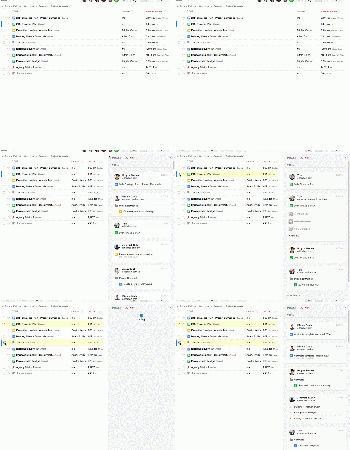
Google Drive is an amazingly powerful tool to have at your disposal. Working on projects in real-time with multiple people certainly has made work more efficient. However, unless you are in the file with your friends or colleagues, you won’t see what has been added or changed. Unless of course you force them to work in different colored text. That is slowly going to change starting today with a new Activity Feed option in your Google Drive account.
 When you open Drive, click the little ⓘ button at the top right corner and the activity stream will magically appear. You can see all the actions that were taken on all your files and folders in Drive that are shared. If a complete overview is too messy and jumbled for you, then simply click on the file you want details on and you can drill things down to just one document or multiples.
The new function is set to start rolling out in typical Google stages starting next week. Keep your eyes peeled on your Drive account and let us know when you see it.
Source: Google Drive Blog
Google Play Services 4.1 rolls out with some notable improvements
Google Play Services version 4.1 began rolling out yesterday, bringing improvements to Google+, battery life, turn-based multiplayer for developers, and more.
Let’s begin with Google+:
With the recent update to Gmail, users can now send emails easier than ever to their Google+ contacts. This update addresses that, and gives better suggestions and auto-complete for your newly-added contacts Google+ addresses.
Next, we have turn-based multiplayer for developers:
Play Games lets users sync game data across devices. It’s a relatively new app, and developers are just beginning to take part into building this functionality into their games. Now, Play Services allows turn-based multiplayer data syncing. So, if you’re playing a multiplayer game, your turn data is uploaded and you can play as your own player, rather than starting fresh.
Also Google Drive:
This update will allow developers to preview the new Google Drive API. Users will eventually be able to read and write files on and offline, and the changes will sync automatically.
And finally, and probably most importantly, improved battery life:
For those of you who chose to enable location reporting when setting up your phone, you may have been experiencing some battery drain issues. Some users have been experiencing battery issues since the update to v4.0.34, so this update should help address the issue.
The post Google Play Services 4.1 rolls out with some notable improvements appeared first on AndroidGuys.
HP serves up 21.5 inch Android-powered All-in-One
Android hybrid tablet/laptops are so 2013 according to HP, which just announced its new Android-powered HP Slate21 Pro AiO.
Unlike the AiO desktop PCs that dual-boot Windows and Android, this one strictly runs our little green friend, Android 4.3 Jelly Bean.
Said to be designed for productivity in office, education and kiosk environments, the AiO features a 21.5-inch 1920 x 1080 resolution IPS touchscreen display with wide 178-degree viewing angles, plus Its stand design allows it to decline up to 70 degrees. There is also optional “VESA mounting,” that makes it flexible enough for a variety of work environments.
Other specs of the HP Slate21 Pro are an NVIDIA Tegra 4 quad-core T40S Processor (1.66 GHz – Dual-Core/Single-Core mode up to 1.8 GHz), 2 GB of RAM, 16 GB of flash storage, SD card slot, 8.11 a/b/g/n dual band wireless, Bluetooth 4.0, a USB 2.0 port on the side and two on the back, HDMI input, a USB 2.0 upstream port, RJ45 network connection, integrated Ethernet, DTS Sound and integrated audio, two, integrated stereo speakers, a 720p HD webcam and access to the Google Play store.
The AiO can use apps such as Kingsoft Office Suite, Google Docs, Google Drive, it’s certified Citrix ready and HDX verified and can deliver a virtual workspace with secure data and Windows application support via Citrix Receiver, so users also can easily switch between the Android environment and content displayed from a Windows PC.
With business users in mind, it comes pre-installed with Citrix XenMobile, which allows companies to manage apps and secure the HP Slate21 within a corporate environment.
When available, you get all of this this, plus 50 GB of Box cloud storage, starting at $399. If you’re not getting this for business, it should be able to handle games such as Dead Trigger 2 beautifully.
via HP
The post HP serves up 21.5 inch Android-powered All-in-One appeared first on AndroidGuys.
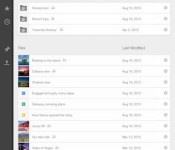
Google Drive for iOS finally lets you sort files
The little handy dongle that is the Chromecast isn’t the only product Google is improving today. And while this newly added functionality to Drive on iOS may not be as notable as 10 shiny apps, we’re sure avid users of the storage service will hap…
 AIVAnet