


The second wave of Oculus’ latest VR headsets start shipping in October

After a few stumbles toward the finish line, the first wave of the latest Oculus Rift prototype shipment has concluded. It’s no small number, either. Oculus’ vice president of product Nate Mitchell tells Road to VR that his company shipped over 20,000 DK2 headsets in this initial push. Crazy, right? Consider this then: there are still over 40,000 orders left to fulfill. If you happened to order later than the first on-sale day, though, you may not be one of those lucky enough to call the second development kit your own. Road to VR has spotted a change to the prototype’s order page, however, that should give you a better idea of when to expect a second shipment. Hopefully your Halloween costume isn’t planned out just yet because once your virtual reality goggles arrive in October, you might not want to take them off. If you need something to keep you busy until then, well, there’s always Google Cardboard.
Filed under: Desktops, Gaming, Home Entertainment, HD
Source: Road to VR, Oculus VR
.CPlase_panel display:none;
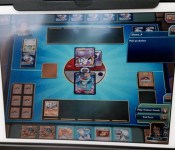
Pokémon Trading Card Game Online coming to iPad later this year

Remember that Nikkei report that said Nintendo was eyeballing mobile devices? The one that Nintendo immediately denied? It might be true after all — sort of. The Pokémon Company has confirmed that the Pokémon Trading Card Game Online will be available as an iPad app later this year. The app, a digital update of the 1996 trading card game of the same name, was spotted by Twitter user Josh Wittenkeller at a Play! Pokémon event. Nikkei’s original report suggested that Nintendo was planning to use mini-games on smart devices to lure gamers to its console products, and this definitely seems like a step in that direction.
That said, try not to get too excited: The Pokémon Company may be a wholly owned subsidiary of Nintendo, but its operations pertain exclusively to its namesake product line. Moreover, the iPad app is merely a port of a game already available for free on the Pokémon website — Nintendo is definitely dipping its toe in water, but this doesn’t mean we’re going to see Mario on mobile any time soon. Still, investors have been nagging Nintendo president Satoru Iwata to experiment with mobile apps for some time; if The Pokémon Company’s foray into the space is a success, he could be swayed.
[Image Credit: Josh Wittenkeller]
Filed under: Gaming, Mobile, Nintendo
Source: VentureBeat, Polygon, Twitter
.CPlase_panel display:none;

Tonight, Twitch streams a live performance of the ‘Hohokum’ soundtrack
 There’s a lot to love about PlayStation’s latest indie darling Hohokum, and its soundtrack is an absolute standout reason for even playing the game. Sony knows this and is partnering with game-broadcasting giant Twitch to stream a concert of the game’s score tonight to celebrate. Starting at 9:45 Eastern / 6:45 Pacific, you can catch the artists from Ghostly International being interviewed and playing the game’s tunes via both the PlayStation and Ghostly Twitch channels. You can even watch the show right here after the break; it’s up to you! Given how chill the indie’s music and visuals are, Twitch’s second-ever concert could be the perfect way to unwind and head into the weekend.
Watch live video from PlayStation on www.twitch.tv
Filed under: Gaming, Home Entertainment, HD
Source: Twitch
.CPlase_panel display:none;
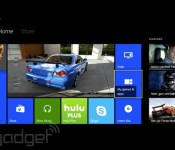
The future of Xbox One: early access gaming, Cortana and more

Since the Xbox One launched last November, Microsoft’s latest game console has changed pretty dramatically. From “going all-in” on Kinect to offering a camera-less $400 model; from focused on TV and home entertainment to appealing directly to “core” gamers. The last year for Microsoft’s Xbox division has been one massive pivot. The future sounds brighter.
You’ve already read about the updates coming to Xbox One this fall. What about beyond that? Head of Xbox Phil Spencer offered us some possibilities in an interview this week at Gamescom 2014. What about, say, a version of Steam’s massively popular Early Access program, which enables developers to release games still in development and gamers to participate in the development process? “I think it does make sense. I think we have to land it the right way on console,” Spencer told us. That’s certainly a start!
On Valve’s hugely popular Steam service, people can buy and play games that range from barely playable to nearly done. It’s a system that works especially well on PC — Steam’s main customer base — because PC gamers are more used to dealing with technical complications. On game consoles, there’s an expectation of ease of use. There’s also a guarantee of functionality. “There’s a certain bar that we want to keep on consoles because of the nature of who plays on a console,” Spencer said. “The model itself I think does make sense. I think we probably just wanna model it a little bit differently.”
So, what would something like Early Access look like on Xbox One?

“The fact that we exist on both Windows and on a console could make it a strength of ours in the long run,” Spencer said. In so many words, because of the Windows side of Microsoft, the service and its games could first exist in the PC world before making the jump to Xbox One in a more stable state. “So it starts in one space and kind of graduates up,” Spencer said. “Maybe early access starts on PC, but it’s targeting the main console customer.”
It’s also a question of Microsoft depending on its relationships with game developers to know which games are more likely to succeed in such an environment. I offered the example of Vlambeer’s Nuclear Throne, a game that’s been available on Steam’s Early Access for months, with weekly updates and development livestreams demonstrating the impact the game’s community has had on the game itself.
“Vlambeer is different. We know them,” Spencer said. “But it could be ‘Vlambo,’ and we don’t know them. And you’re like, ‘Okay, is this real; is it not real?’ I think there’s a certain bar that we want to keep on consoles because of the nature of who plays on a console.” The company’s indie game program, ID@Xbox, could help in the vetting process; dozens of indie devs and their studios are already registered through the program.
CORTANA

Phones, tablets, computers and even televisions all offer a basic level of day-to-day information: weather, traffic, stock info, news headlines, etc. Despite Xbox One’s intention to act as a living room hub — from “waking” the console with your voice to including an HDMI-in port for television viewing — it’s still missing the vital, basic information that far older technology delivered long ago.
It still feels magical every time Google Now tells me (without asking) about an upcoming flight, or the traffic on my commute, or some other helpful life information. Why doesn’t that exist on the Xbox One dashboard? Hell, why isn’t Windows Phone personal assistant program, Cortana, on the Xbox One? It’s even named after a character from Halo!
“I think we get permission to do that as we succeed as a gaming console,” Spencer said. The Xbox pivot isn’t over, clearly, and Spencer and co. are still worried about alienating the Xbox “core” audience in favor of the general public. “It makes sense that I can get up in the morning and say ‘Xbox, what’s the traffic’ and it brings up something that shows my commute in the morning,” Spencer said. “That all makes sense to me in the long run.”
That last bit — “in the long run” — is important. He repeatedly stressed that, despite already having discussed a variety of additions to Xbox One functionality (from Early Access-like games to alternate voice control inputs to Cortana), time is the primary lacking resource. “I think there’s a ton of opportunity,” he said. “Time is in precious quantity when we’re talking about those scenarios.”
Filed under: Gaming, Software, HD, Microsoft
.CPlase_panel display:none;
PlayStation 4’s new digital game-sharing trick sounds simple

Okay, we know that the PlayStation 4′s Share Play feature is coming, but how does letting a friend on an entirely different console (possibly around the globe) play one of your games work? A lot like how PS4′s remote play with the PS Vita does, apparently. In an interview with Famitsu Weekly, Sony’s head of Worldwide Studios Shuhei Yoshida said that game developers don’t have to do anything special to enable the feature, and that barring a game requiring the PlayStation Camera, any title should be compatible. Once firmware 2.0 launches, all a friend has to do is send you a Share Play invite and voila you can start playing their copy of Destiny on your TV. If it sounds like we’re living in the future, that’s because we pretty much are.
Don’t, however, go thinking that this is a loophole you can exploit to sidestep ever buying another game: Sony clarified to Kotaku that the guest’s progress would not be saved to their account, but to the host’s. It’s going to be interesting seeing how the feature deals with lag and just what the image quality’s going to look like once it launches. Given our hands-on time with Sony’s PlayStation Now streaming service, though, we’re cautiously optimistic.
Filed under: Gaming, Home Entertainment, HD, Sony
Via: Kotaku
Source: Famitsu
.CPlase_panel display:none;
New Xbox One features now rolling out to preview members, all owners in coming months

Remember those new Xbox One features Microsoft announced at Gamescom this week? They’re available right now — at least to members who are part of the company’s preview program. Major Nelson just announced that Xbox Live users that have access to preview updates will be able to download the new features today. This includes the updated Friends section announced earlier this week as well as SmartGlass TV streaming, the system’s new boot to TV mode and the long awaited Media Player app. The announcement also revealed a host of previously unannounced updates, including tweaks to the Party app and Xbox One’s GameDVR.
For the most part, the new features are about getting organized: the Party app has been retooled to give specified “party leaders” more control over the group and the entire interface has been tweaked for clarity. The GameDVR allows users to select and delete multiple files at once, too — which should make it easier to keep your console’s hard drive clean. Finally, the update will reorganize a few sections of the Xbox One’s settings menu and bring “Xbox On” voice functionality to Australia, French Canada, Italy, Spain, Brazil and Mexico. All in all, not a bad set of updates. Not part of the preview program? Don’t worry, the update will roll out to you (and the rest of the community) in the coming months. In the meantime, you can check out a quick walkthrough of the upcoming Media Player below.
Filed under: Gaming, HD, Microsoft
Source: Xbox
.CPlase_panel display:none;

Grade-school gamers test the foundation of DARPA’s next training software

Inside the University of Washington’s Center for Game Science (CGS), there’s a department that is making video games for children, and it’s funded mostly by DARPA. If you’ll recall, the Defense Advanced Research Project Agency is the part of the US Department of Defense that looks into emerging tech and its potential use by the armed forces — things like robots, for example. But in order to gauge software components, the educational titles developed at the CGS cultivate “adaptive learning” tech that could be employed for military training. With tools that foster school-age students’ STEM skills, researchers can test a game’s adaptive teaching abilities and potential for use in other learning scenarios. Developers examine how AI that changes to suit education level could be leveraged for real-world use, which moves beyond the DOD to include science and biochemistry queries. In fact, it was the CGS’ game Foldit that crowdsources scientific research through protein puzzle solving that caught the attention of DARPA in the first place. You can have a look at that particular title on the other side of the break.
[Photo credit: Mark Wilson/Getty Images]
Filed under: Gaming, Robots, Science, Software
Source: Vice
.CPlase_panel display:none;
The gaming industry is booming and Sony’s lead is growing

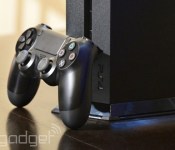
Earlier this week Sony announced that it’d sold over 10 million PlayStation 4s to date, but that isn’t the half of it: the company’s latest gaming console is once again dominating the sales charts overall. As Sony tells it, July marks the seventh consecutive month that the PS4 outsold Microsoft’s Xbox One. Hardware isn’t the only area Sony is trumping its rival either, as The Last of Us: Remastered led software sales last month by a “considerable” margin ahead of number-two-seller Minecraft on the Xbox 360 and PlayStation 3. The gaming sector as a whole is incredibly healthy, too. The NPD Group reports that even though software sales are down overall for July (something it attributes directly to the lack of an NCAA Football release this year), hardware is picking up the slack. Comparing life-to-date numbers of the PS4 and Xbox One to their predecessors, the new consoles are outselling the PS3 and Xbox 360 by almost a whopping 80 percent. That puts this July ahead of last by 13 percent in terms of total money spent in the area, according to NPD.
Nintendo seems to be doing pretty well, too, despite that massive $97 million loss. The outfit says that Mario Kart 8 has now sold over a million copies in the US alone, and the Wii U has increased year-to-date sales by 60 percent compared to 2013.
What about Microsoft? Well, Redmond’s lack of a formal announcement should speak for itself. When we reached out for a comment, a company spokesperson reminded us that the Xbox One sales numbers more-than doubled in June (still no word on what they doubled from) and that “this momentum” continued into July. And, well, that’s about it. When you look at how many Xbox One software-bundled systems that Microsoft is releasing this fall, just how far behind the company is to its main competition (Sony) should be pretty apparent — the firm’s desperate and essentially giving away some of its biggest games in the hopes that people will buy an Xbox One.
Filed under: Cameras, Gaming, HD, Sony, Microsoft, Nintendo
.CPlase_panel display:none;

Engadget Daily: NVIDIA Shield review, HTC’s Zoe app and more!

Today, we review the NVIDIA Shield tablet, take a ride in a Manchester United-themed Mini Cooper, get productive with a tablet keyboard case and more! Read on for Engadget’s news highlights from the last 24 hours.
.CPlase_panel display:none;

NVIDIA Shield tablet review: a solid slate with a gaming addiction

NVIDIA’s Shield gaming handheld was a peculiar, singular device: an expensive Android portable aimed squarely at consumers that had already purchased high-end desktop GPUs. It was novel and fun, but it wasn’t for everybody: If you weren’t a gamer, there wasn’t much point to owning a Shield. Now, that’s changing: NVIDIA’s second-generation gaming device isn’t a quirky handheld; it’s a tablet. Specifically, the Shield tablet is a $299 8-inch gaming slate powered by NVIDIA’s new Tegra K1 processor. It wants to be everything to everyone: a high-end gaming device, a superb media tablet and a performance benchmark that will drive the mobile industry forward. Most of all, it wants to appeal to more than just the hardcore gamer. Does it? Let’s find out.
Hardware

Black, green and silver were the colors that defined the original Shield, but this year’s model is decidedly more monochrome: The slate is draped in a mix of glossy and reflective blacks. It’s a clean, if less distinctive, look, but the absence of color doesn’t mean the Shield is just another cookie-cutter tablet. If anything, it looks more like an HTC One than a Nexus 7, sporting long, matte black speakers on the device’s top and bottom edges.
The top speaker bar is split in half by a 5-megapixel front-facing camera with an same shooter (sans autofocus) on the rear of the device. Let’s not flip the tablet over just yet, though — a handful of ports, holes and buttons run around the edges. Most of the action is on the right: a power button, volume toggles, a microSD slot and an embedded, passive stylus for pen input. The WiFi model also features a walled-in cutout for a micro-SIM card slot — an ever-present reminder that you could have waited for the upcoming LTE model. The bottom edge is host to a simple bass speaker vent, while the left side is marked only by the magnetic connectors that latch onto an optional screen cover. The top has a little more going on: another bass vent, a headphone jack, micro-HDMI connectivity and the all-important power/micro-USB port. Oh, and that backside? Just a smooth, matte surface accented only by the word “Shield,” etched in glossy black lettering. Classy.
Although the tablet feels sturdy and well-built, it isn’t perfect. Putting all of the Shield’s ports on one half of the top edge leaves it feeling a little crowded, and thumbing its physical toggles gave me second thoughts about its build quality. It’s not that it feels cheap or painful to hold (a tiny, chamfered edge between the screen and tablet sides ensures a comfortable grip), but the buttons’ tactile response is a little mushy. The soft depressions are okay for tweaking volume, but I was never sure if I was using the power button correctly. Did it go down all the way? Did I miss it? Until the screen reacted, I just couldn’t tell. The tablet’s folding, magnetic cover (sold separately) soon became my favorite way of waking the device: just flip it open, and the screen is on.

Looking for precise specs? Okay, we’ve got those, too: The Shield tablet measures 8.8 inches (221mm) long, five inches (126mm) wide and 0.35 inch (9.2mm) thick. For comparison’s sake, that makes it taller, wider and thicker than the Nexus 7 — though it does sport a larger 8-inch, 1,920 x 1,200 display. Weighing in at 390g (13.7 ounces) it’s a bit heavier, too, though it’s still lighter than both versions of the Kindle Fire HD.
If you were to crack the Shield open (please don’t), you’d find NVIDIA’s latest mobile chip: a 192-core Kepler GPU paired with a 2.2GHz quad-core Cortex-A15 processor. The Tegra K1 is the company’s pride and joy (at least for now; a 64-bit variant is currently in development). It features a mobile GPU designed specifically to push the limits of Android and offer “PC class” and “modern console class” graphics on a small screen (more on that later). The tablet also packs 2GB of RAM, 802.11a/b/g/n WiFi with 2.4GHz and 5GHz support, Bluetooth 4.0 LE and a GPS radio.
Right now, the Shield can be had only as a WiFi tablet with 16GB of storage, but NVIDIA plans to offer an LTE version later this year, which will come with twice the storage space and access to five LTE bands (2/4/5/7/17) and four HSPA+ bands (1/2/4/5). It’ll be unlocked, too, but heavy users may be tempted to wait just for the extra storage. Because really, it doesn’t take long to fill up 16GB — especially on a device geared toward gaming.
Display and sound

The Shield tablet’s 8-inch, 283-ppi, 1,920 x 1,200 IPS screen may not be the brightest or sharpest tablet display, but I was hard-pressed to find a legitimate complaint. Contrast, color quality and a 380-nit brightness were all more than enough for indoor use, though like most glossy displays, it can be difficult to read in direct sunlight. Still, it has clear, balanced colors, great contrast and wide viewing angles. I read a half-dozen comics, watched a movie and played hours of games without thinking twice about the display quality.
Earlier, I made a point of calling out the Shield’s speakers. They were the first thing I noticed about the tablet, and with good reason: Their design enables a true hand-held stereo experience. It’s an exception to an irksome standard; many tablets and smartphones cripple themselves by banishing their speakers to one end of the device, making stereo sound separation impossible. Considering how much media we consume on these devices, that’s just unacceptable. Thankfully, NVIDIA got it right, placing a speaker on each end of the tablet.
So, how does it sound? Just okay. The Shield’s speakers don’t crackle or distort, but they aren’t incredibly loud either. The sound is balanced, and good overall, but it won’t fill a room and it definitely can’t replace a good set of headphones. This makes the Shield tablet’s audio experience a little mixed: It’s not as loud as its predecessor, but its speakers aren’t as tinny either. At the end of the day, however, the tablet’s design makes it impossible to accidentally “block” the speakers by holding the device “incorrectly,” and that’s worth at least some credit.
Direct Stylus 2.0

One of the best ways to add value to a tablet is to bake in stylus support. The problem is, active, pressure-sensitive pens (e.g., the Wacom tech used in the Samsung Galaxy Note) are expensive. Passive stylus technology is cheap, but offers an inferior pen experience. NVIDIA’s solution was to create Direct Stylus: a carefully designed passive pen that mimics an active stylus via clever software tricks and a little GPU wizardry. This not-so-active stylus first showed up in the Tegra Note 7, but NVIDIA gave it an upgrade on the Shield, renaming it Direct Stylus 2.0.
That numerical identifier mostly adds up to a redesigned pen, starting with a longer, narrower tip that curves slightly. That’s important because whereas most styli imprint a dot-like shape on the surface of the tablet’s screen, this pen leaves more of an apostrophe. The added surface area might make the pen more accurate, but most of the pen’s performance improvements can be chalked up to better software. The Shield’s best showcase of this is Dabbler, a painting app that leverages the tablet’s GPU to simulate the effect of paint on real materials.

Dabbler is actually quite impressive — it takes the type of paint, material, lighting and even the tablet’s position into account. A line drawn in the app’s watercolor mode, for instance, will slowly soak into the surface of the simulated paper, and will even bleed down into other sections of the material if the app’s “gravity” mode is turned on. Similarly, oil paints can glob and cake up on the surface of a canvas, and the artist can change the direction of the light source to affect how the final painting looks. It’s a neat concept, but it’s short on features: There aren’t many tool or paint styles to choose from, and it lacks the simulated pressure sensitivity that the technology is capable of.
While I’m not much of a fine artist myself, I did find writing with the stylus to be a pleasure. The passive pen worked well enough in notebook apps like Evernote and JusWrite, but I was most impressed by its handwriting recognition. My childish penmanship — said to be unreadable by my K-12 teachers, college professors and employers — was consistently recognized by the Shield’s software. This feature can be used in any app that accepts text input, too: All you have to do is hold down the spacebar for a second and switch to the handwriting keyboard. Pretty smooth.
Shield Wireless Controller

The Shield makes a nice standalone tablet, but let’s not kid ourselves: If you want to get any serious gaming done on this device, you’re going to need a controller. Don’t worry, NVIDIA has you covered. Introducing the Shield Wireless Controller, a $60 WiFi gamepad that promises lower latency than your average Android controller. It isn’t the only option Shield buyers have (the tablet also connects to any Bluetooth gamepad), but it has the advantage of being designed specifically for Shield devices. This means it has a few extra features — namely, a clickable mousepad and a dedicated NVIDIA button (for launching the NVIDIA hub).
That first feature may seem like an odd thing to tack onto a gaming controller, but for the Shield, it makes a lot of sense. One of the device’s flagship features is NVIDIA GameStream, its ability to wirelessly stream high-end PC games directly from a GeForce GTX-powered Windows machine — but desktop games don’t always play nicely with the streaming setup. Some have mouse-operated launcher menus, or refuse to recognize the gamepad until the user activates a specific setting. The official gamepad’s mousing surface makes it easy to navigate these menus without fiddling with the tablet’s touchscreen or the host computer itself. It’s a little under-sensitive (NVIDIA says it’s working on this), but still convenient. It’s compatible with the original Shield too. All told, it’s the perfect companion for either device when connected to a TV in console mode.

The rest of the gamepad looks pretty standard: two analog thumbsticks, a directional pad, four face buttons, two bumpers and a pair of triggers. It’s a good-feeling controller — like an oversized Xbox 360 pad with the PlayStation thumbstick layout — but it’s hardly a revolution in gamepad design. The only standard it’s missing is force feedback vibration, though it does have a few other bells and whistles: volume controls, a built-in mic and a headset jack that pipes in all audio from the tablet. Unfortunately, the microphone only works in Android: Games streamed from the PC simply won’t recognize it. While it’s handy to have an internal microphone for Twitch streaming, I found that it had an annoying tendency to pick up button presses and other controller noises. If you’re planning to stream your gameplay, use a headset.
Finally, the controller has one more quirk: capacitive start, back and Android home buttons. These touch-sensitive toggles are a little odd at first, but considering they’re designed for an Android tablet, they feel fine. They also pull double-duty: Long-pressing the back or start buttons often brings up context-sensitive menus, and it doesn’t take long to get used to them. My only disappointment with Shield’s wireless controller is how single-minded it is — it works like a dream with NVIDIA’s own hardware, but wiring it up to your computer to use as a standard gamepad produces null results. I expected this, sure, but having an extra PC controller would have been a nice perk.
Software

The Shield runs a version of Android 4.4.2 that’s pretty close to stock, although NVIDIA did manage to weave in a few extra features. The best of these, without a doubt, is the tablet’s integrated Twitch support: Pull down the notification menu at any time, in any app, and you can immediately stream your tablet’s screen, microphone and front-facing camera to Twitch. Technically, this is the tablet’s “share” menu, and it’s the mobile equivalent of NVIDIA’s GeForce Experience ShadowPlay feature. The pop-up menu can stream to Twitch, capture the last five minutes of screen time, manually record the screen and save it to memory or simply take a screenshot. The menu can also be called up with a long-press on the gamepad’s back button too, making it easy to access in any situation. The whole thing is robust, beautiful and seamlessly integrated into the OS.
Most of the OS’ other tweaks are carryovers from previous products. Holding the gamepad’s start button will bring up NVIDIA’s gamepad mapper, for instance. This overlay allows you to create virtual “touch” spaces that you can manipulate with the gamepad, making it possible for any game with touch controls to be played with the controller. Making profiles can be a little tedious, but almost every game already has a mapping sourced from the community, which can be downloaded with the touch of a button. The DirectStylus features found in the Tegra Note slate are here too — pulling out the pen brings up a menu of compatible apps, and additional buttons can be added to the navigation bar for quick access to stylus-exclusive controls.
These are all nice tweaks to the OS, but the true Shield experience hinges on launching the Shield Hub app, formerly known as “TegraZone.” Despite the rebranding, the Shield Hub is largely the same experience NVIDIA baked into (and repeatedly updated for) its last portable gaming device. It’s basically the device’s “console” interface, a launcher for all of the Shield’s gaming functions. There’s a store section that redirects to the Google Play page for featured and optimized games, a news feed for NVIDIA announcements and disparate app drawers for Android games, media apps and PC games. There are search and settings options in NVIDIA’s menu, too, but these just kick the user back to the standard Android interface.
While the NVIDIA hub isn’t technically new, it’s gone through several major overhauls since its introduction on the original Shield. It’s better designed, easier to navigate with a controller and generally more pleasing to the eye. In fact, when the tablet is connected to a television, it almost feels like a proper console OS — although the controller has a mouse emulator for a reason. It still isn’t perfect, but it’s come a long way.
Camera

In general, tablets shouldn’t be used as your primary camera for capturing life’s precious moments: They’re big, awkward and shooting pictures with them makes you look silly. You shouldn’t do it, ever — and you definitely shouldn’t do it with NVIDIA’s Shield tablet. Not only will you look ridiculous, but also your pictures will turn out lousy. The Shield’s rear-facing 5-megapixel shooter is mediocre at best.
The Shield can produce clear, if muted images in a well-lit interior space, but it stumbles in darker rooms and the great outdoors. The camera simply can’t compromise between shadows and highlights, and blows out images in the presence of any bright surface. My test shots are full of over-brightened flowers that bleed together and soft images lacking texture depth. The Shield’s rear-facing camera will probably do in a pinch, but chances are it’s outclassed by your smartphone.
Most tablets skimp on the front-facing camera, opting for a lower-resolution sensor. Not the Shield, though. The tablet’s front camera is the very same as the rear one. It still won’t land you any award-winning shots, but I can appreciate the higher-resolution selfie cam for the sake of the device’s Twitch integration: If you’re going to stream your face to the internet, it may as well be shot with the best camera available.
Performance and battery life

Ask NVIDIA about its new Tegra K1 mobile processor and it’ll beam at you like a proud parent. This is a mobile GPU boasting 192 Kepler cores and the wherewithal to keep up with PC gaming standards: Open GL, DirectX 12 and even support for Unreal Engine 4. Kepler is the key buzzword here: Tegra K1 is built on the same architecture that powers NVIDIA’s desktop-class GPUs. Combined with a 2.2GHz quad-core Cortex-A15 processor (with an extra “+1″ core to handle menial, low-power tasks), the Shield runs on what NVIDIA is claiming to be the “world’s fastest mobile processor.”
| NVIDIA Shield Tablet | Tegra Note 7 | Nexus 7 | Samsung Galaxy Tab S | |
|---|---|---|---|---|
| Quadrant 2.0 | 20,556 | 16,066 | 6,133 | 18,597 |
| Vellamo | 3,055 | 3,314 | 1,597 | 1,672 |
| 3DMark IS Unlimited | 30,970 | 16,473 | 10,271 | 12,431 |
| SunSpider 1.0 (ms) | 463 | 586 | 602 | 1,109 |
| GFXBench 3.0 Manhattan Offscreen (fps) | 31 | N/A | 5 | 5.5 |
| CF-Bench | 43,033 | 34,386 | 15,366 | 31,695 |
| SunSpider: Lower scores are better. | ||||
All told, the NVIDIA Shield tablet is delightfully fast, offering one of the smoothest, most stutter-free experiences I’ve ever had with an Android tablet. Switching between apps and menus feels fluid, and even processor-heavy applications load in mere seconds (not including extra loading time for high-end games, of course). More often than not, I found myself waiting on my network connection to catch up to the device — slowly watching a status bar as it downloaded the next issue of the comic I was reading or waiting for a server to deliver my web page. If you’re hooked on numbers, take a look at the table above: The Shield made notched marks in every single benchmark.
The Shield kept pace with average battery life expectancies, too: It lasted for nine hours of near-constant use, including a good deal of comics reading and Netflix streaming. Engadget’s battery rundown test (video looping at a fixed brightness) matched my lazy-Sunday test pretty closely; the 5,300mAh battery gave out after almost eight and a half hours. With lighter usage, the Shield can also last for a day and a half or more without needing a recharge. That’s about an hour more than last year’s Nexus tablet, but it’s hardly best in class — the Shield still falls four hours short of Samsung’s 8-inch Galaxy Tab S.
| Tablet | Battery Life |
|---|---|
| NVIDIA Shield Tablet | 8:23 |
| Microsoft Surface 2 | 14:22 (LTE) |
| Apple iPad Air | 13:45 (LTE) |
| Samsung Galaxy Tab S (10-inch) | 12:30 |
| Samsung Galaxy Tab S (8-inch) | 12:22 |
| Apple iPad mini with Retina display | 11:55 (LTE) |
| Amazon Kindle Fire HDX (7-inch) | 10:41 (WiFi) |
| Nexus 7 (2012) | 9:49 |
| Kindle Fire HD (8.9-inch) | 9:01 |
| Sony Xperia Z2 Tablet (2012) | 7:57 |
| Nexus 7 (2013) | 7:15 |
Gaming

This is why you’re really here, right? Yes, the Shield makes an admirable media tablet, but that’s not why NVIDIA built it. This is a device billed as the “ultimate gaming tablet,” a slate to take mobile gaming to a new level. That’s pretty much the same promise NVIDIA gave us with the original Shield. Does the tablet form factor and the company’s new Tegra K1 processor make that much of a difference? Yes, and no — it kind of depends on what your goal is.
While it’s true the tablet’s Tegra K1 outclasses the Tegra 4 chip found in the hand-held Shield, it’s hard to tell in most games. With the exception of a few NVIDIA-optimized titles, most Android games simply aren’t designed with high-performance graphics chips in mind. Titles like Sonic The Hedgehog 4: Episode II, Grand Theft Auto III or Jet Set Radio aren’t going to look appreciably different on either device — though all of them run great. In fact, the only titles where we could see any notable difference were ones designed specifically for NVIDIA Shield devices — namely, Valve’s Android ports of Portal and Half-Life 2.
Valve’s classic shooter and Stockholm Syndrome puzzler made their way to the NVIDIA Shield handheld back in May, but they were slightly downgraded ports. Both games suffered occasional lag in tense moments and lacked more robust lighting effects. They’re still playable on NVIDIA’s original Shield, but on the tablet, they’re a bit better. Textures seem to be a bit more crisp and dynamic lighting now reflects off of in-game surfaces. Most importantly, the games run more smoothly and stutter less often.

While these games do look better on the Shield tablet, they’re available on the older device as well. That said, tablet-exclusive games are coming. Trine 2, for instance, ships with every Shield tablet and requires a Tegra K1 processor to run. It looks pretty fantastic too, and features textures and lighting on par with the game’s console and PC ports. Sadly, it’s only a hint of the power the K1 has to offer. NVIDIA has shown impressive demos of the processor (and indeed, the Shield tablet itself) featuring stunning graphics powered by Unreal Engine 4, but no top-tier games take advantage of this power. In fact, the only UE4 game currently available for the device is Tappy Chicken, a simple clone game created as an example of a scripting system.
Is the NVIDIA Shield tablet the most powerful Android gaming device available? Probably, but right now that power is underutilized. It’s a problem the original Shield device faced too — a bizarre, but tantalizingly capable product with precious few apps that could leverage its power. While it’s true that NVIDIA is continually pushing to get more Tegra-optimized games on the market, the fact of the matter is that these titles trickle out at an inconsistent pace. Fortunately, Shield owners aren’t shackled by the limits of the Android marketplace.
GameStream and Console Mode

Both the NVIDIA Shield tablet and hand-held Shield are powerful, well-made Android devices, but let’s be frank: The aforementioned GameStream technology is easily half the reason gamers are buying these products. We covered the feature in our original Shield review, but it’s worth revisiting — it’s the device’s killer app, and it’s better than ever.
Over the past year, NVIDIA has slowly been pushing updates to its existing Shield handheld, improving its PC-streaming features and building a smoother experience. Naturally, these updates have found their way to the tablet, and it shows: GameStream is noticeably more reliable than it was a year ago. It has lower latency and crashes less often (hardly at all, in fact). It’s not perfect, but most of the time input lag was low enough that I don’t notice it. On my home network, the experience was good enough that I could almost hold my own in Titanfall over GameStream. That’s a huge improvement.

Streaming PC games to a tablet is OK, but I found the experience to be more enjoyable on a big screen. Plugging a micro-HDMI cable into the Shield prompts it to reboot into “console mode,” disabling the tablet screen and optimizing video output for your television (there’s also a mirror mode, but this leaves Android’s navigation buttons on your TV screen). With NVIDIA’s updated Tegra Hub and the official Shield gamepad, this setup works like a dream. The Tegra Hub serves as an easy-to-navigate, well-thought-out console interface, and the controller’s aforementioned touchpad makes it easy to sort out PC-streaming problems (unexpected pop-up windows and the like) from the couch. Technically, this experience was, and still is, possible with the original Shield, but it’s worth noting that a year of updates have significantly improved the experience. The only drawback to console mode? You can’t wake it from sleep using the controller. The only option is to fiddle with that mushy power button. Blergh.
The competition
If you’re looking at the Shield tablet for high-end Android gaming and PC streaming, you really only have one other option: the Shield portable. NVIDIA’s GameStream technology is proprietary — and although some enterprising folks in the Android community have reverse-engineered it, no other Android product on the market offers a comparable feature. It isn’t a tablet, and isn’t quite as powerful, but NVIDIA’s original Shield can be had for $100 less than our $299 Shield tablet review unit (and you won’t have to shell out an additional $60 for the Shield controller, either).
If you’re just looking for a solid tablet, on the other hand, then you’ve got choices. If the Shield’s 1,920 x 1,200 IPS screen isn’t good enough for you, take a look at the $400 Samsung Galaxy Tab S 8.4 – it has a bright 2,560 x 1,600 display and a big enough battery to keep it running for over 12 hours. Prefer iOS? Apple’s iPad mini with Retina display offers a similar runtime and resolution for the same price. Google hasn’t unveiled its latest Nexus tablet yet, but last year’s model is a contender on its own: At $230, it offers all of the non-gaming features a potential Shield buyer could want at a significantly reduced price. If you’re looking for more battery life, however, take a look at Amazon’s 7-inch Kindle Fire HDX: it won’t cost a dime more than the Nexus 7, but it’ll last longer.
Wrap-up

When Engadget reviewed NVIDIA’s original Shield handheld, we called it a “truly strange device,” albeit a fun, powerful and completely worthwhile one. The Shield tablet is everything that device was, but less odd. As a tablet, it’s far more versatile than the handheld was, making its lack of Tegra-optimized (and exclusive) games easier to forgive. It’s still a powerful gaming device, but it’s no longer an outlier. At the end of the day, the NVIDIA Shield is a solid, worthwhile 8-inch Android tablet in its own right, and it just happens to have a host of novel features, to boot. Sadly, making the most of the device requires an extra $60 controller and an NVIDIA GTX GPU — making the full Shield experience an expensive proposition.
.CPlase_panel display:none;

