


PS Plus members get free early access to ‘Paragon’ on July 5th
In more Games That Aren’t Overwatch news, Epic Studios is offering PlayStation Plus members a $20 Starter Pack for its hero brawler Paragon for free. That includes early access to the game over a month before the open beta launches on August 16.
Once it replaces the Founders Pack on July 5th, PS4 gamers can choose the Starter Pack and start playing. It also includes a few skins, in-game currency boosts, emotes and challenges for a couple characters. While it’s not a lot of goodies compared to the feature-filled but pricier Challenger- and Master-tier bonus packs, the gifted extras are nice for a free-to-play game that players won’t need to spend another dime on.
Unlike Blizzard’s hero shooter, Paragon inherits more gameplay from the Massively Online Battle Arena genre with a third-person camera and upgradeable skills. The game opened early access for both PC and PS4 in March, but Epic is going out of its way to court console players. In addition to the free invitation, weekly rewards await the entire PS4 playerbase if they hit certain accomplishment targets.
Source: Epic Games blog
NFL legend Jim Brown settles ‘Madden’ lawsuit with EA
Nearly eight years after Jim Brown sued EA over the use of his likeness in Madden 09, the two parties are finally settling the case. According to Hagens Berman, the law firm that represents the legendary NFL running back, Brown, 80, will receive a $600,000 compensation from the video game maker in exchange for a dismissal and release of his claims. Back in 2008 the former Cleveland Browns player said EA had asked to feature him in the popular football franchise, but he declined the request.
As a result, he claimed, the developer and publisher opted to create a Madden character resembling his height, skin color, weight and skills. The lawsuit was dismissed in 2009 by a US District Judge in California, who ruled EA was protected by First Amendment rights. But, in 2010, Brown’s legal team appealed that decision in the 9th US Circuit Court of Appeals. The wait seems to have paid off, especially when, according to ESPN, EA pays less than 500,000 to Madden cover athletes.
“I took a stand for all athletes and laid a framework for future plaintiffs with my great legal team,” Brown said in a statement on Monday. “Hopefully, this is a step forward in getting companies like Electronic Arts to recognize the value that athletes have in selling their products.”
Via: ESPN
Source: Hagens Berman
Delays plague PlayStation 4 ‘Fallout 4’ mod update
If you were looking to further explore Fallout 4’s modding community as a PlayStation 4 owner, unfortunately you’re going to have to wait a little longer. Bethesda has announced a delay to the PS4 Mods Beta, and hasn’t yet given an ETA on when we can expect to see them become available.
Bethesda, it seems, is having quite a bit of issues with the PlayStation 4 version due to some size differences. Sony has chosen to limit mods for the system to just 900 MB, where as Microsoft allows for 2GB. Combined with several issues that seem to come from problems with the PlayStation 4 edition in general, Bethesda is currently unable, it seems, to push out the mods just yet.
The company has taken to Twitter to address the problem, offering an update “when they can” give one, but offered no further insight on what corrective measures were being taken or a window of time that might see the update coming through. On the bright side, if you still needed more time to play through Fallout 4 in its original state, there’s still time to do it before you get lost in the world of mods.
We regret to say that the PS4 Mods Beta for Fallout 4 has been delayed. We will update everyone when we can.
— BethesdaGameStudios (@BethesdaStudios) June 29, 2016
Via: Destructoid
Source: Twitter
Last PlayStation VR pre-orders start on June 30th
Did you miss out on the first round of PlayStation VR pre-orders, but remain determined to get Sony’s virtual reality headset on launch day? You have one last (official) chance to make it happen. Sony has reiterated that its final wave of American PSVR pre-orders starts on June 30th at 10AM Eastern, when you can snag the PS4 wearable through GameStop’s website. The company is promising that stores will have units on release should you miss out, but let’s be honest — if you’re an early adopter, you probably don’t want to risk going VR-free come October 13th.
Source: PlayStation Blog
The PlayStation 4 revisited: Small improvements for a solid system
Engadget is re-reviewing the current generation of game consoles, each of which has benefited from major firmware updates, price drops and an improved selection of games. We’ve already revisited the Xbox One, and now it’s the PlayStation 4’s turn. Though we’ve raised the score from 83 to 86, you can still find our original PS4 review here, if you’re curious to read what we said at launch.
The PlayStation 4 has outsold its closest competition, the Xbox One, for most of the time since the two systems launched in November 2013. In fact, according to recently released sales figures Sony has moved some 40 million units over the past two years. Based on the company’s earnings reports, those sales have helped keep Sony afloat — even after the console’s price dropped from $400 to $350.
Similar to the Xbox One, the PlayStation 4 has received a steady stream of post-launch updates, along with a ton of new features. But unlike the Xbox, the PS4 hasn’t seen any patches that fundamentally change how the console operates. Instead, features like a dedicated Twitch app, Spotify integration, rapid resume from low-power mode, and game streaming to a PC or Mac have improved upon how the system already worked.
With time, however, fresh issues appeared that we couldn’t have possibly predicted when we originally reviewed the console in 2013. Some are even the result of new features Sony has added since then.
Hardware
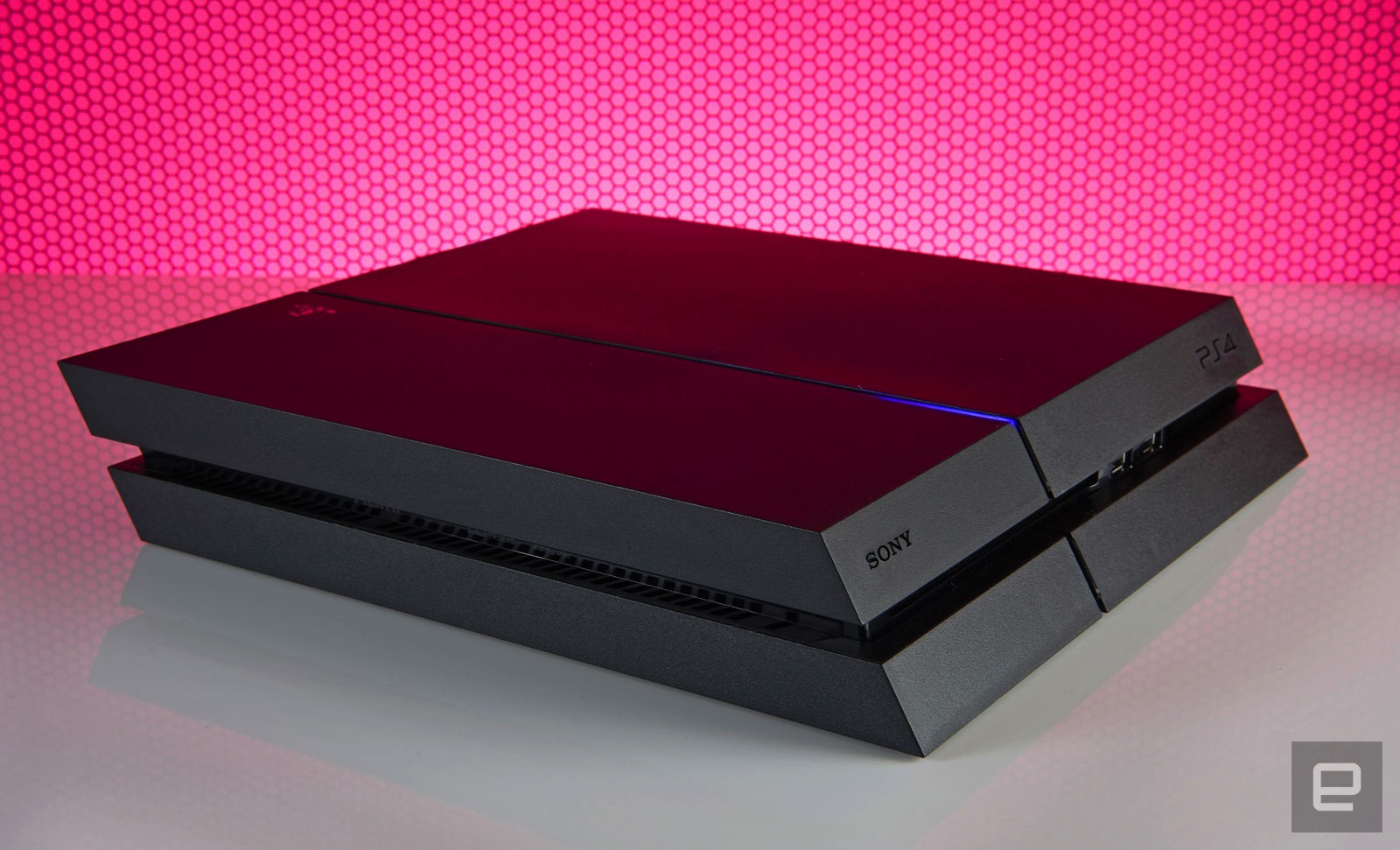
Sony has confirmed the existence of a newer console, the so-called PS4.5, but hasn’t said when you’ll actually be able to buy it. For now, then, the model that launched over two and a half and a half years ago is the one we’ve got. The system’s overall design hasn’t changed either. Aside from a nostalgic, ultra-limited edition console released in honor of PlayStation’s 20th anniversary, the standard version remains a coal-black obelisk. Except now, you can swap in game-themed or different colored faceplates if you’d rather the console not blend in with the rest of the black A/V gear in your living room.
Up front there’s a slot-loading Blu-ray drive, a pair of USB 3.0 ports and two touch-sensitive buttons for powering the system on and ejecting a disc. If you’re still mixing up which button does what (it’s OK, I do it myself occasionally), the top turns it on and the bottom spits your discs out. Finding them in the dark is a pain, but they’re directly in line with the LED strip that runs from front to back. It glows orange when the system is in low-power mode, making it easy to find the buttons by feel. Around back, meanwhile, you’ll find you’ll find an HDMI socket, digital audio output, Ethernet jack and a dedicated PlayStation Camera port.
The system is also surprisingly portable. Because the PS4 uses the same-style power cable as the PlayStation 3 Slim (and many other electronics), along with a standard HDMI cable, there’s no need to unwire your entire A/V setup just because you’re housesitting and don’t want to be away from Uncharted 4: A Thief’s End for a weekend. There’s no bulky external power supply to carry around, and the console itself is small enough to easily fit into a backpack or messenger bag.
The disadvantage here versus Microsoft’s console is the PS4’s lethargic 802.11b/g/n wireless card. If you take multiplayer seriously or just want the fastest downloads possible, you should always run a hard connection to any gaming device, but sometimes being close enough to a router to do so isn’t possible.
Doing anything on the PS4 over WiFi is a time-consuming process, be it downloading a game from the PlayStation Network Store, or an update for a game or the system itself. Indeed, some Engadget staffers have seen downloads almost three times slower on WiFi versus a wired connection. Over Ethernet, the system’s built-in speed test reports 79Mbps downloads and 4.4Mbps uploads on my home network. With WiFi that number dropped to 32Mbps down. That said, our gaming reporter Jessica Conditt has never experienced such issues on her PS4.
In 2013 the iPhone 5s supported 5GHz wireless, and Microsoft also packed dual-band capabilities into the Xbox One, which came out that year. This was a weird omission on Sony’s part, then, and it’s become all the more noticeable considering how many people buy their games digitally these days, and how large these files are. Uncharted 4 comes in at over 50GB, for instance. A faster WiFi card would also make streaming a game to another device via Remote Play a better experience.
Unlike the Xbox One, the PS4 doesn’t support external hard drives, which would augment the system storage. That’s partly because it doesn’t need to: You can swap in a new internal hard drive as large as 4TB, a step up from the base model’s paltry 500GB of storage. The dearth of USB connections is a bit of a problem, though. If you’re using the PlayStation Gold wireless headset, for instance, that eats up half of what’s available. Listening to music via a thumb drive and your DualShock 4 controller’s battery dies? It’s time to decide which is more important unless you have another device with unused USB ports nearby that you can use to charge the gamepad.
DualShock 4 controller
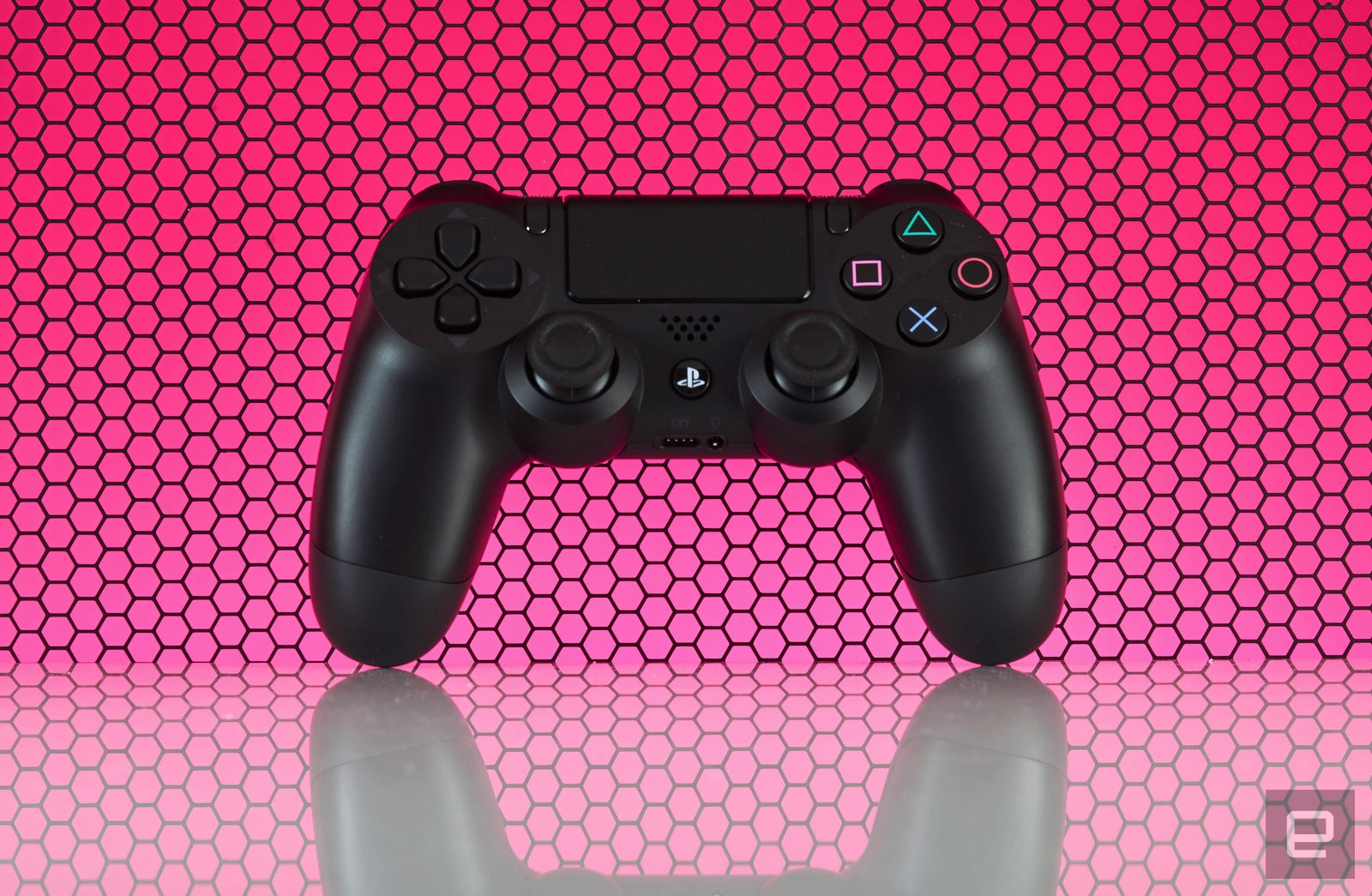
Speaking of which, the DualShock 4’s battery life is still awful. System updates have added the ability to change the brightness of the controller’s lightbar (a likely culprit for battery drain) but I’m still lucky if I can go more than two play sessions, totaling about eight hours, before having to charge it again. In contrast, I only need to replace the batteries in my Xbox One controllers every few months. Maybe Sony could address these issues the way that Microsoft did and release a premium-priced controller with higher-quality components and improved battery life. I’d buy one.
In other gamepad-related woes, the concave thumbsticks that original reviewer Ben Gilbert raved about have an inherent flaw: Their grippy, rubber covering is susceptible to tearing with normal use, revealing sharp plastic underneath. You can hit Amazon for a variety of inexpensive replacement sticks, but that requires tearing open the gamepad to install them — not an easy feat for most. The better solution is opting for silicone caps that stick on your stock thumbsticks. But this honestly shouldn’t be an issue in the first place, especially considering how comfortable and well-designed the rest of the controller is.

The inclusion of a standard 3.5mm headphone jack on every paddle means that you don’t need to shell out for a gaming headset if you already have stereo earphones. That said, aside from a handful of games like the excellent, Sony-developed Tearaway Unfolded, the on-board speaker goes mostly unused.
Same with the clickable touchpad that dominates the gamepad’s face. A vast majority of the time its touch-sensitive surface is neglected in favor of developers just treating it as an extra button. When a developer does make use of these novel features they tend to be really well implemented. It’s a shame more don’t take the time to. What isn’t a gimmick, though, is the “share” button to the immediate left of the touchpad, but more on that later.
PlayStation Camera
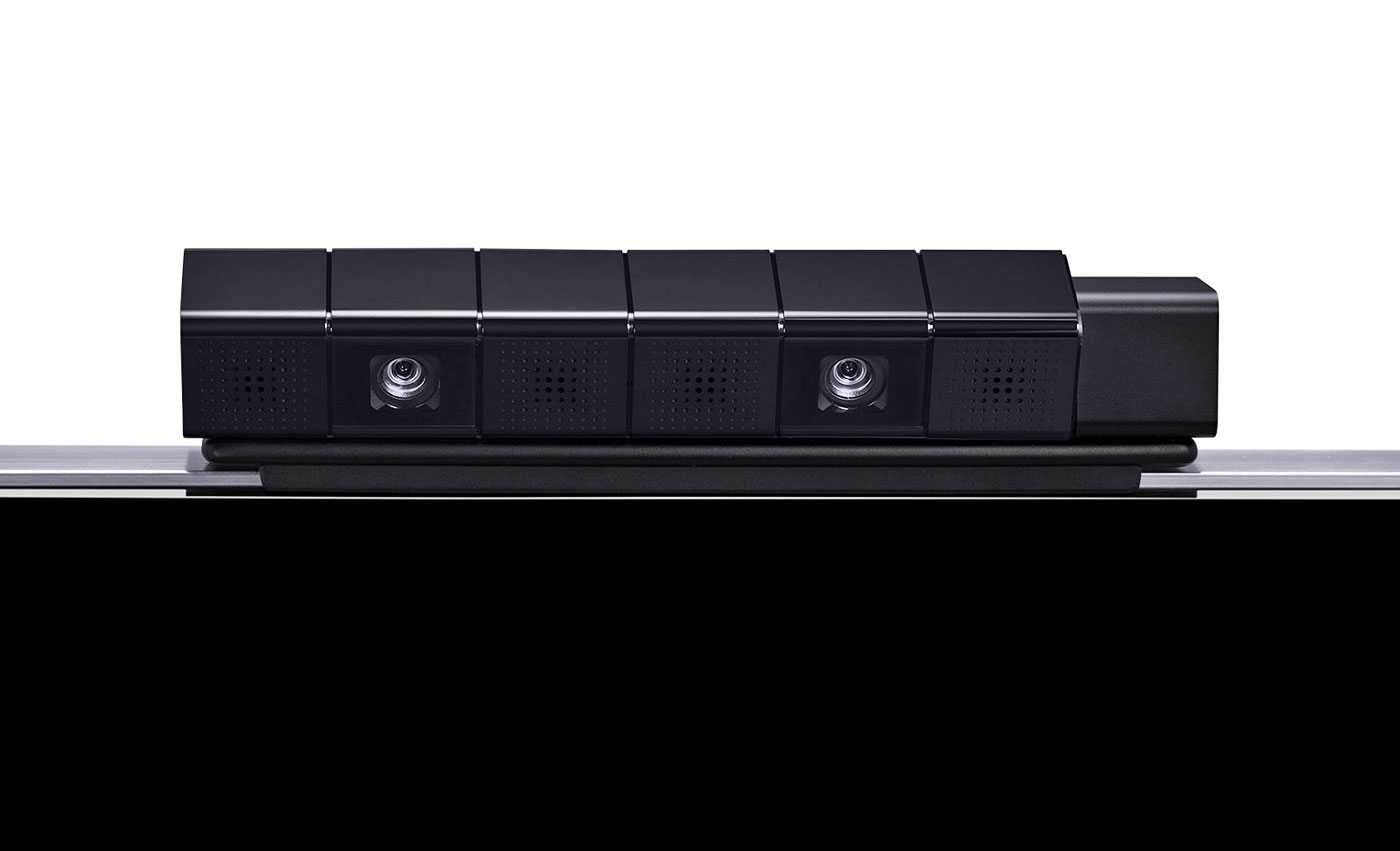
Lastly, we have the PlayStation Camera, an accessory that has been mostly forgotten by game developers. Like the touchpad, speaker and color-changing lightbar on the DualShock 4, very few devs have taken advantage of this accessory. Until Dawn uses it to record video of who’s playing during scary moments, and Tearaway Unfolded took advantage of it to occasionally break the fourth wall, but until PlayStation VR launches it’s not necessary. Sure, logging into my PS4 profile with my face is novel, but I couldn’t tell you what triggers the facial ID system to launch on start-up; I still regularly have to log in the old-fashioned way, choosing my profile with a controller. There’s just no compelling reason to own one right now.
UI

For the most part, zipping around the PS4 interface is fast. It’s an iteration of Sony’s Xross Media Bar UI from the PS3 (yeah, substituting an “X” for a “C” is still awkward), with a horizontal row of tiles for recently used items like games, apps and streaming services. Each game offers patch notes, and each tile has a drop-down menu featuring additional content. You’ll also see your saved screenshots and videos, along with recent activities from friends like trophies unlocked. It’s a lot like the social feed from the Windows 10 patch on Xbox One, but integrated on a per-game basis rather than one river of everything. Even with a speedy, wired connection, though, the drop-downs (which rely on data from PlayStation Network) are slower to load and navigate compared to the main UI.
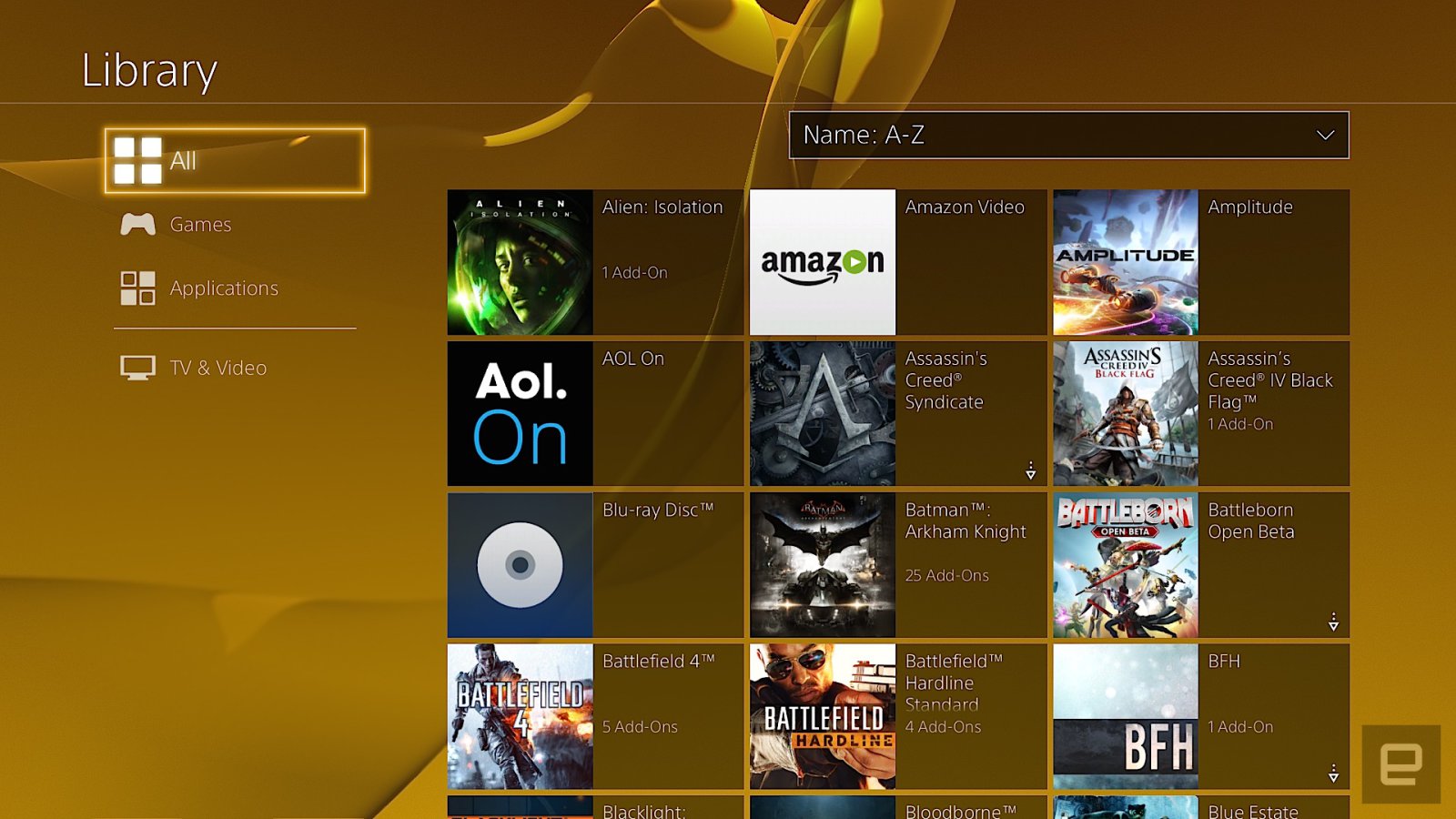
The PlayStation Store where you access streaming applications and game downloads sits at the far left; on the opposite side is the library. The library was added after launch, and it’s where your entire collection of games and applications resides. Anything you’ve downloaded or installed lives here in a grid. The problem is, it’s a pain to navigate because even if you’ve uninstalled something, it still stays on the list. That means the Destiny First Look Alpha I was part of two years ago is there alongside Doki-Doki Universe, a demo I grabbed but never played. This means sifting through a lot of clutter just to get to the stuff you own.
The library was supposed to help streamline the main UI, but in practice it’s about as effective as shoving your laundry in a closet before company comes over, to give the illusion that you actually cleaned your house. Your most recently used items stay on the main screen, but with time, unused ones will migrate here too. What’d be really nice is the option to customize the main UI or at least pin specific apps and games to the home screen, similar to what the Xbox One has offered since 2013.
Pressing up on the d-pad reveals tabs for the PlayStation Plus premium service, notifications, your friends list, an event calendar, messages, party chat, user profile, trophies, system settings and power options. With the exception of the PlayStation Plus tab, everything loads almost instantaneously, and is logically sorted. In the system settings, for example, Sony removed some of the arcane video settings that were on the PlayStation 3 and opted for a more streamlined setup. That simplicity extends to options for adjusting audio output, and connecting social accounts, among other things.
My biggest gripe with the PS4 is how it handles system storage. Countless times, I’ve gone to either download or install a game and the console has given me an error message saying there isn’t enough free space on the hard drive. Except there is. The most recent offense was with Doom. My PS4 currently has over 60GB of free space, and Doom is a 47GB download. Entering my redemption code, I received an error message and was transported to the system storage screen to clear up some space. Deleting 86GB of games I wasn’t playing anymore should’ve solved the problem, but didn’t. I’ve since power-cycled the console and rebuilt the system database from safe mode. Forty-five minutes after the initial attempt, I was finally able to start downloading the game.
And that’s the best-case scenario. On previous occasions, rebuilding the database and deleting over 100GB of installed games didn’t fix the error. I’m not even sure what I did to eventually fix it those times, now that I think about it. When I asked a Sony engineer about this, he didn’t have a clear answer for me. One response was that game files need more space to uncompress than their download size suggests, hence the error about not having enough storage space. But the engineer I spoke with couldn’t explain why, even after deleting and rebooting, that sometimes didn’t address the error message.
Social
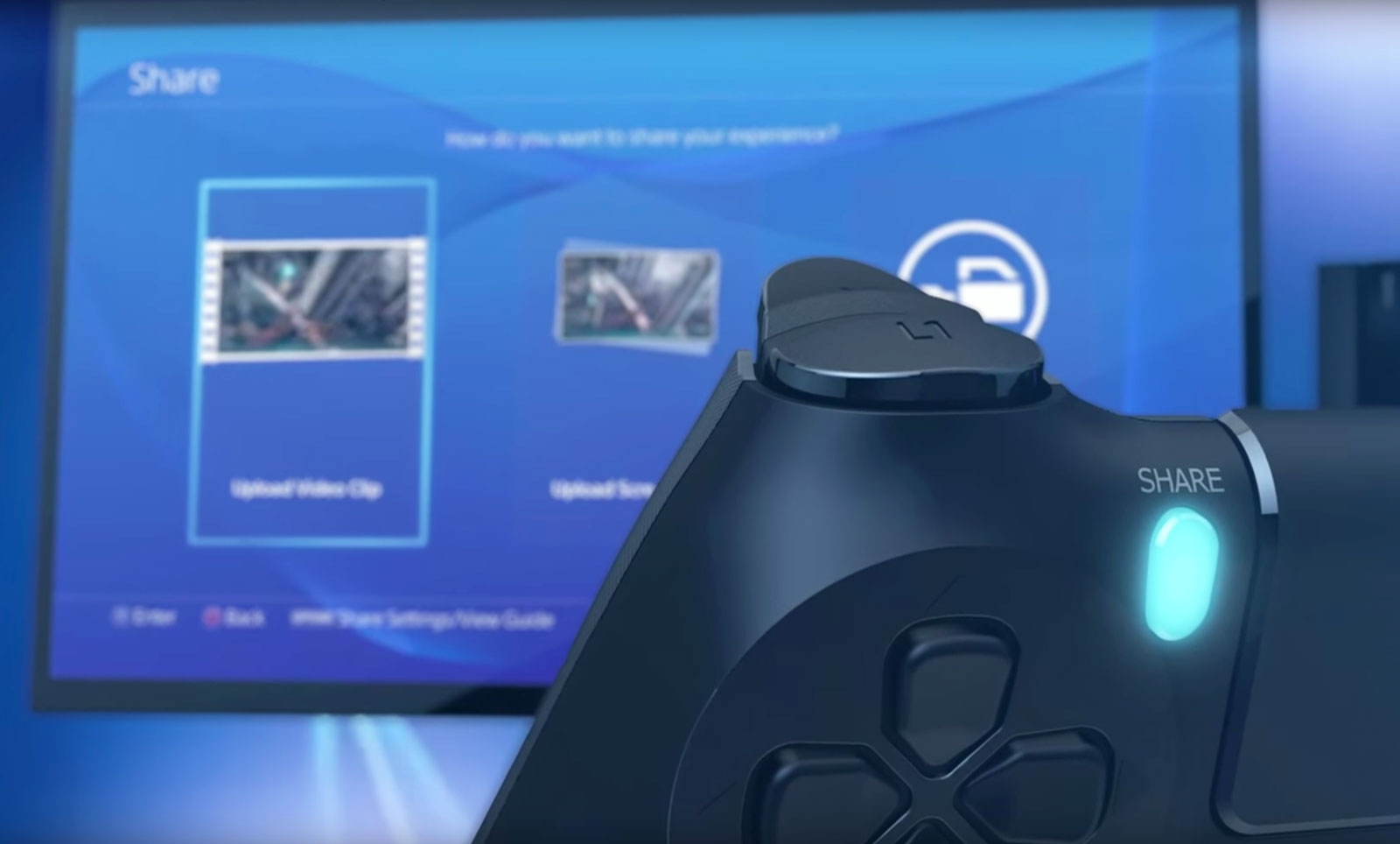
The heart of the social experience on PS4 is located right on the gamepad, where you’ll find the “share” button. Pressing it takes screenshots, records video and starts a game-sharing session or a broadcast on Twitch or YouTube. Depending on your preference, you can configure the button a few ways. You can also configure what happens when you press it. Personally, I have the button set up so that a single press grabs a screenshot and a double tap starts recording a video clip.
This saved media can be shared in a variety of ways, including as a message or to Facebook and Twitter. That will post the screenshot or video clip to the “What’s New” activity feed on the home screen. Unlike the Xbox One’s “community” tab that sorts everything into a reverse-chronological river, What’s New is three tiles wide, pushing game broadcasts from the community, not your friends list, notices of trophies unlocked by friends, suggested friends and PSN Store advertisements into one feed. It’s a mess to navigate and I rarely use it.
What I constantly take advantage of is how easy it is to take and share screenshots on PS4. Sharing them via social media is seamless and takes five button presses and I’m back to whatever I was playing prior. The annoying thing here is the inability to simultaneously share to Facebook and Twitter. Being able to take screenshots almost anywhere (and save them as PNG files instead of just JPEGs) almost makes up for it. Aside from the Twitch app, all the screenshots taken for this review were captured without using external methods. Even better? You can save them to a USB stick and do what you want with them; no need to upload to OneDrive and then download to a computer like on the Xbox One.
Another destination for your screenshots is the Communities feature introduced in the last big firmware update, version 3.5. Communities are what you make of them, and can be used to organize clan games, share screenshots to the discussion board and, well, that’s about it.
Game broadcasting
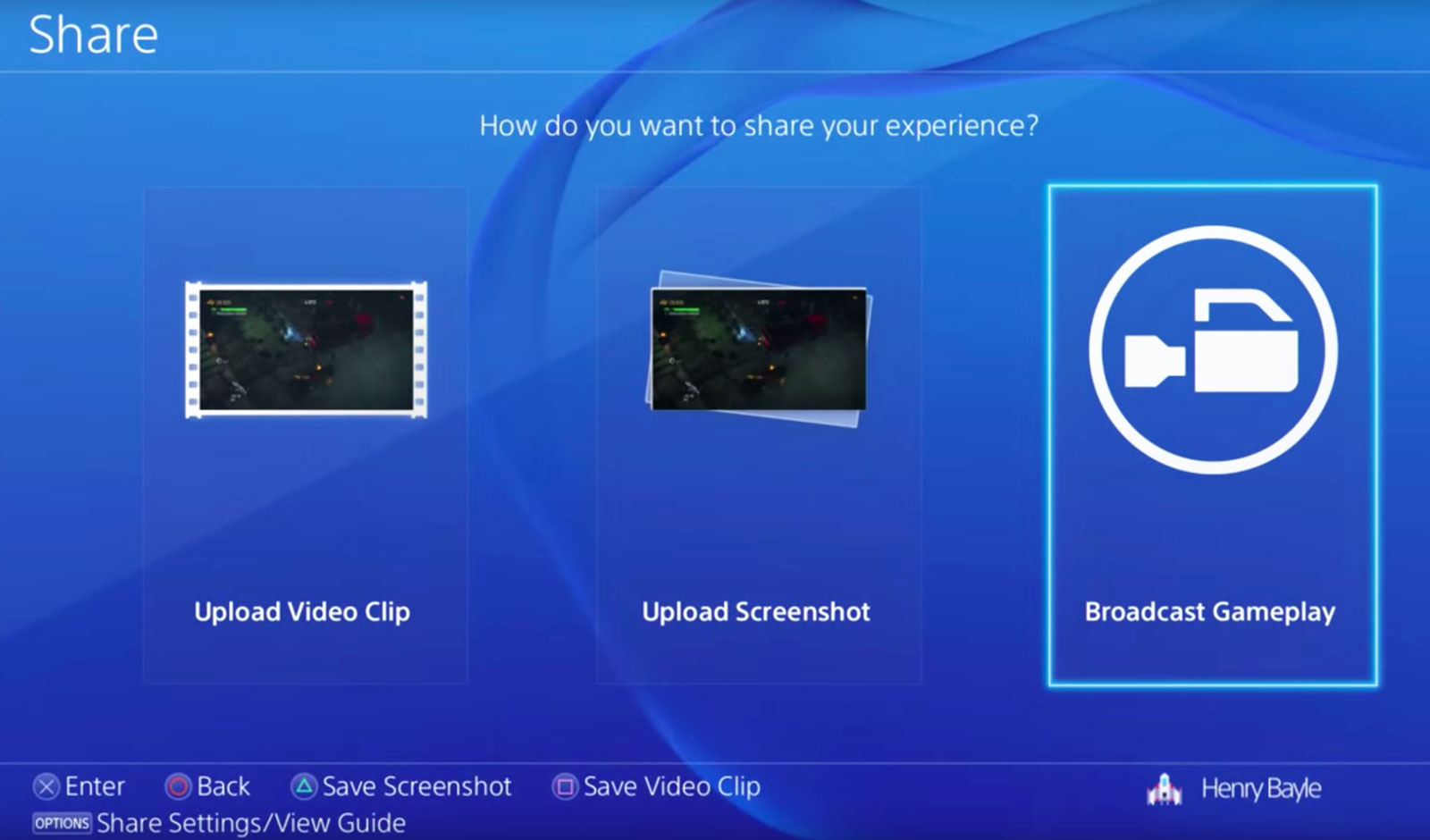
When the PlayStation 4 debuted, there wasn’t a fully dedicated Twitch app. You could watch streams originating from PlayStation via the Live From PlayStation application, but if you wanted to check out a stream of, say, the Dota 2 International you’d have to load Twitch on the system’s web browser. It was incredibly janky. Live With PlayStation broadcasts aren’t just favored; they’re the only ones that are picked up by the homescreen drop-down menus and the “What’s New” tab. But at least now there’s an official Twitch app for watching broadcasts. It works like the Xbox One version does, with a main grid of channels to choose from on the home screen, video and chat taking center stage on a given broadcast, and past streams and channel info off to the right.
While the streaming options started out limited, today they’re pretty robust. You can stream to YouTube, Twitch or even Dailymotion. You can also customize your stream with camera effects and a green screen (to remove any background from what the PlayStation Camera picks up). It offers more flexibility than broadcasting from Xbox One does, but you’re still better off launching your pro-streaming career with a PC and capture device.
PlayStation services
Sony really likes the “PlayStation” name: It’s put it on a number of services accessible from the PS4. PlayStation Now is the company’s quasi-Netflix-for-games streaming service; PlayStation Vue is its TV app for cord-cutters; and PlayStation Plus is its monthly premium service, granting access to online multiplayer and three free game downloads per month.
Rather than offer true backward compatibility for older games via software emulation a la Xbox One, if you want to play a bulk of Sony’s legacy titles on your PS4 you’ll have to pony up $100 for a yearly PS Now subscription, $45 for three months or $20 per month. Is it worth it? Not really. Even with a solid internet connection, game streams cap out at 720p, audio quality isn’t on par with a disc-based game and there’s lag stemming from streaming gameplay off Sony’s servers, to your PS4 and then returning your controller input to the server. Taking the price and user experience into account, it’s a far better idea to pull your PS3 out of the closet. If you have a hankering for an even older game, downloading a PlayStation or PlayStation 2 game from the PSN Store and playing it on a PS Vita is a much better idea.
Microsoft wanted to control your TV’s main HDMI input with its plan to make the Xbox One into the ultimate set-top box, but it’s Sony that’s come closest in that regard, thanks to PlayStation Vue. Even then, using the app (up to $50 per month depending on the package) that wants to be your stand-in for a cable subscription is still a rough experience.
I rarely play multiplayer games online, so paying for access to do so isn’t my cup of tea. But PlayStation Plus is so much more than that. It gives me three free games per month, the occasional option to vote on what games will be free and discounts for digital purchases. A majority of the games are from indie developers, and while the quality of said games may have dipped as of late (not everything can be the killer survival horror game Outlast or local co-op adventure Lara Croft and the Temple of Osiris), they still regularly best what Microsoft gives away with its Xbox Live Gold promotions.
Different ways to play

In one form or another, Sony’s Remote Play feature has been around since at least 2010. But using the company’s PlayStation Portable handheld to access a PS3 and playing games from it always felt kludgy. Using a PS Vita handheld to do the same with the PS4 is dramatically better, but my giant mitts aren’t ready to trade a DualShock 4 for the Vita’s comparatively cramped confines just so I can play Destiny from my bedroom.
More than that, the Vita is missing a few buttons that the DualShock has, so you need to remap them to the handheld’s rear touchpad. Streaming to a Sony tablet and connecting the gamepad via Bluetooth works like a dream. If you’re after precision, though, and the game you’re playing requires lightning-fast responses, like streaming with PS Now, you’re going to be disappointed. Remote Play is an interesting feature, but unless you have the perfect setup for your network (home or otherwise), the tradeoffs might not be worth playing PS4 games away from your TV.
It’s the same with Share Play, the futuristic PS4 feature that lets you virtually pass a controller to someone else via the internet. The ability to have a friend across the country help you get past a tricky spot is pretty nuts. When it works, anyway. Same goes for playing couch co-op with a friend who isn’t in the same room with you. The problem is that Share Play requires an extremely fast connection between both people to provide the best experience. My modest 85 Mbps connection floated between “low” and just a few notches into the “good” rating. Even starting a session is dicey.
But when it works — and, more importantly, when the game you’re playing doesn’t block the feature — it feels crazy. The initial setup is really unintuitive, and the amount of lag will make or break whatever you’re playing. The X-Wing training mission in Star Wars: Battlefront is okay because it doesn’t require twitch reflexes for your co-op partner, but dipping into the game’s first-person shooter survival mode can be unplayable because of lag. Simply watching a friend play a game works pretty well, though, because it’s a passive experience and doesn’t rely on transmitting gameplay data from your console to your buddy’s.
Game selection
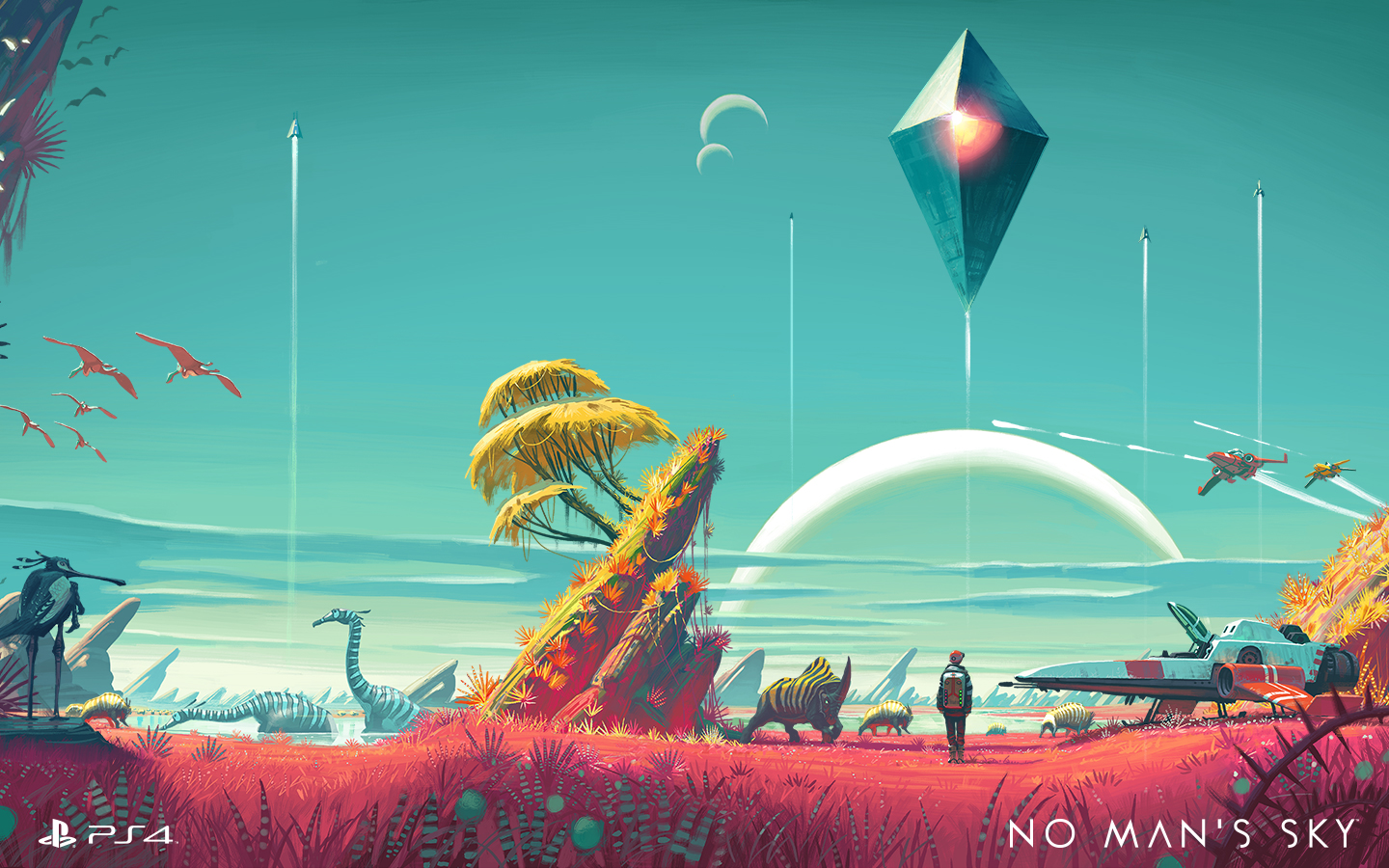
The list of fresh exclusives on PS4 keeps growing. Last year alone saw the ultra-tough Bloodborne, the perennial MLB: The Show and the interactive horror flick Until Dawn. That’s in addition to all of the indies that hit Sony’s latest console before Xbox One, like Rocket League. This year we’ve seen Ratchet and Clank, The Witness (a console exclusive), Uncharted 4: A Thief’s End, and another edition of Sony’s gorgeous baseball franchise, The Show ’16. There’s still No Man’s Sky, The Last Guardian and all of the upcoming PlayStation VR games as well. Simply put, there are lots of reasons to own a PS4, with even more to come.
Wrap-up

It’s easy to see how Sony has moved over 40 million PS4s. After getting kicked in the teeth for most of the last hardware cycle, Sony wasn’t about to let that happen again. The PS4’s focus has always been on games, not replacing your cable box. By focusing on that first and then augmenting the device with services like game streaming, Sony has built an excellent — in fact, the best — game console. It isn’t perfect, to be sure, but it keeps improving on a formula that already works well.
‘Oddworld’ creator on how customer feedback changed gaming
When Lorne Lanning released Abe’s Oddysee, the 1997 hit PlayStation and PC platformer, “most people didn’t know what ‘www’ meant.” 19 years later, the world has changed, and the videogame industry with it.
Abe’s Oddysee was the first title set in Oddworld, a fictional universe that Lanning has devoted his career to. He followed it up the next year with a sequel, Abe’s Exodus, released Munch’s Oddysee in 2001, and Stranger’s Wrath in 2005. During this time, the internet developed significantly, but developers had yet to learn how to use it to their advantage.
Lanning and I sat on the floor of a busy conference center, surrounded by developers, fans, other journalists and “terrible, terrible live music.” We were supposed to meet to chat about Soulstorm, a follow-up to 2014’s Abe’s Oddysee remake New ‘n’ Tasty. Sadly, we’re stuck talking around that piece of news, as just a week before our meeting the decision was made to delay the formal unveiling of the game. Luckily, Lanning is nothing if not loquacious, and instead we talk about the changing state of the industry over the past two decades.

Oddworld creator Lorne Lanning.
“Back in 1998 there wasn’t YouTube, there wasn’t Twitch, there weren’t even internet news sites for games yet.” (There were, but the fact that a 13-year-old me wrote for one should tell you all you need to know about their quality). “When we started Oddworld most people didn’t know what ‘www’ meant.”
This necessitated a lot of guesswork during development. The only opportunities for feedback were market research and focus groups. And even when a game was released, developers only had review scores to go on. “We had no idea who was buying our game,” he tells me. “Stores weren’t taking that kind of data. You’d find out if you were selling, but that’s it.”
The internet has changed that, but slowly. Stranger’s Wrath was released in January 2005, just before YouTube launched, half a year before Steam began selling third-party games and eighteen months or so before Facebook would pivot from a university network to a public site. The game was a hit with critics, but didn’t repeat the sales success of previous Oddworld titles. When it came to New ‘n’ Tasty, which was published by Lanning’s company Oddworld Inhabitants, but developed by UK studio Just Add Water with Lanning as co-director, a different approach was needed.
“I’ve learned the hard way that you need to listen.”
“I used to feel like an auteur. I still do in a way, but I’ve learned the hard way that you need to listen.” During the development of New ‘n’ Tasty, he put out a trailer. “Immediately [we saw] how many YouTubers cover it, and what their audiences say.” He ran polls through Facebook and Twitter to ask the audience questions. “By that night, we’d have 10,000 results, maybe the next day 20,000. No marketing department could ever tell have gotten that kind of data when we were making the first Abe.”
Lanning also made use of Steam, and the vast amounts of data that brings. “If you buy my game I can see you’ve bought three games from me before. I can see how many hours you’ve played them, and what games people have in common with mine.” That data has completely changed his understanding of the Oddworld audience. “We used to think of all of our players as one person. Now we know who they all are as individuals. Now, I can go to YouTube and I can see how different personalities react.” He explains that Pewdiepie’s reaction might be totally different to Jacksepticeye’s. “It’s basically customer feedback. And with Twitch you can watch the chat and see reactions in real time.”

Character art for Soulstorm, the followup to New ‘n’ Tasty.
Rather than just creating a game with a singular vision, Lanning made use of the vast feedback loop that is the internet to reshape the final article. The main area he points to is difficulty: “With our first games, we found out they were too hard for people” That led to lost sales, as gamers weren’t recommending them to friends. New ‘n’ Tasty is still challenging, but it has a much kinder learning curve than past games in the series. Listening to fans – and those new to the series — worked: Oddworld Inhabitants sold over three million copies of New ‘n’ Tasty, a very healthy figure for a game created by studio with 16 employees.
When Abe’s Oddysee was released, you’d sell a game, and that was that. Games had to be perfect, or your bug would exist forever. Few households had internet access, and it wasn’t until 2002, and Unreal Championship on the Xbox, that console games could even be patched. Now, it’s almost unheard of for a game not to be patched in its first month of release. That’s partly down to the increased complexity of modern games. “Things were simpler ten years ago. We want more emergent behaviors and possibilities but what comes with that is more things you can’t predict. As a result, there are more ways that people can screw up again.” Lanning says that his goal is, of course, to make a highly polished game, but once you have a million people playing it, “you have that ‘oh shit’ moment when 50,000 people hit a bug that no one saw in testing.”
“It’s like, what the fuck are you doing? I know you didn’t test this software properly and now you’re giving it to me.”
It’s not just complexity, though. Elements of Silicon Valley’s “ship it and fix it” business model have taken hold elsewhere. “I hate that. I hate seeing Google do it, or Apple do it. I feel Apple doing shittier and shittier releases ever since Steve Jobs died. It’s like, what the fuck are you doing? I know you didn’t test this software properly and now you’re giving it to me.” He doesn’t claim that game developers have this exact mentality, but believes the knowledge that things can be fixed after release “pushes a mentality that while you should get it perfect, it’s more important to meet a deadline than make a perfect game, and fix it later.” The middle ground, it seems, is to own your mistakes. “What we have to do is put our hands up and say ‘we fucked up, we missed it, we see you complaining about it,’ and get a patch out as soon as possible.”
Lanning ends our chat with a cautionary tale about what happens when you don’t listen to your audience. “A good example of that is Evolve [2K Games’ 4-vs-1 first-person shooter]. It was going to be a huge hit. Everyone that I talked to – publishers, developers, people that have been doing this for 20 years – they all believed that. But it came out, and it fizzled – why?” Evolve received decent reviews, and sales started fairly strong, but within months the average player count on Steam was down below 500. (The lowest title in Steam’s top 100 has around 2,500 at the time of writing, for reference).
Lanning blames this on its strict requirement for four-player teams, saying that people didn’t find people they wanted to play with. “All of a sudden it wasn’t like it was at the conference, where people went back again and again to play it. Had they done more monitoring and testing, had they listened to their audience sooner, they would’ve worked out that they had a problem.”
“Evolve wasn’t a big success. But it should’ve been. And if they had more audience feedback before it came out, it would’ve been. That’s what I think, and I know guys that were programmers and lead programmers on the game.”
Students can get a free Xbox One with a Surface Pro 4
With a new, slimmer Xbox One waiting in the wings, Microsoft is doing everything in its power to get rid of the older model. The original Xbox One is already down to $299, and starting today students can get it for free when they buy a Surface Pro 4 in the US. As the Verge reports, you’ll need to step into a retail store to take advantage of the deal — it runs until August 14th and will be sold as a $300 discount on the pair’s combined price. “So basically a free Xbox One with the purchase of a Surface Pro 4,” Terry Myerson, head of Windows and devices at Microsoft confirmed.
The deal could be a compelling one-two combo if you’re about to start college. It’s this time of year that young scholars start thinking about a new laptop purchase; a free Xbox One is an obvious and relatively budget-friendly way to sort out your in-dormitory entertainment at the same time.
The trade-off, of course, is that you’re buying into older hardware. The Xbox One S is a sleek-looking beast and the Surface Pro 4 was released last October — there’s no word on a successor to the laptop hybrid, but you have to imagine Microsoft is working on something. If you take the plunge, just be aware that you might feel some buyer’s remorse by Christmas.
Source: The Verge
Solve an FMV mystery with ‘Her Story’ on Android
It took a year, but Her Story, Sam Barlow’s mystery game, has been ported to Android. Her Story is a full-motion video game where you’re tasked with piecing together a story through watching short excerpts of interviews. The only mechanic you have at your disposal is a search tool, which lets you bring up clips that contain certain words or phrases. There are hundreds of clips to search through, and by the end of the game you’ll have unravelled a fantastic story.
Her Story won many accolades, including the coveted Aaron Souppouris award for Favorite Video Game of 2015. Less prestigious organizations like the BAFTA Game Awards also recognized the game, handing out three prizes for best debut game, best mobile game, and game innovation. It’s available from Google Play for $2.99, which is a couple of dollars less than its price on iOS.
Source: Sam Barlow (Google Play)
AMD’s Radeon RX 480 is the new king of budget video cards
Instead of trying to build the biggest and most powerful video card on the market, AMD aimed at the low end for the Radeon RX 480. But that doesn’t make it any less exciting than NVIDIA’s recent powerhouse GeForce GTX 1080 and 1070 cards. AMD’s pitch for the RX 480 is simple: It’s a $200 card that’s VR-ready. That’s huge, especially since the current batch of GPUs that meet minimum VR specs cost around $350 today. I’ll admit, I was skeptical when AMD announced the RX 480 at Computex last month. But after putting one through its paces over the past few days, I feel like Han Solo in The Force Awakens. It’s true. All of it.
To be fair, AMD did prime the pump a bit by sending me the 8GB version of the RX 480. That version of the card will retail around $239, a bit more than the $200 figure it reached with the 4GB model. There will be some performance differences between the two cards, but they likely won’t be significant with most games today. AMD admits the 8GB version is a better bet if you want to future-proof your system for future titles, though.
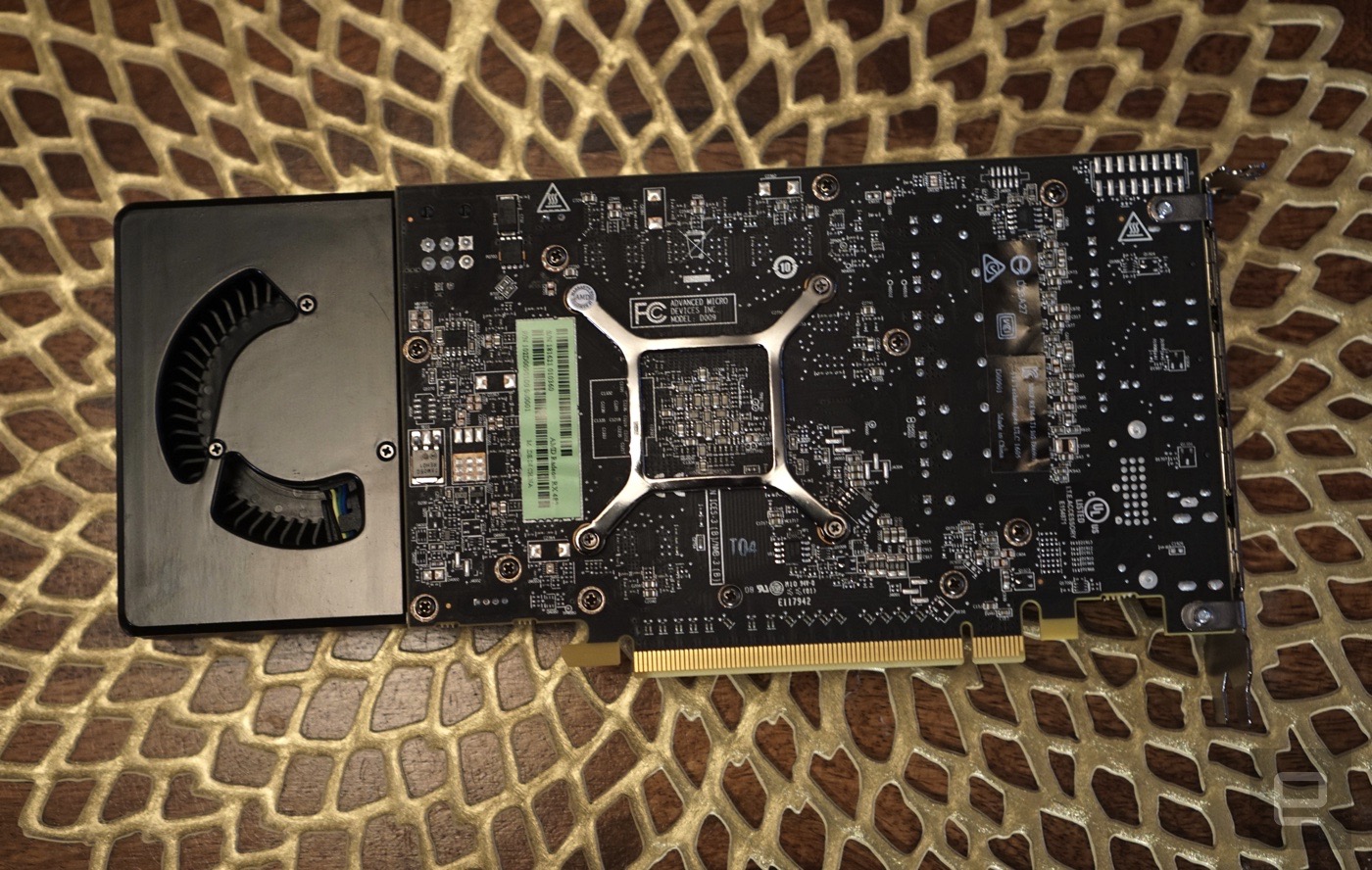
Compared to the last AMD card I tested — the mammoth R9 Fury X — the RX 480 is elegant in its simplicity. It’s basically a black box with some classy dimpling on the front and a single fan. It’s based on AMD’s new Polaris architecture, which is built on a 14nm FinFET (a type of 3D transistor) process. That means the chip itself is significantly smaller than the cards using the company’s previous 28nm design, which first debuted back in 2011. Polaris’s tiny size allows it to be more power efficient, and it also lets AMD reach higher clock speeds than ever before (1,120MHz with boost speeds up 1,266Mhz).

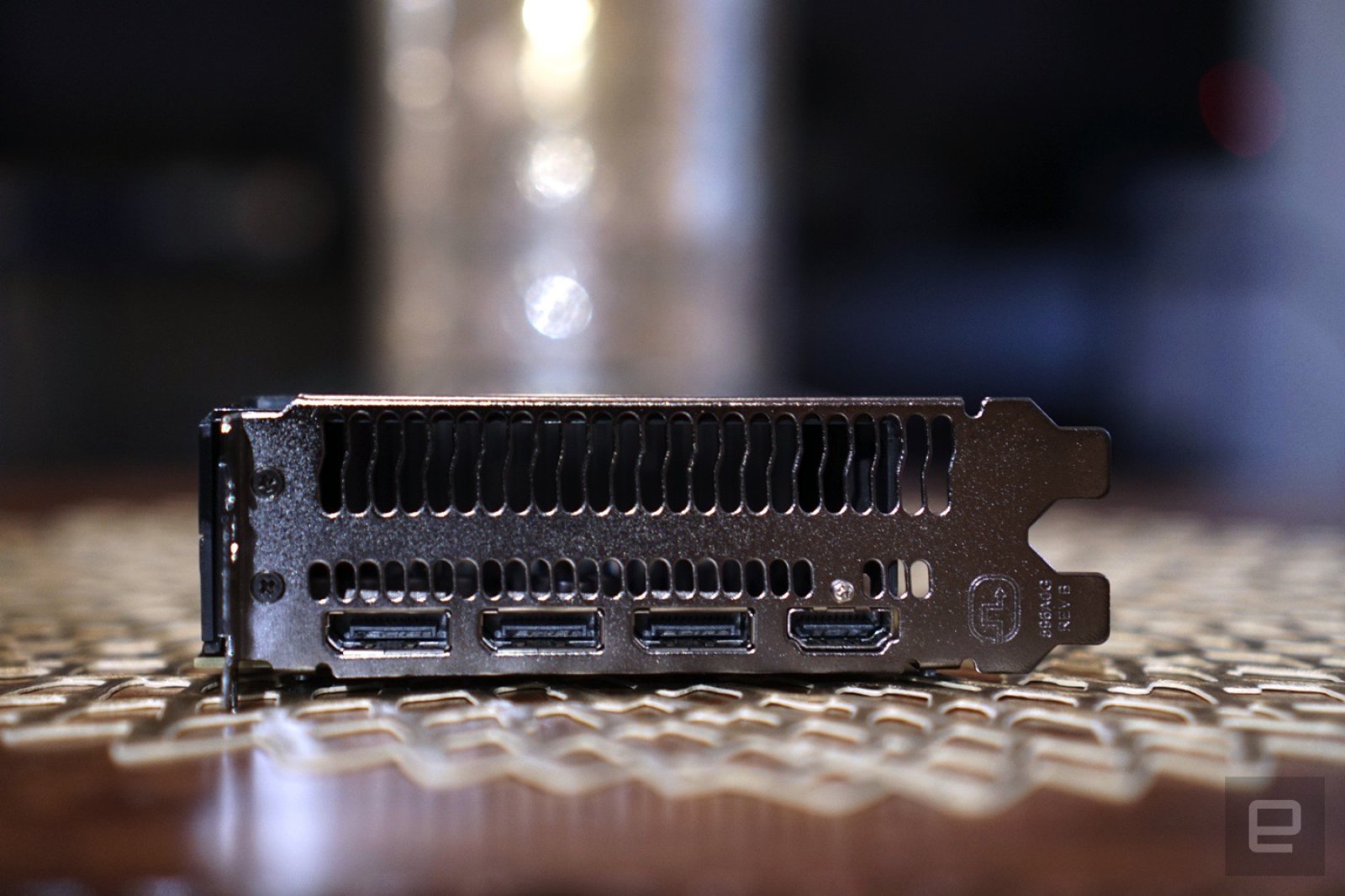
Installing the RX 480 was like any other GPU: Plug it in a PCI Express slot and connect additional power (in this case, it’s a single 6-pin PSU cable). I hooked up a 4K monitor into one of the three DisplayPort slots (there’s also an HDMI slot), installed AMD’s latest drivers, and I was off to start gaming. It wasn’t long before I forgot I was testing a $240 video card in my rig (which consists of a 4GHz Core i7-4790K CPU, 16GB of 2400Mz DDR3 RAM and a 512GB Crucial MX100 SSD on a ASUS Z97-A motherboard).
| 3DMark | 3DMark 11 | |
| AMD Radeon RX 480 | Standard 10,279/ Extreme 5,146/ Ultra 2,688 | X4,588 |
| NVIDIA GeForce GTX 1080 | Standard 15,859/ Extreme 9,316/ Ultra 5,021 | X9,423 |
| AMD R9 Fury X | Standard 13,337/ Extreme 7,249/ Ultra 3,899 | X,6457 |
In most of the 3DMark tests, the RX 480 scored around half as well as the GTX 1080. That’s actually quite impressive, considering that the 1080 retails upwards of $600. Notably, the RX 480 was also slightly faster than comparable benchmarks from NVIDIA’s GTX 970, which still costs more than $300 today (and was previously the bare minimum you needed for VR).
4K Benchmarks
| Witcher 3 | Hitman | |
| AMD Radeon RX 480 | 20 | 25 |
| NVIDIA GeForce GTX 1080 | 43 | 48 |
| AMD R9 Fury X | 35 | 38 |
Average FPS performance in 4K with all graphics set to maximum, NVIDIA Hairworks turned off.
I knew from the get-go that this card wouldn’t be much of a 4K contender, and while the results I found weren’t playable, I’m still surprised at how well it did compare to the GTX 1080 and the R9 Fury X. What really impressed me, though, was the RX 480’s 1440p performance with maxed out settings. It managed to reach near 60 frames per second in most titles, which has been my PC gaming goal for the past few years. What you lose out in resolution compared to 4K, you get back in overall smoother performance (and the ability to use more elaborate graphical settings).
1440p Benchmarks
| Witcher 3 | Hitman | Doom | Overwatch | |
| AMD Radeon RX 480 | 43 | 45 | 58 | 60 |
| NVIDIA GeForce GTX 1080 | N/A | N/A | N/A | N/A |
| AMD R9 Fury X | N/A | 70 | N/A | N/A |
Average FPS performance in 1440p with all graphics set to maximum, NVIDIA Hairworks turned off.
The RX 480 also cleaned up well in 1080p gaming, but that’s no surprise. If you’re buying a new video card today though, you’re far better aiming for the 1440p milestone (even if you don’t have a compatible monitor yet).
When it comes to real-world performance, the RX480 felt just as smooth as the GTX 1080 when playing Overwatch in 1440p with all graphical settings at their maximum. It never dipped below 60FPS, even when things got incredibly hectic. These days, that’s all I really ask for in a video card. With the new Doom, it hovered between 55FPS and 60FPS, which is still commendable given how demanding that game can be. It didn’t fare as well with The Witcher 3, getting around 43FPS, but that’s also a game that eats GPUs for breakfast.
As for VR, the RX 480 delivered a solid experience without much slowdown. It didn’t matter if I was dogfighting in Eve Valkyrie; exploring alien worlds in Farlands; or platforming in Lucky’s Tale. I kept a particular eye out for stuttering or anything that could lead to motion sickness, but couldn’t detect any major issues. AMD wasn’t lying: This is a VR-ready card alright. There’s a chance that the 4GB version of the RX 480 could have some issues dealing with VR, but given the speeds I saw with traditional games, even that card should be able to handle basic VR requirements (pumping out a 1200 by 1080 resolution at 90FPS).
Temperature-wise, the RX 480 idled around 35c and reached 69c while benchmarking and gaming. Its fan was normally quiet, but when things heated up it was definitely audible. Since it’s a small fan, it’s whinier and higher pitched than the larger fans you find on most video cards. That might be overly annoying for some, but it never really bugged me in the middle of gaming sessions.
Similar to the GTX 1080 and 1070, there simply isn’t anything else in the budget video card market that can compete with the Radeon RX 480. Last year’s cards all cost more, and offer less performance. The real problem is deciding between the $200 4GB model, or the $239 8GB version. For peace of mind (and for a likely smoother VR experience), I’d recommend splurging for the additional memory. AMD will also offer cheaper Polaris cards, the RX 460 and 470, but those are meant for esports and less demanding systems.
In the end, AMD has successfully delivered on its promise of making a VR-ready card that everyone can afford. And what’s most intriguing is that NVIDIA doesn’t yet have a viable budget competitor. The door is wide open for AMD to redefine what a low-end GPU can do.
Abduct four pals for couch co-op in PS4’s ‘Alienation’
What’s better than mowing down (virtual) alien hordes with a buddy sitting right next to you? When it comes to video games, not much. That’s why the fine Finnish folks at developer Housemarque are adding local co-op to the top-down, xenophobic shooter Alienation next week. Come July 5th, up to four players can join in on the same-screen mayhem according to a post on the studio’s blog. That’s not all either, because the update also brings in a competitive play system dubbed “leagues,” and a pair of crushing new difficulty levels for the folks who could probably play the game with their eyes shut by now.
This doggie in the window is free, but if you want to show the Resogun developer some love with your wallet, there are options for that as well. Paid add-ons include weapon unlocks, different colored bullets and a season pass that grants access to the game’s forthcoming expansions. Oh, and dropping $10 on that opens up the game’s soundtrack and a dynamic (read: moving) theme for your PlayStation 4. For a refresher of what it all looks like in action, peep the video embedded below.
Source: Housemarque
 AIVAnet