


Facebook lets users rewrite the past by editing their ‘Look Back’ videos

Let’s be real here: the nostalgic “Look Back” videos Facebook rolled out for its tenth birthday are… let’s say, hit or miss. Sure, some of them are tremendously meaningful. Most of them are much less so. But fear not! In the event that your Look Back video doesn’t really tell your personal story (or at least not the version you want people to see), Facebook is giving you the chance to edit it.
Clicking the shiny new ‘edit’ button on the Look Back page lets you choose which images and status updates you want to highlight. There are, sadly, some pesky limits. As TechCrunch points out, you’re stuck choosing from only a slightly wider pool of content, not the entirety of your lives on Facebook. Then again, even a bit of selective surgery could go a long way in making these videos more tolerable, so tweak away.
Via: TechCrunch
Source: Facebook

Dayframe adds Chromecast support
Now that Google opened up the Chromecast SDK to the public, more apps are gaining support for the tiny wifi-connected dongle.
One of the newest is Cloud TV’s Dayframe that was recently updated to version 2.0.
In the slideshow app Dayframe 2.0, besides have a new user experience and interface, it allows you to play photos, albums, photostreams and playlists of albums and photostreams on your big screen.

Once casting to your Chromecast, you can easily flip through photos by swiping through them on your device, plus you can “zoom to fit or fill,” pause, shuffle and “like” your own photos.
Besides being able to cast your locally stored photos, Dayframe will also cast photos from Instagram, Dropbox, Facebook, Google+, Flickr, Twitter and 500px.
Dayframe 2.0 is free, to be able to use the Chromecast functionality, you need to complete a $2.99 in-app purchase to update the app to “Prime,” which also adds shuffle mode and custom playlists. If you previously purchased Dayframe Prime, before the app utilized IAP, it will still work with Chromecast.
If you’ve been looking for a beautifully designed app to view your photos on a larger screen, be sure to check out Dayframe.
The post Dayframe adds Chromecast support appeared first on AndroidGuys.
Daily Roundup: Satya Nadella named Microsoft CEO, 10 years of Facebook and more!

You might say the day is never really done in consumer technology news. Your workday, however, hopefully draws to a close at some point. This is the Daily Roundup on Engadget, a quick peek back at the top headlines for the past 24 hours — all handpicked by the editors here at the site. Click on through the break, and enjoy.

Meet Satya Nadella
The speculation has ended. Earlier today, Microsoft named its enterprise chief Satya Nadella as the company’s third CEO. Like Ballmer, Nadella has history with Redmond, but their personalities couldn’t be more different. Click on through for more about the man tasked with reinventing Microsoft.

ASUS unveils the Chromebox
As promised, ASUS unveiled its new Chromebox, which will be available this March. At $179, this Chrome-powered machine packs Intel-integrated HD graphics and 16GB of onboard storage. Plus, owners get 100GB of free space, courtesy of Google Drive. Follow the link for details.

Iridium’s Satellite Hotspot
World travelers take note: Iridium’s latest satellite hotspot, the Iridium Go, brings worldwide internet action for around $800. Owners can pair up to five WiFi-equipped devices and access features through its official Android and iOS apps. Follow the link for more.

Facebook celebrates its 10-year birthday
Take a trip down memory lane with Facebook as it celebrates 10 years of happy times and cringe-worthy moments. Click through and enjoy a custom tailored video featuring highlights from you digital autobiography.
Filed under: Misc
FiftyThree Files for Trademark on ‘Paper’ After Facebook App Release [iOS Blog]
 FiftyThree, the company behind popular iPad sketching app Paper, has filed for a trademark on the term “Paper” following the announcement of Facebook’s magazine-style news curation tool, also named Paper.
First discovered by TechCrunch, the trademark was filed with the United States Patent and Trademark Office on January 30, the same day Facebook initially unveiled its new app. As noted by FiftyThree co-founder Georg Petschnigg in an open letter, FiftyThree was not given advanced notice of Facebook’s plans and was taken by surprise by the app release.
Though FiftyThree previously filed for a trademark on the term “Paper by FiftyThree” it did not have a trademark for “Paper” at the time that Facebook created its app. According to two trademark lawyers that spoke to TechCrunch, while the trademark is newly filed, FiftyThree could have a case if it proceeds with a lawsuit as trademarks are partially use-based and it has been using the Paper app name since early 2012.
Trademarks, to a degree, are use-based. This means that “just by using a mark in a particular field, you’ve got rights,” said Cardona. “Some are state-based and some are federal-based, but if I start using a mark before you in the same area of goods or services, I’ve got rights to the mark over you.”
It remains unclear whether FiftyThree will win the trademark, as paper is a term used by many other products, apps, and services that predate even its own app. FiftyThree has not said whether it will pursue legal action against Facebook, but Petschnigg says the company is “keeping its options open.”
For now, FiftyThree has asked Facebook to “build a brand name of their own” and to stop “using our brand name.”
Paper by FiftyThree can be downloaded from the App Store for free. [Direct Link]
Paper by Facebook can be downloaded from the App Store for free. [Direct Link]
     |
Facebook reminds you of the good times, bad haircuts with personalized 10-year anniversary video

We’re not usually one for nostalgia (unless it’s of the 8-bit variety), but Facebook evidently is. With 10 candles in its birthday cake today, the social networking giant hopes to make all of its users a little misty-eyed, too, with its “look back” highlight video reel. To see yours, head to the link below and cringe at your first post, most liked update and a whole host of other things you’d probably long forgotten. If nothing else, it’s possibly a good reminder to revisit those privacy settings.
Filed under: Internet
Source: Facebook
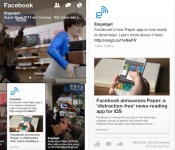
Paper news-reading app makes Facebook prettier, a bit less functional (hands-on)

Upon installing Facebook’s newest app, you’re greeted by a friendly female voice. “Welcome to Paper,” she says. And, for many folks, Paper will be a welcome change indeed. But, before we tell you why Paper may be preferable to the full Facebook app, let’s establish just what Paper is — it’s only been a few days since it was revealed to the world, after all. Generally, Paper is a news-reading app that shows users the stuff they already get in their News Feed, in addition to stories pulled from content partners (including Engadget, of course) by Facebook’s in-house team of tastemakers.
After its verbal welcome, Paper shows you a beautifully shot, superfluous bit of marketing video. (We’ve already downloaded the app, right? We don’t need to be sold on it a second time.) It then tells you how to set things up. Should you already have Facebook installed on your phone, there’s no need to punch in your login info again; Paper knows who you are and takes you straight into your notifications. We thought that was a bit odd, but we suppose seeing your notifications first is something that some users might appreciate.

Regardless, upon dismissing the notifications window, the app then asks you to select the sources of news that you’d like to see. Your News Feed is, of course, selected by default, but you also get 19 other topics to choose from. Most are the usual subjects — news, tech, sports, food, photography, etc. — but there are some more unique choices, such as Ideas, which Facebook describes as “a daily, in-depth look at one standout idea, event or personality,” and Equalize, which is news about eliminating gender bias and discrimination. Naturally, you can shuffle these topics any time you want in the settings, and you can also arrange them in any order you prefer.
Once you’ve chosen the stuff you want to read about, Paper takes you to its central navigation screen. The top half is occupied by the aforementioned topics, and will be very familiar to users of Facebook Home’s Cover Feed. It cycles through stories from a particular feed every five seconds, and a tap takes you directly to the full post, where you can like, share or comment on it. The lower half is made up of a series of cards that are the full feed for a particular topic. Navigating through topics and individual stories is accomplished by swiping left to right, and switching back from individual stories to the main feed is done by swiping down from the top of the screen. After the app informed us how to navigate, it became second nature within a few minutes. We found the UI to be well thought out and intuitive. Our only quibble? We wished we could navigate among the posts that were cycling through the topic pane, instead of having to wait for the seemingly endless seconds required for the app to show posts we wanted to read, but missed the first time round.
In the lower carousel, individual stories are presented in a trio of ways: a white card with a tap-able link and an image, a card that is all image (truncated, à la Facebook Home) or a white card with a sub card that can be unfolded to view the full story. We’ve been unable to detect any rhyme or reason as to which posts get which stylistic treatment, and each type of card behaves a little differently. For instance, the two types of white cards look similar — the only differences are that the first type I mentioned has a grayed-out “Continue Reading” link and there’s an absence of text immediately beneath the image — but they behave differently enough to be annoying. The first style requires tapping on the link to open up the full story on its associated web page, while swiping up on the picture simply moves the image around until you release, whereupon you get the full, non-truncated version of the image. Performing the swipe on the second style of white card allows you to unfold the story into its web page directly (similar to its competition, Flipboard).
Meanwhile, the full-image cards incorporate some motion control: Users can tilt their phones left and right to see the undisplayed portions of the picture. It’s a largely useless addition to the app, in our opinion, simply because you have to turn the screen away from your eyes to view the far edges of an image, which means you’re seeing it at an oblique angle. Plus, you can simply tap the image or turn your phone (or iPod touch, in this editor’s case) to landscape mode to see the full picture head-on.

Aside from providing you with news to read, Paper also gives you limited access to Facebook in general. You can post to the social network, of course, and it lets you view your and your friends’ photos, pages and posts. There’s also search functionality and access to Groups, Events, notifications, messages and friend requests. Plus, you can change your account and privacy settings from within Paper, too.
We think that for many folks, Paper can serve as a main mobile Facebook access portal. As far as its UI is concerned, Paper puts the regular Facebook app to shame. Its swipe-based navigation is easy to use, and Paper reduces the amount of visual clutter on screen to a fraction of what you see in the full FB app. Because of that, it’s better able to highlight the content that most users come to Facebook to see in the first place. That being said, Paper doesn’t give power users full access to FB — we couldn’t find a way to access our Groups and apps, or Pages we administer, and that’s just the shortcomings we found in our first few hours using the app.
In short, Paper’s perfect if you’re looking for a more beautiful way to consume News Feed content, but it may not suit your all your needs if you require more out of your social networking app.
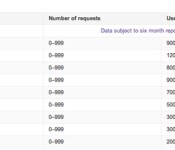
Facebook, Google and Yahoo now say when the US government requests user content

Last week, the US government finally relented on letting technology companies publish more detail about national security requests; today, some bigger firms are taking advantage of the looser rules. Facebook, Google, LinkedIn and Yahoo have updated their transparency reports to reveal the range of FISA requests that covered user content like posts and photos, not just user names and other basic information. As is often the case with national security affairs, there are strict limits involved. The reports still have to cover broad ranges that aren’t very helpful, and reports must be delayed by six months — we won’t get request numbers for the last half of 2013 until the middle of this year. None of the companies are completely happy with the government’s move, and they’ve promised to keep pushing for greater accountability. It’s not a perfect solution, then, but it will shed at least a little more light on the US’ online surveillance activities.
Filed under: Internet, Google, Facebook
Source: Facebook, Google Official Blog, Yahoo, LinkedIn

Weekly Roundup: Pebble Steel review, Google Glass prescription frames and more!

You might say the week is never really done in consumer technology news. Your workweek, however, hopefully draws to a close at some point. This is the Weekly Roundup on Engadget, a quick peek back at the top headlines for the past seven days — all handpicked by the editors here at the site. Click on through the break, and enjoy.

Google Glass gets prescription frames
Google’s making good on its promise to deliver a headset with prescription frames. The eyeglasses are currently available as a $225 upgrade for Google Explorers, but early adopters will be able to pick up a pair as early as this afternoon. Click the link for details about styles and insurance options.

Apple iWatch and iOS 8 rumors
We’re still waiting for Apple to make its official appearance in the smartwatch/wearables market. In the meantime, recent reports are hinting at a focus on fitness for the rumored “iWatch” (or whatever it’s officially called) and a “Healthbook” app for iOS 8. Click through for details.

Facebook unveils Paper for iPhone
Earlier this week Facebook introduced yet another news aggregator into the world. Dubbed Paper, this (as of now) iPhone-only app promises a distraction-free layout with curated news from well-known sites and “emerging voices.” Follow the link for more information.

Pebble Steel review
Smartwatches aren’t typically known for their sleek design, but the Pebble Steel is certainly a looker. At $249, Pebble’s new all-metal wearable may cost a bit more, but it’s got the right amount of bling to make up for it. Follow the link for our review.
Filed under: Misc

Daily Roundup: Xperia Z1 Compact review, Facebook Paper and more!
You might say the day is never really done in consumer technology news. Your workday, however, hopefully draws to a close at some point. This is the Daily Roundup on Engadget, a quick peek back at the top headlines for the past 24 hours — all handpicked by the editors here at the site. Click on through the break, and enjoy.
Facebook unveils Paper for iPhone
Earlier today Facebook introduced yet another news aggregator into the world. Dubbed Paper, this (as of now) iPhone-only app promises a distraction-free layout with curated news from well-known sites and “emerging voices.” Follow the link for more information.

Sony Xperia Z1 Compact review
Sony’s new Xperia Z1 Compact smartphone might be smaller than the original Z1, but its internals are nearly identical. Starting at £440 in the UK, this handset brings the same waterproof housing, 20.7-megapixel camera and quad-core 2.2GHz Snapdragon 800 chipset as its older sibling. Click through for our review.

Lenovo’s Motorola deal and American manufacturing
Lenovo’s swift purchase of Motorola raises many questions about its footprint in the smartphone marketplace. But what about Moto’s employees? Click on through as Engadget’s Terrence O’Brien breaks down how the deal could affect Moto’s US manufacturing.

Satya Nadella reportedly the next Microsoft CEO
Microsoft has yet to announce a successor to previous CEO Steve Ballmer, but if a report from Bloomberg is true, Microsoft Cloud VP Satya Nadella might be next in line. Follow the link for more.

SenseGiz seeking funding for Star, a multi-functional safety and activity tracker
There are many fitness trackers and smartwatches on the market, but how about a device that alerts your loved ones when you are injured?
SenseGiz, a company that you may not have heard of, is seeking funding on Indiegogo for Star, what it calls “the world’s first emergency identification and all in one tracker.”
The company, which has its research and development hub in India, was started by Abhishek Latthe and Apurva Shetty. Its prime focus is to design products that help keep people safe, fit, happy and empowered.
Like most fitness trackers, it has sensors to track how many steps you take, calories you burn, and keep track of your sleep patterns, but the thing that separates the Star from the rest of the competition is its integrated crash/fall-alert technology. When the device is paired with a smartphone via Bluetooth, it automatically alerts your emergency contacts “along with your GPS location” when you are in an accident. Through the app for either Android or iOS, users can set the sensitivity. At times when the alarm alert doesn’t go off, like in the instance of a non-crash emergency, there is a manual emergency contact button that the wearer can use.

Along with these unique featuers, Star can be worn as a smartband or attach as a clip to your clothing, and in addition to showing the time, it gives various notifications and alerts such as incoming calls, scheduled exercise time, social media, medication reminders, plus it can be used to control music and as a gesture control for your smartphone.
At the time of writing this, there are 13 days left in the crowdfunding campaign and the company has raised $760 of its $100,000 goal. No matter how much it raises, it will receive any funds it raises. If you’re interested, there are still over 100 early backer specials for $79, where you receive a SenseGiz Star in the color of your choice, either black, pink, blue or white, and it comes with a wristband and clip.
SenseGiz may have a long way to go until it reaches its goal, but if you do contribute, you will be backing a startup that seems to truly want to make a difference in people’s everyday lives.
The post SenseGiz seeking funding for Star, a multi-functional safety and activity tracker appeared first on AndroidGuys.
 AIVAnet