


[New Chromecast Game] Motion Tennis Cast aces screen mirroring for gaming

Last year during Google I/O, one topic of interest to Chromecast fans was full support for screen casting from Android devices. Many believed that this would make the dongle much more useful and could open the door to things like better gaming options. Anuj Tandon with Rolocule Games was so excited about the prospects, that he had already started work on a game called Motion Tennis that would enable gamers to use their smartphone as a motion controller while casting the game’s video to their TV via Chromecast. That game has now been officially launched around the world through the Google Play Store as Motion Tennis Cast.
This is no simple tennis game as Rococule includes several features to help keep things spiced up. With practice, players can learn to hit a variety of shots like groundstrokes, slices and lobs and the game’s physics will accurately calculate spin and direction of travel of the ball. Four difficulty levels are included along with grass, clay or synthetic courts. A time attack mode is included so players can challenge other online opponents.
Hit one of the download links below if you want to give Motion Tennis Cast a try. Please be careful though – we don’t want to hear any tales of someone slinging their “racket” across the room and destroying it!
Click here to view the embedded video.


Come comment on this article: [New Chromecast Game] Motion Tennis Cast aces screen mirroring for gaming
Motion Tennis Cast uses Chromecast and your phone for Wii-esque motion gaming

The Nintendo Wii proved that interactive living room gaming could be popular with people of all ages, at least for a while. Rolocule wants to bring the same idea to Android, by using your phone at a remote motion controller and casting the gameplay wirelessly to your living room TV. With motion sensors already an integral part of all our smartphones, combining the idea with the hugely popular Chromecast seems like a natural step forward.
The system works by running a game on your Android device and beaming the display to your Chromecast or Miracast Smart TV. All of the motion sensing is done with your phone’s accelerometer and gyroscope hardware, and this setup also enables dual-screen gaming options. Here statistics, menus, or commands can be presented on your phone for easy use, while the gameplay continues to be displayed on your TV. The video below shows off Rolocule’s Motion Tennis Cast game in action, where you control the swing of a tennis racket through motion gestures.
As well as Motion Tennis Cast, Rolocule also has Motion Badminton and Squash available for Apple TV, which may make an appearance on Android in the future.
These days, larger smartphones aren’t really ideal for waving around in your living room, and there’s double the risk of a technological disaster if it should fly out of your hand. Fortunately, Rolocule also has a working prototype using an Android Wear smartwatch, see the GIF below, which looks even more practical.

With more manufacturers moving into the Android gaming space, content casting becoming increasingly popular and the smartwatch market expected to continue to grow, there’s certainly a lot of promise and plenty of interesting content ideas that could come out of Rolocule’s design. Hopefully Google will continue to extend support for cast-ready software to enable more ideas like this.
If you fancy testing the game out for yourself, Motion Tennis Cast is available to download for free from the Google Play Store, with in app purchases.
Update enables Chromecast to respond to your TV remote

Chromecast has just become even more useful, as the latest 27946 firmware update has added support for HDMI-CEC “Deck Control” commands. This allows users to play, pause and skip through content with a regular TV remote.
HDMI-CEC enables multiple devices connected to an HDMI chain to communicate with one another, meaning that you can use your TV remote to pass commands on to other connected devices, such as Blu-ray players. Chromecast has supported this protocol since launch in order to set itself as the main input when it is turned on.
The update adds support for the additional control commands, which should work with most, if not all, media streaming apps that implement media player controls. HBO Go, Youtube, Allcast, iPlayer, Google Play Music, Plex and others are already confirmed to work. The player state is also reported back to your handset, so you can pause playback with your TV remote and resume it with your smartphone, if you so desire.
However, not all HDMI televisions support Deck Control commands. You may find that older televisions won’t allow these features to work, but most new ones should. The best way to find out is probably just to test the feature for yourself.
Google updates the Chromecast to Play and Pause content via your TV Remote

It’s great being able to stream the latest episode of House of Cards on your TV via your Chromecast isn’t it? Although it can be really frustrating having to grab your smartphone when you want to pause the program in a hurry, sometimes it’s just quicker pressing a physical button on the TV remote. Thankfully, Google has updated the Chromecast to allow you to pause and unpause videos with the infra-red remote that came with your TV.
How does it work? Well, it’s all down to Chromecast using HDMI-CEC, which allows your TV to communicate with attached devices such as your Blu-Ray Player. If your Chromecast is running the latest firmware (27946) and you have a compatible TV, you should be able to play and pause content from a variety of sources ranging from YouTube, WatchESPN, HBO Go, BBC iPlayer, Google Play Music, TuneIn Radio, AllCast and Chrome web videos.
It should be noted that not all TV’s will be compatible with this function, for example, my LG set doesn’t offer HDMI-CEC compatibility, so your mileage may vary depending on which television set you own. You may also find that some television manufacturers may have given the HDMI-CEC function a different name, Sony calls it BRAVIA Link, LG call it SimpLink while Samsung has named it Anynet+. Confusing I know. If you aren’t sure, the easiest way to find out if your TV set is compatible is to just give it a whirl.
Source: Janko Roettgers
Come comment on this article: Google updates the Chromecast to Play and Pause content via your TV Remote
Chromecast will now take orders from your TV remote

Google’s Chromecast is capable of all sorts of tricks, but some of them have remained untapped until now. Take HDMI-CEC, which has been built into the video stick since the outset, but has only just been made compatible with input from connected devices. This means that your TV remote can now deliver IR orders to the Chromecast: your remote can pause and resume whatever’s being beamed from the stick. The stick has been using the same tech to turn on your TV and switch inputs when you broadcast video to the dongle since its arrival, but this is the first time user input has been included. The standard isn’t quite as widespread as traditional HDMI, however, so be warned that the feature may not be compatible with your particular TV. Likewise, Chromecast users report that the functionality is working with HBO Go, WatchESPN, Allcast, BBC iPlayer, Google Play Music, and TuneIn Radio, although Hulu remains conspicuously absent.
Filed under: Home Entertainment, Peripherals, Google
Source: Janko Roettgers (Medium)
Toshiba Canvio AeroCast; The portable wireless hard drive with Chromecast support
Toshiba Canvio AeroCast; The portable wireless hard drive with Chromecast supportBuild QualityEase of UseBattery lifeSoftware / AppPacks plenty of storage1 TB of storage space Includes cable and wall charger connects to multiple devicesApp ruins the esperiencePoorly designed appHard to navigate UISlower than expected speeds3.5Overall ScoreReader Rating: (0 Votes) I am a self proclaimed storage junkie. […]
The post Toshiba Canvio AeroCast; The portable wireless hard drive with Chromecast support appeared first on AndroidSPIN.
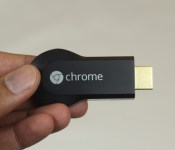
VLC finally getting Chromecast support in version 3.0

While not necessarily the flashiest of media players, VLC remains one of the most popular due to its high level of compatibility with just about any media format out there. This is true not only for PC users, but for Android and even iOS users. And now VLC is getting even better, as a new changelog from VLC indicates that support for Google’s Chromecast could be added to version 3.0 of the media player.
This isn’t the first time we’ve heard about VLC getting Chromecast support, as the first hints about the addition hit back in June of last year. At the time it was believed that the feature could roll out in as little as a month, something that obviously never happened. Ironically enough, the initial report also suggested iOS users would receive the feature first with Android next in line and platforms like Windows, Linux and Mac to follow later. It’s unclear if this will still be the case, though it is worth noting that VLC has finally returned to iOS after being pulled again.
So why did it take a half year or so to bring Chromecast support to VLC? Although we can’t say for sure, it is possible that VLC wanted a consistent release of the feature for all major platforms and felt that bringing the feature to version 3.0 (which is expected to bring a number of exciting new features) would make it stand out more than if they would have done it earlier in a minor (2.x) release. Either way, we’ll be sure to update our readers as soon as we know more.
VLC bringing Chromecast support with next update
 If you’ve ever dabbled in playing movies and TV shows on your computer, you’ve probably used VLC, or at least heard the name a few times. The program (and Android app!) supports nearly any file format or codec you throw at it, and it’s arguably the most cohesive media player available, even if it lacks some of the extra features other players have.
One thing that VLC has not had, though, was Chromecast support. When Google’s cheap streaming device was announced, VLC said they were planning on supporting it, but as of right now that hasn’t actually panned out. But according to some changes in VLC’s source code, version 3.0 looks like it’ll be bringing full Chromecast support so you can happily sling any media around to your televisions.
The biggest thing to look for here is which app or program the casting functionality ends up on first. It would make sense for it to show up in the Android application, but they might opt for desktop casting first. And based on what we’ve seen from other apps, there’s always that chance iOS gets a taste before anyone else. Hopefully we don’t have to wait too much longer to find out.
source: OMG Chrome
Come comment on this article: VLC bringing Chromecast support with next update

New Qualcomm TV dongle hopes to challenge Chromecast

When Google first announced the Chromecast dongle, it was not clear whether it could compete in a world with devices like boxes from Roku or Apple TV. Google seems to have prevailed though with so many companies trying to emulate the success of the Chromecast. The latest example is a fiery red dongle that Qualcomm is working on that they are calling the 4K Streaming Adapter powered by their Snapdragon 800 processor and running a full version of Android alongside a wide array of wireless options.
The 4K Streaming Adapter is actually a reference design that Qualcomm hopes some other manufacturers will pick up on in developing their own solutions to market to customers. One of the keys to success in Qualcomm’s view is the inclusion of a full install of Android to give manufacturers flexibility on what is presented to users. This also means the dongle could support a full array of peripherals.
Another key difference Qualcomm is hoping exists with their version of a streaming stick is the inclusion of LTE antennas to go along with the normal WiFi chips. Qualcomm is including support for LTE-U, or LTE-Unlicensed, which gives users the ability to run a separate ad hoc LTE network separate from their carriers. This could provide a way for content to be delivered via LTE Broadcast that can even be customized based on geo-location.
Do you think a full version of Android and additional antenna options will give Qualcomm an edge in the TV streaming content stick market?


source: Slashgear
Come comment on this article: New Qualcomm TV dongle hopes to challenge Chromecast

Amazon Fire TV success celebrated with special Sling TV offer

Amazon has announced Sling TV is being added exclusively, at least for now, on their Fire TV and Fire TV Stick devices. Sling TV joins FOX Sports GO and Flappy Birds Family with exclusive launches on Amazon’s streaming content devices. Amazon also announced selection of their devices by content providers has grown five time since launching in April 2014.
Vice President of the Amazon Appstore Steve Rabuchin describes the growth of games and apps on Fire TV as “tremendous.” To celebrate the growth and exclusive launch of Sling TV, Amazon is offering a free Fire TV Stick with the purchase of 3 months of Sling TV or $50 off a Fire TV, which is normally $99.
You can read the full press release from Amazon below.
Now Available On Amazon Fire TV: Sling TV, FOX Sports GO, and More
Amazon Fire TV selection up 5x since launch
Starting today, customers who purchase 3 months of Sling TV can now get a Fire TV Stick for free
Other popular game additions include Crossy Road, Game of Thrones – A Telltale Games Series, OlliOlli and Always Sometimes Monsters
SEATTLE–(BUSINESS WIRE)–Feb. 12, 2015– (NASDAQ: AMZN)—Amazon today announced that Fire TV’s selection is up 5x since its launch in April, with 2015 best-of-CES Sling TV now available for download as well as other popular services and games such as FOX Sports GO, TED, WSJ Live, Crossy Road, and Game of Thrones – A Telltale Games Series.
“The growth of apps and games available on Amazon Fire TV has been tremendous since launch—selection is up 5x since April, and many popular titles such as FOX Sports GO and Flappy Birds Familyhave launched exclusively on the Fire TV platform,” said Steve Rabuchin, Vice President Amazon Appstore. “We’re especially excited to be one of the first platforms to launch the Sling TV app—we think Fire TV and Fire TV Stick customers are going to love it.”
To celebrate the launch of Sling TV—a $20 per month, Internet-based television service delivering live sports and entertainment from channels like ESPN, TNT and TBS—customers who purchase 3 months of Sling TV can now get a Fire TV Stick for free or opt for $50 off a Fire TV (normally $99)—order today at www.amazon.com/slingtvoffer.
Since April, multiple apps and games have launched exclusively on the Fire TV platform including apps such as FOX Sports GO, Flappy Birds Family, Game of Thrones – A Telltale Games Series andMinecraft Pocket Edition. In addition, publisher Devolver Digital has exclusively launched popular games on Amazon Fire TV and Fire TV Stick that have previously only been available for console and PC gaming including Luftrausers, Always Sometimes Monsters, and OlliOlli. Devolver Digital will bring six more games exclusively to Fire TV devices in the coming months including Gods Will Be Watching,Not a Hero, and Titan Souls.
Here’s what developers are saying about the platform:
“The response since we announced Sling TV at CES has been overwhelming, and we’re excited to officially launch the service on a great platform, like Amazon Fire TV,” said Sruta Vootukuru, director, business development and operations, Sling TV. “Fire TV customers now have access to live sports, lifestyle, family, and news channels—all for $20 per month.”
“Adding FOX Sports GO to Amazon Fire TV is a great next step in enhancing our distribution and connecting with more sports fans,” said Clark Pierce, FOX Sports, Senior Vice President, Mobile and Advanced Platforms. “We’re thrilled to make FOX Sports GO available on Amazon Fire TV and expand our roster of platforms.”
“Working with many indie developers, we are always thinking about how we can expand the reach of their games,” said Harry Miller, Co-Founder at Devolver Digital. “Bringing our games to Amazon Fire TV was a no brainer, as it brings our much loved and unique indie games, to the large global audience that Amazon reaches.”
“Customers of all ages have loved playing Crossy Road on their mobile devices, but we wanted to allow them to play the game with a controller in the hand and take the fun to the biggest screen in their homes – the TV in their living room,” said Matt Hall from Crossy Road developer Hipster Whale. “Fire TV is a fantastic platform that was easy to develop for and allowed us to quickly achieve our goal of getting this game to the living room.”
Amazon Fire TV and Fire TV Stick plug into your HDTV for easy and instant access to Netflix, Prime Instant Video, Hulu Plus, WatchESPN, SHOWTIME, low-cost video rentals, and much more. They also bring photos, music, and games to the living room. Learn more about Amazon Fire TV and Fire TV Stick at www.amazon.com/FireTV and www.amazon.com/firetvstick.
About Amazon.com
Amazon.com opened on the World Wide Web in July 1995. The company is guided by four principles: customer obsession rather than competitor focus, passion for invention, commitment to operational excellence, and long-term thinking. Customer reviews, 1-Click shopping, personalized recommendations, Prime, Fulfillment by Amazon, AWS, Kindle Direct Publishing, Kindle, Fire phone, Fire tablets, and Fire TV are some of the products and services pioneered by Amazon.
Source: Amazon.com, Inc.
Come comment on this article: Amazon Fire TV success celebrated with special Sling TV offer
 AIVAnet