


Apple Shares WWDC OS X Yosemite Video Highlighting Design Changes
Apple today posted the OS X Yosemite video shown during its Worldwide Developers Keynote, which gives a look at some of the new features and design changes introduced with the operating system.
Covering the changes to the dock and icons along with showing off Yosemite’s translucency, the video also highlights AirDrop, Finder, Messages, and Notification Center, giving an overall view of the revamped OS.
We reconsidered every element of the Mac interface, large and small. The result is something that feels fresh, but still inherently familiar. Completely new, yet completely Mac.
First introduced last week, Yosemite includes significant design changes that focus on translucency and a flatter, more modern look, along with a push towards deeper integration with iOS 8. Yosemite introduces several new features that work with iOS 8, including Handoff, Instant Hotspot, and the ability to make and receive phone calls and SMS messages.
Multiple apps and features have also been updated, including Spotlight, Mail, Notification Center, and Safari, and there’s a new focus on iCloud with iCloud Drive. More information on Yosemite’s major changes can be found in our OS X Yosemite Roundup, while details on smaller tweaks can be found in the “OS X Yosemite: All The Little Things” forum thread, created and maintained by MacRumors forum users.
Apple Releases Battery Fix SMC Firmware Update for MacBook Air [Mac Blog]
 Apple today released MacBook Air SMC update 2.0 for mid-2013 MacBook Air models, addressing an issue that could cause excessive battery drain when the computer’s lid is closed.
This update is recommended for MacBook Air (Mid 2013) models.
This update addresses an issue which may cause the battery to drain faster than expected when the lid is closed.
This is the second battery fix released for the 2013 MacBook Airs, with update 1.9 fixing a battery issue that could cause the battery to unexpectedly cease functioning.
The update can be downloaded from Apple’s support site or via the Software Update tool in the Mac App Store.

Apple’s December FDA Meeting Addressed ‘Moral Obligation’ for Health, Sensor Innovation, and Regulation
Last December, several Apple executives led by Senior Vice President of Operations Jeff Williams traveled to Washington, DC to participate in a meeting with Commissioner Margaret Hamburg and other representatives of the U.S. Food and Drug Administration (FDA).
While the topic of the meeting was listed only as “Mobile Medical Applications”, speculation fueled in part by the presence of Michael O’Reilly had suggested that Apple might be laying some groundwork for the iWatch by having preliminary discussions with the FDA. At the time of the meeting, O’Reilly had only recently joined Apple after serving as Chief Medical Officer of pulse oximetry firm Masimo.

Following disclosure of the December meeting, AppleToolbox filed a Freedom of Information Act request with the FDA, asking for details on the meeting with Apple. After three months, the FDA has responded with a memo outlining the highlights of the meeting, and while the iWatch is unsurprisingly not addressed directly, it’s clear that Apple is indeed looking to maintain a dialogue with the FDA as the company seeks to make an impact in health monitoring.
With regard to Apple’s plans for health, company representatives thanked the FDA for guidance on mobile health apps and suggested that there may be a “moral obligation” to leverage this technology to improve human health but that care must be taken to make sure industry and regulators are on the same page.
Apple sees mobile technology platforms as an opportunity for people to learn more about themselves. With the potential for more sensors on mobile devices, Apple believes there is the opportunity to do more with devices, and that there may be a moral obligation to do more.
Sensors already exist on medical devices. For instance, Apple’s devices have cameras and accelerometers. There is still an opportunity to innovate, but Apple wants to make sure they are on the side of the FDA.
Discussions also centered around what aspects of health monitoring technology the FDA would regulate, with the FDA noting an emphasis on software being used to receive and calculate data rather than the more general hardware that would sense or display the data. Emphasis is also placed on how such health information is used, with uses considered educational or informational not being regulated while those considered diagnostic would be subject to FDA review.
Using the glucometer example, the glucometer may be unregulated if the intent is for a user to follow their blood sugar for the purposes of better nutrition. If the glucometer is marketed for diabetics, however, it would more likely be regulated as a medical device. FDA looks at how devices are actually used.
Apple’s “Health” app for iOS 8, briefly introduced at WWDC last week, is Apple’s first major step into this area, serving as a single location for users to either manually or automatically input various types of health data for tracking purposes.
While the lack of significant stage time for the feature at WWDC has led to some discussion of just how serious Apple is about its health initiative, the company may simply be waiting until it is ready to introduce the iWatch before making a bigger push with Health. With rumors of several types of biometric sensors being included the iWatch, it will likely serve as the core of Apple’s health tracking initiative, with other accessories from third-party companies plugging into the system for more specialized tracking.
iOS 8 Tidbits: Randomized MAC Addresses, Safari Credit Card Scanning, Indoor Mapping, and More
With iOS 8 installed on thousands of developer devices, details about the operating system continue to leak out. We covered quite a few new iOS 8 features listed during the keynote by Apple, including battery usage by app, and then followed that up with even more iOS 8 tweaks and changes, such as time-lapse mode, Messages improvements, WiFi calling, and grayscale mode.
Pulling from an extensive list maintained by our forum members and other iOS 8 users on Twitter and the web, we’ve catalogued even more improvements to the operating system below.
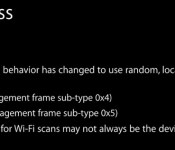
Randomized MAC addresses – iOS randomizes the MAC addresses of iOS devices when scanning for WiFi networks, which makes it more difficult for companies to track and gather location data on a customer. Each iOS device has a unique MAC address, which could previously be used for location tracking and data collection via WiFi scanning. iOS 8 will use random, locally administered MAC addresses that “may not always be the device’s real (universal) address.”

Safari credit card scanning – In iOS 8, Safari can utilize the camera to scan in credit card numbers when making online purchases, a faster alternative than manually entering a credit card number. Currently, this scanning function is available in the App Store to scan in iTunes Cards, and the credit card scan functions in the same way.
Photos in the Notes app – Photos can be inserted into the Notes app from the Photos app for the first time in iOS 8.

Hide images from Photos app – Images in the Photos app can now be hidden from the Moments, Collections, and Years view in the Photos app. Holding a finger on a photo will bring up an options menu and selecting “Hide” will keep it from being visible in those sections. Hidden photos are still visible in the albums view, however, in new “Hidden” album.

Background location notifications – iOS 8 has new popups that will notify users of apps that access Location information while running in the background. The popup asks users if they want to continue to allow the apps to access the information or turn it off, giving users more information on apps that could potentially be using a lot of battery life. There are also more Location Services options in the Settings menu and more options per app, for more control over how Location is used.

iTunes Radio Control Center – When playing a song on iTunes Radio, the Control Center will now offer a “Buy” button to give users a quick way to purchase a song.

Indoor Mapping – iOS 8 adds the M7 processor and iPhone motion sensors to the CoreLocation API, allowing venue owners to create indoor positioning systems. In use at San Francisco’s California Academy of Sciences, the Westfield Center in San Francisco, and the San Jose Airport, the system can be used to display floor number or direct users to points of interest.
Keep up with all of the new changes introduced in iOS 8 on our forums, where our readers are discussing and sharing feature enhancements and tweaks in the “iOS 8, All The Little Things” thread.

iOS 8 Code Points to Multiple Options for Split-Screen Multitasking
Apple’s split-screen multitasking feature for iOS 8 did not make it into the company’s Worldwide Developers Conference or the first release of iOS 8, but it is still in the works. As noted by developer Steven Troughton-Smith, iOS 8′s internal SpringBoard includes code that allows apps to run side-by-side in multiple sizes: 1/4, 1/2, or 3/4. Apps that are running side-by-side are displayed as a single app in the App Switcher.
First hinted at in May, split-screen multitasking will allow two apps to be displayed on a single screen on the iPad Air, Apple’s largest tablet. The feature, which reportedly only works in landscape mode, will allow iPad owners to use two apps simultaneously and it may also allow users to share information like links, images, and text between two apps.
Previous concept for split-screen multitasking (not based on specific rumors)
The iPad’s inability to display two apps at once is a lack that Microsoft has used to advertise its Surface tablet, which does have the ability to display multiple apps on the screen at one time.
It appears that split-screen multitasking may initially be limited to the iPad Air, with support for the iPhone and the Retina iPad mini possibly coming at a later date. Split-screen multitasking could also be slated for Apple’s rumored 12.9-inch “iPad Pro” that may or may not be in development.
Ahead of the Worldwide Developers Conference, Brian Chen of The New York Times confirmed that split-screen multitasking is still a work in progress. It may see a debut during one of the many updates Apple is likely to release as it refines iOS 8 ahead of a public release, or it may be a feature the company is saving for a later iOS 8.1 update.

Hackers Involved in Locking and Ransoming Apple Devices in Australia Arrested
Two weeks ago, hackers hijacked several iOS and Mac devices in Australia, remotely locking them via iCloud and demanding a ransom from the owner to get the device unlocked.
“Device locked by Oleg Pliss,” read the hijacker’s message, along with a demand for $50 to $100. Quite a few users were affected and while early speculation suggested iCloud may have been hacked, Apple confirmed that iCloud was not compromised, and that hackers had instead gained access to Apple IDs and passwords, likely through other site breaches where they used similar credentials.

The two hackers behind the attacks have now been detained by Russian authorities, reports The Sydney Morning Herald.
The hackers – aged 17 and 23 – were detained in the course of “operational activities” by the Russian Interior Ministry, Russia’s Ministry of Internal Affairs said. They are both residents of the Southern Administrative District of Moscow and one has already been tried before, it said.
According to Russian site MKRU [Google Translate), the two hackers were caught after appearing on camera withdrawing a victim’s ransom money from an ATM. The site also confirms the hackers gained access to Apple IDs and passwords via phishing pages and social engineering techniques, then used that information to lock devices. Russian users were also affected, which led to the investigation.
One method of obtaining login information involved a pre-owned account filled with movies and music that was sold to an unsuspecting victim. Once the person linked their own details with the account, it was vulnerable to being hijacked.
During the attacks, users who had passcodes enabled on their devices were able to bypass the hack, but those who had not previously set a passcode were out of luck, requiring a full reinstall of iOS. Apple recommends using a passcode with iOS devices, as well as two-step authentication, which can help thwart attacks like this one.

Tim Cook Seeking ‘Friendlier, More Approachable Face’ for Apple with New PR Chief Hire
With the retirement of Apple’s longtime public relations chief Katie Cotton having become official as of May 30, the company is now looking for her successor. according to Re/code, Tim Cook is personally overseeing the search and is seeking some external candidates who could put a “friendlier, more approachable face” on the company even as Apple has several in-house candidates who could step into the role.
[T]hough there are at least two well-qualified internal candidates for the job — comms veterans Steve Dowling and Nat Kerris — Apple is also looking outside the company for Cotton’s replacement. Sources in position to know tell Code/red that CEO Tim Cook is overseeing the search, aiming to find some high-profile external candidates for consideration. And he’s paying particular attention to those he believes could put a friendlier, more approachable face on Apple’s public relations efforts.
 Apple software chief Craig Federighi posed for numerous photos with WWDC attendees (Photo: @alexford)
While there have been signs that Apple has been opening up a bit under Tim Cook’s watch, that evolution took a significant step forward at last week’s Worldwide Developers Conference with the company making a number changes such as loosening non-disclosure restrictions on developers and making session materials available to the public.
Developers in general reported a much greater feeling of openness from Apple at the event, from the confident and friendly attitudes of Apple’s executives and engineers to the developer “love letter” that was WWDC with the host of new tools for helping developers build better apps for iOS and OS X.

Costco Preparing to Begin Selling iPhone and iPad as iTunes Store Gift Cards Return
Back in late 2010, Apple and warehouse club chain Costco parted ways, ending a relationship that had seen Costco carrying iPods and iTunes Store gift cards. The two companies now appear to have patched up their differences, reaching an agreement that will see the second largest retailer in the U.S. begin carrying the iPhone and cellular iPads through its wireless kiosks.

The news comes via an email from Dan Brettler, founder and CEO of Car Toys and its Wireless Advocates subsidiary, which handles wireless sales for Costco. The email was sent to Wireless Advocates employees, notifying them of the new partnership.
Wireless Advocates Team,
I am extremely excited to share the news of a new partnership between Apple Inc. and Costco Wholesale. This partnership will bring a top selling line-up of Apple products to Costco members including the iPhone and embedded iPads. As Costco’s solution for wireless devices and services, we are proud to be a part of this new partnership and incorporate Apple products into our already strong product line-up in Costco.
We already know Apple products. They are not new to our business. We currently sell Apple products in two of our three enterprise channels (Car Toys and Military). We already have a great business partnership with them and this new opportunity strengthens that relationship. They are valuable to our long-term success and growth in our space. This initiative will accelerate same store sales through performance gains and new products and services, as well as enhance our strategic partnership with our suppliers. This is critical to the overall success of “Our 5 Strategic Business Initiatives”.
In his email, Brettler acknowledges that there is still “much backend work and physical kiosk work” to be done before Costco stores can begin selling iPhones and iPads, and he does not provide a timeline for the start of sales. He does, however, promise to keep employees updated as the project moves forward.
Beyond iPhone and iPad, several Twitter users have reported yesterday and today that Costco has once again begun selling iTunes Store gift cards. This is likely separate from the hardware partnership with Wireless Advocates but part of the broader agreement between Apple and Costco, with the gift card portion moving forward on a faster timeline due to the ease of rollout.

Apple Cracking Down on Apps That Incentivize Ad Watching, Social Sharing
It appears that Apple has begun cracking down on some of the methods that developers use to monetize their apps, including those that offer in-app rewards for viewing videos and sharing on social networks. Providing in-game currency, extra lives, or another incentive for watching an advertisement on another App Store app is common in freemium games, but some apps with these features have begun seeing rejections from the App Store staff.
As noted by TechCrunch and a source that spoke to MacRumors, Apple has been rejecting apps that incentivize social sharing and use ads as rewards since last week.

According to one developer, Apple rejected an app that had been previously approved many times after an update that included only a re-skin without changing any core functionality. Apple cited guideline 2.25, which it has used to shut down many app discovery apps like AppGratis, and 3.10, which involves manipulating app rankings.
2.25: Apps that display Apps other than your own for purchase or promotion in a manner similar to or confusing with the App Store will be rejected, unless designed for a specific approved need (e.g. health management, aviation, accessibility, etc.) or to provide significant added value for a targeted group of customers.
3.10: Developers who attempt to manipulate or cheat the user reviews or chart ranking in the App Store with fake or paid reviews, or any other inappropriate methods will be removed from the iOS Developer Program
Screenshots attached to the rejection pointed towards an advertisement within the app for a different game (a violation of 2.25) and a button that rewarded users with in-game coins for watching a video (a violation of 3.10).
The 2.25 rejection is for promoting other apps not your own. The attached screenshot showed an EA game as a “Free Game”.
Additionally, your 3.10 rejection was for offering free in-game credits for watching videos of other apps by developers other then yourself.
An Apple representative went on to explain that developers are not able to have a “More Games” or “Other Games” section that points to apps other than their own, and that it is not acceptable for users to watch a video about another app to get in-game credits or benefits. This could have a significant affect on both developers and app monetization companies that use incentivized video like Tapjoy, Flurry, and more.
Other developers have received similar rejections under the same guidelines, with one getting rejected for offering hints after an app was shared on Facebook. Incentives for sharing games on social networks and rewards for watching video ads are two highly popular monetization methods used by countless freemium apps, including major players like Candy Crush.
Apple’s crackdown on certain advertising methods being used by app developers may be related to an App Store overhaul that the company plans to introduce alongside iOS 8. iOS 8 will bring several changes to the App Store, including an improved App Store search algorithm, an “Explore” feature, app bundles offered at a discount, and TestFlight beta testing for developers.

SteelSeries Introduces Console Controller-Sized Stratus XL Game Controller [iOS Blog]
Building on the success of its wireless Stratus controller, SteelSeries today introduced the Stratus XL, a full-sized gaming controller for the iPad, iPhone or iPod touch. Similar to its pocket-sized counterpart, the Stratus XL connects to your iOS device wirelessly through Bluetooth instead of the Lightning port.

The Stratus XL features a larger, console controller-inspired design that provides room for two analog joysticks, a pressure-sensitive directional pad (D-pad), 4 pressure-sensitive action buttons and 4 shoulder buttons that include two trigger buttons.
“We have been working for well over a year now on perfecting the wireless controller experience for iOS devices. We have been incredibly impressed by the way the SteelSeries Stratus has been received by consumers so far and we are looking forward to introducing the Stratus XL to the iOS gaming community – who have been asking for a full-sized controller option,” said Tino Soelberg, SteelSeries CTO. “The Stratus XL was designed to meet their demands, delivered with the premium features and top-to-bottom quality expected from SteelSeries.”
The Stratus XL will support the same iOS 7 games as the original Stratus including Dead Trigger 2, Asphalt 8: Airborne, Bastion and more. The large format controller will debut later this year at a price that is yet to be announced. Customers can visit the Stratus XL product page and sign up to be notified when the product availability date and pricing are confirmed.

