


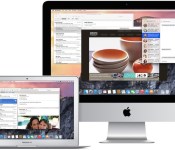
OS X Yosemite Public Beta Launches Tomorrow, July 24
In a coordinated release today, a number of publications have released official overviews of the latest OS X Yosemite beta build alongside word of Apple’s plans to open up the public beta tomorrow, July 24. As noted by The Loop, the public beta of Yosemite will be the same build released to developers on Monday.
The public beta version of OS X Yosemite is the same version released to developers on Monday, so to start off, consumers and developers will be running the same software. However, the developer version of Yosemite will be updated more often over the next few months than the public beta version. This is so developers can continue to test their software with the latest operating system available. Consumers really don’t need updates that frequently.

As far as the overviews designed to bring members of the public beta up to speed as the program launches, the general feeling is positive. Some note, however, that many of Yosemite’s best features involve integration with iOS 8 and will be inaccessible during the public beta as the program covers only OS X. Here are a few snippets:
– Dana Wollman, Engadget
For anyone who thought OS X was getting stale, that it was evolving a little too gradually, you’ll definitely want to check out Yosemite: It ushers in a new, iOS-inspired design, along with some new, iOS-like features. In my week of testing, I’ve found the updated look to be more visually pleasing than the previous version, yet still easy to navigate. The new features are generally welcome too, though some admittedly feel more granular than others.
– Darrell Etherington, TechCrunch
We’ve had some time with the pre-release build ahead of today’s launch, and our time spent with the next version of Apple’s desktop OS has proven one thing: Yosemite offers a host of great new features for users new to Mac and experienced Apple fans alike. Even the pre-launch build feels like a solid step-up from Mavericks, which bodes well for the finished result that should launch once Apple irons out the bugs and incorporates user feedback from its beta test program.
– Lauren Goode, Re/code
I like its new design, the small improvements in Safari and Messages, and what appear to be promising fixes in Mail. It has already made a better impression on me than Mavericks did right out of the gate. But it’s also still very much a work in progress.
The official launch of OS X Yosemite to the general public will come later this year, likely in the October timeframe. The public beta program is limited to the first one million users to sign up on Apple’s site.

iPhone Camera Supplier Sony Investing $345 Million to Boost Image Sensor Production [iOS Blog]
As hinted at in an earlier report from Nikkei, Sony today confirmed it is investing 35 billion yen ($345 million) to increase the production of image sensors for smartphones and tablets, reports Reuters.

The electronics firm will use the 35 billion yen to boost production of stacked CMOS sensors at two factories in Kyushu, Japan as well as complete work at a factory it recently purchased from Japanese chipmaker Renesas Electronics. This investment will increase manufacturing by 13 percent, allowing Sony to produce up to 68,000 wafers a month by August 2015.
Sony is a leader in the imaging sensor market, supplying camera modules for major mobile phone and tablet manufacturers, including Apple and its iPhone since the iPhone 4s. Sony is rumored to be supplying Apple with a 13-megapixel Exmor IMX220 rear camera sensor and possibly the front-camera module for the iPhone 6.
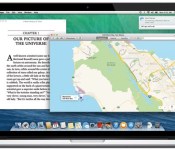
Apple’s public beta for OS X Yosemite begins tomorrow

The Apple we know is run by a bunch of perfectionists. The company only shows off final devices at its launch events, and developers are strictly forbidden from sharing screenshots of upcoming iOS releases. This is a company that doesn’t usually bother with sneak peeks. Or do they? Apple announced a few months ago that it would carry out a public beta-testing program for OS X Yosemite, its next-gen Mac operating system, allowing regular people to give feedback before it eventually gets a wide release. Now, the testing period is finally about to begin: Apple says that beta users will be able to download an early version of the OS starting tomorrow at around 1PM Eastern. If you’ve already signed up to join the beta program, you don’t need to do anything; you’ll get a notification tomorrow when the OS is ready to download. If you haven’t gotten around to it yet, though, we suggest you get on that ASAP: Only one million people are allowed to participate in this early-stage testing, which means slowpokes might not get a chance.
Update: Our preview of OS X Yosemite is already up, even before the public beta period begins. Read it here!
Source: Apple
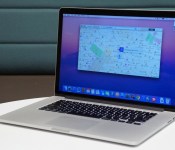
OS X Yosemite preview: the Mac gets a major makeover

The last time Apple released a new version of OS X, we came away feeling a little… underwhelmed. Don’t get us wrong: We’ll never say no to a free software upgrade. But despite a handful of new apps and features, last year’s Mavericks release still felt like the same old OS X. You can’t say that about Yosemite, though. The company’s next-gen operating system ushers in the Mac’s biggest makeover in years, with a flat, streamlined look inspired by iOS 7. Yosemite works more like iOS too, particularly the part where you can route phone calls to your desktop. You’ll also enjoy improved Spotlight search, with results that include news, local restaurant listings, Wikipedia pages, movie times and quick unit conversions. Safari works much the same way, and includes some enhanced privacy settings, too. Right now, Yosemite isn’t quite finished — it won’t arrive until sometime this fall — but you can sign up for the public beta, which will open tomorrow for the first million people who enlist. In the meantime, I’ve been using an early build for a week now. Here’s a quick preview for those of you who can’t wait till tomorrow.
Look and feel

You’ll notice it as soon as you restart your machine: OS X Yosemite takes many, many cues from iOS. There’s the dock, for starters, which features redesigned, flatter-looking icons for all of Apple’s built-in apps. The menu bar now sits flat with the rest of the desktop — not that it ever really got in the way. Throughout, too, Apple has moved to a new, less condensed font, and it’s also adopted some of the same icons used in iOS (check out the “share” button in Finder, for example). Even the “stoplights” for closing, minimizing and maximizing windows are flat — no 3D shading here. Oh, speaking of the stoplights, the green button now allows you to bring windows to full-screen. You should get used to it pretty quickly.

Open up Finder — or any app, really — and you’ll see the left-hand pane is translucent, and will turn to the color of your wallpaper or whatever files you happen to have open in the background (see above for an example). The menu bar inside apps is translucent too, and it’s also significantly narrower, allowing content to stand front and center. If I’m honest, all those translucent panels are just a visual flourish. A cool flourish, but a flourish nonetheless. Yes, the slightly see-through bits up top remind you there’s more to see if you keep scrolling, but you could have figured that out anyway.
Not that I’m complaining about a fresh coat of paint. This new release feels modern — so much so that it makes my old Mavericks system feel shamefully dated. What’s nice is that even as you start installing third-party apps, the OS continues to look clean. Programs like Firefox have those flattened stoplights, for instance, though they don’t currently show the translucent panes. At the same time, as current as the OS feels, it’s still easy to find your way around; no one, and I mean no one, will feel lost inside OS X. Mail looks like Mail, and Safari looks like Safari. They just look better.
Spotlight

OK, I spoke too soon: There is one thing that works differently, and that’s Spotlight search. Whereas before, your search results appeared in drop-down form in the upper-right corner of the screen, clicking the search button now brings up a big ol’ search bar in the middle of the desktop. But it’s not just the placement of the search results that have changed; they’ve gotten quite a bit smarter, too. From here, you can convert units and measurements, preview Wikipedia entries and news stories, and pull up friends’ contact information, complete with phone numbers, email addresses and websites you can click on from the search bar.
Apps are included in search results too, as are things you may have purchased from iTunes. You can also pull up more personalized information, such as local restaurant listings and movie times, but you’ll need to have “Spotlight Suggestions” checked off under location settings in order for that to work. In cases where the keyword is a little ambiguous — “numbers,” for example — you’ll see any Numbers spreadsheets you have saved, as well as a prompt to open the Numbers app itself. Ditto for “apes” — I’ll get movie times for Dawn of the Planet of the Apes, as well as any emails where someone was talking about apes (and yes, I do have some).
All told, it feels a little like Smart Search in Windows 8.1, though there are things Apple can do that Microsoft can’t, and vice versa (Windows, for instance, lets you go to specific settings from the search results). To be clear, iOS 8 will show the same kind of Spotlight search results as the Mac, but what I particularly like about the desktop version is how self-contained it is — you can pull up search results without having to open a new window. Of course, if you click on a news story, Safari will open a new tab, but that makes sense — you can’t do everything in the search interface, after all.
Safari

It’s more of the same in Safari: The newest version of Apple’s built-in web browser shows previews of search results, with snippets of things like Wikipedia pages. The favorites bar, too, reminds me of the new Spotlight search — just click on the URL and you’ll see a pop-up window beneath showing your bookmarked sites. It’s nice because on the one hand, your favorites no longer take up unnecessary space in the browser, but they’re there when you need them, and you don’t have to navigate away from your current page to see the list.
In addition, Apple redesigned its “tabs view,” where you’ll see a mixture of tabs from both your Mac and any iDevices you own (obviously, you need to be signed into iCloud on every device for this to work). From there, you can close tabs remotely, so long as the remote device is running either Yosemite or iOS 8 (if all you want to do is open remote tabs, you just need iOS 6 or higher, or Mavericks on the desktops side). The tabs window also stacks pages from the same site, which helps keep things tidy. Meanwhile, Safari’s “share” button now shows recent shares. It’s also “extensible,” which is to say you can add extensions to share via more apps, even if they aren’t part of the default sharing menu.

The latest build of Safari also includes a couple important nods to privacy. DuckDuckGo, the do-not-track search engine, is now one of four default search options, with Google, Yahoo and Bing being the other three. Additionally, you can now open private browsing in a new window, even if you already started a regular browsing session in a different window. (In Mavericks, once you turn on private browsing, you’re turning it on for every subsequent window and tab you open.) As you open new tabs in that private window, they’ll be private by default. The private browsing window is also easy to tell apart, with a “private browsing enabled” banner and a lock symbol in the address bar (check out the screenshot above to see what I mean).
Messages

More than any other app mentioned here, Messages is the one that now feels most like iOS. With this new release, you can mute or leave conversations, or add someone to an existing group chat — all features you’ll find on iOS 8 when it comes out. Additionally, if your texting partner is using iOS 8 and has elected to share their location, you can view a map inside the Messages app that shows where your friend is — a handy feature if you’re trying to meet up in real life. Also, you’ll now see a Camera Roll-type stream on the right side, showing all the photos and videos you and your friends may have exchanged over the course of the thread. Naturally, that includes shots from both Macs and iOS devices.
If you ask me, the ability to mute or leave a conversation both seem like no-brainer features, and I’m glad Apple’s adding them to both OS X and iOS. The “add participant” feature is particularly convenient — until now, if you wanted to bring somebody to the conversation, you had to start a whole new thread from scratch. The only catch here is that you need at least three people in the conversation to add another. That means if you and Joe are planning a Sunday brunch and decide Jane is invited too, you won’t have the option to just loop her in. Needless to say, I hope Apple rethinks the “three-person” requirement between now and the fall.
Finally, Apple added a “Soundbites” feature that lets you send short, pre-recorded audio messages in a normal texting thread. (This feature is also coming to iOS 8, though you don’t need an iOS 8 or Yosemite device to receive these audio clips.) It’s all very self-explanatory, really: Just click the microphone button and start talking. And take your time. The limit for Yosemite devices is 100MB, which amounts to a lot of talking — several hours, according to Apple. Thankfully, you’ll have a chance to review your message before sending — in that sense, it’s more akin to a voice mailbox greeting than an actual voicemail. Even after you send it, you can either hit “keep” or let it expire after two minutes, à la Snapchat. Meanwhile, the sender can also choose to keep the message, or allow it to self-destruct two minutes after viewing it.

The built-in Mail app has seen a couple changes too, even though the inbox itself looks the same as ever. The first of these features is Mail Drop, which uploads large attachments to iCloud instead of Gmail, or whatever your mail service is. If your recipient is using OS X Yosemite too, they’ll just download the attachment in Mail, as they normally would. If they’re not on Yosemite, they’ll instead get a download link that will work for up to 30 days. Aside from the ability to skirt attachment-size limits, the nice thing about Mail Drop is that attachments don’t count against your iCloud storage cap.

The second new feature is called Markup, which gives you an easy way to — wait for it — mark up attachments from inside the Mail app. Just hover over a PDF or image after you insert it into your draft email, and click on the “Markup” option that’ll appear over on the right side. From there, you can add shapes and text, complete with formatting options like text colors and different fonts. You can also sign documents if you like by either signing with your finger, or using your Mac’s iSight camera to photograph your signature on a piece of paper.
Lastly, you can draw on the document, at which point Markup will attempt to smooth out your scribblings if you happen to make a shape it recognizes. If you dash out a crooked arrow sign, for instance, Apple will give you the option of swapping in a straight, more professional-looking one instead (you can also keep the crooked one, if you wish).
Calendar and Notification Center

It’s been about two years since Apple added the Notification Center to OS X. Fundamentally, it works the same way it always did, with pop-ups appearing in the upper-right-hand corner of the screen when you receive a new email, have an upcoming calendar appointment, et cetera. The difference here is that in addition to the usual “Notifications” column, there’s now a “Today” view that combines any and all information that might be relevant to you throughout your day: reminders, the local weather, stock prices, a world clock and a summary of your calendar appointments. Stocks and weather, in particular, can sync with iOS 8, so your stock list, say, will be consistent across your Mac and iPhone. Unfortunately, none of my devices are currently running iOS 8 (it’s not out yet), so I wasn’t able to test that feature. Soon, hopefully.
In short, the new “Today” view feels like an updated version of the ol’ Mac dashboard, with some of the classic widgets in one place. Of course, the dashboard is still there if you want it — old habits do die hard, after all. Personally, though, I don’t see why you’d use the dashboard if you didn’t have to; it’s much easier to just open the Notification Center and take in lots of information at once.

Meanwhile, the Calendar app also has a redesigned day view, with an inline, full-height inspection pane sitting alongside a list of all your appointments for the day. From there, you can see lots of details pertaining to a given event, such as location, the weather forecast, a map, a list of attendees and a miniature month calendar. What can I say? It looks nice. The only thing I would add is the ability to zoom in on the map without having to open the standalone Maps application.
Integration with iOS
I saved this section for last because iOS 8 isn’t out yet, which means I can’t actually test any of the features that tie into OS X Yosemite. That’s a shame, because iOS integration really is the big story here, even more than those flat new icons. I’ll of course revisit this when I eventually write my full Yosemite review, but for now, all I can really do is explain what these iOS features are and how they work.
And explain I shall. Perhaps the flashiest of these features, as I said earlier, is the ability to field calls from your desktop. As on an iPhone, you can accept or reject the call, or set a reminder for five minutes, 15 minutes or an hour. To make this happen, just sign into iCloud on both devices, and make sure both your Mac and iPhone are connected to the same WiFi network. Meanwhile, your Mac can automatically tether with your iPhone, so long as they’re within a close enough distance. Also, when you do tether, you’ll see your phone’s battery life and signal strength in the menu bar. Finally, the Messages app will now show both iMessages as well as SMS texts from non-iOS users. What’s more, you can send SMS messages through your Mac, with the texts ultimately routing through your phone (again you need to be signed into iCloud on both devices, and be on the same WiFi network).
So far, I’ve mostly enumerated features that let you control your phone from your Mac — texting, receiving calls, et cetera. But Apple has also added some features to OS X that make it easier to transfer files between devices. Perhaps the biggest development of all is iCloud Drive, which allows you to store your files on iCloud and then access them on any device. Meanwhile, a new “handoff” feature means that whatever you’re doing on one device, it will show up on the other — open tabs, documents in progress, et cetera. Finally, you can AirDrop with iOS friends, with your contacts able to share even when you don’t have Finder open.
Wrap-up

For anyone who thought OS X was getting stale, that it was evolving a little too gradually, you’ll definitely want to check out Yosemite: It ushers in a new, iOS-inspired design, along with some new, iOS-like features. In my week of testing, I’ve found the updated look to be more visually pleasing than the previous version, yet still easy to navigate. The new features are generally welcome too, though some admittedly feel more granular than others. Of course, the most important updates to the OS generally have to do with iOS integration — never have Macs and iPhones worked in lockstep the way they will here.
The thing is, those are precisely the features I didn’t get to test out: With iOS 8 reserved just for developers right now, it’s impossible to say how well these features work in real-world use. We’ll be back in the fall with a full review, but for now, this latest OS update looks promising, especially for people who also own iPhones or iPads (and that’s a lot of you, I’m guessing). Don’t take my word for it, though: Join the public beta program so you can get hands-on yourself.
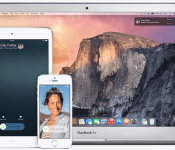
iOS 8 and OS X Yosemite May Launch Separately Despite Integration Features
While iOS and Mac OS X have traditionally followed different release schedules, Apple’s recently announced Continuity features suggested it was possible for Apple’s two operating systems to debut at the same time. However, Apple is planning to stagger the releases of both iOS 8 and Mac OS X Yosemite, reports 9to5Mac, citing sources with knowledge of Apple’s plans.
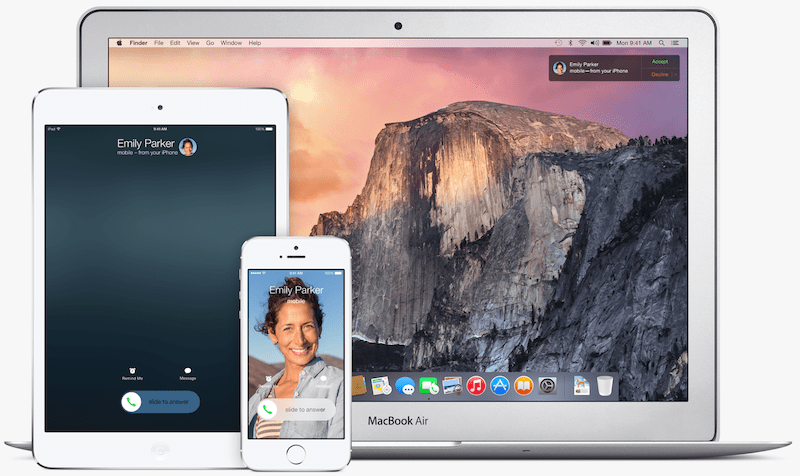
iOS 8 is expected to launch in September alongside the iPhone 6 while OS X Yosemite will not launch until October. Apple used the same release schedule last year, launching iOS 7 alongside the iPhone 5s in September and OS X Mavericks one month later in October.
Continuity allows users to work seamlessly between iPhone, iPad and Mac, with the ability to start emails on one device and easily finish it on another, or using Macs and iPads to answer phone calls and “green bubble” text messages. Because iOS and OS X have never been designed to work better together than with iOS 8 and OS X Yosemite, many saw a dual release as a good opportunity for Apple to cross-promote both its iOS devices and Macs with a stand-out new feature like Continuity.
Apple is planning on using engineering and user interface design members from the iOS team to help complete OS X Yosemite in time for a fall release, with a public beta planned as early as later this month.

Apple Addresses iOS ‘Backdoor’ Concerns by Outlining Legitimate Uses for Targeted Services
 Earlier this week, forensic expert Jonathan Zdziarski attracted attention for his disclosures of what appeared to be “backdoors” in iOS that could allow for covert data collection of users’ information from their devices. While Apple issued a statement denying that anything nefarious was involved, the company has now posted a new support document (via Cabel Sasser) offering a limited description of the three services highlighted in Zdziarski’s talk.
Each of these diagnostic capabilities requires the user to have unlocked their device and agreed to trust another computer. Any data transmitted between the iOS device and trusted computer is encrypted with keys not shared with Apple. For users who have enabled iTunes Wi-Fi Sync on a trusted computer, these services may also be accessed wirelessly by that computer.
The three processes include:
– com.apple.mobile.pcapd: Diagnostic packet capture to a trusted computer, used for diagnosing app issues and enterprise VPN connection problems.
– com.apple.mobile.file_relay: Used on internal devices and can be accessed (with user permission) by AppleCare for diagnostic purposes on the user’s device.
– com.apple.mobile.house_arrest: Used by iTunes for document transfer and by Xcode during app development and testing.
Security experts will undoubtedly have additional questions about just how these services work and whether there are better and more secure ways of accomplishing the tasks they handle. At the very least, however, today’s disclosure demonstrates a willingness by Apple to share information about the legitimate need for these services and should help quell unsupported speculation that Apple has worked with security agencies to implement these tools to allow for covert surveillance.
Note: Due to the political nature of the discussion regarding this topic, the discussion thread is located in our Politics, Religion, Social Issues forum. All forum members and site visitors are welcome to read and follow the thread, but posting is limited to forum members with at least 100 posts.

Engadget Daily: NVIDIA’s Shield Tablet, Atari’s ‘Pridefest’ and more!

Today, we take a look at NVIDIA’s new Shield Tablet, investigate Atari’s future with the LGBT community, ponder an Apple smartwatch patent and learn about a potential HIV breakthrough. Read on for Engadget’s news highlights from the last 24 hours.

Apple ‘iTime’ patent details a modular smartwatch with sensors in the band
Yep, it’s time for more Apple smartwatch speculation. This latest patent application details an ‘iTime’ device with interchangeable, sensor-equipped bands.

Atari’s betting its future on gays and gamblers
Atari, once a giant of the gaming industry, stands on the precipice of irrelevance. But now, the company’s betting its future on on the LGBT community with its upcoming game called Pridefest.

NVIDIA’s new Shield is a tablet built for gaming
NIVIDIA’s second generation Shield claims to be the “ultimate tablet for gamers.” But is this 8-inch, Android-powered slate all it’s cracked up to be?

Researchers fully ‘delete’ HIV from human cells for the first time
Thanks to the bright minds at Temple University, a cure for HIV is that much closer to a reality. By injecting patients with a man-made strand of RNA, the virus can be excised from infected cells, leaving them intact and HIV free.
You also might like:
Filed under: Misc

AT&T, Apple Begin Paying $40 to U.S. iPad 3G Purchasers After Unlimited Data Lawsuit [iOS Blog]
AT&T and Apple have begun sending out payments to consumers in the United States who purchased an original iPad 3G, following the culmination of a long-running class action lawsuit over unlimited data.
Originally settled in September of 2013, the lawsuit covered a $29.99 no-contract unlimited data plan that Apple and AT&T offered with the original iPad — a deal that Steve Jobs advertised on stage when the tablet was revealed in January of 2010.
In June of 2010, AT&T stopped offering the plan and replaced it with a 2GB for $25/month plan. AT&T did grandfather in users who had an unlimited plan prior to June 2010, but the company also began throttling unlimited users in October of 2011.
The class action lawsuit accused Apple and AT&T of using bait-and-switch tactics, selling iPads that advertised unlimited data without actually providing unlimited data. The lawsuits also suggested that without the prospect of an unlimited data plan, consumers had overpaid for their tablets. Apple and AT&T’s settlement, which called for the companies to send out $40 checks to all affected customers, was finalized in February. As noted by 9to5Mac, checks are now arriving to customers.

Enclosed is a check in the amount of $40.00 representing your settlement in the award of Apple & AT&T iPad Unlimited Data Plan Litigation. The amount of your settlement award has been calculated pursuant to the terms of the Settlement that was approved by the court. Pursuant to the terms of the settlement, the enclosed check must be cashed by October 16, 2014; after that date, the check will be void and will not be reissued. If you have any questions, you can contact the Settlement Administrator at 1–800–248–1504.
Under the terms of the settlement, AT&T is also required to offer customers a $20 discount on the $50/month 5GB data plan, but the deal is only available to customers who do not have another data plan with AT&T due to no-class action provisions in their contracts. 

Apple Facing Class Action Lawsuit From 20,000 Employees Over Alleged Labor Code Violations
Apple is facing a class action lawsuit in California over a number of alleged Labor Code violations, with the company being accused of not providing timely meal breaks, timely rest breaks, and timely final paychecks, reports TechCrunch.
Plaintiffs bring this Class Action against Defendants to recover for, among other things, failure to provide meal and rest periods, failure to furnish accurate itemized wage statements, and failure to pay timely wages on the end of employment, interest, attorneys’ fees, penalties, costs, and expenses on behalf of themselves, the Plaintiff Class, and the Plaintiff Subclasses.
Originally filed in December of 2011 by four former Apple retail and corporate employees in San Diego, the lawsuit was certified as class action yesterday and could affect up to 20,000 current and former Apple employees in the state of California.

According to the filing, which demands a jury trial, employee complaints cover a wide range of possible labor code violations. One complaint, for example, cites employees having to work for five hours straight without a meal break, while another complaint suggests that Apple took several weeks to send out a final check to multiple employees.
The lawsuit asks for compensatory damages and restitution of all monies due to affected employees from unlawful business practices, along with interest, but it does not specify a damages amount.
Along with this new class action lawsuit, Apple is embroiled in a class action lawsuit with Apple retail employees who allege that Apple’s bag checking policies have resulted in lost wages, a suit that also accuses Apple of violating state labor laws.


iPad Sales Total 225 Million Units Since 2010 as Apple Claims ‘Significant Innovation’ Coming
During today’s earnings call, Apple CEO Tim Cook shared new information on the state of the iPad, including details on overall sales since the product launched a little over four years ago, recent growth in different markets, and hints at future plans. It was revealed earlier that sales of the iPad were down for the second straight quarter in a row, as the company sold a total of 13.3 million iPads, down from 14.6 million in the year-ago quarter.

Cook said that iPad sales have totaled to 225 million units since 2010, as the current iPad Air and iPad mini have hit 98% and 100% customer satisfaction, respectively. According to recent market studies, 63% of customers planning to buy a tablet are planning to buy an iPad, while half of all iPad buyers were planning to buy their first iPad.
Additionally, Apple noted that 2.5 iPads are being sold for every Mac, as the tablet now holds an 85% share of the U.S. education market. Internationally, the iPad also experienced a 50% growth in China and 60% growth in the Middle East year-over-year.
In reaction to iPad sales being down, Cook noted “significant innovation can be brought to the iPad”, stating “[Apple] plans on doing that” and that the tablet category as a whole is still “in its infancy.” Recent reports have pointed to Apple launching updated models of the iPad Air and Retina iPad mini later this year, with each likely to come with the Touch ID fingerprint sensor and a faster A8 processor.
The company is also rumored to be preparing a larger “iPad Pro” which is said to feature a 12.9-inch ultra high-definition display. KGI Securities analyst Ming-Chi Kuo reported that the iPad Pro in 2015, but a recent report noted that Apple’s plans may be on hold for the foreseeable feature.

