



Office for iPad updated with PDF export, third-party fonts and video playback support

Microsoft’s iPad version of Office is pretty sleek, but it isn’t perfect: it has limited print and export functions and just isn’t as robust as its desktop counterpart. Slowly but surely, Redmond is changing that — today the company announced a few notable updates to the tablet-based office suite, including PDF exports, wider font capability and a small collection of advanced Excel features.
Much of the update consists of simple, small things that will make the average user’s life easier. The share button, for instance, now allows all users (even non-subscribers) to export documents to PDF, and fonts downloaded through the iOS AppStore are now instantly recognized and usable in document editing. Printing options have been expanded too, and now allows users to choose from more scaling and paper sizes. Some of the more interesting features are hidden in Excel: advanced users can now use keyboard shortcuts to switch between Edit and Point mode and a new flick motion makes it easier to select columns of related data.
Finally, Microsoft has augmented PowerPoint for iPad with a presenter mode — allowing users to project the main presentation to another screen while viewing a more complex, editable view on their iPad, complete with speaker notes. There are even more fixes (including the ability to play videos in PowerPoint and edit photos without leaving Word), but you’ll need to check out Microsoft’s Office blog at the source for the full rundown.
Filed under: Tablets, Apple, Microsoft
Source: Microsoft
.CPlase_panel display:none;

Apple’s new online content network should deliver your files faster

If you’re an iOS or Mac user, your downloads and streams are going to improve in the near future — if they haven’t already. Apple has quietly switched on its own content delivery network (CDN), letting it deliver files directly instead of leaning on services from Akamai and Level 3. The change gives the folks in Cupertino a ton of headroom, according to Frost & Sullivan analyst Dan Rayburn. In addition to offering “multiple terabits per second” of bandwidth, Apple has clearly struck Netflix-like connection deals that link it directly to internet providers. If all goes well, you should get speedy app updates and media streams even when the internet is extra-busy.
Don’t expect to see upgrades across the board, at least not right away. Rayburn has only seen the CDN handling OS X-related downloads, so it could be a while before it’s taking on your iPhone backups or iTunes movie rentals. He also suggests that Apple is unlikely to completely forego third-party help. Given that Apple is getting serious about cloud storage in iOS 8 and OS X Yosemite, though, it won’t be surprising if the company puts more services on its own network and (hopefully) provides a smoother experience.
Via: Ars Technica
Source: StreamingMediaBlog
.CPlase_panel display:none;

Intelligent Time Management App ‘Timeful’ Launches on iOS [iOS Blog]
Timeful, described as “the first intelligent time manager” for mobile devices, is a new iOS app designed to help users manage their lives by combining a time management app with a calendar, a to-do list, and habits. Timeful aims to provide a personalized experience that encourages people to commit to various self-improvement activities and complete goals.
The app connects to the calendar on an iOS device, importing already existing events into a daily view that includes all tasks that must be completed. It also incorporates to-do functionality, allowing users to create tasks and file them under separate colored headings like Personal, Work, Fun, and, Important. To-do tasks can be scheduled for “Today,” “Tomorrow,” “Someday in the next 7 days,” or on a specific date.

Specific calendar events can be scheduled in much the same way, entering the task and selecting a time. One major negative of Timeful in comparison to other calendar apps is the fact that it doesn’t accept conversational input, meaning users have to manually select times and dates for calendar events.
Along with accepting calendar and to-do input, Timeful also includes a “Habits” feature that sets it apart from other time management and task apps. With Habits, users can enter frequently repeated tasks such as “Take a Walk,” selecting preferred days and times to perform the tasks, which Timeful will then work into a busy schedule. Events and habits show up directly on the calendar at scheduled times, while to-dos are listed at the top and can be completed at any time during the day.
As users complete tasks and fulfill habits, Timeful will learn more about a person’s habits, figuring out the optimal time to present each task for completion.
Timeful is the first Intelligent Time Assistant that gets things scheduled so you’ll get them done.
Timeful combines your calendars and to-do lists so you can see everything that’s competing for your time in one place. It uses sophisticated algorithms and behavioral science to suggest – based on your own available time and location – the best times to schedule to-dos and good habits throughout your day.
Timeful can be downloaded from the App Store for free. [Direct Link]
.CPlase_panel display:none;

Initial iWatch Shipments May Be Limited Due to Sapphire Issues, Half of Devices May Use Glass Displays
Echoing his earlier iWatch predictions, KGI Securities analyst Ming-Chi Kuo today suggested (via AppleInsider) that Apple’s iWatch will be available in limited quantities in 2014, with only three million devices hitting store shelves before the end of the year.
Kuo says that while market predictions point towards shipments between 5 and 10 million smart watches before the end of 2014, his own prediction based on supply chain checks is at three million units due to the iWatch’s late production date.
 Traditional watch-style iWatch concept by Gábor Balogh
Earlier this month, Kuo released a report pointing towards a November production date for the iWatch. Difficulties developing the screen for the device as well as its sapphire crystal cover are said to have slowed development on the iWatch, pushing back targeted production dates. “We believe developing the hardware and OS of iWatch will be a much more difficult task than for Apple’s existing products,” Kuo wrote.
Kuo believes that continued problems with the sapphire display for the iWatch may lead Apple to produce some of the devices with glass covers instead of sapphire. In the note, he also points towards TPK as the supplier for the iWatch’s touch module. TPK’s recent earnings report has suggested iWatch production has been delayed and will not begin until until the fourth quarter.
Apple is said to be aiming to introduce the iWatch at an October event, which means it may debut before production even begins. In the event that the device does not enter production until November, Apple may launch the device well after it is first introduced, much like it did with the Mac Pro. As a result, the iWatch may be available in very limited quantities in 2014, with availability increasing in early 2015.
.CPlase_panel display:none;
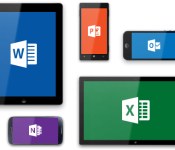
Microsoft’s Office for iPad Apps Gain New Picture Tools, Fonts, and Ability to Send Files as PDFs
Microsoft’s Office for iPad apps, including Word, Excel, and PowerPoint received a major update today that adds several new user-requested features to each app. All three apps have gained the ability to export files as PDFs, and each one has also gained new Picture Tools that let users crop to focus on the right part of an image. Third-party fonts have also been added to each app.
Excel now includes improved external keyboard support to make the experience of using Excel on the iPad more like a desktop usage experience. There are more print options available, and a new “Flick to Select” feature lets users flick to select all data in a row or column.

Word didn’t gain new features beyond the Picture Tools, Fonts, and ability to send PDFs, but PowerPoint has seen some improvements. The app has a new Presenter View that lets users view and edit speaker notes, see next slides, and jump to other slides while presenting. Presenter tools allow for highlights and drawings to be erased within presentations, while new media features make it possible for users to play videos, sound effects, and background music while presenting. There are also new tools to insert videos from the Camera Roll and add/edit hyperlinks.
Today’s update is the second major update the Office software has gotten since its March release. Back in April, the three apps gained some important features that had been missing since launch, including the ability to print directly from the apps.
Microsoft’s Office for iPad apps have proven to be highly successful for the company and back in May, just over a month after the software had been released, the apps had seen more than 27 million downloads.
Microsoft has committed to continually improving its Office for iPad apps, which now directly compete with Apple’s own iWork suite including Numbers, Keynote, and Pages.
All of the updates to the new Office apps are currently available and can be downloaded from the App Store for free. While the apps can be accessed for free, unlocking full capabilities, including editing and creating documents, requires an Office 365 subscription.
– Microsoft Word for iPad [Direct Link]
– Microsoft Excel for iPad [Direct Link]
– Microsoft PowerPoint for iPad [Direct Link]
.CPlase_panel display:none;

Apple Now Replacing Damaged iPhone 5s Displays in Retail Stores [iOS Blog]
 Apple will soon be able to offer display repairs on the iPhone 5s directly within its retail stores, alleviating the need to send the devices to an off-site repair center. As noted by 9to5Mac, Apple Stores are currently accepting large deliveries of iPhone 5s screens for the repair program and in-store repairs are set to begin on Monday, August 4.
The in-store repairs are part of an effort to lower repair costs. Apple first began offering in-store phone repairs for the iPhone 5 back in June of 2013, and expanded to iPhone 5c repairs in January of this year.
Users with a cracked or damaged iPhone 5s display that do not have AppleCare+ now have the option to pay a $149 fee to get the screen repaired right at an Apple retail location. Prior to establishing an in-store repair center, users were forced to pay $229 for a replacement screen as Apple had to send damaged devices off-site.
With the ability to replace iPhone 5, 5c, and 5s screens, Apple can significantly cut down on repair costs and wait times. In a June 2013 employee meeting, Apple noted that its in-house repair policies could save the company as much as $1 billion per year.
.CPlase_panel display:none;

Apple’s Content Delivery Network Now Live, Making Faster OS X/iOS Downloads Possible
Apple’s content delivery network is now live in the US and Europe, reports analyst Dan Rayburn of Frost & Sullivan (Via ArsTechnica). The CDN may deliver multiple terabits of data per second, allowing Apple to more efficiently to distribute software updates and other content to its customers.

Apple’s CDN apparently went live recently as current trace routes provided by Rayburn show that OS X downloads are piped directly from Apple to internet service providers, such as Comcast. Apple is paying for this direct route in order to avoid congestion and other issues during times of high volume traffic, such as when a new version of OS X is released. Other providers who possibly have negotiated these interconnect deals with Apple are rumored to include AT&T and Verizon, both of which have similar contracts with Netflix.
Apple has not publicly commented on its CDN plans, but the company is expected to use the network to deliver iOS and OS X downloads, while gradually transitioning its iTunes and App Store away from Akamai and other Level 3 CDNs.
“It’s too early to know how much traffic will come over and when, but Apple’s already started using their own CDN much faster than I expected. The pace of their build out and amount of money they are spending on infrastructure is incredible. Based on my calculations, Apple has already put in place multiple terabits per second of capacity and by the end of this year, will have invested well more than $100M in their CDN build out.”
Apple allegedly has been working on building this content delivery network for several years, with a rapid acceleration in the past year to bring the service online. The rollout of this network brings content delivery under Apple’s direct control, helping to ensure its customers can access data reliably and quickly.
.CPlase_panel display:none;

Shazam takes its music discovery powers to the Mac

Shazam has already covered ground on mobile platforms such as iOS, Android and Windows Phone 8, but now it is prepared to bring its media identification software to more devices. And it all starts with Apple’s line of personal computers. The newly minted Shazam for Mac, naturally, features the same discovery tools which have made the app as popular as it is today, with the main differentiator being that it’s new for desktops and laptops. Once installed, the application performs in a rather subtle way, running its trademark ID work constantly in the background, if you allow it to. On the home screen, additionally, it only takes a spot on the menu bar to let you glance at recently discovered media. We say “media” because Shazam isn’t just capable of recognizing music playing around you, but also other stuff like TV shows — this is something that’s also possible on the smartphone/tablet apps.
When Shazam is activated on your Mac and recognizes, say, a track, it’ll let you know via an OS X notification pop-up, after which you can choose to ignore or click it for additional details, including quick access to lyrics, videos and links to the iTunes store. But why would someone want to use this over the smartphone equivalent? Daniel Danker, Shazam’s chief product officer, thinks this is perfect for users who may be on their laptop listening to Spotify, or on the couch watching something on TV. Ultimately, Danker says the goal is to “give people a magical, effortless connection to the world around them.”
“We want to continue making our music and media discovery experience seamless by reaching fans on the platforms they already know and love, so launching on Mac was a natural next step,” he told Engadget.” And of course in the fall we’ll take yet another step down this path when Shazam becomes a part of Siri with Apple’s iOS 8 launch, making it even easier for people to explore music, quite literally with the touch of a single button.” It’s available now from the Mac App Store — though, as is often the case, there’s a slight chance you won’t see it show up right away.
Filed under: Home Entertainment, Portable Audio/Video, Internet, Software, Apple
Source: Shazam
.CPlase_panel display:none;

Indiegogo has a new iOS app for mobile crowdfunding

Like giving money to ambitious projects but hate using your computer? Well, that’s pretty weird. We think that’s weird. Thankfully for you, though, the folks at Indiegogo think that’s totally awesome, and they wanna cater to your whims with a new iOS app (yes, an Android version is on the way). Guess what it’s called! If you guessed “Indiegogo,” you’re spot on. And frankly, we appreciate your gusto.
So, what can you do with said app? Well, back projects for one. There’s also discovery, and you can follow campaigns as they work toward funding goals. That said, as always, buyer beware: Indiegogo projects make no guarantee of delivery. And with Indiegogo, even if a project doesn’t reach its funding goal, the project owner keeps the money they raised. Wanna know even more about crowdfunding services? We’ve got you covered right here. And if you wanna snag the new Indiegogo app from the iTunes App Store, it’s free and available here.
Filed under: Cellphones, Handhelds, Software, Mobile, Apple
Via: The Next Web
Source: iTunes App Store, Indiegogo
.CPlase_panel display:none;

Researcher Details USB-Based Attack That Circumvents All Known Protective Security Measures
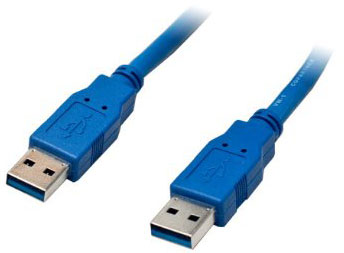 Security research Karsten Nohl of Berlin’s SR Labs has revealed a flaw in USB devices that potentially allows hackers to evade all known security measures used by a computer. In a report by Wired, Nohl says his BadUSB exploit is “almost like a magic trick” because “you cannot tell where the virus came from.”
The exploit takes advantage of a flaw that allows a hacker to tamper with the firmware that controls the functions of USB devices such as mice, thumb drives and keyboards.
Because BadUSB resides not in the flash memory storage of USB devices, but in the firmware that controls their basic functions, the attack code can remain hidden long after the contents of the device’s memory would appear to the average user to be deleted. And the two researchers say there’s no easy fix: The kind of compromise they’re demonstrating is nearly impossible to counter without banning the sharing of USB devices or filling your port with superglue.
“These problems can’t be patched,” says Nohl, who will join Lell in presenting the research at the Black Hat security conference in Las Vegas. “We’re exploiting the very way that USB is designed.”
Nohl, along with fellow SR Labs researcher Jakob Lell, will present additional details on this attack during a presentation at the annual Black Hat hacking conference, which will be held next week in Las Vegas. The title of his presentation is “Bad USB – On Accessories that Turn Evil.”
.CPlase_panel display:none;

