



List of Third-Party Keyboards Now Available for iOS 8 Users
iOS 8, released to the public today, includes an API that allows developers to create system-wide third-party keyboards for the first time, which will let users select from a range of different keyboards with unique functions.
We’ve rounded up a list of the best third-party keyboards currently available to you find the keyboard best suited to you. Some of these keyboards are in the App Store now, while others will begin rolling out today following the launch of iOS 8.
SwiftKey (Free) – SwiftKey is a gesture-based keyboard that allows users to type by dragging their fingers from key to key. Along with offering predictive suggestions, SwiftKey integrates with SwiftKey Cloud to let a user’s preferences be backed up and synced across all devices.
Swype ($0.99) [Direct Link]- Like SwiftKey, Swype is a gesture-based keyboard that allows users to drag their fingers from key to key in order to create words. Swype’s built-in predictive text engine determines what was being typed, and it offers predictive punctuation to speed up typing. Swype also includes several different themes for custom looks. SwiftKey and Swype are fairly similar, and Re/code has done a review comparing and contrasting them.
Minuum ($1.99) [Direct Link] – Minuum is a resizable keyboard that can be shrunken down (via swipe gestures) to allow more of the screen to be seen. Minuum also takes advantage of a robust autocorrect feature that automatically corrects spelling as words are typed and offers word suggestions.
Fleksy ($1.99) [Direct Link] – Fleksy is known as the fastest keyboard in the world. It incorporates advanced autocorrection features to interpret what’s typed (which improves over time) and it uses swipe gestures to make it easy for users to delete, add punctuation, spaces, and select alternate autocorrect suggestions. It also includes support for emoji and offers a resizable keyboard.
TouchPal (Free) [Direct Link] – TouchPal is another keyboard that lets users drag a finger over letters in quick succession to spell words, suggesting different choices based on input. TouchPal also offers a design that’s similar to the standard keyboard, but it incorporates quick access buttons to allow for easy insertion of punctuation and special characters.
TextExpander ($4.99) [Direct Link] – Built into an update of the existing TextExpander app, the TextExpander keyboard allows users to type in short abbreviations, which are then spelled out fully. For example, tyvm might become thank you very much.
KuaiBoard ($1.99) [Direct Link] – Formerly known as QuickBoard, KuaiBoard is not a traditional keyboard. It’s designed to let users insert chunks of frequently typed text like signatures, address information, billing information, and more. As outlined in our full hands-on post, KuaiBoard lets users create blocks of text that can then be inserted anywhere. It also has a feature that automatically detects a user’s location, allowing it to be typed into a text message or email.

Third-party keyboards require users to install a separate app for each keyboard. Once downloaded, a keyboard can be turned on in the Settings app. In Settings, go to General –> Keyboards –> Add New Keyboard and tap whichever keyboard needs to be installed. From there, it is easy to switch between available keyboards by holding down on the Globe or Emoji icon in any app that supports keyboards.
.CPlase_panel display:none;
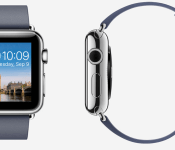
Ive on Apple Watch: One of the Most Difficult Projects I’ve Ever Worked On
In a wide ranging interview with Bloomberg covering culture changes at Apple, Tim Cook’s personality, the company’s move into Apple Pay, and the development of the Apple Watch, Tim Cook, Jony Ive, and Jeff Williams share some fascinating details on the work that went into creating Apple’s new wearable device.
According to Jony Ive, Apple first began developing the Apple Watch three years ago, before wearables caught on in Silicon Valley. The Apple Watch, he says, is “probably one of the most difficult projects I have ever worked on.” A huge amount of research was conducted for the watch, which was touched on at Apple’s introductory keynote event.

Apple invited several watch historians to speak at Cupertino, with one, French author and antique expert Dominique Fléchon saying that discussion centered around “the philosophy of instruments for measuring time.” Ive himself delved into horological history, studying clocks and watches throughout time.
Clocks first popped up on top of towers in the center of towns and over time were gradually miniaturized, appearing on belt buckles, as neck pendants, and inside trouser pockets. They eventually migrated to the wrist, first as a way for ship captains to tell time while keeping their hands firmly locked on the wheel. “What was interesting is that it took centuries to find the wrist and then it didn’t go anywhere else,” Ive says. “I would argue the wrist is the right place for the technology.”
Ive and his team experimented with a variety of interface interactions for the Apple Watch, including pinch-to-zoom, which the company joked about during the keynote as an unsuitable way to use the device because fingers cover the small screen. The team settled on the “digital crown” a physical button that can be used for a variety of tasks, including scrolling through options and accessing the home button. Ive went on to develop high-quality wristbands and unique packaging that “doubles as a charging stand.”
A staggering number of employees with various specialties worked on the Apple Watch, under the direction of Apple’s VP of operations, Jeff Williams. Hundreds of designers and engineers came together to design the S1 processor in the device, the heart rate sensor, and the special alloys used in casings and bands.
According to Williams, while Apple could have launched a watch in time for the holiday season, it wouldn’t have been “at the fit and finish and quality and integration of these products.” Apple wanted to make “the best product in the world” and is “willing to wait.”
Apple’s first wearable device is expected to be available to consumers in early 2015. Pricing details remain largely unknown, with the company stating that pricing will start at $349.
Cook and Ive’s complete interview with Bloomberg, which also has several details on how Apple runs under Cook, Cook’s personality and values, Jobs’ ongoing influence, recent hirings and acquisitions, and Apple’s partnership with IBM, is well worth reading to get a glimpse inside the walls of Apple’s Cupertino headquarters.
.CPlase_panel display:none;
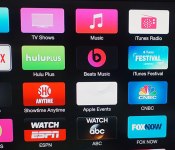
Apple TV Updated With Beats Music Channel, Revamped Design, iOS 8 Feature Support [Mac Blog]
Along with iOS 8, Apple has also released the new Apple TV software update that’s been in development for the last few months. The updated software includes new icons, which are designed to resemble the icons in iOS 7, taking on a flatter, less glossy look.
Several icons, like Music, Computers, and TV shows have new colors, and the on-screen fonts have been updated as well. The update includes support for several features that have been built into iOS 8 and OS X Yosemite, like Family Sharing and iCloud Photo Support.

With Family Sharing, families of up to six people with iTunes accounts that use the same credit card can share content like apps, iBooks, music, movies, and more, across all of their devices using iCloud. Family Sharing also lets families share photos, videos, a calendar, reminders, and more, to keep everyone in the family connected.
In addition to introducing a new look and new features, today’s update brings a Beats Music channel to the Apple TV for the first time, allowing users to log into their Beats accounts to listen to streaming music from the Apple TV.
The new software can be downloaded for free on the Apple TV by going to the Settings channel and selecting General –> Software Update. The update is limited to users who have third-generation Apple TV boxes.
.CPlase_panel display:none;
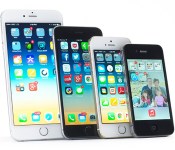
Apple’s iOS 8 is now available for you to download

Apple’s iOS 8 may not look too different from the version that preceded it, but trust us: there are plenty of new bits and bobs to get familiar with once you start poking around. Now that you’ve had some time to dig into our full review, you can take iOS 8 for a spin yourself — Apple has just pushed the update live, so check your iDevice’s settings to see if it’s your time to shine. Just keep a few things in mind before you enter the breach: the update will only install on the iPhone 4S and newer, the iPad 2 and newer and the 5th generation iPod Touch. Oh, and it looks like Apple is having some HealthKit trouble at the moment, so all HealthKit compatible apps have been temporarily removed from the App Store. According to tweets from Carrot Fit developer Brian Mueller, Apple has been saying that a fix is in the works but there’s no ETA on when it’ll actually take effect. Nothing like a few hiccups to kick off a massive software launch, no?
.CPlase_panel display:none;
Apple Said to Plan October 21 Media Event to Launch New iPads, OS X Yosemite
With its iPhone 6 announcement completed, Apple reportedly is preparing a second announcement event that will will launch new iPad models, claims AppleInsider, citing a trusted insider familiar with the company’s pre-launch logistics. The report points to the second half of October for the event, but The Daily Dot has gone a step further and predicted an October 21 event based on its own sources.
A person familiar with the company’s pre-launch logistics says Apple has set internal project and marketing deadlines of mid-October, ahead of the planned unveiling of major new products during the second half of the month. That would align with an anticipated media event previously rumored to be held at some point during October. The same source who spoke to AppleInsider has shared reliable information on product introduction and timing in the past.
If true, the schedule would align with Apple’s pattern for the last several years, which last year saw the company unveil its new iPad Air and iPad mini with Retina display in October with an availability date in early November. This year’s event may introduce updated iPad models that include a faster A8 processor, anti-reflective display and a Touch ID fingerprint sensor, although one report suggests most of the upgrades will be limited to the larger iPad Air model.
 iPad Air 2 mockup
Aside from new iPads, Apple is also expected to use the October event to finalize the details and availability date for OS X Yosemite, which was initially introduced at the company’s Worldwide Developers Conference in June. According to The Daily Dot, Yosemite will be released immediately following the October event, similar to the release of OS X Mavericks just after the conclusion of last year’s October event.
Other Apple devices in need of upgrades include the Mac mini, MacBook Air, iMac, and the Apple TV, but few details suggest updated these models will be updated before the end of 2014, particularly given Intel’s delays with its next-generation Broadwell processors. One recent rumor has, however, claimed Apple may release a new ultra-high definition 27-inch monitor with 5120 x 2880 resolution in 2014, but details on this desktop accessory remain sparse.
.CPlase_panel display:none;

Apple Apparently Finds Last-Minute HealthKit Problems, Pulls Compatible Third-Party Apps
 Apple appears to have discovered a significant last-minute issue with its HealthKit services for iOS 8, a problem that will result in a delay for the launch of new and updated apps that include HealthKit functionality. Apple reportedly has pulled HealthKit-compatible apps from the App Store and is confirming this issue to affected developers. As highlighted by MacStories‘ Federico Viticci, both CARROT Fit and MyFitnessPal have disappeared from the App Store after being updated with HealthKit support earlier today.
Well that’s a relief. Just got a call from Apple, there’s nothing wrong with CARROT Fit. HealthKit is just broken and isn’t ready to launch.
— Brian Mueller (@BrianMueller333) September 17, 2014
While the exact issue is unclear, it is certainly significant that one of the key features of iOS 8 does not appear to be ready to launch on time and that it is having a significant effect on third-party developers who have prepared their apps to take advantage of the new feature.
Sounds like HealthKit won’t be working at all this week. And there’s no ETA for when a bug fix will go live.
— Brian Mueller (@BrianMueller333) September 17, 2014
Apple introduced HealthKit alongside its new iOS 8 Health app as part of a new initiative into the health and fitness marketplace. The feature taps into data from sensors within the iPhone, as well as from accessories and manual data input. HealthKit will also be key for the launch of the heart rate sensor-enabled Apple Watch early next year.
.CPlase_panel display:none;
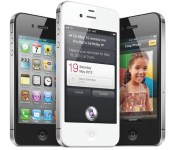
iPhone 4s Users May Want to Avoid iOS 8 Due to Performance and Screen Size Issues [iOS Blog]
Apple’s public launch of iOS 8 is happening today, but there is one group of iPhone owners who may want pass on the upgrade for now. According to Ars Technica, the overall experience of iOS 8 on the iPhone 4s is degraded enough that owners of this device may want to consider bypassing the update and remaining on iOS 7, despite the new features offered in Apple’s latest iOS version.
Apple’s iPhone 4s was launched in 2011 and is falling quickly behind the times. It includes a much slower A5 processor, doesn’t have an option for LTE connectivity, lacks Touch ID, and ships with 2.4GHz-only 802.11n Wi-Fi support. To maintain compatibility with the device, Apple has removed some features from iOS 8, including AirDrop and Handoff for apps. iOS 8 on the iPhone 4s also drops underlying support for OpenGL ES 3.0, the Metal graphics API, and 64-bit ARMv8 apps. As a result, overall app performance is slower and animations often are choppy.

The iPhone 4s suffers not only from the expected feature loss and slower performance, it also is hindered by its 3.5-inch screen. With iOS 8, Apple is designing the OS with a larger screen in mind and this limitation is apparent throughout the OS. Apps appear cramped, and those such as Mail that require text input provide very little space to compose a message.
Apple faced a similar challenge with the iPhone 4 and iOS 7 last year and managed to improve performance on older devices with its iOS 7.1 update. As a result, there is reason to hope the company can do the same this year for iPhone 4s owners looking to take advantage of iOS 8 and address some of the issues in a future update. iOS 8 will be available today and includes interactive notifications, third-party keyboard support, a new QuickType keyboard, extensions and more.

.CPlase_panel display:none;

Apple Releases iOS 8 With Continuity, Third Party Access to Keyboards/Touch ID, Family Sharing, and ‘Health’ App
Apple today released iOS 8 to the public, making the download available to all users who have an iPhone 4s or later, iPad 2 or later, 5th-generation iPod touch, or iPad mini. The update can be downloaded via iTunes or through an over-the-air update accessible by going to the Settings app and tapping General —> Software Update.
While iOS 8 is currently available for download, it may take a few minutes for the update to propagate to all users due to demand. In past years, Apple’s servers have been overwhelmed with traffic.
iOS 8 includes the same general design elements introduced with iOS 7, but introduces several under-the-hood improvements. Improved integration between Apple devices, both mobile and desktop, is a major focal point of iOS 8, with Apple introducing several new “Continuity” features designed to connect the iPhone, iPad, and Mac “like never before.”
The operating system also includes interactive notifications, app widgets in the Notification Center, and Messages improvements that let users manage group conversations for the first time.
Third-party access to both the keyboard and Touch ID has been enabled, and Apple has implemented its own keyboard improvements, in the form of its QuickType predictive keyboard. A new Health app is included with iOS 8, aggregating health and fitness data from a variety of apps and devices, and a new Family Sharing feature lets families of up to six people share apps, music, books, and more.
Our iOS 8 roundup has a complete rundown of all of the major new features introduced in iOS 8, and our separate features roundup showcases all of the smaller changes and additions made to the operating system throughout the beta testing period.
In addition to being released to the public today, iOS 8 will also come pre-installed on the iPhone 6 and the iPhone 6 Plus, which will be available beginning on Friday, September 19.
.CPlase_panel display:none;
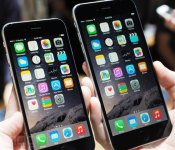
Apple wants to wean you from Android with its new iPhone guide

Apple is clearly hoping that its bigger iPhones will tempt you to switch from Android. It just launched a migration guide that helps move your stuff into the iOS universe, whether it’s a contact list, internet account or media collection. Some of the advice is fairly self-evident; email and social networks should come across without a hitch, and you’ll usually find App Store equivalents to any given Android program. You may find a few useful pointers, however, such as using iCloud as a go-between for your important documents.
There’s a degree of irony to the guide’s frequent use of drag-and-drop file transfers on Android, which isn’t strictly possible on iOS; you’re taking advantage of a feature that you’re ultimately giving up. There’s also no mention that the copy-protected content you buy in iTunes (namely books and videos) can’t come back to Android if you ever have second thoughts. Still, Apple’s tips are proof that you’re not locked into any one mobile platform — it just requires a little elbow grease to make the transition.
Filed under: Cellphones, Mobile, Apple
Via: SlashGear
Source: Apple
.CPlase_panel display:none;

What you need to know about the future of paying for stuff

We’ve virtualized much of the rest of the modern life — why not payments? Plane tickets, banking and many other aspects of our lives now live on our phones. Payments still exist in the world of paper and plastic.
Google has Google Wallet; Visa has payWave; MasterCard has PayPass; and American Express has ExpressPay. Apple just announced its own, with Apple Pay. If you’ve heard of any of these credit card services other than Apple’s recently announced system and maybe Google’s long-running program, we’re impressed. You’re in the minority; heck, one quarter of US citizens don’t even own a standard credit card, nonetheless a virtualized one. But virtual payments are more prevalent by the year, and Apple Pay is giving the concept a much-needed publicity boost. So, all that said, let’s talk about the future of payment.
Don’t throw away your wallet just yet.
WHAT IS IT?

When it comes to virtualized payment systems, we’re not talking about paying with your credit card number online, or even services like PayPal. We’re talking about the act of paying at a physical store with virtual means: your phone, for instance, or some forms of credit card. Perhaps you’ve got a special key for use at the gas pump, where you wave it near a part of the pump and you’re good to go? Same concept, except this is all payment scenarios (at major retail chains, anyway).
Google and Apple are using NFC — “Near-Field Communication” — to make this work. That means exactly what it sounds like: You put your phone or card near a reader and the reader accepts payment. We’ve got a video of Apple Pay in action right here!
http://www.engadget.com/embed-5min/?sid=577&playList=518408292&responsive=false
Pretty simple, right? What’s actually going on behind the scenes is a bit more complex, of course, but the implementation is meant to be painless. Ideally, even more painless than pulling out your credit card. And more secure, too.
HOW DOES IT WORK?
Here’s where things get technical, so bear with us for a moment. There are two main standards being used: NFC and ISO/IEC 14443. We already know that NFC stands for “near-field communication,” but it’s worth also knowing that NFC devices produce a very weak radio frequency. This radio frequency is what allows them to communicate with payment systems, and it’s that same radio frequency that the ISO/IEC 14443 uses: 13.56 MHz.
Technical junk aside, what matters here is that both systems play nice with each other. And that’s good, because a variety of credit card companies use the non-NFC system. Since those companies already outfitted retailers with their systems, no major change needs to be made for NFC-enabled phones to simply work as payment all over the USA. The list of vendors signed up for Apple Pay thus far is testament to that: Bloomingdale’s, Disney Store and Walt Disney World Resort, Duane Reade, Macy’s, McDonald’s, Sephora, Staples, Subway, Walgreens and Whole Foods Market.

Google Wallet similarly offers a stand-in for credit and debit cards; enter debit/credit information to the app, then use the phone as your payment device at participating retailers. And all those retailers where Apple Pay works? Google Wallet nows works there too, thanks to the fact that there are established standards for how these payment systems work, and those standards aren’t governed by a single company.
IS IT SECURE?

As you likely expect, this is a sticky situation. Let’s break it down, piece-by-piece:
- Do Google and Apple keep my credit card information? The short answer is no. The longer answer still starts with no, but also points out that your debit/credit information is probably on file with both companies anyway through Google Play and iTunes. There’s no reason to believe that either company can’t be trusted with keeping that data safe, but Target customers and PlayStation Network users may feel differently.
- Could my phone be stolen and used as payment? Also no, at least not easily. In the case of Apple Pay, you need a fingerprint ID to use it. In the case of Google Pay, a PIN is required.
- Could my phone be stolen and debit/credit card info removed? Still no. Part of NFC’s standardization is an aspect called the “secure element.” This is the chip where personal information is stored, securely and encrypted.
The question that really matters here is one of comparative security. Is virtualized payment more secure than traditional means? We’d argue yes, it is. Retailers in the US rarely check identification for debit/credit card use, and matching signatures is a remnant of the past. There are inconveniences that come with the new method — the inability to lend a family member a credit card, for instance — but those issues will assuredly work out in time.
WHAT ARE THE ALTERNATIVES?

Much of the world outside of the US has adopted a newer form of credit card which uses a built-in microchip and a PIN (sometimes called “Chip and PIN technology”). This “smartcard” has vastly reduced card fraud, but it never caught on in the US. It’s certainly an alternative, but not one that’s very effective if you don’t live in Europe. Smartphones, however, are worldwide.
A similar concept exists in the US, though it uses technology similar to NFC. It’s this technology, in fact, that led the charge for virtualized payment in retail stores. It’s no surprise that Visa, Mastercard, American Express and a mess of major US banks are on board with the new NFC tech from the likes of Apple and Google — it’s an evolution of technology they’re already using.
WANT EVEN MORE?
If statistics are your kinda thing, a great resource for this piece was the CreditCards.com. Perhaps you think this whole virtualized payment thing is a solution to a non-existent problem? The New York Times‘ Upshot section agrees. For the standards built into NFC tech, the Smart Card Alliance has you covered. Maybe you just want to watch Tim Cook excitedly introduce Apple Pay? CNET‘s got that.
[Image credit: Google (Google Wallet), AP Photo/Marcio Jose Sanchez (Apple Pay), Alamy (Chip and PIN card)]
Filed under: Cellphones, Wearables, Internet, Software, Mobile, Apple, Google
.CPlase_panel display:none;

