


Apple Asks Developers to Submit OS X Yosemite Apps to Mac App Store
Hours after Apple released a candidate golden master version of OS X Yosemite to developers and members of the public beta, the Cupertino company has begun asking developers to begin submitting their Yosemite apps to the Mac App Store. Additionally, developers can now submit their apps written in Swift to the Mac App Store as well.

Make sure your apps take advantage of all the great new features in OS X Yosemite, which will be available to millions of customers around the world later this fall.
Add powerful new functionality throughout OS X Yosemite with app extensions, explore the innovative new Swift programming language, and take advantage of advances in game technologies, Safari, iCloud, and more. To prepare your apps for the Mac App Store, download and build with the OS X Yosemite GM candidate and Xcode 6.1 GM seed from the Mac Dev Center. With the latest releases, Swift is now final and you can submit your Mac apps written with Swift to the Mac App Store.
The public release of the new OS is expected in late October and will include a redesigned interface and new features like Continuity, iCloud Drive and more.
Thanks Justin!
.CPlase_panel display:none;

Hands-on with Nokia’s Here Maps for Android

When Microsoft finally completed its €3.79 billion acquisition of Nokia earlier this year, the company took control of its smartphone business but left behind a number of Nokia’s other powerful and profitable properties. One such property was the company’s mapping division, now called Here, which has become the defacto maps app for Windows Phone users the world over. Nokia tried to replicate the experience on iOS, but after poor reviews and the admission things “went horribly wrong,” the company pulled its iPhone app and went back to the drawing board. As for Android, it looked like Nokia would never deliver a real Google Maps alternative.
Luckily, that’s all about to change. Thanks to some marketing muscle from Korea, Nokia will soon give Samsung Galaxy smartphone owners advanced access to its maps app. While Nokia readies Here Maps for Samsung’s Galaxy Apps store, which is expected to drop in the coming weeks, the company gave us an early preview of its new app, and it’s good.
When you first launch the app, you will be asked to sign up or log in. It’s important that you do, because you need an account to download maps and save collections for later. For ease of use, Nokia lets you use Facebook to sign in, but if you don’t like the idea of sharing data with Zuckerberg and co., you can simply use Nokia’s own signup form.
Once you’ve cleared that hurdle, you’ll immediately notice how basic the app is — there are no bells and whistles here. That’s no bad thing, because the app loads instantly and transitions are very smooth. Just like Google Maps, Here supplies the default mapping data (labelled Maps) and turn-by-turn navigation (labelled Drive).
Getting Around
Selecting Drive will immediately ask you select your destination. You can either enter a location directly or pull up a list of journeys you’ve recently made. Once you’ve plugged in that in, Here Maps will list the duration of the journey, the total number of miles, the main routes it expects to take and will also, as long as you’re not using offline mode (more on this later), list any potential traffic delays you might encounter on your journey. There are options to include or exclude major roads, toll roads, ferries or tunnels if your mode of transport requires you to.

In the wider settings, you can choose to enable a feature that will gauge your speed and warn you if you exceed a speed limit in a certain area. The app offers two sliders: one that lets you choose how fast you need to be going to trigger an alert in an area where the limit is under 50mph, and another for when you’re beetling down a major road (over 50mph). There’s the usual option to switch navigation voices, but unlike Waze, which offers guidance from none other than Terry Crews, you’re stuck with regular male and female voices in at least nine European languages (which I’d still consider a huge plus).
During my short test, Drive performed well. It delivered early navigation prompts, meaning you can familiarize yourself with your surroundings before you make the turn. Although I was navigating roads I’m already familiar with, the app appeared to list the most effective route (i.e. the one I would’ve always taken), but did provide alternatives just in case.
If you don’t have a car, Nokia also includes train travel and walking options. Once a destination is entered, the app will detect your current location and provide walking distances to your local station and a number of upcoming trains. Like when you’re driving, it’ll list the total journey and estimated arrival times, how many changes it expects you’ll make and also give you a detailed summary of the journey ahead of you.
Offline Maps

One of Nokia’s mapping strengths is its ability to offer offline data not just for specific countries, but entire continents. Google offers a way to make selected areas available offline, but even then you’re only getting a tiny fraction of what Nokia can offer. To enable offline mode, Nokia has included a small tickbox in the menu. As soon as you enable it, you can search for specific locations and enable turn-by-turn navigation, but you won’t benefit from traffic warnings or Nokia’s updated place listings. Be warned, though, if you want to use offline maps, you need to make sure you have a chunk of free space on your device. For reference, North American and European maps take up 6.8GB and 9GB, respectively, and there are no options to dial it down to capture smaller areas.
Offline maps are likely to be a huge help if you want to see the sights while you’re abroad but don’t want to waste money on roaming fees. Before you go, though, you can add the places you’d like to visit to a “Collection,” which you can then pull up when you arrive in a distant land. The point-of-interest database might not be as comprehensive as Google’s, but it’s certainly not lacking. Nokia also lets you share these locations with other people using its Glympse integration, letting others see where you’re visiting and possibly join you (if you’re online, that is).
The app provides a decent mix of features without becoming bloated or troublesome to use. If you’re looking for a legitimate alternative to Google Maps, Here Maps matches its rival in many aspects and betters it in others. The new iOS and Android apps will be available later this year, after Samsung has enjoyed its period of Android exclusivity.
Filed under: Cellphones, Internet, Software, Nokia
.CPlase_panel display:none;

Premier Inn’s new smart hotel lets you book, check in and get cosy with an app

More than four years in the making, Premier Inn has taken the wraps off its first smart hotel rooms. The UK’s biggest hotel chain has embraced mobile with both hands, letting you book your stay, check in and play with various room settings using its official iOS or Android apps. The 123 square-foot rooms in its flagship “hub” in Covent Garden (which opens in November but is now available to book) come furnished with a 40-inch smart TV and as much free high-speed WiFi as you can guzzle. With an app that can seemingly control everything, including the room temperature and what’s on the box, we wonder if London’s street performers will notice a sudden drop in donations as guests ditch sightseeing for some technology-enabled R&R.
Filed under: Home Entertainment, Internet, Software, Mobile
Source: Hub (App Store), (Google Play)
.CPlase_panel display:none;

Jawbone’s trackerless Up app syncs with Apple Health and other fitness services

As it promised mere weeks ago, Jawbone has launched a new version of Up for iOS that syncs data from numerous health services and doesn’t require its own tracker. Confusingly, the Jawbone app which does require an Up or Up24 tracker is also called ‘Up’ and is still available. However, the new version is more of a fitness catchall app that works with Apple’s Health and over a hundred other apps (and their trackers), like RunKeeper and IFTTT. Interestingly, it even works with Nest’s thermostat to “create an ideal sleep environment.” In fact, the new Up wants to manage all aspects of your health by tracking your sleep, nutrition and workouts. Once it learns your habits, the “Insight Engine” will then give you personalized health tips and other info. There are also social functions, including team tracking and the ability to boast about fitness milestones. Apple had pulled HealthKit apps a few days ago due to bugs, but after some scrambling they’re now back — you can grab Jawbone’s UP for iOS here.
Filed under: Wearables, Software
Via: MacRumors
Source: Jawbone
.CPlase_panel display:none;

Jawbone Launches HealthKit-Enabled ‘Up’ App Featuring Personalized Fitness Advice [iOS Blog]
Jawbone has launched its new Up app for the iPhone, which utilizes Apple’s Health app and HealthKit to track and deliver advice based on a user’s diet and physical activity. Not to be confused with Jawbone’s other Up app, this newest app does not require the company’s fitness tracker and works with over a hundred apps and devices, including MyFitnessPal, Strava Running and Cycling, IFTTT, and more.

Information from meals logged throughout the day can be used to help generate nutritional advice, while data from workouts can be used to help set goals for the future. The Up app also allows users to log their sleep, which can be analyzed and used to provide advice on future sleep adjustments. All of the advice generated is powered by Jawbone’s Insight Engine, which works with both recorded data and data from the Internet to deliver information on a variety of fitness-related subjects.
The app also includes a number of social functions, including the ability to add friends to a “team” to compare and track fitness scores and goals. Users can also set their own goals within a team and receive notifications when progress is being made. Insights generated by the Up app can also be shared through email, message, Facebook, and Twitter.
Up by Jawbone is a free app for the iPhone and can be downloaded in the App Store. [Direct Link]
.CPlase_panel display:none;

Google changes Google Search app name in Google Play Store

Google have finally updated the Play Store listing for the Google Search app to match the app drawer labelling and new launcher icon.
The Play Store listing now lists the app as just ‘Google’ along with the refreshed icon. Order is restored in the unity of the Android operating system.
Small change, but notable nonetheless.
Deals, Discounts, Freebies, and More! Click here to save today!
The post Google changes Google Search app name in Google Play Store appeared first on AndroidGuys.
.CPlase_panel display:none;

Goodreads on iOS looks and acts a lot like Facebook now

Short of appearing on Kindle products, since Amazon bought Goodreads we haven’t seen much new in the application. That’s all changed, however, as the iOS app has gotten an overhaul. As TechCrunch notes, upon opening it you’re greeted with a news feed that’s filled with your pals’ activity (including books reviewed and read), and you can like or comment on it as such. There’s a new navigation pane at the bottom of the application, too, that offers quick access to the home screen and a barcode scanner for adding tomes to your “to read” list, among other things. What’s more, creating a custom bookshelf for, say, your list of favorite tween-zombie-romance-nonfiction books is apparently pretty easy now as well. There isn’t an update for the Android version just yet, but we’ve embedded screenshots after the break if you want a preview of what the app’ll look like on your iDevice.
[Image credit: Shutterstock / Tony Taylor stock]

Filed under: Cellphones, Software, Mobile, Amazon
Via: TechCrunch
Source: iTunes
.CPlase_panel display:none;
More HBO and Showtime channels can now stream via the FiOS app

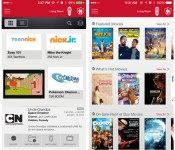
Attention all ye FiOS subscribers: Verizon’s announced more new channels for the service’s mobile app. While you’re still at home, now you can stream FOX Sports 1, HBO Latino HD, MAX Latino HD and More MAX HD to the Android, iOS or Kindle Fire device of your choice. If you’re out and about, you’ll be able to check out Showtime’s Family Zone, Showcase HD and Women channels in addition to Encore’s Black and Western channels. Need more? How about making your autumn family road-trip a little easier with Starz’s Kids & Family HD option? That’s an almost sure-fire ticket to backseat silence. Sure, there are still plenty of channels missing, but it’s pretty hard to complain when you can delay hearing “are we there yet?” for at least a little while.
Filed under: Cellphones, Home Entertainment, Tablets, HD, Mobile, Verizon
Source: Verizon, Google Play, iTunes
.CPlase_panel display:none;

Garmin wants third-party apps to come to its fitness watches

Garmin’s GPS watches and bands have been around wayyy longer than Android Wear and many other wearables, but the company’s opening its gates to developers just now. The fitness/navigation equipment maker has launched an SDK called Connect IQ, which Garmin hopes devs will use to create watchfaces, widgets that show info at a glance and, of course, apps specially designed for wearable devices. Sadly, you won’t be able to load apps on your old Garmin bands and watches — you’d have to wait for compatible devices to come out in 2015. According to DC Rainmaker, if you do get one of those supported devices, you’ll need to install the Garmin Connected Mobile app on your phone before you can load applications to the watch via Bluetooth, similar to Pebble. Question is: is there room on your “wearables to consider” list in a world where a bunch of Android Wear devices are already available and Apple watches are on their way?
Filed under: Wearables
Source: Garmin
.CPlase_panel display:none;

Manual app brings DSLR-like control to your iPhone snapshots

Thanks to the expanded third-party integration in iOS 8, app developers are able to take advantage of things like extensions for that Photos library. It also allows access to the iPhone’s camera settings, and a new piece of software offers another option for sorting just that. Manual, a $1.99 add-on for Apple’s handsets, allows you to tweak variables in a similar fashion to how you would with a DSLR. There are options for controlling shutter, ISO, white balance, focus and exposure bracketing. On top of all that, a rule of thirds grid keeps compositions in order, a live monitor eyes exposure and a fill flash mode tackles lighting woes. All of that may sound complicated, but the interface is quite simple, so you should be easily making your tweaks in no time — as long as you have the latest version of iOS, of course. Other apps, like Camera+, tackle manual controls too, so you’ll be able to take your pick when it comes to fine-tuning those photos.
Via: Uncrate
Source: iTunes
.CPlase_panel display:none;
 AIVAnet