


Secret Life of Pets Unleashed is a chaotic reprisal of the classic match-3 (review)
 Website screenshot
 There are dozens, if not hundreds, of match-3 style games available in the Play Store. The themes to these games are easily malleable by developers, based on an icon style (fruit, candy, etc), a general theme (island, WWII, etc), or as a extension of the latest popular movie or TV show branding & marketing.
The newer of these offerings falls into the latter category,
 Yep, 41 and playing this game. It’s what I do.
Secret Life of Pets Unleashed, offers up classic match-3 gameplay with the thematic branding of the recent hit kids’ movie. The game is plenty safe for young children, but can be played by all ages.
Setup
If you’re even remotely familiar with the match-3 style of game, this game won’t take any time at all to pick up and figure out.  First step is to pick up this free game from the Play Store (link here). After download and opening, you have the customary linking to Google Play Games. There are the usual (if limited) ‘settings’ available, such as music and sound effects on/off.
Gameplay
From here you’re directed right to clicking on the first level (there is no avatar, background, or other setup choices to make prior to beginning). As I stated earlier, in this game’s case the theme is to that of the movie “The Secret Life of Pets” (movie available for pre-order via this link), where the pieces are dog & cat toys, and the thinly-applied plot is for you to help the pet character of the given level to successfully wait at home for its owner, doing what it does best per the movie.
Again, it’s thinly applied at best, as most of this game style’s variants are. The core gameplay doesn’t change from most others you’ve played: you have to line up at least 3 of the same icon in a row (or sometimes in other shapes) to make them disappear. This drops all icons above down Tetris-style to fill the void. If you do well (or are lucky), these fall-in icons will align with others of the same look and you get a cascading, or domino effect of icon matches.
You can also gain ‘special’ icons through various efforts of a given level, such as lining up 4 or more (this gives you a special icon that will wipe out an entire row or column once adjoined with two other like icons).
I’ve played over a half-dozen levels, and while I can tell you there are more special icons and cascade effect out there, I honestly can’t tell you definitively what they are. This is because the action in this game is so frenetic, so chaotic, that it is very difficult to track exactly what great thing has been bestowed upon you by the particular aligning of certain icons.
At some points you can only sit back and watch the chaos unfold as icons fly in from off-screen, while others up and fly away, while at some points almost the entire screen of icons is wiped, replace, and almost wiped again. At most times I didn’t feel that I had a very manual hand in clearing a given level; as stated, most times I have no idea how it got cleared to begin with!
What I Liked
- Good colors, not too garish.
- Easy to pick up and play on a whim.
- Good for young children.
What Could Use Improvement
- Gameplay input is “locked out” during lengthly animation sequences; interrupts flow of play.
- Almost too-simple gameplay, seems hard to fail.
- Cascade/domino effects are too frenetic, almost impossible to follow what is happening on-screen.
Download Secret Life of Pets Unleashed here.
WhatsApp adds user mentions so you can’t ignore group chats
Anyone who has been included in a group chat knows how annoying they can be. You end up muting the thread to keep the notifications from driving you crazy. Sometimes you do need to see a message and WhatsApp is adding a new tool that will make it a little more difficult to ignore group chats. The app now has user mentions so you can make sure whoever you need to see a message gets a notification about it.
Like Twitter, Instagram and other social apps, using the “@” symbol to tag someone will alert them. And yes, it will do so even if they’ve muted a conversation. While the change will make it more difficult to ignore the group chats you want no part of, it does seem useful. When you take into account that WhatsApp allows 256 users in a group, it can be difficult to keep up or making sure the right person sees your note. You can tag multiple users at once, too.
The new feature is available in Android and iOS versions of the app, but you won’t be able to use it on the web. WhatsApp has been keen on regularly adding new features for group chats. Back in June, a new tool debuted that allows users to quote the exact message they’re responding to in a group thread.
Via: Wired UK
Source: iTunes, Google Play
Dodocool fast wireless charger: Solid performer for a reasonable price (review)
Smartphones have slowly been adopting wireless charging over the past few years. It’s a great way charge your phone if it is compatible with the Qi wireless charging standard. All you have to do is drop your phone onto the charging pad and it charges wirelessly.
The main downside to wireless charging is that it can’t charge as fast as traditional microUSB and USB type-C plugs which can transfer energy faster. However wireless charging speeds have increased and dodocool’s fast wireless charger is a solid option. I’ve been using it for a couple of weeks now, and consider it a solid option.
Build & Usage

The dodocool fast wireless charger delivers power to smartphones and tablets that are compatible with the Qi wireless charging standard. It delivers power faster than first generation charging pads, at up to 1.5 times the speed. The dodocool charging pad is a circular disk, made from plastic, with two soft rubber disks on the bottom and top to provide the base and attached smartphone grip.
It’s not the fanciest wireless charging pad I’ve used, but at $22.99 on Amazon, it’s a reasonable price. The dodocool wireless charging pad has a roughly 30 degree angle to it so you can place your smartphone on it and still maintain a good view of the display. This is especially nice for the latest Galaxy devices which have the “always on” display feature.
The rubber ring around the top provides enough resistance to give me confidence my smartphone will not slip off. The only issue with the rubber ring is that it is a lint magnet. No matter how many times I wiped it down, I simply could not get it 100% lint free. Over time this could get old as it will look dirty.
As a charger, it works as advertised. Phones that are fast wireless charging capable like my Galaxy S7 edge charged flawlessly. From dead to 100%, my S7 edge took about three hours to charge. That’s just over twice as long as it takes to charge the device using a fast charger. But it’s not an issue since I leave it on my desk and simply place my phone on it when I get home. If I’m ever in need of power, I usually can recharge in my truck or with a power bank when I’m away from home or the office.
There’s a nice indicator light in between the top and bottom half that glows green when it is plugged in and not actively charging a device. It turns blue when it is charging a device, and it’s not so bright that it lights up my room at night. It’s just bright enough to where I can find it in the middle of the night without having to turn on any other lights.

I did notice this charger was a little more picky with phone placement than other wireless chargers I’ve used before. It wasn’t so specific though that I had to fiddle with the placement after I learned where to place my phone.
Summary
The dodocool fast wireless charger is a solid option for $22.99. Samsung’s fast wireless charger costs twice as much, and for my money I would rather buy two of the dodocool chargers so I could keep one at my office and one at home for my nightstand. That way I don’t have to worry about charging my Note 7 with USB type-C while my S7 edge still uses micro USB.
The dodocool fast wireless charger is well built, with thoughtful features added in that make it a pleasurable charger to use on a daily basis.
If you’d like to learn more, head on over to Amazon.com and check out the dodocool fast wireless charger for $22.99. Dodocool has provided an exclusive discount code for our wonderful readers to save 30% off. Use discount code LOQ7TEK7 at checkout and the final price for the dodocool fast wireless charger will be $16.09.

ARCHEER 25W Bamboo Stereo 2.1 Bluetooth Speaker (review)
I received an interesting speaker from a company called ARCHEER to review. It’s ARCHEER’s 25 watt Bamboo stereo 2.1 wireless speaker that got its design cue from House of Marley’s Get Together Bluetooth speaker. I reviewed the House of Marley Get Together recently and found it to be one of my favorite Bluetooth speakers under $200.
The ARCHEER speaker is similar where it is made from similar materials and has quite a bit of sound output with it’s subwoofer and dual tweeters.
Let’s get into the review.
Design
It’s very clear that ARCHEER saw a popular design with House of Marley’s Get Together speaker when it put together its 25W Bamboo Stereo 2.1 wireless speaker. It’s made primarily of bamboo with canvas wrapped around the center portion of the speaker. The bamboo gives the speaker a real solid feel while the canvas gives the ARCHEER speaker a high-quality modern look.

The speaker has dual drivers that deliver the mids and highs which surround the center woofer that provides the bass. The bass is further enhanced with a port on the back allowing for more airflow.

Controls and connections are pretty standard, similar to what you would find on other wireless speakers. On the top of the speaker is where you will find separate buttons for power, play/pause, volume up/fast forward, and volume down/rewind. At the rear you will find a 3.5mm auxiliary port for a direct connection, a reset button, charge indicator light and a microUSB input slot for charging.

It also has a large internal battery rated at 5200mAh which is designed to last up to 11 hours at 50% maximum volume.
ARCHEER did a good job at recreating the House of Marley speaker in a smaller package.
Sound
If you are a bass aficionado, the ARCHEER Bluetooth speaker was made just for you. The lows on this speaker are very powerful which goes great with certain genres of music where bass is emphasized. The center woofer paired with the rear bass port make this speaker one of the loudest speakers I’ve heard priced under $100.
The two drivers manage to deliver crisp highs with mids to match. I’m not joking when I say the lows are the main focus of this speaker. At times, if you are are not directly in front of the speaker, the lows can drown out the mids rather easily. When you are in front of the speaker though, it does sound clear and detailed, there’s just an emphasis on the low end.
The power rating for the ARCHEER wireless speaker is 25W which is enough to get very loud. The size and power make it perfect for entertaining crowds in large rooms where it won’t be overpowered by people talking and laughing.
What is nice about the sound quality, is no matter what volume you have it set to, the sound scales well. At low volumes the bass maintains the same ratio as it does when it’s at the highest setting. Many speakers that focus on bass don’t sound good at lower volumes because all you hear is the bass, but this one sounds great across the entire power spectrum.
When it comes to the bass port, it sure does serve its purpose. The air it displaces is very noticeable when you put your hand behind it.
 The bass port displaces enough air to move tissue paper with ease.
If you find yourself wanting to reduce the bass for other genres of music, you can set the speaker on its back and the sound becomes much more balanced. Quite honestly, when the speaker is on its back is when I actually love the sound output the most.

Battery
The ARCHEER Bluetooth speaker easily meets the 11 hour playback rating with its 5200mAH battery. When played at higher volumes for long periods of time, it drains the battery at a much faster pace. Using it outdoors, I turned mine up to about 80% of maximum volume and frequently pulled down six hours of playback.
If you’re listening to it indoors there almost no need to turn it up beyond 50% due to the incredible power behind each driver.
Summary
ARCHEER did an excellent job of mimicking House of Marley’s Get Together wireless speaker with its 25W Bluetooth 2.1 speaker. It managed to build a high quality speaker, with an emphasis on the low frequency sound range while maintaining clarity and crispiness.
I’m glad ARCHEER didn’t throw in the typical microphone for taking calls, because there is almost no way calls would sound good with this much power output. It’s one of the most powerful speakers I’ve listened to sub $100, and think it’s a great option for using around the house or outdoors. If you like bass, this speaker has loads of it when you want it. And when you don’t, simply place it on its back for a balanced sound output.
I think this speaker would make for a perfect gift for college students who live in dorms or apartments.
Check out the ARCHEER 25W Bamboo Stereo 2.1 Bluetooth Speaker at Amazon to learn more.

Google’s latest acquisition should make Maps a bit better
Urban Engines has been analyzing city traffic and how people get around. So, naturally, it’d make sense if the company was acquired by an outfit interested in making its maps more efficient. That’s where Google comes in. The search giant has bought the Urban Engines with the sole purpose of improving Maps. “Location analytics is an important focus for both Urban Engines and Google, and we’re excited to combine forces to help organizations better understand how the world moves,” the announcement post reads. It’s a little early to tell exactly what Urban Engines will bring to the table for Maps, but based on its history, perhaps better routing around traffic jams is a pretty safe bet.
Via: VentureBeat
Source: Urban Engines
The Linksys EA9500 pierced my apartment’s WiFi-proof walls
I live in a two-bedroom San Francisco apartment built in 1916. It has a view of the bay and the top of the Golden Gate bridge. There’s crown molding, high ceilings and some pretty dope neighbors. It should be perfect. And it is — if you’re cool with plaster walls blocking 90 percent of all WiFi signals.
My livelihood is gadgets, most of which need to be online. But if anything is farther than 12 feet from the closet where I store my router, I know I’ll experience drop-outs or painfully slow speeds. I’ve resorted to using two routers placed in separate corners of the apartment. It’s ridiculous. So when Linksys offered up the EA9500 Max-Stream MU-MIMO router for review, I wanted to see if it could permeate what I assume are the lead-filled walls of my home.
Like most modern WiFi routers, the EA9500 resembles a spider that’s been flipped onto its back. The eight adjustable antennas can be positioned to optimize your signal. But, during setup I followed Linksys’ recommendation to leave the blades pointed straight up. I would have to decide later if I needed a little extra WiFi pointed in a particular direction.

If you’ve set up a router in the past 15 years, you know the drill: Plug the router in, find the wireless network, launch your browser, plug in the IP number. Fortunately in the past few years, Linksys has killed the default password in favor of a unique alphanumeric passcode generated during setup. That’s good news for folks who might not be aware that ‘admin’ and ‘administrator’ might not be the best username-and-password combo. (We realize that might not be you, dear Engadget readers, but perhaps your less tech-savvy relatives?)

After using the browser-based setup wizard I logged onto the router with my MacBook Air from the living room. Success! WiFi was flowing freely throughout my Faraday Cage of a home. Even the furthest room from the network closet was awash in free-floating zeros and ones. I was even able to log onto the network from my garage three floors down.
To accomplish this the router goes a little overboard for the typical home and you pay a steep price ($350) for all that future-proofing. The tri-band router can spew 1,000 Mbps on the 2.4GHz band and 2166.67 Mbps on one of its two 5GHz radios. That sounds awesome until you realize most of your devices can only handle about 1,300 Mbps. It’s like buying a Ferrari only to drive 25 miles per hour.
It also supports MU-MIMO — a wireless feature that creates dedicated data streams between the router and supported devices. The end result is quicker throughput. Right now it’s found on most high-end smartphones and Windows-based computers. Where you won’t find it are Macs. While the iPhones 6S and 7 support the wireless standard, Apple has yet to add it to their laptops or desktops. I use Macs so I’m missing out on the router’s coolest feature right now. Linksys sells USB dongles that add MU-MIMO, but they only work with Windows machines.
If you own a Windows computer, then, it should be amazing. Apple users are stuck using WiFI the old fashion way. While Apple is expected to announce new MacBooks before the end of the year, there’s no guarantee they’ll support MU-MIMO. That alone might give you pause to purchase the powerful EA9500 if that’s your platform of choice.
That said, the router and its companion app have made network troubleshooting in my house a breeze. Anything I can do from the browser, I can do from the app including setting up guest access, port forwarding, device prioritization, password changes, firmware updates and most importantly, restarting the router. All these features can be accessed both in the home and out which is especially helpful when you get a frantic call during the workday that the WiFi is down at home.
Finally, the EA9500 has eight gigabit ports, which are essential if you’re trying to fill your house with the Internet of Things and need somewhere to plug in all those hubs. But like everything else on the router, it’s probably overkill for the average user.

After a month of use, I can’t imagine going back to another router, even with the lack of MU-MIMO support on my computers. But, I’m an extreme use case. I need all those gigabit ports, my home is a giant lead cage and frankly, being a tech reporter gives me more reason to be ahead of the curve. For the average home, the features on the EA9500 are mostly unnecessary.
If you’re in the market for a router and want access to the helpful Linksys app, the less expensive $250 EA8500 is a more than adequate 802.11 router with MU-MIMO. If you don’t need MU-MIMO because you live in an Apple house, the E8400 is a dual-band router that’ll cost you $230.
As for me and my home, I’ll continue to enjoy wireless access to the Internet in my entire apartment for the first time since I moved in.
Source: Linksys
Energy Bar review: The coolest way to check your battery

Your battery indicator. Probably the most boring aspect of any smartphone. In fact, I bet the only time you notice it is when you’re phone reaches 15%. For most of us, our battery icons do not do a good job in showing just how much juice is left in our phone.
Sure, you can toggle an actual battery percentage to appear in your notification bar, but that takes up valuable space. And if you have the percentage displayed in the icon itself, the number is no readable at a glance. Haven’t you always wanted a freaking glowing bar at the top of your screen so you could always tell your battery level at a glance? No? Well finish the review, and I bet you’ll want one.
Haven’t you always wanted a freaking glowing bar at the top of your screen so you could always see your battery level at a glance? No? Well, finish this review, and I bet you’ll want one.
Setup
 Before we take a dive into the Energy Bar app, let’s take a second to discuss the super straightforward setup. The app is free to download, and once you have it installed, you just need to enable it in the app. It will also take you to the Accessibility menu of your phone where you will also need to enable Energy Bar.
Experience
So what is Energy Bar all about? Its description calls it a pulsating energy bar, which sounds like the most annoying thing you could ever experience. But let me assure you that it is far from annoying.
Once enabled, it appears as a glowing bar across the top of your screen. As your phone’s battery diminishes, the bar moves to indicate how much charge is remaining. While it does not give any precise numbers, the bar does provide the easiest way to check your battery with a glance.

From my experience using Energy Bar, I found that it was quicker for me to tell how much battery was left using this rather than the stock battery indicator. How many times have you needed to know your exact battery percentage anyway?
When you are charging your device, you will also get a nice animation with segments of the bar being added as long as you have your device plugged in.

In the Energy Bar app, you will find several options for customizing the bar. First, you can choose between Normal Bar and Status Bar. The latter will replace your notification bar with the Energy Bar for a unique look. If you stick with Normal Bar, you can then decide how thick you want it to be.
You can also change the origin of the bar if you would like it to begin in the middle or right of your screen. The one setting I highly recommend selecting it to Auto Hide the bar for fullscreen apps. This way, any time you are using an app that takes up the entire screen of your phone, the Energy Bar will disappear along with the notification bar.
Under Color Configuration, you can let your creativity flow and change the color of your battery bar. You can separate the bar into segments of different colors so that once your battery passes a certain percent, the bar changes colors, too. This option makes seeing your battery percentage with a quick glance even easier.

If you would rather have your bar move as a gradient from one color to the next as your phone loses battery, you can select that option instead.
Here comes my biggest complaint with Energy Bar. While the most important settings like Auto Hide on fullscreen and bar thickness are included with the free version, more advanced settings like Status Bar mode and Gradient bar color are only usable after you pay. Unlocking all the features will cost you a whopping $1.99.
Final Thoughts
For many, I imagine the free version of Energy Bar will be enough. But those of you looking for more creative freedom might have pause when it comes time to pay. I personally stuck with the free version, but $1.99 isn’t a bad price to pay for an app like this. The paid version is ad-free, as well. Energy Bar adds an extra level of convenience to your phone as I believe all customization apps should, and I recommended it with the highest of praise.
Get your glow on!
Microsoft renames its Health app after the Band wearable
Sure, Microsoft may not be releasing a new version of its Band activity tracker this year. But that hasn’t stopped the company from rebranding its generically named Health app on Android, as noticed by Paul Thurrott. “We’ve got a new name! The Microsoft Health app is now the Microsoft Band app, everything else is the same,” the patch notes say.
Apparently, bug fixes are a part of the update too, but if recent Google Play reviews are anything to go by, the application still needs a ton more where those came from. Over on iOS, the app still carries the Health name. Now to see if a new moniker sparks fresh interest from its developers. Spoiler: it probably won’t.
Via: Paul Thurrott
Source: Google Play
Top 5 Android apps for privacy and security
Are you a fan of Android, but maybe not Google? Are you tired of using services that track your every move, what you say and use that information against you? Here is a roundup of our favorite apps for privacy and security.
Email: Protonmail
Protonmail is an encrypted email service based in Switzerland. Since your data is stored on Swiss servers, they are protected by strict Swiss privacy laws. You get strong security with end-to-end encryption, so third parties like Google or the NSA (is there a difference?) can’t read them.
Protonmail doesn’t keep any personal information, not even IP logs. It’s compatible with OpenPGP and fully open source. You can protect emails with passwords, send emails that self-destruct and use custom labels and filters.
Protonmail comes in three tiers: Free, Plus and Visionary.

Google Play Link | Source Code
Messaging: Signal
By using Signal, you can send fully private messages to your friends and family. It offers end-to-end encryption on all of your messages. Unlike Facebook Messenger or Google Allo, every message is in incognito mode.

Just like most other messaging apps, you can chat with people one on one or create groups. Signal is free and open source software (FLOSS) so anyone can verify its security. The app uses your existing phone number and address book.
Not only can you send private messages, but you can also use Signal to call people anywhere in the world with no long distance charges.
Google Play Link | Source Code
VPN: LiquidVPN
LiquidVPN is a great tool to protect your web browsing. Many people recommend using a VPN on public Wi-Fi, but we at AndroidGuys recommend using a VPN all the time, on public and private Wi-Fi.
With LiquidVPN you can hide your IP address, encrypt your data, bypass censorship and unblock websites. The Wyoming-based company has servers located in nine different countries.

The service has unique features not found with other VPN providers, like modulating IPs, a custom DNS service, shared IP VPN tunnels and a technology called Liquid Lock. Liquid Lock controls your system’s firewall so only encrypted traffic can stream out.
LiquidVPN has three plans:
- Sidekick: $7/month (two devices)
- Road Warrior: $10/month (four devices)
- Ultimate: $18/month (eight devices)
Google Play Link
Cloud Storage: Mega
Mega offers 50GB of free end-to-end encrypted cloud storage. Dubbed “The Privacy Company” Mega is a New Zealand-based company. With Mega, you can automatically upload your photos and contacts.

You can upload, download and share encrypted files with other people. They have a free plan as well as several paid plans, giving you more storage and better bandwidth. However, you can only buy the pro plans through third-party resellers.
Google Play Link
Web Browsing: Orbot
Orbot is a free tool that lets you browse Tor. Although Tor isn’t without issues, having been notoriously hacked by the FBI, it’s still generally secure enough for the majority of users.
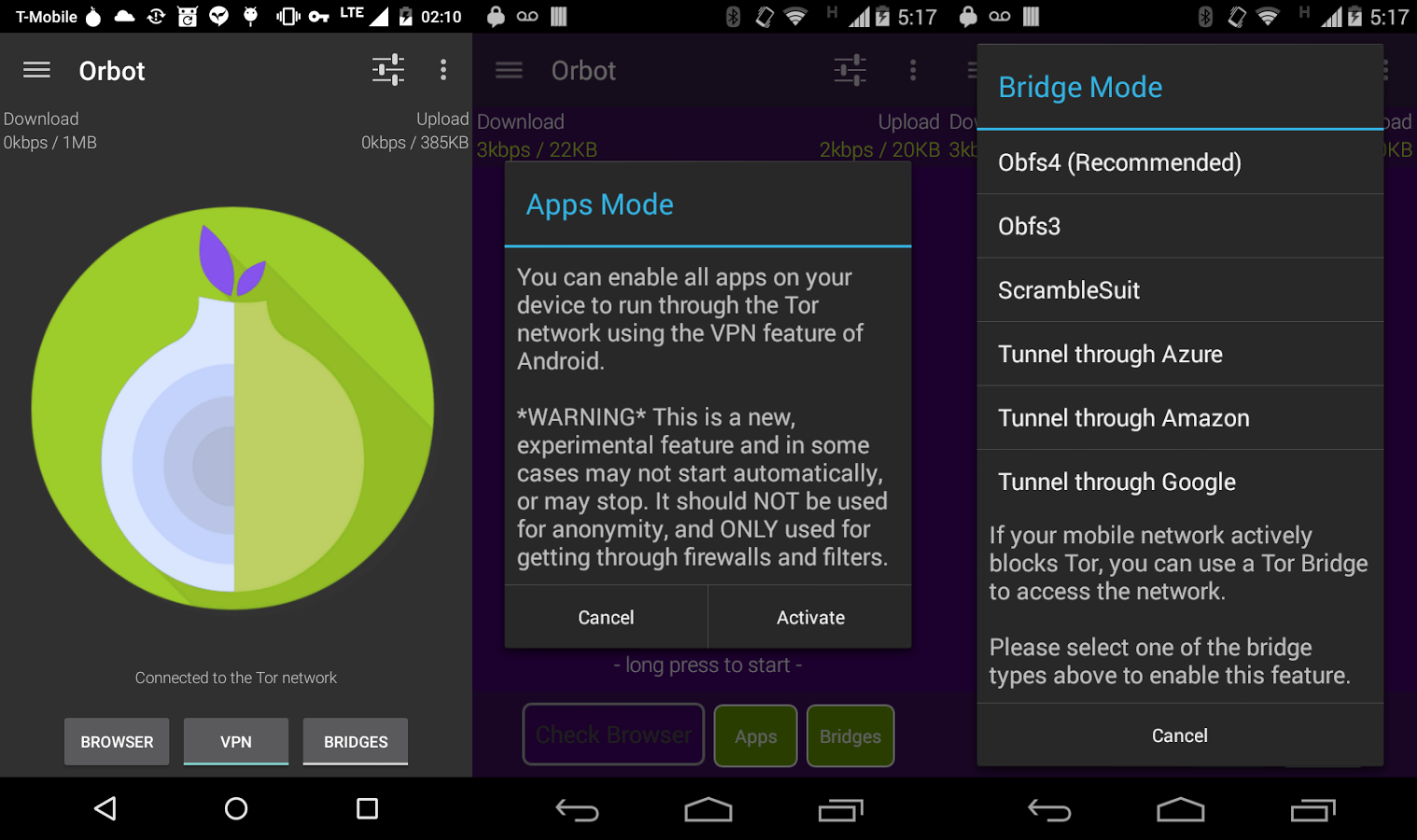
Orbot encrypts your web traffic and routes it through a system of nodes/relays around the world. It’s open source and if your phone is rooted, you can route all app traffic through Tor, not just the internet.
Google Play Link | Source Code
Conclusion
As you can see, being safe and secure while using the internet is easy. As technology becomes more advanced and the Internet of Things becomes further entrenched in our lives, privacy will become more important in the future.
Further Reading: www.privacytools.io – encryption against global mass surveillance 🔒
Vtin 20W Waterproof outdoor Bluetooth speaker (review)
I’ve been on a binge lately of reviewing accessories from brands you probably haven’t heard of outside of Amazon. It’s been a goal of mine to get more information out to you readers on products that are more affordable. Keep in mind, I love the expensive stuff as much as the next person, and if I was worried about reviewing everything I liked, it might not make the most sense for our audience. Sometimes it just doesn’t make sense to spend and extra $100-200 just for a little extra that will be hard to notice over time.
Technology is not timeless. Unlike a Rolex, almost all tech gadgets have a limited lifespan and it’s not always necessary to drop the most money you can afford, especially on accessories. I’ve been using the Vtin 20W waterproof outdoor speaker and am happy to tell you there’s another great option for your wireless music under $40.
Vtin 20W Waterproof outdoor speaker – Build
The Vtin 20W wireless speaker is a rectangular and rugged device that’s built to withstand the elements. It is a metal framed seven inch speaker that’s a great size for portability with its rubberized exterior. There are two front facing drivers with a rear facing subwoofer which is usually found on higher end speakers such as the Bose SoundLink Mini II.

The drivers and subwoofer are protected by metal grilles that are very sturdy and provide excellent protection. Controls are found on the top of the speaker and are protected by the rubberized coating. The controls are the basic + for volume up (hold for 1s) and fast forwarding songs with a click. The – control is for turning the volume down and rewinding to the previous song with a single click as well. There’s also a power button and a call answer/end button on the top as well.
On the side of the speaker is a port for a microUSB charger, as well as a 3.5mm AUX input protected by a rubber flap. On the opposite short end of the speaker is a loop for attaching the included carabiner so you can hook it to a backpack or tent when outdoors.

The exterior protection is rated to withstand splashes and drops with an IPX4 rating. Overall the Vtin wireless speaker is very well built and is definitely built to withstand the elements.
Sound
The Vtin 20W wireless speaker manages to find a great amount of clarity and balance in the mids and highs. It’s actually quite detailed on the highs which is great for outdoor listening, as highs tend to travel better over distance than lows and mids. Rugged speakers that don’t sound good indoors are a no-go for me, but the Vtin sounds just as good sitting next to me on my nightstand as it does when I’m at the park.
Even though the Vtin wireless speaker has a relatively large subwoofer on the back, it doesn’t manage to drive the deeper lows that you’d want with rap or hip hop. The speaker would probably perform better in with the low frequency range if it had a bass port to move more air, but that would probably sacrifice the IPX4 rating. Nonetheless, the lows are present enough to make music enjoyable.
The Vtin 20W speaker also gets loud enough to enjoy outdoors on hikes with its compact size. It’s also loud enough to entertain a group at a standard sized campsite, while not being loud enough to disturb the whole campsite. Also with its lack of emphasis on bass, it definitely won’t be bothering next door neighbors and that’s a good thing.

I love audio products and have ever since I got my first tape deck as a kid. I’ve listened to a wide range of speakers in all price categories, and have massive floor standing towers in my office with a 15″ sub. I’ve also owned and listened to earbuds and headphones in the $1000+ price range, and while it’s fun to be very analytical, what matters most is if I actually enjoy the speaker/headphones I am listening to at the moment.
The Vtin won’t meet many audiophile’s needs, but for someone who has listened to a wide range of audio products, I find myself singing along with the Vtin just like my other high-end products. That’s they key to loving audio products, is enjoying your music and I definitely get that with the Vtin wireless speaker. Once you’ve “been there and done that” you realize that price is most important factor at the end of the day.
With that being said, I’m not a huge fan of the included microphone for taking calls. It picks up a little too much background noise and the person on the other end of the line struggles to hear me at times.
Battery Life
The Vtin wireless speaker’s biggest accomplishment is its outstanding battery life. The manufacturer states 25 hour battery life at 70% volume, and I can attest to it. It has a 4400mAh battery and I got through several cycles of 20+ hours of usage. That’s pretty insane for a portable speaker that manages to not feel heavy.
20+ hour battery life makes sense for being an outdoor speaker since many people might not have access to a charger for a couple of days. It’s also double or triple the battery life of competing speakers in the rugged category.
Overall
I’m impressed with the Vtin 20W waterproof outdoor speaker. The list price for the Vtin wireless speaker is $39.99 at Amazon and is well worth the price.
Let me emphasize, the Vtin holds its own against speakers double and triple the price in the sound department with its clear and detailed sound. It puts out sound thats enjoyable, loud and sing-along worthy.
The battery life is the star of this speaker and there are very few that can compete no matter the price range.
Also at $39.99 you won’t worry about getting it wet or dirty when you bring it along on your outdoor adventures. It’s an all around great speaker for the price that won’t make statements with a fancy exterior, but the substance is all there.
From now until October 31, Vtin has given you AndroidGuys readers an exclusive discount code (88GD8B7V) to save $5 to bring the price down to $34.99 at Amazon with free Prime shipping.

 AIVAnet