


Kohl’s is the latest retailer to roll out its own mobile payments
If you like to shop at Kohl’s and need an alternative to Apple Pay, Android Pay or Samsung Pay, you’re in luck. The retailer announced today that its own mobile payments platform, Kohl’s Pay, is now available to all customers nationwide. The company revealed last month that its take on payments would complement its existing mobile wallet app that gave customers a way to store payment info, organize rewards and collect promotions in the same spot.
Unlike retail mobile payment platforms from Walmart and CVS, Kohl’s Pay doesn’t allow customers to add their credit and debit cards to the app for use in stores. Instead, you’ll have to sign up for one of the company’s own Kohl’s Charge cards. While that might seem like an odd choice, TechCrunch reports that the retailer has 25 million customers actively using its credit cards with 60 percent of in-store purchases being paid for with Kohl’s Charge. That’s a substantial number of people you could bring to the mobile platform even if they can’t add any payment method they want.
The payments system is available inside the store’s existing mobile apps for Android and iOS. The Kohl’s app also doesn’t support NFC or tap-to-pay like Apple Pay, Android Pay and Samsung Pay. Instead, it displays a QR code that’s scanned by the cashier at checkout. That code is used to not only handle payment, but to apply any savings a customer has stored in the app, too. When you combine the ability to pay to for items, organize discounts/promotions and track returns, exchanges and regular purchases, Kohl’s is giving its customers a handy shopping companion. And that’s on top of using the app to browse items, save gift cards to the mobile wallet and scan barcodes will looking around in stores.
Kohl’s still supports Apple Pay, including the ability to earn loyalty points when using that payment method on an iPhone or Apple Watch. It was the first retailer to do so and it was also the first store to allow customers to use its own credit cards with Apple’s payment platform.
Via: TechCrunch
Source: Kohl’s
Samsung’s LED Flip Cover is one of the coolest cases for your Galaxy Note 7
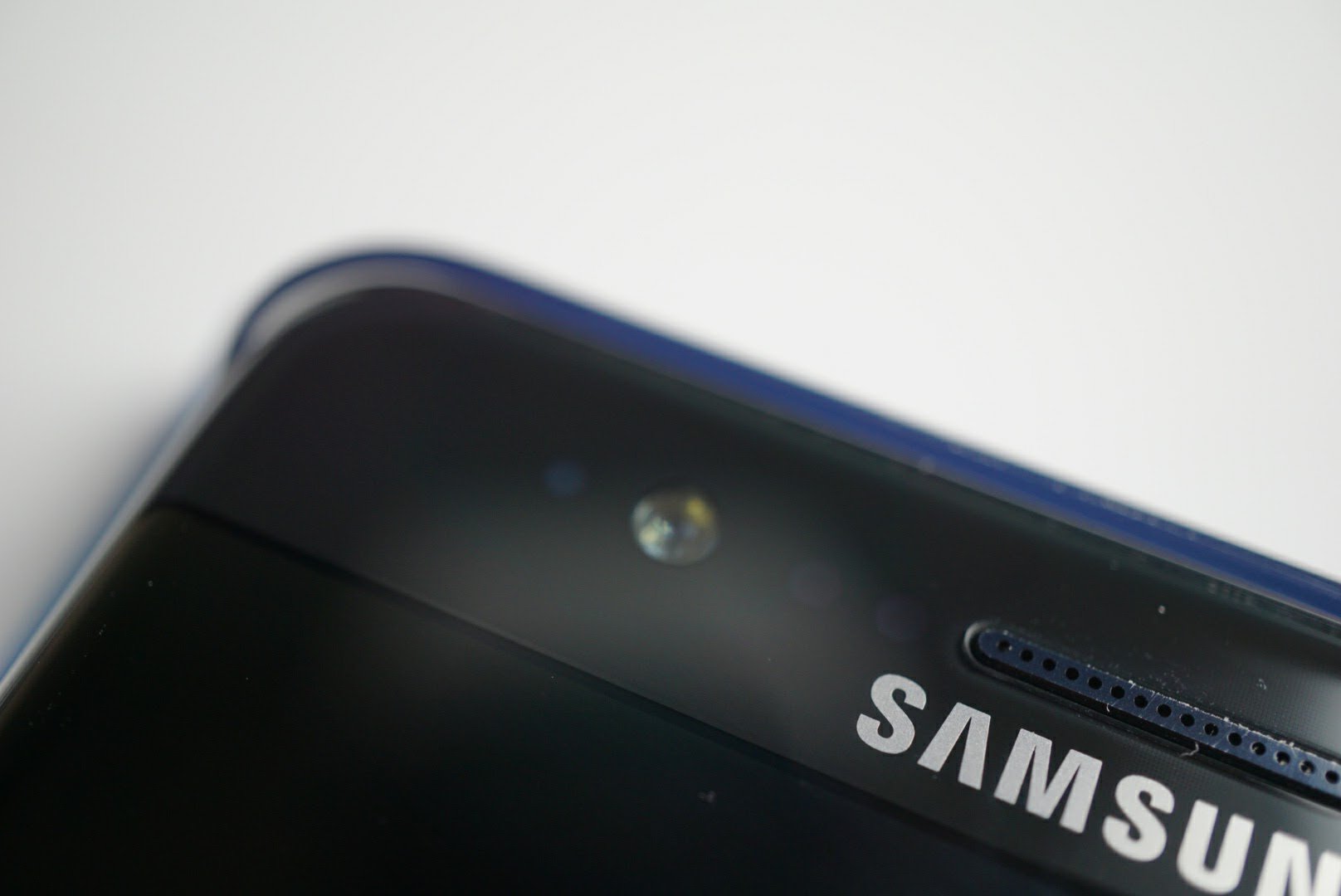
If you’re one of the many who purchased a Samsung Galaxy Note 7, you know it’s easily the best looking Android smartphone of the year. The curved metal edges flow beautifully into curved front and rear glass making for a device that grabs attention as soon as you pull it out of your pocket. That beauty comes with a risk – no matter what version of Gorilla Glass used, it still can shatter or scratch given the right conditions. That’s generally why most owners of the Galaxy Note 7 use a case and for a phone of such beauty. So why not consider a case that accentuates the device rather than just protects it?
I recently picked up the official Samsung Galaxy Note 7 LED flip cover in Blue and think it is pretty darn cool.
Let’s check it out.
Build and Usage
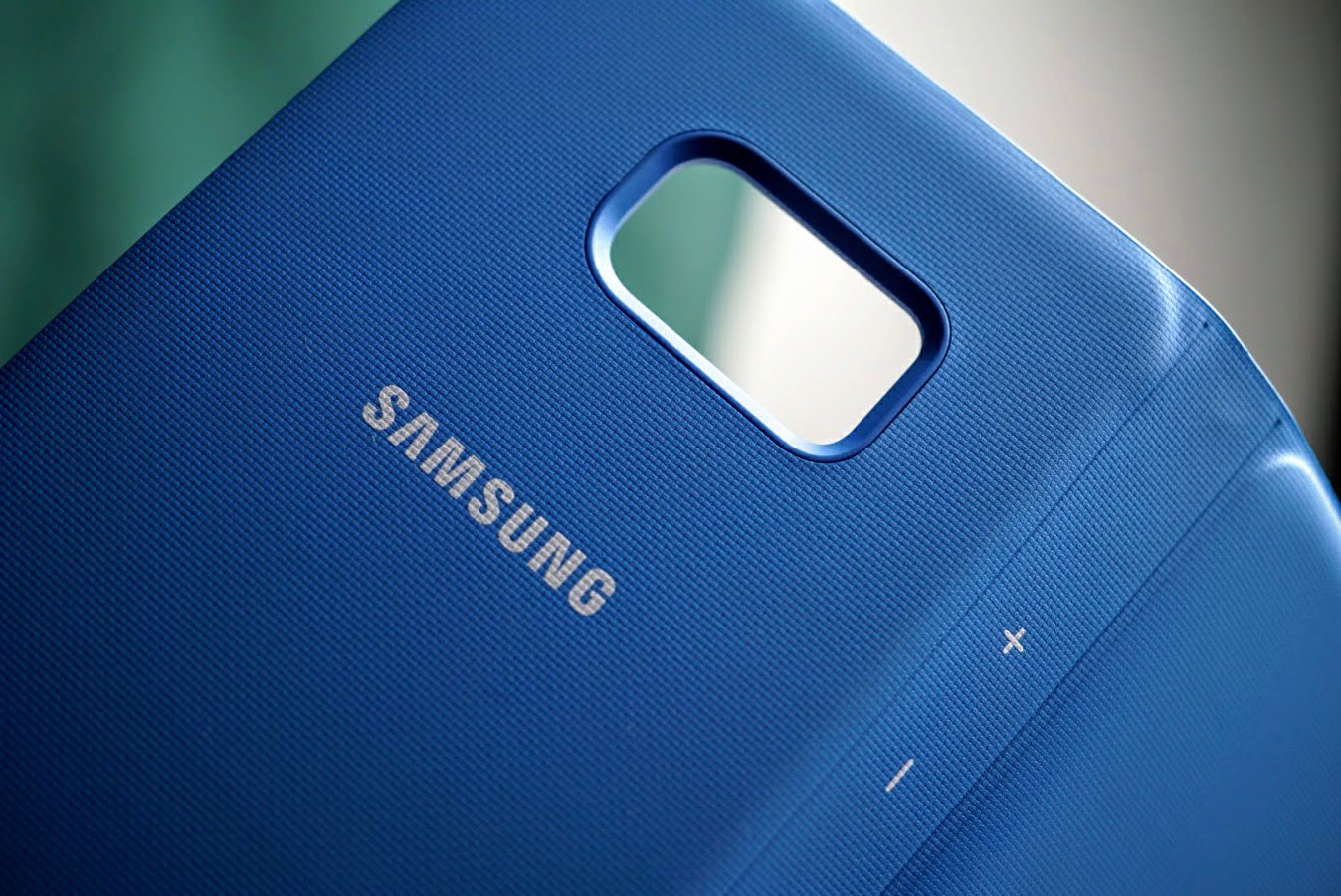
The LED flip cover is an official case from Samsung for the Galaxy Note 7. It’s a wallet style case where you clip your phone into it and a flap folds over to protect the front. It’s made of an ultra soft, yet textured plastic with an internal frame that acts as a skeleton to offer drop protection.

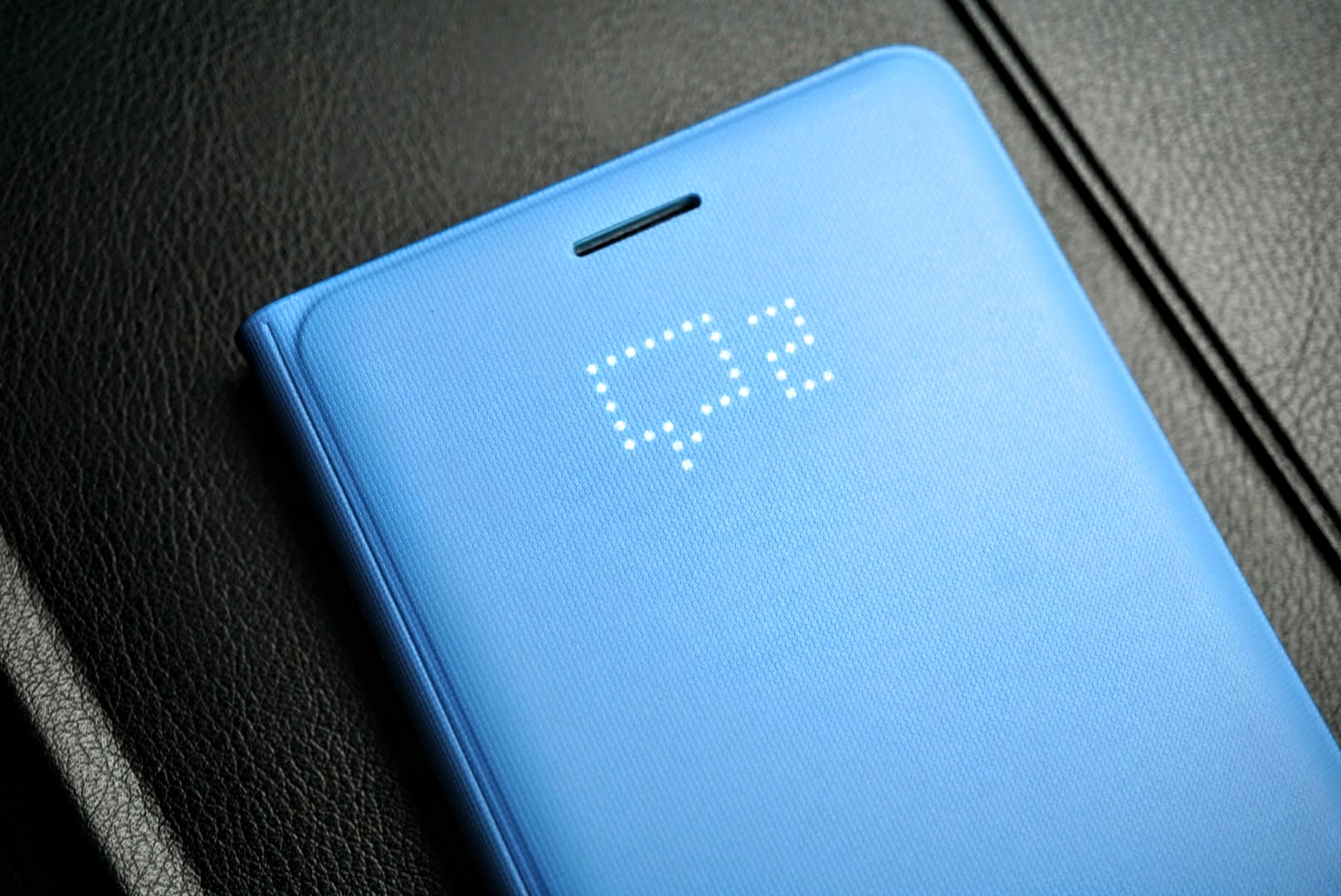
It fits over the sides of the Note 7 rather cleanly and is made from a hard clear plastic which allows the color of the phone to show through. As a wallet case it is made as good as any I’ve come across, but its unique feature is the NFC enabled LED lights that show notifications, phone calls, texts, alarms and more.
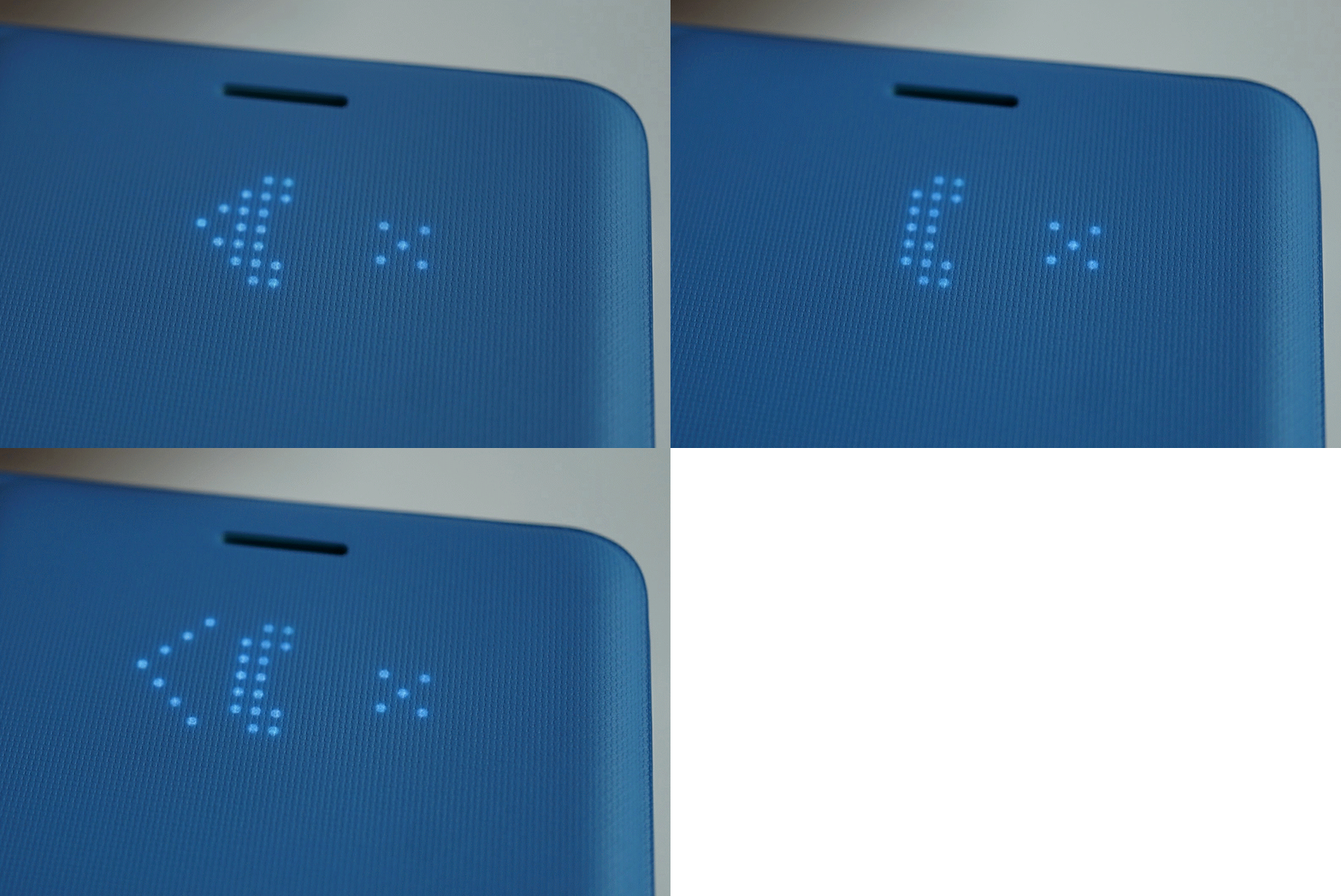
You can even customize your own icons once you download the proper support.
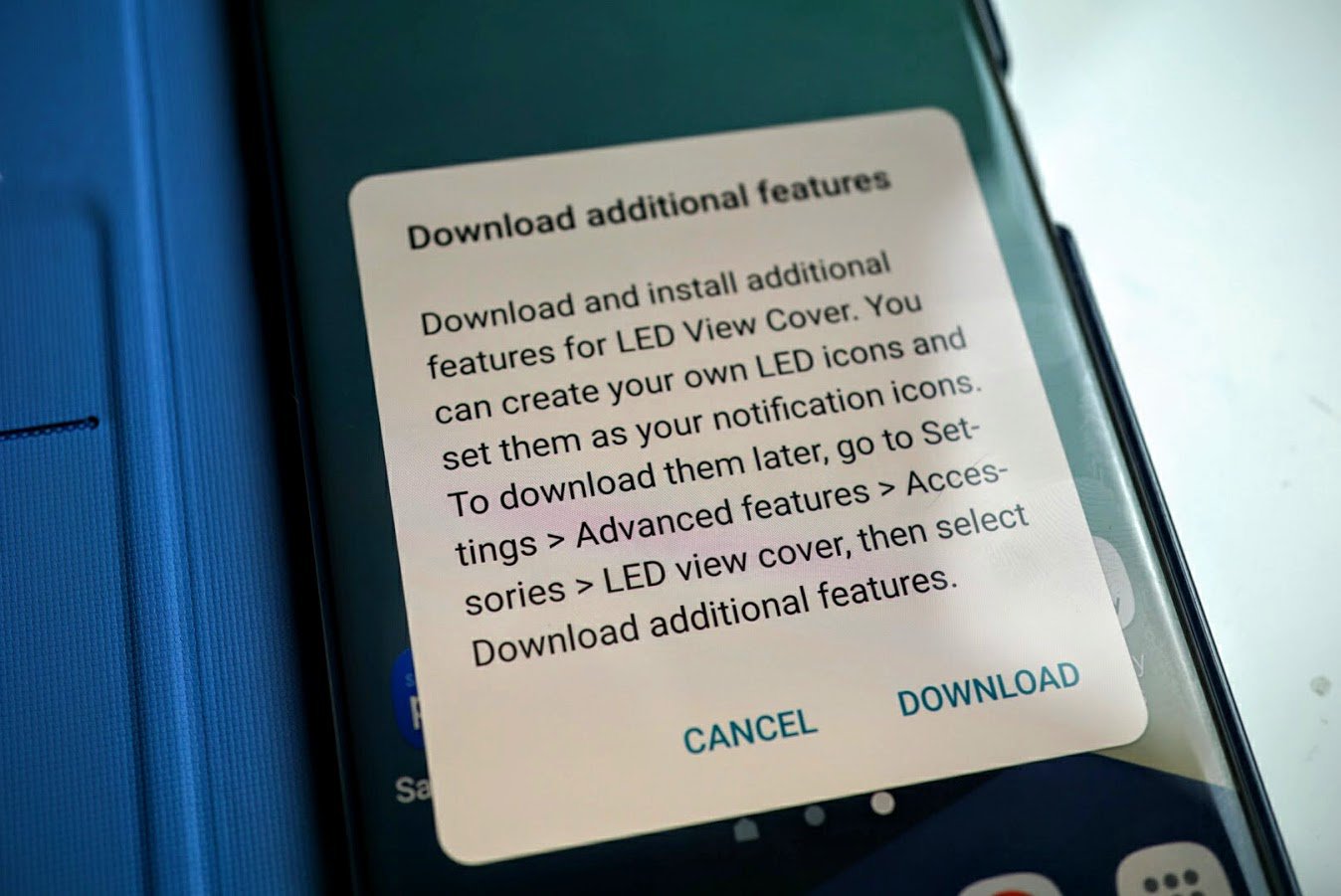
Even though Samsung provides instructions on how to download the additional features as you see in the image above, the phone automatically detects the case the first time you install it and offers you a direct download. It’s certainly a smart case and is easy enough for anyone to use.
The LED lights on the front are activated by simply opening and closing the case or pressing the power button on the Note 7. It is also activated when a notification pops up to indicate:
- Time
- Music playing
- Unread messages
- Phone calls
- Missed calls
- Alerts
- Low battery
There’s also a card slot on the interior of the case which has enough room for up to two credit cards. By not offering more slots, it keeps the case and phone thin enough to not be noticeable in your pocket.
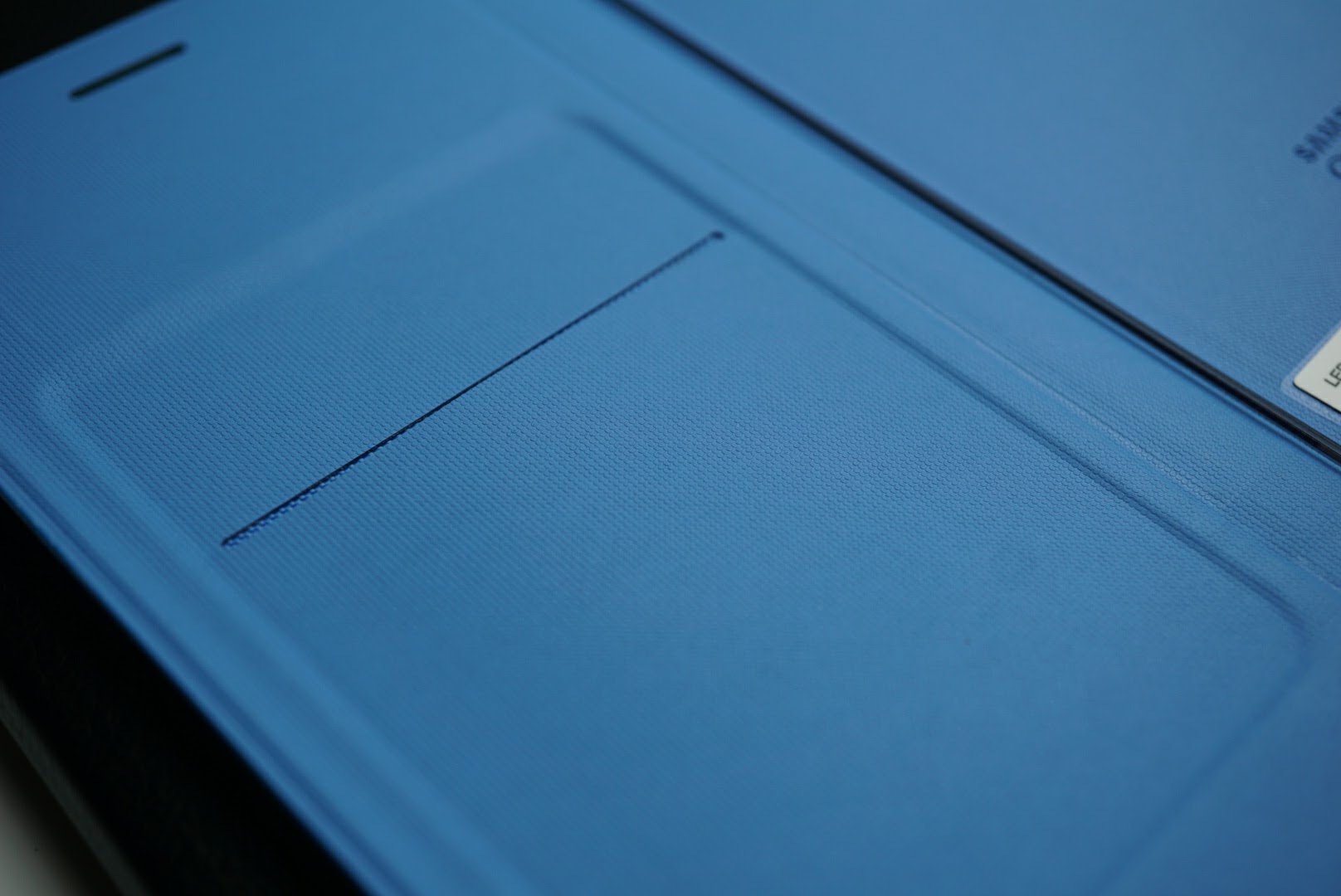
The case doesn’t come cheap with a price tag of $59.99, but you can find it for under $40 at Amazon. It comes in black, gold and blue like shown in the images. I grabbed the blue for added color to my all black Note 7 and absolutely love it.
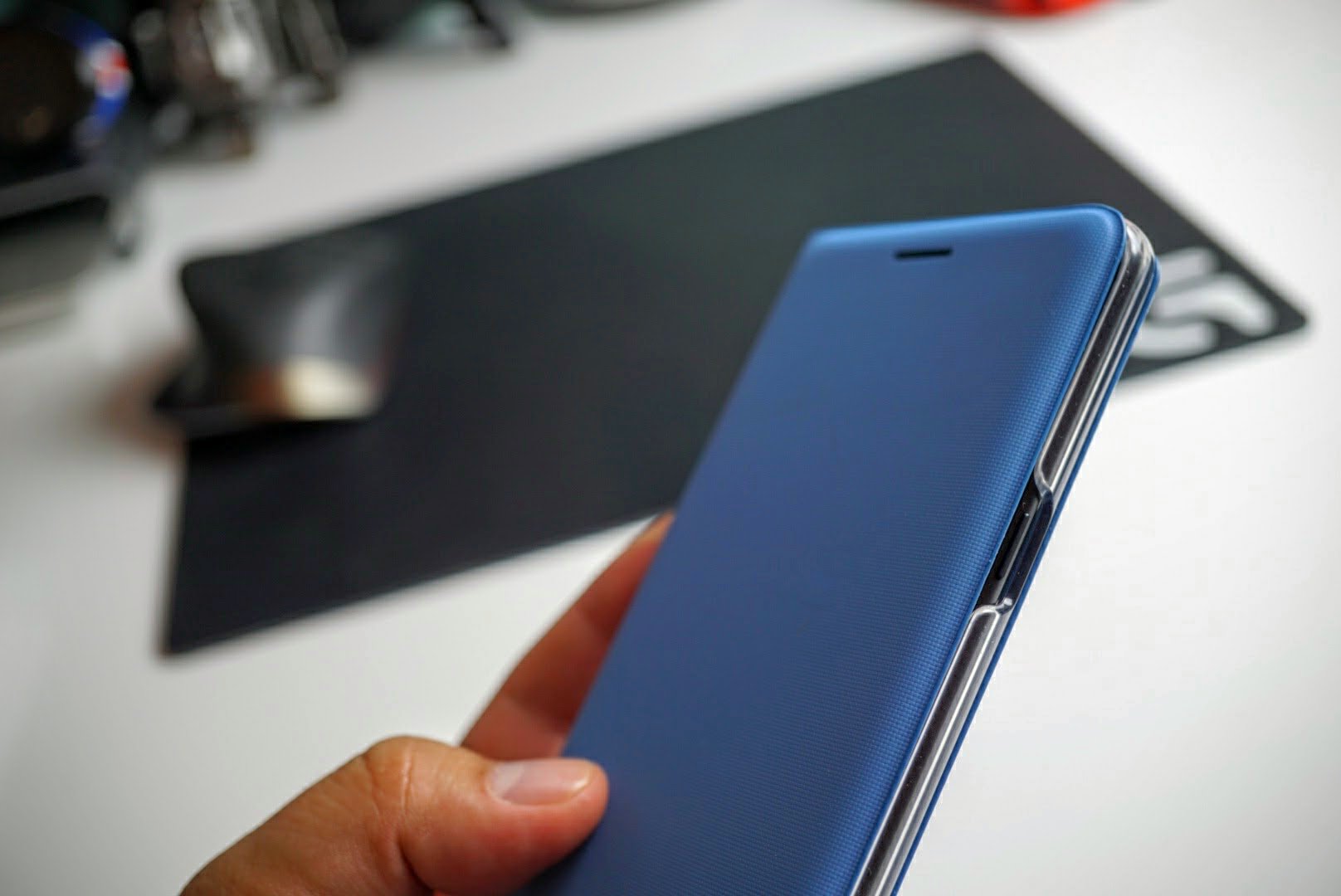
Images can’t do justice to how good this case feels. The case is so well designed that it feels like it belongs on the Note 7 like tires belong on wheels. I appreciate the excellent looks as the Note 7 is an expensive phone that deserves to be shown off, even if it is in a case.
Summary
It’s well documented that Gorilla Glass 5 is prone to scratching so a flip case like protects the back, sides and front while maintaining a slim profile.
It’s isn’t easy to recommend spending $59.99 on a case when there are high quality alternatives from companies like Caseology, BodyGuardz and Spigen. However the LED notification panel on the front is pretty freaking cool and the case is one of the best made pieces you can add to your Note 7. I grabbed mine from Amazon for $35 and think it is a bargain at that price.
If you’re on the fence about this case, Best Buy carries the LED Flip Cover in stores and price matches sites like Amazon. Pictures don’t do this case justice.
Get the Samsung Galaxy Note 7 LED Flip cover at Amazon, Best Buy or Samsung.
TinyBouncer: Jump your way into fun (App Review)

TinyBouncer is an Indie style game that involves a whole lot of bouncing and swiping. Jumping on a bouncy caterpillar, you have to gain sufficient height to reach the distance goal, while also weaving through the endless amount of diverse obstacles. The game requires concentration and a will to accomplish in order to advance.
The app is developed by NEKKI.
Setup
TinyBouncer is more or less your typical Indie game. It has minimal setup, and you can start playing right after downloading without adjusting any settings or preferences. What makes it stand out, however, is the fact that the game file is relatively large as compared to similar games, although the game, at 50MB, is still not that big.

Gameplay
 About to start the jumping
When I first opened the game, I was immediately drawn in by the catchy background music. It’s fast paced, and provides the rhythm for one to play. Usually, I would not play a game with the music on, but TinyBouncer is an exception. It really helps me concentrate with what I’m doing. It’s similar to retro music and falls in nicely with the type of game.
Another thing was the clean design, which went hand-in-hand with the attractive graphics. Again, it’s typical to see in an Indie game, but it nevertheless leaves a good impression and really builds up the game. The game utilizes a geometric design throughout the app and also ties in a bug/animal theme, a unique combination which gives the game character. The design is well executed and ties in all elements together, elements which most would not really think of adding together.
Moving on to the actual gameplay, your goal is to jump to the height g oal by jumping off a caterpillar. Each jump takes you further, but you have to touch the left or right side of the screen in order to dodge obstacles. It’s actually kind of tricky as you have to avoid them again when falling back down. It’s not something I would dub as original, but I would say it’s something well executed.
As you progress, you get to different levels and stages that increase in difficulty and get a slight theme change. Along the way, you can also pick up floating coins which you can use to buy different characters, which come with more benefits as they get more expensive. Such upgrades include increased jumping power and faster swiping speed. I did get to use some of these, and they do make a small difference that should help to get further in the game.
Adverts are, of course, present and do subtract from the game slightly. They are not intrusive or super-annoying, but are nevertheless there and do pop up in the rare occasion. It’s definitely something I could accept, however.
The game ran without a hitch on my Huawei P9 Lite.
Conclusion
TinyBouncer is a well executed Indie game that takes an unoriginal idea and turns into something unique. If it’s your type of game, chances are that you’ll spend hours on it. The graphics are great, the gameplay works just fine, and the game as a whole is a neatly polished packaged just waiting to be played.
App Link: TinyBouncer
BlueStacks App Player for Mac/PC (review)

BlueStacks App Player from BlueStacks Inc. is designed to allow you to use your Android apps on a PC or Mac. Their slogan for the application is “Play Bigger,” and that’s exactly what BlueStacks App Player offers. Not necessarily better, but often times bigger–BlueStacks is essentially a software emulation program that can run windowed or full-screen on a Windows or Mac computer.
Upon booting up BlueStacks for the first time, you’re asked to enter your Google account credentials. After a successful login, you will be presented with a homepage of sorts that lets you launch any compatible app. It’s different from what you find on a smartphone or tablet with Google’s mobile operating system, but still functional and easy to navigate.
 Typical ‘Home Page’ upon starting up BlueStacks App Player
From here you have full access to all compatible applications that you’ve purchased or previously accessed with your Google account. Applications will need to be downloaded for your new emulated device, and some compatibility issues may arise–just as if you were running a different version of Android on your smartphone or tablet.
It’s not just games either. You can download music or office-based apps, e-reader applications, or creativity programs. Microsoft Word (mobile version) installs and performs perfectly fine and even allows you to connect to your Microsoft One Drive for access to online documents. If you download Instagram or Twitter, you can even use the webcam built into your computer as the camera. Pretty neat!
 Twitter Application when used through BlueStacks
The general interface is simple to use and differs very little from what you would see on a tablet in landscape mode. Some settings show different options being that they’re in an emulated mode but are self-explanatory in nature. I found that applications behaved similarly to their native devices; however, a handful of applications that I tried either did not load at all or had minor graphical glitches.
The biggest difference I found while using BlueStacks compared to an Android device was using the mouse to click and scroll instead of the traditional swiping that would be used on your smartphone or tablet. This took some getting used to and was especially cumbersome in games that required swiping. After some time it became less of a burden, but it’s definitely not ideal.
 BlueStacks Settings menu differs from what you might see on your smartphone
Searching from the program is very useful. If the application you are searching for is not found on the “device”, BlueStacks automatically lists a clickable option to search the Google Play Store instead. This is incredibly handy.
 Searching in BlueStacks is quick and effective
So, why does BlueStacks even exist? What’s the real purpose of having Android emulated on a Mac or PC? Well, in general, I can’t think of too many reasons why you’d want to use BlueStacks App Player over Android on a dedicated device. However, this could be very handy for someone developing an Android application on a PC or Mac for testing purposes. Or maybe you left your tablet at home, and you’re traveling with your MacBook and want to get in a couple games of Clash of Clans. The possibilities are there, and BlueStacks App Player is definitely filling the void.
I would definitely recommend BlueStacks for someone that needs to access Android in a pinch or for an instance where you want to try out an application in Android before purchasing a new device. It’s far from perfect, but when it works, it works like a charm.
Download BlueStacks App Player for PC or Mac at BlueStacks’ Website.
AOL’s Alto Dashboard is a daily organizer for your email
In this era of texting and instant messaging you might not be emailing many long, heartfelt letters to your best friend from college. I certainly don’t. But I’m still drowning in a sea of less personal correspondence: Receipts. Bill payments. Flight confirmations. Even with apps like Gmail sorting these assorted messages into tidy little folders, it’s pretty easy to lose track of the things I might need to know. Alto, the email app from AOL (Engadget’s parent company), is attempting to fix inboxes like mine with its new feature, Alto Dashboard. Out today, the dashboard places the most important bits front and center and lets you act on them, without ever leaving the app.
Alto Dashboard should look familiar to anyone who’s ever availed themselves of the cards in Google Now: Important bits of information like upcoming flights, hotel reservations and package tracking are given their own slides, arranged in chronological order with all the most important details displayed out front. You can glean the relevant data at a glance, or tap on each card to access the entire message.
Alto’s function as a keeper of info is way to raise it above a sea of similar apps, part of a larger trend of programs like Facebook Messenger branching out past their core functions and adding more and more functionality to varying degrees of usefulness. And, while the Alto Dashboard is distinctive and useful, it’s also strongly reminiscent of how TripIt can trawl your email for flight and hotel reservations and then bundle all that information into a single trip file.

Alto will capture all the same info, like car rentals and theater tickets, and put it all on your timeline. What it doesn’t do yet is group them together, like “trip to Chicago” or “Saturday with mom.” But the team at Alto has plans to add that eventually, which would definitely make filing expense reports easier.
Where Alto Dashboard differs from Google Now or TripIt is not just how everything is contained within the app itself, but how the information can be acted on. The improved dashboard will not only remind you about your Hamilton tickets or pull up directions; you can actually call an Uber to take you there. You aren’t limited to a specific app for each task either: You can choose what maps program to use, or maybe choose Lyft instead. You can even send receipts to Expensify, though each item will have to be sent individually for now.
When you just need your email to just be email, the Alto app still helps you out with its existing “stacks” feature, which functions similar to the tabs in Gmail. Your messages are sorted by subject using the same algorithms that determine what shows up in your dashboard. There are preset stacks for shopping, travel and finance, but most useful are the ones that keep track of all the photos and files you’ve been sent — no need to keep them on your device, and you won’t have to scramble to find a photo attached to an email you got two years past.
I’m a weirdo who still keeps my AOL account around but, even if you kicked your aol.com address to the curb ages ago, you can still use Alto; it also works with Gmail, Yahoo, Outlook, iCloud and Exchange, or any other IMAP email provider. Everything can be viewed in one dashboard, so you have both your business and leisure events organized into one stream to create a fuller picture of your days and weeks. Alto and its new dashboard are available today on iOS, Android and the web.
Ask, and Siri will make Skype calls for you
When Skype updates on desktop and gives the “improving your experience” message it’s usually pretty easy to dismiss that as a bald-faced lie. But the latest iOS update actually sounds really useful. The VoIP service will now tap into Siri for making calls, pull contact information from the app into your contact list and, like Facebook Messenger before it, make incoming calls look like regular ones. It all sounds genuinely useful. As always, if the update hasn’t hit your iOS 10 device yet, that’s what the source link below is for.
Source: iTunes, Skype blog
Pacemaker’s shareable, editable ‘mixtapes’ make everyone a DJ
Ever since the original Pacemaker DJ device in 2008, the Swedish team has been rethinking how we mix music. Today, Pacemaker’s iOS app gets an overhaul that drags the mixtape well and truly into 2016. Pacemaker had long since moved on from being a facsimile of the DJ booth, instead allowing all music lovers to pick tunes from Spotify, and create seamless playlists stitched together by the app’s in-house AI DJ “Mållgan.” Today Pacemaker expands on that with a bunch of social features that blend elements of Soundcloud and Spotify with, of course, a little DJ twist.
Until now, Pacemaker only let you create basic mixes from Spotify tracks (you need a premium subscription), or music from your iPhone library. You could control how and when the songs overlapped, save your mix, and share the result. The update bakes in a bunch of social features so you can follow friends, see their mixes, and even edit them — so if you don’t like that dodgy Diplo mix in the middle, swap it out for some Jack Ü. These new, edited mixes (and of course your own), can then be shared back to Pacemaker for a never-ending stream of modern day mixtapes.

The new feed takes one of Soundcloud’s best features — the ability to follow or discover up and coming artists — making Pacemaker interesting to those that just want to enjoy music, even if they’re shy of stepping up to the virtual DJ booth themselves. Naturally you can comment, like and see what’s trending as per anything social these days. Of course, the Spotify integration also means all the performers involved get a digital penny for their troubles, too.
For those that do want to dust off their DJ skills, there are a bunch of audio effects like reverb and “8-bit” so you can add a bit more spice beyond a smooth transition from left to right. Some of these are free (as is the basic app), but expect to shell out a buck or two for some of the more fancy pants audio accoutrements. The updated Pacemaker is available in the App Store starting today.
Source: iTunes
VTIN VRazr wireless sport headphones: quality under $20 (review)

Wireless headphones have certainly taken hold in the mobile accessory market. What was once highly limited to big brand names has now been infiltrated by unknown brands at ultra competitive prices. It’s been a personal quest of mine to review low-budget accessories because there are so many options that make a whole lot of sense. While brands like Bose and Beats are sure to please many, the prices are out of reach for most.
I’ve been using VTIN’s VRazr wireless sport headphones that are priced under $20 and are well worth the price.
Build and Usage

When it comes to in ear Bluetooth headphones, there are a few styles to select from. True wireless earbuds now exist in the form of the Gear IconX and Bragi Dash, but those suffer from poor battery life and high first generation pricing. There aren’t many people who are willing to spend $200 on a set of wireless earbuds that only last 1-3 hours on a single charge.
There are Bluetooth earbuds with a neck piece that contains the internal electronic components with earpieces that come from them and slide into your ears.
The Bluetooth earbuds like the VTIN VRazr in the image above provide grip onto your ears while the internals are in each ear piece, and are connected by a single wire. Each style of Bluetooth earbuds has its own benefits and downfalls. The main benefit of the over ear style wireless earbuds is comfort for those with smaller ears. Many people don’t like to wear a neck band and in ear wireless earbuds like the Gear IconX can simply be too big for most. With the three included silicone tips, this style of earbud is rather comfortable and can be worn for several hours at a time without fatigue.
JayBird made the ear fin style popular as an alternative to bulky ear grips, but again those aren’t always comfortable for everyone.

In the image above, you can see where the ear hook holds the component that houses the internal electronics. Connected to that is a traditional shaped earpiece that most are familiar with from similar wired ear pieces. Inside is where the battery, wireless components and controls reside.

The power button sits in the middle flanked by the +/- buttons that control loudness and tracks. The microphone for taking phone calls also sits in the same ear piece.
Battery life is rated at six hours, but I frequently averaged about 4-5 hours mainly because I listen to these at 80% of max volume. The VRazrs also use the aptX driver to deliver CD-like quality over Bluetooth. When you buy Bluetooth headphones you should always look for the aptX driver as data over wireless is limited. aptX helps compress the music in a way that still sounds good. It’s clear from the moment you put the VRazrs on that they do have the aptX driver as the earbuds sound balanced, warm and powerful. Older generation Bluetooth earbuds generally suffer from weak and tinny sound due to the inability to transfer music at a fast enough rate.
When it comes to any style of headphones, they have to sound good first and foremost. All other features are secondary to sound quality and the VTIN VRazrs definitely are worthy of its price.
I wouldn’t say call quality is great when using these outdoors. When I tested them out they suffered from background noise, but indoors they performed adequately. Considering the cost is just $18, it’s hard to expect every area of these earbuds to be flawless.
Summary
It’s a very good thing we have companies like VTIN who offer mobile accessories at such affordable prices. While you may not recognize VTIN like you would Beats or Bose, these cost 1/10th of the price while offering very similar performance.
Right now the VTIN VRazrs are just $12.99 at Amazon with discount code FPZKO7W6, making these an extremely good deal. With free Prime Shipping it seriously makes me wonder how VTIN can make a profit priced at just $12.99. Build quality, sound reproduction and battery life in the VTIN VRazrs are all very good and the price is just icing on the cake.
If you’d like to take advantage of this AndroidGuys’ exclusive discount, head on over to Amazon and get the VTIN VRazrs for $12.99 at Amazon with discount code FPZKO7W6.

Vtin 20W Waterproof outdoor Bluetooth speaker (review)
Periscope’s VIP program rewards popular livestreaming users
If you’re popular on Periscope, the livestreaming app will soon reward you as part of its new VIP program. The three-tier initiative is designed to incentivize creators who have invested time in using Twitter’s live video option with tools that will help them make their audiences even bigger. In other words, it gives livestreamers a reason to use the platform more and make an effort to pad that follower total. Gold, Silver and Bronze levels require follower counts of 10,000, 30,000 and 100,000, respectively. There are also benchmarks for average viewer tallies and you’ll need to be broadcasting at least twice a week.
So, what are the perks? All three levels will get badges attached to their profile so everyone will know they’re a VIP. The Bronze tier includes care packages to help you look your best, a boost in search results and a list of tips and tricks. Members of the Silver level gain prioritized support, access to “future discovery products,” private streams with Periscope for a behind-the-scenes look and a Slack channel for fellow VIPs. The top Gold tier includes all the stuff from Bronze and Silver levels with the ability to collaborate directly with the Periscope team.
If you meet the criteria, you can apply for Periscope’s VIP program right here. It’s free, but those are some hefty requirements you’ll need to fulfill in order to gain access. Though the program was announced this week, the sign-up page officially lists it as “coming soon.”
Source: Periscope (Medium)
Twitter opens its Moments story-telling feature to all
Twitter debuted Moments as a means of slowing down the news feed almost a year ago. Back in August, the social network announced that all users would soon be able to employ the tool and today the company is keeping its promise. Everyone is now able to create their own Moments to highlight an event or story with the narrative feature. Whatever the topic or occasion may be, you can now compile a collection of tweets should the need arise. All you have to do is select “Create a new Moment,” add the relevant tweets, select a cover image and publish it for all of your followers to see. The feature is now available on the web and will soon make its way Twitter’s mobile apps.
For everyone who wants to make a Moment – starting today you can! Creators everywhere can now tell stories with Tweets. pic.twitter.com/ZJtNBoTPWf
— Twitter (@twitter) September 28, 2016
Source: Twitter (via Twitter), Twitter Support
 AIVAnet