



Android L theme available for Xposed devices

So you want to receive the Android L visual goodness of Material design, but don’t want to or can’t install the developer preview. If you’re rooted and running the Xposed framework then the Android L theme package may be for you.
Whilst it is only the visuals of the Android L version, and doesn’t include the functionality, it sure beats installing a buggy ported ROM or early developer preview.
The Android L module contains themed statusbars, calculator, settings app, boot animations, fonts, and ringtones.
Couple this with the Android L app package and you’re pretty close to that Android L experience. Hit up the source link to get started.
SOURCE: XDA
The post Android L theme available for Xposed devices appeared first on AndroidGuys.
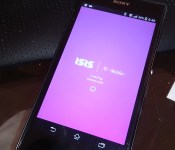
Mobile Wallet app ISIS working towards rebranding to avoid confusion with violent militant Group
 Many of you are probably familiar with ISIS. At least the name, as it referrers to the mobile wallet application and service that AT&T, T-Mobile and Verizon opted to adopt instead of Google Wallet. In other non-tech related news though, ISIS is known as the Islamic State of Iraq and Syria. A fairly not so friendly militant group that has gained a lot of media attention. Obviously the media dubbed it ISIS and hence the latest announcement from ISIS (the mobile wallet ) chief executive officer Michael Abbott.
“Changing a brand is never easy, but we know this is the right decision – for our company, our partners and our customers.
We are actively working on a new brand, and I’ll share more with you as our journey progresses in the coming months.
In the meantime, we remain committed to growing the mobile payments ecosystem, and advancing our mobile wallet. Our focus on delivering a great product and platform to our customers hasn’t changed.”
It does seem like a good idea actually. I know when I was catching headlines earlier today and saw ISIS I thought, “What the heck? A wallet app is demolishing ancient mosques and temples?” Obviously all I did was glance at an article title and pulled out ISIS before I read it and figured out what was going on. Anywho, that was the first time I have really given ISIS a thought since the app went into a live beta version to the Play Store back in 2012.
Anyone out there use ISIS, or have you moved on to other services like Google Wallet. Obviously sacrificing the NFC tap-to-pay aspect.
Source: 9to5Google
//<![CDATA[
ord = window.ord || Math.floor(Math.random()*1E16);
document.write('’);
//]]>
The post Mobile Wallet app ISIS working towards rebranding to avoid confusion with violent militant Group appeared first on AndroidSPIN.

South Korea makes it easier to get refunds for Android and iOS apps

If you’ve ever been burned by downloading a mobile app that you don’t want or doesn’t work, relief may be in sight… so long as you’re in South Korea, at least. The country’s Fair Trade Commission has ordered both Apple and Google to make their app refund policies more consumer-friendly. To start, Apple must make it easier to claim refunds on in-app purchases; if your kid goes wild buying in-game items, you should have an easier time getting your money back. Google, meanwhile, has to let developers set their own refund terms.
There are a handful of smaller tweaks in store. Apple will have to notify shoppers whenever it alters the App Store’s terms of service, and Google must stop apps from automatically charging you the moment a trial period ends. All the new rules are limited to South Korea for now, but Apple says it might change its terms on a global level. Google isn’t considering a similar approach at this stage, but the Fair Trade Commission is hoping that it created a “ripple effect” which leads to similar policies elsewhere. If the rules do spread worldwide, that would undoubtedly be good news — you could try paid apps without the risk of being left high and dry.
[Image credit: Jung Yeon-Je/AFP/Getty Images]
Filed under: Cellphones, Mobile, Apple, Google
Via: Korea Herald, MacRumors

Sunrise’s social calendar app reaches the Mac

Sunrise has quickly become the calendar app of choice for some people, and for good reason. Besides its straightforward interface and support for all your social networks, it’s one of the few truly multi-platform schedulers you can find — as of this May, it can run on Android, iOS and the web. It hasn’t had a native desktop app, however, and the company is rectifying that by launching Sunrise for Mac. Not surprisingly, it’s more than just the iPad app writ large. In addition to the all the advantages that come with more screen real estate, you get both a mouse-friendly interface and native OS X notifications; there’s also a complete offline mode if you need to review your itinerary on a flight without WiFi.
As before, the big deal is integration with a slew of content providers. Sunrise’s Mac client handles both the standard calendars from Facebook, Google and Microsoft as well as a raft of features from online services that rarely show up in this kind of software. You can see your Evernote reminders and Foursquare check-ins, for instance, or use LinkedIn to find out more about the attendees at your next meeting. This won’t necessarily supplant either Apple’s stock calendar app or web-based tools, and Windows users are unfortunately out of luck for now. But hey, it’s free — if you’re interested in a Mac-friendly life organizer whose usefulness extends well beyond the desktop, it won’t hurt to give Sunrise a spin.
Filed under: Internet, Software
Via: 9to5 Mac
Source: Mac App Store, Sunrise

MiniLock browser plugin promises easy encryption with drag-and-drop security

A coder/activist is trying to walk a fine line with his encryption program called MiniLock, according to Wired. On the one hand, Nadim Kobeissi has developed a simple drag-and-drop interface for the browser plugin to make it accessible to all. But its public-key encryption backbone also needs to satisfy the vocal cryptographic community by being robust enough to handle any attack, even from experienced hackers (like the NSA). Judging by skeptical comments on Reddit, the latter aim will be daunting, particularly since his last effort (Cryptocat) wasn’t well regarded. Nevertheless, Kobeissi will introduce an experimental beta of the new program at the HOPE X hacker conference later this month in order to have it poked and prodded by that community. As for the interface, he told Wired that “it’s super simple, approachable, and it’s almost impossible to be confused by it.” If he manages to run the gauntlet at HOPE, MiniLock will eventually be released as a free browser plugin so that even your dear old gran can protect the family brownie recipe.
Filed under: Internet, Software, Alt
Source: Wired

TimePIN: Keep your device secure

TimePIN is a security app for android devices, with the concept being that every minute, you have a new passcode. The application uses your system clock to change your passcode.
There are four options in this app. Offset PIN, Double PIN, Mirror PIN and Reverse PIN. Each one modifies the time to create a more secure PIN.
OFFSET PIN
An offset is a number added or subtracted to the TimePIN to generate a new PIN. If the resulting PIN is over 10000, then 10000 is subtracted from it. If the resulting PIN is negative, then 10000 is added to it. If the time is 11:33, the TimePIN is 1122. With an offset of -123 being applied to the PIN of 1133, the resulting PIN will 1010.
Double PIN
The TimePIN is repeated, doubling the length of the PIN. If the time is 8:30, the PIN would be 0830. With the double modifier the final PIN would be 08300830.
Mirror PIN
The TimePIN is repeated, with the second iteration being added in reverse. If the time is 12:34, the PIN would be 1234. With the mirror modifier the final PIN would be 12344321.
Reverse PIN
The TimePIN is reversed. If the time was 9:30, the PIN would [be] 0930, with the reverse modifier applied it would be 0390.
Now that you know what TimePIN does, how does it preform? After you enable it, there is an option called “Demo PIN”. When you select this in the menu, there a toast message pops up showing what your PIN would be at that particular time.
There is also a default PIN. This is to be used when you first start your device, or when you wish to change the settings of TimePIN. It is also used as a fail safe. If you find that you can not unlock your device, you can restart your phone and use the default PIN to get in. This is a neat little security that I will definitely be keeping on my device. This way, even that creep watching you put in your PIN over your shoulder won’t know your PIN because it will change the very next minute. Literally!
While this app is no longer on the Play Store, you can download the apk file from the XDA support thread. There are certain features that require an IAP of $1.99 to unlock, but they are no longer available because the app is no longer on the Play Store. Even without these added features, TimePIN still works as one of the best security apps I have seen in a long time, and doesn’t even require root access.
The post TimePIN: Keep your device secure appeared first on AndroidGuys.

Get ready for Android Wear’s first round of apps

If you’ve pre-ordered an Android Wear watch and want to have everything ready for the very moment you slap that device on your wrist, Google is more than happy to help; the company has posted everything you’ll need on day one. To start, you can both grab the official Android Wear app (needed to link up) and look out for the automatic Google Play Services 5.0 upgrade that adds the underlying Wear framework. After that, you’ll want to check out Google Play’s new dedicated app section that highlights early titles with Wear support, including third-party tools like Allthecooks, Evernote and IFTTT. These apps aren’t going to make your wristwear arrive any sooner, but getting yourself ready could make the wait a little more bearable.
Filed under: Wearables, Google
Via: Android Developers (Google+), Phandroid
Source: Google Play (1), (2), Android Developers Blog

Watch this: Human transforms its app data into striking activity maps

The folks behind Human know a thing or two about aesthetics, having crafted an activity-tracking app for iOS that’s quite lovely. The mobile software keeps tabs on walking, running, biking and vehicular motion with goal of racking up at least 30 minutes of physical activity per day. Now, the outfit has taken user data from 30 of the largest cities in the world and constructed visualizations for each locale. Maps for all three of the aforementioned endeavors are included, broken down by activity for further analysis. Don’t take our word for it though, watch the cartographic motion take place for yourself after the break.
Filed under: Misc, Software, Mobile
Source: Human

Snapchat tests stickers that only unlock when you’re in popular locations

Snapchat’s ephemeral messaging service is enjoying huge growth, but as it stands the company is not making any money (at least from its users). But that isn’t to say it isn’t testing potential new revenue sources, one of which involves fusing two popular messaging features: stickers and location. As discovered by Mail Online, Snapchat has begun offering some users the opportunity to add special stickers to their photos based on their where they are. Some Snapchatters have gained access to filters that shower them with dollar bills when they are in New York’s financial district, while others have shared stickers that can only be unlocked inside popular US airports. We know that Snapchat has been working with brands to add their logo to images or videos for specific events, but these new stickers could provide an easy way to share a user’s location visually, instead of checking in. Whether you’ll soon be able to share a McDonald’s sticker when you grab a Big Mac remains to be seen, but Snapchat appears to be open to the idea.
Filed under: Internet, Software, Mobile
Source: Mail Online, @DebzShin (Twitter), @TaylorLorenz (Twitter)

Vine’s loop counts tally plays in six-second increments

Until now, Vine’s stats only indicated likes and revines for those carefully crafted six-second masterpieces. With an update rolling out today, Twitter’s video app tacks on a real-time loop count tallying plays across both mobile and embedded footage the web. There’s also a redesigned feed with larger videos and polished likes and comments. In the activity tab, new items are easily recognizable alongside the older stuff, and notifications are now included for post milestones (100 likes, for example). The new version is headed to both Google Play and iTunes, so both Android and iOS users will be able to snag the latest.
Source: http://blog.vine.co/post/90463642406/introducing-loop-counts
 AIVAnet