



Applebee’s wants you to put your phone away on Tuesdays

For awhile, Applebee’s wanted its customers to be using more tech at the dinner table — embedding tablets throughout its restaurants. Then third-parties caught on and created Applebee’s specific social networks. Now the restaurant seems to be backing away from the future of devices-assisted eating, and has filed a trademark application for “No tech Tuesday.” In all seriousness, Applebee’s wouldn’t be the first restaurant to try and keep its customers focused on each other instead of their phones, but a “No tech Tuesday” promotion could make it the first to implement such a policy on a large scale. Still, the gimmick will be a hard sell at restaurants that have already installed the aforementioned table tablets.
Filed under: Misc
Via: Huffington Post
Source: Today

Microsoft’s Climatology Android app is all about what the weather’s usually like

Microsoft’s new Climatology app makes it simple to check weather conditions anywhere on Earth. Funny thing is, the company just released it for Android devices, with no Windows Phone app in sight. If you do use Android, the Microsoft Research-developed app can show you a location’s temperature, humidity and the average amount of rain and sunshine it’ll get during a particular month. Say, you’re going to Thailand on a vacation in November — just look up the place and choose a month to know if it’s sunny enough to hit the country’s beaches. It could be pretty useful if you travel a lot and need a quick way to check the weather. A single look at the app’s Play page shows that most people find its feature set quite limited, though, so you may want to hold off on deleting your other weather apps.

Filed under: Cellphones, Mobile, Microsoft
Via: Droid Life
Source: Google Play
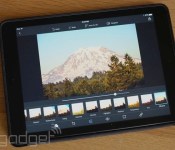
Photoshop Express blemish removal and RAW support boosts mobile editing

Adobe has been making quite the heavy-handed push with its mobile apps as of late, and one of its older no-cost options just received a significant update. Photoshop Express for both Android and iOS tacked on blemish removal and defogging tools to further enhance edits on the go. There’s also a new intensity control that allows you to tweak how much of those built-in presets are applied — a feature similar to Instagram’s recent add-on. Last but not least, the software can also import RAW files for editing purposes; however, it’s unclear whether you’re tweaking a smaller “thumbnail” version that remains tied to a desktop, as is the case in Lightroom mobile. At any rate, those files are uploaded through the free tier (unless you’ve committed funds) of Adobe Revel before syncing with the app. If those trusty mobile devices have yet to alert you to the update, both versions are available for download via their respective repositories.
Filed under: Tablets, Software
Via: 9to5Mac
Source: iTunes, Google Play
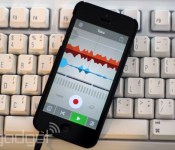
Mix beats and loop vocals with Propellerhead’s Take for iOS

If you saw Reggie Watts’ musical set at Engadget Expand (don’t worry, there’s video after the break), then you probably noticed the table full of gear he needs to construct his loops. Propellerhead — the Swedish software company behind Reason, not the electronica duo — is hoping to lighten this load with Take, a creative vocal loop recorder that’s being given away free to iPhone users. The interface is reasonably simple, offering you a wide variety of pre-made backing loops as well as three tracks that you can rap, sing or otherwise make noise on. It’s tremendously easy to use, but it won’t compensate for your lack of musical talent, which is why we won’t be sharing our ham-fisted efforts with you.
Filed under: Cellphones, Portable Audio/Video, Software, Apple
Source: Take (App Store)

Yahoo Screen’s Xbox 360 app will bring ‘Community’ back to your TV

Don’t worry, that green hue around Yahoo Screen’s gills isn’t seasickness, Marissa Mayer’s video service is just taking on the color of its newest platform, the Xbox 360. That’s right, as soon as the sixth season of Community debuts (or other original content, whichever comes first), you’ll be able to watch it via Microsoft’s last-gen gaming console. Until that happens, well, there’s always some 38 years of Saturday Night Live clips to peruse — assuming you haven’t burned through them all on your AppleTV or Roku already.
Filed under: Gaming, Home Entertainment, HD
Source: Yahoo Screen

Climendo’s weather app compares forecasts to deliver the most accurate

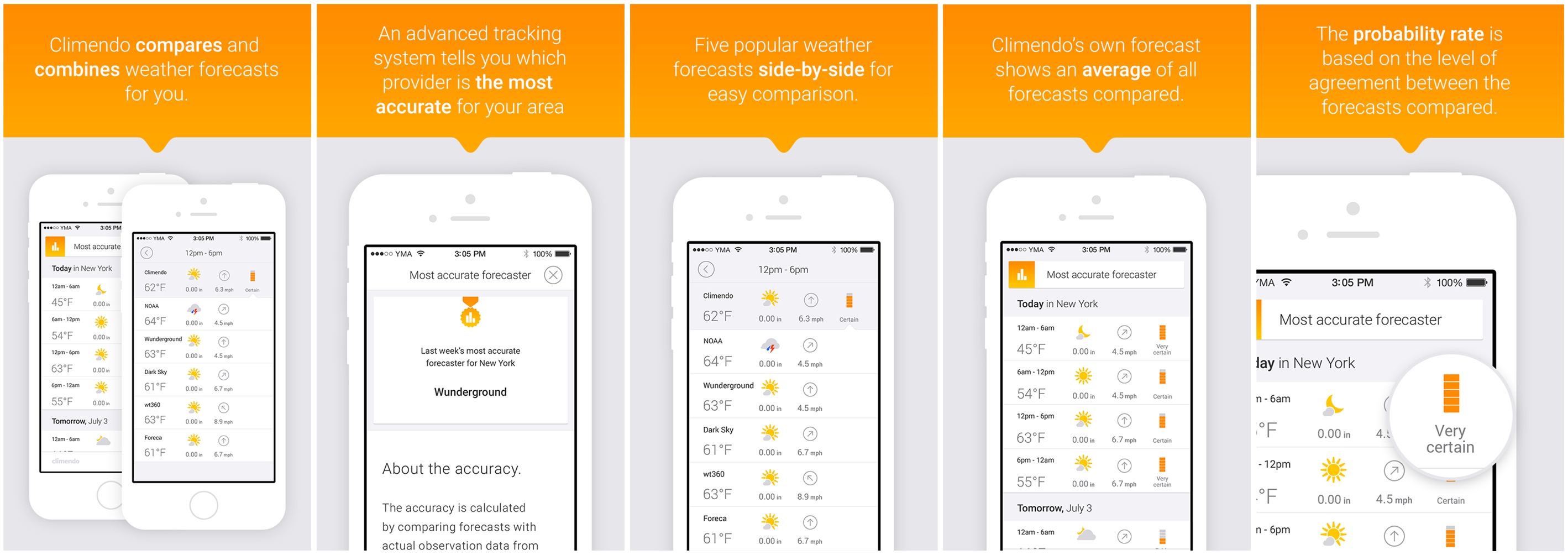
Sure, your favorite weather app might look good, but can you really tell how accurate it is? Instead of relying on just one weather source to provide you with an overview of the week’s weather, Climendo wants to do things a little differently. It compares and combines data from the most popular and/or accurate providers to give you the most precise forecast possible. On top of that, it’ll also match predictions with historic data from professional weather stations, letting you know exactly which provider you can trust.
While the app launched in Sweden last year, it’s only now making a break for global success. It’s undergone a redesign, displaying a five-day forecast with six-hourly predictions of upcoming weather, which is supplied by 12 providers located in the US and Europe. They include NOAA, Forecast.io (Dark Sky), Weather Underground, Storm and TV2.dk, with more being added all the time. Based on their predictions (drawn from 10,000 weather stations around the world), the app generates an average forecast and calculates a probability rate (fairly uncertain, certain, fairly certain etc). The more readings that are similar, the higher the chances that you’ll experience the weather it tells you to plan for.
Currently, the app displays the temperature, the current weather condition and wind speed. However, the team says more detailed statistics will come to the app, breaking the data down so that “farmers, sailors, sun bathers, surfers can dig into what they think is the most important part to keep an eye on.” While the new features and design are currently only available to iOS users, the Android and web apps will receive a similar update in the coming weeks. Climendo is $0.99/69p for a limited time and can be downloaded from the App Store or Google Play.
Filed under: Internet, Software, Mobile
Source: Climendo, (App Store), (Google Play)
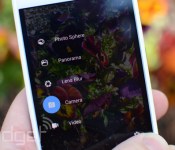
Google Camera lends shutter control to Android Wear smartwatches

If you’re the type that fancies snapping selfies or group shots from a distance, a pending update to Google’s Camera app should lend a hand. The new version of the software allows Android Wear smartwatches to work as remote shutter controls. What’s more, on top of tapping the watch face to snap a picture, the wearable’s screen will display a countdown with an image preview to follow. Unfortunately, that G Watch or Gear Live won’t act as a viewfinder, so you’ll need to sort the composition beforehand. The update might not show up for you in Google Play just yet, but those eager to implement the function can grab the APK over at Droid Life.
Filed under: Wearables, Software, Mobile
Source: Droid Life, Google Camera (Google Play)
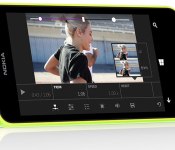
Microsoft’s Video Tuner outfits Windows Phone 8.1 with easy clip editing

Windows Phone 8.1 users have been rather strapped when it comes to video editing apps straight from HQ, but now Microsoft is looking to lend a hand. With Video Tuner, Redmond serves up a new app that wrangles smartphone clips with the ability to apply filters, add music (non-DRM protected MP3s, natch) and apply a range of corrective adjustments — including speed tweaks. As you might expect, once the finished product is ready, footage can be broadcast directly to various social channels, with the exception of Vine. The software can save videos in the proper format for Twitter’s video stream, but there’s no direct sharing at this time. Video Tuner supports MP4 files and allows editing of video captured from the same device on which it is installed. You’ll need a Lumia handset running Windows Phone 8.1 to nab up the new offering, but it’s already available free of charge from Microsoft’s app repository for those who qualify.
Filed under: Software, Mobile, Microsoft, Nokia
Source: Windows Phone Store
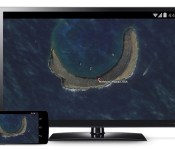
Chromecast update lets you mirror your Android screen on a TV

Google vowed that Android users would finally get official screen mirroring on Chromecast through an update, and it’s making good on that promise by rolling out the Chromecast 1.7 app today. Grab the new release and supporting devices (primarily from HTC, LG and Samsung) can send just about anything to a TV just by hitting a “cast screen” button. If you’re using a Nexus device, you don’t even have to launch any software — the feature will pop up in Android’s quick settings. You’re high and dry if your devices aren’t on Google’s compatibility list, but don’t worry too much. We hear there are third-party mirroring apps that can pick up the slack.
Filed under: Cellphones, Home Entertainment, Tablets, HD, Mobile, Google
Source: Google Chrome Blog
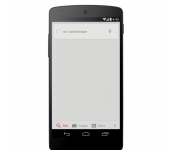
Google voice search learns new tricks, media controls and corrections in tow

Google is actively working on a Google Search app, This service keeps on growing in terms of functionality. Recently Google added a bunch of new languages to the service, so that you could call upon the service even if English (UK/US) isn’t set as you language of choice. This time around we get two new tricks, let’s see what they’re all about.
First feature that is added (for some) are media controls. So, Google Now is a great service, but when you call upon it you’re not able to do basic tasks with it, such as turning Wi-Fi or your data connections on/off for example. Controlling media on your smartphone also belongs in that “we should be able to do it” category. Luckily Google released such feature for some users, you’ll have to check if it’s available on your account by yourself. We guess they’re still testing it or are taking their time with the rollout. In any case, you’ll be able to activate the service by using that sweet “OK Google” phrase and then say something like “next song” for example in order to… you guessed it, switch to the next song in your app’s queue. We don’t see much use here though, unless you’re using Moto X and can activate this without having your screen on at the moment.
The other feature Google introduced has something to do with contextual awareness. Google is trying to make the service more contextually aware, and they’re doing just that, slowly though. What’s new you wonder? Well, let’s say for example you’re asking Google how tall is Jim Carrey and the app misinterprets what you meant and hears Mariah Carey instead (awesome example, I know, I know) you can simply tap on the microphone icon and say “No, I said Jim Carrey” and the app should get it thanks to contextual awareness.
These are some welcomed addition to the service, the more the merrier. Do you agree?
The post Google voice search learns new tricks, media controls and corrections in tow appeared first on AndroidGuys.
 AIVAnet