


Perform a Nandroid backup online with this App

A Nandroid backup is a process which is performed in recovery mode to take a snapshot of the current state of your Android Operating System, along with data, settings, and a whole bunch of other information to create a backup file. This backup can then be used to restore to if you flash a bad ROM, or install a bad App, restoring with it not only a known-working Android Operating System, but all your data and Apps with it.
With this new tool you’re able to perform a Nandroid backup without having to turn off your device to enter recovery mode – perfect for backing up on the fly before installing a questionable App or changing a developer setting. That means no more missed calls or messages whilst you’re booting into recovery and performing the backup.
Do not get confused with the naming of the App however, since an online backup here is referenced not in the uploading or downloading of a backup connected to the internet, but instead in the ability to perform a backup with your phone live.
Features
* Creates backups in the CMW 5 and 6 style or TWRP!
* Full support of the onandroid script.
* Create custom names for your backups.
* Choose what partitions get backed up.
* Scheduled backups.
* Tasker support.
* Upload backup to FTP after creating backup.
Requirements
1. Rooted android phone
2. Latest version of Busybox
Online Nandroid is a free App in the Google Play Store based off a script originally developed over at XDA.
The post Perform a Nandroid backup online with this App appeared first on AndroidGuys.

Reboot: Welcome to the World of Wallpapers!

Welcome back to the World of Wallpapers!
This is a reboot of an old series held by Cliff Wade. Here, I will be running you through various wallpapers and wallpaper apps of all kinds. Like many of you, I suppose, I am a big believer in making my phone mine. Sadly, I don’t have the skill to create my own wallpapers, so I use other people’s work to make my home screen exactly as I like it! To kick things off, I will be introducing two apps and one wallpaper artist who does not have an app yet.
Behang by Ted Bates Jr.

First up to the plate is Behang, a paid app coming in at $1.99, but well worth the price of admission. If you are not keen on spending $1.99, you can always head on over to his site and download whatever walls you desire. Behang was created by Ted Bates Jr. who can be found on Google+ or Twitter. All of his walls are cloud based meaning that the app does not require updates in order to add more walls to his collection. Every wallpaper is unique and created by knokfirst. The real beauty of Behang is not just the dazzling walls, but the app itself. Behang can be used as a base app to add extensions on to. This means that you can download other apps from the Play Store and they will be added into Behang. All you have to do is change the source. Ted Bates had some help with this monster of an app. Anthoney Kiniyalocts was the developer behind this master piece. Ted Bates is the wallpaper creator.
Nóloc by Richard Colón

Next up is an extension to the previously mentioned Behang. Nóloc costs $1.50 on the Play Store. With Nóloc, you get photography type wallpapers that were taken and edited by Richard Colón. You can find Richard on Google+. While Nóloc has a fine collection of walls to use on your device, the app comes with an added bonus. Nóloc has over 18 high quality Zooper widgets to go along with its beautiful walls. These widgets require Zooper Pro to be installed in order to use them. While you can’t use the walls without Behang installed, and you can’t use the widgets without Zooper Pro installed, everything you are paying for is quality work and the designers earned their two dollars with beautiful products that I use in almost every home screen I create.
Partimus Prime (Jesus Partida)

Partimus is a talented individual who is a member of the GFX Bandits. He also is on the design team for Vanilla Android as well. He creates wallpapers and custom boot animations and who knows what else! He does not keep his work in one place, but you can find posts of his walls on his Google+ account or on his Google+ page. Yes, his account and his page are two separate things, but whatever he posts to his page, he seems to share to his G+ account as well. He is the mastermind behind the banner for the World of Wallpaper Reboot!
The post Reboot: Welcome to the World of Wallpapers! appeared first on AndroidGuys.

Paul McCartney banks on apps, not albums

Paul McCartney went through a rift with streaming services, but the former Beatle has been always been keen to keep his albums available on iTunes. Now, Sir Paul is following a growing trend for releases and reissues: apps. Five of McCartney’s classic albums (Band on the Run, McCartney, McCartney II, RAM and Wings over America) are now available as iPad apps, complete with bonus material. On top of the extra videos, photos, interviews and remastered tracks, the standalone downloads are priced at $7.99 — $5 less than the regular deluxe versions. Of course, you’ll have to contend with streaming the tracks through each app rather than hopping around the complete set in your mobile library. The move is nothing new though, as Lady Gaga, Björk and others have taken a similar route with companion software and added content. It’s no secret that artists are having a hard time paying the bills from record sales, so packaging music as paid apps seems a tactic to fill the void.
[Photo credit: Daniel Boczarski/Getty Images]
Filed under: Software
Via: 9to5Mac, The Next Web
Source: iTunes (1), (2), (3), (4), (5)

Apple and IBM team up to put more iOS devices in the workplace

If you had any lingering notions that Apple and IBM were still bitter arch-rivals, they just got swept away. The two companies have just launched a partnership that could give iPads and iPhones a much larger presence in the workaday world. IBM has agreed to develop over 100 enterprise-grade apps solely for iOS, along with iOS-focused cloud services; it will also sell Apple’s mobile gear as part of its larger solutions, and it’s even handling on-site support. Apple, meanwhile, is offering a special business-friendly support plan.
IBM doesn’t have as much clout as it did when it was a direct competitor to Apple in 1984, or even as much as when it was putting PowerPC chips in computers like the Power Mac G5. However, this deal is still huge. While Apple has been spending a lot of energy making iOS suitable for work, it’s still primarily focused on personal devices — the IBM pact gives it an important ally who can court the less exciting (but clearly important) corporate crowd. Google is making big strides toward improving Android’s business credentials, and Microsoft has a longstanding advantage of its own, but the new agreement could give them significantly tougher competition. Don’t be surprised if you end up getting a company-issued iOS device where you didn’t have one before, or suddenly get the all-clear to bring one into the office.
Filed under: Cellphones, Tablets, Mobile, Apple

ESPN dusts off its Fantasy Football app ahead of draft day

Football season will be here in a matter of weeks, so to help fantasy football enthusiasts keep tabs on their rosters, ESPN has updated its suite of apps dedicated to the task. In addition to a fresh coat of paint for the UI, you’ll be able to create a team or league from within, getting alerts for scoring, injuries and more all season long. If you’re unsure of your pal’s contact info, invites can be sent to those social media acquaintances worthy of a clipboard. While software for Apple’s mobile operating system was already equipped with both live and mock draft abilities, the Android faithful can now do the same. New versions of both the Android and iOS applications are now available for download via their respective app libraries, so you can get started with the pregame strategery.
Via: Android Police
Source: Google Play, iTunes

Comcast buys ‘smart internet’ startup to build better routers

Last year, Skydog was an interesting Kickstarter project promising a cloud-based router built to give better individual control over your connected devices through its mobile app. Now, TechCrunch reveals its parent company PowerCloud Systems has been acquired by Comcast as a part of its quest to provide “smart internet.” Comcast’s Tyson Marian tells VentureBeat that the kind of tech this could lead to includes “smart internet” modem/router combos that track and manage the devices on your network. That way they can be set up to connect directly or have access walled off from the rest of the network for security, all controlled through a simple app. This is the kind of network management that’s already possible, but the point here is to make it easy enough for anyone to use (that Comcast could use it to tier pricing based on what kind of devices you’re using or how many also comes to mind.) Existing Skydog customers can expect their devices to keep operating for their 3-year service subscription, but there is “currently no commitment of service” beyond that.
Filed under: Home Entertainment, Internet, HD
Source: TechCrunch, VentureBeat, Skydog FAQ
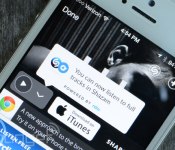
Shazam streams full tracks from Rdio without leaving the app

Shazam has linked out to Rdio for a while now, but the tune identification app would boot you out to access a full track. With a recent update though, the software now streams songs it identifies from Rdio’s library from within, so long as you have a subscription. Those who have yet to pay up will still get a preview, but selecting the aforementioned repository from the listening options will only prompt you to download its app. Those who do shell out the monthly fee need only to link the two apps in order to take advantage. Shazamed tracks are automatically sorted inside their own playlist for later access while a “Add to Playlist” button lets you chose more appropriate destinations. While the iOS version is available now, folks who carry Android devices can expect it to arrive “in the next few days.”
Source: Shazam

Google’s augmented reality turf war, ‘Ingress,’ arrives on iOS

Google’s Niantic Labs grew the potential audience for Ingress in a big way late last year, when it put out the finished Android version of its augmented reality game. Today, the studio is taking the next (if fairly obvious) step toward grabbing more players: it’s releasing the long-promised iOS edition. Both iPad and iPhone owners can now capture territory (“portals” in Ingress-speak) and build up their virtual skills by visiting real locations. The experience will be very familiar if you’ve played before; missions give you an incentive to keep coming back, while faction chats let you coordinate turf battles and meet fellow players. There aren’t any major tweaks or upgrades that we’ve seen. The game ultimately remains an excuse to explore new places, but that’s not a bad thing if you’re tired of visiting the same old haunts — hit the App Store if you’re willing to give it a spin.
Filed under: Cellphones, Gaming, Mobile, Google
Source: Ingress

Nova Launcher’s “L” update is out of beta, you can get the final version now via Play Store

Nova Launcher “L” update was in beta for some time now. You had to do a few steps in order to get that version of the app to your device. Well, this update is now available in its final release and you can download it via Google Play Store (link below).
We’re calling it the “L” update because the developer added animations, icons and so much more in order to make it look like Android “L”. Other than these additions to the application we also get some tweaks and improvements to its functionality (squished bugs and such). You can find more information in the Google Play Store or if you follow the link above.
Source: Google Play Store
The post Nova Launcher’s “L” update is out of beta, you can get the final version now via Play Store appeared first on AndroidGuys.

Now (almost) anyone (with cable) can watch CNN the way they want to

Back in April CNNx launched, letting viewers jump through the news of the day and watch what they want, when they want. The only problem? Other than the fact that it’s restricted to CNN’s iPad app and web site, only subscribers to a few providers could actually access it. Now, CNN is rolling out the service nationwide, and as Multichannel News points out, Time Warner Cable as the only major provider that’s not yet set up for access. While it starts off with a live feed of the channel, you can skip through the story rundown and select anything from the past day, then just watch that or see related info. The plan is to also bring this to other set-top TV boxes soon, but there’s still no word on access for Android devices, iPhones, or other mobile platforms. There’s a demo video after the break so you can get a feel for it, but iPad-owning cable/satellite TV subscribers can just open the CNN app and try it out right now go to the website here.
Filed under: Home Entertainment, Tablets, Internet, HD, Apple
Source: CNNx, CNN app for iPad (App Store)
 AIVAnet