



Humin adds context to your contacts for a smarter smartphone

Our phones have changed so much since the early days of the smartphone. We can now take amazing photos with them, play video games on them, track our health and fitness on them and of course use them to surf the internet. But the humble contacts app — you know, the thing that stores all those phone numbers — hasn’t changed much, if at all. For one thing, it still lists all those contacts alphabetically. That works if you’ve got a great memory, but what if you want to find that person you met at a party last week and can’t quite recall their name? A normal contacts list would be useless. Launched on the App Store today, Humin plans to change all that, not only by replacing your contacts app but by replacing your phone app as well.
Humin aims to do so by adding one key ingredient to contacts: context. Instead of just looking up your contacts by name, for example, Humin lets you look them up by relationship or employer or the time and place you met them. So if I wanted to find that person I met last week, I’d enter in “met last week” in the search field and voila, I’d be able to find him or her much easier. And if that party was on my calendar, I could say something like “met at last week’s party,” and it’d narrow the search down even further.
“The problem we needed to solve wasn’t the contacts problem,” says Ankur Jain, Humin’s co-founder and CEO. “It was the search problem.” He recalled the internet of the late 90s, where sites like Yahoo and Lycos tried to alphabetize the web in lists and categories. Then search engines like Google came along and you could finally search for things the way our brains actually think. “We’re taking that concept and applying it to people.”

Here’s how it works. When you first launch the app, it’ll ask to hook up to your phone’s contacts and your calendar. You can stop there, but in order for Humin to really flex its contextual muscle, you’re encouraged to connect Humin to Facebook and your email account as well (either your Gmail or your Exchange account will do). It’ll also ask for your LinkedIn info if you have it, which is especially useful if you use your phone for doing business. This is how it gathers data like the people you know in common, their occupations and how frequently they contact you.
And if you really want Humin to replace your phone app entirely, you can. If you go through a few activation steps, you can have it so that all of your missed calls and voicemails will go to Humin. Jain tells us they’ve actually worked with all the major US carriers to develop this technology. “In order for Humin to really have an impact on your everyday life, it has to be one of the core services that you use on an everyday basis,” says Jain as a reason behind the integration.
To be honest, it all feels rather invasive, but Jain assures us that privacy is of the utmost importance. “We keep all of that data on your phone locally … your email never goes to our servers.” As an experiment, Jain encouraged us to use Humin with Airplane mode on, and indeed, it still managed to do those contextual searches without any connectivity (Of course, this was after we had already fleshed out our all contacts with info gained from Facebook, LinkedIn etc.). Further, the app won’t contact anyone unless you want it to. Which, by the way, you might actually want if you’d like your contacts to have the most updated info. To do so, you can send a verification request to a contact via the app itself.

After you’ve incorporated all that information, Humin really comes into its own. The main Contacts tab, for example, will show all of the contacts who are in the same city you are, as well as the folks who are in your upcoming calendar meeting. This is potentially useful if you’re travelling — if I fly to New York, it’ll immediately show all the people I know who are in the New York area so that I can instantly send off a quick text to them to let them I know I’m in town. Also, whenever I add a new contact to Humin from now on, it’ll remember when and where I met them, and it’ll automatically add in the person’s name if it’s associated elsewhere. For example, when I entered Jain’s phone number into Humin, it automatically added his name and the ten people we know in common.
The app also automatically surfaces the people you’re most likely to add to your Favorites list by seeing how frequently you interact and their relationship to you. For me, my co-workers and friends were at the top of the pile, followed closely by family members, which makes sense because most of my communications with family are offline rather than online. In order to quickly call or text one of your Favorites, you hold down on their image and either swipe left or right.
Still, if Humin sounds intriguing to you, iPhone users can go ahead and download the app right now. It’s US-only for now but it should arrive in UK stores shortly. Android users will have to wait a few more weeks, and we even hear that Google Glass might get it at some point.
“One of our goals is to put technology into the background of your life,” says Jain. “The phone app is the most background app that you have … we want you to keep that existing user behavior but bring it to the 21st century.”
Source: App Store
.CPlase_panel display:none;

Shazam restores Spotify sharing and tests Beats Music for good measure

After unexpectedly dropping the ability to listen to tagged tracks on Spotify in the UK and other countries, Shazam has re-added the service to its free app in most locales. The original issue came about thanks to a deal with Deezer, which replaced Spotify in in Germany, Mexico, the UK and Brazil (the premium paid app always worked). On top of adding Spotify back to the latest iOS and Android apps, Shazam is also reportedly testing Beats Music integration on iOS, giving users the ability to stream entire tagged tracks. The iOS Shazam app already works with iTunes for previews, and Shazam will soon power Siri tune recognition in iOS 8 — so Beats could be a tit-for-tat. As for Spotify, we’re still not sure why it’s back, but we wouldn’t be surprised if metrics dropped or money was involved at some point. Meanwhile, we’ve reached out for more information.
Filed under: Home Entertainment, Software
Via: 9 to 5 Mac
.CPlase_panel display:none;

Google’s experimental Hangouts app borrows inspiration from Facebook

Ever since it ditched Google Talk and integrated everything into Hangouts, Google’s messaging service has become pervasive on mobile and the web. While the search giant routinely adds new features, a bigger update could be on the way, at least according to a new leak from Chrome tinkerer Florian Kiersch. He got his hands on a recent test build of Hangouts, known internally as UltraViolet, that shows Google is testing a new interface that mimics the “chat heads” found in Facebook’s Messenger app on Android. According to Kiersch, floating profile icons are just one of the many UI changes expected to come to Hangouts in the near future, but thanks to the experimental nature of the leaked browser app, it’s the only new feature we’re able to lay eyes on, at least for now.
Filed under: Internet, Software, Google
Via: Android Police
Source: Caschys Blog
.CPlase_panel display:none;

Google Now for Android shows alternate flights when yours gets delayed

These days, it’s all rush rush rush, isn’t it? Our tiny digital assistants are becoming more crucial in getting our days running smoothly, and thanks to a new update to the Google Search Android app, Google Now just got a little bit smarter… at least when it comes to transit and transport. There’s nothing like the sinking feeling that strikes when your flight gets delayed (and the existential dread that comes with sitting around an airport for a few more hours), which is why Google bolstered Now with cards that’ll highlight alternate flights in case the worst happens to yours. And if you’re the sort who prefers traveling on land? Now will also surface your train and bus reservations in card form so you no longer have an excuse for missing the 12:25 to El Paso.
Source: Google Play Store
.CPlase_panel display:none;

Dropbox for Android finally gets a smarter search system

With cloud storage options becoming as numerous as actual clouds peppering the sky, it’s nice to see app developers hunkering down to make serious improvements. That’s exactly what the folks at Dropbox did with their latest Android app update — it packs the ability to preview documents (perfect for all those lengthy, similarly titled PDFs you’ve got kicking around) but the biggest draw here is the app’s much-improved search system. Need to find a pesky file hidden in a certain folder? That’s a cakewalk now. Hazy on the exact name of the photo you’re looking for? The app suggests filenames while you peck out your furtive queries, and highlights potential matches while you type. If anything, the only sore spot here might be the brief wait involved: the update hasn’t hit our devices just yet, but Dropbox says it’ll trickle out into the wild over the next few hours.
Source: Dropbox
.CPlase_panel display:none;

WearBucks (Pay for Starbucks) brings Rewards payments to your wrist [‘Watch’ This App]

If you’re like us then you’ve got a strong relationship with your coffee and Starbucks is your establishment of choice. Sometimes we’ll get our fix every few days, others it seems we’re there daily. One thing is for certain, however, we’ve been using our Rewards card to earn freebies. A few years back we graduated to…… Read more »
The post WearBucks (Pay for Starbucks) brings Rewards payments to your wrist ['Watch' This App] appeared first on AndroidGuys.
.CPlase_panel display:none;

Anonymous email app Leak is down due to overnight success

The anonymous email app Leak just launched in late July, but it’s already been shut down — for the time being, at least. The service, which lets you send emails to anyone without identifying yourself, was built over a weekend, and its creators used the Mandrill (MailChimp) API rather than building an email server of their own. Mandrill suspended the team’s account — likely because Leak didn’t conform to the service’s focus on opt-in emails — so now the minds behind Leak are scrambling to find a new solution. If you can’t wait for another opportunity to send an anonymous confession to your coworkers, you can keep tabs on this page to see when Leak is back. And hey, there are always the Secret and Whisper apps in the meantime.
Filed under: Internet, Software
Via: TechCrunch
Source: Medium (Inside Leak)
.CPlase_panel display:none;
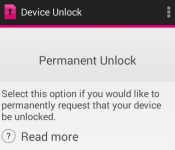
T-Mobile will now unlock select phones via an app

Now that phone unlockers have been given the governmental green light, T-Mobile’s trying to make the very process of unlocking less of a hassle… albeit very slowly. You see, the magenta-hued carrier has created a Device Unlock app that’ll let you either temporarily unshackle your phone for 30 days (perfect for those brief stints abroad) or do the deed permanently. Sound too good to be true? You may have a point. You’re still bound by T-Mobile’s eligibility requirements if you try to permanently unlock your device, for one, and the app only works with Samsung’s decidedly mid-range Galaxy Avant (on which the app comes preloaded) right now. The folks at Android Central couldn’t help but sideload the app onto a few other devices, but didn’t have much luck freeing any of them from T-Mobile’s tight grip. Here’s hoping this limited release is just a pilot program of sorts — we’ve reached out to T-Mobile to see if they’re willing to share any more.
Via: Android Central
Source: Google Play
.CPlase_panel display:none;

Yelp’s iOS app now translates reviews you don’t understand

Itching to squeeze in a last minute summer holiday? You may want to bring Yelp’s updated iOS app with you as you traipse through the streets of Stockholm — it now lets you translate foreign reviews on the fly with just a touch, thanks to a little help from Microsoft’s Bing Translator. That means that reviews and recommendations left in any of the 15 languages Yelp supports (English, Czech, Danish, Dutch, Finnish, German, Spanish, Italian, Norwegian, French, Polish, Portuguese, Swedish, Turkish and Japanese, if you were curious) are now fair game, perfect for making sure you don’t venture into the wrong kebab joint.
If all this sounds just a little dicey, well, you may be onto something. The end results are all machine translated, so expect them to be lacking in the nuance and subtlety departments. Still, as Yelp points out on its blog, even rough translations can be enough to give a savvy traveler a sense of a spot’s worthiness, and there’s no such thing as too many opinions about lunch. Alas, Android fans can’t join the fun just yet: Yelp plans to bring this feature to you at some point soon, but the company didn’t get any more specific than that.
Via: VentureBeat
Source: Yelp Blog
.CPlase_panel display:none;

VSCO Cam for Android taps into its Grid for endless inspiration

Popular mobile photo-editing app VSCO Cam made its way to Android back in December, and now the preset-driven option has reached version 3.0. On top of adding the free VSCO Grid image showcase that’s already included in the iOS version, you can now search and follow fellow photogs posting images there. What’s more, updated sharing options make it easy to share what you find in that library and tweaked privacy tools allow you to nix location settings to keep your locale private. And of course, there’s the usual UI and performance tweaks in this latest Visual Supply Co. release that’s now available for download via Google Play.
Source: VSCO, Google Play
.CPlase_panel display:none;
 AIVAnet