


Moto X review (2014): from also-ran to amazing in one year

I’ll be honest with you: When the first Moto X came out last year, some early apprehension soon gave way to unwavering fondness. It wasn’t because of the sheer horsepower (there wasn’t much of it) or a stunner of a screen (it was fine, at best). No, it was because the Moto X smacked of pluck. You could customize it to hell and back. It tried to improve on stock Android with software features that were actually quite useful. And the icing on the cake? It was a pure joy to hold. Motorola — a company that basically jump-started the premium Android phone movement with the Droid before getting lost in an endless loop of modest annual upgrades — seemed to have a pulse again. So here we are, one year later, and the X has finally gotten an upgrade to match the rest of the mobile big boys. Is it enough to make the new X a winner? Is Motorola really back? Read on, dear friends, and we’ll see.
Hardware

I have a tendency to opine at length about industrial design, so here’s the TL;DR if you’d rather move on with your day: The new Moto X feels a thousand times better than last year’s model, and is easily the most comfortable phone current-gen smartphone I’ve picked up yet. As far as I’m concerned, the previous owner of that title was HTC’s One M8, but there are a few factors in play that make the X even more pleasant to grip.
First and foremost, Motorola’s curvaceous design language is back — the Moto X’s backplate swoops a bit more dramatically than its ancestor because of the bigger 5.2-inch, 1080p AMOLED screen up front, and the end result is a phone that feels remarkably natural in the hand despite its size. It’s thinner than you might think, too. Seriously, the thickest part of the hump (near the headphone jack, the 13-megapixel camera/dual-LED flash combo and the trademark Motorola dimple) comes in at just under 10mm thick, but the case tapers down to create some startlingly skinny edges — think 3.8mm. It’s a hair shorter and a hair wider than the M8, which means it fills my admittedly meaty hands better, though your mileage will, of course, vary there.

While we’re talking about hand-feel, Motorola ditched the all-plastic trim from the original X in favor of an aluminum band (which also acts as the antenna) that runs around the edges of the phone. You wouldn’t think that so little metal would have such an impact on what it’s like to hold the phone, but it does — it imparts the X with a denser, more premium feel, and combined with the weight of the screen, it means you’ve got a phone that’s reliably hefty, but not heavy, per se. The sheet of Corning Gorilla Glass 3 protecting the display is curved at the edges too, and while that may seem like a minor design decision, it helps the X feel like it’s been seamlessly put together. There have been times when I’ve had the X in my pocket and I’d find myself absently fingering those smooth edges. It’s the little things that matter, folks.
Our review unit pairs a white face with a bamboo rear cover, and the rest of the phone’s design is an exercise in subtlety — its face is devoid of extra flourishes except for the 2MP front-facing camera and the four IR sensors dotting it (they’re nigh-invisible on the black version). You’ll find the sleep/wake button and volume rocker on the right while the micro-USB port is centered on the phone’s bottom edge. Like a slew of other flagships, the Moto X includes Qualcomm’s QuickCharge 2.0 tech and Motorola says its forthcoming Turbo Charger will get you eight hours of additional battery life on a 15-minute charge. Feeling impatient? There are a handful of chargers that should do the trick right now. The thing to remember is that it’s a Moto X — it’ll only ever be as subtle as you want it to be. Hate white? Think wood sucks? You’re in luck: Moto Maker is just as robust as ever, so you’ve got no shortage of color and finish options (including Chicago-sourced leather, for you exceedingly fancy types) with which you can cobble together a Frankenphone of your very own.

And then there’s the stuff you can’t see at all, namely the Qualcomm Snapdragon 801 chipset tucked away in that curved chassis. We’ll dig into the horsepower a little later — just know that thanks to the quad-core 2.5GHz processor, 2GB of RAM and the Adreno 330 GPU, the new Moto X will easily handle everything you throw at it. You’ll be able to snag either a 16GB or a 32GB model later this month, but you should probably splurge on the latter since there’s still no microSD card slot (sigh). Motorola also saw fit to trick the thing out with a non-removable 2,300mAh battery, which has been enough to get me through at least a full day (more on that later).
Display and sound

After being stuck with a 720p display on last year’s X, I wasn’t too hopeful that Motorola was capable of wowing this time around. I was wrong: The new and improved X’s 5.2-inch AMOLED is one of the nicest smartphone screens I’ve seen in a while. Deep blacks and crisp whites? Check. Vivid colors that don’t skew toward the eye-melting end of the spectrum? Double check. More-than-adequate screen brightness for outdoor use? You know where I’m going with this. Even the viewing angles are excellent — I was able to glean most of what was going on in Paprika with my face nearly perpendicular to the screen. My only real complaint (and it’s a pretty minor one) is that the glass covering the screen refracts light when you hold it at certain angles, so you have to re-orient the phone to avoid that funky rainbow effect.

Most phone makers don’t spend nearly as much time agonizing over speakers as they do screens, but Motorola did surprisingly well here too. The X sports just one speaker that lives up front right under the display, and it’s much crisper and louder than I expected. Who knows? That might be a side effect of being disappointed by phone speakers for so long. And while we’re definitely not reaching BoomSound quality, I also rarely felt I was missing out on anything. Still, it sort of smarts that Motorola snuck not one, but two speakers onto the face of the new (and less expensive) Moto G. Sure, compromises have to be made when you’re trying to figure out how to squeeze lots of components into a tiny, curvy shell, but here’s hoping Motorola cracks the code in time for the next-gen model.
Software

Android purists could really go either way on the Moto X: On one hand, it runs an almost completely stock build of Android 4.4.4 KitKat, which means it’s devoid of any obnoxious overlays or gaudy third-party widgets. It’s very close to Android the way Google intended it. On the other hand, just wait until you see what happens when carriers get ahold of this thing. Our demo model is tied to AT&T and so there’s the usual spate of bloatware apps — 12 to be precise, from the mildly useful (Ready2Go service isn’t bad for first-time smartphone users) to the truly pointless (does anyone really use AT&T Navigator or Yellow Pages?). Thankfully, while you can’t uninstall most of them, you can at least disable them. AT&T is actually known for having a lighter touch when it comes to carrier customizations, so I’m awfully curious (and a little worried) to see what the X looks like if/when carriers like Verizon and Sprint sink their claws into it.
In fairness, those carrier-mandated apps aren’t the only things that have been added to an otherwise pristine Android device. Motorola carried over the contextual smarts (both in the form of apps and a bit of specialized hardware) that made the original Moto X so great in spite of its shortcomings, albeit with a bit of rebranding. The first noteworthy trick — Moto Display — lets you see your notifications at a glance, and jump straight into the related app by swiping an icon on the dark lockscreen. The nifty part is what’s going on with the display itself: Since it’s an AMOLED screen, the X can fire up only the pixels that comprise the time and notification icons so it’s not burning battery life every time you wave at it.

Moto Actions is second, and it involves that small constellation of IR sensors on the X’s face. A quick wave of the hand over the screen (the range seems to top out at about 10 inches) will silence an incoming call, or coax a sleeping screen into telling you what time it is and displaying your notifications. I still wish I could unlock the thing by waving my hand in front of it, Jedi-mind-trick-style, but alas. Constantly gesturing at your phone may seem a little obtuse (not to mention funny looking), but it isn’t long before it becomes second nature.
Let’s be real, though: The star of the show is the X’s ability to quietly listen for your voice commands, even when the screen is off. It used to be that you had to utter, “OK, Google,” to get your phone to pay attention, but now you can define your own command phrase. I’m a fan of keeping things casual, so after a bit of trial and error (you’ll be nagged during the setup process if your magic words don’t have enough syllables). I settled on the jocular “Hey Moto, you there?” From there, you can ask the Moto X to set alarms for you, set up reminders and post inane statuses to Facebook or WhatsApp, in addition to searching Google with your voice.

If you’ve played with Google Now before, you know what sort of accuracy to expect (it’s quite good), but my favorite use for Moto Voice is fairly mundane. You see, in the week that I’ve been testing the X, I’ve used my voice prompt nearly a dozen times just to help me find the phone when it’s nestled deep in a bag, or hiding under a pile of clothes. Lo and behold, the screen almost always sprung to life and an audio cue helped me figure out where it was. There were a handful of occasions when background noise obscured my voice or I wasn’t emphasizing the right words, but the X heeded my commands on the first try about 90 percent of the time. Not a bad hit rate, all things considered.
Each feature on its own is neat enough, but when combined, they help make the Moto X feel like more than just a lump of metal and silicon sitting on your desk. At the risk of anthropomorphizing a gadget, calling out for the Moto X and seeing it tackle my tasks sometimes made it seem like an honest-to-goodness assistant… and not one I have to hold down a button to chat with. Sorry, Siri.
Camera

So far, Motorola has a done a fine job of fixing what it didn’t nail with the original Moto X, but the camera experience on this year’s model still isn’t as consistently good as I’d hoped. The new X hosts a 13-megapixel camera (up from the 10-megapixel ClearPixel sensor we got last year) surrounded by a dual-LED ring flash, and when the sun’s out or you’re in a nicely lit room, your shots’ll feature punchy colors and plenty of detail — especially if you’ve got HDR mode on. Expect to see quite a bit of grain in all but the best-lit conditions, though, and waiting for the camera to focus properly can be an exercise in frustration sometimes. I’ve found it’s best to enable the manual focus and exposure controls so you can just take matters into your own hands. In the event that you need to fire up the flash to throw around some more photons, you’ll notice that the ring around the LEDs smooths out the otherwise harsh light, but it isn’t staggeringly better than other flashes I’ve seen on modern smartphones.
On the plus side, videos shot in 1080p are generally colorful and well-exposed, and the X lets you shoot in 4K (though you’ll have to offload the files onto something with a compatible display to get the full effect). The uber-simple camera interface is still a pleasure to putz around with, too. Instead of giving the camera app a discrete shutter button, you can tap anywhere on the screen to snap a photo (which can be a little odd if you’re used to interfaces where you tap to focus). Holding your finger down on the screen kicks off burst mode, taking photos at a machine gun pace until you release your hold on the screen. You can dig into HDR, flash, Quick Capture, slow-motion video and panorama settings from a menu that slides out from the left side of the screen, but anyone looking for really extensive camera controls might get frustrated by the app’s lack of depth.
Fan as I am of the occasional selfie, the X’s front-facing camera is awfully disappointing. It’s not so much the quality of the photos it captured that bothered me — though they’re generally full of noise and not worth writing home about. What really killed me was the latency between moving the phone to frame a shot and seeing that movement reflected on the screen; the camera always feels like it’s a half-step behind where it should be, and the amount of blur that comes into play while you’re angling the phone around is really obnoxious.
Performance and battery life

Last year’s Moto X might’ve been Motorola’s flagship, but it lacked the sheer oomph many of its rivals did thanks to its curious chipset (a dual-core Snapdragon S4 Pro plus some additional contextual modules, remember?). That isn’t the case this time. In terms of raw performance, there isn’t a great difference between the Moto X and most other top-tier smartphones. That really shouldn’t be a surprise: After all, the Moto X shares the high-end Qualcomm Snapdragon 801 chipset as heavyweights like the Galaxy S5 and the One M8.
You can peep our benchmark tests below if you’re the numerical sort, but what this all boils down to is that the new Moto X simply screams. There’s very little you can do to stymie those formidable guts (though all the silicon in the world might not be enough to make Facebook for Android feel smooth). Swiping through web pages is fluid, as is trying to take those tricky corners in Asphalt 8, and apps launch in a jiffy. The point is, don’t fret: The Moto X won’t leave you wanting for horsepower.
| Moto X (2014) | HTC One (M8) | LG G3 | |
|---|---|---|---|
| Quadrant 2.0 | 22,721 | 25,548 | 25,548 |
| Vellamo 2.0 | 2,093 | 1,804 | 1,405 |
| 3DMark IS Unlimited | 19,568 | 20,612 | 16,662 |
| SunSpider 1.0.2 (ms) | 787 | 782 | 918 |
| GFXBench 3.0 Manhattan Offscreen (fps) | 11.9 | 11.2 | N/A |
| CF-Bench | 39,018 | 40,223 | 24,667 |
| SunSpider: Lower scores are better; results compiled on Chrome. HTC One benchmarked on Android 4.4.2 | |||
Power is peachy, but we’re left with another question: How long can we use it before the X runs dry? In our standard video-rundown test (looping video with WiFi on, but not connected), the next-gen X lasted for a solid 10 hours and 34 minutes before it gave up the ghost. That’s only a few minutes longer than what we squeezed out of the Galaxy S5, but alas — it still falls about an hour short of the number the HTC One M8 put up under the same conditions. Chances are your days will be just a little more involved than that, and Motorola managed to keep its word with regard to an all-day battery — the X stuck with me for just over a day of on-and-off web browsing, texting, Kindle reading, YouTube watching, Rdio streaming and Google Maps navigating. Oh, and here’s another tidbit to keep in mind: Battery performance for some original Moto Xs tanked over time, so we’ll keep our eyes peeled for any long-term changes.
The competition

If you’ve made it this far, you’ve already discovered that the Moto X compares pretty favorably to premium phones like the One M8 and the Galaxy S5. Both of those devices cost $200 on-contract, and the 32GB Moto X probably will too (Motorola hasn’t officially confirmed the price yet). There’s really no wrong choice among the three, but their strengths are scattered. You’re better off with the One M8 if you’re a stickler for metal bodies and music — those BoomSound speakers are the best on the market. Keen on snapping plenty of photos? If you need the best camera of the bunch and don’t mind some gimmicky software, the GS5 is your pal. And if a stunning screen is your overriding concern, there’s always LG’s G3 to consider for the same price. With so much going on at the $199 level, why should you consider the X? Long story short: There’s hardly any cruft to slow it down and it pairs thoughtfully crafted hardware with a few key features that really add to the Android experience. Fan of simplicity? You’ll find plenty to like here.
And hey, if you’ve embraced the cloud and have gigabytes of empty space floating in the digital aether waiting to be filled, you might want to opt for the 16GB model since it’s only $99 on-contract. Oh, you hate service agreements? If all you’re concerned about are off-contract price tags, pay close attention to the OnePlus One. It too packs an awfully similar spec sheet, along with a much larger screen and a much cheaper sticker price — think $299, compared to the base model X’s $500. Good luck getting your hands on one any time soon, though.
Wrap-up

Motorola’s plan with last year’s flagship seemed pretty clear: It set it to build a smarter kind of smartphone. The company mostly succeeded, but the formula just didn’t make sense for people who wanted the most oomph for their buck. One year later and it’s apparent Motorola has learned from its mistakes. This year’s Moto X still isn’t perfect — the camera is occasionally just frustrating, and its battery life is purely average compared to its rivals — but it’s the closest that Motorola has come in a very long time. Moto fanatics might lament the passing of the more compact original, but don’t worry: The new Moto X is the flagship Motorola should have made in the first place, and it’s earned itself a spot in the pantheon of smartphone greats.
Filed under: Mobile
.CPlase_panel display:none;
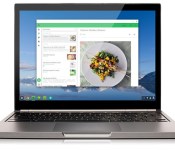
The first four Android apps for Chrome OS are here

Google promised that Android apps would eventually make their way to Chrome OS, and, well, here they are – the search giant announced that the first batch has just gone live in the Chrome Web Store. We knew that Vine and Evernote were on the short list of Android apps to make the leap, but there’s no sign of Flipboard yet. Instead, we also got startup Duolingo’s excellent language learning app and something called Sight Words, a tool to help little ones identify and recognize words (aww). Four apps may not seem like much to get worked up over, (especially since Duolingo and Evernote work just fine in a web browser) but it’s just a start. Google says it’ll work on getting more developers to use its App Runtime for Chrome “over the coming months,” so don’t go expecting a full-on Android invasion of Chrome OS any time soon.
Source: Official Chrome Blog
.CPlase_panel display:none;
HTC smartwatch due in early 2015, report indicates
Those reports that HTC was already set to give up on the smartwatch game? Fuggedaboutit. According to CNET, HTC plans to release their first Android Wear-powered smartwatch in early 2015. What’s more, it’s said that HTC will not go with a stock version of the platform, instead opting for some extra features. But the company will… Read more »
The post HTC smartwatch due in early 2015, report indicates appeared first on SmarterWatching.
Read the rest at SmarterWatching.com!
The post HTC smartwatch due in early 2015, report indicates appeared first on AndroidGuys.
.CPlase_panel display:none;

The Premier League’s new app helps you enjoy a wet Wednesday night in Stoke

Old football folklore states that a super-talented and skillful overseas player hasn’t earned his stripes until he’s performed on a cold, wet and windy Wednesday night in Stoke. Those achievements would be nothing without fans there to chronicle them, so the Premier League has launched a new app to ensure there’s enough travelling supporters there to do just that. Available on both iOS and Android, Away Days has a simple premise: to get you to the stadium with plenty of time before kick-off. You’ll get access to live travel updates, details on the best places to crash, pubs to drink in, as well as comprehensive overviews of the stadiums themselves. The Premier League has gone as far as partnering with clubs and suppliers to cut the cost of getting to the ground, while also offering money off food, drink and parking when you arrive. Good news if you’re looking forward to seeing Falcao, Di Maria, Shaw, Rojo, Blind and Herrera attempt to emulate legends past at the Britannia come New Year’s Day.
Filed under: Cellphones, Internet, Software, Mobile
Source: Premier League Away Days (iOS), (Android)
.CPlase_panel display:none;

HTC reportedly lost its Amazon phone deal due to AT&T objections

As you may have noticed, that rumor of HTC making Amazon smartphones never panned out; Amazon ultimately designed the Fire phone itself. But was it a bogus story to begin with? Not if you ask The Information. Its sources claim that HTC landed a deal to make a low-end Amazon phone, but that AT&T freaked out when it heard that it wouldn’t have a US exclusive on the device. The carrier reportedly threatened to drop support for the higher-end Fire, forcing Amazon to scrap HTC’s project. That may have been a tough decision, as Amazon had supposedly offered to buy HTC before being turned down by its acquisition target’s independence-minded chairwoman, Cher Wang.
None of the companies involved have commented on the drama, so it may be tough to ever know the full story. The objections are at least plausible, however, since AT&T has a history of demanding exclusives for HTC-made specialty (read: gimmicky) phones like the First and Status. Whatever happened, HTC may have dodged a bullet — the Fire isn’t exactly a strong seller, and there’s no guarantees that a budget Amazon phone would have fared much better.
Filed under: Cellphones, Mobile, HTC, Amazon, AT&T
Source: The Information
.CPlase_panel display:none;

Google Play officially extends return window to two hours

While Google already had been offering an extended two-hour window for app and game returns, the outfit has officially acknowledged the change. Before the switch, Android users had 15 minutes to decide whether or not they wanted to keep software they’d just purchased. From the title’s page in Google Play, options for Open and Refund are displayed during the 120-minute period following the initial download. Once that time is up though, you’re saddled with it for good as Refund is replaced the Uninstall button. Don’t expect to get multiple refunds for the same app, either. Once you’ve received your funds back, if you choose to splurge for the same selection again, you can’t return it a second time.
Filed under: Software, Mobile, Google
Via: Android Central
Source: Google Play Support Page
.CPlase_panel display:none;

‘SimCity BuildIt’ brings urban planning back to phones and tablets

SimCity hasn’t been on mobile devices for a while — the last title surfaced way back in 2010. You’ll get another crack at metropolis building pretty soon, though, as EA has quietly teased SimCity BuildIt for Android devices, iPhones and iPads. Details are scarce right now, but it’s already apparent that this will be a big, big visual upgrade over the last incarnation; you’ll see 3D graphics that more closely resemble SimCity‘s recent reboot than a cut-down phone release. We’ve reached out to EA for a launch date and more info on the game mechanics. However BuildIt works, we’re just hoping that it fares a lot better than its desktop counterpart.
Filed under: Cellphones, Gaming, Tablets, Mobile
Via: Joystiq, cbob3000 (Twitter), NeoGAF
Source: EA
.CPlase_panel display:none;
NVIDIA hints at an HTC Nexus 9 tablet coming within weeks

Remember those hints of HTC returning to tablets? Yeah, the cat’s out of the bag. As part of its patent lawsuit against Qualcomm and Samsung, NVIDIA has revealed that it expects a Tegra K1-powered “HTC Nexus 9″ sometime within the third calendar quarter of the year. That would theoretically put the launch sometime before the end of September. However, don’t get your hopes up for a release that soon. HTC just sent out invitations for a “double exposure” media event on October 8th, and there’s still no guarantee that the Nexus 9 will surface at that gathering. Given that the slate is supposed to be running Android L, any unveiling will likely hinge as much on Google’s progress as it does HTC’s.

Filed under: Tablets, HTC, Google, NVIDIA
Via: Bright Side of News, Droid-Life
Source: NVIDIA (PDF)
.CPlase_panel display:none;

SimCity BuildIt announced for Android

EA has just announced that they are planning on releasing a new SimCity game on Android called SimCity BuildIt. Whilst details are vague, the video below shows that the graphics of the game seem to be on par with the current PC game.
Forbes has an analysis video which looks at what is known currently about the game.
SimCity BuildIt will be available on the Google Play Store soon, and you can follow @SimCityBuildIt to stay up to day with progress of the release.
The post SimCity BuildIt announced for Android appeared first on AndroidGuys.
.CPlase_panel display:none;

Hangouts can now take your Google Voice messages

Google Voice has only had a limited tie-in with Hangouts so far, but it now looks like the two are coming together in earnest. Android Police notes that you can now set up Hangouts to receive Google Voice text messages and voicemail, whether you’re on mobile or the desktop. Switch on the feature and you won’t have to jump between apps to deal with conversations based on where they came from. You may not want to migrate just yet, though — replies aren’t working perfectly at the moment, and it otherwise appears that Google flicked the switch a little early. There should be a Hangouts update soon, though, so those glitches might not stick around for much longer.
[Image credit: AP Photo/Virginia Mayo]
Via: The Next Web
Source: Android Police
.CPlase_panel display:none;

