


Rear of Motorola’s Nexus phone leaked

The internet is hungry for new information and leaked photos of Google’s upcoming Motorola-made Nexus smartphone. Because of this, it’s very likely that someone would have the unfortunate dishonesty to put up fake photos of said phone. Be that as it may, it’s not like we haven’t seen leaked photo’s of smartphones before, even Google’s. So, take this new information with every bit of grain of salt you have.
The photo you see above is allegedly a photo of the upcoming Nexus 6 or Nexus X from Google, which has been given the code name “Shamu”, next to a LG G3. The LG G3 is arguably a big phone as it is… So “Shamu” is quite large as discussed before.
What do you think of the size of this phone? Would you get it?
Deals, Discounts, Freebies, and More! Click here to save today!
The post Rear of Motorola’s Nexus phone leaked appeared first on AndroidGuys.
.CPlase_panel display:none;

Hands-on with Nokia’s Here Maps for Android

When Microsoft finally completed its €3.79 billion acquisition of Nokia earlier this year, the company took control of its smartphone business but left behind a number of Nokia’s other powerful and profitable properties. One such property was the company’s mapping division, now called Here, which has become the defacto maps app for Windows Phone users the world over. Nokia tried to replicate the experience on iOS, but after poor reviews and the admission things “went horribly wrong,” the company pulled its iPhone app and went back to the drawing board. As for Android, it looked like Nokia would never deliver a real Google Maps alternative.
Luckily, that’s all about to change. Thanks to some marketing muscle from Korea, Nokia will soon give Samsung Galaxy smartphone owners advanced access to its maps app. While Nokia readies Here Maps for Samsung’s Galaxy Apps store, which is expected to drop in the coming weeks, the company gave us an early preview of its new app, and it’s good.
When you first launch the app, you will be asked to sign up or log in. It’s important that you do, because you need an account to download maps and save collections for later. For ease of use, Nokia lets you use Facebook to sign in, but if you don’t like the idea of sharing data with Zuckerberg and co., you can simply use Nokia’s own signup form.
Once you’ve cleared that hurdle, you’ll immediately notice how basic the app is — there are no bells and whistles here. That’s no bad thing, because the app loads instantly and transitions are very smooth. Just like Google Maps, Here supplies the default mapping data (labelled Maps) and turn-by-turn navigation (labelled Drive).
Getting Around
Selecting Drive will immediately ask you select your destination. You can either enter a location directly or pull up a list of journeys you’ve recently made. Once you’ve plugged in that in, Here Maps will list the duration of the journey, the total number of miles, the main routes it expects to take and will also, as long as you’re not using offline mode (more on this later), list any potential traffic delays you might encounter on your journey. There are options to include or exclude major roads, toll roads, ferries or tunnels if your mode of transport requires you to.

In the wider settings, you can choose to enable a feature that will gauge your speed and warn you if you exceed a speed limit in a certain area. The app offers two sliders: one that lets you choose how fast you need to be going to trigger an alert in an area where the limit is under 50mph, and another for when you’re beetling down a major road (over 50mph). There’s the usual option to switch navigation voices, but unlike Waze, which offers guidance from none other than Terry Crews, you’re stuck with regular male and female voices in at least nine European languages (which I’d still consider a huge plus).
During my short test, Drive performed well. It delivered early navigation prompts, meaning you can familiarize yourself with your surroundings before you make the turn. Although I was navigating roads I’m already familiar with, the app appeared to list the most effective route (i.e. the one I would’ve always taken), but did provide alternatives just in case.
If you don’t have a car, Nokia also includes train travel and walking options. Once a destination is entered, the app will detect your current location and provide walking distances to your local station and a number of upcoming trains. Like when you’re driving, it’ll list the total journey and estimated arrival times, how many changes it expects you’ll make and also give you a detailed summary of the journey ahead of you.
Offline Maps

One of Nokia’s mapping strengths is its ability to offer offline data not just for specific countries, but entire continents. Google offers a way to make selected areas available offline, but even then you’re only getting a tiny fraction of what Nokia can offer. To enable offline mode, Nokia has included a small tickbox in the menu. As soon as you enable it, you can search for specific locations and enable turn-by-turn navigation, but you won’t benefit from traffic warnings or Nokia’s updated place listings. Be warned, though, if you want to use offline maps, you need to make sure you have a chunk of free space on your device. For reference, North American and European maps take up 6.8GB and 9GB, respectively, and there are no options to dial it down to capture smaller areas.
Offline maps are likely to be a huge help if you want to see the sights while you’re abroad but don’t want to waste money on roaming fees. Before you go, though, you can add the places you’d like to visit to a “Collection,” which you can then pull up when you arrive in a distant land. The point-of-interest database might not be as comprehensive as Google’s, but it’s certainly not lacking. Nokia also lets you share these locations with other people using its Glympse integration, letting others see where you’re visiting and possibly join you (if you’re online, that is).
The app provides a decent mix of features without becoming bloated or troublesome to use. If you’re looking for a legitimate alternative to Google Maps, Here Maps matches its rival in many aspects and betters it in others. The new iOS and Android apps will be available later this year, after Samsung has enjoyed its period of Android exclusivity.
Filed under: Cellphones, Internet, Software, Nokia
.CPlase_panel display:none;

TiVo’s Android app now supports streaming

It was nearly a year ago that TiVo brought streaming to its iOS apps, enabling you to watch recorded shows anywhere with a WiFi signal. Eleven months later, and the company has finally added the same functionality for TiVo’s Android app. The feature will work on most devices running Android 4.1 or above, but there are a few caveats, like the fact that it won’t work on devices with Intel’s mobile chips, and you’re still at the mercy of whatever copy protection restrictions is placed upon the shows. On the upside, the app will also access content from Hulu Plus, Netflix and Amazon Instant Video – the latter being another service that’s belatedly gotten around to adding Android support for its users.
Filed under: Cellphones, Tablets, HD
Source: TiVo Blog, Google Play
.CPlase_panel display:none;

Project Ara to run a modified version of Android L

Phonebloks began as a college project. It was an idea more than it ever was a business. It was an idea Phonebloks hoped would spread across the internet and someone would grab it and run with it. In the last year or so, the idea has spread, and now multiple companies are using this idea to drive their business. One of those companies is Google.
Project Ara took shape with the acquisition of Motorola. Motorola and Google took the idea of Phonebloks, a modular phone with swappable parts, from idea to concept. And even though Google is in the process of selling Motorola to Lenovo, they are keeping Project Ara in house.
We’ve already seen a glimpse of the future when Google showed off a concept phone at Google I/O earlier this year. It was rough around the edges, and was little more than a boot sequence, but it gave us a glimpse of the future. In that device, we saw a way to own one phone that we could upgrade and change with new modules. This reduces waste, and increases the functionality of our phones.
The latest news from Project Ara is that,
Project Ara will use a modified version of Android L, developed in collaboration with Linaro. Thanks to this version, the modules, except the CPU and the display, will be hot swappable. This means you can change them without turning the phone off. The modules will be available on a new online store, like Play store.
Yes, Google will monetize the crap out of Project Ara and make a ton of money by doing so. But, we are all used to that kind of thing. The main point here is the vision of this modular device becoming a reality; something we can buy, and use, in our daily life.
Check out the video below that shows how far Phonebloks has come in the last year. Don’t you just love videos of people’s dreams coming true?
via [Phonebloks]
Deals, Discounts, Freebies, and More! Click here to save today!
The post Project Ara to run a modified version of Android L appeared first on AndroidGuys.
.CPlase_panel display:none;
Com1 smartwatch mystery solved
If you were wondering where the Com1 smartwatch disappeared to, now we can tell you. A quick summary is in order first, earlier this month the Com1 smartwatch appeared on Indiegogo. The Com1 looked like a solid smartwatch especially at the price point, $125 for the basic version and $175 for the stainless steel or… Read more »
The post Com1 smartwatch mystery solved appeared first on SmarterWatching.
Deals, Discounts, Freebies, and More! Click here to save today!
Read the rest at SmarterWatching.com!
The post Com1 smartwatch mystery solved appeared first on AndroidGuys.
.CPlase_panel display:none;

Premier Inn’s new smart hotel lets you book, check in and get cosy with an app

More than four years in the making, Premier Inn has taken the wraps off its first smart hotel rooms. The UK’s biggest hotel chain has embraced mobile with both hands, letting you book your stay, check in and play with various room settings using its official iOS or Android apps. The 123 square-foot rooms in its flagship “hub” in Covent Garden (which opens in November but is now available to book) come furnished with a 40-inch smart TV and as much free high-speed WiFi as you can guzzle. With an app that can seemingly control everything, including the room temperature and what’s on the box, we wonder if London’s street performers will notice a sudden drop in donations as guests ditch sightseeing for some technology-enabled R&R.
Filed under: Home Entertainment, Internet, Software, Mobile
Source: Hub (App Store), (Google Play)
.CPlase_panel display:none;

Android Lollipop Hinted by Google?! Nexus 6 Sounds More Glorious! – ManDroid Daily

The ManDroid Daily is here folks. Google might have hinted at the name Lollipop on their 16th anniversary cake. I think we can all agree that is a suitable name for the next version of Android. New Nexus 6 image came about in render form, with some added specs. Big phone means beautiful display. Enjoy the Daily!
Android Daily
Android Lollipop hinted by Google?
Nexus 6 confirmed with Quad HD
New Oppo N3 Specs
//<![CDATA[
ord = window.ord || Math.floor(Math.random()*1E16);
document.write('‘);
//]]>
The post Android Lollipop Hinted by Google?! Nexus 6 Sounds More Glorious! – ManDroid Daily appeared first on AndroidSPIN.
.CPlase_panel display:none;
Always know the weather with the Beautiful Weather Watch Face app [‘Watch’ This App]
If you’re like me then you may be constantly checking the weather. Even if it has no bearing on you’re day you still need to know it, just for the sake of knowing it. If this is something you do, then it may be time to check out the Beautiful Weather Watch Face app. Beautiful… Read more »
The post Always know the weather with the Beautiful Weather Watch Face app [‘Watch’ This App] appeared first on SmarterWatching.
Deals, Discounts, Freebies, and More! Click here to save today!
Read the rest at SmarterWatching.com!
The post Always know the weather with the Beautiful Weather Watch Face app ['Watch' This App] appeared first on AndroidGuys.
.CPlase_panel display:none;

Archos announces colorful new smartphones

The bargain smartphone segment has grown immensely recently and it will continue to grow with Archos’ new Platinum smartphones. The Platinum line is made up of two new smartphones, the 45c and the 50b. The 45c is the smaller of the two phones with a 4.5″ screen. The 50b is the big brother of the family with it’s 5″ screen. Either can be had in your choice of blue, pink or black.
As far as specs go, both of these smartphones are just about identical. The 50b does have a better camera, an 8 MP compared to the 5 MP in the 45c. The big selling point seems to be the quad-core processor found in both phones, Archos claims, “it should handle the most demanding tasks.” It will be interesting to see how this processor performs compared to other smartphones in the $99 range. The Archos Platinum smartphones will start at $99 for the 45c and go up to $119 for the 50b.
Source Archos
Deals, Discounts, Freebies, and More! Click here to save today!
The post Archos announces colorful new smartphones appeared first on AndroidGuys.
.CPlase_panel display:none;
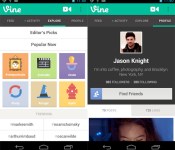
Vine now lets you use your Android phone’s existing video clips

Not too long ago Vine blessed iOS users with the ability to import pre-existing videos into the app, and now Google fans can get in on the action. Any clips in your Android camera roll are viable subjects to be trimmed down to six seconds or shorter now, and you can activate your device’s flashlight to work as a flash in low-light situations. There are a few other features too, and you can check those out on the app’s Google Play page. Now all that’s separating your from internet stardom is, well… you.
Filed under: Cellphones, Software, Mobile
Via: Android Central
Source: Google Play
.CPlase_panel display:none;

