


Sony debuts Xperia E4g, an LTE variant of its latest budget device
For the fans of the Xperia E4 – Sony’s excellent budget device – the company have just announced an LTE variant of the device called the Xperia E4g.
With the an improved 1.5Ghz quad-core processor, 1GB of RAM, and 5-Megapixel camera, the E4g is almost identical to the E4 but with the addition of LTE.
The Sony Xperia E4g will be available starting April, with a price tag of 129€ and will be offered in a dual-SIM variant.
The post Sony debuts Xperia E4g, an LTE variant of its latest budget device appeared first on AndroidGuys.

Leaked HTC One M9 videos confirm new cameras and software tricks

If HTC was hoping to keep at least some of the One M9’s details a secret, it’s going to be sorely disappointed. Well-known tipster @Upleaks has posted three promo videos that reveal… well, just about everything. They confirm that the M9 will have a much higher-resolution 20-megapixel camera at the back, as well as an UltraPixel (likely 4MP) front cam for your low-light selfies. You’ll also get Dolby surround sound from the One’s signature BoomSound speakers. And that’s just the hardware — there’s plenty on the software side, too.
The updated version of Sense shown in the leak isn’t as dramatic a shift as you might have seen in the past, but there are definitely some noteworthy features. There’s support for customizable themes, a widget that shows apps based on location (think context-aware launchers like Aviate), a new photo editor with effects like double exposure, and the ability to share media through three-finger swipes. There are still a few elements left to the rumor mill, like availability and the exact choice of processor (likely a Snapdragon 810), but it’s safe to say that HTC’s March 1st event will largely be telling you things you already know.
Filed under: Cellphones, Mobile, HTC
Source: @Upleaks (Twitter)
All Canadian carriers now rolling out Lollipop update for HTC One (M7)

HTC Canada shared today that they have released the update to Android Lollipop for the HTC One (M7). The update is heading out to all Canadian carriers. If you are in Canada and have the HTC One (M7), you should see a notification letting you know the update is available. If you want to manually check for the update, you can go to Settings -> About device -> Software update -> Update on your smartphone.
source: MobileSyrup
Come comment on this article: All Canadian carriers now rolling out Lollipop update for HTC One (M7)
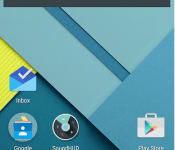
All Lollipop users should spend $1.50 on this app
Lollipop users all share a common frustration, and that is the lack of a true silent mode for your device. Sadly, Google did away with the silent mode in favour of notification priorities, but SoundHUD is an app that brings that all back.
SoundHUD is a customisable replacement volume panel that doesn’t require root access and will give you full control over your volume settings.

Silent mode HOW-TO
1. Go to System settings -> Sound & notification -> Interruptions
2. Turn OFF all priority interruption switches
3. Get up, do a little dance, and enjoy the silence! No more calls, notifications, reminders – just alarms!
You get a 2 week free trial of SoundHUD and then it’s only $1.50 to unlock it, which is well worth it.
So what are you waiting for? Grab it from the link below now.
The post All Lollipop users should spend $1.50 on this app appeared first on AndroidGuys.
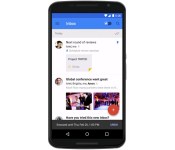
Google’s Inbox email app will soon be work-friendly

Google’s Inbox is theoretically perfect for some workers given its task-focused approach to email, but it hasn’t had true workplace support — if your company leans on Google Apps, you’re out of luck. Things are going to loosen up shortly, though. Google is now accepting requests to join an early adopter program that lets Apps-based companies try Inbox. You sadly can’t sign up just for your own email address (your administrator has to do it), but the effort will expand over the months ahead. Don’t be surprised if you soon have another way to keep tabs on your corporate chats.
Filed under: Cellphones, Internet, Mobile, Google
Source: Official Google for Work Blog

Note 4 vs. Note Edge: Titan Showdown
Samsung has been busy these last few years shooting out amazing smartphone after amazing smartphone. With the Note line Samsung took a different approach and decided that yes, people do want a bigger smartphone. After the original Note came out it seemed like the only thing Samsung could do was keep making the phones bigger and adding new software features. Well that was until the Note Edge was released with its slightly curved display and added software to take advantage of it. Now we stand at crossroads as to which device is better, The Note 4 or the Note Edge. The two latest iterations of the Note line.
Design

The designs of the Note 4 and Note Edge can be better described as modern, sleek and business like. Both phones have the speaker grill centered on the top of the screen with the Samsung brand right below it. Moving to the right you get the light sensor, LED indicator and front facing camera. On the bottom you are greeted with the capacitive recent apps and return keys and the physical home button right in between them. The only real difference between the phones is the curved edged that the Note Edge has on the right side of the screen. The Note Edge and Note 4 are both surrounded by a metallic ring on the sides that makes them true premium phones and a pleasure to hold.
The backsides of the two titan phones are both covered in Samsung’s faux leather material. This made the Note Edge and Note 4 easy to hold use. Both their cameras, which we will address in more detail later on, are centered on the upper hand corner of the phones with the LED flash right beneath it. Right below that you get the carrier branding which in my case are the AT&T logo for the note Edge and the Verizon Wireless logo on the Note 4. The speakers are located on the bottom left hand corner and I found that both phones provided clear and pleasurable sound. You won’t be using them as your go to music setup but if are alone somewhere and just need to hear your class notes you recorded, these speakers will get the job done.
Hardware
Both the Note 4 and Note Edge have a 2.7 GHz quad-core processor, have 3 GB of RAM and 32 GB of internal storage. If you feel like 32 GB is a measly amount then fortunately for you both phones offer microsd card support up to 128 GB of additional storage. The Note 4 does have a slight upper hand depending on your country and carrier as it also has a 1.9 octa core processor model. Both phones are monsters when it comes down to internal hardware. With so much power it was a slight surprise to see a minimal amount of lag but that can be attributed to the TouchWiz skinned launcher that comes on both phones. That was quickly fixed though by going into the developer setting and lowering the animation speeds to .5.
Moving on to what makes Samsung’s Note line so interesting, the S Pen. Both phones have the iconic stylus pen sheathed on the bottom right of the phone where it is safely secured so you don’t accidentally lose it. Taking out the S Pen requires a small amount of effort which just reinforced the fact that the stylus is secured in place with no intentions of coming out when you go for a run or are talking on the phone. Both pens are almost identical except for the color. The Note 4 sticks with a dark grey color scheme and the Note Edge a white color scheme.
Screen

The Note 4 and Note Edge differ only slightly where the display is concerned. The Note 4 comes with a 5.7 QHD Super AMOLED display while the Note Edge has a 5.6 QHD Super AMOLED screen. As you can see the only difference is that the Note 4 has a .1 bigger screen size compared to that of the Note Edge. Both phones utilize Samsung’s famous Super AMOLED display technology which made the displays stunning to look at. Colors were vibrant and blacks were rich and deep. Stepping outside I was able to keep using my phone with the sun shining down without having to turn up the brightness all the way up. This is a great plus for me as I tend to run around a lot and having to mess around with the brightness settings is always a hassle.
Now lets take a look at the frame of the display itself. Samsung took a very different approach when it came to designing the screen of the Note Edge. Instead of keeping with the flat square look of modern smartphones they opted instead to form a slight curve on the right side of the screen. I was a bit surprised when it was announced and now having used it I can say that it is, different. Not bad per say, but neither good. During my review period I found that it was basically a place to place the bottom dock. So now instead of all your icons being on the bottom they are on the curved side. I must say that I did not care for it in the beginning but I began to warm up to it as time went on. It really is one of those things that you are either going to like or hate.
Battery
The Note 4 has a 3220 mAh battery while the Note Edge has a slightly smaller 3000 mAh battery. Both phones are going to last you through the day with moderate usage but I was able to get some more life out of the Note Edge by an hour or so. The difference is not enough to really be enough to sway you one way or the other but still worth noting..
Camera
Camera wise, both smartphones performed as a smartphone camera should. For the rear shooter you are given a 16 MP camera with OIS on both phones and on the front a 3.7 MP camera. The Note 4 and Note Edge were both able to take some great stills both indoors and out. Video came out clear and crisp with just a bit of grain noticeable when taking videos on darker settings. As the old adage goes, the best camera is the one you have on you. Both cameras took great stills and videos are going to be able to satisfy all but the most hardcore photographers.
Functionality
The Note Edge and Note 4 run Android 4.4 Kitkat with the TouchWiz interface on top. Samsung is known for the various amounts of software that it includes with its smartphones and most of it is quite nice. Starting off with the most noticeable apps you are given S Health, S Voice and S Note. S Health is for all of you health junkies out there that like to keep all of your health goals under one app. Here you will find the ability to track your steps, running speed and health rate among other things. The S Note is of course for use with the S Pen. I really like the fact that you can bring up the S Note app to make quick memos by pulling out the Pen and pressing the button on the side. That way you are always able to take quick notes when inspiration hits or you need to jot down your grocery list really fast. The S Note app has many other little abilities that are there to help you stay organized though I can’t really say you are likely to use them all. It is nice to have options though. Then you have the S Voice app. It is basically a voice activated assistant that can take various voice commands to complete simple tasks. You can bring up apps, play music, send a text message and make phone calls. Basically Google voice, with a Samsung twist to it.
You also have the multi-window ability that became one of the staples of owning a Samsung Android smartphone. That way you can watch that funny YouTube video everyone is talking about while at the same time letting everyone know you are watching it so you remain in the loop and cool. Motion Gestures are still present and allow you to answer your phone, silence it and other neat things just by moving the device.
Final Thoughts

As you probably have noticed by now, the Note Edge and Note 4 are basically the same device with a different name and some very minute differences. The only real thing that differentiates the phones are the slightly bigger screen and battery on the Note 4 and the curved display on the Note Edge. Neither phone is better than the other one as they were both made to be similar but with different users in mind. So it really is going to be a matter of preference rather that which is faster or better.
The post Note 4 vs. Note Edge: Titan Showdown appeared first on AndroidGuys.
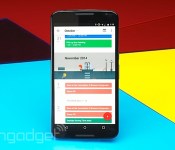
Android Lollipop lets you tweak some settings using voice commands

“OK, Google. Turn on WiFi” is something you might want to start practicing out loud if you’re among the small percentage of Android users who already have Lollipop on their devices. Android Police has discovered that Google Now on the latest Android release can tweak some of your settings for you with just a voice command. Specifically, it can switch the device’s Bluetooth, flashlight and WiFi on or off, whereas it could only bring up the Settings page in the past, leaving you to toggle things yourself. The feature can be really useful at times, especially if your device doesn’t come with a built-in flashlight controller or if you need to use your phone while on the road. It seems to be limited to those three for now, and only for Lollipop devices, so you’ll still have to work those thumbs to adjust any other setting.

[Image credit: Android Police]
Filed under: Cellphones, Tablets, Mobile, Google
Source: Android Police

Samsung teases that the ‘Next Galaxy’ is borderless and metal

Samsung’s teasers for the Galaxy S6 (or whatever it might be named) are getting decidedly less cryptic. The company’s latest hype video for the new smartphone promises that “borders will disappear” and “metals will flow” — if there was any doubt that the next Galaxy is ditching the S5’s utilitarian plastic design, it’s gone. There are further hints of a curved (and reflection-free) display, too. There’s a good chance that the phone won’t quite live up to this teaser’s breathless prose, but one thing’s increasingly certain: Samsung doesn’t want its upcoming flagship device to suffer the ignominious fate of its predecessor.
Filed under: Cellphones, Mobile, Samsung
Source: Samsung Tomorrow

Here’s when your Android smartphone will receive the Lollipop update

If you’re wondering when your HTC, Samsung, Sony, LG or Huawei smartphone is set to receive the long-awaited Android 5.0 Lollipop update, then wonder no more. Here at Talk Android, we have compiled a list extracted from a variety of sources, predominantly leaks, to provide you with an estimated timeframe of when your beloved handset should start receiving the upgrade.
Just remember, that unlocked versions are likely to get the update first. Carrier branded devices go through rigorous testing, which can take up to a month or two depending on how many bugs are found. So, without further ado, here is the list:
HTC:
- One (M8) — Asian, International and American distribution in progress.
- Desire Eye — March
- One E8 — March
- One Mini 2 — March/April
- Desire 816 — March/April
- One Max — April/May
- One Mini — April/May
- Butterfly S — May
Samsung:
- Galaxy S5 — Asian, European and American distribution in progress.
- Galaxy S4 — European and American distribution in progress. Update expected in Asia in March.
- Galaxy S4 LTE-A — European distribution in progress. Update expected in Asia and America in April/May.
- Galaxy Note 4 — Asian, European and American distribution in progress.
- Galaxy Note 3 — Asian, European and American distribution in progress.
- Galaxy Alpha — April
- Galaxy Note Edge — February
- Galaxy S4 Mini — June/July
- Galaxy S5 Mini — June/July
Sony:
- Xperia Z3 — March
- Xperia Z3 Compact — March
- Xperia Z3v — March
- Xperia Z2 — April/May
- Xperia Z2 Compact — April/May
- Xperia Z — June/July
- Xperia ZL — June/July
- Xperia ZR — June/July
- Xperia Z1 — June/July
- Xperia Z1 Compact — June/July
- Xperia Z Ultra — June/July
LG:
- G3 — Asian, European and American distribution in progress.
- G Pro 2 — European distribution in progress. Update expected to arrive in Asia and America in March.
- G2 — March/April
- G2 Mini — March/April
- G3 Beat — April
Huawei:
- Ascend Mate 2 — March/April
- Honor 6 — May/June
- Ascend P7 — April/May
Come comment on this article: Here’s when your Android smartphone will receive the Lollipop update
SpeakerPhone Ex – Never worry about putting your phone on loudspeaker again
Putting someone on loudspeaker doesn’t have to be a frustrating experience anymore, thanks to a little app called SpeakerPhone Ex. No doubt you’ve been in a situation where you’ve had to put someone on speakerphone and have missed a section of the conversation in the time it took you to pull the phone down from your ear, the screen to wake up, and to find that speaker button?
That’s where SpeakerPhone Ex comes in; the app sits in the background and will activate itself during a call to give a ton of options. The main feature is that it will activate and remove the loudspeaker using the proximity sensor on your device. So to activate loudspeaker during a call, just remove the device from your ear.
In addition, SpeakerPhone Ex can auto-answer a call by placing it to your ear, as well as auto-hangup. The basic features, such as auto-answer and auto-speakerphone are free, but the PRO version is required for additional options like the auto-hangup and additional customisation options.
You can grab the free version in the Google Play Store by using the link below.
(function() var script = document.createElement(‘script’);script.src = ‘https://stacksocial.com/widget.js?publisher=androidguys&type=editorial_post_widget_preferences’;script.async = true;var entry = document.getElementsByTagName(‘script’)[0];entry.parentNode.insertBefore(script, entry);)();
http://www.androidguys.com/pubgalaxy/728×90.html
The post SpeakerPhone Ex – Never worry about putting your phone on loudspeaker again appeared first on AndroidGuys.
 AIVAnet