



Viper unveils new app which can lock, unlock and even start your car using your smartwatch

Renowned car security experts, Viper, have just unveiled their very own Android Wear application which will bring the ability to start, unlock/lock and even track your car directly from your wearable, provided you have Viper SmartStart 4.0 installed.
Viper’s system unit can be purchased from a dealer in the U.S. for $149.99. If you already own one of these and have an Android Wear smartwatch, it’s as simple as downloading the app and letting it do the rest for you.
The app will also be available for the Apple Watch when it will be officially launched later this year. Viper has issued an update to the SmartStart 4.0 app on Android bringing some intuitive controls to the fore. More details will follow about the launch timeframe of this application.
“Wearable technology will give Viper SmartStart users the ability to feel connected with their vehicle in an even more accessible and convenient way,” said Frank DeMartin, Senior Vice President of Development and Engineering for Viper. “Whether people choose to use Viper SmartStart through their smartphone, smart watch or both, the updated Viper SmartStart 4.0 app will enhance their ability to seamlessly communicate with their car.”
Click here for our full CES 2015 coverage.
Source: Multivu
Come comment on this article: Viper unveils new app which can lock, unlock and even start your car using your smartwatch
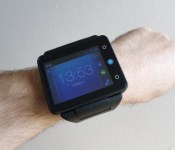
Neptune Promises “Killer” Wearable in 2015

Canadian firm Neptune, which in 2013 crowdsourced development on Pine, the world’s first “standalone” smartwatch (i.e. doesn’t require a phone to function), now appears to have a successor in the works, described as a “killer” by Neptune CEO Simon Tian:
“Wearables in general have so far struggled to achieve mass appeal, largely because there hasn’t really been any clear value propositions offered that are actually meaningful for the general user. Most devices on the market today are limited to very basic applications like fitness tracking or receiving notifications from your phone. We at Neptune believe that we’ve come up with a device – a ‘killer’ wearable – that provides genuine and unique benefits for the average user. It has the potential to finally bring the product category to the mainstream.”
Pine raised over $100,000 on Kickstarter in a single day, ultimately raising over $800,000. The bulky smartwatch shipped in summer 2014 to mixed reviews.
So what will Pine’s successor entail? What defines the “ultimate” wearable? Neptune is mum on specifics at this point, but if you want to receive updates via their newsletter, you can grab it at getneptune.com.
Source: PRWeb
Come comment on this article: Neptune Promises “Killer” Wearable in 2015
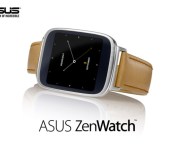
ASUS planning to release three more wearables in 2015

It hasn’t been very long since ASUS released the ZenWatch but according to ASUS CEO Jerry Shen, the company is already planning a follow-up smart watch to the ZenWatch. In addition to the ZenWatch 2.0, two other wearables were mentioned by Shen that will focus on health related data, like step counting and blood sugar monitoring.
Shen, when speaking about a possible time frame for the release of the successor device, said that he is shooting for a third-quarter unveiling. The first ASUS ZenWatch was announced back on September 9th at IFA 2014 and hit the shelves in the United States on November 9th, so the Taiwanese company may stick to this release pattern.
The ZenWatch is currently being sold on Best Buy’s website for $199 USD. Of the Android Wear variety, the ZenWatch is probably the classiest looking smart watch out of the square-face bunch. Its specs include an IP55 water-resistance rating, a 1.6-inch AMOLED display and a Qualcomm Snapdragon 400, along with 512MB of RAM and 4GB of storage capacity.
As I mentioned, the operating system used by the ZenWatch is Google’s Android Wear. But will the second generation ZenWatch also run off Android Wear?
Shen curiously told reporters that the updated wearable will not be so heavily reliant on being tethered to your smartphone and will even allow for phone calling without being tethered. Depending on your opinion as to whether or not an Android Wear device could even be functional without being tethered to your smartphone, the implications of this statement could mean that either ASUS is planning on following Samsung down the road of independence from Android in terms of wearables or that Shen knows something about the future iterations of Android Wear.
As far as the two fitness bands that Shen promised, there was no timetable given on their debut. It could be possible that we might see one or both of them at CES 2015 this week.
And on that note, you can get all of your CES 2015 news this week from Talk Android. So click here for our full CES 2015 coverage starting…well, now!
Source: Focus Taiwan
Come comment on this article: ASUS planning to release three more wearables in 2015
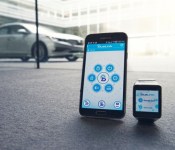
Hyundai announces Android Wear app that can start your car remotely

It seems like car technology is growing way faster than anything else out there. We have already seen Android Auto, super high-end children’s cars, and now a new development from South Korean car manufacturer Hyundai. The car company has just announced their new Android Wear app that allows users to control their cars from their wrist.
The app is called Blue Link, and it gives users the ability to remotely start, lock and unlock their cars, and even find the parking location in a crowded parking lot. They’ve made navigation pretty simple, too. You can access all of these controls using a couple of taps or voice commands. Here are all of the features available on the app at launch:
- Remote Engine Start
- Remote Engine Stop (Only available when vehicle is in remote engine start mode)
- Remote Door Lock / Unlock
- Remote Flash Lights / Honk Horn
- Car Finder
- Call Roadside
- Call Blue Link

The app will only be available on Hyundai cars with the Blue Link services installed, and will work with all first generation and newer Blue Link cars. Hyundai will be showing off the Blue Link app at CES 2015 this week. The app will be available for free in the Google Play Store in Q1 of this year, and will be compatible with all Android Wear devices.
- The Blue Link smartwatch app works with first and second generation Blue Link equipped Hyundai models.
Fountain Valley, Calif., Jan. 2, 2015 – Smartwatch sales are skyrocketing and starting early in 2015 Hyundai owners will be able to connect with their cars using these wearable devices and the Hyundai Blue Link® smartwatch app. Hyundai will debut and demonstrate the Blue Link smartwatch app at Pepcom’s Digital Experience and at the Consumer Electronics Show (CES®). Pepcom’s Digital Experience takes place before CES on Jan. 5 and Hyundai’s exhibit (North Hall, booth #2818) at CES will be open Jan. 6-9, 2015. Hyundai’s cloud-based Blue Link platform allows features like remote start and service information to be quickly accessed through devices like smartwatches and smartphones. Hyundai partnered with Station Digital Media to develop the Blue Link smartwatch app.
“This new app expands Hyundai’s exploration into how wearable technology and Blue Link fit into a customer’s lifestyle,” said Barry Ratzlaff, executive director, customer connect and service business development, Hyundai Motor America. “Connecting to your car through a smartwatch and voice recognition was previously something seen only in science fiction movies. Now, we can provide this capability to owners of Hyundai vehicles equipped with Blue Link.”
The app is easy to use. The wearer simply taps an icon or uses voice commands to execute remote functions. The Blue Link smartwatch app allows Hyundai owners to remote start, lock and unlock doors as well as find their car in a crowded parking lot. Pushing the microphone icon on the watch activates the voice function, where the driver can execute commands such as “Start my car,” “Lock my car” or “Find my car.”
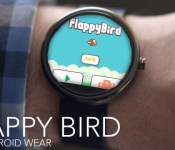
You can now play Flappy Bird on your Android Wear smartwatch, if you want! [APK Download]

I’m sure there’s an audience out there who crave to play that annoying Flappy Bird game on a tiny smartwatch screen, so this one’s for you. Android dev Corbin Davenport, the same guy that ported Minecraft and Doom to Android Wear, has achieved the same feat with Flappy Bird – the incredibly addictive, incredibly frustrating… Read more »
The post You can now play Flappy Bird on your Android Wear smartwatch, if you want! [APK Download] appeared first on SmarterWatching.

Read the rest at SmarterWatching.com!
The post You can now play Flappy Bird on your Android Wear smartwatch, if you want! [APK Download] appeared first on AndroidGuys.
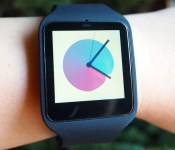
Sony SmartWatch 3 review: dull design, but great for runners

This here is the Sony SmartWatch 3. That might make it sound like it’s the third iteration in a line of gadgets, but really, it’s the first. That’s because even though this is Sony’s third smartwatch (fourth if you count the Sony Ericsson LiveView), it’s actually Sony’s first that comes with Android Wear. Both the original SmartWatch and the SmartWatch 2 ran Sony’s own proprietary platform, which, while Android-friendly, didn’t have nearly the same reach as Google’s Android Wear. It’s great that Sony has finally seen the light, but the SmartWatch 3 has arrived remarkably late to the party, letting rivals like Motorola, LG and Samsung gain ground. On the other hand, the SmartWatch 3 is currently the only Android Wear option with a built-in GPS radio, allowing for more precise workout tracking. Which, as it turns out, could be enough to help Sony stand apart from the pack.
Hardware

While some Android Wear watches like the Moto 360 and the ASUS ZenWatch make attempts at being stylish, Sony’s SmartWatch 3 seems to have given up that notion entirely. Its square watch face, in combination with a rubber strap, definitely gives it more of a sporty, utilitarian look than a fashionable one. Worse still, the band that encapsulates the watch makes the 1.6-inch display seem larger than it is. Indeed, while the bezel surrounding the screen is relatively small, it appears so much thicker when worn in the strap, giving it an unfortunately chunky appearance.
Yet, the fit is not altogether uncomfortable. The flexible strap is coated in what feels like a soft-touch velveteen material, and the weight of the core watch unit is only 45 grams (with the strap, it’s about 74 grams). It’s relatively easy to take on and off thanks to a simple metal clasp, which you can adjust to fit the size of your wrist. The watch might jostle around a bit when you’re running, but on the whole I found it pleasant enough to wear on a daily basis.
The SmartWatch 3’s wrist strap comes in a few different colors: white, black, pink and green. To swap them out, simply push the watch unit out of its rubber enclosure; it should pop out without much effort. That’s easy enough, but this does mean that the SmartWatch 3 isn’t compatible with standard 22mm straps, so you’re stuck with whatever bands Sony offers.
Unlike a lot of other smartwatches, Sony’s latest doesn’t need a proprietary charging dock or cradle. It actually has a micro-USB port housed right in the watch itself, over on the backside, covered by a removable rubber stopper. Though portable charging docks generally contribute to slimmer and more streamlined designs, I actually really like that the watch has this built-in port. If it means not having to carry around yet another thing with me when I travel, I’m all for it. I do recommend popping the watch out of its rubber strap before plugging in the charging cable, however, because it’s rather awkward otherwise.

If you want the watch to survive a dunk in the pool, you should definitely keep that micro-USB port sealed. Once covered though, the SmartWatch 3 is IP68-rated for dust and water resistance, which means it can withstand submersion in up to 4.9 feet of water for 30 minutes. That’s a touch better than the IP67 rating for most other watches like the Moto 360 and the LG G Watch R, which can supposedly be submerged in up to a meter (3.28 feet) of water for half an hour.
Though you’ll be doing most of your navigation via the watch’s touchscreen display, the SmartWatch 3 does have a physical button on the side for when you need to quickly wake it up (or put it back to sleep). You can also hold it down as a shortcut to the Settings menu. The button sits slightly above the surface of the strap and has a nice give when pressed. Internally, the SmartWatch 3 makes use of a rather beefy 1.2GHz quad-core ARM Cortex-A7 processor along with 512MB of RAM, plus 4GB of built-in storage so that you can load it with apps and music from Google Play. Other sensors include an accelerometer, a gyroscope and a compass. Of course, it also has Bluetooth, which you can use to pair with your phone, or connect to a set of headphones.
As I noted earlier, the SmartWatch 3 is also the first Android Wear device to have built-in GPS, which I’ll return to in much greater detail in just a moment. It’s also said to have WiFi and NFC capabilities on board, but as Android Wear doesn’t quite support those two functions just yet, I wasn’t able to test them. Still, it’s comforting to know that the SmartWatch 3 is future-proof in this regard — something I can’t say about most earlier Android Wear devices.
Display

While the design of the SmartWatch 3 might not exactly dazzle you with its style, its display is something else. It’s not round like some of the fancier Android Wear options and it’s a hair smaller too, but its clarity more than makes up for it. The 1.6-inch screen has a 320 x 320 resolution, which amounts to a pixel density of 283 ppi, making it one of the sharpest panels you’ll find on any Android Wear device. I had no problems reading text, even on such a small display. I did, however, find the colors to be a bit muted and the whites to be a little yellow. Suffice it to say, it’s not quite as stunning as the OLED screen we saw on the LG G Watch R.
In exchange for some dull colors, though, a transflective LCD screen makes the SmartWatch 3 easy to view in direct sunlight. I left it on auto brightness most of the time, and thanks to the ambient light sensor, I was able to tell time and find out what song was playing with a quick glance, regardless of how bright it was outside. Like most other smartwatches, the SmartWatch 3 packs an internal accelerometer that lights up the screen whenever you lift it to meet your eyes. This, however, takes a second or so longer than I would like. Normally, this isn’t a big deal, but when I was out and about, running errands, it got a little annoying.
In use

In a sign that Sony is finally coming to its senses, the SmartWatch 3 is blessed with Android Wear and not some proprietary Sony operating system like its previous smartwatches. That means if you’ve read any of our reviews of previous Android Wear devices — or maybe even own one yourself — you probably already know how to use the SmartWatch 3.
But perhaps you could use a refresher, so here’s a brief primer. You’ll need an Android phone to get started (obviously), at which point you’ll need to download the Android Wear application. From there, it’s just a matter of pairing the watch with the phone by following the onscreen instructions. Interestingly, I wasn’t prompted at all to install any additional software like some of the other Android Wear watches (the Moto 360, for instance, requires Motorola Connect, while the ZenWatch wants you to have the ZenWatch Manager installed).
As for navigating the watch itself, here’s how it works: From the default watch face, you can swipe down to reveal the date, battery life information and gain quick access to mute, Theater Mode (where it shuts down the display) and the settings. Whenever you get a notification, you can swipe up take a peek, and then swipe right to dismiss it or left to get a further look at it. Pressing down on the default watch face lets you swap out different watch styles. It’s all fairly intuitive and you should have no problems navigating it if you’re at all familiar with smartphones.
If you’d rather not go through the trouble of finger-swiping, you can also give voice commands thanks to the watch’s built-in microphone. Simply say, “OK Google,” and it’ll bring up a short list of eligible voice commands. You can tell it to do all kinds of things, like set a reminder, send a message or find directions, and it’ll do so. Voice recognition can be a little spotty — I sometimes had to repeat myself once or twice — but it worked pretty well most of the time.

As I mentioned up top, the most distinguishing feature of the SmartWatch 3 is that it’s the first Android Wear device with built-in GPS. This is a very important feature for runners, who often like having GPS in their watches to track their distance, route and pace. In previous Android Wear devices, you still had to lug your phone around with you in order to get that geolocation data, which can be a pain if you want to run with as little burden on you as possible. The SmartWatch 3, on the other hand, lets you keep track of your run completely phone-free.
Of course, this only really works if you use a running app that taps into the built-in GPS function of Android Wear. There aren’t too many of these available right now, but thankfully one of the more popular ones, RunKeeper, updated its app to take advantage of it. I simply downloaded RunKeeper on my phone and it automatically synced the app to my watch. I then left the office to go on a brief walk, leaving my phone safely in my desk drawer. Before I took off, I told the RunKeeper app on the watch to start tracking the workout, and it did. When I came back and reconnected the watch with my phone, it automatically transferred the route, along with the pace and distance information, to the RunKeeper website. In short, the SmartWatch 3’s GPS function works as advertised, and I can imagine it being a popular feature among runners and joggers.
While the SmartWatch 3 also has a pedometer for counting steps, it curiously doesn’t have a heart rate monitor like on the Moto 360 or ASUS ZenWatch. We’ve had mixed experiences with these optical heart rate sensors in the past, but omitting it completely in a supposedly sports-oriented watch seems like a big oversight. That said, the fact that the SmartWatch 3 includes two other uncommon features (WiFi and NFC) could make up for it. We just have to wait for the supported apps to arrive.
Performance and battery life

With a 1.2GHZ quad-core ARM Cortex-A7 processor along with 512MB of RAM, the SmartWatch 3 performs beautifully. I experienced little to no lag when navigating around the watch, and voice commands took no time at all to register. As I mentioned earlier, the accelerometer did seem a little slow to act when attempting to light up the watch with an elbow raise, but on the whole, performance was good.
Battery life, however, is where the SmartWatch 3 really shines. It packs in a 420mAh battery, which is the biggest battery we’ve seen yet in an Android Wear watch. The rated longevity is somewhere around two days. In practice, I found this to be mostly accurate. I left notifications on for Twitter, Facebook and my calendar appointments; used GPS to track the occasional walking route; listened to a few songs on repeat (which I loaded onto the watch via Play Music); and used voice commands extensively throughout the day. The watch kept trucking along for about a day and half before it started begging to be plugged in. When I switched over to Airport Mode and kept the display off for the rest of the day, it lasted almost a full 48 hours. Under what I’d consider moderate to heavy use, that’s quite impressive.
The competition

The smartwatch space is getting increasingly competitive, which makes it all the more important for newcomers like the SmartWatch 3 to stand out. Thankfully, it does. It’s certainly not as stylish as the Moto 360, LG G Watch R or ASUS ZenWatch, and it doesn’t have the sort of unique circular display you’ll find on the first two. At $250, the SmartWatch 3’s price is priced on par with the competition too; the 360 and G Watch R cost $250 and $299, respectively, while the ZenWatch rings in at a more affordable $200.
But what the SmartWatch 3 lacks in style, it makes up for in features. It has built-in GPS, which is great for runners and outdoor enthusiasts, and other goodies like WiFi and NFC mean that the SmartWatch 3 is far more future-proof than any of the other Android Wear devices on the market. Further, its battery life is relatively good, lasting a whole day longer than rivals like the ZenWatch and the Moto 360.
Wrap-up

Sony’s SmartWatch 3 certainly isn’t for everybody. It’s dull compared to its rounder, sexier rivals; its strap is made out of rubber rather than leather; and the display is not as bright or vibrant as others. But if you care more about function than form, the SmartWatch 3 suddenly looks a whole lot more interesting. For runners in particular, built-in GPS is a great feature that lets you leave your phone at home. It also has WiFi and NFC, making it more future-proof than the competition. It also eschews the need for a charging dock thanks to a built-in micro-USB port and has a battery life that makes it one of the longest-lasting smartwatches on the market. No, you shouldn’t get the SmartWatch 3 if you want a watch to impress people at a cocktail party. But if you want one that’s more suited for fitness, this is absolutely worthy of consideration.
Flappy Bird on Android Wear is now a reality thanks to Corbin Davenport
Yes, I know, you’re probably thinking: wasn’t Flappy Bird on Android Wear months ago? Well, yes and no – a Flappy Bird clone called Flopsy Bird was released to Android Wear within a month of the new operating system being released, but if you wanted that original Flappy Bird feeling because you’re some kind of Flappy […]
The post Flappy Bird on Android Wear is now a reality thanks to Corbin Davenport appeared first on AndroidSPIN.
Looking forward: What will we see from Android in 2015?
2014 was a great year for Android, so 2015 has a lot to live up to. A lot of great new stuff was released last year – like Android Wear and Android 5.0 – that have set the stage for what should be a very exciting year, and we’ve given our top 3 things that […]
The post Looking forward: What will we see from Android in 2015? appeared first on AndroidSPIN.
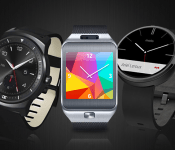
The Choose Your Own Android Smartwatch Giveaway: Moto 360, G Watch R and more

Though Android Wear smartwatches are futuristic and stylish, they’re still a little bit pricey. If you’ve had your eye on one of the first generation Android Wear devices (and we know you have), today might be your lucky day. StackCommerce is giving away an Android smartwatch. The best part? You get to choose which one you win!
To enter, simply head to the giveaway page and enter your email address to win your choice of one of these Android Wear Devices:
- LG G Watch R
- Motorola Moto 360
- Samsung Gear Live
This is a super easy way to win one of the best smartwatches on the market. The contest will be open for the next five days, so be sure not miss out! Head to the giveaway page to enter now.
Editor’s Note: This deal is through StackCommerce, in partnership with AA Deals Store and other StackSocial partners — and not an exclusive Android Authority contest.

30 best Android apps of 2014
<!–
By use of this code snippet, I agree to the Brightcove Publisher T and C
found at https://accounts.brightcove.com/en/terms-and-conditions/.
–>
<!–
This script tag will cause the Brightcove Players defined above it to be created as soon
as the line is read by the browser. If you wish to have the player instantiated only after
the rest of the HTML is processed and the page load is complete, remove the line.
–>
brightcove.createExperiences();
The year 2014 was full of fun and amazing apps. There were old apps redefining themselves and new apps that stormed into the Play Store with something to say. In this roundup, we’ll take a look at the best Android apps released in 2014.
 Action Launcher 3
[Price: Free / $4.99 (donate option for $9.99)]
Action Launcher 3 was a complete step forward from Action Launcher 2. It was completely rewritten from scratch and included so many redesigns and fixes that it was released as a brand new app as opposed to an update. It features some unique functionality like the quickdrawer and shutters and we have it on good authority that some old favorites from Action Launcher 2 will resurface. It’s free to try and $4.99 to unlock the full version.

 AllCast
[Price: $4.99]
AllCast is an app that lets your Android device communicate with a number of things like the Chromecast, Apple TV, Amazon Fire TV, Roku, Xbox, and many others. It lets you stream your personal content like photos and videos to those devices. There is a free version to try it out but the paid version removes the restrictions and gives you the full experience. It made its mark when it was the only Chromecast app that was capable of doing what it does and remains one of the only apps that can do what it does to so many different devices.
 Camera51
[Price: Free]
Camera51 is one of the more interesting camera apps to be released in 2014. What it does is analyze faces and surroundings to help you determine the best spot to take a photo. This works for things like selfies and portrait shots of other people but it can also help scenery and other sorts of camera shots. It doesn’t have the advanced features that wannabe-DSLR apps have but if you’re terrible at taking photos (and have a high end device), this is a great option.
 Commandr for Google Now
[Price: Free with in app purchases]
Commandr is an application that aims to make Google Now more useful from a practical standpoint. It works offline and allows you to do some more basic things like turn on/off things like Bluetooth, WiFi, flashlight, and others as well as setting volume, access Google Play Music playlists, and others. If you have root access you can even reboot into recovery and clear notifications. It’s a unique app and if you ever plan on getting more into Google Now, this should be an app you’re using.
 djay 2
[Price: $0.99]
One of the many iOS apps that Android users long pined for was djay 2. This is an app that emulates a DJ turntable and allows you to mix and mess around with music. It comes with Spotify integration as well as your personal library integration, automix, looping and cue points, mixer, tempo, pitch-bending, audio FX, and many, many more features. Whether or not it is good enough for a professional setting is up for personal interpretation but there is no better app on Android that does what this does.
 Disney Movies Anywhere
[Price: Free]
Disney Movies Anywhere was released earlier this year and it brought with it a unique concept. With this app, you can buy and stream pretty much any Disney movie as well as Pixar movies. There is also access to exclusive Disney content. The app is cross platform so you can download it on other devices like your computer and tablet. It’s true that most of their titles are available on Netflix and services like Google Play and iTunes, but it shows that it’s possible for a movie studio to go out and do it on their own and do it in a desirable way.
 Google Camera
[Price: Free]
Google Camera came out over the summer and a lot of people loved it. It gave many people access to Google-only features like Photosphere for the first time and it has fun new things like Lens Blur mode. It’s meant to be the official camera app of Nexus devices so some things like HDR only work on those, but it was really cool of Google to give access to these other previously exclusive features to the public.
 Google Docs, Sheets, Slides
[Price: Free]
Google decided to break their Google Drive office suite up into multiple apps with the intent of adding more features and functionality to each piece. Thus, Google Docs, Google Slides, and Google Sheets were born and Google Drive fell back into being only for cloud storage. As it turns out, this was a good move because it allowed Google to add new features to each on a fairly regular basis and the three apps combined create one very competent office suite.

 Google Fit
[Price: Free]
One of the big announcements at Google I/O 2014 was Google Fit. Its biggest selling point is that it’s integrated natively with Android Wear and it’s slowly but steadily gaining more and more features and integration with other fitness hardware. You can use it to track and analyze your fitness and help you reach those all important fitness goals. It’s a tad basic right now compared to other heavy hitters in the fitness market but Google is behind it so it’ll get to where it needs to be.

 Google Now Launcher
[Price: Free]
Google Now Launcher was released earlier this year and has become the way people can get a stock Android feel on their devices without all the root and ROM stuff that many don’t feel comfortable doing. It comes with built-in Google Now support, a solid set of features, and it’s much lighter than OEM skin launchers and most third party launchers. It is very Google-centric but people who use this know that and use it for that reason. It’s also totally free which a lot of launcher aren’t.
 Ghostery Browser
[Price: Free]
Most browsers focus on things like speed or features but Ghostery focused on something else entirely: privacy. The app allows you to visually see what trackers are looking at you and give you the options to turn those trackers off. You can also do things like change the search engine and enter into the Ghostrank feature which helps Ghostery find new trackers. It’s a great and polished browser for the security minded and fans of the browser extension should have it.
 HERE Maps: Offline Maps
[Price: Free]
Nokia had a big year since they distanced themselves from hardware and started focusing on software. One of the more recent additions to their software line up is HERE Maps. It contains a great design, offline mode, and many of the same features as Google Maps such as the ability to explore things nearby, turn by turn directions, and maps available in more than 100 countries. Despite being in beta, HERE Maps already has more than half a million downloads and rocks a 4.5 out of 5 rating in the Play Store. It’s a phenomenal start and that was a pleasant surprise.
 Horizon Camera
[Price: Free with in app purchases]
Horizon is another camera app that aimed to do things from a different perspective. Horizon allows you to shoot video as a full horizon shot no matter how you hold your phone. That means you can hold it portrait, landscape, or anything between and the video/picture comes out as though you were holding it landscape. Given the general distaste for portrait videos and images, Horizon corrects a problem that many people don’t know they have and does so in a unique and inoffensive way.
 IFTTT
IFTTT
[Price: Free]
IFTTT stands for “If This Then That” and what it does is create connections between apps so that when you do something in one, it makes the other app do something. A popular example is the ability to save a picture from Instagram and upload it to Google Drive automatically. The options are virtually limitless and it can save you a lot of time and effort. You can even find lists of recipes (the term used for a connection created in IFTTT) to get you started.

 Inbox by Gmail
[Price: Free]
Despite the often frustrating invite system to get into this app, Inbox by Gmail is an innovative app that helps further integrate Google services into Google Now. It allows you to hyper-organize your emails so you can keep track of what’s what and there is built in integration with Google Now’s reminder system. It’s a little messy when you’re first getting started and that’s turned some people off to it but if you put in the effort to make the migration, this is a great email app.
 Link Bubble
[Price: Free/$3.99]
Link Bubble is a unique browser that works amazingly well for fans of social media. The entire browser is housed in a floating notification and opens links in the background. This means you can continue to browse social media or whatever you’re reading and open as many links as you need to. Then you can come back and open those links and see what they’re all about. There are some customization features and the app has gotten progressively better throughout the year. It’s definitely worth checking out.
 Maps.Me Offline Maps
[Price: Free]
Maps.Me made their mark on the navigation world by offering offline maps for a number of regions around the world. You can do things like plan routes, and bookmark places that you like but the big draw are the highly detailed maps and the fact that it works totally offline once you download the maps to your device. This makes navigation easier in areas where there is no data connection and fans of having offline maps should definitely check this one out.

 Muzei Live Wallpaper
[Price: Free]
Muzei Live Wallpaper was one of the most unique live wallpaper releases of the year. Its claim to fame is its seemingly never ending supply of classic art pieces from legendary artists from times past. It also has a few other features like the ability to use your own gallery along with the classic art. Perhaps its biggest feature is the API it provides developers. That allows other devs to integrate Muzei into their app. It’s unique and popular, especially if you love old art.
 MyStocks
[Price: Free with in app purchases]
MyStocks is a Holo-inspired stocks app that came out earlier this year without a lot of fanfare. It allows you to track your portfolio, see news regarding the stock market and your stocks, set alerts for stocks, and deep analysis of stocks complete with charts and graphics. It is capable of housing a lot of information and does so gracefully with a solid design. It may not match every stock app feature for feature, but anyone who is busy in the stock market on a consumer level should give it a try.
 Nokia Z Launcher
[Price: Free]
Nokia Z Launcher is the other huge release out of Nokia this year and it was a good one. It simplifies the Android experience into one home screen, one app drawer, and a scrollable clock/weather widget. Its claim to fame is the ability to search for apps, contacts, and Google by drawing letters on the screen. There are some small things as well like apps that show up on the home screen based on the time of day and your GPS location. It’s still in beta but it’s free to use and it’s something a little different.
 Peek
Peek
[Price: Free/$1.77]
When the Moto X came out, one of its most sought after features what the active display. Peek allows non Moto phones to emulate the active display feature by allowing you to see your notifications on your lock screens automatically without you pressing any buttons. It’s a unique experience and you can even interact with the notifications and open the needed apps to deal with them. It’s inexpensive but beware because it can drain your battery based on your settings.
 Stack Exchange
[Price: Free]
Stack Exchange has helped an untold number of people in an untold number of ways across many, many topics. Their official Android apps takes the positive force that is Stack Exchange and makes it mobile. If you’re curious about pretty much anything then this is an app you should have on your Android device. It’s a great community that is run by the community and they do a pretty good job of it.

 TapPath Browser Helper
[Price: $0.99]
TapPath is another unique app that helps you deal with links that you find on social media or websites. Here’s how it works. You can configure what a single tap, double tap, and triple tap on links do. That means you can single click to open in a browser, but a double click will drop it in Pocket, and a triple click will send it to your computer using Pushbullet. This is an app designed for people who browser pretty heavily which means it’s not for everyone but it can be very helpful if you engage with links a lot.
 Themer Launcher
[Price: Free with in app purchases]
Themer Launcher was in beta for a good long time but this year saw the first official, stable release. Themer is unique because it is a launcher like Nova and Action but the themes you can choose for your home screens are highly varied and quite enjoyable. All the themes are fully customizable, the themes are done by a talented community, and has integration with Zooper Widget. If you want something truly different for a launcher, give this a try.
 Udemy
Udemy
[Price: Free with in app purchases]
Udemy is a video-driven educational app that allows you to purchase and take courses in various skills that you may need. You can find stuff from cooking tips to dancing, Java programming to speaking different languages. The classes can be quite expensive but there are cheaper ones and free ones you can grab to check out the platform. The app itself is free and lets you view the courses on your smartphone so you can use it for study.
 Unclouded
[Price: Free with in app purchases]
Thanks to the small storage sizes on smartphones, many people have taken to cloud storage to keep the majority of their content. Unclouded is an app that allows you to manage your cloud storage across multiple sites to help organize all that stuff that just gets randomly uploaded. One of the best reasons to get this is to find duplicates of items you may have uploaded twice such as your camera roll which may have been uploaded to multiple cloud storage sites automatically. Cloud storage users should definitely try this out.
 VLC
VLC
[Price: Free]
After a long road of fixing bugs and adding features, VLC for Android has finally exited beta with version 1.0 released early in December. The beta version was already popular but it should be even more so now that it’s not in beta. It plays video and audio files along with a number of more unique features that you’ll find with VLC. Those in the market for a new media player should check it out.
 Wally
Wally
[Price: Free]
Wally made headlines back when Material Design was brand new and not many apps showed off the new Android design guidelines. On top of being a highly functional wallpaper app, the app successfully showed how Material Design can take a usually boring app and make it look and act much better. It went down for a short time in late 2014 when the site that hosted the wallpapers went down but it was revived and functions as it always has.

 WeMail
[Price: Free]
WeMail, like Inbox, has been working to change how people use email on mobile. Unlike Inbox, WeMail took a more mainstream approach that most people will be familiar with. They turned emails into threaded discussions that are organized by sender rather than chronologically. There are some other nifty features like voice emails and improved search and organization of attachments. IT’s also totally free.
 Yahoo Aviate Launcher
[Price: Free]
Last up is the curious case of Yahoo’s Aviate Launcher. It was originally done by an app development start up and was purchased by Yahoo for quite a bit of money. It features a redesigned home screen set up with categories to better find apps, contextual features based on what time it is and your location, and a unique look and feel. Purists didn’t like it but people looking for something different have enjoyed it quite a bit and it’s free to use.
Wrap up
If we missed any amazing Android apps from 2014, let us know in the comments below!
 AIVAnet