


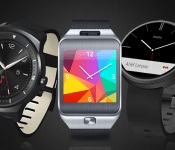
Why I prefer Samsung Gear’s Tizen to Android Wear

A few months ago our US Senior Editor Andrew Grush offered his praise of the Moto 360, having spent a month with it. Despite the quality of the writing itself, I took issue with the core of the content: that Android Wear is a suitable platform for wearables. I have to disagree, at least as things now stand. Android Wear seems fundamentally broken due to its being chained to Google Now and a smartphone, something not so true of Samsung’s Gear products, which run on Tizen.
After a discussion with Andrew however, a larger issue surfaced: the divergent opinion is largely based on the individual’s needs and expectations. To this end, I felt it an interesting experiment to delve into the functionality of both, and try and give readers a bit more insight into the very different paths that Google and Samsung are taking with their wearables.

Good on Google
Android Wear is Google’s answer to the wearable wars, a battle that in no small way ramped up big-time when rumors started flying about Apple releasing an “iWatch” well over a year ago. Ironically it wasn’t until last Fall that the Apple Watch actually came to fruition, though it has yet to be released at the time of writing this piece.
Android Wear looks very clean, serves as an extension of Google Now, and has very basic functionality. Presumably Google was aiming for all three when it designed the software. While this is not intended to be a review of the platform, I will nonetheless discuss some pros and cons. For reference, I have spent considerable time with the Samsung Gear Live, the Moto 360, the LG G Watch, and the LG G Watch R. I tested both the 4.X software version and then more recently, the 5.X build.
The Good
Wear has a very clean interface that perfectly complements the Google Now functionality it is tied to. It is quite literally, an extension, in every sense of the word. The various swipe-based gestures work well to navigate the various menus and screens, and I absolutely love the “face-palm” motion that will turn-off the screen: it not only feels cool to do, but it’s a highly effective way to turn off the screen when it might have turned on by accident. I also like the ability to enable Developer Mode, just like on standard Android: hit the Build Version a few times and presto!
The real “big deal” with Android Wear seems to be the fact that it works on any Android device running on Jelly Bean 4.3 or higher. The element of proprietary requirements completely go out the window, something that Samsung seriously needs to address (something I will be addressing later). It is also worth noting that, even though there’s not much of an out-of-box experience, there are a growing number of apps available that are compatible with Android Wear.

The Bad
Android Wear is fairly limited without its accompanying smartphone or tablet tether. Ask it the weather? It needs to connect to Google Now. Ask for directions? Google Now. Ask for movie info? Google Now. Sure, some apps do work even when your phone connection is dropped or your phone’s battery dies, but they still have to be synced initially to the phone and the apps have to be installed on the phone in order to continue to be available on the watch.
Also, Google seriously needs to do something about its search hot phrase: “OK Google” is just ridiculous at this point. If Motorola managed to solve this problem with the Moto X (2014) by allowing the user to select any phrase or word to activate it, there is really no excuse Google can’t. The company wants Android Wear to catch on, yet the key out-of-box functionality requires talking to the watch – something many people aren’t comfortable with for the potential embarrassment of doing it in public – and you need to use the most unoriginal phrase ever to do it. This “hotword” gripe extends to the Android OS as a whole however: it needs to change.
Probably my biggest gripe is that a Bluetooth tether must constantly be connected between your handset and smartwatch, and that means battery on both is going to drain faster than normal. I also just don’t feel that AW offers enough of an experience that it is necessary, and in many situations I’d rather just go for my phone or tablet in order to check notifications and perform some of the other basic tasks Android Wear is capable of. Of course, not everyone will feel this way. Some folks, like Andrew, like the idea of a companion device and don’t mind that it is tied to a phone in order to provide a great number of its functions.

Smitten with Samsung
Turning to the other side, let’s take a look at the Tizen build running on Samsung’s Gear products. For reference I have spent considerable time with the Gear Fit, Gear 2, and Gear S. For the sake of this commentary, I will use the SIM-enabled Gear S, however the majority will also apply to the Gear 2.
The Good
To be quite blunt, from a user-interface perspective, one would be hard pressed to believe the Gear series isn’t running Android TouchWiz. The bridge between the two is so tight it’s almost as if they are one-and-the-same. The icons, the settings, the features. Gear devices even have a truly stunning level of depth in the Settings menu, allowing you to change the text size, font, window colors, backgrounds, motions, and with the Gear S, even toggle on/off WiFi, 3G, and the GPS.
The Gear S has a pre-installed Contact List (Address Book) for starters, along with an SMS application, a Calendar App, a Phone Dialer and various Widgets (like a news filter that can use 3G to update) among other features, things that just mop the floor with Android Wear in terms of productivity. Heck, you can even download Opera Mobile from the Samsung App store. Now I will be the first to admit that typing anything on the tiny virtual keyboard the Gear S has isn’t exactly easy to do, but the fact is you can do it, and surprisingly with minimal mistakes assuming your fingers aren’t excessively thick. It is very much a smart watch, and one that serves to legitimize the genre.

Fleksy, one of the downloadable keyboards for the Gear S, however the device comes pre-installed with Samsung’s own for reference.
Looking at other features, the Gear series also has a built-in music player and a camera (on some models). The speakers are quite loud and while their actual use is somewhat questionable (there is no microphone jack) again, you can use it as an impromptu speaker if necessary while exercising by loading the internal memory with albums. Android Wear on the other hand, is limited to vibrations and that’s it. Google doesn’t believe in cameras, speakers, or anything else “smart”, rather it views the wearable platform as an extension of vanilla Android: plain and simple.
Special mention also needs to be made to the fact that the Gear S’s charger is actually a mini battery. Snap it onto the back of the device and it will begin charging the battery of the watch even without a USB connection. This is an absolutely brilliant addition and serves as a legitimate reason to carry around the charger piece when you worry the device’s battery might die before you get home.

The Nexus 9 and Galaxy Tab S have a surprising similarity despite otherwise irreconcilable differences: neither will work with a Gear S.
The Bad
First and foremost, it is absolutely shameful the manner in which Samsung supports its Gear devices. The question isn’t what is compatible with it, but rather, how many of the devices you own aren’t. Let’s put aside the fact that the Gear is 100% proprietary: Samsung wants you to use Samsung products much like Apple wants customers to use Apple. This is just an unavoidable reality. The problem however, is the fact that there is no clear “cut off” to compatibility as there is with Android Wear and its 4.3 minimum requirement.
Last year Samsung released the Galaxy Tab S 10.5 and 8.4 and for reasons totally unknown, neither work with the Gear S, not even the LTE variants. Mind you, it’s possible to download the Gear Manager software, but the wearable won’t be found when pairing is initiated. It’s been how many months since the Gear S released and this still isn’t fixed? While basically any other product from 2014 works seemingly without a hitch, things are a different nature when you travel a bit farther back in time. Are we actually supposed to believe it takes 2014-era CPU processing power to handle a watch application?
Other issues with Tizen include the aforementioned minuscule keyboard that makes typing quite difficult, the almost overly-confusing number of menus and actions that are possible, the fact that (with the Gear S) a tether with your phone is still required for some functionality that should be 100% functional on the device itself (e-mail for example), and (also with the Gear S) the fact that the camera was removed.

Round and round they go, but try to sync with a second device and you’re dealing with a flat.
Grouped Gripe
Finally, I want to share another major, major gripe with both Android Wear and Tizen: the fact that they can only be synced with a single device. Let’s say that you have a smartphone and a tablet, something that companies like both Google and Samsung seem to encourage (see the Nexus 6 and Nexus 9 or the Galaxy S5 and Galaxy Tab S, respectively). Let’s say that you have your wearable linked with the phone, but you want to sync it with your tablet. Well, you can’t. In Samsung’s case this is hardware compatibility, but with Google’s it’s possible assuming you format the device and make a new profile on the tablet.
Better yet, let’s say you upgrade your phone. Well say “Goodbye” to everything on your watch, because there is no way to simply link it to a new device. No, you need to completely format the software and pair it fresh with the new device. Why is this? The tablet issue I can understand given that the device is meant to pair with the phone, but the fact that you can’t have it linked to more than one device is just poor execution if you ask me. Maybe most customers don’t change phones regularly, but some do.

Could a device like the Simband take Samsung’s wearable platform to the next level?
Wrap up
Disclaimer: As this was written as an opinion piece, I make no claim whatsoever that my views are in any way, shape, or form the “correct” ones. You, the reader, are free, welcome, and encouraged to disagree.
So the question is, what is the purpose of a wearable device? Clearly for me, it’s about functionality. If I’m spending $300 on a piece of technology that offers very little watch-related perks (it needs to be constantly recharged, you are encouraged to disable the perpetual always on watch condition, the designs have yet to reach those of genuine timepieces, especially in Samsung’s case), the barren out-of-box functionality of Google Wear is such that I’d be better off just sticking with my phone.
This is why I found the Gear S to be absolutely fantastic. The design is borderline horrible, so much so that it’s more like a bracelet than a watch, and the rubber strap lacks any conviction of premium whatsoever. Heck, the actual device itself appears to be a return to plastic: the tacky chrome rim highlights the fact that the Gear 2 used metal for its face. Yet, Tizen/the Gear S has a large SAMOLED screen, it has so many features right out of the box, and even allows you to make a phone call, for crying out loud. This is very much as smart as smart can get for the moment.
While I’m not writing off Android Wear by any means (heck, the LG G Watch R is just plain awesome as far as I’m concerned), for me at least, it doesn’t provide the basic innate features that I feel a smartwatch should have.

Samsung Debuts Gear VR Films at Sundance
 Amongst the independent art films and critical hits showcased at the Sundance Film Festival last week, there was a different kind of visual experience showed off to the masses. Samsung’s Galaxy VR brought virtual reality to the guests at the festival with three experiences, all created by Felix & Paul Studios.
The first short is called Herders, and features Mongolian pastoral herders—one of the last remaining nomadic cultures. The viewer gets to see 7 minutes of life in the herder’s shoes. The second is called Wild- The Experience and features some star power. Reese Witherspoon stars as her character from Wild as you share an intimate 3 minute long moment between her and her ghostly mother. The last film is called Strangers with Patrick Watson, and features the musician and his Montreal studio on a wintery day. Although the films aren’t long or looking to take home any awards, Samsung’s inclusion in the festival at least shows how virtual reality is making progress in its move to the mainstream. Source: Android Central
Come comment on this article: Samsung Debuts Gear VR Films at Sundance
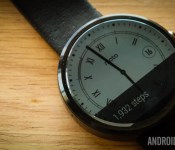
22 best Android Wear watch faces

Android Wear is starting to come into its own. The latest round updates added unprecedented smoothness and reliability and the upcoming hardware is both more stable and more stylish. Of course, one of the most important things you’ll need to find is an Android Wear watch face. You’ll look at it more than anything else so you should find one that suits your needs. Here are the best Android Wear watch faces.
To see the best Android Wear apps, click here!
 500px
500px
[Price: Free]
500px is actually a wallpaper application where you can find some of the best photography out there and use it as your background. One of the more recent updates added an Android Wear watch face so you can take the gorgeous photos you find on 500px and put them directly on your smartwatch. The layout is minimal but the photos are gorgeous and it is free without in app purchases so you can enjoy it without spending a dime.


 About Time Watch Face
[Price: $0.99]
About Time Watch Face embraces a minimal design with some smooth animations and a classic set up. It’s an analog style watch face with separate minutes/hours and seconds dials as well as some fun gear animations to give it that expensive watch feeling. It is only for round smartwatches so rectangular watch owners will have to keep looking. It’s designed in a way where the notifications don’t mess with the clock face and that’s important too.
 Battery Watch Face
[Price: $0.99]
Battery Watch Face is a minimal watch face that shows the basics and that includes the time, date, and, of course, the battery level. You can customize the color to suit your tastes and it’s a great option for people who want to keep it simple but informative. If you purchase this watch face, you’ll also get Wear Battery Stats free of charge so you can take advantage of all of the battery monitoring features.

 Chrono Watch Face for Wear
[Price: Free / $1.50]
Chrono Watch Face for Wear was one of the earlier watch faces to come out and it remains one of the more popular options now. It features a simple analog-style interface and you can customize the colors to your taste. You’ll also see the battery stats for both your phone and your watch along with the date. It also features 12/24 hour modes, a seconds hand, Samsung Gear Live monochrome mode, and it’s been specially designed to prevent battery drain and burn in.

 Despicable Watch Face
[Price: $0.99]
Despicable Watch Face is here because really, who doesn’t love minions? It also shows how whimsical and fun a watch face can be which is surprisingly rare. It’s a fairly basic watch face and comes with the time and a picture of a minion. It does have a few issues, including no 24-hour mode and no date options. It partially makes up for these by having some fun and goofy animations.

 Facer Watch Face
[Price: $1.00]
Facer earned early fame in the watch face game by allowing users to customize and create their own watch faces. It’s even better because those designs can be exported, shared, and imported elsewhere. Thus, a small community of watch themers have created a bunch of Facer watch options and there’s even a subreddit. There are some smaller bugs like some information becoming unsynced but it’s a solid option, especially if you like to change things up often.

 Human Time Watch Face
[Price: Free]
Human Time Watch Face is a simple text-based watch face. Instead of having dials or numbers, it simply says what time it is in text. There are 10 fonts and each one can be bolded, italicized, or both. You can also change the position, add a shadow, control capitalization, and you can choose whether or not to show the date. It’s very simple but effective and customizable. It’s also totally free.

 InstaWeather for Android Wear
[Price: Free with in app purchases]
InstaWeather for Android Wear is a set of watch faces that focus on showing you the weather as well as the time, date, and sometimes the battery. There are roughly half a dozen watch faces to choose from that showcase the weather in different ways. The app itself also doubles as a weather app complete with weather radar support. You can also get weather alerts for snow/rain, and there are a number of other small features you can play with. Do beware, the app is confusing when you first use it but it works well once you get the hang of things.

 Krona Sunlight Watchface
[Price: $1.69]
Krona Sunlight Watchface is another watchface that shows you the weather. This one is a little more sleek and minimal than InstaWeather and useful for people who don’t want a gaudy design. It shows things like temperature, cloudiness, precipitation, and the times of the sunrise and sunset. One of its most unique features is the ability to save the weather for 24 hours so even if your phone loses Internet connectivity, you can still get the weather forecast on regular intervals.

 Military Digital Watch Face
[Price: $1.45]
Military Digital Watch Face takes the old school style of military digital watches and puts it on your Android Wear smartwatch. It shows the time, complete date, battery life on both your phone and watch, and finally it shows the step count. On the downside, this is only for circular watch faces so only the Moto 360 and LG G Watch R. It’s a shame it doesn’t support rectangle watches but nevertheless, it’s a great design.
 Muzei Live Wallpaper
[Price: Free]
Muzei Live Wallpaper has garnered a positive reputation for being the best live wallpaper for viewing classic art like The Starry Night or The Mona Lisa. As it turns out, Muzei also comes complete with its own Android Wear watch face that pretty much does the same thing. The layout is basic so don’t expect a lot of features but if you’d like to see various pieces of classic art, there’s no better app available than this one.
 PAC-MAN Watch Face
[Price: $0.99]
Fans of old school gaming can get a bit of nostalgia out of a watch face that features the world’s hungriest hero. The PAC-MAN watch face is simple but features some tasteful PAC-MAN graphics that includes the border that features characters from the game down to the time itself, which is in an 8-bit style font. It’s very basic and doesn’t include things like the date or a battery monitor but if you dig simplicity and the 8-bit days, this is a good way to go.

 Pujie Black, Pujie Blue, Pujie Red Wear Watch Face
[Price: $1.27, $1.00, $1.00 respectively]
The Pujie colleciton of watch faces feature a variety of designs and customization options in three colors. It sucks a little bit that they all come in different apps but if you don’t like two of the colors, then you’ll probably save money buying just one. Each app has a small set of presets to show you to the kind of stuff you can do but you can ultimately customize the watch to your tastes. There are 13 analog and a totally customizable digital clock to start you out and then you can change a bunch of stuff. It’s not quite as deep as Facer but it’s still a good option.
 Ranger Military Watch Face
[Price: $0.99]
Ranger Military Watch Face is another military-style watch face with a simple but beautiful design and some nifty features. You can view weather, the seconds hand, compass, step tracker, battery levels, and date. The compass and weather is a little finicky but otherwise everything works well. There is also a night-mode that illuminates the watch in green. It’s a solid option for fans of analog watch faces.

 Skymaster Pilot Watch Face
[Price: $0.99]
Skymaster Pilot Watch Face is a more sophisticated option for Android Wear owners. Aside from its astounding design, you can see the time, date, battery indicator, and weather which is supplied by OpenWeatherMap. This is a fairly simple watch face so there aren’t many customization options and what you see is pretty much what you get. This isn’t necessarily a bad thing and it is a really good looking watch face.

 Speeds Pro Watch Face
[Price: $0.99]
Speeds Pro Watch Face is another analog style watch face with some unique features. You can see the time, date, the seconds hand, step counter, weather, and battery indicator. There is also a feature that shows you how fast you’re going. It only displays in MPH which will turn off a lot of people and reports are that it does use quite a bit of battery. Aside from those issues, it’s a solid watch face that looks nice.

 StarWatch Watch Face
[Price: $0.99]
StarWatch Watch Face is the watch face to get for fans of space, the cosmos, and the stars. The watch face features a the time and date and you can set it between 24-hour mode and 12-hour mode. The big feature is that the app always shows the stars that are directly above you in a star map format. It looks beautiful and even shows the location of plants and the sun. The image changes based on what time of day it is and what time of year it is.

 Station Watch Face
[Price: $0.99]
Station Watch Face is the initial release of all-star icon themer Tha Phlash. It features a fantastic design that can be customized in red, blue, or green and there are a number of other customization features. It shows the time and date as well as the battery level and you can set it to show other things as well. It’s a solid design with a good layout and it works on both circular and rectangular watch faces.

 Timeless Wear Watchface
[Price: Free]
Timeless Wear Watchface is a simple digital watch face. It shows the time along with the seconds in both 12-hour and 24-hour formats. There is also an option to keep the background black for battery saving purposes or you can have it show a wallpaper for a bit of extra flair. You can also show the date, change where the clock is so it doesn’t interfere with the “Okay, Google” or notification cards, and you can add custom backgrounds if you wish.
 Un Petit Monde Watch Face
[Price: Free]
Un Petit Monde translates to “a small world” and this is one unique watch face. It does the basics like showing the time and date but the background is actually a stop motion video that sort of tells the story of an adventurer named Moses. The animations correlate with the time of day so night time will bring night scenes and day time will bring day scenes. The stop animation videos are a nice touch even if they burn the battery a little bit.

 Watch Face Minimal & Elegant
[Price: $0.99]
Last on our list for now is Minimal & Elegant. It’s a unique spin on the digital watch face where the hours and minutes are in rows instead of the standard style. It is, as the name implies, actually kind of elegant. It also shows the date and the battery levels for your watch  and phone (P). It also comes in 12-hour and 24-hour formats, and you can view the time in text instead of numbers.

 WatchMaker Watch Face
[Price: Free / $0.99]
WatchMaker Watch Face is the biggest competition to Facer that you can find. Much like Facer, you can create and customize your own watch faces to make them look, feel, and act how you want them to. Some of the more unique features include calendar support, weather, GIF support, compass, and plenty of other features you can’t find anywhere else. Also like Facer, you can find watch faces made by others if you don’t feel like making your own. It’s great for tinkerers and for those who want to try to make their Wear experience their own.

Wrap up
If we missed any great Android Wear watch faces (and we likely did), let us know in the comments!
To see our complete list of Android apps and games lists, click here!
Tha Phlash branches out with new STATION watchfaces for Android Wear devices
Tha Phlash is a name that many of you are probably very familiar with. Over the years he has constantly brought us more icon packs than I’d like to count or even think about. His attention to detail and creative mind is insane. While there are many icon designers out there that do some amazing work, […]
The post Tha Phlash branches out with new STATION watchfaces for Android Wear devices appeared first on AndroidSPIN.

Report sheds light on the HTC One M9 and a new wearable device

As most of us know by now, HTC is prepping the launch of its Hima/One M9 flagship. The company has even teased the imminent arrival of the flagship by posting a teaser which says “utopia in progress”. A new report now tells us what this event could have in store for us.
In addition to the obvious arrival of the One M9 or the Hima flagship, the company will also launch a new wearable, according to Bloomberg. The company has announced a partnership with fitness brand Under Armour to introduce fitness bands, so this isn’t really a surprise.
This mystery wearable could be based on the UA Record app which is developed by Under Armour. This app is available on all major mobile app hubs around us.
Speaking about the smartphone, the report says that the Hima will come with an octa core Snapdragon 810 SoC, a 20-megapixel rear camera accompanied by a front facing Ultrapixel sensor and Dolby 5.1 speakers. We expect to learn more about the smartphone over the coming weeks. The company is expected to unravel all the mystery during its March 1 event.
Source: Bloomberg
Come comment on this article: Report sheds light on the HTC One M9 and a new wearable device
DODO premium leather straps for Motorola Moto 360 now available

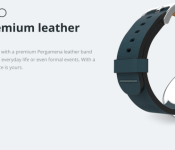
A new set of straps are available directly from Motorola for its Moto 360 smartwatch. The premium leather straps come from DODO in four different color options: blue, green, red, and tan. The product listing says that the DODO premium leather straps are suitable for day-to-day use or formal attire. The price is set high at $59, but that is expected for something labeled as premium leather.
Hit the break to see each DODO strap color option.


Source: Motorola
Come comment on this article: DODO premium leather straps for Motorola Moto 360 now available
Samsung to intro round smartwatch at MWC, report says
With Mobile World Congress around the corner, we turn our attention to Samsung who could be set to release a round smartwatch at the event. According to a new report, the company are set to release their first round smartwatch to complete directly with the Moto 360 and LG G Watch R. It seems however,… Read more »
The post Samsung to intro round smartwatch at MWC, report says appeared first on SmarterWatching.
Read the rest at SmarterWatching.com!
The post Samsung to intro round smartwatch at MWC, report says appeared first on AndroidGuys.
Motorola now selling four new DODO leather watch bands for Moto 360

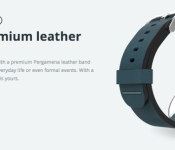
Motorola has just added four new leather watchbands to their online store for the Moto 360. The bands are made by popular leather accessory maker, DODOcase. The new band options are available in Blue, Green, Red and Tan, and are being sold for $59.99. This might seem a little pricey, but considering DODOcase products usually have great quality, they’ll likely last for a very long time.
Back when Motorola announced more leather and metal bands, we knew DODOcase was planning some bands for Moto’s watch. We also heard that TYLT was planning to make colorful silicone bands, so we’ll have to wait to see when those arrive.
If you’re interested in grabbing one of these watch bands, head to the Motorola link below.

The Moto 360 is still one of our favorite Android Wear watches to date. Its (mostly) circular design, stainless steel chassis and premium leather and metal band options really make for a sleek watch that doesn’t look like you’ve strapped a computer to your wrist. Want to learn more about the Moto 360? Check out our full review!

[New Android Wear app] DressWatch matches your watch with your outfit

Not all watch faces available on an Android Wear device can be adjusted. For those that require a complete outfit with the watch included, there is DressWatch. The app matches a users watch face with the outfit they are wearing. It does so by grabbing two colors from an image uploaded or one already taken. The user can change the colors to their liking if they do not like what DressWatch has offered. Rather than hunting for a watch face and risking disappointment, DressWatch ensures a user can match.
Hit the break for the gallery and download links.


Come comment on this article: [New Android Wear app] DressWatch matches your watch with your outfit
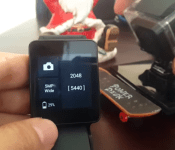
[New App] Wear GoPro Remote lets you control your GoPro with your smartwatch

Are you an adventure enthusiast or simply have a GoPro device at your disposal? You will be pleased to know that you can now control this nifty gadget right from your wrist using the Wear GoPro Remote app for Android Wear.
The app doesn’t seem to be available on the Google Play Store, so you will have to download the apk directly from XDA. It allows deep controls for users including the ability to turn on the GoPro device, change camera mode, frame rate or even locate the GoPro device if it goes missing.
Here are some of the essential features listed out by the developer:
- Change camera mode (Video, Photo, Burst, Time lapse)
- Change video resolution and frame rate.a
- Change Time lapse interval.
- Fire shutter to take pictures, start/stop video and see a small preview of the picture taken.
- Fire shutter by shaking your hand (Great for selfies).
- Image gallery to browse images on Camera.
- Set basic settings like Spot Meter, Beep volume, Upside down, LEDs.
- Locate camera.
- Power off/on camera.
Click here to view the embedded video.
This is a relatively new app, so the developer urges users to pass on feedback about any glitches or errors that needs fixing. We’re keeping our fingers crossed to have this app hit the Play Store soon and we don’t think we’ll have to wait much longer. You can download the Wear GoPro Remote for your Android Wear device here.
Via: XDA Forums
Come comment on this article: [New App] Wear GoPro Remote lets you control your GoPro with your smartwatch
 AIVAnet