



5 Android apps you shouldn’t miss this week! – Android Apps Weekly
Welcome back to Android Apps Weekly! Here are your headlines this week:
- The Google Play Store is now delivering sponsored app search results in Google Play.
- AVG’s latest report shows the apps with the worst storage, worst battery drain, and most data use.
- Google launches Android for Work to make the workplace better.
- The developer of Falcon Pro 3 explains how he developed the app in just three weeks.
- Google Play Music now allows you to upload up to 50,000 songs.
If you want even more headlines, app releases, and app updates, then check out our newsletter. It’s curated weekly by yours truly and there’s no spam. Just the latest and greatest in Android apps and games news straight to your inbox!
Subscribe to our Android Apps Weekly newsletter!
 Flynx
Flynx
[Price: Free]
Flynx is a special kind of browser that opens up in floating bubbles instead of full screen like a normal browser. It was updated to version 1.0 which means it has finally left beta. The update also brought a number of new features. It’s totally free so why not check it out?
 Almightree: The Last Dreamer
[Price: $1.99]
Almightree is a 3D puzzle platformer where you play as an adventurer to who must bring balance to a crumbling world. It brings with it decent graphics, a fun story, and surprisingly good game music. It’s $1.99 but there are also no in app purchases.
 SoundHUD
[Price: Free with in app purchases]
SoundHUD is a new app that helps you control your volume and does so without root. Using this, you can put your Lollipop device into actual silent mode if you want and there are a range of other features such as the ability to only adjust media volume on tablets. It’s free to use with in app purchases.
 Heavenstrike Rivals
[Price: Free with in app purchases]
Heavenstrike Rivals is a new tactical RPG out of Square Enix. It has some pretty decent graphics and similar battle mechanics to old classics like Final Fantasy Tactics. Not exactly the same, but similar. It’s free with in app purchases and it’s worth a shot if you’re a strategy RPG fan.
 YouTube Kids
[Price: Free]
YouTube Kids was released this last by Google to generally positive reviews. It is a YouTube app that is geared specifically at kids and contains playlists with entertaining and educational content for kids. It’s an app that all parents should at least try out and it is totally free.
Wrap up
If we missed any great Android apps and games news, let us know in the comments!
IFTTT is now IF, and their new tool tackles tasks with a single tap

The folks over at the ‘automate all the things’ site IFTTT have changed their name, and launched a new app. Formerly IFTTT, short for If This Then That, which is exactly how their service works, the new name is simply IF. If you were hoping their new app has a more elaborate name, sorry, it is called Do.
IFTTT, now IF, started as a web service. To use it, one simply followed the formula of their name, if something happens, then do something. Let me shamelessly self promote in an example – If Android Authority posts an article, catch in the RSS channel, then send yourself an email so you don’t miss it.
More recently, IFTTT launched as an Android app, introducing a few simply Android specific tools. So now, you can receive an Android notification when the Android Authority RSS has a new post. The update to the IFTTT Android app introduces the new name IF. It brings a few tweaks and bug fixes, nothing that will change your opinion of the service.

The new app called Do, which costs the same as IF has always run you – nothing – looks to simplify your IF experience. In short, they have stripped the whole ‘If This’ triggering setup and turned it into a button. You now need not wait for something to happen before your task is performed, you tell it to go, and Do does it.
One of the prevalent examples of Do is the ability to change the temperature in your house, via your Nest smart thermostat. You have to initially configure the Do button, but then you can simply tap it again and again to set to 60F, or whatever temp you like.

Do is free in the Google Play Store. Although Do and IF can operate independently, you may find more value out of having both installed, especially if you like automating things and are a fan of Android customization. As mentioned earlier, IF is free in the Google Play Store.
What do you think, is Do an appropriate addition to the IF(ttt) family of automation tools?
3D Robotics announces Android flight control app
It’s amazing how just a few years ago Android was but a gleam in the eye of Google. Today Android can be found in everything from our smartphones to automobiles. There seems to be no end to the uses for Android. A great example of this is 3D Robotics new Tower flight control app announced today. The Tower flight control app is a free app, intended to help users control drones from Android tablets and smartphones.
The Tower flight control app is based on Android and is completely open source. While 3D Robotics created the app and will be maintaining it, they are also encouraging others to adapt the app to their own needs. This should be a boon to the hobbyist drone crowd. While the flight control app sounds pretty full featured, especially for a free app, the fact that it is open source could make for some interesting additions.
If you are interested in the details I’ve included the press release below. If you want to download the Tower flight control app, you can find it right here.
Drone Maker 3D Robotics Releases Open-Source, Customizable TowerSM Flight Control App
Free App for Smartphones and Tablets Has Everything Pilots Need to Plan, Fly and Track
Any 3DR-Powered Drone; Open-Source Code Allows Programmers to Build or Alter Features
BERKELEY, CA – (February 10, 2015) – 3D Robotics (3DR), North America’s largest consumer drone manufacturer, today announced the availability of its open-source TowerSM flight control app for drone copters and planes. Downloadable at no cost from the 3DR website, the product not only gives users a simple, feature-rich flight experience but also, thanks to its open programming interface, offers the ability to build new features into the app or customize existing ones.
Tower is fully supported and maintained by 3D Robotics, creator of the app. While 3DR is the major contributor to the product, it encourages drone users to use their programming creativity in order to further the power, usability, and fun inherent in drones.
“3D Robotics is a big believer in imaginative uses of drones for business and pleasure, as well as in ways that benefit society. By opening up our Tower programming interface to the public, we’re giving enthusiasts and entrepreneurs the ability to impact those uses in a very positive manner,” said Colin Guinn, 3D Robotics Chief Revenue Officer. “We’re excited to see how people use their talents to improve and innovate on Tower.”
Tower is suited to first-time pilots as well as experts. Available under the GNU Public License v3, the app provides transmitter-free operation of 3DR-powered copters and planes from any Android powered smartphone or tablet. Tower is accessible through the new 3DR Services—the app store for drones. 3DR Services can guide you to Tower and other 3DR apps, as well as third-party drone apps.
With Tower, users can create flights by drawing the paths on their tablet or by dropping waypoints. Over ten different types of waypoints, as well as other functions, make it possible to plan a flight for a specific purpose:
- Fly in smooth curves with spline waypoints
- Use Circle waypoints to orbit an object while keeping the camera pointed at it
- Region of Interest (ROI) points allow flyers to keep the camera centered on a subject regardless of flight path
- Survey will automatically generate the flight pattern needed to fully cover a region of the map
- 3PV™ Follow Me keeps the camera centered on the user while the drone follows the user’s movement. Drone position can also be adjusted as it follows the user.
- An Automated Building Mapper makes 3D scans of large structures
- The Dronie function makes one-of-a-kind “selfies,” revealing surrounding scenery as the drone flies back and away from the subject
Several new features are also available for Tower including Mission Editor, for easier insertion or reordering of elements; and new integration with Droneshare via the user’s Google or Facebook account (available February 15, 2015), enabling users to track and share their flights online or compare pilot rankings with friends.
The Tower open-source community is located on GitHub at https://github.com/DroidPlanner/droidplanner. To download the free Tower drone control app, go to (https://play.google.com/store/apps/details?id=org.droidplanner.services.android ).
About 3D Robotics
3DR is committed to helping people see their world from above. As North America’s largest personal drone company, 3DR is a pioneer in making advanced, easy-to-use drone technology accessible to consumers for a wide range of everyday exploration and business applications in data analysis, mapping, surveying, 3D modeling and more for agriculture, construction, infrastructure, search and rescue and ecological study. Founded in 2009 by Chris Anderson, former editor-in-chief of Wired Magazine and founder of DIYDrones.com, and Jordi Muñoz, an engineering prodigy from Ensenada, Mexico, 3DR is a VC-backed startup with over 200 employees in North America and more than 30,000 customers worldwide. 3DR is headquartered in Berkeley, CA with facilities and offices in San Diego CA, Austin TX and Tijuana, Mexico. For more information, visit www.3drobotics.com.
Source 3D Robotics
(function() var script = document.createElement(‘script’);script.src = ‘https://stacksocial.com/widget.js?publisher=androidguys&type=editorial_post_widget_preferences’;script.async = true;var entry = document.getElementsByTagName(‘script’)[0];entry.parentNode.insertBefore(script, entry);)();
http://www.androidguys.com/pubgalaxy/728×90.html
The post 3D Robotics announces Android flight control app appeared first on AndroidGuys.
Humble Cartoon Network Mobile Bundle is live, it’s a regular adventure

The folks over at Humble Bundle are at it again, launching a new mobile bundle packed full of games. This time out, they have teamed with the Cartoon Network to bring you more than a dozen games for as little as $8. This is the Humble Cartoon Network Mobile Bundle.
The Humble Bundle sales model began fairly simply, it worked in two parts – first, you paid whatever you wanted to gain access to a selection of games, books, and more, but if you paid more than the average price, you would get access to even more media. As the project moved forward, and the bundles of media got better, the team introduced a third aspect to the pay model, setting a minimum price that grants access to even more media in the bundle.
The best part, of course, is that Humble Bundle offers a portion of what they receive to charity, having now given over $51 million to charity, based on the generosity of users.
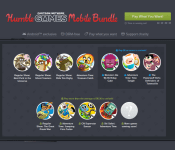
The latest bundle, the Humble Cartoon Network Mobile Bundle, packs 11 games, with the promise of more games to come soon. The games are based around shows like Adventure Time, Regular Show and more. Let’s see just what’s on deck.
Pay what you will to receive:
- Adventure Time: Treasure Fetch
- Regular Show: Best Park in the Universe
- Regular Show: Ghost Toasters
- Regular Show: Ride ‘em Rigby
Pay more than the current average to receive:
- Adventure Time: Jumping Finn Turbo
- CN Superstar Soccer
- Regular Show: The Great Prank War
- Ski Safari: Adventure Time
If you pay more than $8, you will also receive:
- Adventure Time: Time Tangle
- Monsters ate my Birthday Cake
- The Powerpuff Girls: Defenders of Townsville

Finally, don’t forget that there will be, at the very least, one more game added to the bundle at a later date. Usually that happens about a week into the campaign.
Humble Cartoon Network Mobile Bundle is active now and runs for the next two weeks. Head on over to the Mobile tab of the Humble Bundle website for more details.
What do you say, are you up for a little Adventure time, or is this bundle a little too, well, childish, for your tastes?
Humble Cartoon Network Mobile Bundle is live, it’s a regular adventure
The folks over at Humble Bundle are at it again, launching a new mobile bundle packed full of games. This time out, they have teamed with the Cartoon Network to bring you more than a dozen games for as little as $8. This is the Humble Cartoon Network Mobile Bundle.
The Humble Bundle sales model began fairly simply, it worked in two parts – first, you paid whatever you wanted to gain access to a selection of games, books, and more, but if you paid more than the average price, you would get access to even more media. As the project moved forward, and the bundles of media got better, the team introduced a third aspect to the pay model, setting a minimum price that grants access to even more media in the bundle.
The best part, of course, is that Humble Bundle offers a portion of what they receive to charity, having now given over $51 million to charity, based on the generosity of users.
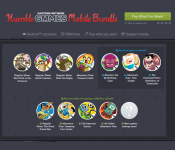
The latest bundle, the Humble Cartoon Network Mobile Bundle, packs 11 games, with the promise of more games to come soon. The games are based around shows like Adventure Time, Regular Show and more. Let’s see just what’s on deck.
Pay what you will to receive:
- Adventure Time: Treasure Fetch
- Regular Show: Best Park in the Universe
- Regular Show: Ghost Toasters
- Regular Show: Ride ‘em Rigby
Pay more than the current average to receive:
- Adventure Time: Jumping Finn Turbo
- CN Superstar Soccer
- Regular Show: The Great Prank War
- Ski Safari: Adventure Time
If you pay more than $8, you will also receive:
- Adventure Time: Time Tangle
- Monsters ate my Birthday Cake
- The Powerpuff Girls: Defenders of Townsville
Finally, don’t forget that there will be, at the very least, one more game added to the bundle at a later date. Usually that happens about a week into the campaign.
Humble Cartoon Network Mobile Bundle is active now and runs for the next two weeks. Head on over to the Mobile tab of the Humble Bundle website for more details.
What do you say, are you up for a little Adventure time, or is this bundle a little too, well, childish, for your tastes?

10 of the most popular apps this week (January 30)
Welcome back to the regular series aimed at helping Android users get more from their devices. If you’re looking for some new Android apps or games check it out: we have a handful of popular new titles to get you started. What you’ll find below are some of the hottest trending apps of the last seven days (or so). We’re certain you will find something fun to play with this weekend. Let’s get to it!

Bubble Mania Valentine’s Day
Looking for a way to get into spirit of love in the air? Then this game will do it for you! … Maybe not, but this bubble shooter game has a Valentine’s theme for those who like holiday themed games. It’s made by the popular developer TeamLava. This game requires an internet connection, and is free to play with IAP.
 Microsoft Outlook Preview

After releasing the Microsoft Word and Excel previews last week, Microsoft has released the Outlook preview after implementing features from the app they acquired, Acompli. It looks a lot like Inbox by Gmail but with Microsoft accounts attached. There are also some features that are from the desktop Outlook program, such as looking at your calendar and sending available times from it. This is all part of Microsoft’s plan to bring all of its services across multiple devices with Microsoft 10. If you are looking for more integration with Microsoft’s services, you should definitely try this out.

TV Remote Control (PRO)
This app brings more functionality to phones that can control TVs. Unfortunately, there is hardly anything in the description, so proceed with caution. The comments are also filled with “this app doesn’t work,” but that seems to be with phone models that don’t have an IR blaster. So, please note: this app likely requires an IR blaster to work.

East Legend
East Legend is from popular developer Com2uS, and brings a fantasy story to your phone. Play as a knight to find a chalice and defeat demons to save the world! You can power up, level up, and more. It currently has a 4.2 star rating, so its worth trying out.
 NuMi
NuMi

NuMi is a new weight-loss app that curates recommendations based on your lifestyle. It helps give you tons of recipe ideas for eating in, and even recommendations based on GPS for eating out. You can even connect a FitBit or Jawbone device to help track activity and such. There are also tons of features to help you stay focused and motivated on losing the weight you want. A bar code scanner, daily progress, real-time activity recommendations, and the list goes on.
 RAM Booster Ultimate Pal

This app boosts your phones performance by cleaning your RAM at points you can set for yourself. The app claims to improve your phone’s performance to be like the day you first bought it. It even has a nice design to it. Although, whether RAM cleaners help your phone or not is questionable. However if you’re looking for a new RAM cleaner, this could be own to try.
 Battery Pal (2X Saver)

If a RAM cleaner isn’t the only thing you’re looking for to optimize your phone, than perhaps you can give Battery Pal a shot. Battery Pal helps optimize your phone’s battery by finding problem apps and other things and gives you suggestions on how to make our phone last longer. The app has over 10,000 downloads, so it’s worth trying out. Use the widget below.
 Candy Blast Mania Valentines

Another holiday another Candy Crush clone. This one is based on Valentine’s Day, and has over 800 levels, so should keep you entertained for awhile. It has 4 stars and over 100,000 downloads though, so try it out.
 notifyier

If picking up your smartphone and checking it for notifications sounds like a chore, than look no further than notifyier. This app speaks out your notifications for you, and allows you to interact with them without touching your phone. You can customize the apps it works with, wave to dismiss, and more. This is reminiscent of how the Moto X works with its “What’s Up?” feature. Try it out with the widget below.
 Skyward

Monument Valley is a very popular puzzle app with beautiful animations, and it seems we have our first clone in Skyward. Skyward is made by the developer Ketchapp, and brings the Monument Valley style in a free package. It already has over 100,000 installs and 4.3 stars, and is free, so what’s there to lose?


FEATURED POSTS


The post 10 of the most popular apps this week (January 30) appeared first on AndroidGuys.
Microsoft Outlook Preview for Android lands in the Google Play Store

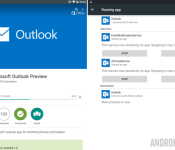
We know that Microsoft is pushing forward with a vengeance to get Windows 10 and a new round of Office products into the hands of consumers. To that end, they have just released their new Outlook Preview app for your Android devices.
Microsoft Outlook Preview is free in the Google Play Store. They ask only that you remember this is not the final release software, you will find a few bugs, and they would love it if you could report them to help improve the app for future updates.

This is not the first item out of Microsoft’s Office suites to find a home on Android, indeed, you can find Office Mobile, Word, Excel, Powerpoint, OneNote and more in the Play Store. We are huge fans of Microsoft’s transition to a viable competitor in the mobile space and suspect that the continued growth of Office apps for Android will allow many users to step away from their Windows machines a little more in their work day.
Outlook Preview offers up many of the basics of a powerful email client. Multiple account handling, file attachments, integrated calendar with notifications and reminders, quick search functions, and all the send/receive functionality you could hope for.
Microsoft has taken to splitting your Outlook Inbox into two tabs. The Focused tab offers up just the most important messages based on factors such as your previous interactions with senders, contacts list and more, think Google’s Priority Inbox in Gmail. The Other tab (yes, it’s called “Other”) does away with grouping your messages, bringing you all of your mail in reverse-chronological order. No sorting option to be found in this version.

A key feature we’ve found missing, or just couldn’t find it, is support for POP based email. We get that POP is what some consider to be antiquated, but it is still live and well in many companies around the globe. I was looking forward to testing the new Outlook Preview with my own POP account, it appears I will have to enable IMAP at the very least to proceed.
Outlook Preview for Android is free in the Google Play Store, head on over to grab your copy and check out all of the other features available in the app. No doubt that most Outlook for PC users will find this a great mobile edition for their needs.
Do you still use Outlook or another full email client for your email needs, or have you transitioned to web based services?
10 of the most popular apps this week (January 23)
Welcome back to the regular series aimed at helping Android users get more from their devices. If you’re looking for some new Android apps or games check it out: we have a handful of popular new titles to get you started. What you’ll find below are some of the hottest trending apps of the last seven days (or so). We’re certain you will find something fun to play with this weekend. Let’s get to it!

Words On Tour
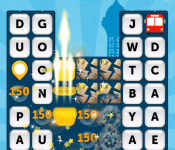
Zynga, the developers behind Words with Friends, have created a new word game, Words On Tour. It is fairly simple word game, but centered around levels that take you to around the world to various cities. You can play with friends, offline or online (its said that we even have to clarify that anymore). It has 4.2 stars and over 500,000 installs. It is free with in-app purchases, check it out with the widget below.
 App Lock by AJK

One of the coolest features that came with Android Lollipop is the ability to pin apps so that someone borrowing your phone will only use the apps you have pinned. App Lock by AJK takes this idea to a whole other level by giving some customization and more control over this feature. You can use a password, pattern, or even a fake app crash to block certain apps. Its got tons of other features on top of all of that.

The Witcher Battle Arena
The popular video games Witcher now has a mobile game, The Witcher Battle Arena. This is a MOBA game where two teams face off against each other in an arena. Characters you choose have various abilities that can get better as the game advances. What is cool about this game is they say you can unlock everything in the game by playing the game, but if you choose to get things sooner you can purchase it. However, theoretically you can unlock everything in the game by just playing through it. It looks like it has great graphics as well.
Crossy Road
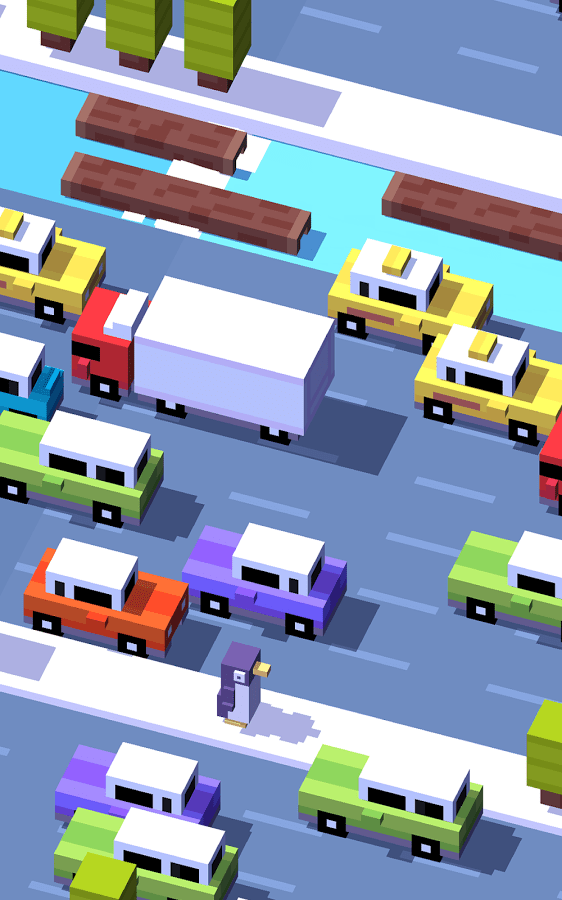
Fans of Frogger and Minecraft will be happy to know that the new game Crossy Road is Frogger with Minecraft-like graphics, but rather than a frog you play a variety of other characters. There’s not much else to it other than that. You can collect characters, play 50 levels, and it is completely free to play. It does have over 5,000,000 downloads and 4.7 stars, so it should be a great play.
 Star Wars™: KOTOR

Knights Of The Old Republic was a very popular video game when it came out back in 2003. With today’s smartphones, their processing power can handle older video games. That is what this is, the old video game available for your smartphone. It is the full game, so they even mention in the description that it will be a big download. This has all the features of the game: choose your adventure, build your character, learn 40 force powers, build a lightsaber, and more. Because it is the full game, it does cost $9.99. If you are pining for this game though, this is a great way to have it with you everywhere.
 App of the Day ’15 – 100% Free

There are lots of app discovery apps out there, but this one supplements the finding of apps with discounts, ranging from 15% to 100%. What’s cool is if the app features an app that has a premium and a lite version, it will unlock all of the premium features. And, if you later decide to get rid of this app, the features and apps you get from the app stay with you for life.
 Dr. McDougall Mobile Cookbook

This was an app initially on iOS, and was in high-demand enough that they released it on Android. What is cool about this app is it is health focused, so has healthy meals and even health tips. It even will help you gather a shopping list. The only thing with this is app is it costs $4.99. If you’re willing to spend that (which we support paying for apps) then try it out.
 Restaurant Story: Coffee Shop

If you’re looking to build your own coffee shop, then this game is for you. This allows you to design and build your own restaurant, and then serve customers. You even create your own menu, and decorate everything. You can even invite friends to build a shop next to you and share recipes. It currently has 4.2 stars and over 100,000 downloads.
 WWE Immortals
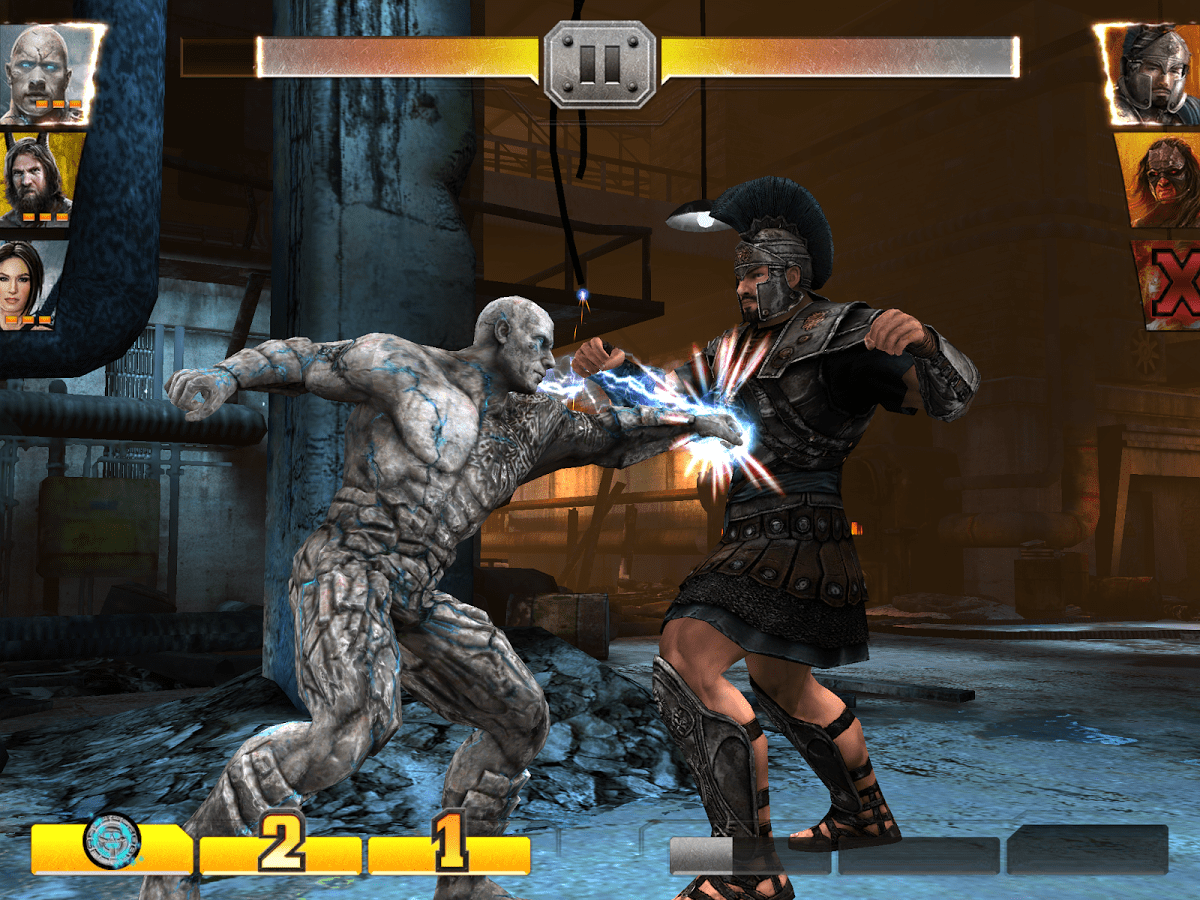
WWE Immortals brings your favorite WWE stars and brings them into a game. You can have powers, level up, play others online, and more. It has good graphics, and evidently great game play based on the 4.3 star rating and over 500,000 downloads. Otherwise, this is a cool looking fighting game with WWE stars.
 Cops N Robbers
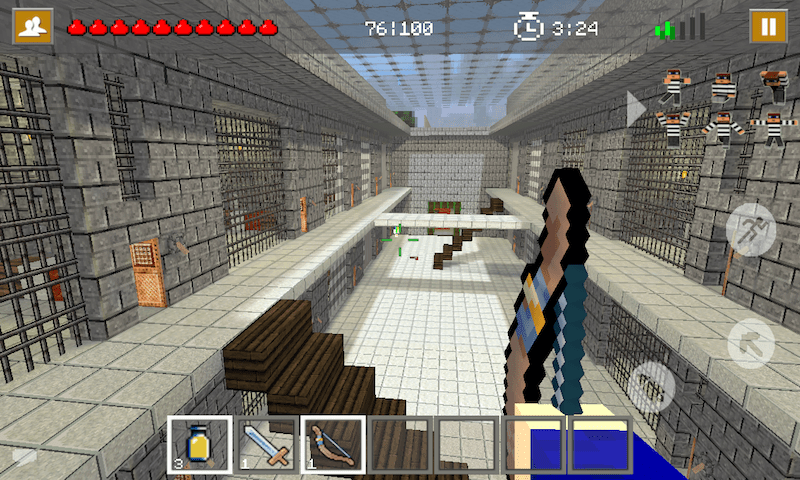
Cops N Robbers is a popular mini game that is now in a game to download for your phone. It has comfortable touch controls, good graphics (in a purposefully pixelated look way), and even multiplayer. You can either play a Cop or Robber, and depending on your role will depend on your goal in the game. It is currently $0.99, download it with the widget below.


FEATURED POSTS


The post 10 of the most popular apps this week (January 23) appeared first on AndroidGuys.

Goat Simulator update brings new level and a new level of crazy

One of the most oddball Android games around has scored a huge update, Goat Simulator has added a new level and more than doubled the amount of crazy costumes and accessories for your zany little goat.
Goat Simulator is on sale in the Google Play Store right now, get it for just $2.99. The update comes in version number 1.1.1 and has a changelog that reads as follows:
- Updated Russian and Japanese localization
- Fixed black screen on some devices
- Added a new map: Goat City Bay
- Lots of new goats
- A lickable helicopter (yes, you read that right)
- Pigs that are stuck
- Hyper realistic water physics

As always, the team looks to fix performance bugs and serious glitches in Goat Simulator, but you’ll have to get used to, or rather, embrace, the absolute craziness of the physics at play to enjoy this game. Expect to see death defying falls and spills, dislocated necks and to get stuck in a few walls. Just remember to laugh and be entertained, that is the purpose, after all.
To get your roller coaster flying, ferris wheel riding, rooftop deadmau5 dance party goat simulating on, take your $2.99 over to the Google Play Store to grab your copy of Goat Simulator.
Is Goat Simulator too crazy for your tastes? Any awesome Goat Simulator screenshots to share?
10 of the most popular apps this week (January 2)

Welcome back to the regular series aimed at helping Android users get more from their devices. If you’re looking for some new Android apps or games check it out: we have a handful of popular new titles to get you started. What you’ll find below are some of the hottest trending apps of the last seven days (or so). We’re certain you will find something fun to play with this weekend. Let’s get to it!

Business Calendar 2
The very popular Business Calendar app has a successor, Business Calendar 2. Rather than just updating their other app, they have rebuilt the it from the ground up, claiming to have made it better in the process. This app prides itself in allowing you to view your entire schedule in various ways, including the bird’s-eye view of the month seen above. It also helps you find open spots in your schedule to plan a meeting. They have a free version as well as a paid version that has more features. If your phone’s stock calendar isn’t doing it for you or doesn’t have enough features, this is the app for you.
 Falcon Pro 3

Falcon Pro 3 is the same developer who made the popular Falcon and Falcon Pro 2 apps. They were both so popular in fact, that both times the apps had run out of Twitter tokens, and had to make a workaround for people to use it. Falcon Pro 3 is a totally new app, though, but brings a lot of neat features, and a design that you’ll drool over that has Material Design cues. It is also simple and quick, so it doesn’t require a lot of resources. The only downside is you have to pay for each Twitter account you add to the app, but this is likely the way to slow down the use of Twitter tokens. I have experience with this developer with his other Falcon apps and his Flyne app, and I’m always impressed. He also always updates quickly and frequently.

Looney Tunes Dash!
Endless runner games have endless possibilities to them, and Warner Brothers seems to agree as a new endless runner game has been released, Looney Tunes Dash! Looney Tunes Dash! allows you to play as several Looney Tunes such as Bugs Bunny, Daffy Duck, Tweety Bird, and more. You can reenact episodes with the game, complete levels, and more. It has a 4.1 Star rating, so check it out.

Adobe Lightroom Mobile
Adobe has released a mobile version of Lightroom, allowing users to edit photos that are anything from a .jpg from a smartphone to a raw image from a DSLR. It has a lot of the functionality from the desktop version, but optimized for mobile use. The app itself is free, but you need a subscription in order to use it. However, there’s a free 30-day trial available for users who aren’t quite sure. Check it out with the widget below.
 9GAG Redhead Redemption

I’ll leave it to the description to say this: “This is no ordinary zombie game! Well, maybe it is, but it is LOADED WITH FUN!” This is the first game from popular site 9GAG, and they released it on Android first, with an iOS version on the way. It looks like it is not only a fun zombie runner shooter game, but looks like it might be loaded with jokes along the way. Either way, it has 4.6 stars and over 100,000 downloads. Download it with the widget below.
 Microsoft Word & Excel Preview

Microsoft has been very weird about their interaction with Google and Android, but recently they have been flooding the Play Store with their apps. Well, now they have Word and Excel apps that you can use on tablets with screens 7 inches are larger. If you want a better word document and spreadsheet editor, these might be for you.
 Shift
Shift

Shift is for those who enjoy using Instagram and just taking photos in general and applying filters to them, but would like a little more freedom in what the filter is and adjusting it. You can use sliders to adjust colors and shades, and even favorite filters that you really like to use later on other photos. It looks like this is an app I am going to keep on my phone. Download it below.
 Tales from the Borderlands

Tales from the Borderlands looks to continue where the story left off in Borderlands 2 in a 5 part episode game. Everything is there, from the graphics, to the humor, to some of the iconic characters. However, because of the high quality of the game, it is $4.99, and will cost more for each episode. There is also a minimum system requirements, listed below. Still, it looks like a lot of fun, and is sure to be entertaining.
Minimum specs:
GPU: Adreno 300 series, Mali-T600 series, PowerVR SGX544, or Tegra 4
CPU: Dual core 1.2GHz
Memory: 1GB
 SimplePlanes
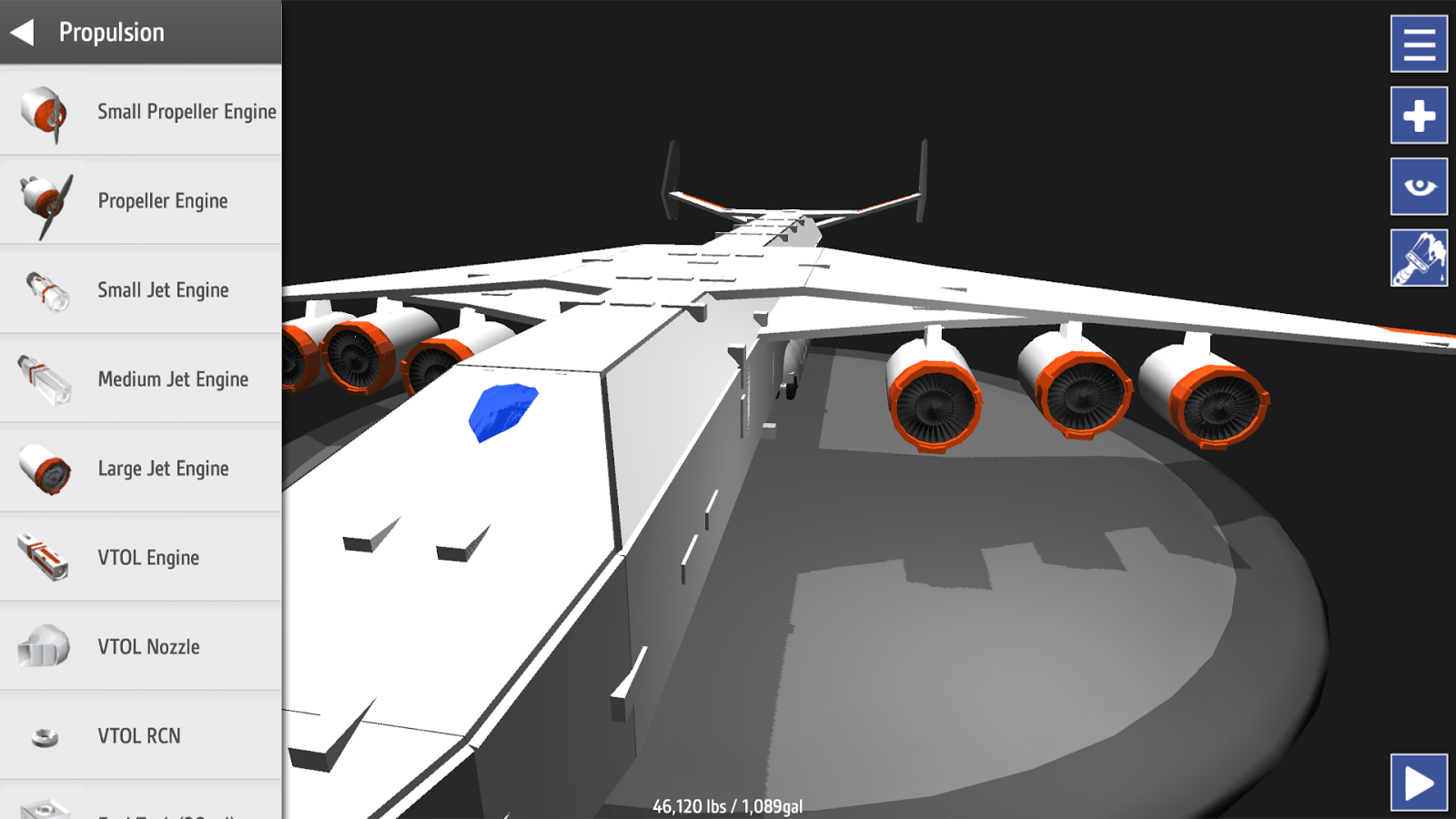
SimplePlanes allows you to design, build, and fly your own planes. The graphics are retro-looking, but done well. You can also do dogfights, complete challenges, and more. It is $4.99, and requires 512MB of RAM and a 1GHz processor. It already has 4.5 stars, and looks like a lot of fun. Download it with the widget below.
 Hidely
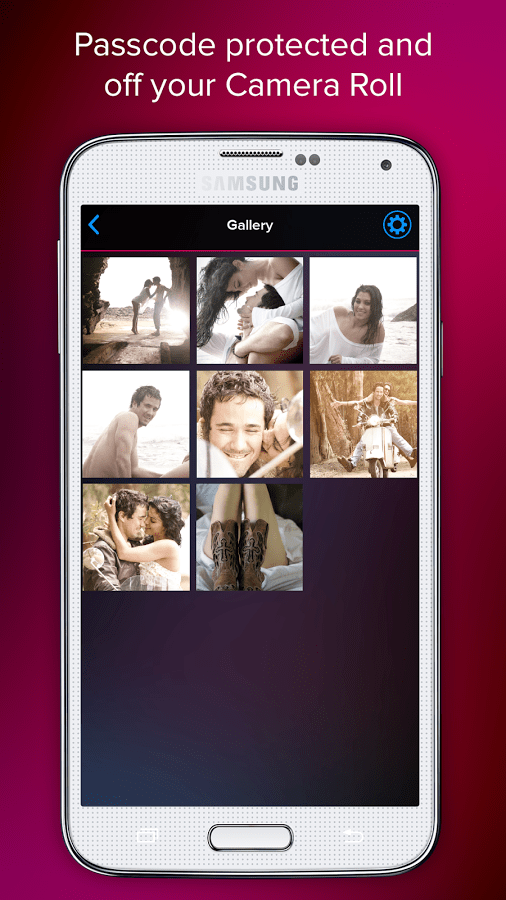
Hidely is a camera and photo gallery that looks to encrypt and password protect your photos. With it you can keep your pictures in a vault, and share it securely so that they are only shared with those you desire. For those who remember the celebrity photo leak that happened earlier this year and are nervous about it might take this into consideration.

FEATURED POSTS


The post 10 of the most popular apps this week (January 2) appeared first on AndroidGuys.
 AIVAnet