



Google no longer requiring OEMs to encrypt Lollipop-running devices by default

Back when Google introduced Android 5.0 Lollipop, it made headlines for seemingly all the right reasons. Among the huge visual overhaul and the switch to the new ART runtime, Google announced that new devices running Lollipop would need to be encrypted by default. It seemed as though everyone was singing Google’s praises as this meant in the future, Android as a whole would be, essentially, much more secure. But Google seems to be changing their minds on this whole matter, as the company is now not requiring OEMs to encrypt devices by default.
Encryption by default isn’t dead in the water, though. Google has plans to relaunch this feature in a future update to the OS. According to the Android 5.0 Compatibility Definition, the rules have changed from being required to encrypt by default, to just being very strongly recommended.
9.9. Full-Disk Encryption:
If the device implementation has a lock screen, the device MUST support full-disk encryption of the application private data, (/datapartition) as well as the SD card partition if it is a permanent, non-removable part of the device [Resources, 107]. For devices supporting full-disk encryption, the full-disk encryption SHOULD be enabled all the time after the user has completed the out-of-box experience. While this requirement is stated as SHOULD for this version of the Android platform, it is very strongly RECOMMENDED as we expect this to change to MUST in the future versions of Android.
This wasn’t the case with Google’s initial release of the update, though. The Nexus 6 and Nexus 9 devices both had encryption turned on by default when the launched. Alternatively, the demo models of the Samsung Galaxy S6 and HTC One M9 handsets at MWC didn’t have encryption turned on, and neither does Motorola’s Moto E (2nd Gen.) handset.
So, what changed? Perhaps we need to look back to November, when a few folks decided to run benchmarks on Google’s Nexus 6. It turns out, having a device with encryption turned on by default causes significant performance issues compared to one without it turned on. We obviously have a problem on our hands, and perhaps Google released this feature too early.
Ars Technica guesses that Google isn’t enabling encryption by default anymore in order to give OEMs ample time to plan for the change. The problems caused by performance can obviously be countered by updated processors, faster flash memory, and more.
No matter the reasoning, there’s no need to worry. If you’re planning on getting a new device running Lollipop in the near future, you can still turn encryption on manually. We’ll be sure to let you know when Google reverts back to its original default encryption methods.
Android 5.0.2 Lollipop rolling out for AT&T Motorola Moto X (2nd Gen)
Those of you that have been patiently waiting for Android 5.0.2 Lollipop to grace your AT&T branded Motorola Moto X 2nd Gen can finally start furiously hitting the update button. According to the devices page with Motorola the update is rolling out to customers. AT&T doesn’t have their page updated yet to reflect the push, but […]
The post Android 5.0.2 Lollipop rolling out for AT&T Motorola Moto X (2nd Gen) appeared first on AndroidSPIN.

LG G3 now receiving the update to Android 5.0 Lollipop in Canada

In the past few days, we’ve seen a slew of devices get the update to Android 5.0 Lollipop all around the Canadian region. Just yesterday, we saw the HTC One M7, Motorola Moto X (2014) and Moto G (2013) get the update, as well as the HTC One M8 a few weeks ago. We’ve just gotten word that the next handset to receive Lollipop in the region is the LG G3, and it should be rolling out as we speak.
We’ve heard so far that G3 users on Rogers and Bell have received the update, and users on TELUS, Fido, MTS, Sasktel, Videotron and Virgin Mobile should be receiving the update shortly as well. If you have yet to receive the update notification, be sure to head to Settings>About device>Software update>Update to check manually.
As for what’s new in the update? Just like other in Lollipop updates, the majority of changes found on the G3 are under-the-hood, including the switch to the new ART runtime, additional security features and many more. You’ll also see some cosmetic changes in the update, but LG’s G UI skin doesn’t have as many visual enhancements as we see on devices running a stock version of Lollipop.
Canadian users, have you received the update to Lollipop yet? Let us know when you get it!
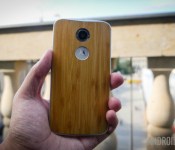
HTC One M7, Moto X (2014), Moto G (2013) now receiving Lollipop updates in Canada

We’re now in full swing for OTA updates of Android 5.0 Lollipop for a number of popular devices. But the majority of updates we’re hearing about are based out of either the US or Europe, and not too many out of Canada. A few weeks ago, we heard the HTC One M8 in Canada was receiving the update, and now it’s rolling out to a few more devices in the region. Starting today, the update to Android 5.0 Lollipop is rolling out to Canadian variants of the HTC One M7, Motorola Moto X (2014) and Moto G (2013) devices.
HTC Canada says that all Canadian carriers are rolling out the update to the M7 beginning today. If you have yet to see the update hit your phone, head to Settings>About device>Software update>Update to check manually.
Motorola is also sending out an update to their Moto X (2nd Gen.) and Moto G (1st Gen.) devices in Canada. Moto G (1st Gen.) users on Virgin, TELUS, Koodo, Videotron and WIND should be seeing the update to Android 5.0.2 later today. Unlocked Moto G devices should get the update today as well. Additionally, Moto X (2nd Gen.) users on WIND will get the update to Android version 5.0.1. The Lollipop update has yet to roll out on the Moto X (1st Gen.) and Moto E, but we can’t imagine it will take too much longer.
Are there any Canadian users out there getting the update? Let us know if you get it today!

Samsung brings Lollipop’s missing Mute feature to the Galaxy S5

Silent or Mute volume modes are being sorely missed by some Android Lollipop users, but Samsung has heard the complaints and has rushed to reintroduce the feature with a small update for its Galaxy S5 smartphone.
The build, labelled G900FXXU1BOB7, has only been released for the G900F handset variant in the UK at the moment, that’s the one with the Snapdragon processor. However, it should be heading out across Europe and then to other regions in the near future. You can always hammer the manual update button under Settings > About phone > Software update to see if the update has arrived yet.
For Lollipop users who don’t own a Galaxy S5 and are still missing Mute functionality, we took a look at the SoundHUD app yesterday, which can bring back more familiar sound controls to Lollipop devices.
Have you been missing a standard Mute feature or are you finding Lollipop’s interruption controls more useful?
T-Mobile brings device software update page to life, lacks any real information
Keeping customers in the know on when their device may, or may not, receive a software update is tricky business. In the beginning we really never knew. We just waited and hoped it would come. Then things got heated where an update would land on one device in one country and never make it to […]
The post T-Mobile brings device software update page to life, lacks any real information appeared first on AndroidSPIN.
CM12S and OxygenOS to arrive in mid to late March

OnePlus has been experiencing a ton of issues regarding their partnership with Cyanogen Inc., so the flagship killing company decided to create their own ROM, OxygenOS. We’ve seen a very brief preview of the new operating system, but many details haven’t been announced yet, including a tentative release date. But today, OnePlus co-founder Carl Pei announced on Twitter that CM12S and OxygenOS will become available sometime around mid to late March.
@rajarshi_10 We released an L alpha a while ago, but a more stable build (OxygenOS & CM12S) will need to wait until March. Sorry for delay!
— Carl Pei (@getpeid) February 23, 2015
It’s been heavily speculated that OxygenOS is meant to replace Cyanogen OS as the default ROM for OnePlus’ next smartphone. But when it comes to the One, Pei recently shed some light on how the company will handle the new OS. In a recent Reddit AMA, Pei explained that the OxygenOS update won’t be available as an OTA (over the air) update on the OnePlus One. He explains:
For the OnePlus One, it will likely not be an OTA, but rather a choice for users who want to try something new and are willing to flash it themselves.
OxygenOS will be a near stock-like build of Android, and the company says they are starting from the ground up on this one, putting only what they want in the OS, taking into consideration everything that users have been asking for.
Are you planning on flashing OxygenOS when it’s available?
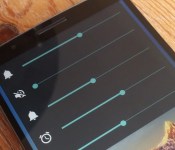
SoundHUD brings silent mode back to Lollipop (root not required)

Android 5.0 Lollipop introduces some welcome improvements, but one of the less well received changes is the new volume interruption controls and a lack of an obvious silent mode. They can certainly take a bit of getting used to.
In our own Q&A section, we’ve heard many users complain about the changes, especially when it comes to putting the device into silent mode. Fortunately, the SoundHUD app on the Google Play Store can help restore a familiar interface to Lollipop’s sound options and it also comes with a true silent mode.
Best of all, the app doesn’t require root access and can be tried for free for two weeks, after which a one off cost of $1.99 (£1.29) keeps all the features unlocked. Once granted permission, simply pressing your volume button will bring up the alternate menu, complete with full control for each audio setting.
Setting the phone up for silent mode involves heading over to System settings > Sound & notification > Interruptions and turning OFF all priority interruption switches. SoundHUD also has a nifty feature which can enable an app to open on a long press of your volume buttons.
So, problem solved. Have any of you come up with your own workarounds for Lollipop’s silent mode?
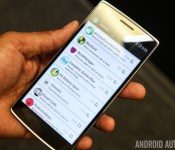
Alpha version of GravityBox for Lollipop now available

It was a relatively long wait, but definitely worth it. Developer rovo89 released the first alpha for Xposed Framework for Lollipop ten days ago, finally bringing fans of the customization platform the ability to mix and match their favorite features on top of Android 5.0. Now using Xposed became has got even easier thanks to the release of GravityBox for Lollipop.
Developer C3C076 announced on XDA that the alpha version of GravityBox v5.0.0 is currently available and should be compatible with all devices running stock Android. For now, the tool has been tested on a Nexus 5; Google Play edition phones should work fine, while further testing is needed for the Moto G. GravityBox 5 should not be used on the Moto X (2014) for now, as it causes bootloops according to C3C076.
GravityBox 5.0 will not work with custom ROMs like CyanogenMod or Paranoid Android, or with manufacturer versions of Android, like TouchWiz or Sense.
GravityBox for Xposed offers a collection of features that can be used to easily extend the functionality of a rooted device, without having to flash a new ROM. As such, it’s ideal for those who want to get started with Android customization, but can’t – or don’t want to – mess with ROMs.
GravityBox features, as per C3C076:
- CyanogenMod Pie controls
- Expanded Desktop
- Statusbar QuickSettings tile management with additional tiles and reordering /* work in progress */
- Statusbar icon coloring
- Statusbar Brightness Control
- Center clock in statusbar
- Battery indicator style
- Navigation bar tweaks including cursor control keys
- Low battery warning policy
- Disable LED flashing when battery low
- Disable LED while charging
- Advanced power-off menu (reboot, recovery)
- Volume key cursor control
- Skip tracks by volume key long-press while screen off (thanks to rovo89)
- More volume levels for music stream
- Option to control safe headset media volume
- Button for clearing all recent tasks at once
- Minimal brightness setting
- Autobrightness levels adjustment
- Lockscreen tweaks
- Hardware/navigation key actions
- Notification drawer style (background color, image for portait/landscape, transparency)
- Button backlight modes (default, disabled, always on while screen is on)
- Dialer (Phone) tweaks
- Google Launcher tweaks
- Screen recording
- GravityBox Actions – interface for 3rd party apps
- Smart Radio
- Notification control (per-app notification LED/sounds/vibrations)
- Ascending ring tone
Both GravityBox v5.0 and Xposed Framework for Lollipop are in alpha, so some bugs, inconsistencies, and other issues should be expected. Newbies are probably better off waiting for a more stable version. But, if you’re comfortable with the bleeding edge, feel free to get started with the new GravityBox from this XDA thread.
T-Mobile starts pushing out Android 5.0 Lollipop to Galaxy S5
The long wait is over, for the most part, for Samsung Galaxy S5 users on T-Mobile. The Uncarrier is in the process of pushing out a OTA update to devices that carries with it Android 5.0 Lollipop. The update isn’t small by any means and weighs in at 939.59MB’s. You read that correctly, nearly 1GB. […]
The post T-Mobile starts pushing out Android 5.0 Lollipop to Galaxy S5 appeared first on AndroidSPIN.
 AIVAnet