


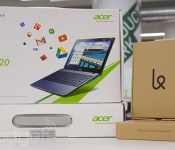
Engadget giveaway: win one of two Acer Chromebooks courtesy of Karma!

Sure, you share your heart out in food photos and selfies, but providing WiFi to those less fortunate might be more magnanimous. That’s where Karma comes in, with its portable WiFi hotspot that pays you back in data for a bit of bandwidth benevolence. The company has provided two Acer C720 Chromebooks and a pair of its Karma WiFi hotspots (1GB bundles) so that two lucky Engadget readers can join in spreading the connectivity. Those in need can hop onto the shared hotspot using their own Karma account, earning both them and their host a cool 100MB in data. Accounts dictate usage, so you get to keep your own pay-as-you-go data safe, while doing your part in opening up the interwebs to those around you. Just head on down to the Rafflecopter widget for up to three chances at winning. To keep the good vibes flowing, the company is also offering 20 percent off to all Engadget readers for the duration of this giveaway.
- Entries are handled through the Rafflecopter widget above. Comments are no longer accepted as valid methods of entry. You may enter without any obligation to social media accounts, though we may offer them as opportunities for extra entries. Your email address is required so we can get in touch with you if you win, but it will not be given to third parties.
- Contest is open to all residents of the 50 States, the District of Columbia, and Canada (excluding Quebec), 18 or older! Sorry, we don’t make this rule (we hate excluding anyone), so direct your anger at our lawyers and contest laws if you have to be mad.
- Winners will be chosen randomly. Two (2) winners will each receive one (1) Acer C720 Chromebook (C720-2848) and one (1) Karma Hotspot 1GB bundle (201212196301).
- If you are chosen, you will be notified by email. Winners must respond within three days of being contacted. If you do not respond within that period, another winner will be chosen. Make sure that the account you use to enter the contest includes your real name and a contact email or Facebook login. We do not track any of this information for marketing or third-party purposes.
- This unit is purely for promotional giveaway. Acer, Karma and Engadget / AOL are not held liable to honor warranties, exchanges or customer service.
- The full list of rules, in all its legalese glory, can be found here.
- Entries can be submitted until February 26th at 11:59PM ET. Good luck!
Filed under: Announcements, HD, Mobile, Alt, Acer

Acer’s Liquid series: hands-on with the new E3 and Z4

Last week, Acer announced its latest budget smartphones ahead of Mobile World Congress, and as expected those devices are making an appearance at the show. We guessed that the €199 ($275) Liquid E3 is looking to go toe-to-toe with the Moto G in terms of specs, while the €99 Liquid Z4 ($135 or so) fights it out with a whole host of low-end handsets. With a 4.7-inch, 720p IPS screen, quad-core 1.2GHz processor, 1GB RAM, 8GB of internal storage and 13-megapixel rear camera, the Liquid E3 is clearly the more exciting of the two, but head past the break where we take a closer look at both of Acer’s new Android phones.
Perhaps the most interesting addition for both is a user-mappable rear button, which Acer lovingly refers to as “AcerRAPID.” With this button you can launch apps, toggle different “user modes” or answer a call. Hold it a little longer and you’ll launch the camera, which can be tweaked to make use of the E3′s 2-megapixel front camera with a dedicated flash. Acer’s certainly going for a more premium feel with the E3, opting for a metallic red effect on the bezel that gives it a slightly more racy look. We took a peek at Acer’s new user modes, which include basic, senior and classic settings (not that Acer wants to put you in a box), and while they were Windows Phone-like in appearance, selecting apps, navigating menus and changing additional settings was overly difficult. The E3′s HD display seemed adequate, but lacks in comparison to other devices in its class, especially the Moto G (with its lower price point).
The Liquid Z4 sports a round-edged design we’ve seen on plenty of other phones. The budget handset boasts a 5-megapixel rear camera, but most of its other internals are unsurprisingly basic in nature. The Z4 sports a subtle AcerRAPID button on its reverse, which is a nice inclusion considering its very low price. Acer’s also bundled its Liquid UI on both of its new devices, and navigating the phone in default mode (the way you’d normally enjoy Android) was fluid and responsive. However, we couldn’t help but think that the company’s latest tweaks have arrived a little late to the party.
Can the Liquid E3 hold its own against the Moto G? In our opinion no. Not only are Acer’s UI tweaks functionally basic, both devices ship with Android 4.2.2 (although KitKat will reach the E3 “later this year”). Acer’s hands-off approach in the US market means we might not even see either of these new devices when they eventually go on sale in April.
Filed under: Cellphones, Acer
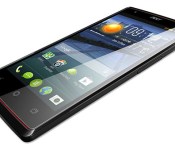
Acer’s Liquid E3 smartphone will go up against the bargain Moto G

While Acer has made some hay in Europe with low-spec smartphones, its latest budget models are launching into a whole ‘nother market. For instance, the €199 ($275) Liquid E3 now has to contend with the likes of the Moto G at €160, while the €99 Liquid Z4 ($135 or so) has an endless conga line of budget devices to compete with. That said, the Liquid E3 (above) at least punches in its weight class with the 4.7-inch, 720p IPS screen, quad-core 1.2GHz CPU, 1GB RAM and 13-megapixel rear/2-megapixel front cameras — but it’s in tough with only 4GB of storage versus 8GB for the Moto G. Meanwhile, the cheaper Liquid Z4′s main claim to fame is its 5-megapixel f/2.4 camera, as the rest of the specs (dual-core 1.3GHz processor, 4GB storage) are decidedly downmarket. Both devices will arrive in Europe in April with lowly Android 4.2.2 and no mention of LTE support. As is usual with Acer, don’t count on it coming to the US.
Filed under: Cellphones, Mobile, Acer

Engadget laptop buyer’s guide: winter 2014 edition

CES has been over for a month now, which means it’s high time we update all our buyer’s guides with some of the new stuff that was just announced. In the coming weeks, we’ll have fresh tablet and phone picks, but today, we’re all about the laptops. Whether you’re in the market for an Ultrabook, convertible, gaming rig or a Chromebook, we’ve got a suggestion that should fit the bill. Read on to see what made the cut — and what’s been dropped from our guide since last fall.
Convertibles
When Windows 8 first came out, PC makers were experimenting with all sorts of inventive designs in an effort to figure out what consumers actually wanted. In those early months, we saw laptops whose screens could rotate, pop out, detach and fold over. Others had a sliding design, and one even attempted two screens. The results were mixed — so mixed, in fact, that our last two laptop buyer’s guides have had just two recommendations in the convertible category. Now that these companies have had a chance to go back to the drawing board, we’re starting to see more form factors we’d actually want to use.
Dell XPS 12

The Dell XPS 12 has always been on this list, so you can bet we have effusive things to say now that it’s been upgraded with Haswell, NFC and a larger battery (50Wh, up from 47Wh). All told, between the beefier battery and new chipset, Dell is promising this thing will last 9.5 hours on a charge — more than three hours longer than the OG model. Otherwise, it’s the same machine it always was, with a 12.5-inch, 1080p screen that flips around in its hinge so that you can show off presentations and stuff to people sitting opposite you. It might not be quite as versatile as the Yoga, but we love it anyway for its solid build quality, attractive design and unusually cushy keyboard. After all, if you can’t enjoy one of these convertibles in regular notebook mode, why even bother?
The bottom line: Even if you rarely use it in tablet mode, the XPS 12 makes an excellent Ultrabook, especially now that Dell’s refreshed it with Haswell and a bigger battery.
Key specs: Up to a 1.7GHz dual-core Intel Core i7-4650U CPU, 4GB to 8GB of RAM, up to 256GB of internal storage, Intel HD Graphics 5000, 12.5-inch (1,920 x 1,080) display.
Price: $1,000 and up from Dell
Lenovo IdeaPad Yoga 2 Pro

Even back when we included just two convertibles on this list, the Lenovo IdeaPad Yoga 13 was always one of them. Though lots of companies make missteps with their first-gen products, Lenovo won us over right away with the Yoga, whose screen could fold all the way back into tablet mode. Over time, though, as rival companies began upgrading their wares, the original Yoga started to seem stale. Well, just in the nick of time, Lenovo gave it a makeover. The new version, the Yoga 2 Pro, comes standard with a 3,200 x 1,800 screen, making it one of the crispest you’ll find on a 13-inch Ultrabook. It also comes in a thinner, lighter package, and runs on Haswell processors for faster performance and longer battery life. Best of all: The price is low compared to other premium Ultrabooks.
As a side note, Lenovo also has the ThinkPad Yoga, whose keyboard flattens out as you flip the screen over. Even then, we’d only really recommend it if you want pressure-sensitive pen input, as the machine itself is noticeably thicker and heavier than the Yoga 2 Pro (in large part thanks to that newfangled keyboard!).
The bottom line: The most versatile Windows convertible is back with a slimmer, lighter design, sharper screen and longer battery life.
Key specs: Up to a 1.8GHz dual-core Intel Core i7-4500U CPU, 4GB or 8GB of RAM, 128GB to 512GB of internal storage, Intel HD Graphics 4400, 13.3-inch (3,200 x 1,800) display.
Price: $1,049 and up from Lenovo
Sony VAIO Duo 13

Remember we said some companies made missteps their first time out? We give you Sony. The VAIO Duo 11 didn’t make our original list. In fact, no slider Ultrabooks did. The propped-up display eats up too much of the potential keyboard space, we said, leading to a compromised typing experience. The Duo 11, in particular, also suffered from short battery life and an ugly hinge design that left too many of the mechanical bits exposed.
Fortunately, Sony went back to the drawing board and returned with a much-improved follow-up, the VAIO Duo 13. With its “Surf Slider” hinge, the Duo is now much easier to open with one hand, and the back side has been cleaned up as well. Interestingly, though this rocks a larger 13.3-inch screen, the dimensions are about the same, and the weight is only slightly heavier. The secret? Thinner bezels to maximize screen real estate. But wait, we’re not done yet: There’s now a clip to hold the included pressure-sensitive pen. The keyboard, meanwhile, is more comfortable this time around, even if the touchpad is a bit cramped. And the battery life is much longer too, thanks to a fresh Haswell processor.
The bottom line: Sony got the slider design right on its second try, thanks to a completely revamped hinge, a more spacious keyboard and longer battery life.
Key specs: Up to a 1.7GHz dual-core Intel Core i7-4650U CPU, 4GB to 8GB of RAM, 128GB to 512GB of internal storage, up to Intel HD Graphics 5000, 13.3-inch (1,920 x 1,080) display.
Price: $1,400 and up from Sony
High-end notebooks
Just because every PC maker is experimenting with some strange, convertible form factor, doesn’t mean regular, old notebooks are going the way of the dodo. In fact, most of the laptops we’ve seen this season are standard notebooks, many with touchscreens attached (at least in the case of Windows machines). In fact, with the exception of the Lenovo Yoga 2 Pro, Dell XPS 12 and Sony VAIO Duo 13, all of the high-end systems on our list actually do hew to this design. Find our favorites below.
Acer Aspire S7-392

If there’s one theme coursing through this guide, it’s that Intel’s new Haswell processors have transformed laptops with poor battery life, and turned them into lean, mean, all-day machines. That couldn’t be truer of the Acer Aspire S7, which came out in 2012 to mostly rave reviews. Well, raving about everything except the runtime, which topped out at around four hours. Recently, though, Acer refreshed its 13-inch flagship Ultrabook with Intel’s fourth-generation processors, and is now promising up to seven hours of juice (we got seven and a half). Aside from that very important under-the-hood change, Acer didn’t alter the design much; the keyboard layout is similar, as is that white Gorilla Glass lid. Also, until recently, the only display option in the US was a 1080p IPS panel. This month, Acer finally started offering the choice of a 2,560 x 1,440 screen. About time, we say.
The bottom line: The new S7 addresses all the shortcomings of the previous model, and is now one of our favorite Ultrabooks.
Key specs: Up to a 1.8GHz dual-core Core i7-4500U CPU, 8GB of RAM, 128GB to 256GB of internal storage, Intel HD Graphics 4400, 13.3-inch (1,920 x 1,080 or 2,560 x 1,440) display.
Price: $1,350 and up from Acer
Apple MacBook Air

Apple’s current MacBook Airs look just like the ones that came out in 2012, but they still bring some meaningful improvements. In particular, they come complete with Haswell processors and the promise of much longer battery life (up to nine hours on the 11-inch model, and up to 12 on the 13-inch version). And remember, Apple has a tendency to make conservative battery life claims — in fact, we got nearly 13 hours on the 13-inch model when we took it for a spin. Meanwhile, Apple also switched to faster PCIe SSDs, which yield much faster I/O speeds. On top of all that, Apple dropped the starting price of the 13-inch model by $100, making it that much easier for us to recommend. The only thing you might want to keep in mind is that the new Retina display MacBook Pro offers similar battery life and doesn’t weigh that much more, so you might be tempted to get that instead if you want a sharper screen and don’t mind a little extra heft.
The bottom line: No, there’s still no super-sharp Retina display, but the unbelievably long battery life more than makes up for it.
Key specs: 11-inch model: up to a 1.7GHz dual-core Core i7 CPU, 4GB to 8GB of RAM, 128GB to 512GB of internal storage, Intel HD Graphics 5000, 11.6-inch (1,366 x 768) display; 13-inch model: up to a 1.7GHz dual-core Core i7 CPU, 4GB to 8GB of RAM, 128GB to 512GB of internal storage, Intel HD Graphics 5000, 13.3-inch (1,440 x 900) display.
Price: $999 and up (11-inch)/$1,099 and up (13-inch) from Apple
HP Spectre 13 Ultrabook

HP took its time refreshing its line with new designs and fresh processors, but it looks like the delay may have been worth it. HP recently announced the Spectre 13 Ultrabook, and it’s better than its predecessor in almost every way. In addition to running Haswell Core i5 and i7 processors, it’s available with a 2,560 x 1,440 display for an extra $70 — a first for HP. Additionally, it has an extra-wide touchpad with “Control Zones” on the sides that give you tactile feedback as you’re doing things like exposing the Charms Bar or swiping in from the left to cycle through open apps. As for performance, we’ve already begun testing one, and can attest that it delivers both long battery life and brisk SSD speeds.
The bottom line: The Spectre 13 remains one of the few Ultrabooks available in the US with a screen sharper than 1080p.
Key specs: Up to a 1.8GHz dual-core Core i7-4500U CPU, 4GB or 8GB of RAM, up to 256GB of internal storage, Intel HD Graphics 4400, 13.3-inch (1,920 x 1,080 or 2,560 x 1,440) display.
Price: $1,000 and up from HP
Lenovo ThinkPad X1 Carbon

Lenovo’s X1 Carbon hasn’t had a spot in our laptop buyer’s guide since last spring. A curious thing, considering it was once our favorite business Ultrabook — heck, one of our favorite Ultrabooks, period. Eventually, however, even the best products grow stale, and indeed, it took Lenovo a while to deliver a refresh. Finally, though, we have a revamped model with a lighter design, sharper screen and up-to-date processors. Without overwhelming you with speeds and feeds, here’s what you need to know: The new X1 weighs just 2.8 pounds (make that three if you add a touchscreen). Either way, it’s shockingly light for a 14-inch system. Also, in keeping with modern-day specs, the X1 now has a 2,560 x 1,440 screen option and a battery rated for nine hours of runtime. Be warned: Lenovo did tweak the keyboard, adding an “adaptive” panel up top, but fortunately, it doesn’t appear to interfere with the typing experience (or the TrackPoint, for that matter).
The bottom line: The refreshed X1 Carbon returns with a sharper screen, improved battery life and an even lighter design.
Key specs: Up to a 2.1GHz dual-core Core i7-4600U CPU, 4GB or 8GB of RAM, up to 512GB of internal storage, Intel HD Graphics 4400, 14-inch (1,600 x 900 or 2,560 x 1,440) display.
Price: $1,299 and up from Lenovo
Samsung ATIV Book 9 Plus

Samsung went a long time without refreshing its Series 9 Ultrabook, save for adding a 1080p screen option in 2012. Finally, though, the company announced a proper replacement, the ATIV Book 9 Plus. Though it’s similar in design to the aluminum version that came out in 2012, this steps up to a much sharper screen — a 13.3-inch 3,200 x 1,800 panel with enough pixel density to surpass even the 13-inch Retina MacBook Pro. On the inside, it makes use of Haswell processors, solid-state storage and a battery rated for 12 hours of runtime (we managed nearly nine hours in our video rundown test). The only unfortunate thing is that thanks to the added touchscreen, the ATIV Book 9 Plus is heavier than it used to be: 3.06 pounds versus 2.55. Make no mistake: It’s still plenty portable, but there are even lighter touchscreen Ultrabooks out there.
The bottom line: One of our favorite Ultrabooks from 2012 gets refreshed with an eye-melting 3,200 x 1,800 display and a more robust battery.
Key specs: Up to a 1.8GHz dual-core Core i7-4500U CPU, 4GB or 8GB of RAM, up to 256GB of internal storage, Intel HD Graphics 4400, 13.3-inch (3,200 x 1,800) display.
Price: $1,400 and up from Samsung
Sony VAIO Pro 13

Sony broke a lot of hearts when it discontinued its super-thin, super-light Z series. Fortunately for VAIO fans, though, the company last year came out with the Pro 13, a 2.34-pound, carbon fiber machine that’s the spiritual successor to the ol’ Z. Sony says it’s the lightest touchscreen Ultrabook of this size, which sounds about right to us: This thing feels utterly insubstantial in the hand. In addition to that featherweight design, the Pro 13 offers PCIe SSDs, a 1080p display with wide viewing angles, a backlit keyboard and built-in NFC. Battery life is rated at seven hours (thanks, Haswell!), but you can double that with an external sheet battery (another nice carryover from Sony’s older machines). Most importantly, though, Sony slashed the starting price of the 13 to $1,250, down from around two grand. There’s also a less-expensive 11-inch version, the Pro 11, but the keyboard is a tad cramped, and you won’t get those fast PCIe SSDs (just regular solid-state drives).
The bottom line: Sony’s discontinued Z series laptop gets a new life with the Pro lineup, which offers great battery life, crisp displays and a much more reasonable starting price.
Key specs: Up to a 1.8GHz dual-core Core i7-4500U CPU, 4GB to 8GB of RAM, 128GB to 512GB of internal storage, Intel HD Graphics 4400, 13.3-inch (1,920 x 1,080) display.
Price: $1,150 and up from Sony
Budget and mid-range
Acer M5-583P-6423

Acer’s M5 always makes our list for offering good specs at a decent price, and for being surprisingly lightweight, at that. Be warned that Acer had to cut corners in some areas to make that price point; the build quality is fairly mediocre, and you’ll have to make do with a spinning hard drive. That said, we appreciated the narrow bezels on 2012′s M5, and we have a feeling the battery life will be more impressive this time around too. Of note, this model replaces the M5-583P-6428, which held a spot in our laptop buyer’s guide for two straight seasons running. The main difference is that this has 6GB of RAM instead of 8GB, which allowed Acer to push the price down to $630 from $700. Wanna go even cheaper? The Acer V5-473P-6459 goes for $600 with 4GB of RAM and a smaller 14-inch screen.
The bottom line: Acer’s mid-range laptops were already well-priced, but they’ve lately seen price cuts that have made them even more tempting.
Key specs: 1.6GHz dual-core Core i5-4200U CPU, 6GB of RAM, 500GB of internal storage, Intel HD Graphics 4400, 15.6-inch (1,366 x 768) display.
Price: $600 from Best Buy
HP Envy TouchSmart 15t-j100

The Envy TouchSmart 15 (once called the dv6) steps into the modern age with an aluminum chassis, backlit keyboard and a touchscreen with up to 1080p resolution (1,366 x 768 is the standard). Also offered with AMD processors (that’d be the TouchSmart 15-j070us ), it starts at $750 whether you go with a quad-core A10 chip or a dual-core Core i5 processor. As a performance machine, it comes standard with speakers and a subwoofer for your audio needs, and can be configured with up to a 4GB NVIDIA GeForce GT 750M GPU.
The bottom line: A great pick for mid-range budgets, with enough flexibility that you can turn it into a performance powerhouse.
Key specs: Up to a 2.2GHz quad-core Intel Core i7-4702MQ CPU, 6GB to 16GB of RAM, up to 1TB of internal storage with a 24GB SSD, up to a 4GB NVIDIA GeForce GT 750M GPU, 15.6-inch (1,366 x 768 or 1,920 x 1,080) display.
Price: $750 and up from HP
Samsung Chromebook

It’s taken a while, but we think we can finally start recommending Chromebooks to regular consumers. Not the Chromebook Pixel, necessarily — that’s not a practical purchase for anyone — but the cruder, less expensive variety. Specifically, Samsung’s $249 Chromebook, which got a significant price cut after Sammy moved from an Intel Celeron processor to a homegrown Exynos 5 Dual SoC, based on ARM’s Cortex-A15 chip. To be sure, you may suffer a slight performance hit as a result, but this new, lower-powered chip is still hearty enough to support everything Chromebooks were built for: namely email, web surfing and video streaming. Meanwhile, the comfortable keyboard and trackpad make it a pleasure to use — something we can’t even say about some pricier laptops. As a runner-up, the new Toshiba Chromebook is also a good choice. That model brings longer battery life (nine hours versus six and a half) and boasts a more powerful Haswell processor. Just remember that it costs $300 and is noticeably heavier, so it’s not necessarily a slam dunk, either.
The bottom line: With more bang for your buck than any other Chromebook, Samsung’s offering is great if all you want is a cheap secondary laptop and would have spent all your time in the browser anyway.
Key specs: 1.7GHz dual-core Samsung Exynos 5 Dual (5250), 2GB of RAM, 16GB of internal storage, integrated graphics, 11-inch (1,366 x 768) display.
Price: $230 from Amazon
Sony VAIO Fit 14 and 15

Sony turned heads when it announced that all of its laptops — even the low-end ones — would boast some fairly cutting-edge specs. In particular, the company promised that nearly all its new notebooks would rock 1080p touchscreens with NFC, backlit keyboards and webcams making use of Sony’s own Exmor R sensors. It all sounded swell, but there was one problem: Some of these laptops shipped with Ivy Bridge processors, and at a time when Haswell was coming out, no less. Finally, though, Sony’s upgraded its entry-level Fit line with the latest Intel Core chips, which means we can finally recommend them here in our buyer’s guide. Whether you buy the 14- or 15-inch model, both start at $580, with the lowest-end Haswell model starting at $630. Even when we tested the Fit 15 with Ivy Bridge, we enjoyed solid performance and fast-boot up times, and we suspect that with Haswell, you’ll also get longer battery life.
The bottom line: You’ll be hard-pressed to find an entry-level laptop with better specs than Sony’s recently refreshed Fit series.
Key specs: Up to a 1.7GHz dual-core Intel Core i7-4650U CPU, 4GB to 16GB of RAM, up to 1TB of internal storage, up to a 2GB NVIDIA GT 740M GPU, 14- or 15.6-inch (1,920 x 1,080) display.
Price: $580 and up from Sony
Toshiba Satellite P50

All told, Toshiba sells several laptop lines, starting with the “L” and “C” series at the bottom, moving up to the “S” (for “speed”) and the “P” (for “premium”) lines. Because even the P series is fairly affordable, though, there’s no reason not to just focus your search there. In particular, we recommend the 15-inch P50, which offers a nice mix of higher-end design elements and robust performance. With the latest models, Toshiba’s made the aluminum chassis up to 25 percent thinner. It’s also added features like an optional touchscreen and an HDMI 1.4 port for 4K output (should you actually have some compatible content). Rounding out the list, Toshiba included Sleep and Charge/Sleep and Music ports as well as Harman Kardon speakers with DTS sound — pretty much what we’ve already come to expect from Toshiba’s high-end machines.
The bottom line: Toshiba’s P series is as feature-rich as ever, except now it’s significantly thinner.
Key specs: Up to a 2.4GHz quad-core Intel Core i7-4700MQ CPU, 6GB to 12GB of RAM, up to 1TB of internal storage with an 8GB SSD, up to a 2GB NVIDIA GeForce GT 740M GPU, 15.6-inch (1,920 x 1,080) display.
Price: $650 and up from Toshiba
Performance powerhouses
Sometimes an Ultrabook just isn’t good enough. Maybe you want discrete graphics for editing photos or chopping HD video. Maybe you’re looking for a little more processing power, better speakers or — gasp! — an optical drive for burning the occasional Blu-ray. Whatever it is, we’ve got the selection narrowed down to three. (No promises on the BD-RW drive, though.)
Apple MacBook Pro with Retina display

We’ve always liked Apple’s Retina display MacBook Pros, but we could never recommend them without a caveat: They were good (really good), but only if you could afford them. Recently, it’s become a little easier to suggest them — especially the 13-inch model, which has seen a $400 price drop (the 15-incher is cheaper too, but only by $200). The 13-incher in particular is now closer than ever to the 13-inch MacBook Air in both weight and thickness, with just half a pound between them. And thanks to a new Haswell processor too, the battery life is also fairly similar; we got over 11 hours of runtime in our battery rundown test, compared with nearly 13 for the Air. All told, you’ll be faced with a difficult choice: Buy the MacBook Pro for its stronger graphics or get the Air for its lighter weight and slightly longer battery life? It all depends on your priorities.
The bottom line: Apple’s Retina display MacBook Pros are easier to recommend now that the prices have dropped, and now that the battery life has improved.
Key specs: 13-inch: Up to a 2.8GHz dual-core Core i7 processor, 4GB to 16GB of RAM, up to 1TB of internal storage, Intel Iris graphics, 13.3-inch (2,560 x 1,600) display; 15-inch: Up to a 2.6GHz quad-core Core i7 CPU, 8GB to 16GB of RAM, up to 1TB of internal storage, Intel Iris Pro graphics or a 2GB NVIDIA GeForce GT 750M GPU, 15.4-inch (2,880 x 1,800) display.
Price: $1,299 and up (13-inch)/$1,999 and up (15-inch) from Apple
Dell XPS 15

The Dell XPS 15 fell off our shortlist for the summer buyer’s guide just because it was getting long in the tooth and hadn’t yet been updated with Haswell. Since, then, though Dell has come out with a redesigned model, complete with fourth-generation Intel processors and a 3,200 x 1,800 screen option. So with that, it’s returned to our laptop buyer’s guide with a vengeance. If you check out Dell’s site, you’ll see it’s available in two configurations, with the higher-end $1,999 model matching the 15-inch Retina display MacBook Pro spec-for-spec in nearly every case (weight, screen quality, graphics, et cetera).
The bottom line: Windows users who always wanted a machine as light and powerful as the Retina display MacBook Pro with just as sharp a screen now have a solid option in the new Dell XPS 15.
Key specs: Up to a 2.2GHz quad-core Core i7-4702HQ CPU, 8GB or 16GB of RAM, up to 1TB of internal storage with a 32GB SSD, Intel HD Graphics 4400 or a 2GB NVIDIA GeForce GT 750M GPU, 15.6-inch (1,920 x 1,080 or 3,200 x 1,800) display.
Price: $1,500 and up from Dell
Lenovo IdeaPad Y510p

When the IdeaPad Y510p came out, Lenovo was quick to clarify it’s not a gaming laptop, per se. Instead, the company would rather you think of it as more of an all-around multimedia machine, the sort of thing you’d use to edit full HD video or batch-edit lots of photos. And while we would indeed recommend this to anyone planning on doing serious editing, we’d also suggest gamers take a look: The system comes standard with a 2GB NVIDIA GeForce GT 750M GPU, and almost every configuration sold has a 1080p display to match. Even design-wise, it straddles the line: The red backlit keyboard suggests this is a gamer’s machine, regardless of what Lenovo says, but thanks to an otherwise simple chassis, it’s still restrained enough that you can use it in public. Obviously, we still recommend it, even after all this time, but if you can wait until March, Lenovo will be releasing the similar IdeaPad Y50, which will have a 3,840 x 2,160 screen option.
The bottom line: Powerful enough for a gamer, but discreet-looking enough for everybody else.
Key specs: Up to a 2.4GHz quad-core Intel Core i7-4700MQ CPU, 8GB to 16GB of RAM, up to 1TB of internal storage with an optional 24GB SSD, up to a 2GB NVIDIA GeForce GT 755M GPU or 2GB NVIDIA GeForce GT 750M GPU with optional Ultrabay SLI graphics, 15.6-inch (1,366 x 768 or 1,920 x 1,080) display.
Price: $1,169 and up from Lenovo
Gaming systems
We know what you’re going to say, dear readers: Gaming laptops are overpriced, and it’s better to just build your own desktop anyway. We don’t necessarily disagree. If, however, you don’t mind paying a premium, they’re a good way to enjoy still-playable frame rates, even while on the go.
Razer Blade

After wowing us with its 17-inch, absurdly thin Razer Blade laptop, Razer is back with a 14-inch model (yep, also called the Razer Blade). Like its big brother, now called the Razer Blade Pro, it costs a pretty penny, with a starting price of $1,800. As before, then, you’re not getting the best bang for your buck, but if you insist on a lightweight form factor and strong performance and can only really compromise on price, this could be the thing for you. What’s interesting is that Razer got rid of its Switchblade UI — that secondary LCD that doubled as a touchpad — a move that allowed the company to achieve the smaller, thinner laptop we have here. All told, rock-solid build quality, fast performance and surprisingly long battery life make it a good pick for on-the-go gamers, but for the money, we wish it had a higher-res screen.
The bottom line: Razer expanded its gaming lineup to include a smaller, 14-inch model. It’s as thin and powerful as you’d expect, but it’s about as expensive too.
Key specs: 2.2GHz quad-core Intel Core i7-4702HQ CPU, 8GB of RAM, 128GB to 512GB of internal storage, Intel HD Graphics 4600/2GB NVIDIA GeForce GTX 765M GPU, 14-inch (1,600 x 900) display.
Price: $1,800 and up from Razer
Alienware 17

After years of just simple CPU refreshes, Dell finally unveiled an entirely redesigned line of gaming notebooks, with screen sizes ranging from 14 to 18 inches. For the purposes of this guide, we’re focusing on the in-between-sized one, the Alienware 17, but really, we’d recommend any of them, with the caveat that the specs (especially screen quality) improve as you go up in size. Whichever you choose, Dell has retired the old plastic chassis and switched to a metal one, replete with a magnesium lid and aluminum body. These new systems also have even more customizable LED lights than before: Not only are there multiple keyboard zones, but the touchpad also fully lights up, and you can change the color of that glowing alien head on the lid. Rounding out the design changes, Dell gave the keyboard more depth, moved the vents to the back edge where they’re not in the way and introduced Klipsch speakers across the board.
The bottom line: The biggest name in gaming laptops recently came out with a line of brand-new models. If you trust the Alienware brand, this couldn’t be a better time to take a look.
Key specs: Up to a 3GHz quad-core Intel Core i7-4930MX CPU, 8GB to 32GB of RAM, up to 2TB of internal storage with an 80GB SSD, up to a 4GB NVIDIA GeForce GTX 780M GPU, 17.3-inch (1,600 x 900 or 1,920 x 1,080) display.
Price: $1,499 and up from Dell
MSI GT70

The 17-inch MSI GT70 excels where you’d expect it to (graphics performance), and also in some areas you wouldn’t — namely, battery life. Even with 2012′s chips, it lasts nearly three hours on a charge, but with a new Haswell processor, you can expect runtime in the four-and-a-half-hour range. Performance aside, it also has an exceptional keyboard: sturdy, tactile and loaded up with customizable backlights. The one thing you should keep in mind is that the benefit of having a 1,920 x 1,080 display is mitigated somewhat by the fact that the viewing angles are so narrow. Oh, and if you want something smaller, MSI is now selling the 14-inch GE40; it’s reasonably priced, starting at $1,300, but it’s not as configurable as, say, the Alienware 14.
The bottom line: Strong performance, a great keyboard and long battery life (for a gaming machine, anyway) make this worth considering.
Key specs: 2.4GHz quad-core Intel Core i7-4700MQ CPU, 8GB to 32GB of RAM, up to 1TB of internal storage and up to three 128GB SSDs, up to a 4GB NVIDIA GeForce GTX 780M GPU, 17.3-inch (1,920 x 1,080) display.
Price: $1,500 and up from MSI
ASUS G750

If you’re looking for a Haswell-powered gaming notebook, we’d advise you not to count out ASUS and its Republic of Gamers line. Its refreshed 17-inch G750 laptop, available in three configurations, packs a 2.4GHz quad-core processor similar to what you’ll find on competing models, like the MSI GT70 detailed above. For the money, though, it starts with more RAM, and has a lovely design defined by brushed-metal surfaces. Additionally, ASUS has added an amplifier inside the headphone socket, so you should expect better in-game audio with this generation.
The bottom line: ASUS’ 17-inch gaming machine is back with a new processor, fresh graphics and improved audio quality — something the notebook wasn’t known for in previous generations.
Key specs: 2.4GHz quad-core Intel Core i7-4700HQ CPU, 12GB to 32GB of RAM, up to 1TB of internal storage with an optional 256GB SSD, up to a 4GB NVIDIA GTX 780M GPU, 17.3-inch (1,920 x 1,080) display.
Price: $1,283 and up from Amazon
Filed under: Laptops, Apple, Samsung, Sony, ASUS, HP, Dell, Acer, Lenovo

Acer’s WQHD S7 Ultrabook finally hits the US next week

While we found the S7 a “near perfect” machine, one of our gripes was that Acer didn’t offer any versions with a 2,560 x 1,440 high-res display in the US. Now the company is dropping off Wide Quad High-definition (WQHD) S7 laptops in the states, and has already specced out two samples packing a 256GB SSD and 8GB of RAM. The S7-392-6425 will be $1499 and use Intel’s i5-4200U processor, while the S7-392-9439 is priced at $1,799.99 with an i7-4500U. You can snag both next week at a variety of online and retail outlets including Frys and Amazon.
Losses, write-offs and pay cuts: it’s just a regular day at Acer

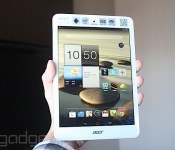
Acer executives are having a gloomy time of it after suffering a huger-than-expected financial loss for 2013 and subsequently being forced to take a 30 percent pay cut. Despite launching a wide range of PCs and tablets last year, the Taiwanese manufacturer lost around $700 million (NT$21 billion), including a last-minute write-down on “raw materials” that apparently escaped being turned into electronic devices that no one wants. Judging from the company’s showing at CES this year, which showed an interesting new focus on Android but in many cases still failed to match up to rival manufacturers (compare Lenovo’s Android all-in-one with Acer’s, for instance), it looks like the company has yet to change its ways — despite repeatedly changing its CEO.
Filed under: Desktops, Laptops, Tablets, Acer
Source: Acer

The Engadget Show 49: CES 2014 wrapup

Grab a wearable, switch on the ‘ole curved TV and fire up your favorite 3D printer. We came, we saw, we conquered and now we’re ready to distill it all for you in the form of some high-quality video content. We’re not going to suggest that it’ll replace the seemingly endless stream of posts we’ve churned out over the past week or so, but if you’ve got a cocktail party full of guests you need to impress tonight, it’ll help you drop some serious CES 2014 tech news knowledge on their collective heads.
We’ve pulled together some top editors to offer up an abbreviated view of tech’s biggest show of the year, charting trends in old standby categories like HDTV, mobile, tablets and cars, to emerging spaces set to define the changing face of the show for years to come. Oh, and we’ve also tossed in some fun video of the show’s gadgets, because, well, it wouldn’t be much of an Engadget Show without that sort of thing, now would it? Toss in a bit of video of your long-time host getting a bit welled up the end, and you’ve got yourself a little thing we like to call The Engadget Show 49.
‘Til we meet again, Engadgeteers.
Filed under: Announcements, Cellphones, Desktops, Cameras, Displays, Misc, Gaming, GPS, Handhelds, Home Entertainment, Household, Laptops, Meta, Peripherals, Podcasts, Portable Audio/Video, Robots, Tablets, Transportation, Wearables, Wireless, Storage, Networking, Science, Internet, Software, HD, Mobile, Alt, Apple, Samsung, Sony, Microsoft, HTC, Nokia, ASUS, Google, Amazon, Verizon, Sprint, AT&T, LG, AMD, Intel, Blackberry, T-Mobile, HP, Dell, Acer, NVIDIA, Nikon, Canon, Facebook, Nintendo

Gartner: PC shipments have dropped 6.9 percent in Q4 2014, emerging markets to blame

Those tumbling PC shipments we’ve seen all year? They add up to a 6.9 percent year-over-year drop compared to 2012′s Q4 numbers, according to Gartner. The group’s latest totals puts PC shipments at 82.6 million units for Q4 2013, with the lions share coming from HP and Lenovo – though only the latter managed to grow its business during that period. Dell came in at a distant third, moving 4 million fewer machines than HP while maintaing a 6.2 percent increases in shipments since Q4 2012. The news seems grim for all but a select free companies, but at least it won’t get any worse: Gartner says that most markets have bottomed out, and the losses mostly come from emerging Asia/Pacific markets where consumers first computing devices are typically smartphones and tablets, not traditional PCs. Despite predictions that the US market has reached its lowest point, analysts note that holiday sales were primarily dominated by tablets and mobile devices, though optimistically note that hybrid devices and lower cost notebooks could spur some growth in 2014. Eager to dive into all the nitty gritty numbers? Hit the source link below for Gartner’s full report.
Source: Gartner
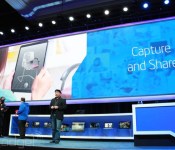
Intel unveils RealSense hardware and software line, including 3D camera module

The takeaway at today’s Intel press event? All signs point to the RealSense product line — a number of hardware and software products that “make interaction with technology simple, more natural and immersive,” according to Intel’s own words. The first product bearing the compound name is the RealSense 3D camera. Intel describes the product as “the world’s first integrated 3D depth and 2D camera module that helps devices ‘see’ depth much like the human eye,” suggesting that this isn’t just a substitute for Leap Motion or Kinect.
The camera does full-color 1080p and has an on-board sensor for gesture and face detection. The latter of which apparently helps it “understand emotions.” It also recognizes foregrounds and backgrounds, so you can replace that messy room and make it appear as if you’re Skypeing from the Moon. But, if you’re looking for something more practical, you can also use it to scan objects in 3D using 3D System’s Sense software. The RealSense 3D camera is set to be integrated into a number of diverse devices come the second half of this year, including tablets, Ultrabooks, laptops and all-in-ones, from top companies like Acer, ASUS, Dell, Fujitsu, HP, Lenovo and NEC. Seven such devices are being demonstrated today, and Intel itself has a demo unit.
If you’d rather talk to your computer than wave at it, there’s also a next-generation version of Dragon Assistant from Nuance that will be part of Intel’s RealSense push. Of, course, while all this sounds good on paper, it remains to be seen how much people will actually want to wink, point or shout at their laptop to get it to open Netflix or point Chrome towards Engadget.
Filed under: Cameras, ASUS, Intel, HP, Dell, Acer, Lenovo
Source: Intel

Weekly Roundup: 2013 in review, NSA iPhone hack, live at CES 2014 and more!

You might say the day is never really done in consumer technology news. Your workday, however, hopefully draws to a close at some point. This is the Daily Roundup on Engadget, a quick peek back at the top headlines for the past 24 hours — all handpicked by the editors here at the site. Click on through the break, and enjoy.

The year in reviews
We reviewed more than 170 products in 2013, but rather than leave you to sift through them yourself, we’ve compiled our most memorable reviews into one simple package. Click on through for more details.

We’re live at CES 2014!
While you’ve been enjoying a restful weekend, folks at Engadget have been hard at work, prepping for the insanity to come. Click the link for a sneak peek of CES 2014.

2013 in review
Engadget takes a closer look at the biggest triumphs, breakthroughs and failures of the year gone by. From the Netflix explosion to the rise of wearables, we’ve got you covered. Click through to take a look.

Mac Pro teardown
Apple products aren’t exactly known for their serviceability, but according to iFixit’s latest teardown, repairing the new Mac Pro is a surprisingly straightforward affair. Click through for details on the repairability score.
 AIVAnet