



Engadget Daily: the culture of leaks, surviving music festivals and more!

Today, we investigate the culture of leaks, learn how to enhance your music festival experience, review the first Chromebook to feature an i3 processor, watch a robot assemble itself and more. Read on for Engadget’s news highlights from the last 24 hours.
.CPlase_panel display:none;
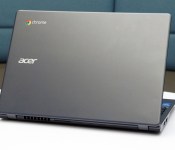
Acer C720 review (Core i3): a more powerful Chromebook

Whether rightly or wrongly, Chromebooks have earned a reputation for being the new netbooks. Slowly, though, things are starting to change. The designs are starting to feel less cheap — at least if you’re Samsung. Battery life is getting longer, sometimes even better than on full-fledged laptops. And now, performance is getting stronger, too: Acer just became the first company to release a Chromebook with a Core i3 processor, one that can better withstand multitasking, gaming and whatever rich websites you’re likely to visit. The C720, as it’s called, is actually the same 11-inch Chromebook Acer’s already been selling, just with a beefier CPU inside, and theoretically longer battery life — 8.5 hours, up from 7.5. As ever, though, Acer kept the price down: This guy starts at just $350, just a little more than what you’d pay for a much lower-powered system from some other brands. The question is: Does processing power trump everything else? And if it does, are you better off waiting for other Core i3 models to come out?
Hardware

I’m sure Acer will eventually redesign the C720 from the ground up, but for now, it’s clear the company’s main priority is to improve the performance — and be the first with a Core i3 Chromebook. For now, then, the C720 is as compact, plain-looking and — I hate to say it — netbook-like, as it always was. The entire thing is made of plastic, with a rough-feeling bottom edge and a palm rest that flexes when you grip it. The keys are made of scratchy plastic, too, and the underlying panel will bend a bit if you type vigorously enough. And indeed, you might well need to start pounding the keyboard: The buttons are so shallow that if you hit them too gently, you’re likely to suffer some missed key presses. There were instances when I had to type my long Google password as many as three times before I could successfully log in; unless you type everything slowly and deliberately, the keyboard probably won’t recognize every single keystroke.

On the inside, the 11.6-inch display has a category-standard resolution of 1,366 x 768. Want something sharper? Tough noogies, kiddos: There currently isn’t a single Chromebook this size with a sharper screen. What you might find elsewhere, perhaps, are better viewing angles. Before you settle in to stream a movie, you’ll want to adjust the angle very carefully; dip the screen too far forward, and everything very quickly becomes washed out. Fortunately, viewing angles are better from the side, and it helps that the (non-touch) panel has a low-glare, matte finish. On a similar note, the sound coming from the two speakers will do in a pinch, but if ever I had a second, more full-fledged laptop lying around, I’d use that for music playback in a heartbeat.
On the plus side, the machine’s smooth lid hasn’t picked up scratches yet on either of the units I’ve been testing, and it does a relatively good job masking fingerprints, too. The trackpad also works well — no small feat, given how often laptop makers seem to screw that up. Also, as shallow as the keyboard is, it’s at least more spacious than it used to be. Remember how cramped the original C7 was? Yeah, well, it’s probably good you forgot.

And now, we get to the part where I call a 2.76-pound laptop “heavy” and feel like a big jerk. And really, it’s not even heavy, per se; it’s just weighty compared to the competition. And slightly thicker, too. The C720 measures 0.8 inch thick, whereas rival machines from Samsung and HP weigh 2.65 and 2.26 pounds, respectively, and come in at 0.7 inch thick or less. Even the ASUS C200, which is also around 0.8 inch thick, is lighter at 2.5 pounds. That being said, none of this negates the fact that this is a compact system. It’s easy to stuff inside a backpack or even a shoulder bag, and carry from room to room. You want a light machine? Boom: You’ve got a light machine.
You’ve also got the usual array of ports. On board, you’ll find two USB connections (one 3.0, one 2.0), a full-sized HDMI socket, an SD card reader, a headphone jack and a standard lock slot — a must-have for school districts planning on locking these down inside computer labs. You’ll find the exact same spread on most other Chromebooks, so of all things, don’t let this sway your purchasing decision.
Performance and battery life
| SunSpider v1.0.2 | Google Octane | Mozilla Kraken | |
|---|---|---|---|
| Acer C720 (Core i3-4005U, 4GB RAM) | 289.4ms |
14,530.3 |
2,112.5ms |
| Acer C720 (Celeron 2955U, 2GB RAM) | 342.2ms |
11,502.0 |
2,614.3ms |
| Dell Chromebook 11 (Celeron 2955U, 4GB RAM) | 339.8ms |
11,533.3 |
2,621.9ms |
| ASUS C200 (Celeron N2830, 2GB RAM) | 482.8ms |
7,197.7 |
4,291.4ms |
| Toshiba Chromebook (Celeron 2955U, 2GB RAM) | 323.6ms |
11,306.7 |
2,626.3ms |
|
*SunSpider and Kraken: Lower scores are better. **We regrettably didn’t run enough of these tests on the Samsung Chromebook 2 when we had a unit in our possession; otherwise, we would have included it in this table. |
|||
For some time now, I’ve been saying Chromebook performance is good enough. Not great, but good enough. Even on the lowest-powered machines, you can get by checking email, surfing the web, working in Google Docs and streaming the occasional Netflix movie, all with a pretty low chance of a browser crash. And I still believe that. But here’s the thing: Some people like to push their machines harder than I do. Some people want to play games. Others — particularly teachers — will be interested in interactive web apps as a kind of modern-day textbook. For those folks, “good enough” is a nebulous concept. Plus, once you’ve had the chance to try a Chromebook with a little more kick, you might not want to go back.
That’s how I feel about the C720 with Core i3. It’s still not a perfect device by any means — Acer should really revisit that display and chintzy design — but the performance is noticeably stronger than anything else currently on the market. Everything just feels slightly faster. It boots up a few seconds faster, and is also quicker to sign out — a boon if you frequently let your boyfriend/girlfriend/roommate/whomever use your computer in guest mode. Browser games like Plants vs. Zombies feel a tad more responsive, and in rich websites like BioDigital Human, motions like zooming in and spinning 3D objects feel ever-so-slightly smoother. With the adventure game Assassin’s Creed: Pirates, game play was a touch choppier on the Celeron-based C720. The benchmarks tell a similar story: The Core i3 model swept its competitors, but the margins were modest.
In any case, I think you get the picture: Performance here is better, but the difference isn’t what I’d call dramatic. If you ripped the Core i3 machine out of my hands and told me I had to use the Celeron version, I’d carry on without suffering a huge impact in daily use. That said, if it were me shopping, and I saw a Core i3 machine as affordable as this one, I’d choose that in a heartbeat. Because if the price is reasonable, why would you say no to performance gains?
|
Battery life |
|
|---|---|
| Acer C720 Chromebook (Intel Core i3) | 7:53 |
| ASUS C200 | 11:19 |
| Dell Chromebook 11 | 8:37 |
| Samsung Chromebook 2 (13-inch) | 8:22 |
| Toshiba Chromebook | 8:15 |
| Acer C720 Chromebook (Intel Celeron) | 7:49 |
| Samsung Chromebook (2012) | 6:33 |
| HP Chromebook 11 | 5:08 |
| Chromebook Pixel | 4:08 (WiFi)/3:34 (LTE) |
| HP Pavilion 14 Chromebook | 3:35 |
| Samsung Chromebook Series 5 550 | 3:23 |
| Acer C7 Chromebook | 3:16 |
As you’d expect, a heavier-duty processor doesn’t exactly help battery life, but if these test results are any indication, it doesn’t hurt, either. With WiFi on and the display brightness set to 10 out of 16 bars, the C720 with Core i3 managed to last through seven hours and 53 minutes of continuous video playback. That’s not too far off Acer’s claim of 8.5 hours, and it basically matches the C720 with Intel Celeron. As for everything else on the market, most Celeron-based machines tend to cluster around the eight-hour mark, with the exception of the new ASUS C200, which somehow manages to last an insane 11 hours. Basically, then, if you go with a Core i3 Chromebook, you can expect roughly the same battery life as you’d get on a less powerful machine. Kind of a big deal, that.
Software
Surely you’ve heard by now: Chrome OS is basically like using a computer with only the Chrome browser installed. That’s frankly sort of true, but even so, I’d be doing you a disservice if I left it at that; Google continues to make lots of improvements to the software. In particular, many of you may be confused about how much you can do offline, without an internet connection. At this point, some three years after the first Chromebooks came out, you can use Gmail and Google Drive offline. Ditto for many third-party apps in the Chrome Web Store. As of two months ago, you can also watch Google Play Movies and TV offline, too. See? The list keeps growing, albeit at a fairly gradual rate.
Other new features include full pinch-to-zoom support (revolutionary!), improved file management and background uploading for Google+ photos. As ever, the ability to minimize and maximize windows, as well as launch apps from a desktop, makes this feel more like a “real” OS, even if it is based on the Chrome browser. If it weren’t for the fact that I prefer Skype to Google Hangouts, and need certain desktop apps like Photoshop, I might actually buy a Chromebook myself. As it is, I can see owning one as a secondary computer, maybe just for travel. And hey, depending on your needs, you might actually find a Chromebook is enough for everything. To each his own.
Configuration options and the competition

There are lots of different versions of the C720, including the older, lower-powered version I keep mentioning. For the Core i3 model, though, there are just two configurations to choose from: one with 2GB of RAM, for $350, and another with four gigs, for $380. Other than the memory, they have the same specs — namely, a Core i3 processor, 32GB of solid-state storage and an 11.6-inch, 1,366 x 768 display. Unfortunately, there aren’t any Core i3 models with a touchscreen, and Acer says it currently has no plans to release one either.
The Acer C720 already stood out for being one of the most affordable Chromebooks, despite being one of the only ones to include a touchscreen option. Now it’s among the first with a Core i3 processor and, yes, it’s still reasonably priced. Even more important: It’s the only Chromebook with that kind of horsepower that’s even available right now. Dell, for instance, will sell a Core i3 version of its Chromebook 11, but it’s not out yet. Ditto for Toshiba’s 13-inch Chromebook, which is also being refreshed with Core i3.
Otherwise, you’ll need to settle for something a little less powerful, and consider the trade-offs. These days, everyone and their mother is selling Chromebooks with Intel Celeron processors. They’re less robust than Core i3 machines, obviously, but they’re cheaper, and the battery life is often longer. Similar to Acer, Dell and Toshiba each sell Intel Celeron systems for around $300 (Acer’s is actually $200, though). Lenovo has a bevy of offerings too ($330 to $479), some with funky, rotating screens. Ditto for HP: The company has 11– and 14-inch models on offer, for $280 and $299-plus, respectively. Meanwhile, ASUS just entered the market with the 11-inch C200 and the 13-inch C300 (both around $250). The point is: You have no shortage of options here, so long as you’re willing to sacrifice a little power.
Or what about sacrificing a lot of power? The Samsung Chromebook 2 ($320-plus) has a tablet-grade chip inside, making it even lower-powered than Intel Celeron models. That said, you should still be giving it a close look. For starters, that mobile chip translates to best-in-class battery life — over eight hours, according to our tests. This Chromebook is also the best designed, with a comfy keyboard, reliable trackpad and a fake-leather lid that makes the whole thing feel less like a netbook and more like a proper laptop. And though the 11-inch model tops out at 1,366 x 768 resolution, the 13-incher goes up to 1080p, making it one of just two 13-inch Chrome OS devices, and the only one with a full HD display. And considering the performance is still good enough for basic tasks like web surfing, the weaker processing really needn’t be a dealbreaker.
But what about Windows laptops?
“But hey,” some of you are saying, “I can get a full-fledged Windows laptop for the same price.” Yes, you can. Just not one that’s this powerful and this portable. In my research, I mostly found 15-inch laptops at this price — bulkier machines with Celeron processors. So, you get lots of built-in storage and the ability to install any Windows app you like (performance limitations not withstanding). It’s all about your priorities. If you can do without a DVD burner and don’t tend to download lots of apps or media, you might appreciate the simplicity, portability and longer battery life of a Chromebook.
Still, there are a few exceptions. Dell’s 11-inch, Celeron-based Inspiron 11 brings a Yoga-like design with a lid that flips back into tablet mode. And at $400, it doesn’t cost that much more than a similarly specced Celeron Chromebook, though the design is much more interesting. It’s a similar story with HP. For $250, you can get the Pavilion 10z, which runs on an AMD E-series chip. Lenovo’s 11.6-inch S215 is similar: It starts at $379 with an AMD E1-2100 processor. In Acer’s own lineup, meanwhile, there’s the 11.6-inch Aspire E3 ($250), which runs on a Celeron CPU. Most compelling of all might be ASUS’ Transformer Book T100, a 10-inch tablet running full Windows that comes with a keyboard dock for $400. The performance on a Core i3 Chromebook like the C720 will naturally be superior to any of these alternatives, but there will of course be folks who need the full Windows experience. If that’s you, this is the best you can do at that price, at least in this size category.
Wrap-up

It seems I end almost every Chromebook review with the same disclaimer: They’re not for everyone. And I stand by that. As I wrote the above section on Windows alternatives, I was reminded that I cannot, in good faith, recommend a Chrome OS device to everyone. There will always be people who need to do more offline, and who need the flexibility to install whatever apps they want (Skype and iTunes come to mind).
But for folks who can get by doing everything in the browser — and using Google services like Hangout — Chromebooks are getting cheaper, more functional and more powerful. The refreshed C720 in particular is the fastest I’ve seen yet, with a Core i3 processor you simply won’t find on a Windows laptop at this price, especially not one this portable. The new C720 is also a bit snappier than older-gen Chromebooks, and yet the battery life doesn’t really take a hit on account of that heavier-duty CPU. And despite the improved processor, it’s still reasonably priced, at $350.
My one reservation in recommending this is that other PC makers are on the cusp of coming out with Core i3 Chromebooks, and in the meantime, Acer’s is held back by a poor-quality display and cheap, netbook-like design. I’m curious to see what other companies have to offer — perhaps someone else will present us with something a little more well-rounded. Even then, the price would have to be fairly low — the performance gains here aren’t so huge that laptop makers can get away with price gouging. Until those other models go on sale, though, the C720 remains a good value. And if its performance is any indication, we should have high hopes for everybody else, too.
Filed under: Laptops, Google, Intel, Acer
.CPlase_panel display:none;

Gadget Rewind 2005: BenQ Z2

BenQ may not be a familiar name to some — at least not in the US — but its roots in the electronics industry date back to the ’80s. The company, formerly a division of Acer, was spun off in 2001 in an attempt to build a brand name for itself. With a background in manufacturing, BenQ began building devices for companies like Nokia and Motorola; devices that were mostly for sale in Asian markets. Soon, it started its own line of mobile handsets and in 2005, BenQ announced a cube-like multimedia device called the Z2. It was poised to compete with the other camera-toting and music-playing cellphones at the time, while also targeting the youth market with its unique form factor and colorful exteriors. Curious to know more? Check out our gallery below.
Filed under: Cellphones, Mobile

The top 12 tablets you can buy right now

Whether you’re looking to replace your laptop or just find something to keep you entertained, there’s a tablet out there to suit you. But with an ever-increasing array of slates crowding the market, narrowing down the list can be a chore. So we’ve sorted through the pile and picked out some of our favorites for both power users and media consumers. Our complete buyer’s guide is always just a few clicks away, but feel free to cruise through the gallery below for a quick rundown of the best tablets you can buy today.
Filed under: Tablets, Mobile, Apple, Samsung, Sony, Microsoft, ASUS, Google, Amazon, Acer
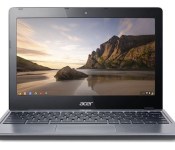
Acer upgrades its C720 Chromebook with more power… and a higher price

Looking for a more powerful Acer Chromebook? It’ll cost you — the company announced today that its C720 Chromebook is getting a processor bump and a new price tag. $350 buys a notebook with a 4th generation Intel Core i3-4005U CPU clocked at 1.7GHz with a 32GB SSD, a modest bump from the 1.4GHz Celeron CPU, 16GB SSD and $200 starting price of the current model. Acer says the new CPU will give the machine a noticeable performance boost without affecting the 8.5 hour runtime consumers have come to expect from the laptop. Little else about the Chromeboook seems to have changed; its still available with 2GB or 4GB (in a $380 model) of RAM. Still, if you want to save some money with Acer’s cheaper, slower laptop, buy now: the new models hit store shelves later this month.
Source: PRWeb

PC shipments appear to flatten out after two years of steep decline

Both Gartner and IDC appear to have some good news for the PC industry — the seemingly never-ending death spiral may have come to an end. While the two research groups don’t agree completely on the numbers, it does appear that after two years of stead and sizable declines, the PC industry is seeing shipments flatten out. In total, according to Gartner, 75.8 million computers were shipped in the second quarter of 2014, a negligible 0.1 percent drop from the same quarter a year ago. While IDC saw a much more sizable 1.7 percent fall in PC shipments, that’s still a far cry from the 7.1 percent decline it anticipated and the smallest it’s measured in two years.
Two years ago the netbook market imploded and tablets started eating into laptop sales. Since then shipments of traditional computers have been falling at an alarming rate. IDC doesn’t necessarily expect this to indicate a longer term trend towards flat PC sales. Basically, the worst may not be over yet. Despite impressive growth from major players like Dell, HP and Lenovo smaller companies are still seeing tremendous drop off. And the declines are particularly steep in markets like India where the most potential for growth is. Instead the improvements during the quarter were carried primarily by the US and Western Europe, which might not be able to keep the industry from declining further in the long run.
Filed under: Desktops, Laptops, Apple, ASUS, HP, Dell, Acer, Lenovo
The evolution of the PC: A decade of design

Computers have gone through nothing short of a renaissance in the decade since Engadget was born. When we started in 2004, desktops still ruled the roost; laptops were frequently clunky; and tablets were niche devices for doctors.
That state of affairs didn’t last for long, though. Netbooks briefly took over the world, bringing tiny laptops to the masses. Ultrabooks proved that slim machines could still be powerful. And just about the entire PC market has had to confront the rise and domination of touchscreen-enabled mobile devices like smartphones and tablets. In short, it’s pretty remarkable how much of a difference 10 years can make in tech.
2004: Sony VAIO X505

Notable specs: 1.1GHz Pentium M processor, 20GB hard drive, 1.73-pound weight, 10.4-inch (1,024 x 768) display.
Sony didn’t realize it at the time, but it was laying the groundwork for the next decade of laptops with the VAIO X505. The 10-inch system was so featherlight and slender that it was easy to take anywhere, much like a netbook or Ultrabook. If it weren’t for the astronomical $2,999 price tag, it’s possible it could have started a mobile-computing revolution.
2005: IBM ThinkPad T43

Notable specs: 1.6GHz to 2.13GHz Pentium M processors, 30GB or larger hard drive, 6-pound weight, DVD drive, 14.1-inch (1,024 x 768 or 1,400 x 1,050) display.
The ThinkPad T43 was the swan song for an era of computing when laptops were mostly for globe-trotting professionals. One of the last PCs to bear the IBM name before Lenovo closed its acquisition of IBM’s PC business, it represented everything good about the ThinkPad badge: It was fast, well-built and relatively easy to carry in a briefcase.
2006: Dell XPS 700

Notable specs: Core 2 Duo or Core 2 Extreme processors, dual 320GB hard drives, dual DVD drives, dual GeForce 7900 GTX graphics.
Dell had built up a reputation for high-performance PCs well before 2006, but the XPS 700 was the system to own that year if you wanted a gaming desktop from a major brand. Its aggressive design still holds up today, and it was often as powerful as custom-built rigs. It was a dream machine at a time when you still needed a giant tower for serious online gaming.
2007: ASUS Eee PC 701

Notable specs: 800MHz or 900MHz Celeron M processors, 2GB to 8GB solid-state drives, 2-pound weight, 7-inch (800 x 480) display.
The Eee PC 701 marked the official start of the netbook craze, which lasted until the iPad’s arrival in 2010. Its screen, speed and storage were very modest even when new, but it showed that you didn’t need a big, expensive portable just to check your email at the coffee shop.
2008: Apple MacBook Air

Notable specs: 1.6GHz or 1.8GHz Core 2 Duo processors, 80GB hard drive or 64GB solid-state drive, 3-pound weight, 13.3-inch (1,280 x 800) display.
The archetypal Ultrabook. While it wasn’t without its quirks, the MacBook Air successfully bridged the gap between ultraportables and full laptops. It was fast enough for most tasks, yet light enough that you’d hardly notice it in your bag.
2009: HP Firebird

Notable specs: 2.66GHz or 2.83GHz Core 2 Quad processors, dual 250GB or 320GB hard drives, DVD or Blu-ray drives, dual GeForce 9800S graphics.
While HP’s Firebird line wasn’t perfect by any stretch, it showed how efficient desktops had become. You could get a reasonably quick, ready-made gaming PC that both looked good and didn’t swallow up too much surface area. It’s arguably the prototype for the small-yet-strong Steam Machines that would follow five years later.
2010: Lenovo IdeaCentre A300

Notable specs: 2.2GHz Core 2 Duo processor, 500GB hard drive, 21.5-inch (1,920 x 1,080) display.
Although the iMac is virtually synonymous with all-in-one computers, Lenovo’s sleekly designed IdeaCentre A300 was proof that Apple didn’t have a complete lock on the category. Rather than glom the computer on to the A300′s back, Lenovo tucked it away in the base. The result was a relatively subtle, stylish desktop that looked right at home in just about any environment.
2011: Samsung Chromebook Series 5

Notable specs: 1.66GHz Atom processor, 16GB solid-state drive, 3.3-pound weight, 12.1-inch (1,280 x 800) display.
Unlike the other PCs here, the Chromebook Series 5′s real revolution was its software — with Chrome OS, both Google and Samsung were betting that you only needed a web browser for most of your day-to-day computing. That was optimistic on a slow, Atom-based machine circa 2011, but the Series 5 helped launch a wave of stripped-down, affordable laptops that could do a lot without relying on conventional apps.
2012: Apple MacBook Pro with Retina display

Notable specs: 2.3GHz or 2.6GHz Core i7 processors, 256GB to 768GB solid-state drives, 4.5-pound weight, 15.4-inch (2,880 x 1,800) display.
Apple’s 2012 MacBook Pro redesign was just an iterative upgrade in some ways, but it was also a bellwether for where laptop design would go. It wasn’t just that extra-sharp Retina display that turned heads; this was also one of the first high-end, full-size laptops to ditch optical discs and hard drives in the name of both an easier-to-carry body and faster, flash-based storage.
2013: Acer Aspire R7

Notable specs: 1.8GHz Core i5 processor, 500GB hybrid hard drive, 15.6-inch (1,920 x 1,080) adjustable display.
Windows 8′s touch-friendly interface prompted a flood of PCs that tried to be everything to everyone, and that’s epitomized in Acer’s one-of-a-kind Aspire R7. Depending on how you adjusted its multi-hinged display, the R7 could serve as a desktop, laptop or tablet. It wasn’t especially good at any of these, but it revealed how eager PC makers were to keep you from buying mobile tablets.
2014: Microsoft Surface Pro 3

Notable specs: Core i3, i5 or i7 processor, 64GB to 512GB solid-state drive, 12-inch (2,160 x 1,440) display.
If you want a system emblematic of the changes to PCs in the past 10 years, you only need to look at Microsoft’s latest flagship device, the Surface Pro 3. So long as you get its (practically mandatory) keyboard cover, it blurs the lines between tablet and laptop — it’s as useful for watching movies on the couch as it is for serious media editing at your desk.
Jon Turi contributed to this post.
Filed under: Desktops, Laptops, Tablets, Apple, Samsung, Microsoft, HP, Dell, Acer, Lenovo

There can’t be only one: Technology’s singular obsession

Last week, Google announced the aptly named Android One, a plan to unite the myriad budget devices running its mobile operating system. But Sundar Pichai and crew aren’t alone in banking on the singular power of one. No, Google’s One is just one of many in the industry’s recent past. It turns out, everyone wants to be the one.
[Image: Getty]
Filed under: Cellphones, Misc, Laptops, Science, Internet, Software, Sony, Microsoft, HTC, Google, Acer
Computex 2014 wrap-up: Intel and co. usher in the future of computing

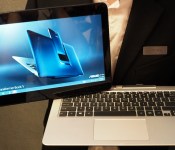
For the last few years, we’ve travelled to Computex in Taiwan to see the latest flock of Ultrabooks, with the latest and greatest models providing the biggest news of the show. This year, though, the highlight of the show wasn’t one particularly great notebook or even one company — though ASUS did steal the show with its mile-long list of new products. Rather, it was a prototype from Intel that teased the next generation of ridiculously thin and light PCs.
You think your Ultrabook or iPad Air is thin, but you have to see Intel’s reference design to grasp the skinniness of 2-in-1 devices powered by the Core M-series of processors. We’ll start to see products integrating Intel’s new line of chips later this year, but just imagine how much slimmer high-powered laptops will be a few Computexes down the line. At a certain point, devices will reach peak thinness, and then the focus will shift to improving battery life and performance in such a compact package — and that’s when everybody wins.

Intel’s look at the future of mobile computing is probably the most significant announcement at a show that’s traditionally all about PCs, but this year’s Computex also shined the light on wearables. True, we didn’t see any hardware that rivals Google Glass or Pebble in features or sophistication, but several prototypes from smaller companies boast clever designs for gadgets that live on your head or wrist. A flexible-battery manufacturer demonstrated a strap design that doubles the life of your smartwatch, offering a solution to one of the biggest complaints about the most popular models. E Ink’s wraparoud-display prototype is also an interesting approach to the next generation of wearables, giving you a ton of space to display info on your wrist.
Computex may not be the “CES of Asia” in terms of high-profile product announcements, and much of the new tech we saw here in Taipei was evolutionary rather than revolutionary. Still, that doesn’t mean there isn’t plenty of cool stuff to see. We’ve made it easy for you by breaking down our coverage just below — enjoy!

ACER
- Hands-on with the Liquid Leap: Acer’s first wearable tries to be everything to everyone
- Acer claims the Liquid Jade is the world’s ‘most compact’ 5-inch smartphone
- Acer shows off ‘Extend’ app allowing you to control your phone from your PC
- Acer claims its €79 Liquid Z200 is the cheapest branded Android phone
- With three SIM slots, Acer’s Liquid E700 is a phone for frequent travelers
ASUS
- ASUS’ PadFone X goes global: still a 5-inch to 8.9-inch transformer
- ASUS’ Zenbook NX500 is a thin and light laptop with a 4K screen
- The ASUS MeMO Pad 8 is ‘the world’s lightest 8-inch LTE tablet’
- New Fonepads from ASUS offer 3G, extra processing power
- ASUS intros the Transformer Book T300 Chi, a super-thin hybrid laptop
- ASUS Transformer Book V is a Windows hybrid with a detachable Android phone
- Here’s a semi-professional 32-inch 4K monitor from ASUS
- ASUS Transformer Pad refreshed with front speakers, lighter keyboard
- Hands-on with ASUS’ Zenbook NX500: The MacBook Pro meets its match
- ASUS’ 20-inch ‘portable’ all-in-one PC has gesture controls and a carrying handle
- There’s no such thing as too many antennas for ASUS’ high-end router
- ASUS’ new Fonepads are solid tablets, but still awkward for making calls
- Up close with ASUS’ quirky Windows laptop/Android phone hybrid
- ASUS has two Steam Machines and one is incredibly compact
- ASUS’ Chromebook C300 is yet another well-made budget laptop
- ASUS crams 4K gaming into sleek and distinctive laptop
- ASUS introduces us to the ‘world’s largest’ curved LED monitor
- ASUS’ new external Blu-ray drive does 7.1 audio at a fair price
- ASUS shows off a 14-inch USB touchscreen monitor
- Asia’s biggest tech show is ASUS’ show
- Angry owl is angry: ASUS does a badass gaming headset
DELL
- Dell adds two budget Android tablets to Venue lineup, prices start at $160
- Dell’s new Inspiron 20 is a giant tablet for work and play
- Dell aims for the mainstream with its two new Windows convertibles
HP
- HP’s back-to-school lineup includes lots of convertibles (and Beats products, too)
- HP hedges its bets, unveils a 14-inch laptop running Android (updated)
- HP’s Pro x2 612 laptop-tablet hybrid brings pen support, a sturdy keyboard
INTEL
- Intel doubles down on tablets, says it will power 130 models this year
- Intel launches Core M processors for even thinner 2-in-1 PCs
- Intel’s Windows 8.1 Pro Broadwell tablet is thinner than the iPad Air
- Intel’s super-thin ‘Core M’ tablets will be cheaper than you think
- Intel: Where we’re going, we don’t need cables
TOSHIBA
- With seven different use modes, Toshiba’s Kirabook is a Lenovo Yoga on steroids
- Toshiba stuffs Windows into a 7-inch tablet, whether you want it or not
OTHER HANDS-ONS
- Watch strap batteries could double the life of your wearable
- An up close look at the giant gaming PC that’s also a desk
- This $295 battery-powered unicycle could replace your Segway
- E Ink’s working on a smartwatch with a full wraparound display
- The PhoneStation uses your smartphone as a head-mounted display
Filed under: Laptops, Tablets, ASUS, AMD, Intel, HP, Dell, Acer
 AIVAnet