


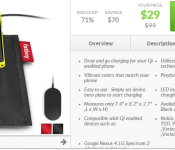
[Deal Alert] Nokia DT-901 Fatboy Qi Enabled Charging Pillow Up For $29
Don’t go getting all anti-windows and Nokia on me here just because of the image. Regardless the device in the image, the Nokia DT-901 Fatboy is pretty cool looking little Qi wireless charger. If your device can charge with Qi the you are good to go with this. The drop and go pillow is up on Daily Steals right now for $29 and comes in black or red.
 Personally I like the looks of it, assuming it works of course. It gives your phone a comfy place to charge. Anyone out there have any experience with the DT-901? Would be good to hear if it is any good. If you like to through caution to the wind, head over to Daily Steals and just order one and find out.
//<![CDATA[
ord = window.ord || Math.floor(Math.random()*1E16);
document.write('’);
//]]>
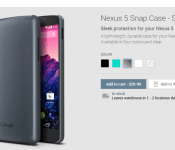
New Nexus 5 Snap Case hits the Play Store
A new line of cases has recently appeared on the Google Play Store for the coveted Nexus 5. The new Snap Case joins the previously launched Bumper and QuickCover cases. The Snap Cover is a pretty straight forward shell that snaps right around your device with very little of the case wrapping over you devices front screen. It is a very clean, and minimal, case for sure. No surprise, it has the appropriate cut outs for the device and offers up a small ‘Google” logo at the bottom on the rear of the case.
 The Snap case is now live for purchase and come sin under the price tags of the Bumper and the QuickCover at just $29.99. It comes in Black, Aqua, Silver (pictured above), white and clear.
It is always nice to see new goodies pop up in the Play Store, especially ones that are aimed at some of our favorite devices. Anyone out there pulling the trigrer on one of these? If so, which option are you choosing? Pop into the Play Store and take a look.
via: 9to5google
//<![CDATA[
ord = window.ord || Math.floor(Math.random()*1E16);
document.write('’);
//]]>

Top Five Android Accessories According to Everyday Users
 Like most people, you probably think of yourself as a distinct individual— completely original, a 100 percent unique snowflake. But you tend to start caring a little more about the thoughts of others when it comes to buying something online. You’re probably a lot less likely to download a particular Android app if the ten most recent reviewers complain about crashing issues. Phone accessories are no different, except you usually invest a lot more money in accessories than you do in apps. So rather than sorting through the reviews yourself, below are just a few five best-reviewed accessories on the market:
1. Universal Charge Cable
Every gadget geek has a tangled web of charger cords lurking somewhere, turning every “low battery” alert into a starter pistol for the race of untying the cord before the device dies. The Universal Charge Cable is an essential cord that connects your smartphone to your computer, e-reader, tablet, and any device with a USB port. Out of 98 Amazon reviews, the device has a four-star rating, with most of the positive reviews raving about the long, five-foot cord and the convenience of data syncing. The cable offered by Cable Forge had a number of negative reviews about the cord’s short lifespan, while the universal charge cable offered by T-Mobile received more consistently positive reviews.
2. Sports Armband for Droid OtterBox Defender
Four hundred and forty-five Amazon customer reviewers gave the Sports Armband an average rating of 4.5 stars. The armband is designed to secure to protective OtterBox cases for the Motorola Droid Mini, Droid Razr HD, Razr Maxx HD, Droid Razr M, Moto X, and more. Reviewer Silver called the armband “a must for runners,” with some advice on using the styrofoam insert to provide a snugger fit for skinnier arms. Meanwhile, a special band flap keeps your earphone cords organized, and a clear, protective window cover doesn’t interfere with control.
3. Andru Android Robot USB Travel Charger
The Andru Robot is unquestionably the cutest Android smartphone charger on the market, and it happens to be one of the most well-reviewed. An outstanding 224 Amazon reviewers gave the charger a perfect five-star rating. User Anonymous139 gave the most helpful review, writing, “The most important thing about this little guy is the fact that he’s a 1 amp charger — the same as your stock charger. So you’ll get fast charge times, unlike with a cheap charger or USB port (which usually puts out about 500mA or half an amp).” One three-star reviewer said it charged a little too slowly for his taste.
4. Oontz Curve Wireless Bluetooth Speaker and Speakerphone
When your phone speaker doesn’t cut it for playing music and watching movies, the Oontz Curve portable Bluetooth speaker picks up the slack. The device has five hours of play time, a rechargeable lithium-ion battery, and 365 five-star reviews on Amazon. User Liana Saxton Smith said, “I didn’t expect too much bass at this price point but I have to say I’m very pleased with the quality of sound and volume.” User Josh complained of feedback to support his two-star review, so users sensitive to this quality may want to take extra precautions.
5. Mot Droid Razr Hybrid Case
Unfortunately, many Android users know the gut-sinking feeling of accidentally dropping a smartphone on a hard surface. If a regular case just isn’t cutting it for your lifestyle, the Mot Droid Razr Hybrid case comes with high-tech protection and more. It comes with a hard plastic inside, soft silicone outside, and reinforced edges to maximize grip and protection.The case got an average four-star rating from 69 Amazon reviewers, who claim it’s “better than an OtterBox” and emphasize the benefits of the kickstand feature.

Original Samsung Galaxy Gear up on Daily Steals for $149
While you might be eyeballing the new Samsung Galaxy Gear 2 or Gear 2 Fit, the original Galaxy Gear is still floating around for purchase. At Best Buy they have them listed for $199.99, but for the next 24 hours you can get one through Daily Steals for $149. Saves ya a good $50 you could use towards something else.
 The downside, they only have the Rose Gold and the Lime Green color options to choose from. The condition is new and not refurbished and does come with a 1-year warranty. Not a bad deal if you have a compatible Samsung phone. Pop on over to Daily Steals and pick one up if you are inclined.
//<![CDATA[
ord = window.ord || Math.floor(Math.random()*1E16);
document.write('’);
//]]>
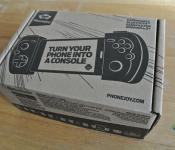
PhoneJoy Play Gamepad Review: A new, better way to play mobile Games
 As a gamer, I’ve found the mobile gamepad space to be disappointingly quiet lately, particularly for Android. There’s been no real new player recently, and the last significant announcement in mobile gaming hardware has been the MOGA Power Series. While that and other controllers are perfectly exciting in their own right, I’ve been waiting to see what else others will try to unseat the dominance than PowerA has exerted now through its MOGA controllers. Thankfully, PhoneJoy is finally fulfilling its Kickstarter promises and has shipped out the PhoneJoy Play Gamepad with its alternative configuration to its waiting backers. We’ve been lucky enough to get our hands on one which we’ll be taking a look at today.
What’s in the box
 There is a surprising amount of gear in the PhoneJoy box. Inside, not only will you find the PhoneJoy gamepad itself, you’ll also find a micro-USB cable used for charging the device, an audio jack connector, a micro-USB connector, a small carry bag for everything to be stored in, and a series of adorable, PhoneJoy themed stickers.
 If you’re not familiar with the PhoneJoy Kickstarter, the idea behind it was to create a mobile gamepad not unlike the Logitech Powershell controller. The aim was to make it adjustable so that it would be compatible with pretty much all Android smartphones and most phablets; of course, being a Bluetooth device, it can also be used without the device being in its harness, opening up its use to tablets as well. To fit your smartphone within the controller, the two sides of the controller are joined by a really neat spring-loaded mechanism which keeps your device (which will usually be mounted in landscape) snugly within the PhoneJoy while you’re playing. As this generally blocks the audio and micro-USB ports from being directly accessed, there are audio and micro-USB connectors that are supplied can be added so that you are able to use these ports while playing games.
How does it perform?
 Connecting your PhoneJoy to your mobile device is no different than connecting any Bluetooth device; all you do is switch your PhoneJoy on and search for nearby devices on your phone. Probably the most difficult part of getting your device set up for gaming with the PhoneJoy is actually getting your device wedged inside. While there are clear instructions on how to do this, I still found it quite fiddly to essentially shoehorn my Moto G into the PhoneJoy’s harness. Once there, though, the real fun can begin.
 As with most Bluetooth gaming controllers on the market, PhoneJoy also comes with a dedicated Play Store app which is the repository of games that are currently compatible with PhoneJoy; the list of compatible games is pretty exhaustive already with most big name games (read: Gameloft games) already supported and plenty of others in the mix and being added too. The app also serves as a portal to the Play Store if you haven’t already installed (or bought) a particular game, and also has a list of compatible games that you currently have installed.

The actual controls that you will have available to you are the same as console controllers: a left and right joystick, directional pad, start and back buttons, A/B/Y/X buttons and 4 bumpers on the top of the device. Naturally, most games don’t need this many controls, but it’s nice to know the flexibility is there if you are more used to console controller layouts. The buttons themselves are generally good and functional, except the directional pad which isn’t terribly great (thankfully you won’t really need it all that much). Once launched, depending on the game you are playing, you may need to set up your controls, however, your experiences may vary; in Reaper, all the controls were already mapped and didn’t need any tweaking. Dead Trigger 2, however, needed full mapping of controls to be done manually. Luckily, games that do support controllers generally have a very easy to use menu to customize controls and you’ll be playing before too long.
 The construction for most of the controller, bar the spring-loaded mechanism, is plastic. While it’s not quite the same quality as a Xbox or PlayStation controller, it does serve the purpose quite well, particularly seeing as this is its first release iteration. Obviously, there are some questionable parts, like the switches being able to be inadvertently removed by brushing against them, but they are easily replaced and I was never presented with the case where the controller would stop operating as planned. The battery inside the PhoneJoy is quoted as lasting 10 hours, but from my playtesting I would say it errs on the side of slightly less than 10 hours.
What I like about the PhoneJoy Play Gamepad
 I’m a huge fan of the form factor of the PhoneJoy gamepad. I think it’s about time somebody tried something new and different with the mobile controller, which by now feels like an abandoned playing field. I’ll be the first to say it: I find playing with a MOGA controller slightly weird. I find that the weighting of the controller is strange since the attached device makes it top heavy; with the PhoneJoy, because your device is centred, it feels a lot more natural and balanced to hold.
 I also love that the PhoneJoy is so portable. In its contracted form, it’s barely bigger than most portable battery packs which makes it the perfect companion for travelling. Plus, it comes with a carry bag, and many of you know how much I love included bags, though I have to say that the bag is on the tight side.
 This next point might seem quite inane, but I’m the type of guy who really enjoys the little things. Everything about the PhoneJoy’s package, from the box, to the illustrated manual, and the Kickstarter stickers, is painstakingly branded and customized; I’m a particularly big fan of the manual which has very detailed instructions spelled out by PhoneJoy’s monkey mascot. You can tell that there is an incredibly passionate team behind this project and it’s great to be seeing the fruits of their labour.
What I don’t like about the PhoneJoy Play Gamepad
 I mentioned earlier that getting your device into the PhoneJoy is quite fiddly, and personally I found it uncomfortably so. Essentially you’ll have to either hold the spring-loaded controller apart while you slip your device into the harness, or you’ll have to shoehorn your device in by putting one end in first and pushing against it to extend the springs. There is, of course, also a limitation to the springs, and while it is stated that only 6-inch and lower devices are useable in the PhoneJoy, anything in the 5-inch region becomes a bit more of a challenge to get inside, though perhaps this gets easier over a long time as the springs get more loose.
 I’m not quite sure what I expected in terms of default button configurations, because I don’t remember needing to configure the controls with the MOGA controllers. But the added necessity of setting up controls before even being able to play is a bit cumbersome. I appreciate the flexibility and having the ability to have a full set of console buttons is fantastic, however it’s not the friendliest if you want to get into certain games very quickly.
 A minor peeve of mine with the PhoneJoy is the actual design of the control layout. While the PhoneJoy does have the same number of buttons as a console controller, the layout doesn’t quite feel as intuitive as a console controller would to hold and operate; this refers mostly to the bumper buttons on top of the device which I found to be awkwardly positioned given the way that you hold the PhoneJoy.
Final Thoughts
 Despite its pitfalls, I really like the PhoneJoy Play Gamepad and I think it serves as a very good example of how good mobile gaming can be, channelling a more traditional handheld layout and succeeding with an Android game controller where even Logitech and MOGA are afraid to go. I’m a big fan of it and I’m hoping that PhoneJoy continues to grow and challenges MOGA for some stake in the mobile controller market.
 If you’re interested in picking up a PhoneJoy Play Gamepad, one can be had in one of three different packages: the Basic package comes with just the controller for $69.90 (and you can only get this if you are referred), the Advanced package contains everything that we had available in this review for $79.90, and the Pro Gamer package comes in at $89.90 and additionally adds a tablet kickstand and hard, moulded travel case. This might seem like a lot, but the PhoneJoy offers just as much and definitely something different to the MOGA Pro Power controller which is in the same price range.
You can see each of the packages at PhoneJoy’s product page here, of if you want to find out more about the PhoneJoy Kickstarter campaign, you can take a look at the project page here.
Gallery of photos


//<![CDATA[
ord = window.ord || Math.floor(Math.random()*1E16);
document.write('’);
//]]>
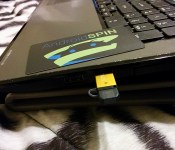
64GB Patriot Stellar OTG USB 3.0 on sale for $24.99

We previously reviewed and the Patriot Stellar OTG USB 3.0 external flash drive and the results were, well stellar. It’s fast, compact, well-made and is perfect for those needing extra storage for their devices. There was a prior promo through Patriot and Amazon to get a 32GB Stellar for $24.75 which expired. Well, Newegg has just doubled down and you can get the 64GB version, which normally goes for $38.99 for $24.99 after you include a $14 rebate card. Check it out and get yours today.
//<![CDATA[
ord = window.ord || Math.floor(Math.random()*1E16);
document.write('’);
//]]>

OtterBox Commuter Series Case for Motorola Moto G Review: the best protection without Compromise
 The OtterBox brand of cases is pretty much synonymous with incredible smartphone protection. Their range of products provides protection in multiple degrees of intensity and which one you need will depend on what kind of hell you intend to put your phone through. The Commuter Series is on the lower end of that scale, not quite offering the zero-tolerance Defender Series, but still giving you the piece of mind that minor mistakes aren’t going to detrimentally affect your devices. Today, we’ll be taking a look at the OtterBox Commuter Series Case for Moto G.
What’s in the box  Unlike the more hardcore OtterBox cases, the Commuter does not come with a mounting harness with a clip for your belt. It’s definitely more of a daily use case and its inclusions speak to this. In the box, you’ll get the Commuter case, a screen protector, a cleaning cloth, a small branded card for applying your screen protector, and your standard manual/instructions and warranty. While we got the Commuter Series in the Glacier style, there are another 4 styles to get your case in, including Black, Steel Blue, Lavender and Lilac.
 The Commuter is far less complicated to put on than its more heavy-duty brethren; the Commuter only has 2 layers, a synthetic rubber inner layer with a hard polycarbonate shell on the outside. While it looks like simple plastic, the outer shell can take a pretty hard beating and is more than enough for your daily shenanigans. Since the outer layer is also quite smooth, the inner layer serves as a nice counter to give the Commuter grip overall.
How does it perform?  I’ve used the Commuter for just over a week now and I can safely say that for average daily use, it has more than enough protection to survive what your day can throw at it. Even without a screen protector, it provides ample protection of your screen, and indeed, every other face of your phone too. Its meaty feel also gives you quite a lot of confidence in what your device will be able to survive while inside this case.
 The dual-layer format provides superior protection in all the vital areas and there is ample protection for your audio jack, micro-USB port and side buttons, though it is interesting that there is no real protection for the mic ports or speaker. And added plus, though; while the Commuter isn’t technically rated as waterproof, the Moto G itself has been suggested to possess a nano-coating that does give it some level of water resistance. Pretty well covered from all bases then.
What I like about the OtterBox Commuter Series Case for Moto G  OtterBox cases tend to be quite large which is usually a result of the layers of protection. I like that the Commuter is much less bulky than its more traditional predecessors and really doesn’t appear to add too much unnecessary bulk to an otherwise sleek Moto G. I would personally prefer the Commuter over the other Otterbox cases mainly because it still gives you access to the screen of the device; in fact, during my review of this case, I still haven’t applied the screen protector because the Gorilla Glass 3 feels so nice and gives me enough confidence that it can survive through anything.
  As we’ve come to expect from OtterBox, the Commuter appears to provide the right level of protection without being excessive. And because of this, it comes in at a much more reasonable price. $34.95 may still be considered a tall order for a case, but you definitely know you’re getting your money’s worth if you’re in the market for an ultra-protective case.
What I don’t like about the OtterBox Commuter Series Case for Moto G  The absence of a built in screen protector actually has some drawbacks. Where a built in screen protector would normally deny dust access to the inside of the case, the Commuter unfortunately accumulates dust under the silicon lip around the screen. This isn’t so much an issue if you keep the case on, but as you are constantly wiping dust away from the screen, the dust does have to go somewhere and unfortunately this is inside the case.
  One other peeve that I had with the Commuter Series is the process for putting the case on. While I did mention that the case is theoretically simpler with only two layers, I found putting it on a bit more challenging than it might appear. Chief among my frustrations is the fact that the audio jack/micro-USB jack flaps are actually inside the case; what this means is while the rubber inner layer is easy enough to put on, putting the harder, outer layer is actually quite fiddly and getting everything to line up really isn’t that straightforward.
 The side buttons don’t win too many points with me either; while the buttons do line up and are functional, they feel very soft and non-tactile, which means you’ll have to do a fair amount of trial and error before you know how much effort is required to press the hold/volume button.
Final Thoughts  The OtterBox Commuter Series for Motorola Moto G does exactly what you’d expect it to; it’s a highly protective case for your beloved Moto G that is a little less intense than the Defender series (probably one of the most protective available), yet still giving you the freedom to enjoy that amazing screen. It’s not the sleekest case around and it has some pitfalls, but if you need the assurance that your phone isn’t going to be maimed during your daily activities, it’s hard to look beyond the Commuter Series.
If you want to know more about the Commuter Series for Motorola Moto G, you can check out the product page on the OtterBox website here, or if you want to see what else OtterBox has to offer, you can visit their main website here. If you are interested in picking up the case and want a good deal, Amazon currently has the Commuter Series with a 20% discount, which brings it down from the MSRP of $34.95 to $27.95 USD; if that takes your fancy, an Amazon link can be found below:
Gallery of Photos


//<![CDATA[
ord = window.ord || Math.floor(Math.random()*1E16);
document.write('’);
//]]>
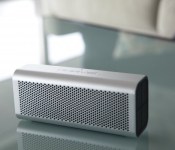
The BRAVEN 710 is now available in Australia and New Zealand, brings with it epic, portable Sound
 We’re big fans of BRAVEN here at AndroidSPIN and when we first heard about the BRAVEN 710, we were extremely excited to hear about the latest entry in BRAVEN’s amazing line of premium audio products. Like many of its brethren, the BRAVEN 710 is a portable wireless Bluetooth speaker that is also water resistant and made from aircraft grade aluminium. Thankfully for those of us Down Under, the BRAVEN 710 has finally made its way down south and is available immediately in Australia and New Zealand.
 Like its predecessors, the BRAVEN 710 boasts a burgeoning list of features including custom HD audio drivers, an IPX5 water resistant rating, and NFC-enabled Bluetooth connectivity. And like BRAVEN’s other products, the 710 also offers TrueWireless Technology which allows you to wirelessly daisy chain two 710′s to create true stereo sound with one right and one left speaker. And that’s just some of the great features that can be had for $229.99 AUD or $249.99 NZD. If you’re interested in picking one (or more) up, you will be able to get them at selected retailers in both countries:
Australia Retailers: My Byte, Tech2Go Airport stores, Pacific Hi Fi, Beezer.com.au, Macfixit.com.au, Modlifeonline.com.au
New Zealand Retailers: Yoobee, Ballantynes, SouthTec
Have you owned a BRAVEN product before? Share your experiences with us in the comments below.
//<![CDATA[
ord = window.ord || Math.floor(Math.random()*1E16);
document.write('’);
//]]>
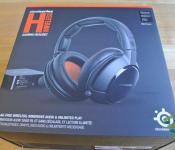
Steelseries H Wireless Gaming Headset Review: A multi-platform beast with a whole lot of tricks up its Sleeve
 Multi-platform gaming headphones are a very unique breed of audio accessories. Getting the right balance between all the supported platforms is extremely tough, particularly when you start asking for the amount of cash that implies this ability. The Steelseries H Wireless Gaming Headset is the creme de la creme of Steelseries‘ H Series and is the latest premium audio system to try and walk this tight rope.
What’s in the box
 Steelseries know how to make a box; that might sound incredibly mundane, but every techie understands what a big difference an exciting unboxing makes. In what is a mammoth of a box, you’ll find buried in it the headphones themselves, its matching mixer box, a spare battery for the headphones and a whole number of useful, little cables.
 I was really impressed by the number and completeness of the wires and connections that are available in the box. In particular, I was very impressed to see that the power adapter for the the mixer was detachable and had the different fittings for four different regions; who wouldn’t want to travel with these headphones?
 The H Wireless is designed to be compatible with Windows PC, Mac OSX, Xbox 360, PS3, iOS and Android and in the box you will a cable for each of these, whichever one is your gaming device of choice. Each of the cables is a metre long which will give you the flexibility to place the mixer in a place where you can see the graphical interface.
 The headphones themselves are a super sleek, black affair; covered in matte plastic and leather, there’s only a hint of orange on the stitching of the earcups and inside them as well. The outside of the earcups are a more polished plastic and hide the battery and a small firewire port (which is used for firmware updates). They are a mean, meaty set of headphones and even make the other entries in the H series family look a bit inadequate.
 As is almost customary now on Steelseries headsets, there is an exquisite retractable microphone that simply slides in and out of its dwelling whenever you need it. It is bendable into any position and has a light on the tip of it to let you know whether it is muted or not.


There are controls located on the headset itself, but they are decidedly minimal; the power on/off switch doubles as the microphone mute button and the volume wheel doubles as the menu navigation. Remarkably, the wheel and button are very well placed to be manipulated by your fingers when you simply place your hand on the right cup.
 When I reviewed the Steelseries 5Hv3 (read the full review here), I said that they were possibly the most comfortable headphones I had ever worn. The H Wireless follows closely after the 5Hv3, but with a small proviso. The H Wireless employs the same circumaural earcups (or as I call them, “pillows”) as the 5Hv3 which do a fantastic job of providing a very cushioned experience. This makes the H Wireless a very comfortable headphone to wear over short periods of time (1-2 hours).
 The mixer box shares the H Wireless headset’s design features, but still manages to be a very subtle piece of tech. Its mono-colour LED readout is simple and to the point and all the options displayed clearly, though it can be a bit of a labyrinth to find what you want. Probably the best party trick for the mixer box is the slot in its side. This slot can be used to charge and store the H Wireless’ spare battery, keeping it fully charged in the event that you run out of battery. When that does occur, all you need to do is swap out the flat battery, slot it into the mixer, put the new battery into the headphones and keep gaming.

How does it sound?
 For gaming purposes, the H Wireless headset are fantastic. I remember when I first tried them at CES 2014 playing Call of Duty: Ghosts, I was immediately struck by the immense bass and the sheer amount of sound. 3 months later and my opinion still hasn’t changed. Make sure you play some games with explosions in it, turn it up and you’ll be in for a treat. With the aid of virtual 7.1 surround thanks to the Dolby Digital, Dolby Headphone and Dolby Logic IIx, you’ll get some incredible, atmospheric sounding audio for any game that you’re playing, whether it be Battlefield 3 or Diablo 3 (what, just me?). This, however, only applies to the sound you get through the mixer; you won’t have the benefits of Dolby-enhanced sound when you use the H Wireless with mobile devices.
 For audio purposes, the H Wireless are also more than capable. I wouldn’t say that they are quite audiophile quality, but they will still give you fantastic sound. As you might expect because the headphones err on the side of bassy, the headphones are going to suit heavier music like rock and EDM, which I had a ball listening to with them. Mid range and treble sounds are also generally good, however when listening to classical music, I found the higher end of the scale to be a little muffled and not as bright as I would have preferred and despite what equalizer settings I had, the music was still very bass heavy. Having said that though, the modern listener will be more than happy with these headphones and their music playing abilities.
What I like about the Steelseries H Wireless Gaming Headset?
 There’s an awful lot to like about the H Wireless headset. One of my biggest fears when using wireless accessories is that moment when you run out of battery power; that’s the gamer in me talking. In normal circumstances, this would usually require plugging the device in and being tethered for a period of time. Obviously, the H Wireless does away with this inconvenience with its spare battery, which is neatly tucked away in its mixer for charging, and the process of changing batteries probably takes less than 30 seconds, which I am a huge fan of.
 I’m also a big proponent of multi-platform devices being provided with all the necessary accessories, which the H Wireless does by providing all possible cables that you might need. In addition to this, I really like that power adapters for all countries have been included, which I think is super convenient for buyers who are big travellers or buying from overseas.
 I also know that it sounds inane, but I’m a huge fan of how the H Wireless headset looks, mixer included. While they definitely aren’t Steelseries’ most ostentatious-looking product, they look subdued enough to draw attention in most settings, but look fantastic when they are noticed. Plus, who doesn’t like all-black stuff?
What I don’t like about the Steelseries H Wireless Gaming Headset?
 You may have noticed that earlier in the review I specified that the H Wireless headset is good to wear for 1-2 hours. While that does encompass the average gaming session, longer sessions of multiple hours, I found, did eventually put some stress on my head despite the cushioning of the massive, ‘cloud’-like earcups. Your experience may vary, however, as I used the headphones with the longest extension on the headphone arms; people with more normal or smaller heads may find them much more comfortable over several hours and this much was said in many other reviews; I may just have a really big head.
 While the H-Wireless headset is touted as a multi-platform device, unfortunately I can’t really say that it is full realized as an Android or even an iOS accessory. While it is a plus that it can be used as a headset with just an audio cable without the headphones being switched on, you get none of the features that really make it a monster for gaming on consoles or PC. There are no additional buttons that can be used for mobile purposes and not even the volume wheel works in this configuration, which really makes it feel like mobile compatibility is not a priority for the H Wireless headset. And really, that’s fine because the headset excels in many other areas; just don’t be expecting it to be your smartphones’ best friend.
Final Thoughts
 There’s not really any other way to say it; if you’re a PC or console gamer, the Steelseries H Wireless Gaming Headset is a hard choice to overlook. It’s really a combination of all its little features that make it into something great, and despite its price (MSRP $299 USD or RRP $399 AUD), it really is worth it if you’re big on games, how they sound and being immersed in the atmosphere. Naturally, I am a little disappointed that there aren’t more mobile features incorporated into the headset, but being able to use them at all with an unpowered, wired setup is a nice takeaway nonetheless.
If you’re interested in taking a closer look at the Steelseries H Wireless Gaming Headset, you can visit its product page on the Steelseries website, or if you’re interested in taking a look at Steelseries’ other products, you can visit their global website here.
Gallery of Photos


//<![CDATA[
ord = window.ord || Math.floor(Math.random()*1E16);
document.write('’);
//]]>

The Modulo expandable portable battery comes to Kickstarter after winning Best of Show award at CES 2014
 There were a ton of fantastic products on show at CES 2014 in January, many of which have us really excited about 2014 and beyond. One product that drew a lot of attention was the Modulo expandable portable battery created by IDAPT Barcelona, which was so innovative that it was awarded the Best of Show award in the iLounge section at CES. The basic concept behind Modulo is the ability to adapt your battery charging capabilities to your current situation and be able to have a modular battery system. As the next step to bringing Modulo to the world, IDAPT Barcelona has just recently launched their Kickstarter campaign; you can check out Modulo’s pitch video below:
As you can see, it’s a pretty impressive product concept; I particularly like the ability to stick the Modulo to the back of the device you’re charging. In fact, after just 2 days, Modulo has already hurdled its $30,000 target with 34 days to go, and looks like it has the legs to go a long way further too. Probably the best thing about Modulo is its incremental pricing: the full system of 5 Modulo units will provide 10,500mAh with each Modulo contributing 2,100mAh at $20 a pop. While it’s not the cheapest option for that much power on the market, no other portable battery pack offers as much flexibility as Modulo. However, I do question the choice of 1.2A outputs on each Modulo when most battery packs have a minimum of one 2.1A port.
 If you are looking at contributing to the Modulo Kickstarter, you can make your pledge on their campaign page here. Let us know what you think about IDAPT Barcelona’s product in the comments below
Source: Kickstarter
//<![CDATA[
ord = window.ord || Math.floor(Math.random()*1E16);
document.write('’);
//]]>
 AIVAnet