


Be careful what you buy: Australian woman’s death blamed on rip-off USB Charger
We’ve all seen it before: electronics goods being sold for far cheaper than the retail equivalent. Normally we wouldn’t think twice about buying the cheaper alternative, but a woman has been electrocuted to death in North Gosford, Australia this week, and a rip-off USB charger has been determined to be the root cause. Using a charger […]
ASUS reportedly working on budget friendly Android Wear Device
It has been about 24 hours or so since the first two commercially available Android Wear smartwatches made their appearance in the Play Store. The LG G Watch hit with a price tag of $229 in a traditional black or the in a white/gold offering. The other was the Samsung Gear Live. Very similar to […]
DODOcase gives Google Cardboard dreamers a $20 ‘Unofficial’ pre-made Option
One of the fun little things Google handed out at the end of the keynote was some cardboard, for Google Cardboard. It was pre-cut and packaged with all the parts need to build a make-shift virtual reality box that your phone slips in and acts as the display. Some say it was gimmicky, I thought it […]
BRAVEN’s BRV-BANK, the rugged IPX5 rated water-resistant battery bank now Available
BRAVEN has announced the availability of their new external battery bank, the BRV-BANK. We first caught a small look at it at CES 2014 when checked out some of their new speaker offerings for the year. The BRV-BANK takes on the same look and feel of their other water-resistant BRV line of outdoor speakers, the […]

MEElectronics Air-Fi Matrix2 AF62 Stereo Bluetooth Wireless Headphones Review: Bluetooth audio goes premium without the premium price Tag
 The Bluetooth audio products market is a tough one to crack, but MEElectronics has a unique take on it that continues to make them a very intriguing option in this space. Often celebrated for their great value, MEElectronics has recently revamped their Air-Fi Matrix Bluetooth headphones, relaunching it as the Air-Fi Matrix2 AF62 Stereo Bluetooth Wireless Headphones. Crucially, MEElectronics has taken into account all the criticisms and suggestions from their consumers to improve the Matrix2, so let’s see if it has made a difference.
What’s in the box
 MEElectronics is among my favourite manufacturers in audio thanks to their generally generous inclusions, and the gear included with the Matrix2 is no different. Along with the headphones themselves, you will also get a 3.5mm audio cable and a micro-USB cable for when you run out of juice as well as a hard case to store your Matrix2 headphones when not in use. Unlike the Runaway headphones that are also part of the Air-Fi range (see the full review here), the Matrix2 headphones are not collapsible, though the full-sized hard case is a nice touch to make sure no damage comes to the headphones during storage.
 The Matrix2′s are very professional looking, with mostly dark plastic and dashes of metal adorning the headphone’s frame. The visual highlight of the device is its stitched earcup and headband covers, which are meant to resemble a carbon fibre finish; the outside of the case also has this finish, but is embossed into the case rather than being stitched on. In the area’s that matter, the Matrix2 headphones have soft leather over memory foam to make for a very comfortable fit; I had no issues wearing the Matrix2′s for hours and hours at a time and I didn’t notice any pressure points anywhere.
 The Matrix2 headphones are technically over-the-ear headphones, but I found them most comfortable half on, half over my ears. Whether this is because my ears are giant and actually don’t fit inside the ear cups is up for debate, but needing to house 40mm drivers in each ear cup gives the Matrix2 ear cups some decent size.
 Being a Bluetooth headset, there are also an assortment of buttons to be found adorning the ear cups. You will have access to the power (which doubles as the call button), volume up and volume down, play/pause, next track and previous track buttons. You will also be able to find recessed in the ear cups the microphone for taking phone calls, an indicator LED, and a 3.5mm audio jack which can be used to use the headphones when the battery has run out.
How does it sound
 At $149 USD, the Matrix2 headphones come out at the top of MEElectronics’ Air-Fi series of audio products, with the Runaway at the bottom of the scale and Venture sitting pretty in the middle. For that money, you would expect some pretty impressive sound, and again, the Matrix2 doesn’t disappoint.
 The best way to describe the audio quality of the Matrix2 headphones is balanced; it doesn’t go too crazy in any particular range, making the bass strong, but not overpowering, the mids are clear, as are the highs, making for a really great overall headphone that can be used for any genre of music, be it classical, rock, or dance. Audio quality is identical when the Matrix2 headphones are used wired or wireless with the only notable difference the telltale white noise when Bluetooth is connected.
 Coming from the original Matrix, the Matrix2 has upgraded the old Bluetooth 3.0 to Bluetooth 4.0 connectivity, and while I haven’t tried the predecessor, I had no issues with connectivity with the Matrix2′s. This extended to consistent connections while listening for hours at a time and there was no evidence of anomalies or anything of that nature.
What I like about the Matrix2 headphones
 If you have ever read one of my reviews of Bluetooth headphones before, you will know that one of my all-time peeves with Bluetooth audio products is the fact that because most controls and buttons are located on the right ear cup, the 3.5mm audio jack is also located on the right. While the option to listen while not powered is obviously a plus, it’s such a jarring experience to need to become accustomed to having the audio cable hanging off the other ear cup than it is normally on. Perhaps this is a inane concern of mine, however I’m glad to say that MEElectronics has solved this bungle with the Matrix2 headphones and put the audio cable jack on the left ear cup; major points for that feature.
 Another thing you will know if you have read my reviews before is that I love products that include a carry case, a box which the Matrix2 definitively ticks. While this is usually more of a thing for collapsible headphones, I’m really impressed that MEElectronics has gone to the trouble of making a hard moulded case for the Matrix2, something which isn’t normally afforded to full sized headphones. And as a side note, I was very impressed with how solid the Matrix2 headphones felt; despite being mostly plastic, they are quite heavy and the general feel is of quality.
 The battery life of the Matrix2 headphones is quoted for a very impressive 22 hours, however in my testing I’m sure I exceeded that figure several times. And of course, if you run out of juice at any point (or get annoyed at the audio tone that occurs when you’re running low on battery), you can always switch to the physical cable to continue listening (and it’s on the right side!).
What I don’t like about the Matrix2 headphones
 If you read my review of the Runaway headphones, you will know that I didn’t quite like the arrangement of the buttons used to control the headphone functions. And while the configuration on the Matrix2 is significantly different, I can’t say that I like it either. While splitting the controls between the ear cups makes it easier to remember which controls are on which side, I found myself fiddling with the controls too much trying to figure out which ones were which. I wouldn’t consider this a dealbreaker as the headphones are perfectly functional as they stands, however I think the experience could be much more enjoyable perhaps with wheels or switches instead of buttons.
 This next concern might seem really unusual, but it was definitely one of the things that I noticed. It is said that the ‘new car’ smell is among one of the most sought after smells in the world, even being bottled up for those who want the specific scent; unfortunately, I can’t say the same for new Matrix2 headphones. I have a feeling that it has something to do with the fabric on the ear cups and headband, but the Matrix2 had an incredibly distinctive smell when it was first opened up. The weirdly synthetic smell lingered for a short while after, and while this again isn’t a dealbreaker, it’s just one of those things to be aware of.
Final Thoughts
 MEElectronics has done it again; a great value set of over-ear headphones that look great and sound great. I’m a big fan of the balanced audio, the reserved, but elegant design and the fact that it does this as a Bluetooth wireless headset for less than $150 USD. There may be cheaper products in the same arena, but the Matrix2 shows itself to be a firmly premium offering at a not-very-premium price, and for that, it’s definitely worth a look.
As a hot tip, you can now get the Matrix2 on Amazon for just $79.99 USD, which is a phenomenal deal for such a great value set of headphones; you can find an Amazon link below.
If you want to take a closer look at the MEElectronics Air-Fi Matrix2 AF62 Stereo Bluetooth Wireless Headphones, you can visit the product page here, or to take a look at some of MEElectronics’ other audio products you can take a look at their website here.
Gallery of Photos


//<![CDATA[
ord = window.ord || Math.floor(Math.random()*1E16);
document.write('’);
//]]>

Patriot Memory’s New FUEL iON Aims to Make Wireless Charging Faster and Easier
You might think Patriot Memory only has their hands in PC RAM and other computer related hardware. They have, however, been working diligently to break into the mobile space with a variety of accessories that bring consumers the same quality and exceptional performance that they are known for in the PC industry. We have had the pleasure of working with them to help introduce some of their mobile geared products since CES 2014. We showed you guys their killer Patriot FUEL+ battery banks and the Patriot 64GB USB 3.0 microUSB thumb drive. The team at Patriot has been hard at work to bring another product to market that might just change how you wirelessly charge your device. The most recent line of products keeps the Fuel branding going with the FUEL iON magnetic charging system.
 At launch, coming in July of this year, will include a case and the charging stand you see above. Initially it will launch for the iPhone 5/5s and the Samsung Galaxy S4, but other device cases are in the works already and we hope to see the Galaxy S5 and HTC One M8 in due time. It is all pretty simple and easy to use. You set your phone in the case, click the connector into your device and you are good to go to place it on the charging stand. Patriot says the charge rates have a 99% charging efficiency, basically charging your device at just about the same speed as if it was physically plugged into the wall.
 Both the iPhone 5/5s and Galaxy S4 kits will be $79.99. That includes the necessary case and the stand. To complete the system you can also pick up two addition charging accessories though. They will have a small FUEL iON Charge Pad, which is like a small hockey puck charge pad and a car mount for in use in your vehicle. The pictures look cool, but seeing it in a video doesn’t hurt. Check out the little video Patriot put together about the whole line.
I think it has a lot of potential. If it can charge at damn near full rates it would certainly be worth it. As I said earlier, the Patriot FUEL iON case and stand kit is scheduled for a release coming up in July. As soon as they are available we will be sure to let you guys know. Until then, what do you think?
//<![CDATA[
ord = window.ord || Math.floor(Math.random()*1E16);
document.write('’);
//]]>

Pelican Announces Rugged Case for the Already Rugged Samsung Galaxy S5 Active
The Samsung Galaxy S5 Active is the tougher variant of the Samsung Galaxy S5 with all the same specs minus the finger print scanner and adds a tough shell plus three physical buttons. Even the most rugged of devices can’t always stand up to the tests the most rugged users out there can put it through. One of the roughest and toughest case manufacturers out there agrees and have produced a new case for the Galaxy S5 Active, meet the Pelican ProGear Voyager.

“By its nature, the Galaxy S® 5 Active smart phone finds itself with those living a more adventurous lifestyle,” said David Becker, Vice President of Sales, Consumer Electronics, at Pelican Products. “The Pelican ProGear™ Voyager case is built to protect your smart phone from whatever adventure life throws at you.”
The case is built with 360 degrees of protecting in mind and is engineered to military (mil-spec) standards. It is a 4 piece case made with polycarbonate, energy-absorbing Thermoplastic Rubber (TPR) and polyurethane rubber. The case also comes with a scratch resistant screen protector that fits over the screen and under the front part of the case. As an added bonus, it also comes with a spring-loaded belt clip holster that doubles as a multi-position stand for watching flicks.
 The Pelican ProGear Voyager is available for purchase in grey/black and white/grey color combos for $50 through AT&T’s webstore.
//<![CDATA[
ord = window.ord || Math.floor(Math.random()*1E16);
document.write('’);
//]]>

Zolo: The New ‘Smarter-Together’ Protection and Charging System with a Price Tag you will Love
Beyond the world of phones and apps, there are accessories. Cases to protect your phone, screen protectors to protect you glass, battery banks to power-up on the go and cables to charge with. The market is fairly saturated with a plethora of options to choose from, but few have approached the needs of the smartphone community in a single packed offering. That is what Zolo was seeing and so the ‘Smarter-Together’ community was born.
Before I share with you this rather interesting and unique product, I have to toss out a little back story. Zolo is a new brand name that you have never heard of before. That can be intimidating. However, the people behind Zolo are from a more familiar brand that we have shared with you for a number of years, Anker. That is one you should know. I am sure plenty of you have purchased battery banks and other products from them in the past. Their goal with Zolo is to bring a premium product to consumers that look great, function well and cut out the premium price tags associated with mark ups from manufacturer to OEM’s to the stores.
“Crowdfunding our campaign helps us quickly introduce Zolo to a broader community in a more meaningful way than we could have done alone,” said Steven Yang, CEO of Zolo and former Google engineer. “We’re reimagining how community, manufacturing and distribution can work better together for a smarter life for all.”
 Before you go all “But, it’s an iPhone. I hate you. This is stupid.” Let’s take a quick look at what they are doing. While you are right, it is an iPhone, it isn’t and won’t be limited to iOS users. Right now the kit options are for iPhone 5, iPhone 5s and the Samsung Galaxy S5.
Pretty cool right? I think so anyways. I spoke with the Senior Marketing Director yesterday, Jason Lin, who you saw in the video. We talked about the magnets a little bit and I was assured that they have tested the magnets extensively and, like they said in the video, they 100% confirm that the magnets won’t harm your device or its operations in any way. I also asked why not go with a Qi charging style operation and cut out the cables entirely. The simple answer was more that Zolo is aiming to bring the ecosystem that all general users out there know and use by making it simple and affordable. That answer was good to me. Seeing as how a minority of users out there use wireless charging now, or even know what it is. Also, I am sure it is quite a bit more efficient to charge with a cable.
There is one other thing that got me to like it all. You aren’t bound by ‘their’ cable to have the magnetic cable system. They also have cable clips with magnets in them that you can attach to any round cable of your choosing. It frees you up a bit to use that long cable you love vs. a short cable you hate. It also lets you swap out 30-pin, lightning and micro USB so the whole house can use it all simply.
The final thing that really pushed this over the top as a superb offering, is the price. On the campaign you can grab a variety of kits that won’t break the bank. Here is the break down:
- Power Pack: Zolo battery, Short Cable , 2 cable clips – $13
- Power + Protection Pack: Zolo battery, Tough case for iPhone 5s/5 or Galaxy S5, short cable, 2 cable clips – $18
- Power Pack X2: 2 Zolo batteries, 2 Short Cables , 4 cable clips – $25
- Power + Protection Pack X2: 2 Zolo batteries, 2 Short Cables , 4 cable clips, 1 Tough case – $35
There are two more above it of course, like the $1,000 Zolo lifer which gets you a free Zolo product every time one is released. That is kind of confusing I suppose, Zolo is the brand name and like he said in the video, there are going to be wall chargers and plenty of other magnetic accessories you can grab later on that will all work together.
Actual specs of the products:
Zolo 1X Battery
Colors: Carbon, Ash, Navy, Poppy
Capacity: 3000 mAh
Ports: 1
Output: 1 Amp
Input: 1 Amp
Size: 3.0 inches x 2.1 inches x 0.5 inches
Weight: 3.2 Oz
Charging time: 4 Hours
Certifications: CE, FCC, RoHS, PSE (Japan)
Zolo Tough Case
Colors: Carbon, Ash
Drop-test standard:
o Military Standard 810F-516
o Dropped 26 times from a height of 4 feet; pass criteria: no obvious damage
Durability:
o 100 insertion test
o Environmental test ( Temperature cycling from -20 C to 40 C; 70% relative humidity)
o Abrasion testing
Certifications: RoHS, Proposition 65
Zolo Impact Screen Protector *
Hardness: 4H
Drop-test standard: 225 Gram steel ball dropped from 1.5 meters
Finish: Glossy
Zolo Short Cable
Colors: Carbon, Poppy, Ash
Length: 7 inches
Type: Micro USB at launch
Zolo Cable clips
Colors: Carbon, Ash, Poppy
Certifications: RoHS
All orders will get free shipping when they launch the product in September. Go take a closer look at their Zolo IndieGoGo page and feel free to back them.
//<![CDATA[
ord = window.ord || Math.floor(Math.random()*1E16);
document.write('’);
//]]>

Meet the NomadClip, the Latest Clipable Charge/Sync Cable from Nomad
Back in January we showed you guys a fun little keychained size portable charge/sync accessory called the Nomad ChargeKey. It was small and hooked right to your keychain. Certainly an easy way to make sure you were never without a charging connection or data transfer cable at any given time. Nomad has since added another new addition to the innovative charging solution with a new carabiner sized cable called the NomadClip.
 Similar to the credit card sized offering and the ChargeKey, the NomadClip offers you a charging cable discreetly placed inside the carabiner. The USB plug tucks in the top and your charging tip tucks away in the bottom.
 Nomad has placed the new NomadClip up for Pre-orders for both the iOS lighting charging tipped version and the micro USB version. Pricing for either of them is $39.00 each with free shipping in the US, CA, UK and AUS, any other country is a flat $5. If you want to knock a little off that price tag though, head over to our friends at Techaeris.com, for one week only they have an addition 25% off coupon code for everyone.
FYI: This is not designed for climbing. (Had to put it in there)
Via Techaeris
Visit Hellonomad to order and look at their other charging solutions.
//<![CDATA[
ord = window.ord || Math.floor(Math.random()*1E16);
document.write('’);
//]]>
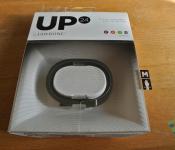
Jawbone UP24 Review on Android: Does it strike the right balance between style and Functionality?
 The fitness wearable space is on fire at the moment with new options being released with each passing week with slightly different features and slightly different focuses. One of the more popular wearables come from Jawbone, who are also well known for their audio products. Their original, wired Jawbone UP was an interesting prospect and definitely good looking, however Jawbone have made the right changes to make it even more attractive, cutting all the physical connections to give us the wireless Jawbone UP24. The real question is whether it’s more than just a pretty face, particularly when the asking price is $149 USD.
What’s in the box

There aren’t too many parts to the Jawbone UP24; apart from the fitness band itself and its associated charging cable, the only other notable part of the UP24 system is the app that can be downloaded from the Google Play store. While the “UP” app is free to download, it’s essentially useless without either a wired Jawbone Up, or the wireless UP24 to pair with. More on the app later.
 The UP24 looks essentially the same as the UP did except for a slight change in the pattern adorning the band. It’s a very sleek, simple device with only one button, found at the end of the band, with the other end of the band featuring the 2.5mm jack that allows the band to charge. Typically, you can expect the UP24 to last about 6-7 days which is pretty impressive seeing how thin the device is and that it is syncing essentially every 20 minutes or so. That is probably helped by the fact that the device doesn’t actually have a graphical interface to speak of, with only 2 LEDs in the band to help you differentiate which mode your band is currently in (awake or sleep).
 The UP24 is constructed from plastic, however it remains very pliable, making it extremely easy to remove and replace when required. Before I had the UP24 in my hands to try, I was under the impression that the ends of the band were held together with magnets, however the reality is that it’s just a plastic ring with a predefined shape.
How does it perform
I’ve been very impressed with the Jawbone UP24. On the technical side of counting steps, it appeared to be accurate (with the usual missteps like shaking and what not) and although I’ve yet to be sold on the ability of fitness bands to truly map trends in sleeping, it was definitely a decent indicator of how good a sleep you got the night before.
 Seeing as the device does not really have an interface to give you meaningful feedback, you will be mainly dealing with the UP app to see how your daily activities are going. The app has a simple enough interface, with the main page being a news feed-type affair, letting you know how your current and past activities have gone, as well as the activities of any friends you have added through the UP app.
 The graphs that the UP app outputs are great to navigate, and while it’s not terrible impressive to simply create column graphs and put them next to each other, the UP app does a great job of presenting the data in a concise and elegant manner. It’s very easy to scroll through previous data and see if any trends have started to develop. While its primary function is to log your steps and sleep, there are also added features in the app that allow you to also log your meals and other physical activities (i.e. swimming or sports). While these don’t add to your steps or sleep per se, for those who are big on health and nutrition logging, these features are a nice plus (although it can get slightly frustrating to use).
 Syncing the UP24 is pretty simple, with prompts to correct your syncing process if you aren’t quite doing it right along with troubleshooting tips. Sometimes it can take more than one try to get it synced out, but it’s nothing more than a minor nuisance. Once connected, the band wireless syncs with your smartphone in the background, or at the very least, every time you open the UP app.
What I like about the Jawbone UP24
 I’m a big fan of the design. While many reviews of the UP24 have decried it for lacking a graphical interface, I actually think this works in the band’s favour. The best thing about this to me is the fact that the UP24 is so unassuming; it’s so light that I can go an entire day without realizing that it’s on my arm and come home to see exactly how active I’ve been. Likewise, while I’m sleeping, it’s not really all that noticeable which let’s you sleep without really knowing it is there. Sure, there are fitness buffs who will want a graphical display to show them how far they’ve run, or how many calories they’ve burned at regular intervals, but for what the UP24 offers, it does it very inconspicuously.
 I also really like the logging in the UP app. While it’s a relatively simple affair, it’s nice that the data is so easily scrollable, which gives you a really easy way of checking out on a hourly, daily or weekly basis how active you really are.
What I don’t like about the Jawbone UP24
 While the logging part of the Up app I really like, there are parts of the app I am not a fan of. Chief among these is the nutrition and additional exercise menus, and while I can understand that this isn’t the primary function of the app, it feels like these features aren’t quite as functional as they could be. While they are polished in the presentation sense, the menus are hard to navigate and difficult to use, with multiple windows needed to just input one part of a meal. I was personally so turned off by these features that I neglected to use them for most of the time I spent reviewing the UP24.
 I generally don’t like making price a sticking point, but it’s very difficult not to with the UP24. With a price tag of $149 USD or $179.99 AUD, you’d expect some pretty nifty gizmos for your money, but the reality is that you’re really only getting a very basic fitness band and its free companion app. While I did mention that the design of the band is by far one of its best features, it’s difficult to recommend the band just based on that for the price point, however you may be swayed if you’re looking for something particularly stylish and unassuming that doesn’t need to have killer fitness features.
Final Thoughts
 The Jawbone UP24 is definitely a fitness wearable for the fashionable, casual exerciser. It’s a great mix of design, style and basic features, which makes it perfect for people who want something to help supplement their fitness life with something that doesn’t look too bulky or unwieldy. It’s a bit pricey, and the lack of features probably won’t appeal to the fitness-literate who want more from their fitness bands, however the UP24 is great in its own respect and if you’re in the market for something a bit like that, you won’t be disappointed.
The Jawbone UP24 is now available globally, and if you want to take a closer look at the product, be sure to visit the product page here on Jawbone’s website.
Gallery of Photos


//<![CDATA[
ord = window.ord || Math.floor(Math.random()*1E16);
document.write('’);
//]]>
 AIVAnet